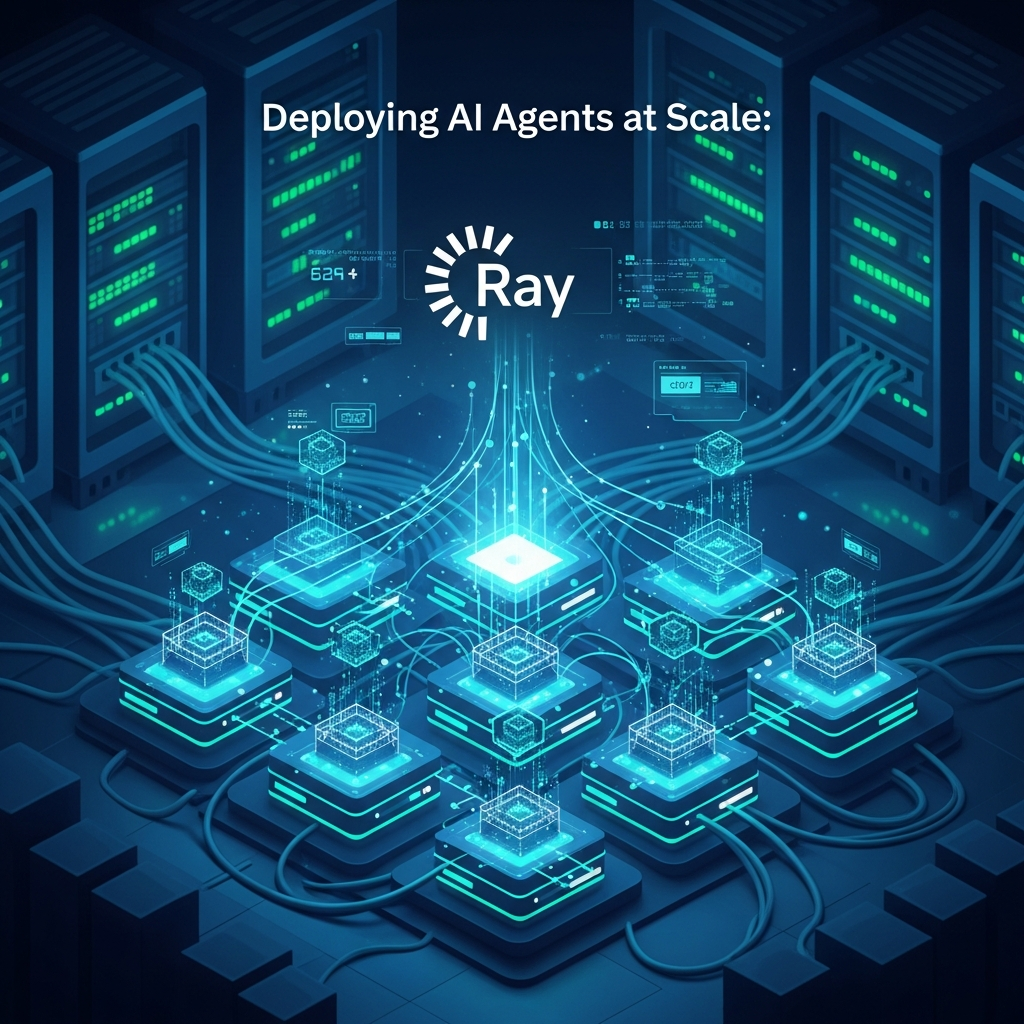
Introduction\n\nThe advent of sophisticated AI agents, capable of autonomous decision-making, learning, and interaction, marks a significant leap in artificial intelligence. From intelligent chatbots and autonomous trading systems to predictive maintenance and complex simulation environments, AI agents are transforming industries. However, deploying these agents, especially when they need to operate continuously, manage state, and handle dynamic workloads across potentially hundreds or thousands of instances, introduces substantial challenges related to scalability, reliability, and resource management.\n\nThis comprehensive guide delves into the powerful synergy of Kubernetes and Ray, two leading technologies that, when combined, provide a robust framework for orchestrating AI agents at scale. Kubernetes, the de-facto standard for container orchestration, offers unparalleled capabilities for deployment, scaling, and self-healing. Ray, a unified framework for distributed AI, simplifies the creation and execution of parallel and distributed applications, making it ideal for the complex, stateful nature of many AI agents.\n\nWe will explore the architectural patterns, practical implementations, and best practices for building an resilient, high-performance infrastructure for your AI agents, ensuring they can operate effectively in demanding production environments.\n\n## Prerequisites\n\nTo get the most out of this guide, a foundational understanding of the following concepts and technologies is recommended:\n\n* Kubernetes Basics: Familiarity with pods, deployments, services, namespaces, and kubectl.\n* Docker: Understanding containerization and Docker images.\n* Python: Proficiency in Python programming, as Ray is primarily Python-based.\n* Distributed Computing: Basic concepts of parallelism, concurrency, and fault tolerance.\n* Machine Learning/AI: General understanding of what AI agents are and their typical operational characteristics.\n\n## The Challenge of Scaling AI Agents\n\nScaling AI agents goes beyond merely running more instances of a stateless web service. AI agents often possess unique characteristics that complicate traditional scaling approaches:\n\n* Statefulness: Many agents maintain internal state (e.g., memory, learned models, environmental context) that must persist or be managed across restarts and scaling events.\n* Long-Running Tasks: Agents might need to continuously process data, interact with environments, or perform complex computations over extended periods.\n* Resource Heterogeneity: Agents can have diverse resource requirements, from CPU-intensive logical agents to GPU-heavy deep learning agents, often requiring specific hardware allocations.\n* Dynamic Workloads: The demand for agents can fluctuate wildly, necessitating rapid scaling up and down without service interruption.\n* Inter-Agent Communication: Complex AI systems often involve multiple agents collaborating, requiring efficient and reliable communication mechanisms.\n* Fault Tolerance: Agents must be resilient to failures, capable of recovering state and resuming operations without significant data loss or disruption.\n\nAddressing these challenges requires a sophisticated orchestration layer that can manage compute resources, handle distribution, and ensure the reliability of individual agent instances.\n\n## Why Kubernetes for AI Agent Orchestration?\n\nKubernetes has emerged as the industry standard for orchestrating containerized applications, and its features are exceptionally well-suited for the demanding requirements of AI agent deployments:\n\n* Declarative Management: Define the desired state of your agents (e.g., number of replicas, resources, network policies), and Kubernetes continuously works to achieve and maintain that state.\n* Self-Healing: Automatically restarts failed containers, reschedules pods onto healthy nodes, and replaces unresponsive agents, ensuring high availability.\n* Scalability: Easily scale the number of agent instances up or down based on demand using Horizontal Pod Autoscalers (HPA) or Vertical Pod Autoscalers (VPA).\n* Resource Management: Efficiently allocates CPU, memory, and GPU resources to pods, preventing resource contention and optimizing hardware utilization.\n* Service Discovery and Load Balancing: Provides built-in mechanisms for agents to discover and communicate with each other or external services, and distributes traffic efficiently.\n* Extensibility: Through Custom Resource Definitions (CRDs) and Operators, Kubernetes can be extended to manage complex, domain-specific workloads like Ray clusters, making it a powerful platform for MLOps.\n* Portability: Deploy your AI agents consistently across various cloud providers, on-premises data centers, or edge devices without significant modifications.\n\nBy abstracting away the underlying infrastructure, Kubernetes allows developers to focus on agent logic rather than operational complexities.\n\n## Why Ray for Distributed AI Agents?\n\nWhile Kubernetes excels at container orchestration, it doesn't inherently provide a unified programming model for distributed applications or manage complex AI-specific workloads. This is where Ray shines. Ray is an open-source framework that provides a simple, universal API for building and running distributed applications, particularly suited for machine learning and AI tasks.\n\nKey advantages of Ray for AI agents include:\n\n* Unified API: Ray offers a single, intuitive API (Python-centric) to express both distributed tasks and stateful actors, simplifying the development of complex distributed AI systems.\n* Actor Model: Ray's actor model is perfect for modeling stateful AI agents. Each agent can be represented as a Ray actor, encapsulating its state and methods, and allowing asynchronous, fault-tolerant communication.\n* Task Parallelism: Easily parallelize computationally intensive parts of an agent's logic or run multiple agents concurrently as Ray tasks.\n* Fault Tolerance: Ray handles object lineage and task retries, making distributed applications more robust to failures.\n* Rich Ecosystem: Ray provides libraries for reinforcement learning (RLlib), hyperparameter tuning (Ray Tune), distributed data processing (Ray Data), and distributed training (Ray Train), which are often integral to AI agent development.\n* Resource Management within Cluster: Ray can manage and schedule tasks/actors across its cluster nodes, making intelligent decisions about resource allocation (CPU, GPU, memory) within the Ray environment.\n\nRay provides the distributed computing primitives that complement Kubernetes' infrastructure orchestration, creating a powerful platform for scalable AI agents.\n\n## Understanding Ray's Actor Model for AI Agents\n\nThe actor model is fundamental to building stateful AI agents with Ray. An actor is a stateful service that can execute methods asynchronously and communicate with other actors or tasks. Each actor has a unique ID and runs in its own process, making it an ideal abstraction for an individual AI agent.\n\nLet's illustrate with a simple example of an AI agent that maintains a 'knowledge base' (its state) and can process new observations.\n\npython\nimport ray\nimport time\n\n# Initialize Ray (if not already initialized)\nif not ray.is_initialized():\n ray.init(address="auto") # Connect to an existing Ray cluster or start a local one\n\n@ray.remote\nclass AIAgent:\n def __init__(self, agent_id: str):\n self.agent_id = agent_id\n self.knowledge_base = [] # This is the agent's internal state\n print(f"Agent {self.agent_id} initialized.")\n\n def process_observation(self, observation: str) -> str:\n """Processes an observation and updates the knowledge base."""\n print(f"Agent {self.agent_id} processing: {observation}")\n self.knowledge_base.append(observation)\n response = f"Agent {self.agent_id} processed '{observation}'. Knowledge base size: {len(self.knowledge_base)}"\n time.sleep(0.1) # Simulate some processing time\n return response\n\n def get_knowledge_base(self):\n """Returns the agent's current knowledge base."""\n return self.knowledge_base\n\n def get_id(self):\n """Returns the agent's ID."""\n return self.agent_id\n\n# Spawning multiple AI agents as Ray actors\nif __name__ == "__main__":\n print("Spawning AI Agents...")\n agent_1 = AIAgent.remote("Agent-Alice")\n agent_2 = AIAgent.remote("Agent-Bob")\n\n # Asynchronously send observations to agents\n results_1 = [agent_1.process_observation.remote(f"data_A_{i}") for i in range(3)]\n results_2 = [agent_2.process_observation.remote(f"data_B_{i}") for i in range(2)]\n\n # Retrieve results\n print("\nRetrieving processing results...")\n print(ray.get(results_1))\n print(ray.get(results_2))\n\n # Get knowledge bases\n print("\nRetrieving knowledge bases...")\n kb_alice = ray.get(agent_1.get_knowledge_base.remote())\n kb_bob = ray.get(agent_2.get_knowledge_base.remote())\n print(f"Alice's knowledge base: {kb_alice}")\n print(f"Bob's knowledge base: {kb_bob}")\n\n ray.shutdown()\n\n\nIn this example, AIAgent is a Ray actor. Each instance (agent_1, agent_2) is a separate, stateful entity running in the Ray cluster. Methods like process_observation are invoked asynchronously using .remote(), and results can be retrieved later using ray.get(). This pattern allows for managing many concurrent agents, each with its own state, distributed across the cluster.\n\n## Basic Kubernetes Deployment for a Ray Cluster\n\nTo deploy Ray actors, you first need a Ray cluster running on Kubernetes. The simplest and most robust way to manage a Ray cluster on Kubernetes is by using the KubeRay Operator. KubeRay provides a set of Custom Resource Definitions (CRDs) and a controller that manages the lifecycle of Ray clusters.\n\nFirst, ensure the KubeRay Operator is installed in your cluster. You can usually do this via Helm:\n\nbash\nhelm repo add kuberay https://kuberay-org.github.io/kuberay-helm/\nhelm repo update\nhelm install kuberay-operator kuberay/kuberay-operator --version 1.0.0 # Use the latest stable version\n\n\nOnce the operator is running, you can define a RayCluster resource. This resource specifies the Ray head node and worker nodes, their resource requirements, and the Docker image to use.\n\nyaml\n# ray-cluster.yaml\napiVersion: ray.io/v1alpha1\nkind: RayCluster\nmetadata:\n name: ai-agent-ray-cluster\nspec:\n rayVersion: '2.9.0' # Ensure this matches your Ray client library version\n enableFQDNForHeadService: true # Recommended for robust service discovery\n headGroupSpec:\n serviceType: ClusterIP # Or NodePort/LoadBalancer if you need external access\n rayStartParams:\n dashboard-host: '0.0.0.0'\n num-cpus: '0' # Head node typically manages, not computes heavily\n template:\n metadata:\n labels:\n ray.io/node-type: head\n spec:\n containers:\n - name: ray-head\n image: rayproject/ray:2.9.0-py310 # Use a specific Ray image\n ports:\n - containerPort: 6379 # Ray client port\n - containerPort: 8265 # Ray dashboard port\n - containerPort: 10001 # Ray driver port\n resources:\n limits:\n cpu: "1"\n memory: "2Gi"\n requests:\n cpu: "500m"\n memory: "1Gi"\n workerGroupSpecs:\n - groupName: small-workers\n replicas: 2 # Start with 2 worker nodes\n minReplicas: 1\n maxReplicas: 10 # Allow autoscaling up to 10 workers\n rayStartParams:\n num-cpus: '4'\n template:\n metadata:\n labels:\n ray.io/node-type: worker\n spec:\n containers:\n - name: ray-worker\n image: rayproject/ray:2.9.0-py310\n resources:\n limits:\n cpu: "4"\n memory: "8Gi"\n requests:\n cpu: "2"\n memory: "4Gi"\n\n\nApply this configuration:\n\nbash\nkubectl apply -f ray-cluster.yaml\n\n\nThe KubeRay Operator will provision the Ray head pod and the specified number of worker pods, along with necessary services, making the Ray cluster ready for use.\n\n## Deploying AI Agents as Ray Actors on Kubernetes\n\nOnce your Ray cluster is running on Kubernetes, you can deploy your AI agents. The typical pattern involves a "driver" application that connects to the Ray cluster and spawns your AI agents as Ray actors. This driver can itself be a Kubernetes Pod, a Deployment, or a Job.\n\nConsider our AIAgent example. We'll create a Python script agent_driver.py that connects to the Ray cluster and manages agent lifecycles.\n\npython\n# agent_driver.py\nimport ray\nimport time\nimport os\nfrom datetime import datetime\n\n# Assume AIAgent class is defined in another module or directly here\n# For simplicity, including it directly for this example\n@ray.remote\nclass AIAgent:\n def __init__(self, agent_id: str):\n self.agent_id = agent_id\n self.knowledge_base = []\n print(f"[{datetime.now()}] Agent {self.agent_id} initialized on node {os.uname().nodename}.")\n\n def process_observation(self, observation: str) -> str:\n print(f"[{datetime.now()}] Agent {self.agent_id} processing: {observation}")\n self.knowledge_base.append(observation)\n time.sleep(0.5) # Simulate work\n return f"Processed '{observation}' by {self.agent_id}. KB size: {len(self.knowledge_base)}"\n\n def get_knowledge_base(self):\n return self.knowledge_base\n\n def shutdown(self):\n print(f"[{datetime.now()}] Agent {self.agent_id} shutting down.")\n # Perform any cleanup here\n\nif __name__ == "__main__":\n # Connect to the Ray cluster. 'auto' will detect the cluster from environment variables\n # set by KubeRay for pods running within the cluster.\n if not ray.is_initialized():\n print(f"[{datetime.now()}] Initializing Ray client...")\n ray.init(address="auto")\n print(f"[{datetime.now()}] Ray client connected. Head node: {ray.get_processing_placement_group().bundle_specs[0]['resources']}")\n\n num_agents = 5\n agents = []\n for i in range(num_agents):\n agent_id = f"Agent-{i}"\n agent = AIAgent.remote(agent_id)\n agents.append(agent)\n print(f"[{datetime.now()}] Spawned {agent_id}.")\n\n # Simulate continuous operation\n try:\n observation_counter = 0\n while True:\n print(f"[{datetime.now()}] Sending observations (cycle {observation_counter})...")\n for i, agent in enumerate(agents):\n obs = f"event_{observation_counter}_to_agent_{i}"\n agent.process_observation.remote(obs) # Fire and forget, or get results if needed\n observation_counter += 1\n time.sleep(5) # Wait before next cycle\n except KeyboardInterrupt:\n print(f"[{datetime.now()}] Driver shutting down.")\n finally:\n # Gracefully shut down agents (optional, but good practice for stateful agents)\n print(f"[{datetime.now()}] Shutting down agents...")\n for agent in agents:\n agent.shutdown.remote()\n ray.shutdown()\n print(f"[{datetime.now()}] Ray shutdown complete.")\n\n\n\nTo run this driver, you would containerize it into a Docker image and deploy it as a Kubernetes Deployment. This deployment will connect to the ai-agent-ray-cluster Ray cluster we defined earlier.\n\ndockerfile\n# Dockerfile for agent_driver\nFROM rayproject/ray:2.9.0-py310-cpu\n\nWORKDIR /app\n\nCOPY agent_driver.py .\n\nCMD ["python", "agent_driver.py"]\n\n\nBuild and push this image to your container registry. Then, deploy it to Kubernetes:\n\nyaml\n# agent-driver-deployment.yaml\napiVersion: apps/v1\nkind: Deployment\nmetadata:\n name: ai-agent-driver\nspec:\n replicas: 1\n selector:\n matchLabels:\n app: ai-agent-driver\n template:\n metadata:\n labels:\n app: ai-agent-driver\n spec:\n containers:\n - name: driver\n image: your-registry/ai-agent-driver:latest # Replace with your image\n env:\n # These env vars are automatically set by KubeRay for Ray client connections\n # RAY_ADDRESS: "ray://ai-agent-ray-cluster-head-svc:10001" # Example if not using auto\n - name: RAY_CLUSTER_NAME\n value: ai-agent-ray-cluster # Name of your RayCluster CRD\n - name: RAY_NAMESPACE\n value: default # Namespace of your RayCluster CRD\n resources:\n limits:\n cpu: "1"\n memory: "2Gi"\n requests:\n cpu: "500m"\n memory: "1Gi"\n\n\nThis deployment will launch a pod that runs agent_driver.py. This script will connect to the Ray cluster and dynamically spawn AIAgent actors across the Ray worker nodes. Kubernetes manages the driver pod, while Ray manages the lifecycle and distribution of the actual AI agent actors.\n\n## Orchestration Patterns: Dynamic Agent Provisioning\n\nScaling AI agents effectively means dynamically adjusting their number and resources based on demand. Combining Kubernetes' autoscaling with Ray's distributed capabilities enables powerful orchestration patterns.\n\n1. Kubernetes HPA for Ray Workers: The most straightforward approach is to use Kubernetes Horizontal Pod Autoscalers (HPA) to scale the Ray worker pods. You can configure HPA to scale worker groups in your RayCluster based on CPU utilization, memory, or custom metrics (e.g., length of a Ray task queue). The KubeRay operator automatically integrates with Kubernetes autoscaling, allowing minReplicas and maxReplicas in workerGroupSpecs to be respected by the HPA.\n\n yaml\n # hpa-ray-workers.yaml\n apiVersion: autoscaling/v2\n kind: HorizontalPodAutoscaler\n metadata:\n name: ray-worker-hpa\n spec:\n scaleTargetRef:\n apiVersion: ray.io/v1alpha1\n kind: RayCluster\n name: ai-agent-ray-cluster\n minReplicas: 1\n maxReplicas: 10\n metrics:\n - type: Resource\n resource:\n name: cpu\n target:\n type: Utilization\n averageUtilization: 70 # Scale up if average CPU utilization exceeds 70%\n \n\n2. Ray Autoscaler on Kubernetes: For more fine-grained control and intelligent scaling based on Ray-specific metrics (e.g., pending tasks, actor creation requests), Ray includes its own autoscaler. When deployed with KubeRay, the Ray autoscaler can be enabled to dynamically add or remove Ray worker pods by interacting with the Kubernetes API to modify the RayCluster resource. This allows Ray to make scaling decisions based on the actual demand for Ray tasks and actors.\n\n3. Centralized Agent Manager: For complex scenarios, you might implement a dedicated "Agent Manager" service (itself a Ray actor or a Kubernetes Deployment) that monitors overall system load, external events, or agent performance. This manager can then programmatically spawn or terminate AIAgent actors using AIAgent.remote() calls as needed, effectively creating a dynamic pool of agents.\n\nThis tiered approach—Kubernetes managing the Ray cluster, and Ray managing the individual agents—provides a robust and flexible scaling mechanism.\n\n## Communication and State Management for Agents\n\nEffective AI agents often need to communicate with each other and manage shared state. Ray and Kubernetes offer several patterns for this:\n\n1. Ray Object Store for Immutable Data: Ray's in-memory object store is highly efficient for passing immutable data (e.g., model weights, observations, processed results) between tasks and actors. When an actor or task returns a Ray object reference, other actors/tasks can retrieve the actual data, often without serialization/deserialization overhead if they are on the same node.\n\n2. Actor Handles for Inter-Agent Communication: Ray actors can hold "handles" to other actors, allowing them to invoke methods asynchronously. This is the primary way for agents to communicate directly.\n\n python\n # Example of agent communication\n import ray\n\n @ray.remote\n class MessageBrokerAgent:\n def __init__(self):\n self.subscribers = {}\n\n def subscribe(self, agent_id, agent_handle):\n self.subscribers[agent_id] = agent_handle\n print(f"Agent {agent_id} subscribed.")\n\n def publish(self, topic, message):\n print(f"Publishing to {topic}: {message}")\n for agent_id, handle in self.subscribers.items():\n # Asynchronously send message to subscribers\n handle.receive_message.remote(topic, message)\n\n @ray.remote\n class ListeningAgent:\n def __init__(self, agent_id):\n self.agent_id = agent_id\n self.messages = []\n\n def receive_message(self, topic, message):\n self.messages.append((topic, message))\n print(f"Agent {self.agent_id} received: {message} on {topic}")\n\n def get_messages(self):\n return self.messages\n\n if __name__ == "__main__":\n ray.init(address="auto")\n\n broker = MessageBrokerAgent.remote()\n agent_a = ListeningAgent.remote("Agent-A")\n agent_b = ListeningAgent.remote("Agent-B")\n\n ray.get(broker.subscribe.remote("Agent-A", agent_a))\n ray.get(broker.subscribe.remote("Agent-B", agent_b))\n\n ray.get(broker.publish.remote("general", "Hello from Broker!"))\n ray.get(broker.publish.remote("alerts", "System alert!"))\n\n time.sleep(1) # Give time for messages to process\n\n print(f"Agent A messages: {ray.get(agent_a.get_messages.remote())}")\n print(f"Agent B messages: {ray.get(agent_b.get_messages.remote())}")\n ray.shutdown()\n \n\n3. External State Stores: For truly persistent, shared state that needs to survive entire cluster shutdowns or be accessed by non-Ray services, external databases are essential. Kubernetes can easily deploy and manage these services. Examples include:\n * Redis: For high-performance key-value storage, caches, and message queues.\n * PostgreSQL/Cassandra: For structured or unstructured persistent data.\n * Object Storage (S3/GCS): For large files, model checkpoints, or datasets.\n\n4. Message Queues (Kafka/RabbitMQ): For asynchronous, decoupled communication between agents or with external systems, especially in event-driven architectures. Kubernetes makes deploying and managing these message brokers straightforward.\n\nChoose the appropriate mechanism based on the data's mutability, persistence requirements, and the coupling needed between agents.\n\n## Resource Management and Scheduling\n\nEfficient resource utilization is critical for cost-effective scaling. Kubernetes and Ray provide complementary features for managing CPU, memory, and GPU resources.\n\n* Kubernetes Resource Requests and Limits: Define resources.requests and resources.limits for your Ray head and worker pods. Requests guarantee a minimum amount of resources, while limits prevent pods from consuming excessive resources, ensuring cluster stability.\n\n yaml\n # Example from RayCluster workerGroupSpecs\n resources:\n limits:\n cpu: "4"\n memory: "8Gi"\n nvidia.com/gpu: "1" # Request a GPU\n requests:\n cpu: "2"\n memory: "4Gi"\n \n\n* Node Selectors, Taints, and Tolerations: Use Kubernetes node selectors to schedule Ray worker pods onto specific nodes (e.g., nodes with GPUs, high-memory nodes). Taints and tolerations can ensure that only specific workloads run on specialized hardware.\n\n yaml\n # Example within workerGroupSpecs.template.spec\n nodeSelector:\n gpu-enabled: "true"\n tolerations:\n - key: "gpu-node"\n operator: "Exists"\n effect: "NoSchedule"\n \n\n* Ray Placement Groups: Within a Ray cluster, placement groups allow you to co-locate a group of tasks or actors on the same node or a specific set of nodes, guaranteeing resource availability for interdependent components. This is crucial for performance-sensitive AI agents that might need to share data or communicate with low latency.\n\n python\n # Example of a Ray placement group\n import ray\n from ray.util.placement_group import placement_group, remove_placement_group\n\n @ray.remote\n class GpuAgent:\n def __init__(self):\n print("GPU Agent initialized.")\n\n def run_gpu_task(self):\n # Simulate GPU work\n return "GPU task done!"\n\n if __name__ == "__main__":\n ray.init(address="auto")\n\n # Create a placement group requesting 1 GPU\n # The resources are (CPU, Memory, GPU) or {'CPU': X, 'GPU': Y}\n pg = placement_group([{"CPU": 1, "GPU": 1}], strategy="STRICT_PACK")\n ray.get(pg.ready()) # Wait for the placement group to be ready\n\n # Spawn a GPU agent within this placement group\n gpu_agent = GpuAgent.options(placement_group=pg, num_gpus=1).remote()\n result = ray.get(gpu_agent.run_gpu_task.remote())\n print(result)\n\n remove_placement_group(pg)\n ray.shutdown()\n \n\nBy combining these features, you can precisely control where and how your AI agents consume resources, optimizing performance and cost.\n\n## Monitoring, Logging, and Observability\n\nOperating AI agents at scale requires robust observability. You need to know what your agents are doing, how they are performing, and quickly diagnose issues.\n\n* Kubernetes Monitoring (Prometheus & Grafana): Use Prometheus to scrape metrics from Kubernetes components, Ray pods, and custom metrics exposed by your agents. Grafana can then visualize these metrics, providing dashboards for cluster health, resource utilization, and pod status.\n\n* Ray Dashboard: The Ray dashboard (accessible via port 8265 on the head node) provides real-time insights into your Ray cluster's health, resource usage, tasks, actors, and logs. KubeRay usually sets up a Kubernetes Service for the dashboard, making it accessible within or outside the cluster.\n\n* Centralized Logging (ELK Stack/Loki): Configure your Kubernetes cluster to ship container logs to a centralized logging solution like Elasticsearch, Loki, or Splunk. This allows you to search, filter, and analyze logs from all your agent instances and Ray components in one place. Ensure your agents log relevant information (e.g., state changes, decisions, errors) with appropriate severity levels.\n\n* Distributed Tracing (Jaeger/OpenTelemetry): For complex inter-agent communication, distributed tracing can help visualize the flow of requests and identify bottlenecks or failures across multiple services and actors.\n\nImplementing a comprehensive observability stack is non-negotiable for production AI agent deployments.\n\n## Best Practices for Production Deployment\n\nTo ensure stability, maintainability, and efficiency of your AI agents in production, consider these best practices:\n\n1. Idempotent Deployments: Design your agent deployments and configuration such that applying them multiple times has the same effect as applying them once. This is a core Kubernetes principle.\n2. Version Control Everything: Keep your agent code, Dockerfiles, Kubernetes manifests, and Ray cluster definitions under version control. Use semantic versioning for your agent images.\n3. CI/CD Pipelines: Automate the build, test, and deployment process for your agent code and infrastructure. Tools like Jenkins, GitLab CI, GitHub Actions, or Argo CD can streamline this.\n4. Resource Quotas and Limit Ranges: Implement Kubernetes resource quotas at the namespace level and limit ranges for pods to prevent any single team or application from monopolizing cluster resources.\n5. Network Policies: Secure inter-agent communication and control ingress/egress traffic using Kubernetes network policies, limiting what pods can communicate with each other and external services.\n6. Role-Based Access Control (RBAC): Implement strict RBAC policies for human users and service accounts to ensure that only authorized entities can deploy, manage, or interact with your AI agents and underlying infrastructure.\n7. Graceful Shutdown: Implement logic within your Ray actors to handle shutdown signals gracefully. This includes saving critical state, flushing buffers, and completing ongoing tasks before termination, minimizing data loss.\n8. Immutable Infrastructure: Treat your infrastructure components (like Ray worker pods) as immutable. When updates are needed, build new images and deploy new pods rather than modifying existing ones in place.\n9. Health Checks: Implement Kubernetes liveness and readiness probes for your Ray driver and head node to ensure they are healthy and ready to receive traffic.\n10. Persistent Storage for State: For agents with critical, long-lived state, use Kubernetes Persistent Volumes (PVs) and Persistent Volume Claims (PVCs) to store data on durable storage solutions (e.g., cloud block storage, NFS). This ensures state survives pod restarts.\n\n## Common Pitfalls and Troubleshooting\n\nDeploying AI agents at scale is complex, and you're bound to encounter issues. Here are some common pitfalls and tips for troubleshooting:\n\n* Resource Starvation: If your agents are crashing or performing poorly, check Kubernetes pod events, CPU/memory utilization metrics (via Prometheus/Grafana), and Ray dashboard for resource bottlenecks. Adjust requests and limits accordingly.\n* Network Issues: Agents failing to connect to the Ray head, external databases, or other services often point to network problems. Check Kubernetes services, network policies, and DNS resolution within your pods. Use kubectl exec to troubleshoot connectivity from inside a pod (e.g., ping, curl).\n* Ray Cluster Instability: The Ray head node is critical. If it crashes, the entire cluster can become unstable. Ensure the head node has sufficient resources and monitor its health. Check Ray worker logs for connection issues to the head.\n* State Consistency Problems: If agents are losing state or exhibiting inconsistent behavior, review your state management strategy. Are you using appropriate external stores for persistent state? Is your graceful shutdown logic saving state correctly?\n* Serialization Errors: Ray objects and actor method arguments/returns must be serializable. If you encounter pickle errors, ensure all custom classes or complex objects passed through Ray are properly serializable.\n* Misconfigured Ray Autoscaler: If the Ray cluster isn't scaling as expected, check the Ray autoscaler logs (usually on the head node) and verify the RayCluster's minReplicas and maxReplicas settings.\n* Image Pull Failures: Ensure your Kubernetes cluster has access to your container registry and the correct image pull secrets are configured if using a private registry.\n\nLeverage your observability stack to quickly pinpoint the root cause of these issues.\n\n## Conclusion\n\nDeploying AI agents at scale is a complex endeavor that demands a robust, flexible, and resilient infrastructure. By strategically combining Kubernetes for infrastructure orchestration and Ray for distributed AI computing, developers and MLOps engineers can build powerful platforms capable of managing hundreds or thousands of stateful, intelligent agents.\n\nKubernetes provides the declarative control, self-healing, and resource isolation necessary to run Ray clusters efficiently, while Ray offers the programming model and distributed primitives to easily develop and manage individual AI agents. This synergy creates an environment where AI agents can operate reliably, scale dynamically, and collaborate effectively.\n\nAs AI agents become more sophisticated and ubiquitous, mastering these orchestration patterns will be crucial for unlocking their full potential in real-world applications. Start experimenting with KubeRay and Ray today to build the next generation of intelligent, scalable systems.
Support CodeWithYoha
Enjoyed this deep dive? Buy me a coffee!
Every article on CodeWithYoha is 100% free, independent, and sponsor-free. If this guide saved you hours of debugging or helped you architect better software, consider supporting future guides with a coffee ($5, $10, or any amount of your choice).

Written by
CodewithYohaFull-Stack Software Engineer with 7+ years of experience in Java, Spring Boot, and cloud architecture across AWS, Azure, and GCP. Writing production-grade engineering patterns for developers who ship real software.