
Build Type-Safe APIs with Drizzle ORM & Next.js: The Ultimate Guide

Introduction
In the rapidly evolving landscape of web development, building robust and maintainable applications requires more than just functional code; it demands resilience against common errors and a smooth developer experience. One of the most persistent challenges in full-stack development is ensuring type consistency across the frontend and backend, preventing runtime errors that arise from data shape mismatches.
Traditionally, developers might manually define interfaces on both sides, leading to duplication and potential desynchronization. This often results in a fragile development process where changes on one side can break the other, only to be discovered at runtime. Imagine a scenario where your frontend expects a userId as a number, but your backend API suddenly starts returning it as a string. Without robust type-checking, this can lead to unexpected UI bugs or even crashes.
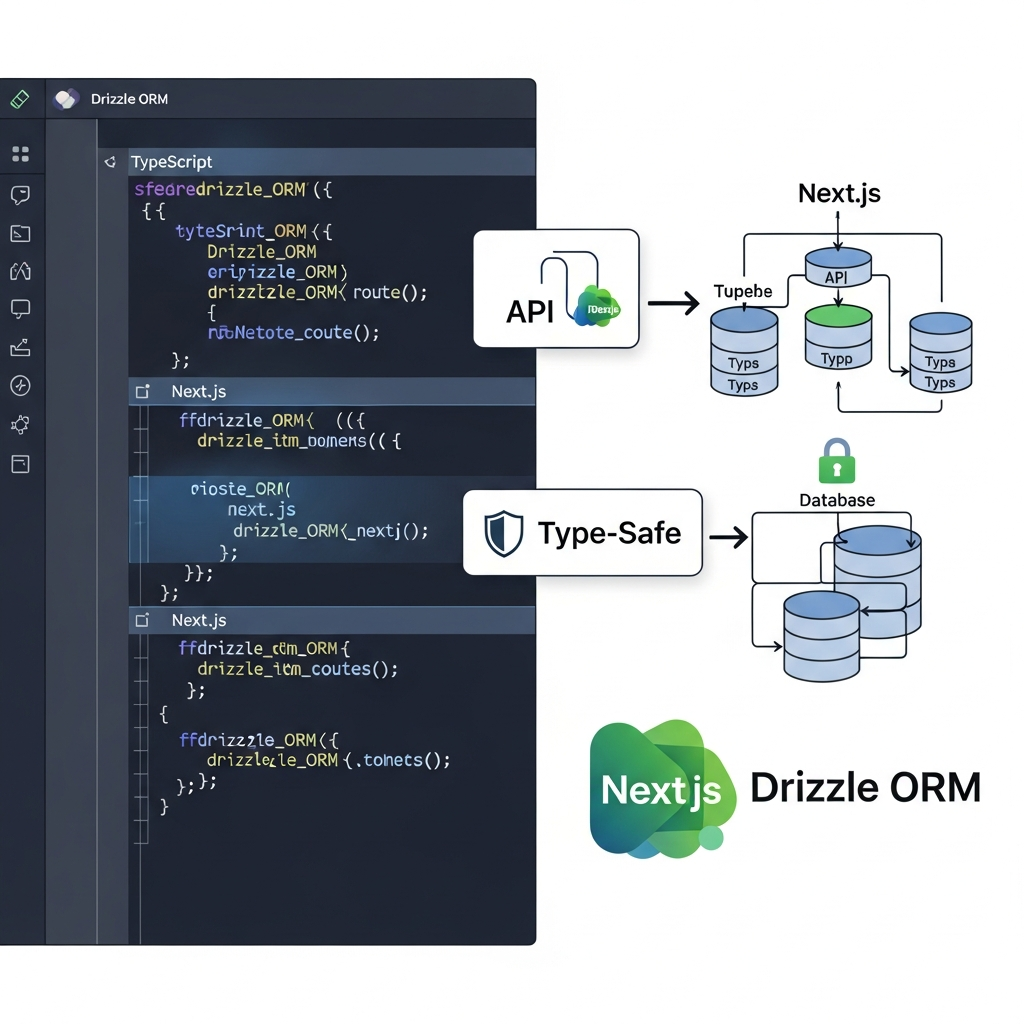
Enter Drizzle ORM and Next.js, two powerful tools that, when combined with TypeScript, offer an unparalleled solution for building truly type-safe APIs. Drizzle ORM, a modern, lightweight, and TypeScript-first ORM, excels at inferring types directly from your database schema. Next.js, with its full-stack capabilities, provides the perfect environment to host these type-safe APIs. Together, they create an end-to-end type-safe development workflow, significantly enhancing reliability, maintainability, and developer confidence.
This comprehensive guide will walk you through the process of setting up Drizzle ORM within a Next.js project, defining your database schema, managing migrations, building type-safe API routes, and consuming those APIs from your frontend. By the end, you'll have a solid understanding of how to leverage this powerful stack to build high-quality, error-resistant applications.
Prerequisites
Before diving into the implementation, ensure you have the following in place:
- Node.js: Version 18.x or later installed on your machine.
- Package Manager:
npm,yarn, orpnpm. - Next.js Basics: Familiarity with Next.js project structure, components, and API routes (both Pages Router and App Router concepts).
- TypeScript Knowledge: A basic understanding of TypeScript syntax and concepts.
- SQL Concepts: Familiarity with relational database concepts (tables, columns, primary keys, foreign keys, basic SQL queries).
- Database: Access to a PostgreSQL, MySQL, or SQLite database. For this guide, we'll primarily use PostgreSQL as an example.
Why Drizzle ORM and Next.js for Type-Safety?
Understanding the individual strengths of Drizzle ORM and Next.js, and how they synergize, is crucial for appreciating their combined power.
Drizzle ORM: A TypeScript-First, SQL-First ORM
Drizzle ORM stands out in the ORM landscape for several reasons:
- TypeScript-First Design: Drizzle is built from the ground up with TypeScript in mind. It provides phenomenal type inference, allowing you to define your database schema and have Drizzle automatically generate TypeScript types that accurately reflect your data shape. This means your queries, insertions, and updates are type-checked at compile time.
- Lightweight and Performant: Unlike some other ORMs that can be quite heavy, Drizzle is designed to be lean and efficient. It generates optimized SQL queries, giving you control over the database interactions.
- SQL-First Approach: While being an ORM, Drizzle encourages a SQL-first mindset. It doesn't try to abstract away SQL entirely but rather provides a type-safe wrapper around it, making complex queries intuitive and type-checked.
- Database Agnostic: It supports a wide range of popular databases, including PostgreSQL, MySQL, and SQLite, offering a consistent API across them.
- Drizzle Kit for Migrations: A powerful CLI tool for generating and applying database migrations, ensuring your schema evolution is managed effectively.
Next.js: The Full-Stack React Framework
Next.js is a production-ready React framework that offers a comprehensive solution for building modern web applications. Its key features relevant to type-safe APIs include:
- API Routes/Handlers: Next.js provides a straightforward way to create backend API endpoints directly within your project. Whether you're using the older Pages Router (
pages/api) or the newer App Router (app/api), it allows you to co-locate your frontend and backend logic, simplifying development and deployment. - Server-Side Capabilities: Being a full-stack framework, Next.js allows you to run server-side code, which is essential for database interactions, authentication, and other backend tasks.
- Seamless TypeScript Integration: Next.js has excellent built-in support for TypeScript, making it easy to leverage type-safety throughout your entire application.
The Synergy: End-to-End Type Safety
When Drizzle ORM and Next.js are combined, they create a powerful synergy:
- Drizzle provides robust, inferred types for your database interactions.
- Next.js allows you to expose these typed operations via API routes.
- Thanks to TypeScript, the types defined by Drizzle can then be used on the frontend to consume these APIs, ensuring that your data fetching and manipulation are type-checked from the database all the way to the UI. This eliminates a huge class of bugs related to data shape mismatches and significantly improves developer confidence and productivity.
Setting Up Your Next.js Project
Let's start by initializing a new Next.js project with TypeScript and installing the necessary Drizzle packages.
First, create a new Next.js application:
npx create-next-app@latest my-drizzle-app --typescript --tailwind --eslint
cd my-drizzle-app
Next, install Drizzle ORM, Drizzle Kit (for migrations), and a database driver. For PostgreSQL, we'll use pg:
pnpm install drizzle-orm pg
pnpm install -D drizzle-kit typescript @types/pgdrizzle-orm: The core Drizzle ORM library.pg: The PostgreSQL client library that Drizzle will use to connect to your database.drizzle-kit: The CLI tool for schema management and migrations.typescript: The TypeScript compiler.@types/pg: Type definitions for thepgclient.
Add a scripts section to your package.json for convenience:
{
  "name": "my-drizzle-app",
  "version": "0.1.0",
  "private": true,
  "scripts": {
    "dev": "next dev",
    "build": "next build",
    "start": "next start",
    "lint": "next lint",
    "db:generate": "drizzle-kit generate",
    "db:migrate": "drizzle-kit migrate",
    "db:push": "drizzle-kit push",
    "db:studio": "drizzle-kit studio"
  },
  "dependencies": {
    "drizzle-orm": "^0.29.3",
    "next": "14.1.0",
    "pg": "^8.11.3",
    "react": "^18",
    "react-dom": "^18"
  },
  "devDependencies": {
    "@types/node": "^20",
    "@types/pg": "^8.11.0",
    "@types/react": "^18",
    "@types/react-dom": "^18",
    "autoprefixer": "^10.0.1",
    "drizzle-kit": "^0.20.13",
    "eslint": "^8",
    "eslint-config-next": "14.1.0",
    "postcss": "^8",
    "tailwindcss": "^3.3.0",
    "typescript": "^5"
  }
}
Database Configuration and Connection
To connect Drizzle to your database, you'll need a connection string. It's best practice to store this in environment variables. Create a .env file in your project root.
DATABASE_URL="postgresql://user:password@host:port/database_name"Replace the placeholders with your actual database credentials. For local development, you might use a Docker container for PostgreSQL or a service like Neon.
Next, create a file to initialize your Drizzle database client. Let's place it at src/db/index.ts (if using src directory) or db/index.ts:
// src/db/index.ts or db/index.ts
import { drizzle } from 'drizzle-orm/pg';
import { Pool } from 'pg';
import * as schema from './schema'; // We'll create this next

const pool = new Pool({
  connectionString: process.env.DATABASE_URL,
});

// This is the Drizzle client that we will use throughout our application
export const db = drizzle(pool, { schema });
Here, we create a pg.Pool for efficient connection management and then wrap it with Drizzle's drizzle function, passing our database schema (which we'll define shortly).
Defining Your Database Schema with Drizzle
One of Drizzle's core strengths is its type-safe schema definition. You define your tables and columns using Drizzle's fluent API, and it automatically infers the corresponding TypeScript types.
Create a src/db/schema.ts file (or db/schema.ts):
// src/db/schema.ts or db/schema.ts
import { pgTable, serial, text, timestamp, varchar, boolean } from 'drizzle-orm/pg';
import { InferSelectModel, InferInsertModel, relations } from 'drizzle-orm';

// Define the 'users' table
export const users = pgTable('users', {
  id: serial('id').primaryKey(), // Auto-incrementing primary key
  name: varchar('name', { length: 256 }).notNull(), // User's name, required
  email: varchar('email', { length: 256 }).unique().notNull(), // Unique email, required
  createdAt: timestamp('created_at').defaultNow().notNull(), // Timestamp of creation
  updatedAt: timestamp('updated_at').defaultNow().notNull(), // Timestamp of last update
});

// Define the 'posts' table
export const posts = pgTable('posts', {
  id: serial('id').primaryKey(),
  title: varchar('title', { length: 256 }).notNull(),
  content: text('content'), // Post content, optional
  published: boolean('published').default(false).notNull(), // Published status
  authorId: serial('author_id')
    .notNull()
    .references(() => users.id, { onDelete: 'cascade' }), // Foreign key to users table
  createdAt: timestamp('created_at').defaultNow().notNull(),
  updatedAt: timestamp('updated_at').defaultNow().notNull(),
});

// Define relations between tables
// This allows Drizzle to understand how tables are connected
export const usersRelations = relations(users, ({ many }) => ({
  posts: many(posts),
}));

export const postsRelations = relations(posts, ({ one }) => ({
  author: one(users, {
    fields: [posts.authorId],
    references: [users.id],
  }),
}));

// Infer types for selecting and inserting data
// These types are automatically generated by Drizzle based on your schema
export type User = InferSelectModel<typeof users>; // Type for selecting a user
export type NewUser = InferInsertModel<typeof users>; // Type for inserting a new user

export type Post = InferSelectModel<typeof posts>; // Type for selecting a post
export type NewPost = InferInsertModel<typeof posts>; // Type for inserting a new post
In this file:
- We import necessary functions from
drizzle-orm/pganddrizzle-orm. pgTabledefines a new table.serial,text,timestamp,varchar,booleandefine column types.- Methods like
.primaryKey(),.notNull(),.unique(),.defaultNow(), and.references()add constraints and default values. relationsdefine how tables are linked, enabling powerful join queries.InferSelectModelandInferInsertModelare utility types from Drizzle that automatically generate TypeScript types based on your schema for fetching and inserting data, respectively. These are crucial for end-to-end type safety.
Migrations with Drizzle Kit
Database schema changes are inevitable. Drizzle Kit provides a robust way to manage these changes through migrations, ensuring your database schema evolves in a controlled manner.
First, configure Drizzle Kit by creating drizzle.config.ts in your project root:
// drizzle.config.ts
import { defineConfig } from 'drizzle-kit';

export default defineConfig({
  schema: './src/db/schema.ts', // Path to your schema file
  out: './drizzle', // Directory where migration files will be generated
  driver: 'pg', // Your database driver
  dbCredentials: {
    connectionString: process.env.DATABASE_URL!, // Use your DATABASE_URL from .env
  },
  verbose: true,
  strict: true,
});
Make sure your DATABASE_URL is set in your .env file.
Now, let's generate and apply migrations:
-
Generate Migration: When you make changes to
src/db/schema.ts, run:bashpnpm run db:generateThis command will create a new SQL migration file in the
drizzledirectory, detailing the changes needed to update your database schema to match yourschema.ts. For the initial setup, it will create tables forusersandposts. -
Apply Migration: To execute the generated SQL migration files against your database:
bashpnpm run db:migrateThis script reads the migration files and applies them in order. Alternatively, for simple development environments, you can use
drizzle-kit pushwhich directly syncs your schema to the database (not recommended for production).bashpnpm run db:pushThis is useful for rapid prototyping but lacks the history and control of explicit migrations.
After running db:migrate (or db:push), your database will have the users and posts tables defined according to src/db/schema.ts.
Building Type-Safe API Routes (Pages Router)
Next.js API Routes (in the pages/api directory) provide a simple way to create serverless functions that interact with your database. We'll build an API to manage users.
Create pages/api/users.ts:
// pages/api/users.ts
import type { NextApiRequest, NextApiResponse } from 'next';
import { db } from '../../src/db'; // Adjust path as needed
import { users, NewUser, User } from '../../src/db/schema'; // Import types
import { eq } from 'drizzle-orm';

type Data = { users?: User[] | User; message?: string };

export default async function handler(
  req: NextApiRequest,
  res: NextApiResponse<Data>
) {
  if (req.method === 'GET') {
    // Fetch all users
    try {
      const allUsers: User[] = await db.select().from(users);
      return res.status(200).json({ users: allUsers });
    } catch (error) {
      console.error('Error fetching users:', error);
      return res.status(500).json({ message: 'Failed to fetch users' });
    }
  } else if (req.method === 'POST') {
    // Create a new user
    try {
      const newUser: NewUser = req.body; // req.body is already typed by NextApiRequest

      // Basic validation (more robust validation with Zod recommended)
      if (!newUser.name || !newUser.email) {
        return res.status(400).json({ message: 'Name and email are required' });
      }

      const [createdUser] = await db.insert(users).values(newUser).returning();
      // Drizzle's .returning() infers the type of the inserted record

      return res.status(201).json({ user: createdUser, message: 'User created successfully' });
    } catch (error: any) {
      console.error('Error creating user:', error);
      // Handle unique constraint error for email
      if (error.code === '23505') { // PostgreSQL unique violation error code
        return res.status(409).json({ message: 'User with this email already exists' });
      }
      return res.status(500).json({ message: 'Failed to create user' });
    }
  } else if (req.method === 'PUT') {
    // Update an existing user
    try {
      const { id, ...updates } = req.body; // Expect id and fields to update

      if (!id) {
        return res.status(400).json({ message: 'User ID is required for update' });
      }

      const [updatedUser] = await db.update(users)
        .set(updates)
        .where(eq(users.id, id))
        .returning();

      if (!updatedUser) {
        return res.status(404).json({ message: 'User not found' });
      }

      return res.status(200).json({ user: updatedUser, message: 'User updated successfully' });
    } catch (error) {
      console.error('Error updating user:', error);
      return res.status(500).json({ message: 'Failed to update user' });
    }
  } else if (req.method === 'DELETE') {
    // Delete a user
    try {
      const { id } = req.body; // Expect user ID to delete

      if (!id) {
        return res.status(400).json({ message: 'User ID is required for deletion' });
      }

      const [deletedUser] = await db.delete(users)
        .where(eq(users.id, id))
        .returning();

      if (!deletedUser) {
        return res.status(404).json({ message: 'User not found' });
      }

      return res.status(200).json({ message: `User with ID ${id} deleted successfully` });
    } catch (error) {
      console.error('Error deleting user:', error);
      return res.status(500).json({ message: 'Failed to delete user' });
    }
  }

  return res.status(405).json({ message: 'Method Not Allowed' });
}
Notice how the User and NewUser types, inferred directly from your Drizzle schema, are used throughout the API route. This ensures that:
- When fetching,
allUsersis an array ofUserobjects. - When inserting,
newUsermust conform to theNewUsershape, andcreatedUser(returned by.returning()) is correctly typed asUser. - Any mismatch between the expected data shape and what Drizzle returns (or expects for insertion) will be caught at compile time, not runtime.
Building Type-Safe API Handlers (App Router)
For Next.js applications leveraging the App Router, API handlers are located within the app/api directory. These handlers use standard Web Request and Response objects.
Create app/api/users/route.ts:
// app/api/users/route.ts
import { NextResponse } from 'next/server';
import { db } from '../../../src/db'; // Adjust path as needed
import { users, NewUser, User } from '../../../src/db/schema'; // Import types
import { eq } from 'drizzle-orm';

// GET /api/users - Fetch all users
export async function GET() {
  try {
    const allUsers: User[] = await db.select().from(users);
    return NextResponse.json({ users: allUsers }, { status: 200 });
  } catch (error) {
    console.error('Error fetching users:', error);
    return NextResponse.json({ message: 'Failed to fetch users' }, { status: 500 });
  }
}

// POST /api/users - Create a new user
export async function POST(request: Request) {
  try {
    const newUser: NewUser = await request.json();

    if (!newUser.name || !newUser.email) {
      return NextResponse.json({ message: 'Name and email are required' }, { status: 400 });
    }

    const [createdUser] = await db.insert(users).values(newUser).returning();

    return NextResponse.json({ user: createdUser, message: 'User created successfully' }, { status: 201 });
  } catch (error: any) {
    console.error('Error creating user:', error);
    if (error.code === '23505') { // PostgreSQL unique violation error code
      return NextResponse.json({ message: 'User with this email already exists' }, { status: 409 });
    }
    return NextResponse.json({ message: 'Failed to create user' }, { status: 500 });
  }
}

// PUT /api/users - Update an existing user
export async function PUT(request: Request) {
  try {
    const { id, ...updates } = await request.json();

    if (!id) {
      return NextResponse.json({ message: 'User ID is required for update' }, { status: 400 });
    }

    const [updatedUser] = await db.update(users)
      .set(updates)
      .where(eq(users.id, id))
      .returning();

    if (!updatedUser) {
      return NextResponse.json({ message: 'User not found' }, { status: 404 });
    }

    return NextResponse.json({ user: updatedUser, message: 'User updated successfully' }, { status: 200 });
  } catch (error) {
    console.error('Error updating user:', error);
    return NextResponse.json({ message: 'Failed to update user' }, { status: 500 });
  }
}

// DELETE /api/users - Delete a user
export async function DELETE(request: Request) {
  try {
    const { id } = await request.json();

    if (!id) {
      return NextResponse.json({ message: 'User ID is required for deletion' }, { status: 400 });
    }

    const [deletedUser] = await db.delete(users)
      .where(eq(users.id, id))
      .returning();

    if (!deletedUser) {
      return NextResponse.json({ message: 'User not found' }, { status: 404 });
    }

    return NextResponse.json({ message: `User with ID ${id} deleted successfully` }, { status: 200 });
  } catch (error) {
    console.error('Error deleting user:', error);
    return NextResponse.json({ message: 'Failed to delete user' }, { status: 500 });
  }
}
The principles remain the same as with Pages Router API routes: Drizzle's inferred types (User, NewUser) provide compile-time guarantees for data coming from and going to the database.
End-to-End Type-Safety: Consuming API from Frontend
The real power of Drizzle's type inference shines when you consume these APIs from your frontend. Since your schema types (User, Post, etc.) are defined in a shared location (src/db/schema.ts), you can import them directly into your frontend components or utility functions.
Let's create a simple client-side component to fetch and display users.
// app/page.tsx or pages/index.tsx
'use client'; // If using App Router

import { useEffect, useState } from 'react';
import type { User } from '../src/db/schema'; // Import the User type

export default function HomePage() {
  const [users, setUsers] = useState<User[]>([]);
  const [loading, setLoading] = useState(true);
  const [error, setError] = useState<string | null>(null);

  useEffect(() => {
    async function fetchUsers() {
      try {
        const response = await fetch('/api/users');
        if (!response.ok) {
          throw new Error(`HTTP error! status: ${response.status}`);
        }
        const data = await response.json();
        // The `data.users` will be correctly typed as `User[]` here
        // because we imported the User type from the shared schema file.
        setUsers(data.users);
      } catch (e: any) {
        setError(e.message);
      } finally {
        setLoading(false);
      }
    }

    fetchUsers();
  }, []);

  if (loading) return <p>Loading users...</p>;
  if (error) return <p>Error: {error}</p>;

  return (
    <main className="flex min-h-screen flex-col items-center justify-between p-24">
      <h1 className="text-4xl font-bold mb-8">Users List</h1>
      <div className="z-10 w-full max-w-5xl items-center justify-between font-mono text-sm lg:flex">
        {users.length === 0 ? (
          <p>No users found. Try creating one via POST request.</p>
        ) : (
          <ul className="w-full">
            {users.map((user) => (
              <li key={user.id} className="mb-4 p-4 border rounded shadow-sm">
                <p className="text-lg font-semibold">Name: {user.name}</p>
                <p className="text-gray-600">Email: {user.email}</p>
                <p className="text-xs text-gray-500">ID: {user.id}</p>
              </li>
            ))}
          </ul>
        )}
      </div>
    </main>
  );
}
By importing User from ../src/db/schema, your useState hook and subsequent rendering logic benefit from compile-time type-checking. If your backend API were to suddenly change the name field to fullName, TypeScript would immediately flag an error in your frontend code, preventing a runtime crash and guiding you to update your schema and API.
Input Validation with Zod
While Drizzle provides type inference for your database schema, it doesn't automatically validate incoming API request bodies at runtime. For robust input validation, especially for POST and PUT requests, integrating a schema validation library like Zod is highly recommended.
First, install Zod:
pnpm install zodThen, you can define validation schemas that mirror your Drizzle types and use them in your API routes:
// src/schemas/userValidation.ts (new file)
import { z } from 'zod';

export const newUserSchema = z.object({
  name: z.string().min(1, 'Name is required'),
  email: z.string().email('Invalid email address'),
});

export const updateUserSchema = z.object({
  id: z.number().int().positive('ID must be a positive integer'),
  name: z.string().min(1, 'Name is required').optional(),
  email: z.string().email('Invalid email address').optional(),
}).strict(); // strict() prevents extra fields

// You can also create a schema for the select model if needed for client-side validation
export const userSelectSchema = z.object({
  id: z.number().int().positive(),
  name: z.string(),
  email: z.string().email(),
  createdAt: z.date(), // Drizzle returns Date objects for timestamp
  updatedAt: z.date(),
});
Now, integrate newUserSchema into your POST API handler:
// app/api/users/route.ts (updated POST handler)
// ... (imports)
import { newUserSchema } from '../../../src/schemas/userValidation';

export async function POST(request: Request) {
  try {
    const body = await request.json();

    // Validate incoming data with Zod
    const validationResult = newUserSchema.safeParse(body);

    if (!validationResult.success) {
      return NextResponse.json({ errors: validationResult.error.flatten().fieldErrors }, { status: 400 });
    }

    const newUser: NewUser = validationResult.data; // Zod ensures type correctness

    const [createdUser] = await db.insert(users).values(newUser).returning();

    return NextResponse.json({ user: createdUser, message: 'User created successfully' }, { status: 201 });
  } catch (error: any) {
    // ... (error handling)
  }
}
Zod not only validates the data at runtime but also refines the type of validationResult.data to match NewUser, ensuring consistency and robustness.
Best Practices for Drizzle & Next.js APIs
To build maintainable and scalable applications, consider these best practices:
-
Separation of Concerns: While Next.js API routes allow co-location, it's good practice to separate your database interaction logic into dedicated service or repository files (e.g.,
src/db/services/userService.ts). This keeps your API handler files clean and focused on request/response handling.typescript// src/db/services/userService.ts import { db } from '..'; import { users, NewUser, User } from '../schema'; import { eq } from 'drizzle-orm'; export async function getAllUsers(): Promise<User[]> { return db.select().from(users); } export async function createUser(data: NewUser): Promise<User> { const [user] = await db.insert(users).values(data).returning(); return user; } // ... other CRUD operationsThen, in your API route:
typescript// app/api/users/route.ts (or pages/api/users.ts) import { getAllUsers, createUser } from '../../../src/db/services/userService'; // ... export async function GET() { const users = await getAllUsers(); return NextResponse.json({ users }, { status: 200 }); } export async function POST(request: Request) { // ... validation const newUser = validationResult.data; const createdUser = await createUser(newUser); return NextResponse.json({ user: createdUser }, { status: 201 }); } -
Robust Error Handling: Implement consistent error responses across all your API endpoints. Use appropriate HTTP status codes (400 for bad request, 401 for unauthorized, 404 for not found, 500 for server errors) and clear error messages.
-
Authentication and Authorization: For real-world applications, integrate an authentication solution like NextAuth.js. Ensure that API routes are protected and that users only have access to resources they are authorized to interact with.
-
Database Pooling: For production environments, the
pg.Poolsetup we used is a good start. Ensure your pool configuration (max,idleTimeoutMillis,connectionTimeoutMillis) is optimized for your expected load. -
Schema Organization: For larger applications, consider breaking down your
schema.tsinto multiple files (e.g.,src/db/schema/users.ts,src/db/schema/posts.ts) and then exporting them all from a centralsrc/db/schema/index.tsto keep the main schema file tidy. -
Read-Only Transactions: For queries that don't modify data, consider using read-only transactions if your database supports them. This can sometimes improve performance and data consistency.
Common Pitfalls and How to Avoid Them
Even with type-safe tools, certain issues can arise. Being aware of them helps in troubleshooting:
-
Forgetting to Run Migrations: A common mistake is updating
schema.tsbut forgetting to runpnpm run db:generateandpnpm run db:migrate. This leads to a mismatch between your code's schema definition and the actual database schema, often resulting in runtime errors like "table doesn't exist" or "column not found."- Solution: Always run
db:generateanddb:migrateafter schema changes. Integrate these steps into your CI/CD pipeline.
- Solution: Always run
-
Not Handling
nullorundefinedCorrectly: Drizzle's types correctly reflect nullability (string | nullvsstring). However, if your application code doesn't account fornullvalues where the schema allows them, you might encounter runtime errors.- Solution: Leverage TypeScript's strict null checks. Use optional chaining (
?.), nullish coalescing (??), or explicitif (value !== null)checks where appropriate.
- Solution: Leverage TypeScript's strict null checks. Use optional chaining (
-
Over-fetching Data: By default,
db.select().from(table)fetches all columns. If you only need a few columns, fetching everything can be inefficient, especially for large tables.- Solution: Use Drizzle's
selectmethod to specify only the columns you need:db.select({ id: users.id, name: users.name }).from(users);.
- Solution: Use Drizzle's
-
Security Vulnerabilities (Beyond SQL Injection): Drizzle ORM inherently protects against SQL injection by parameterizing queries. However, other security risks remain, such as exposing sensitive data or inadequate authorization.
- Solution: Never return sensitive fields (like hashed passwords) directly from your API. Implement robust authentication and authorization checks in every protected API route.
-
Type Inference Issues with Complex Queries: While Drizzle's type inference is excellent, very complex custom queries or raw SQL might sometimes challenge the type system. You might see
anytypes or need to manually assert types.- Solution: For complex scenarios, use Drizzle's
asoperator for type casting or define an explicit interface for the expected result of your query. Try to break down complex queries into smaller, more manageable Drizzle expressions.
- Solution: For complex scenarios, use Drizzle's
-
Connection Pool Exhaustion: In high-traffic applications, not properly managing database connections can lead to performance bottlenecks or errors.
- Solution: Ensure your
pg.Poolis configured with an appropriatemaxnumber of connections. Monitor your database connections and adjust pool settings as needed.
- Solution: Ensure your
Conclusion
Building type-safe APIs with Drizzle ORM and Next.js fundamentally transforms the full-stack development experience. By leveraging Drizzle's powerful type inference and Next.js's full-stack capabilities, you can achieve unparalleled compile-time safety from your database schema all the way to your frontend components.
This approach drastically reduces runtime errors, improves code quality, and boosts developer productivity. You spend less time debugging type mismatches and more time building features, with the confidence that your data shapes are consistent and validated across the entire application.
The combination of Drizzle ORM's SQL-first, TypeScript-native design with Next.js's robust API handling provides a modern, efficient, and highly maintainable stack for any serious web application. Embrace this powerful duo to elevate your development workflow and deliver more reliable software.
Now that you have a comprehensive understanding, it's time to experiment! Start by building a small application, define a few schemas, create API routes, and experience the joy of end-to-end type safety firsthand. Happy coding!
Enjoyed this deep dive? Buy me a coffee!
Every article on CodeWithYoha is 100% free, independent, and sponsor-free. If this guide saved you hours of debugging or helped you architect better software, consider supporting future guides with a coffee ($5, $10, or any amount of your choice).
Written by
CodewithYohaFull-Stack Software Engineer with 7+ years of experience in Java, Spring Boot, and cloud architecture across AWS, Azure, and GCP. Writing production-grade engineering patterns for developers who ship real software.