Multi-Cluster GitOps with ArgoCD: Staging & Production Deployments using ApplicationSets

Introduction
Modern cloud-native applications often require deployment across multiple Kubernetes clusters. Whether it's for isolating development, staging, and production environments, adhering to regulatory compliance, ensuring high availability, or facilitating disaster recovery, managing a fleet of clusters introduces significant operational complexity. Manually deploying and configuring applications across these diverse environments can lead to configuration drift, inconsistent states, and a higher risk of human error.
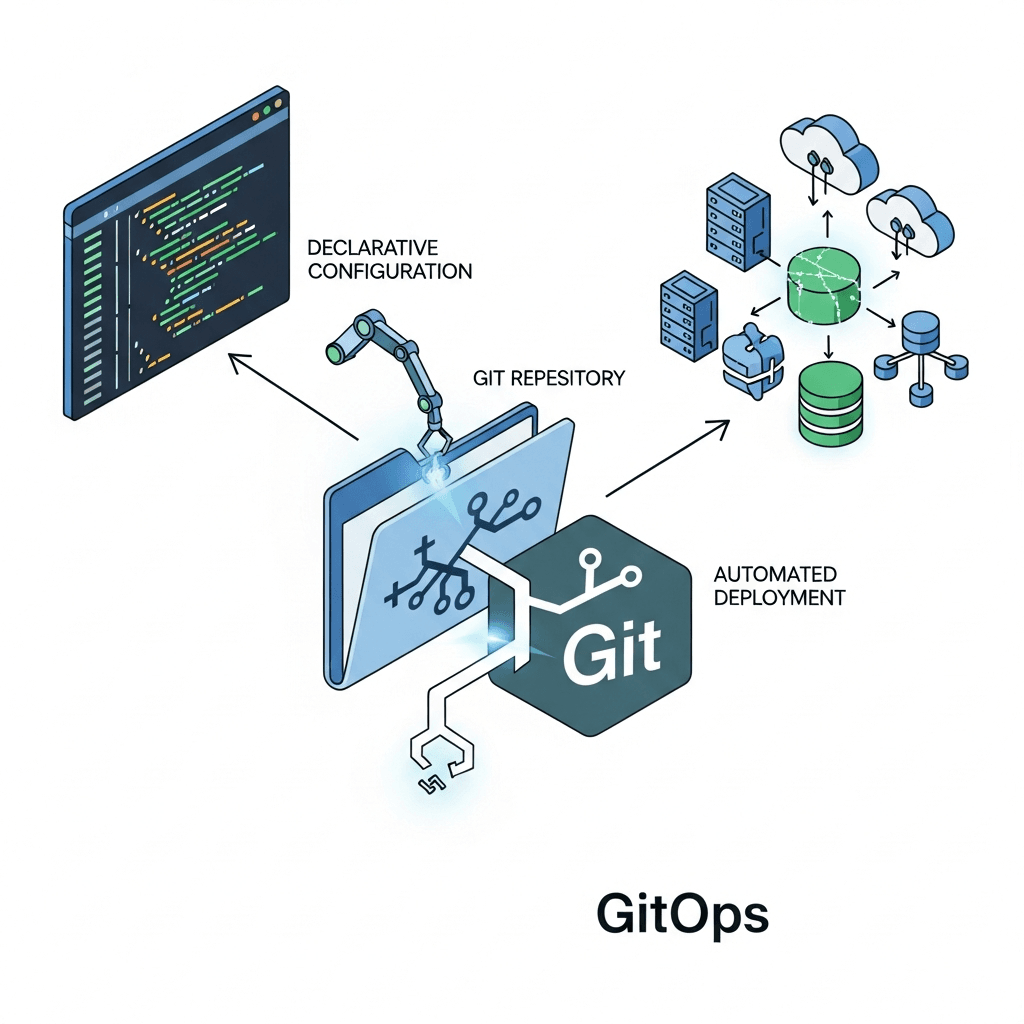
This is where GitOps, particularly with tools like ArgoCD, shines. GitOps provides a declarative, version-controlled approach to managing infrastructure and applications, using Git as the single source of truth. For multi-cluster scenarios, ArgoCD's ApplicationSets are a game-changer, enabling you to define and manage a multitude of ArgoCD Applications from a single, centralized definition. This significantly reduces boilerplate, automates application provisioning, and ensures uniformity across your clusters.
This comprehensive guide will walk you through leveraging ArgoCD ApplicationSets to implement a robust multi-cluster GitOps strategy, specifically focusing on differentiating and managing your staging and production deployments. You'll learn how to structure your Git repository, configure ApplicationSets, and apply environment-specific configurations using Kustomize, ultimately achieving consistent, scalable, and automated deployments.
Prerequisites
Before diving in, ensure you have the following:
- Basic Kubernetes Knowledge: Familiarity with core concepts like Pods, Deployments, Services, and Namespaces.
- Git and GitOps Fundamentals: Understanding of Git repositories, branching strategies, and the principles of GitOps.
- ArgoCD Installation: A working ArgoCD instance installed on a designated "control plane" Kubernetes cluster. You should be able to access its UI and CLI.
- Multiple Kubernetes Clusters: Access to at least two target Kubernetes clusters (e.g., one for staging, one for production). These can be local (like Kind or Minikube) or cloud-managed (GKE, EKS, AKS).
- CLI Tools:
kubectlfor interacting with Kubernetes clusters andargocdCLI for managing ArgoCD. - Git Repository: A Git repository (GitHub, GitLab, Bitbucket, etc.) to store your application manifests and ArgoCD configurations.
1. The Multi-Cluster Challenge in Modern DevOps
As organizations scale their cloud-native initiatives, the need for multiple Kubernetes clusters becomes increasingly common. This isn't just about handling load; it's a strategic decision driven by several factors:
- Isolation: Separating development, staging, and production environments prevents changes in one from affecting others. This is crucial for stability and security.
- Security & Compliance: Different environments may have varying security requirements and compliance mandates, necessitating distinct cluster configurations and access controls.
- Availability & Disaster Recovery: Distributing workloads across geographically diverse clusters enhances resilience against regional outages.
- Performance & Locality: Deploying clusters closer to end-users can reduce latency.
- Team Autonomy: Providing dedicated clusters to different teams or projects can foster agility.
However, this decentralization introduces complexities: how do you ensure that the application deployed to staging is configured almost identically to production, but with appropriate environment-specific overrides? How do you manage updates consistently across all clusters without manual toil? These challenges underscore the need for a powerful, automated solution, which GitOps with ArgoCD ApplicationSets delivers.
2. GitOps Fundamentals and ArgoCD's Role
GitOps is an operational framework that takes DevOps best practices like version control, collaboration, compliance, and CI/CD and applies them to infrastructure automation. Its core principles are:
- Declarative: All infrastructure and application configurations are described declaratively (e.g., YAML).
- Version-Controlled: The desired state is stored in Git, which acts as the single source of truth.
- Automated: Changes to the desired state in Git are automatically applied to the infrastructure.
- Reconciled: Software agents continuously observe the actual state of the system and attempt to converge it with the desired state in Git.
ArgoCD is a declarative, GitOps continuous delivery tool for Kubernetes. It works by having a controller running in your Kubernetes cluster that continuously monitors your Git repositories for changes to application manifests. When a change is detected, or if the live state deviates from the Git-defined desired state, ArgoCD automatically syncs (or allows manual syncing) the cluster's state to match Git. It provides a rich UI, CLI, and API for managing applications, viewing their health, and troubleshooting.
3. Introducing ArgoCD ApplicationSets
While ArgoCD excels at managing individual applications, scaling it to hundreds or thousands of applications across multiple clusters can become cumbersome. Each application requires its own Application resource, leading to significant boilerplate and manual effort. This is where ArgoCD ApplicationSets come into play.
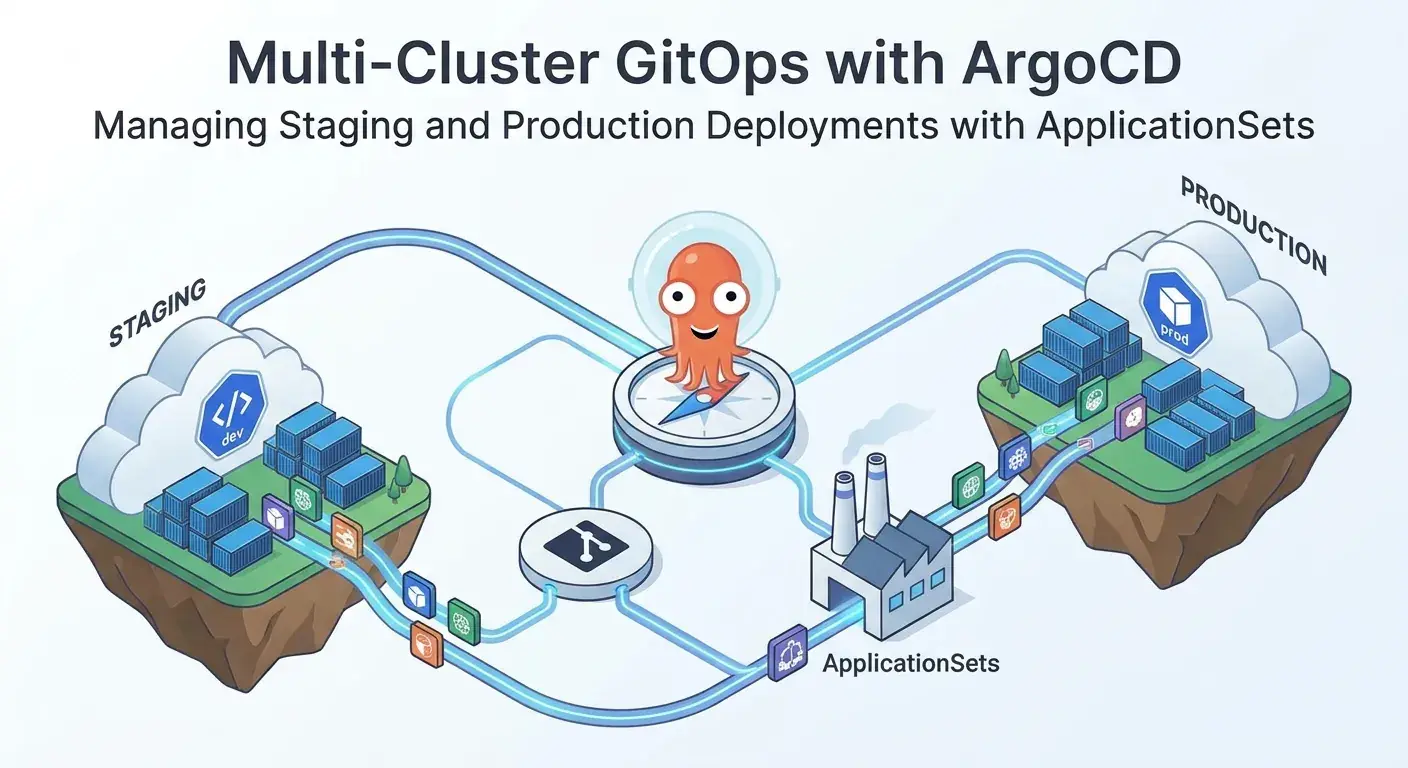
An ApplicationSet is an ArgoCD extension that allows you to automate the creation, management, and deployment of multiple ArgoCD Application resources from a single, higher-level definition. It acts as a factory for Application resources. ApplicationSets are particularly powerful for:
- Multi-Cluster Deployments: Deploying the same application or different versions of an application to numerous clusters.
- Multi-Tenant Environments: Provisioning applications for different tenants or teams.
- Microservice Management: Deploying a large number of microservices with similar patterns.
- Environments Automation: Creating applications for ephemeral environments (e.g., pull request previews).
ApplicationSets achieve this through generators. Generators are responsible for producing parameters (key-value pairs) that are then used by the ApplicationSet's template to dynamically generate Application resources. Common generators include:
- List Generator: Defines a static list of parameters.
- Cluster Generator: Discovers all clusters registered with ArgoCD and generates parameters for each.
- Git Generator: Scans a Git repository for directories or files and generates parameters based on their paths or content.
- Matrix Generator: Combines the output of two or more generators, allowing for complex parameter combinations.
For multi-cluster staging and production deployments, the Cluster and Matrix generators, combined with Git repository structures, are incredibly powerful.
4. Setting Up Your Multi-Cluster Environment
To begin, you need to register your target Kubernetes clusters (staging and production) with your ArgoCD control plane. This allows ArgoCD to discover and interact with them.
First, ensure your kubectl context is set to the control plane cluster where ArgoCD is installed.
Next, use the argocd cluster add command for each target cluster. It's crucial to add meaningful labels to your clusters, as these labels will be used by ApplicationSets to target specific environments.
Let's assume you have kubectl contexts named my-staging-cluster-context and my-prod-cluster-context:
# Add the staging cluster and label it
argocd cluster add my-staging-cluster-context \
  --name my-staging-cluster \
  --label environment=staging \
  --label region=us-east-1

# Add the production cluster and label it
argocd cluster add my-prod-cluster-context \
  --name my-production-cluster \
  --label environment=production \
  --label region=us-west-2
You can verify that the clusters are registered by listing them:
argocd cluster listThis command will show the registered clusters, their API servers, and any labels you've applied. These labels are critical for the Cluster generator's selector field within ApplicationSets.
5. Designing Your Git Repository Structure for Multi-Cluster
A well-organized Git repository is the cornerstone of a successful GitOps implementation. For multi-cluster, multi-environment deployments, a common and effective structure leverages Kustomize overlays to manage environment-specific configurations.
Consider the following repository structure:
├── apps/
│   ├── my-app/
│   │   ├── base/
│   │   │   ├── deployment.yaml      # Base deployment definition
│   │   │   ├── service.yaml         # Base service definition
│   │   │   └── kustomization.yaml   # Base Kustomize file
│   │   ├── overlays/
│   │   │   ├── staging/
│   │   │   │   └── kustomization.yaml # Staging-specific patches (e.g., replicas, image tag)
│   │   │   └── production/
│   │   │       └── kustomization.yaml # Production-specific patches (e.g., resources, ingress host)
├── argocd/
│   └── applicationsets/
│       └── my-app-multi-env.yaml    # ApplicationSet definition for my-app
└── README.md
Explanation of the structure:
apps/my-app/base/: Contains the common, environment-agnostic Kubernetes manifests formy-app. This is the foundational definition that all environments will share.apps/my-app/overlays/staging/: Holds Kustomize patches specific to the staging environment. This might include fewer replicas, a different image tag (e.g.,devorstaging), or a staging-specific ingress host.apps/my-app/overlays/production/: Contains Kustomize patches for the production environment. This would typically include higher resource requests/limits, production-ready image tags, specific ingress configurations, and potentially differentConfigMapsorSecrets(managed externally).argocd/applicationsets/: This directory will store your ApplicationSet definitions, which tell ArgoCD how to deploy your applications to various clusters and environments.
This structure ensures that the core application definition is maintained once, while environment-specific variations are managed cleanly and declaratively through Kustomize overlays. ArgoCD can then point to these specific overlay paths.
6. Deploying a Base Application with ApplicationSets (Cluster Generator)
Before differentiating environments, let's see how an ApplicationSet can deploy a base version of an application to all registered clusters. This uses the Cluster generator, which is ideal for deploying common infrastructure or base applications that might exist in every cluster.
Create a file named argocd/applicationsets/my-app-base.yaml in your Git repository:
apiVersion: argoproj.io/v1alpha1
kind: ApplicationSet
metadata:
  name: my-app-base-all-clusters
  namespace: argocd # Ensure this matches your ArgoCD namespace
spec:
  generators:
  - clusters: {}
  template:
    metadata:
      name: '{{name}}-my-app-base' # Generates app names like 'my-staging-cluster-my-app-base'
    spec:
      project: default
      source:
        repoURL: https://github.com/your-org/gitops-repo.git # Replace with your repo URL
        targetRevision: HEAD
        path: apps/my-app/base # Points to the common base manifests
      destination:
        server: '{{server}}' # Uses the API server URL of the target cluster
        namespace: my-app # Deploy into a 'my-app' namespace in each cluster
      syncPolicy:
        automated:
          prune: true
          selfHeal: true
        syncOptions:
          - CreateNamespace=true # Automatically create the namespace if it doesn't exist
Explanation:
generators.clusters: {}: This tells the ApplicationSet to discover all clusters currently registered with ArgoCD.template.metadata.name: Uses the{{name}}parameter (provided by theclustersgenerator, representing the registered cluster's name) to create unique ArgoCD Application names (e.g.,my-staging-cluster-my-app-base,my-production-cluster-my-app-base).template.spec.source.path: Points to theapps/my-app/basedirectory in your Git repository, ensuring the base manifests are used.template.spec.destination.server: Uses the{{server}}parameter (from theclustersgenerator) to target the correct Kubernetes API server for each discovered cluster.syncPolicy: Configures automated synchronization, pruning of removed resources, self-healing, and automatic namespace creation.
Push this ApplicationSet definition to your Git repository. ArgoCD, if configured to sync the argocd/applicationsets path, will automatically discover and create individual Application resources for my-app in both your staging and production clusters, all based on the base configuration.
7. Differentiating Staging and Production with ApplicationSets (Matrix Generator & Kustomize)
Now, let's refine our strategy to deploy environment-specific configurations. The most elegant way to achieve this with ApplicationSets is using the Matrix generator, which allows us to combine parameters from multiple generators. We'll combine a Cluster generator (filtered by labels) with a List generator to define our environments and their corresponding Kustomize overlay paths.
Update or create argocd/applicationsets/my-app-multi-env.yaml:
apiVersion: argoproj.io/v1alpha1
kind: ApplicationSet
metadata:
  name: my-app-multi-env
  namespace: argocd
spec:
  generators:
  - matrix:
      generators:
      - clusters:
          selector: # Select clusters based on labels defined during 'argocd cluster add'
            matchLabels:
              environment: "" # This empty selector means it will match any cluster with an 'environment' label
      - list:
          elements:
          - environment: staging
            path_suffix: staging # Corresponds to apps/my-app/overlays/staging
          - environment: production
            path_suffix: production # Corresponds to apps/my-app/overlays/production
  template:
    metadata:
      name: 'my-app-{{cluster.name}}-{{environment}}' # e.g., my-app-my-staging-cluster-staging
    spec:
      project: default
      source:
        repoURL: https://github.com/your-org/gitops-repo.git
        targetRevision: HEAD
        path: 'apps/my-app/overlays/{{path_suffix}}' # Dynamically selects the Kustomize overlay
        kustomize:
          namePrefix: '{{environment}}-' # Optional: Add environment prefix to resources
      destination:
        server: '{{cluster.server}}'
        namespace: my-app
      syncPolicy:
        automated:
          prune: true
          selfHeal: true
        syncOptions:
          - CreateNamespace=true
Explanation of the Matrix Generator:
clustersgenerator: This generator discovers all clusters registered with ArgoCD. We've used aselectorto ensure it only considers clusters that have anenvironmentlabel, which we added when registering the clusters.{{cluster.name}}: Provides the name of the target cluster (e.g.,my-staging-cluster).{{cluster.server}}: Provides the API server URL of the target cluster.
listgenerator: This static generator defines a list of custom parameters:environment(e.g.,staging,production) andpath_suffix(e.g.,staging,production).
The Matrix generator then combines these. For every cluster discovered by the clusters generator, it will combine it with every element from the list generator. However, we want to match the staging overlay with the staging cluster, and production overlay with the production cluster.
To achieve this, we need to filter the clusters generator based on the environment label and then ensure the path_suffix matches that environment. A more direct way without Matrix would be two separate ApplicationSets or a single ApplicationSet with a more complex list generator where each element specifies both the cluster selector and the path.
Alternative (and often simpler) for Staging/Prod segregation: Two ApplicationSets:
Instead of a complex Matrix for simple staging/production, two distinct ApplicationSets are often clearer:
argocd/applicationsets/my-app-staging.yaml
apiVersion: argoproj.io/v1alpha1
kind: ApplicationSet
metadata:
  name: my-app-staging
  namespace: argocd
spec:
  generators:
  - clusters:
      selector:
        matchLabels:
          environment: staging # Target only clusters labeled 'environment: staging'
  template:
    metadata:
      name: 'my-app-{{name}}-staging'
    spec:
      project: default
      source:
        repoURL: https://github.com/your-org/gitops-repo.git
        targetRevision: HEAD
        path: 'apps/my-app/overlays/staging' # Always point to staging overlay
        kustomize: {}
      destination:
        server: '{{server}}'
        namespace: my-app
      syncPolicy:
        automated:
          prune: true
          selfHeal: true
        syncOptions:
          - CreateNamespace=true
argocd/applicationsets/my-app-production.yaml
apiVersion: argoproj.io/v1alpha1
kind: ApplicationSet
metadata:
  name: my-app-production
  namespace: argocd
spec:
  generators:
  - clusters:
      selector:
        matchLabels:
          environment: production # Target only clusters labeled 'environment: production'
  template:
    metadata:
      name: 'my-app-{{name}}-production'
    spec:
      project: default
      source:
        repoURL: https://github.com/your-org/gitops-repo.git
        targetRevision: HEAD
        path: 'apps/my-app/overlays/production' # Always point to production overlay
        kustomize: {}
      destination:
        server: '{{server}}'
        namespace: my-app
      syncPolicy:
        automated:
          prune: true
          selfHeal: true
        syncOptions:
          - CreateNamespace=true
This two-ApplicationSet approach is often clearer and less prone to misconfiguration for distinct environments. For more complex scenarios (e.g., hundreds of regional clusters with subtle differences), the Matrix generator might be more suitable, but it requires careful parameter matching.
Push these ApplicationSet definitions to Git. ArgoCD will now create two distinct Application resources for each cluster: one for staging and one for production, each pulling from its respective Kustomize overlay.
8. Managing Resources Across Environments: Best Practices
Consistency and isolation are key when managing resources across multiple environments. Here are some best practices:
- Namespace Strategy: Dedicate a unique namespace for each application in each cluster (e.g.,
my-app-staging,my-app-production). This provides clear isolation and simplifies RBAC. - Resource Isolation (RBAC & Network Policies): Implement strict Role-Based Access Control (RBAC) within each cluster to limit who can deploy or modify resources. Use Kubernetes Network Policies to control traffic flow between applications and namespaces, especially for production environments.
- Configuration Management (Kustomize/Helm): Leverage tools like Kustomize (as shown) or Helm for templating and managing environment-specific differences. Kustomize is excellent for overlays and patching existing manifests, while Helm is powerful for packaging and sharing reusable application definitions.
- Kustomize Example (
apps/my-app/overlays/staging/kustomization.yaml):yamlapiVersion: kustomize.config.k8s.io/v1beta1 kind: Kustomization resources: - ../../base # Refer to the base manifests patches: - patch: |- - op: replace path: /spec/replicas value: 1 # Staging might need fewer replicas - op: replace path: /spec/template/spec/containers/0/image value: my-registry/my-app:staging-v1.0.0 target: kind: Deployment name: my-app-deployment # Add a staging-specific ConfigMap configMapGenerator: - name: my-app-config literals: - ENV=staging - LOG_LEVEL=DEBUG
- Kustomize Example (
- Secrets Management: Never commit sensitive information directly to Git. Use solutions like:
- External Secrets Operator: Syncs secrets from external secret stores (AWS Secrets Manager, GCP Secret Manager, Azure Key Vault, HashiCorp Vault) into Kubernetes
Secrets. - Sealed Secrets: Encrypts Kubernetes
Secretsthat can be safely committed to Git and decrypted only by the controller running in the cluster.
- External Secrets Operator: Syncs secrets from external secret stores (AWS Secrets Manager, GCP Secret Manager, Azure Key Vault, HashiCorp Vault) into Kubernetes
9. Advanced ApplicationSet Features for Multi-Cluster
ApplicationSets offer more advanced features that can be highly beneficial in complex multi-cluster environments:
- Git Directory Generator: Instead of explicitly listing overlays, the
Git Directorygenerator can discover applications or environment folders within a specified Git repository path. This is useful when you have many applications following a similar overlay pattern.yaml# Example of a Git Directory Generator to discover multiple apps generators: - gitDirectory: repoURL: https://github.com/your-org/gitops-repo.git revision: HEAD directories: - path: apps/* # Discover all directories directly under 'apps/' template: metadata: name: '{{path.basename}}-{{cluster.name}}' spec: source: path: '{{path}}/overlays/{{cluster.labels.environment}}' # ... other template fields - Sync Waves (Pre/Post Sync Hooks): For complex deployments requiring specific ordering (e.g., database migrations before application deployment), ArgoCD's
sync wavesandhooksallow you to define the order of resource synchronization. You can specify these in your application manifests and they will be applied consistently across all clusters managed by the ApplicationSet. - Resource Exclusions/Inclusions: You can define
resourceExclusionsorresourceInclusionswithin yourApplicationSettemplate'ssyncPolicyto prevent certain resource types from being synced or to ensure only specific types are synced. This is useful for managing cluster-level resources that shouldn't be touched by application deployments. - Pull Request Generator (for Ephemeral Environments): While not directly for staging/production, the
Pull Requestgenerator is fantastic for creating ephemeral preview environments for every pull request. This allows developers to test their changes in an isolated, production-like environment before merging to main, further enhancing your CI/CD pipeline.
10. CI/CD Integration and Promotion Workflow
Implementing multi-cluster GitOps with ArgoCD ApplicationSets fundamentally changes your CI/CD promotion workflow. Instead of pushing images and then imperatively deploying, your pipeline focuses on updating Git.
Typical Promotion Workflow:
- Developer Pushes Code: A developer commits code changes to the application repository.
- CI Pipeline Builds & Tests: Your CI system (e.g., Jenkins, GitHub Actions, GitLab CI) builds the application, runs unit and integration tests, and creates a Docker image.
- Image Tagging & Push: The CI pipeline tags the Docker image (e.g.,
my-app:feature-branch-sha,my-app:v1.0.0-rc1) and pushes it to a container registry. - Update Staging Git Manifests: The CI pipeline then updates the
imagetag in theapps/my-app/overlays/staging/kustomization.yaml(or a similar Helmvalues.yaml) in your GitOps repository with the newly built image tag. This is typically done via a script that commits and pushes the change. - ArgoCD Sync to Staging: ArgoCD detects the change in the GitOps repository for the staging environment and automatically syncs the
my-appapplication in the staging cluster, deploying the new image. - Automated/Manual Testing in Staging: Extensive automated tests (end-to-end, performance, security) are run against the staging environment. Manual QA or user acceptance testing (UAT) might also occur here.
- Promotion to Production (Git-Based): If staging tests pass, a human (or an authorized automated process) explicitly promotes the changes. This isn't a direct deployment; it's an update to the GitOps repository. Typically, this involves:
- Option A (Branch/Tag Promotion): Merging the staging-approved changes from a
stagingbranch to amainorproductionbranch in your GitOps repo, or updating a specific tag that the production ApplicationSet is tracking. - Option B (Direct Kustomize/Helm Update): Updating the
imagetag inapps/my-app/overlays/production/kustomization.yamlin the GitOps repository to match the tag that was successfully tested in staging.
- Option A (Branch/Tag Promotion): Merging the staging-approved changes from a
- ArgoCD Sync to Production: ArgoCD detects the change for the production environment and syncs the
my-appapplication in the production cluster.
This Git-centric promotion model ensures a full audit trail, easy rollbacks (just revert the Git commit), and a consistent deployment process across all environments.
11. Monitoring and Troubleshooting Multi-Cluster Deployments
Even with robust GitOps, monitoring and troubleshooting remain essential. ArgoCD provides excellent visibility into the state of your applications across clusters.
- ArgoCD UI: The ArgoCD UI is your primary dashboard. It shows:
- Application Health: Green for healthy, red for unhealthy. Drill down to see specific resource statuses.
- Sync Status: Whether the application is
Synced(matches Git) orOutOfSync(differs from Git). Click onOutOfSyncto see the diff. - Resource Tree: A visual representation of all Kubernetes resources belonging to an application, their relationships, and their individual health.
- Event Logs: Kubernetes events related to your application's resources.
argocdCLI: For command-line operations:argocd app list: List all applications managed by ArgoCD.argocd app get <app-name>: Get detailed status of a specific application.argocd app diff <app-name>: Show the difference between live state and desired Git state.argocd app logs <app-name> --pod <pod-name> --container <container-name>: Stream logs from application pods.argocd app history <app-name>: View deployment history and trigger rollbacks.
- External Monitoring Tools: Integrate with your existing monitoring stack:
- Prometheus & Grafana: Collect metrics (CPU, memory, network, custom application metrics) from your clusters and visualize them. Deploy Prometheus/Grafana into each target cluster, or use a federated setup.
- Centralized Logging: Use tools like Fluentd/Fluent Bit, Loki, Elasticsearch, or cloud-managed logging services to aggregate logs from all clusters for easier analysis.
- Rollbacks: One of the greatest benefits of GitOps. To rollback, simply revert the problematic commit in your GitOps repository, and ArgoCD will automatically sync your clusters back to the previous stable state.
12. Common Pitfalls and How to Avoid Them
While powerful, multi-cluster GitOps with ArgoCD ApplicationSets can present challenges. Being aware of common pitfalls helps in building a resilient system:
- Lack of Clear Git Repository Structure: A disorganized repository leads to confusion, difficulty in finding configurations, and potential errors. Follow the recommended structure (base/overlays) or a similar well-defined pattern.
- Over-reliance on Manual Intervention: GitOps aims for automation. If you find yourself manually
kubectl apply-ing changes to your clusters, you're bypassing GitOps. Ensure all changes go through Git. - Ignoring
syncPolicy: Not settingautomated: true,prune: true, andselfHeal: truein yourApplicationorApplicationSettemplate means you're missing out on ArgoCD's core automation capabilities.pruneis especially important to clean up old resources. - Secrets Management Complexity: Improper secrets management (e.g., committing secrets to Git, not using a dedicated secrets solution) is a major security risk. Invest in robust tools like External Secrets or Sealed Secrets.
- Network Connectivity Issues: ArgoCD's control plane needs network access to the API servers of all registered target clusters. Ensure proper firewall rules, VPC peering, or other network configurations are in place.
- Inconsistent Kustomize/Helm Overlays: If your environment-specific overlays are not well-maintained or introduce too much divergence, it can lead to drift and unexpected behavior. Strive for minimal, targeted overrides.
- Managing Cluster-Specific Resources: Resources like
StorageClasses,ClusterRoles,CRDsare often cluster-specific. Decide whether these are managed by a separate, dedicated GitOps repository and ArgoCD instance per cluster, or if they are part of a shared management repository, carefully excluding them from application-level ApplicationSets. - Lack of Monitoring: Without proper monitoring, you won't know if your applications are healthy or if ArgoCD is syncing correctly. Implement comprehensive logging and metrics for all clusters.
Conclusion
Managing applications across multiple Kubernetes clusters, especially for distinct staging and production environments, is a complex undertaking. ArgoCD, combined with the power of ApplicationSets, provides an elegant and robust solution to this challenge, enabling true multi-cluster GitOps.
By adopting the strategies outlined in this guide – designing a clear Git repository structure, leveraging Kustomize for environment-specific configurations, and utilizing ApplicationSets with generators to automate application provisioning – you can achieve unparalleled consistency, scalability, and auditability in your deployments.
Embracing multi-cluster GitOps with ArgoCD ApplicationSets transforms your CI/CD pipeline from imperative scripts to a declarative, Git-driven workflow. This not only reduces operational overhead and the risk of errors but also provides a single source of truth for your entire application landscape, paving the way for more reliable, efficient, and secure cloud-native operations.
As next steps, explore more advanced ApplicationSet generators, integrate with your preferred secrets management solution, and continuously refine your Git repository structure to best suit your organization's evolving needs.
Enjoyed this deep dive? Buy me a coffee!
Every article on CodeWithYoha is 100% free, independent, and sponsor-free. If this guide saved you hours of debugging or helped you architect better software, consider supporting future guides with a coffee ($5, $10, or any amount of your choice).
Written by
CodewithYohaFull-Stack Software Engineer with 7+ years of experience in Java, Spring Boot, and cloud architecture across AWS, Azure, and GCP. Writing production-grade engineering patterns for developers who ship real software.