
Mastering Multi-LoRA Serving: vLLM & SGLang for Peak GPU Utilization

Introduction
The landscape of Large Language Models (LLMs) is rapidly evolving, with a growing demand for specialized, domain-specific, and personalized models. While fine-tuning offers a powerful way to adapt LLMs to specific tasks, deploying and serving a multitude of these specialized models in production presents a significant challenge. Traditional methods often lead to prohibitive GPU memory consumption, high latency due to model switching, and ultimately, underutilized hardware.
Enter Low-Rank Adaptation (LoRA) and the innovative serving frameworks vLLM and SGLang. LoRA has revolutionized fine-tuning by enabling efficient adaptation of LLMs with minimal additional parameters. However, the real magic happens when you can serve multiple LoRA adapters concurrently on a single base model, dynamically switching between them for different requests without performance penalties. This is where vLLM, with its advanced memory management and multi-LoRA support, combined with SGLang's programmatic control over generation, shines brightest. This guide will delve into how these technologies synergize to maximize GPU utilization, reduce operational costs, and deliver highly responsive, specialized LLM inference in production environments.
Prerequisites
To follow along with this guide, a basic understanding of the following concepts and tools is recommended:
- Python: Familiarity with Python programming and its package management (
pip). - Large Language Models (LLMs): General knowledge of how LLMs work, tokenization, and inference.
- LoRA (Low-Rank Adaptation): Understanding of what LoRA is and why it's used for efficient fine-tuning.
- GPU Computing: Basic awareness of GPU memory and compute cycles.
- Linux/Docker: Experience with a Linux environment or Docker for setting up the serving stack.
The Challenge of Serving LLMs in Production
Serving LLMs at scale is inherently resource-intensive. A single large model like Llama 2 70B requires significant GPU memory (e.g., ~140GB for FP16 weights). When you have dozens or even hundreds of fine-tuned versions of this base model, the problem compounds:
- Memory Footprint: Loading multiple full LLMs into GPU memory simultaneously is often impossible or extremely expensive.
- Model Switching Latency: If only one model can be active at a time, switching between different fine-tuned models for different user requests involves unloading and reloading weights, leading to high latency and poor user experience.
- GPU Underutilization: During periods of low traffic for a specific model, its allocated GPU resources sit idle, leading to inefficient hardware usage and increased operational costs.
- Complex Deployment: Managing and orchestrating many distinct model deployments is a logistical nightmare, increasing complexity and potential for errors.
These challenges highlight the need for a more intelligent and efficient approach to LLM serving, especially when dealing with specialized versions.
LoRA to the Rescue: Efficient Fine-tuning
LoRA (Low-Rank Adaptation) offers an elegant solution to the problem of fine-tuning large models without incurring the full cost of storing and loading entirely new model weights. Instead of retraining all parameters of a huge LLM, LoRA injects small, trainable low-rank matrices into the transformer layers.
Here's how it works:
- Parameter Efficiency: Only these small adapter matrices are trained, significantly reducing the number of trainable parameters (often less than 0.1% of the base model's parameters).
- Faster Training: With fewer parameters to update, training becomes much faster and requires less computational power.
- Storage Efficiency: The base model weights remain frozen and are shared across all LoRA adapters. Only the small adapter weights need to be stored for each fine-tuned version, making them extremely lightweight (often just a few megabytes).
This means you can have a single base model and a multitude of tiny LoRA adapters, each specializing the base model for a different task, domain, or user. The next challenge is how to serve these numerous adapters efficiently.
The Multi-LoRA Problem: Why it's Hard
While LoRA makes fine-tuning efficient, serving multiple LoRA adapters simultaneously on a single base model presents its own set of difficulties for traditional serving solutions:
- Dynamic Loading/Unloading: Even small LoRA adapters, if loaded one by one for each request, introduce latency. The overhead of dynamically loading and unloading adapter weights from CPU to GPU memory for every request can negate the benefits of their small size.
- Memory Management: Keeping multiple LoRA adapters in GPU memory alongside the base model requires sophisticated memory management. Naive approaches might quickly exhaust VRAM, especially with many adapters.
- Batching Complexity: Combining requests that require different LoRA adapters into a single inference batch is challenging. A serving engine needs to efficiently apply the correct adapter weights to the relevant tokens within a batch without interfering with others.
- Cold Starts for Adapters: If an adapter is not actively in use, it might be evicted from GPU memory, leading to a "cold start" delay when it's next requested.
Solving these problems is crucial for achieving high throughput and low latency when serving a diverse set of specialized LLMs.
Introducing vLLM: High-Throughput LLM Serving
vLLM is an open-source library designed for incredibly fast and efficient LLM inference. It addresses the core performance bottlenecks of LLM serving through several innovative techniques:
- PagedAttention: This is vLLM's flagship feature, inspired by virtual memory and paging in operating systems. It efficiently manages the KV cache (key-value cache) by allocating memory pages dynamically. This dramatically reduces memory fragmentation and allows for much larger effective batch sizes, leading to higher throughput.
- Continuous Batching: Instead of waiting for a full batch of requests, vLLM processes requests continuously as they arrive. When a sequence finishes generation, its GPU memory is freed, and new requests or pending tokens from other sequences are immediately processed. This minimizes GPU idle time.
- Optimized CUDA Kernels: vLLM leverages highly optimized custom CUDA kernels for core operations, ensuring maximum computational efficiency.
Together, these features enable vLLM to achieve significantly higher throughput and lower latency compared to other serving solutions, making it an ideal candidate for demanding production environments.
vLLM's Multi-LoRA Support (LoRAX)
vLLM takes its efficiency a step further by offering robust, native support for serving multiple LoRA adapters concurrently on a single base model. This feature, sometimes referred to as LoRAX (LoRA eXtension), is a game-changer for specialized LLM deployments.
Here's how vLLM handles multi-LoRA serving:
- Shared Base Model: The base LLM weights are loaded once into GPU memory and shared across all active LoRA adapters.
- Concurrent LoRA Loading: Multiple LoRA adapter weights can be loaded into GPU memory alongside the base model. vLLM intelligently manages this memory, allowing many adapters to reside on the GPU simultaneously.
- Dynamic Adapter Switching: When a request comes in, vLLM can dynamically apply the specified LoRA adapter weights to the base model's computations for that specific request, without needing to unload or reload anything. This happens efficiently at the kernel level.
- Batching with Heterogeneous LoRAs: vLLM can even batch requests that require different LoRA adapters into a single inference pass. Its optimized kernels ensure that the correct adapter weights are applied to the corresponding tokens within the batch, maximizing GPU utilization even with mixed workloads.
- Configurable Limits: You can configure
max_loras(maximum number of LoRA adapters to hold in GPU memory) andlora_adapter_size_limit(maximum size of a single LoRA adapter in MB) to balance memory usage and the variety of adapters you want to serve.
This capability transforms a single GPU endpoint into a highly versatile inference server capable of handling a diverse range of specialized tasks simultaneously.
Introducing SGLang: Programmatic LLM Control
While vLLM excels at the low-level efficiency of serving, SGLang (Structured Generation Language) provides a high-level, programmatic interface for interacting with LLMs. It addresses the challenges of complex, multi-turn, and structured generation tasks that go beyond simple prompt-response interactions.
Key features of SGLang:
- Programmatic Control: Define complex generation flows using Python, including conditional generation, loops, and function calls.
- Structured Output: Easily enforce structured outputs like JSON, ensuring reliability for downstream applications.
- Performance Optimization: SGLang is designed to be highly efficient, especially when paired with backends like vLLM. It optimizes token generation by managing the KV cache and batching requests intelligently.
- Stateful Generation: Maintain conversation history and context across multiple turns or complex workflows.
SGLang empowers developers to build sophisticated LLM applications with greater control, reliability, and performance, complementing vLLM's raw serving power.
Synergizing vLLM and SGLang for Multi-LoRA Serving
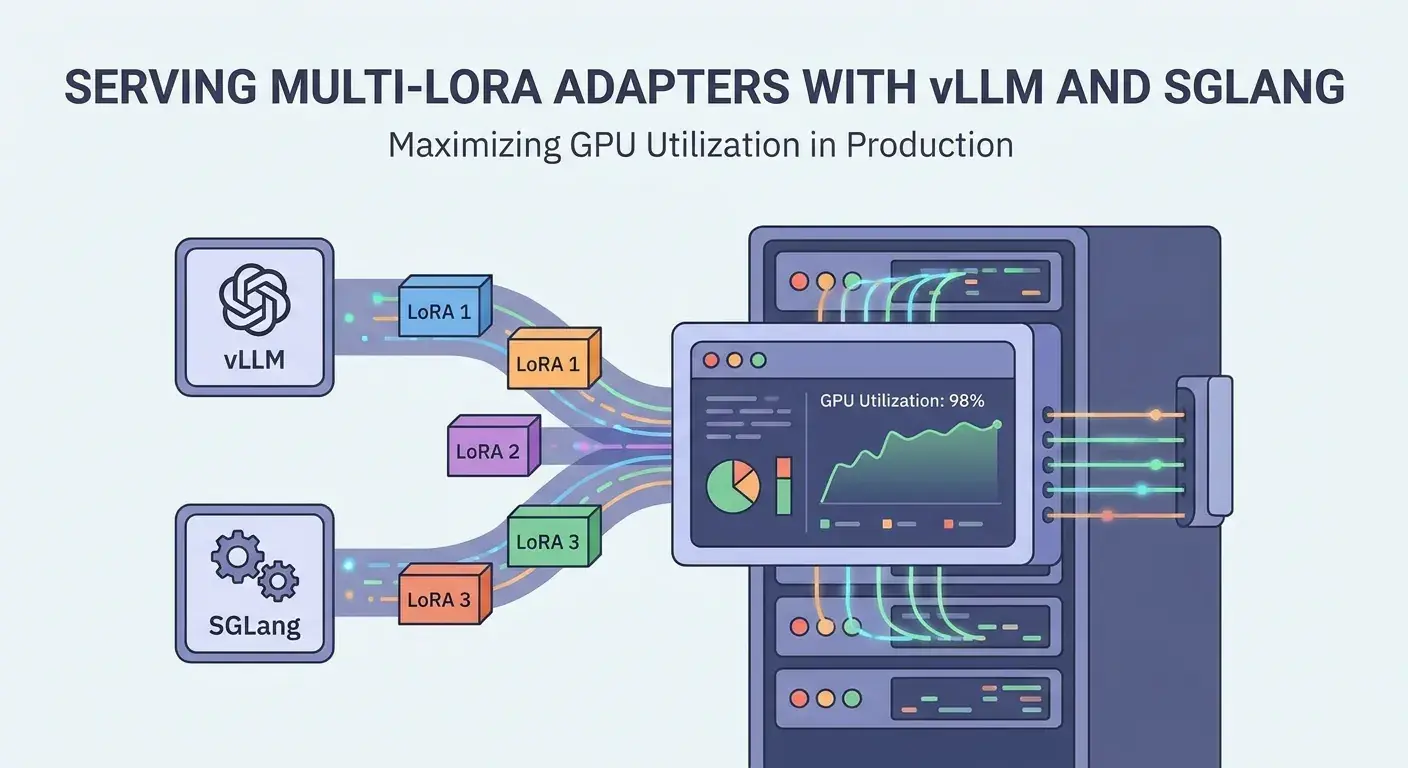
The true power emerges when vLLM and SGLang are used in tandem for multi-LoRA serving. vLLM provides the high-performance, multi-LoRA capable backend, while SGLang offers the intelligent client-side orchestration.
- vLLM as the Engine: vLLM efficiently loads the base model and multiple LoRA adapters onto the GPU. It handles the PagedAttention, continuous batching, and dynamic LoRA application at the kernel level, ensuring maximum throughput and minimal latency for any requested LoRA.
- SGLang as the Conductor: SGLang connects to the vLLM server and allows you to programmatically choose which LoRA adapter to use for each generation task. For example, you might have a "customer support" LoRA, a "technical documentation" LoRA, and a "creative writing" LoRA. SGLang can orchestrate a complex workflow where different parts of a conversation or different output formats require specific LoRAs.
- Enhanced Developer Experience: SGLang's intuitive API makes it easy to specify LoRAs, manage context, and enforce structured outputs, abstracting away the complexities of direct API calls to vLLM.
- Optimized End-to-End Performance: By combining vLLM's serving efficiency with SGLang's intelligent generation logic, you get an end-to-end solution that not only utilizes GPUs optimally but also delivers highly reliable and performant application-level behavior.
This powerful combination allows you to build highly dynamic and adaptive LLM applications that leverage the full potential of your specialized LoRA models without compromising on performance or developer experience.
Setting Up Your Environment
Let's get your environment ready to serve multi-LoRA adapters with vLLM and SGLang.
First, ensure you have Python 3.8+ and pip installed. It's highly recommended to use a virtual environment.
# Create and activate a virtual environment
python -m venv vllm_sglang_env
source vllm_sglang_env/bin/activate

# Install vLLM with CUDA support (adjust for your CUDA version, e.g., 12.1)
pip install vllm

# Install SGLang
pip install sglang

# (Optional) Install Hugging Face Transformers for local model operations if needed
pip install transformers accelerate torch
Ensure you have a GPU with sufficient VRAM (e.g., 24GB for a 7B model + multiple LoRAs) and appropriate NVIDIA drivers installed.
Practical Example: Serving Multi-LoRA with vLLM (API)
First, you need a base model and some LoRA adapters. For this example, we'll assume you have a base model (e.g., meta-llama/Llama-2-7b-hf) and a few LoRA adapters saved locally (e.g., lora_adapter_1, lora_adapter_2). You can generate these using peft and transformers or download pre-trained ones.
Let's start the vLLM server with multi-LoRA support. We'll specify the base model, the paths to our LoRA adapters, the maximum number of LoRAs to keep in memory, and the maximum size of each adapter.
# Example: Start vLLM server with two LoRA adapters
# Replace 'path/to/llama-2-7b-hf' with your base model path
# Replace 'path/to/lora_adapter_1' and 'path/to/lora_adapter_2' with your LoRA paths

python -m vllm.entrypoints.api_server \
    --model meta-llama/Llama-2-7b-hf \
    --lora-modules lora_adapter_1=path/to/lora_adapter_1,lora_adapter_2=path/to/lora_adapter_2 \
    --max-loras 4 \
    --lora-adapter-size-limit 64 \
--host 0.0.0.0 --port 8000--lora-modules: A comma-separated list ofname=pathpairs for your LoRA adapters. These names will be used in API requests.--max-loras: Maximum number of LoRA adapters to hold in GPU memory simultaneously. Adjust based on your VRAM.--lora-adapter-size-limit: Maximum size (in MB) for a single LoRA adapter. This helps manage memory.
Once the server is running, you can send requests to it using curl or any HTTP client. The key is to include the lora_id parameter in your request body or x-lora-name header to specify which adapter to use.
# Example: Request using 'lora_adapter_1'
curl -X POST "http://localhost:8000/generate" \
    -H "Content-Type: application/json" \
    -d '{
        "prompt": "What is the capital of France?",
        "lora_id": "lora_adapter_1",
        "max_tokens": 50
    }'

# Example: Request using 'lora_adapter_2'
curl -X POST "http://localhost:8000/generate" \
    -H "Content-Type: application/json" \
    -d '{
        "prompt": "Write a short poem about a cat.",
        "lora_id": "lora_adapter_2",
        "max_tokens": 50
    }'

# Example: Request using the base model (no LoRA)
curl -X POST "http://localhost:8000/generate" \
    -H "Content-Type: application/json" \
    -d '{
        "prompt": "Tell me a fun fact about space.",
        "max_tokens": 50
    }'
vLLM will dynamically apply the correct LoRA adapter for each request, even if they arrive in quick succession or are batched together.
Practical Example: Integrating SGLang for Advanced Control
Now, let's see how SGLang can interact with our vLLM server to leverage these multi-LoRA capabilities with more sophisticated generation logic.
First, start the vLLM server as shown in the previous section.
Then, create a Python script to use SGLang:
import sglang as sgl

# Set the vLLM server endpoint
sgl.set_server_args("http://localhost:8000")

# Define a simple generation program for general questions
@sgl.function
def general_qa(s, question):
    s += f"User: {question}\nAssistant:"
    s += sgl.gen("answer", temperature=0.7, max_tokens=100)

# Define a generation program for creative writing, using a specific LoRA
@sgl.function
def creative_writer(s, topic):
    s.set_lora_adapter("lora_adapter_2") # Explicitly set LoRA for this function
    s += f"Topic: {topic}\nCreative Story:"
    s += sgl.gen("story", temperature=0.9, max_tokens=200)

# Define a generation program for technical support, using another specific LoRA
@sgl.function
def tech_support(s, problem_description):
    s.set_lora_adapter("lora_adapter_1") # Explicitly set another LoRA
    s += f"Problem: {problem_description}\nSolution:"
    s += sgl.gen("solution", temperature=0.5, max_tokens=150)


def main():
    # Use the general QA function (will use base model if no LoRA is set globally)
    state = general_qa.run(question="What is the capital of Japan?")
    print(f"General QA: {state['answer']}")

    # Use the creative writer function, which will automatically use 'lora_adapter_2'
    state = creative_writer.run(topic="A curious squirrel")
    print(f"Creative Story: {state['story']}")

    # Use the tech support function, which will automatically use 'lora_adapter_1'
    state = tech_support.run(problem_description="My internet connection is unstable.")
    print(f"Tech Support: {state['solution']}")

    # You can also explicitly set LoRA for a specific run if needed
    state = general_qa.run(question="Explain quantum physics simply.", lora_id="lora_adapter_1")
    print(f"Technical Explanation (with adapter 1): {state['answer']}")

if __name__ == "__main__":
    main()
In this example, s.set_lora_adapter("lora_adapter_X") within an SGLang function ensures that all subsequent generation calls within that function context will use the specified LoRA. This provides a clean and programmatic way to manage which specialized model is used for different parts of your application logic.
Real-world Use Cases
The ability to serve multiple LoRA adapters efficiently unlocks a plethora of real-world applications:
- Personalized Chatbots/Assistants: Each user or customer segment can have a dedicated LoRA fine-tuned on their preferences, interaction history, or specific domain knowledge, all served by a single backend.
- Multi-tenant SaaS Platforms: A SaaS provider can offer specialized LLM capabilities to different tenants, with each tenant having their own LoRA model, ensuring data isolation and customization without deploying separate LLM instances.
- A/B Testing and Experimentation: Rapidly deploy and test different LoRA versions (e.g., for different prompt engineering strategies or fine-tuning datasets) in production by simply switching the
lora_idfor a subset of requests. - Domain-Specific Agents: Deploy a single LLM backend that can serve as a legal assistant (LoRA 1), a medical summarizer (LoRA 2), and a financial analyst (LoRA 3), dynamically switching based on user intent.
- Dynamic Content Generation: For gaming, media, or education, generate content (stories, quests, explanations) tailored to specific scenarios, character personalities, or learning levels using different LoRAs.
- Context-Aware Workflows: In complex applications, different stages of a workflow might require different specialized LLMs. SGLang can orchestrate these stages, calling the appropriate LoRA for each step.
Best Practices for Production Deployment
To ensure optimal performance, reliability, and cost-efficiency when deploying multi-LoRA serving with vLLM and SGLang:
- GPU Selection: Choose GPUs with ample VRAM. While LoRAs are small, the base model still consumes significant memory. More VRAM allows you to load more LoRAs concurrently (controlled by
--max-loras). - LoRA Management: Implement a robust system for managing your LoRA adapters. Use clear naming conventions, versioning, and consider a centralized storage for LoRA weights (e.g., S3, Hugging Face Hub) that vLLM can access.
- Batching Parameters Tuning: Experiment with vLLM's
max_num_seqs,max_model_len, andgpu_memory_utilizationparameters to find the sweet spot for your workload and hardware. Overly aggressive settings can lead to OOM errors, while conservative settings might underutilize the GPU. - Monitoring: Implement comprehensive monitoring for GPU utilization, memory usage, request latency, throughput, and error rates. Tools like Prometheus and Grafana can be invaluable.
- Request Routing and Load Balancing: For very high-traffic scenarios, deploy multiple vLLM instances behind a load balancer. Ensure your routing logic can direct requests to instances that have the required LoRAs loaded, or that all instances are configured to load a common set of critical LoRAs.
- Security: Protect your vLLM API endpoint with authentication and authorization mechanisms. If LoRAs contain sensitive data, ensure proper access controls.
- Containerization: Use Docker or Kubernetes to containerize your vLLM and SGLang deployments for easier management, scalability, and reproducibility.
- Base Model Selection: Choose a base model that is performant enough for your general tasks and has a strong fine-tuning ecosystem. A smaller base model will allow more LoRAs on the same GPU.
Common Pitfalls and Troubleshooting
Even with vLLM and SGLang, you might encounter issues. Here are some common pitfalls and how to address them:
- Out-of-Memory (OOM) Errors: This is the most frequent issue. If vLLM crashes with OOM, it means you're trying to load too much onto the GPU.
- Solution: Reduce
--max-loras, decreaselora_adapter_size_limit, or lowergpu_memory_utilization. Ensure your base model fits comfortably. Consider using a smaller base model or a GPU with more VRAM.
- Solution: Reduce
- LoRA Not Found/Incorrectly Applied: If your LoRA-specific responses aren't appearing, check the following:
- Solution: Verify the
lora_idin your API request ors.set_lora_adapter()call exactly matches the name you provided in--lora-moduleswhen starting vLLM. Double-check the path to your LoRA weights.
- Solution: Verify the
- High Latency for New LoRAs: If a LoRA that hasn't been used recently experiences high latency on its first request:
- Solution: This might mean the LoRA was evicted from GPU memory. Increase
--max-lorasto keep more adapters resident. For critical LoRAs, consider sending periodic dummy requests to keep them "warm."
- Solution: This might mean the LoRA was evicted from GPU memory. Increase
- Performance Degradation with Many LoRAs: While vLLM is efficient, having too many active LoRAs can still impact performance, especially if they are large or if
max_lorasis set very high without sufficient VRAM.- Solution: Profile your workload. It might be more efficient to group related LoRAs and serve them on separate vLLM instances if you hit a ceiling. Optimize LoRA adapter size during fine-tuning.
- SGLang Connection Issues: If SGLang can't connect to vLLM:
- Solution: Ensure the vLLM server is running and accessible at the specified
sgl.set_server_argsURL and port. Check firewall rules.
- Solution: Ensure the vLLM server is running and accessible at the specified
Conclusion
Serving specialized LLMs efficiently in production is no longer an insurmountable hurdle. By leveraging the combined power of vLLM's high-throughput inference engine and SGLang's programmatic control over generation, developers can build incredibly flexible, cost-effective, and performant AI applications.
vLLM's PagedAttention and multi-LoRA support revolutionize GPU memory management, allowing a single base model to serve dozens or even hundreds of specialized LoRA adapters concurrently. SGLang then provides the elegant abstraction layer to orchestrate complex generation tasks, dynamically selecting the right LoRA for the job and ensuring structured, reliable outputs.
This synergy not only maximizes GPU utilization, leading to significant cost savings, but also empowers developers to create highly personalized, domain-specific, and adaptive LLM experiences. As the demand for specialized AI grows, mastering these tools will be crucial for staying at the forefront of LLM deployment and innovation.
Enjoyed this deep dive? Buy me a coffee!
Every article on CodeWithYoha is 100% free, independent, and sponsor-free. If this guide saved you hours of debugging or helped you architect better software, consider supporting future guides with a coffee ($5, $10, or any amount of your choice).
Written by
CodewithYohaFull-Stack Software Engineer with 7+ years of experience in Java, Spring Boot, and cloud architecture across AWS, Azure, and GCP. Writing production-grade engineering patterns for developers who ship real software.