Introduction
In the fast-paced world of cloud-native development, managing infrastructure and application deployments efficiently and reliably is paramount. Traditional operational models often struggle with configuration drift, manual errors, and slow rollouts, leading to inconsistencies and operational bottlenecks. This is where GitOps emerges as a transformative paradigm, offering a powerful approach to automate infrastructure deployments and application management.
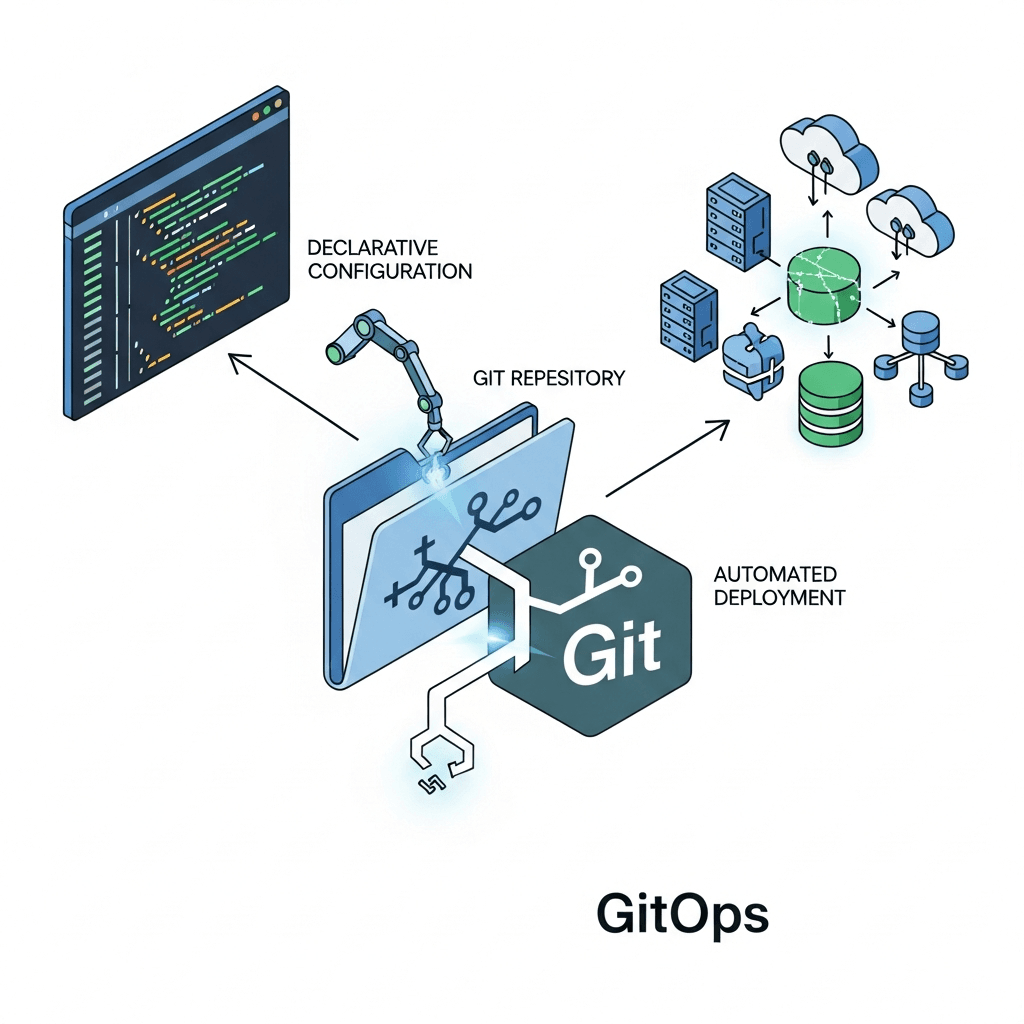
GitOps is an operational framework that takes DevOps best practices like version control, collaboration, compliance, and CI/CD, and applies them to infrastructure automation. By using Git as the single source of truth for declarative infrastructure and applications, GitOps enables a "pull" model for deployments, ensuring that the actual state of your systems always converges to the desired state defined in your Git repositories. This guide will take a deep dive into implementing GitOps for automated infrastructure deployments, covering its core principles, benefits, practical setups, and best practices.
Prerequisites
To get the most out of this guide, a basic understanding of the following concepts is recommended:
- Git: Version control system fundamentals (commits, branches, pull requests).
- Kubernetes: Basic knowledge of clusters, deployments, services, and YAML manifests.
- CI/CD: Familiarity with continuous integration and continuous delivery pipelines.
- YAML: Configuration file syntax.
1. What is GitOps? The Core Principles
GitOps is more than just using Git; it's a set of principles that govern how operations are performed. These principles ensure consistency, auditability, and reliability:
1.1 Declarative Infrastructure
All infrastructure and application configurations are expressed declaratively. This means you describe what you want the system to look like, rather than how to achieve it. For Kubernetes, this translates to YAML manifests. For other infrastructure, it could be Terraform or CloudFormation templates.
1.2 Git as the Single Source of Truth
Every change, every desired state of your system, must be stored in a Git repository. This repository becomes the authoritative record of your infrastructure and applications. Any modification to the system must originate from a Git commit.
1.3 Automated Synchronization
A software agent (often called a GitOps operator or controller) continuously observes the desired state in the Git repository and the actual state of the infrastructure. If a discrepancy is detected, the agent automatically takes action to synchronize the actual state with the desired state defined in Git.
1.4 Continuous Reconciliation
The synchronization process is continuous. The GitOps operator constantly reconciles the actual state with the desired state. This self-healing mechanism ensures that configuration drift is automatically corrected, and the system always converges back to its intended configuration.
2. Why GitOps? Benefits and Use Cases
Adopting GitOps brings a multitude of benefits that significantly improve the development and operational lifecycle:
2.1 Faster and More Reliable Deployments
By automating the deployment process and leveraging Git's versioning capabilities, deployments become faster and less prone to human error. Rollbacks are as simple as reverting a Git commit.
2.2 Improved Reliability and Stability
Continuous reconciliation ensures that your infrastructure is always in its desired state, correcting any drift automatically. This leads to more stable environments and fewer unexpected outages.
2.3 Enhanced Security and Auditability
Every change is a Git commit, providing a complete audit trail of who changed what, when, and why. This transparency enhances security and simplifies compliance audits.
2.4 Better Collaboration and Developer Experience
Developers can manage infrastructure changes using familiar Git workflows (pull requests, code reviews), fostering better collaboration between development and operations teams. This democratizes infrastructure management.
2.5 Use Cases
- Kubernetes Deployments: The most common use case, managing application deployments, configurations, and services within Kubernetes clusters.
- Multi-Cloud/Hybrid Cloud: Consistent deployment strategies across different cloud providers or on-premise environments.
- Infrastructure Provisioning: Extending GitOps to provision underlying infrastructure components (VMs, networks, databases) using tools like Terraform or Crossplane.
3. GitOps vs. Traditional CI/CD
While GitOps complements CI/CD, it introduces a fundamental shift in the deployment paradigm:
3.1 Push vs. Pull Deployments
- Traditional CI/CD (Push): CI pipelines typically push changes (e.g., Docker images, Kubernetes manifests) to a target environment using agents that have credentials to deploy directly.
- GitOps (Pull): The GitOps operator pulls the desired state from Git and applies it to the environment. The CI pipeline's role often shifts to building artifacts (like Docker images) and updating the Git repository with new manifest versions, rather than directly deploying.
3.2 Agent-Based vs. Controller-Based
- Traditional CI/CD: Often relies on agents running on the deployment target or a centralized orchestrator pushing changes.
- GitOps: Uses a controller (the GitOps operator) running within the target environment (e.g., Kubernetes cluster) that continuously observes Git and the cluster state.
3.3 Focus on Desired State
Traditional CI/CD often focuses on the process of deployment. GitOps, however, emphasizes maintaining the desired state of the system, with the reconciliation loop ensuring this state is continuously met.
4. Key Components of a GitOps System
A typical GitOps setup involves several core components working in concert:
4.1 Git Repository (Source of Truth)
This is the central hub where all declarative configurations for your infrastructure and applications reside. It can be GitHub, GitLab, Bitbucket, or any Git-compatible service.
4.2 Kubernetes Cluster (Target Environment)
The environment where your applications and infrastructure components will be deployed. While GitOps can extend beyond Kubernetes, it's currently its most common and mature use case.
4.3 GitOps Operator (Reconciliation Engine)
This is the brain of your GitOps system. It's a piece of software (like Argo CD or Flux CD) that runs inside your cluster, continuously monitors your Git repository for changes, and applies those changes to the cluster, ensuring the actual state matches the desired state.
4.4 CI Pipeline (Optional, for Image Builds/Manifest Generation)
While not strictly part of the GitOps deployment loop, a CI pipeline is crucial for building application artifacts (e.g., Docker images) and potentially updating manifest files in your Git repository (e.g., bumping image tags).
5. Setting Up Your Git Repository for GitOps
The structure of your Git repository is crucial for an effective GitOps workflow. There are two primary strategies:
5.1 Mono-Repo vs. Multi-Repo
- Mono-Repo: A single repository containing all application manifests, infrastructure configurations, and potentially even application source code. Simplifies cross-project changes and visibility.
- Multi-Repo: Separate repositories for different concerns, e.g., one for application A, one for application B, one for infrastructure. Offers better isolation and potentially easier permission management for large organizations.
For simplicity and often for smaller to medium-sized organizations, a mono-repo for infrastructure and application manifests is a good starting point. Here's a common structure:
├── applications/
│   ├── my-app-a/
│   │   ├── base/
│   │   │   ├── deployment.yaml
│   │   │   └── service.yaml
│   │   └── overlays/
│   │       ├── dev/
│   │       │   └── kustomization.yaml
│   │       └── prod/
│   │           └── kustomization.yaml
│   └── my-app-b/
│       ├── ...
├── infrastructure/
│   ├── cluster-addons/
│   │   ├── argocd/
│   │   │   └── application.yaml
│   │   └── cert-manager/
│   │       └── application.yaml
│   └── namespaces/
│       ├── dev.yaml
│       └── prod.yaml
└── README.md
5.2 Branching Strategies
main/masterbranch: Represents the desired state of your production environment. All changes merged intomainare automatically deployed to production.- Feature branches: Developers work on new features or bug fixes in separate branches, which are then merged into
mainvia pull requests. - Environment branches (less common in pure GitOps): While some might use
dev,staging,prodbranches, a more GitOps-native approach often involves using different directories or Kustomize overlays within themainbranch to define environment-specific configurations.
6. Choosing a GitOps Operator: Argo CD vs. Flux CD
Argo CD and Flux CD are the two leading open-source GitOps operators for Kubernetes. Both are powerful, CNCF projects, and offer similar core functionalities, but have different strengths.
Argo CD
- Strengths: Excellent UI, imperative CLI, robust application health monitoring, multi-tenancy support, supports various templating tools (Kustomize, Helm, Jsonnet).
- Use Cases: Often favored for its user-friendly interface which makes it easier for teams new to GitOps or those who prefer a visual dashboard.
Flux CD
- Strengths: Fully Git-native, focuses on a set of independent, composable controllers, robust image automation, strong emphasis on Git as the single source of truth without a separate UI (though UIs exist).
- Use Cases: Often preferred by teams who want a more "pure" Git-centric workflow and value the composability of its controllers for advanced automation.
For the purpose of this guide, we will use Argo CD due to its intuitive UI and widespread adoption for demonstrating GitOps concepts.
7. Hands-on with Argo CD: Initial Setup
Let's get Argo CD up and running on your Kubernetes cluster.
7.1 Install Argo CD
First, create a namespace for Argo CD and apply its installation manifests. You'll need kubectl configured to access your cluster.
kubectl create namespace argocd
kubectl apply -n argocd -f https://raw.githubusercontent.com/argoproj/argo-cd/stable/manifests/install.yaml
This command deploys all necessary Argo CD components (API server, controller, repo server, UI) into the argocd namespace.
7.2 Access the Argo CD UI
By default, the Argo CD API server is exposed via a ClusterIP service. To access the UI, you can use kubectl port-forward:
kubectl port-forward svc/argocd-server -n argocd 8080:443Now, open your browser to https://localhost:8080. You might get a certificate warning, which you can safely bypass for local testing.
7.3 Get the Admin Password
The initial admin password is automatically generated and stored in a Kubernetes secret. Retrieve it using:
kubectl get secret argocd-initial-admin-secret -n argocd -o jsonpath="{.data.password}" | base64 -dLog in with username admin and the retrieved password. You can change this password later via the UI or CLI.
8. Deploying Your First Application with Argo CD
Now that Argo CD is running, let's deploy a simple Nginx application using GitOps.
8.1 Prepare Your Git Repository
Create a new Git repository (e.g., gitops-apps) and add a simple Nginx deployment and service manifest. For example, create a file nginx-app/deployment.yaml:
# nginx-app/deployment.yaml
apiVersion: apps/v1
kind: Deployment
metadata:
  name: nginx-deployment
  labels:
    app: nginx
spec:
  replicas: 2
  selector:
    matchLabels:
      app: nginx
  template:
    metadata:
      labels:
        app: nginx
    spec:
      containers:
      - name: nginx
        image: nginx:1.21.6
        ports:
        - containerPort: 80
---
apiVersion: v1
kind: Service
metadata:
  name: nginx-service
  labels:
    app: nginx
spec:
  selector:
    app: nginx
  ports:
    - protocol: TCP
      port: 80
      targetPort: 80
  type: ClusterIP
Commit and push this file to your repository's main branch.
8.2 Create an Argo CD Application
An Argo CD Application resource tells Argo CD what to deploy and where to deploy it. You can define this application directly in the Argo CD UI, using the Argo CD CLI, or, in a true GitOps fashion, by defining the Application resource itself in a Git repository that Argo CD monitors.
Let's define it in a GitOps way. Create a new file, infrastructure/applications/nginx-app.yaml, in your same GitOps repository (or a separate one if you prefer to manage Argo CD Applications from a dedicated repo):
# infrastructure/applications/nginx-app.yaml
apiVersion: argoproj.io/v1alpha1
kind: Application
metadata:
  name: my-nginx-app
  namespace: argocd # Argo CD Application resources usually live in the argocd namespace
spec:
  project: default # Assign to a project, 'default' is the default project
  source:
    repoURL: https://github.com/YOUR_USERNAME/gitops-apps.git # Replace with your repo URL
    targetRevision: HEAD # Or 'main' or a specific branch/tag
    path: nginx-app # Path within the repository to the manifests
  destination:
    server: https://kubernetes.default.svc # The target Kubernetes cluster
    namespace: default # The namespace where Nginx will be deployed
  syncPolicy:
    automated:
      prune: true # Delete resources that are no longer in Git
      selfHeal: true # Automatically sync if live state drifts from Git
    syncOptions:
    - CreateNamespace=true # Create the target namespace if it doesn't exist
Commit and push infrastructure/applications/nginx-app.yaml to your Git repository. Now, you need to tell Argo CD to monitor this second manifest (the Application resource itself). The simplest way for a first example is to apply this Application manifest manually with kubectl (this is the only "push" step in a pure GitOps setup, often done once for initial bootstrapping of Argo CD itself or its applications):
kubectl apply -n argocd -f https://github.com/YOUR_USERNAME/gitops-apps/blob/main/infrastructure/applications/nginx-app.yaml # Replace with raw URLAlternatively, you can manually create the application in the Argo CD UI by providing the Git repository URL and path to nginx-app/deployment.yaml. For a fully GitOps bootstrapped cluster, you would have an initial Application resource for Argo CD itself to manage its own applications, but that's a more advanced topic.
8.3 Observe Synchronization
Go back to the Argo CD UI (https://localhost:8080). You should see my-nginx-app appear. Argo CD will automatically detect the Nginx deployment and service manifests in your Git repository and synchronize them to your Kubernetes cluster. You'll see the application status change from Missing to Healthy and Synced.
You can verify the deployment in your cluster:
kubectl get deployment -n default
kubectl get service -n default
To test the self-healing, manually scale down the Nginx deployment:
kubectl scale deployment/nginx-deployment --replicas=0 -n defaultWithin seconds, Argo CD will detect the drift and automatically scale it back to 2 replicas, demonstrating the continuous reconciliation in action.
9. Advanced GitOps Patterns and Best Practices
As your GitOps adoption matures, consider these advanced patterns and best practices:
9.1 Managing Multiple Environments
For dev, staging, and prod environments, avoid using separate Git branches for each. Instead, use:
- Kustomize Overlays: Define a
baseset of manifests and then createoverlaysfor each environment to apply environment-specific patches (e.g., replica counts, image tags, resource limits). - Helm Charts with Values: Use Helm charts with different
values.yamlfiles for each environment, managed within your Git repository. - Separate Application Resources: Create distinct Argo CD
Applicationresources for each environment, pointing to the same base manifests but applying different Kustomize overlays or Helm values.
Example Kustomize structure:
├── applications/
│   ├── my-app/
│   │   ├── base/
│   │   │   ├── deployment.yaml
│   │   │   └── service.yaml
│   │   └── overlays/
│   │       ├── dev/
│   │       │   ├── kustomization.yaml # Applies dev-specific patches
│   │       │   └── patch-replicas.yaml
│   │       └── prod/
│   │           ├── kustomization.yaml # Applies prod-specific patches
│   │           └── patch-hpa.yaml
9.2 Secrets Management
Never commit sensitive information directly to Git. Use secure methods:
- Sealed Secrets: Encrypt secrets that can only be decrypted by a controller in your cluster. The encrypted secret can be safely stored in Git.
- External Secrets Operator: Syncs secrets from external secret management systems (like AWS Secrets Manager, Azure Key Vault, HashiCorp Vault) into Kubernetes secrets.
- SOPS (Secrets OPerationS): Encrypts files (including YAML) with various key management services and stores them in Git.
9.3 Rollbacks and Auditing
GitOps makes rollbacks trivial. Simply revert the problematic commit in Git, and the GitOps operator will automatically reconcile your cluster to the previous, stable state. Every commit serves as an immutable audit log, showing who changed what and when, enhancing compliance.
9.4 Separating Concerns (Infra vs. App Repos)
For larger organizations, consider separating infrastructure configurations (e.g., cluster addons, namespaces, RBAC) into a dedicated Git repository from application manifests. This allows different teams to manage their respective domains with appropriate permissions.
9.5 Automated Image Updates (Flux Image Automation Controller)
Flux CD offers powerful image automation controllers that can automatically update image tags in your Git manifests based on new image pushes to your container registry. This enables true GitOps CI/CD where the CI pipeline just builds and pushes images, and GitOps handles the manifest update and deployment.
10. Integrating GitOps with Infrastructure as Code (IaC)
GitOps isn't limited to just Kubernetes manifests. It can be extended to manage external infrastructure through IaC tools.
10.1 Terraform and Crossplane
- Terraform: While Terraform is a powerful IaC tool, it's typically used in a "push" model. You can integrate it with GitOps by having your CI pipeline run
terraform applyafter changes are merged to Git, or by using tools that allow Terraform to run in a GitOps way (e.g., Atlantis, or GitOps operators with custom resource definitions). - Crossplane: Crossplane extends Kubernetes to manage and provision infrastructure from various cloud providers. It allows you to define cloud resources (like databases, S3 buckets, message queues) as Kubernetes Custom Resources (CRs). A GitOps operator like Argo CD or Flux can then manage these Crossplane CRs just like any other Kubernetes manifest, bringing external infrastructure directly under GitOps control.
Example of a Crossplane XPostgreSQLInstance managed via GitOps:
# crossplane-infra/my-database.yaml
apiVersion: postgresql.sql.crossplane.io/v1alpha1
kind: XPostgreSQLInstance
metadata:
  name: my-app-db
spec:
  parameters:
    storageGB: 20
    version: "13"
    adminUser: myuser
  compositionSelector:
    matchLabels:
      provider: aws
      engine: standard
  writeConnectionSecretToRef:
    name: my-app-db-connection
    namespace: default
By committing this to your Git repository, Argo CD (or Flux) will ensure that Crossplane provisions and maintains an AWS PostgreSQL instance as described.
Common Pitfalls
While GitOps offers significant advantages, be aware of common challenges:
- Git Repository Hygiene: A messy Git history or inconsistent branching can undermine auditability and reliability. Enforce strict PR reviews and commit message standards.
- Permission Management: Carefully manage access to your Git repositories (read-only for operators, strict write access for humans) and ensure the GitOps operator has the least necessary privileges on the cluster.
- Misunderstanding Desired State: Ensure all changes are reflected in Git. Avoid manual
kubectl editorkubectl applycommands directly on the cluster, as these will be overwritten by the GitOps operator during reconciliation. - Secrets Management Complexity: Integrating a robust secrets management solution can be complex but is critical for security.
- Scaling GitOps: As your organization grows, managing many repositories, clusters, and applications requires careful planning of repository structure, project segmentation in Argo CD, and potentially multi-cluster GitOps solutions.
- Bootstrapping: The initial setup of Argo CD itself and its first
Applicationresources can feel like a chicken-and-egg problem. This initial step is often a manualkubectl applyor a dedicated bootstrapping pipeline.
Conclusion
GitOps represents a powerful evolution in how we manage and deploy infrastructure and applications. By leveraging Git as the single source of truth and embracing a declarative, pull-based deployment model, organizations can achieve unprecedented levels of automation, reliability, security, and developer experience. From faster rollouts and easier rollbacks to enhanced auditability and self-healing systems, the benefits are clear.
While the journey to full GitOps adoption requires careful planning and a shift in mindset, the investment pays dividends in operational efficiency and system stability. Start small, perhaps with a single application or a non-production environment, and gradually expand your GitOps footprint. Explore advanced tools like Kustomize, Helm, Crossplane, and robust secrets management solutions to build a comprehensive, automated infrastructure deployment pipeline that is truly cloud-native and future-proof.

Written by
CodewithYohaFull-Stack Software Engineer with 7+ years of experience in Java, Spring Boot, and cloud architecture across AWS, Azure, and GCP. Writing production-grade engineering patterns for developers who ship real software.