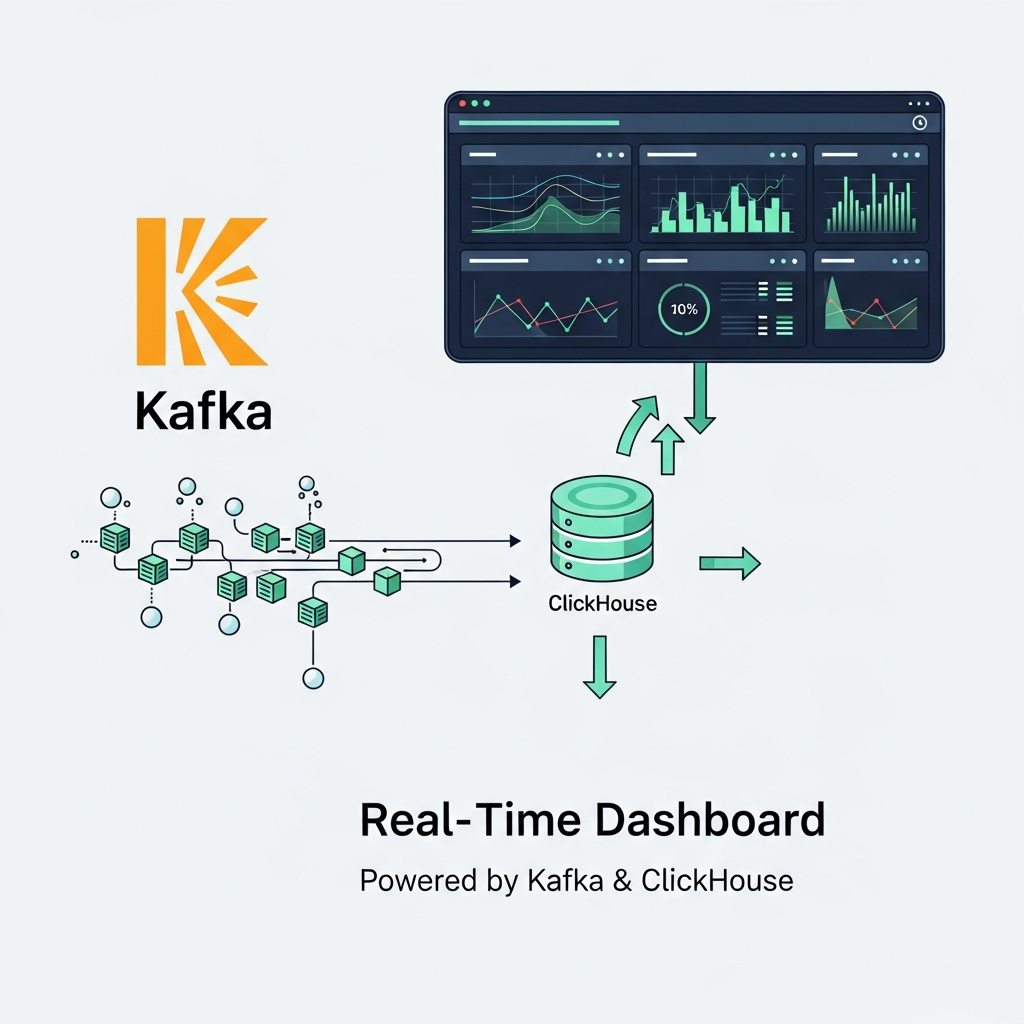
ClickHouse Architecture for Backend Engineers: Real-Time Event Scaling

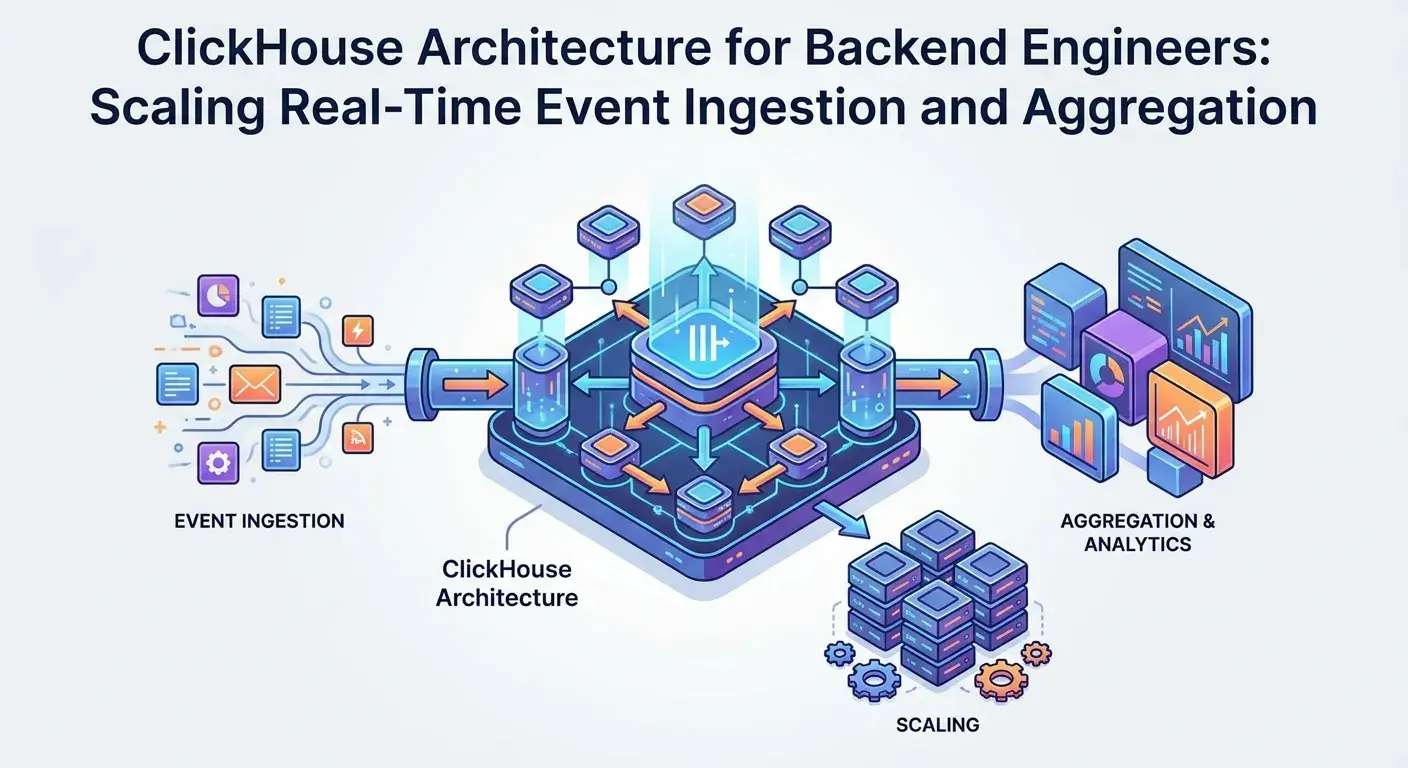
Introduction: The Real-Time Data Imperative
In today's data-driven world, the ability to ingest, process, and analyze massive volumes of events in real-time is no longer a luxury—it's a fundamental requirement. From monitoring user behavior and application logs to IoT telemetry and financial transactions, backend engineers are constantly challenged to build systems that can handle high-throughput data streams and provide immediate insights. Traditional relational databases often buckle under the pressure of analytical queries on vast datasets, while general-purpose NoSQL solutions might lack the analytical power or efficiency.
Enter ClickHouse: an open-source, column-oriented database management system specifically designed for online analytical processing (OLAP) workloads. Developed by Yandex, ClickHouse excels at lightning-fast analytical queries over petabytes of data, making it an ideal choice for scenarios demanding real-time event ingestion and aggregation at scale. This comprehensive guide will demystify ClickHouse's architecture, empowering backend engineers to leverage its full potential for their real-time data challenges.
Prerequisites
To get the most out of this guide, a basic understanding of the following concepts will be beneficial:
- SQL: Familiarity with standard SQL syntax.
- Data Warehousing: Concepts like OLAP, dimensional modeling, and ETL.
- Distributed Systems: Basic knowledge of sharding, replication, and fault tolerance.
- Linux Command Line: For interacting with server environments.
1. What is ClickHouse?
ClickHouse is a column-oriented DBMS for analytical data. Unlike row-oriented databases (like PostgreSQL or MySQL) that store all values of a row together, ClickHouse stores all values of a column together. This fundamental difference provides significant advantages for analytical queries:
- Fewer I/O Operations: Analytical queries often involve aggregating data across a few columns for many rows. Columnar storage means only the necessary columns are read from disk, drastically reducing I/O.
- Better Compression: Data within a single column is usually of the same type and often has similar values, leading to much higher compression ratios. This saves disk space and further reduces I/O.
- Vectorized Query Execution: ClickHouse processes data in blocks (vectors) rather than row by row. This allows for highly optimized CPU cache usage and instruction pipelining, leading to extremely fast computations.
These characteristics make ClickHouse perfectly suited for scenarios where you need to perform complex aggregations, filter large datasets, and generate reports or dashboards with minimal latency.
2. Core Architectural Principles
Understanding ClickHouse's core principles is key to designing efficient systems:
Columnar Storage
As mentioned, data is stored column by column. When you query SELECT sum(revenue) FROM sales WHERE region = 'US', ClickHouse only reads the revenue and region columns, ignoring all other columns like product_id, customer_id, etc. This is a stark contrast to row-oriented databases that would read entire rows.
Vectorized Query Execution
ClickHouse processes data in blocks (vectors) of tens of thousands of rows. Instead of interpreting each row and executing an operation, it applies operations to entire vectors of data using highly optimized, CPU-friendly code. This leverages SIMD (Single Instruction, Multiple Data) instructions, leading to significant performance gains.
Data Compression
ClickHouse employs various compression codecs (e.g., LZ4, ZSTD, Delta, DoubleDelta) to reduce disk space and I/O. Because columns contain homogeneous data, compression is highly effective. You can even specify different compression codecs per column.
Parallel Processing
ClickHouse is designed for massive parallelism. Queries are broken down into smaller tasks that can be executed concurrently across multiple CPU cores and multiple distributed nodes. This allows it to scale horizontally to handle extremely large datasets and complex queries.
3. Data Ingestion Strategies
ClickHouse offers several flexible ways to ingest data. For real-time event streams, the most common methods are direct INSERT statements and integration with message queues like Apache Kafka.
Direct INSERT Statements
The simplest way to get data into ClickHouse is via INSERT statements. These can be executed directly from applications or scripts. For optimal performance, it's crucial to batch inserts. Sending individual rows one by one is highly inefficient due to network overhead and transaction costs.
-- Example: Batch insert of event data
INSERT INTO my_events (timestamp, event_type, user_id, duration_ms, properties)
VALUES
    ('2023-10-27 10:00:00', 'page_view', 'user123', 150, '{"page": "home", "source": "web"}'),
    ('2023-10-27 10:00:05', 'click', 'user456', 20, '{"element": "button_cta", "campaign": "fall_sale"}');
Backend applications can collect events in memory and flush them in batches (e.g., every 1000 events or every 5 seconds) to ClickHouse. JSONEachRow format is particularly convenient for ingesting semi-structured data.
-- Ingesting JSON data via HTTP POST
POST /?query=INSERT%20INTO%20my_events%20FORMAT%20JSONEachRow HTTP/1.1
Host: localhost:8123
Content-Type: application/json

{"timestamp": "2023-10-27 10:00:00", "event_type": "page_view", "user_id": "user123", "duration_ms": 150, "properties": {"page": "home"}}
{"timestamp": "2023-10-27 10:00:05", "event_type": "click", "user_id": "user456", "duration_ms": 20, "properties": {"element": "button"}}
Apache Kafka Integration
For truly real-time, high-volume event streams, integrating with Apache Kafka is a common and robust pattern. ClickHouse provides a Kafka table engine that can consume messages directly from Kafka topics.
-- Create a Kafka engine table
CREATE TABLE events_kafka (
    timestamp DateTime,
    event_type String,
    user_id String,
    duration_ms UInt16,
    properties String
)
ENGINE = Kafka()
SETTINGS
    kafka_broker_list = 'kafka1:9092,kafka2:9092',
    kafka_topic_list = 'raw_events',
    kafka_group_name = 'clickhouse_consumer_group',
    kafka_format = 'JSONEachRow',
    kafka_skip_broken_messages = 10,
    kafka_num_consumers = 2; -- Number of consumers per shard
This Kafka engine table acts as a consumer. To persist data from events_kafka into a permanent MergeTree table, you typically use a Materialized View (discussed later).
4. MergeTree Family of Tables: The Heart of ClickHouse
The MergeTree family of table engines is the workhorse of ClickHouse, providing its core storage capabilities. Understanding MergeTree is fundamental to optimizing performance.
How MergeTree Works
When data is inserted into a MergeTree table, it's written in small, immutable data parts on disk. These parts are sorted according to the ORDER BY clause defined in the table schema. In the background, ClickHouse periodically merges these smaller parts into larger ones, which is a crucial process for query performance and data retention.
CREATE TABLE website_events (
    event_time DateTime,
    user_id UUID,
    event_type LowCardinality(String),
    page_path String,
    duration_ms UInt32,
    client_ip IPv4
)
ENGINE = MergeTree()
PARTITION BY toYYYYMM(event_time) -- Data partitioned by month
ORDER BY (event_time, user_id)     -- Primary key for sorting and filtering
SETTINGS index_granularity = 8192; -- Number of rows in data block for index
PARTITION BY: Defines how data is physically split into directories on disk. Queries often filter by partition keys (e.g.,WHERE event_time BETWEEN '2023-10-01' AND '2023-10-31'), allowing ClickHouse to prune irrelevant partitions and only read necessary data.ORDER BY: This defines the primary key and the physical sort order of data within each data part. It's critical for query performance, especially forWHEREclauses,GROUP BY, andJOINoperations. ClickHouse uses sparse primary indexes based on thisORDER BYkey to quickly locate data.SETTINGS index_granularity: Controls the size of data blocks that the primary index points to. A smaller granularity means more index entries and potentially faster lookup but a larger index. The default (8192) is usually good.
Data Parts and Merges
When INSERT statements occur, new data parts are created. If many small inserts happen, you'll accumulate many small parts. ClickHouse merges these parts asynchronously in the background. Merging reduces the number of parts, improves query performance (fewer parts to scan), and applies data mutations (e.g., ALTER TABLE DELETE or UPDATE in newer versions) and FINAL queries. The OPTIMIZE TABLE FINAL command can force a merge, but it's generally not recommended for continuous use in production, as automatic merges are usually sufficient.
5. Distributed Tables: Sharding and Replication
For true scalability and fault tolerance, ClickHouse supports distributed clusters. This involves sharding data across multiple nodes and replicating data for high availability.
Sharding Data
Sharding involves splitting data horizontally across different ClickHouse instances (shards). Each shard stores a portion of the total dataset. When a query is executed against a distributed table, it's sent to all relevant shards, and the results are then combined.
-- Define a cluster in config.xml (simplified example)
<yandex>
    <clickhouse_remote_servers>
        <my_cluster>
            <shard>
                <replica>
                    <host>ch-node1-1</host>
                    <port>9000</port>
                </replica>
                <replica>
                    <host>ch-node1-2</host>
                    <port>9000</port>
                </replica>
            </shard>
            <shard>
                <replica>
                    <host>ch-node2-1</host>
                    <port>9000</port>
                </replica>
                <replica>
                    <host>ch-node2-2</host>
                    <port>9000</port>
                </replica>
            </shard>
        </my_cluster>
    </clickhouse_remote_servers>
</yandex>
Distributed Table Engine
The Distributed table engine is a proxy table that allows you to query data across multiple shards and replicas as if it were a single table. It doesn't store any data itself but defines how data is distributed and how queries are forwarded.
CREATE TABLE website_events_local ON CLUSTER my_cluster (
    event_time DateTime,
    user_id UUID,
    event_type LowCardinality(String),
    page_path String,
    duration_ms UInt32,
    client_ip IPv4
)
ENGINE = ReplicatedMergeTree('/clickhouse/tables/{shard}/website_events_local', '{replica}')
PARTITION BY toYYYYMM(event_time)
ORDER BY (event_time, user_id);

CREATE TABLE website_events_distributed ON CLUSTER my_cluster (
    event_time DateTime,
    user_id UUID,
    event_type LowCardinality(String),
    page_path String,
    duration_ms UInt32,
    client_ip IPv4
)
ENGINE = Distributed(my_cluster, default, website_events_local, rand());
-- The last parameter 'rand()' is the sharding key. 'rand()' distributes data randomly.
-- For better distribution and query locality, use a meaningful sharding key like 'user_id'.
When inserting into website_events_distributed, ClickHouse uses the sharding key (rand() or user_id in the example) to determine which shard the data should go to. The ReplicatedMergeTree engine ensures data is replicated across replicas within each shard for fault tolerance.
Choosing a Sharding Key: A good sharding key ensures data is evenly distributed and that queries can often be processed on a single shard (if the query filters by the sharding key).
- Good:
user_id,device_id,session_id(if data is queried per user/device/session). - Bad:
event_time(all recent data goes to one shard),rand()(good for even distribution but bad for query locality).
6. Materialized Views for Real-Time Aggregation
Materialized Views (MVs) in ClickHouse are powerful for pre-aggregating data in real-time, significantly speeding up common analytical queries. Unlike MVs in other databases, ClickHouse MVs are ON INSERT triggers; they process new data as it arrives, appending to a target table.
How Materialized Views Work
A Materialized View is defined with a SELECT query and a target table. When new data is inserted into the source table, the MV's SELECT query is executed against that new data, and the results are inserted into the target table.
-- 1. Create a raw events table (source for MV)
CREATE TABLE raw_events (
    timestamp DateTime,
    user_id String,
    event_name LowCardinality(String),
    value_num Float64
)
ENGINE = MergeTree()
PARTITION BY toYYYYMM(timestamp)
ORDER BY (timestamp, user_id);

-- 2. Create a target table for aggregated data
CREATE TABLE daily_event_summary (
    event_date Date,
    event_name LowCardinality(String),
    total_events UInt64,
    total_value Float64,
    unique_users AggregateFunction(uniq, String)
)
ENGINE = AggregatingMergeTree()
PARTITION BY event_date
ORDER BY (event_date, event_name);

-- 3. Create the Materialized View
CREATE MATERIALIZED VIEW mv_daily_event_summary
TO daily_event_summary
AS
SELECT
    toDate(timestamp) AS event_date,
    event_name,
    count() AS total_events,
    sum(value_num) AS total_value,
    uniqState(user_id) AS unique_users -- uniqState for AggregateFunction
FROM raw_events
GROUP BY event_date, event_name;
Now, any INSERT into raw_events will automatically trigger the mv_daily_event_summary to aggregate the new data and insert it into daily_event_summary. Queries against daily_event_summary will be much faster as they operate on pre-aggregated data.
AggregatingMergeTree: This table engine is specifically designed to work with Materialized Views that perform aggregations. It merges rows with the same primary key by applying the aggregation functions (e.g., sumState, uniqState, minState). When querying, you use the _FINAL suffix on aggregate functions (e.g., uniqMerge(unique_users)).
-- Querying the aggregated data
SELECT
    event_date,
    event_name,
    total_events,
    total_value,
    uniqMerge(unique_users) AS distinct_users
FROM daily_event_summary
WHERE event_date = '2023-10-27'
GROUP BY event_date, event_name;
7. Query Optimization Techniques
ClickHouse is fast by default, but intelligent query design can unlock even greater performance.
-
Leverage
ORDER BYandPARTITION BY: Ensure yourWHEREclauses align withPARTITION BYandORDER BYto minimize data scanned. Filtering byPARTITION BYprunes entire data directories. Filtering byORDER BYuses the primary index to quickly jump to relevant data blocks. -
PREWHERE: UsePREWHEREfor filtering conditions that involve columns not in theORDER BYkey.PREWHEREapplies the filter before reading the full row, reducing the amount of data to decompress and process. It's especially useful for wide tables.sqlSELECT count() FROM my_events PREWHERE event_type = 'page_view' WHERE user_id = 'user123'; -
FINALModifier: ForMergeTreetables that haveDELETEorUPDATEmutations (or forAggregatingMergeTree),SELECT ... FINALensures that only the final state of rows (after all merges and mutations) is returned. This can be very slow as it forces all merges to complete. Use it sparingly, ideally on pre-aggregated tables whereAggregatingMergeTreehandles merges efficiently. -
sampleClause: For approximate results on very large tables, useSAMPLEto query a fraction of the data. This is incredibly fast for quick insights.sqlSELECT count() FROM website_events SAMPLE 0.1; -- Query 10% of the data -
Avoid
SELECT *: Always specify the columns you need. Reading unnecessary columns means more I/O and decompression. -
Use appropriate data types: See the Schema Design section.
8. Schema Design Best Practices
Effective schema design is critical for ClickHouse performance.
-
Denormalization: Unlike OLTP databases, ClickHouse thrives on denormalized schemas. Joins are expensive, especially on large tables. It's often better to duplicate data across tables or store all relevant information in a single wide table.
-
Choose Optimal Data Types: ClickHouse offers a rich set of data types. Using the smallest appropriate type saves space and improves performance.
UInt8,UInt16,UInt32,UInt64for unsigned integers.Int8,Int16,Int32,Int64for signed integers.Float32,Float64for floating-point numbers.Decimal(P, S)for precise monetary or scientific values.Datefor dates,DateTimefor timestamps.Stringfor variable-length text. ConsiderFixedString(N)for fixed-length strings.UUIDfor unique identifiers.IPv4,IPv6for IP addresses.
-
LowCardinality(String): For string columns with a limited number of unique values (e.g.,event_type,country_code),LowCardinalityprovides significant compression and faster processing. It stores strings as integers, mapping them to a dictionary.sqlevent_type LowCardinality(String) -- Instead of just String -
NullableTypes: AvoidNullabletypes if possible. They add overhead. If a column can beNULL, consider using a default value (e.g.,0for numbers, empty string for text) instead, or separateNullablecolumns into a different table if they are rarely queried. -
ArrayTypes: ClickHouse supportsArray(T)for storing lists of values. This can be useful for tags or multi-valued attributes, but be mindful of performance implications for complex array operations. -
MapTypes: For semi-structured data,Map(KeyType, ValueType)can be used, though oftenStringorJSONfields parsed at query time are more flexible for highly dynamic schemas.
9. Scaling ClickHouse: Horizontal vs. Vertical
Scaling ClickHouse effectively involves both vertical and horizontal approaches.
Vertical Scaling (Scaling Up)
This involves adding more resources (CPU, RAM, faster disks) to existing ClickHouse servers. While effective to a certain point, it has limitations and can become expensive.
- RAM: ClickHouse heavily uses RAM for query processing and caching. More RAM generally means faster queries.
- CPU: More cores allow for greater parallel query execution.
- Disk I/O: Fast NVMe SSDs are highly recommended for optimal ingestion and query performance, especially if your working set doesn't fit in RAM.
Horizontal Scaling (Scaling Out)
This is the primary way to scale ClickHouse for large datasets and high query concurrency. It involves adding more ClickHouse servers (nodes) to a cluster.
- Adding Shards: To handle more data or higher ingestion rates, you can add new shards to your cluster. This requires rebalancing existing data, which can be a complex operation.
- Adding Replicas: To improve query concurrency and fault tolerance, add more replicas within existing shards. Replicas serve identical copies of data, allowing queries to be distributed across them and providing redundancy if a node fails.
Cluster Management: Tools like clickhouse-keeper (or ZooKeeper for older versions) are essential for managing distributed clusters, coordinating replicas, and maintaining metadata.
10. Common Pitfalls and How to Avoid Them
Even with its power, ClickHouse has its quirks. Avoiding these common pitfalls will save you headaches:
-
Too Many Small Data Parts: Frequent, small
INSERTs create many tiny data parts. Merging these is I/O intensive and can degrade query performance. Solution: Batch your inserts (e.g., 1000-100,000 rows per insert). -
Inefficient Sharding Key: A poor sharding key can lead to uneven data distribution (hot spots) or force every query to hit all shards, negating the benefits of sharding. Solution: Choose a sharding key that distributes data evenly and aligns with common query patterns (e.g.,
user_id,session_id). -
SELECT ... FINALon Large Tables: While useful for correctness,FINALcan be extremely slow as it forces all background merges to complete. Solution: UseAggregatingMergeTreewith Materialized Views for pre-aggregated data, whereFINALis handled efficiently by the engine. -
High Cardinality in
ORDER BYandGROUP BY: Very high cardinality primary keys orGROUP BYcolumns can impact performance. Solution: UseLowCardinalityfor suitable string columns. Consider pre-aggregating or sampling if exact counts of extremely high-cardinality values are not strictly necessary. -
Ignoring
PARTITION BY: Not usingPARTITION BYor using a very broad one means ClickHouse has to scan more data. Solution: Partition bytoYYYYMM(date_column)ortoDate(date_column)for time-series data to enable efficient partition pruning. -
Excessive Joins: ClickHouse is not designed for complex, multi-table joins typical of OLTP databases. Solution: Denormalize your schema. If joins are unavoidable, ensure at least one table is small or use
JOINstrategies likeGLOBAL JOINorLEFT ARRAY JOINcarefully.
11. Real-World Use Cases
ClickHouse shines in various real-time analytical scenarios for backend engineers:
- Web Analytics: Tracking page views, clicks, user sessions, conversions, and generating real-time dashboards for website performance and user behavior.
- Application & Infrastructure Monitoring: Ingesting logs, metrics (CPU, memory, network), and traces from thousands of services. Building dashboards for system health, error rates, and performance bottlenecks.
- IoT Telemetry: Collecting sensor data from millions of devices, aggregating readings, and detecting anomalies in real-time.
- Financial Data Analysis: Storing and querying transaction records, market data, and risk metrics for immediate insights and fraud detection.
- Security Information and Event Management (SIEM): Ingesting security logs from firewalls, servers, and applications for threat detection and compliance reporting.
- Ad-Tech: Storing billions of ad impressions and clicks for campaign performance analysis and bidding optimization.
12. Monitoring and Observability
Monitoring your ClickHouse cluster is crucial for maintaining performance and identifying issues.
-
System Tables: ClickHouse provides a rich set of
systemtables (e.g.,system.query_log,system.parts,system.metrics) that offer deep insights into server status, query performance, and storage.sql-- Check currently running queries SELECT query_id, query, elapsed, query_duration_ms FROM system.processes; -- Analyze slow queries from the log SELECT query_start_time, query_duration_ms, query FROM system.query_log WHERE type = 'QueryFinish' AND query_duration_ms > 1000 ORDER BY query_start_time DESC LIMIT 10; -
Prometheus & Grafana: ClickHouse exposes metrics via a Prometheus endpoint, allowing integration with Grafana for comprehensive dashboards. Key metrics to monitor include:
- CPU, Memory, Disk I/O usage.
- Ingestion rates (rows/sec, bytes/sec).
- Query latency and QPS.
- Number of active merges.
- Disk space usage per partition/table.
Conclusion: Empowering Real-Time Analytics
ClickHouse stands out as a formidable solution for backend engineers tackling the challenges of real-time event ingestion and aggregation. Its columnar architecture, vectorized execution, and MergeTree family of engines provide unparalleled performance for OLAP workloads. By understanding its core principles, leveraging distributed tables for scalability, employing Materialized Views for pre-aggregation, and adhering to best practices in schema and query design, you can build highly performant and resilient data platforms.
As data volumes continue to explode and the demand for instant insights grows, ClickHouse will remain an indispensable tool in the backend engineer's arsenal. Start experimenting, build your first cluster, and unlock the power of real-time analytics for your applications.
Written by
CodewithYohaFull-Stack Software Engineer with 7+ years of experience in Java, Spring Boot, and cloud architecture across AWS, Azure, and GCP. Writing production-grade engineering patterns for developers who ship real software.