Mastering GCP Costs: A Deep Dive into Recommender & Committed Use Discounts

Introduction
In the dynamic landscape of cloud computing, managing costs effectively is as crucial as building robust infrastructure. Google Cloud Platform (GCP) offers unparalleled scalability and flexibility, but without diligent oversight, expenses can quickly escalate. Many organizations grapple with cloud sprawl, underutilized resources, and a lack of clear visibility into spending patterns. This often leads to unnecessary expenditure, hindering innovation and impacting the bottom line.
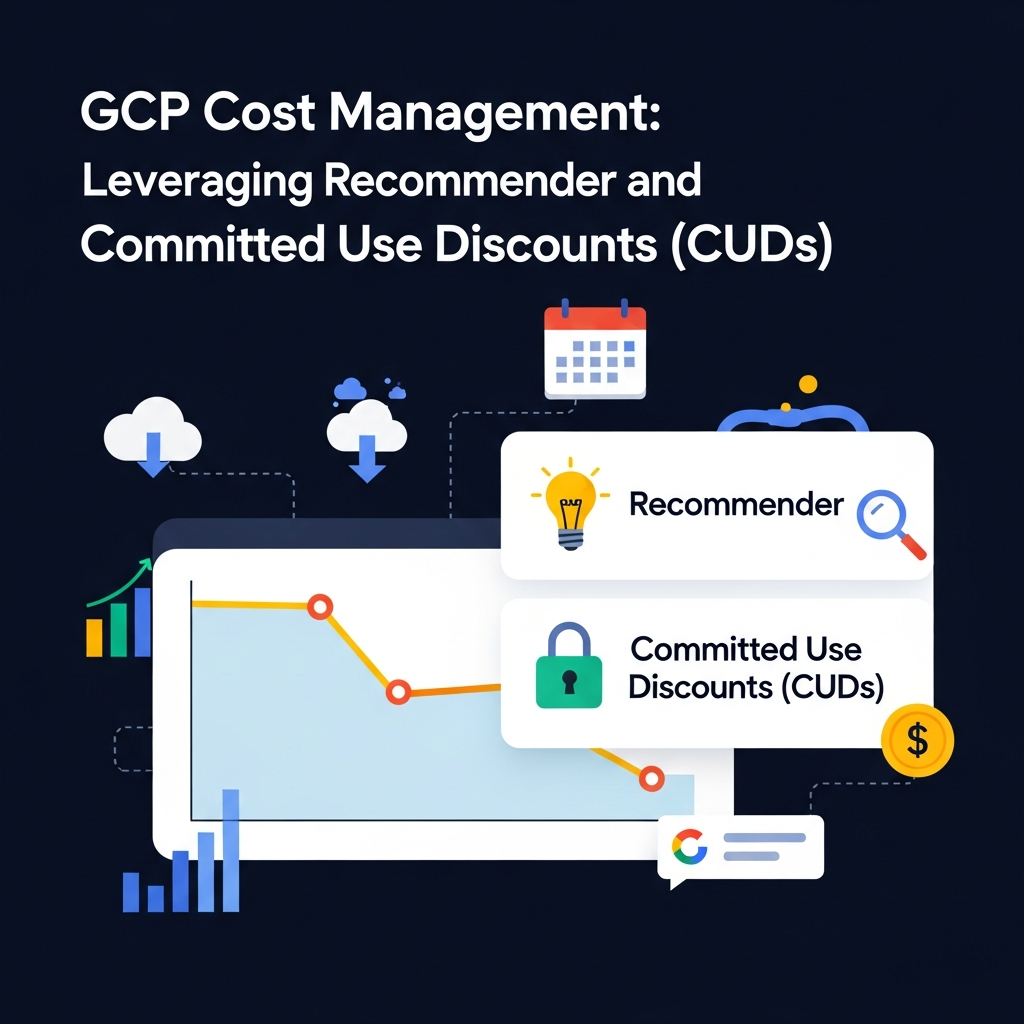
This comprehensive guide aims to demystify GCP cost management by focusing on two powerful, often underutilized, tools: the GCP Recommender service and Committed Use Discounts (CUDs). We'll explore how these features work independently and, more importantly, how to integrate them into a cohesive strategy to achieve significant, sustained cost savings. By the end of this article, you'll have a clear roadmap to optimize your GCP spending, ensuring you get maximum value from your cloud investments.
Prerequisites
To fully grasp the concepts and apply the strategies discussed in this guide, you should have:
- A basic understanding of Google Cloud Platform services (Compute Engine, Cloud SQL, etc.).
- Access to a GCP project with appropriate billing permissions (Billing Account User, Billing Account Viewer, or Billing Account Administrator roles are beneficial for full visibility and action).
- Familiarity with the
gcloudcommand-line tool for interacting with GCP services. - Basic knowledge of SQL for analyzing billing data in BigQuery.
The Challenge of Cloud Cost Management in GCP
Cloud cost management is a multi-faceted challenge. Organizations often face:
- Lack of Visibility: It's often difficult to pinpoint which resources are costing what, especially in large, multi-project environments.
- Resource Sprawl: Development and testing environments, forgotten VMs, or unattached disks can accumulate, leading to 'zombie' resources that incur costs without providing value.
- Underutilization: Resources are often over-provisioned "just in case," leading to significant waste. A VM provisioned for peak load might sit idle for 80% of the time, yet you pay for its full capacity.
- Dynamic Workloads: Fluctuating demand makes it hard to predict resource needs and optimize for them manually.
- Complex Pricing Models: Different services have varying pricing structures (per GB, per CPU, per operation), making holistic cost analysis challenging.
GCP provides tools to combat these challenges, and the Recommender service and CUDs are at the forefront of this effort.
Introducing GCP Recommender
GCP Recommender is an intelligent service that analyzes your resource usage patterns and provides actionable recommendations to optimize performance, security, and crucially, cost. It leverages machine learning to identify inefficiencies and suggest specific changes, acting like a personalized cloud consultant for your GCP environment.
The Recommender service continuously monitors your resource configurations and usage metrics across various GCP products. It then generates insights, which are high-level observations about potential issues or opportunities, and recommendations, which are specific suggestions to address those insights. These recommendations are designed to be easy to understand and execute, often with a one-click action in the GCP Console or a simple gcloud command.
Exploring Recommender Categories
GCP Recommender isn't just about cost; it covers several critical aspects of cloud management. While our focus is on cost, understanding the breadth of its capabilities is important:
- Cost Recommenders: Identify idle resources, suggest rightsizing VMs, recommend storage tier changes, and highlight opportunities for CUDs.
- Performance Recommenders: Suggest optimizing database configurations, increasing VM machine types for improved performance, or adjusting auto-scaling policies.
- Security Recommenders: Point out overly permissive IAM roles, recommend enabling security features, or identify unencrypted resources.
- Manageability Recommenders: Suggest improvements to resource organization, tagging, or lifecycle policies.
For cost optimization, key recommenders include:
google.compute.instance.MachineTypeRecommender: Recommends optimal machine types for Compute Engine VMs based on usage.google.compute.disk.DiskTypeRecommender: Suggests changing disk types or deleting unattached disks.google.sql.instance.CpuMemoryRecommender: Recommends rightsizing Cloud SQL instances.google.cloudbilling.commitment.Recommender: Identifies opportunities for purchasing CUDs based on sustained usage.
How to Access and Interpret Recommender Insights
You can access Recommender insights through the GCP Console, the gcloud CLI, or the Recommender API.
Via GCP Console:
- Navigate to the "Recommendations" section in the main navigation menu.
- Filter by "Cost" category to see relevant recommendations.
- Review the insights and recommendations provided for various services.
Via gcloud CLI:
First, you can list all available recommenders for your project:
gcloud recommender recommenders list --project=YOUR_PROJECT_ID --location=globalTo get specific recommendations, for example, for Compute Engine machine types:
gcloud recommender recommendations list \
    --project=YOUR_PROJECT_ID \
    --location=ZONE_OR_REGION \
    --recommender=google.compute.instance.MachineTypeRecommender
Replace YOUR_PROJECT_ID with your actual project ID and ZONE_OR_REGION with a specific zone or region (e.g., us-central1-a or us-central1).
Interpreting the output involves understanding the state, impact, and operation fields. A recommendation will include details like the current resource configuration, the recommended configuration, and the estimated cost savings.
Acting on Recommender Insights for Cost Savings
Once you've identified a valuable recommendation, acting on it is the next step. Recommender often provides a direct link to apply the change in the console. For programmatic actions, you can use gcloud or the API.
Example: Rightsizing a Compute Engine VM
Let's say the MachineTypeRecommender suggests downgrading a e2-standard-4 VM to e2-medium due to low CPU/memory utilization.
-
Review the Recommendation: Ensure it aligns with your workload's actual needs, considering peak usage patterns that the recommender might not capture over a short period.
-
Apply the Change:
bash# First, stop the instance gcloud compute instances stop YOUR_VM_NAME --zone=YOUR_ZONE --project=YOUR_PROJECT_ID # Then, change the machine type gcloud compute instances set-machine-type YOUR_VM_NAME \ --machine-type=e2-medium \ --zone=YOUR_ZONE \ --project=YOUR_PROJECT_ID # Finally, start the instance gcloud compute instances start YOUR_VM_NAME --zone=YOUR_ZONE --project=YOUR_PROJECT_ID
Always perform such operations during maintenance windows or on non-production environments first, and ensure proper backups.
Other actions might include deleting idle resources (e.g., unattached disks, unused IP addresses) or archiving old data to cheaper storage tiers (e.g., from Standard to Nearline or Coldline Cloud Storage).
Deep Dive into Committed Use Discounts (CUDs)
Committed Use Discounts (CUDs) are a cornerstone of GCP cost optimization for stable, predictable workloads. They allow you to commit to a certain level of resource usage (e.g., CPU, memory, or specific services) for a 1-year or 3-year term in exchange for significantly reduced prices compared to on-demand rates. The savings can range from 20% to 70% or more, depending on the service and commitment duration.
CUDs are available for a wide range of GCP services, with the most common being:
- Compute Engine: This is where CUDs often yield the largest savings. You can commit to specific virtual machine types (resource-based CUDs) or a flexible amount of vCPUs and memory (flexible CUDs).
- Cloud SQL: Commit to database instance types.
- Cloud Spanner: Commit to Spanner node capacity.
- Google Kubernetes Engine (GKE) Autopilot: Commit to vCPU and memory usage.
- Cloud Storage: Commit to a certain amount of storage capacity.
- MemoryStore, Google Cloud VMware Engine, and more.
CUDs are ideal for base-load workloads, production systems, and any resources that run continuously or for a significant portion of the day. They provide predictability in pricing and substantial savings, but require careful planning to avoid over-commitment.
Resource-Based CUDs vs. Flexible CUDs
Understanding the distinction between resource-based and flexible CUDs, particularly for Compute Engine, is crucial for optimal strategy.
Resource-Based CUDs (e.g., Compute Engine VM CUDs):
- Commitment: You commit to a specific machine type (e.g.,
n2-standard-4) or a specific number of vCPUs and GBs of memory in a particular region. - Application: The discount applies only to instances of that exact machine type in that specific region.
- Best for: Very stable, long-running workloads with predictable machine type requirements. Offers the highest discount percentage for Compute Engine.
- Risk: Less flexible. If you change your machine type or region, the CUD might not apply, leading to underutilization of your commitment.
Flexible CUDs (e.g., Compute Engine Flexible CUDs, formerly "Spend-Based CUDs"):
- Commitment: You commit to spending a specific hourly amount on eligible Compute Engine resources (vCPUs, memory, GPUs, local SSDs) across any region and any machine type (within the same family, e.g., N2, E2, C2, etc.).
- Application: The discount applies to the aggregate eligible spend across your entire billing account, regardless of the specific VM type or region, as long as it's within the committed family.
- Best for: Workloads with varying machine types, frequent scaling, or multi-regional deployments. Provides flexibility and reduces the risk of underutilization.
- Discount: Generally offers a slightly lower discount percentage than resource-based CUDs, but the flexibility often outweighs this difference for many organizations.
Choosing between them: If you have a core set of VMs that are guaranteed to run 24/7 with fixed machine types, resource-based CUDs are excellent. For more dynamic, diverse, or evolving Compute Engine environments, flexible CUDs often provide a safer and more effective path to savings.
Analyzing Your Usage for CUDs
Before purchasing CUDs, it's vital to analyze your historical usage to identify consistent spend patterns. The goal is to commit to a baseline level of usage that you are confident will continue for the commitment duration.
Using GCP Billing Reports:
- Navigate to Billing in the GCP Console.
- Go to Cost Management -> Reports.
- Filter by service (e.g., Compute Engine) and examine your historical usage (e.g., last 3-6 months).
- Look for consistent, non-discounted spend on eligible resources.
Using BigQuery Export for Detailed Analysis:
For more granular analysis, export your billing data to BigQuery. This allows you to run complex queries and visualize trends.
First, ensure you have enabled BigQuery Export for your billing account.
-- Example BigQuery SQL query to identify consistent Compute Engine usage for CUDs
SELECT
    invoice.month AS billing_month,
    service.description AS service_name,
    sku.description AS sku_name,
    SUM(cost) AS total_cost,
    -- Calculate average daily usage for specific SKUs (e.g., CPU, Memory)
    AVG(CASE WHEN sku.description LIKE '%CPU%' THEN usage.amount ELSE 0 END) AS avg_cpu_usage,
    AVG(CASE WHEN sku.description LIKE '%Memory%' THEN usage.amount ELSE 0 END) AS avg_memory_usage
FROM
    `YOUR_BILLING_ACCOUNT_ID.gcp_billing_export_v1_YOUR_BILLING_ACCOUNT_ID.gcp_billing_export_resource_v1_*`
WHERE
    _PARTITIONTIME >= TIMESTAMP('2023-01-01') -- Adjust date range
    AND service.id = '6F81-5844-456A' -- Compute Engine service ID (might vary, verify from export)
    AND project.id = 'YOUR_PROJECT_ID' -- Optional: filter for a specific project
    AND NOT EXISTS (SELECT 1 FROM UNNEST(credits) AS credit WHERE credit.name LIKE '%Committed Use Discount%')
GROUP BY
    1, 2, 3
ORDER BY
    billing_month, total_cost DESC;
Replace YOUR_BILLING_ACCOUNT_ID and YOUR_PROJECT_ID with your actual IDs. The service ID for Compute Engine might need verification from your BigQuery export data's service.id field.
This query helps you understand your baseline spend and usage, allowing you to make informed decisions about the commitment amount.
Purchasing and Managing CUDs
Purchasing CUDs:
- Navigate to Billing -> Commitments in the GCP Console.
- Click PURCHASE.
- Select the product (e.g., Compute Engine), the commitment type (e.g., "Compute Engine flexible commitment"), commitment duration (1 or 3 years), and the commitment amount (e.g., $100/hour for flexible CUDs, or specific machine types for resource-based CUDs).
- Review the estimated savings and confirm the purchase.
Key considerations for purchasing:
- Term Length: 3-year commitments offer higher discounts but carry more risk if your needs change drastically. Start with 1-year if unsure.
- Scope: CUDs can be purchased at the project level or the billing account level. Purchasing at the billing account level (recommended for most organizations) allows the discount to be shared across all projects linked to that billing account, maximizing utilization.
- Start Small: If you're new to CUDs, begin with a conservative commitment based on your absolute minimum baseline usage. You can always purchase more later.
Managing CUDs:
- Monitoring Utilization: Regularly check the "Commitments" section in Billing to see your CUD utilization. Low utilization means you're paying for a commitment you're not fully using.
- Renewals: Plan for renewals well in advance. As commitments near expiration, reassess your usage patterns.
- Adjustments: While you can't cancel a CUD, you can purchase additional CUDs to cover growing usage. If usage decreases, you might need to rely on the Recommender to right-size resources and avoid underutilizing existing CUDs.
Best Practices for CUDs and Recommender Integration
Combining Recommender insights with a strategic CUD approach yields the most significant savings.
- Right-size before Committing: Use Recommender to optimize your instance types and resource allocations first. Don't commit to oversized resources with CUDs. Optimize, then commit.
- Continuous Recommender Review: Regularly (e.g., weekly or monthly) review cost recommendations. Workloads are dynamic, and what was optimal last month might not be today.
- Automate Where Possible: For non-critical resources, consider automating the application of certain recommendations (e.g., deleting idle disks) using Cloud Functions or custom scripts triggered by Recommender API calls.
- Baseline with CUDs, Optimize with Recommender: Use CUDs for your stable, predictable baseline workloads. For the variable, burstable components, rely on Recommender to ensure they are appropriately scaled and optimized.
- Monitor CUD Utilization: Set up alerts in Cloud Monitoring for CUD utilization dropping below a certain threshold (e.g., 80%). This indicates potential over-commitment or changes in workload patterns.
- Leverage Labels: Use labels extensively across your GCP resources. This helps segment costs in billing reports and provides better context for applying recommendations and assessing CUD impact.
- Educate Teams: Foster a culture of cost awareness. Developers and engineers should understand the impact of their resource choices and be encouraged to review recommendations.
Common Pitfalls and How to Avoid Them
Even with powerful tools, missteps can occur. Be aware of these common pitfalls:
- Over-committing with CUDs: Committing to more resources than you actually use is the biggest risk. This leads to paying for unused capacity. Avoidance: Thoroughly analyze historical usage, start conservatively, and prioritize flexible CUDs for less predictable components.
- Ignoring Recommender Insights: Recommendations are only useful if acted upon. Avoidance: Integrate regular review into your operational routines, assign ownership for acting on recommendations, and consider automation for low-risk changes.
- Lack of Centralized Cost Visibility: Without a consolidated view of spending, identifying optimization opportunities is nearly impossible. Avoidance: Utilize Billing Account exports to BigQuery, set up custom dashboards in Data Studio or Looker, and use labels for granular breakdown.
- Not Monitoring CUD Utilization: Purchasing a CUD isn't a set-it-and-forget-it task. Avoidance: Implement Cloud Monitoring alerts for CUD utilization and regularly review your commitment performance.
- One-time Optimization Mindset: Cloud cost optimization is an ongoing process, not a one-time project. Avoidance: Establish a FinOps practice, dedicate resources to continuous optimization, and embrace the iterative nature of cloud management.
- Applying Recommendations Blindly: While Recommender is intelligent, it might not capture all nuances of your application (e.g., seasonal peaks, specific performance SLAs). Avoidance: Always validate recommendations against your application's requirements and performance metrics before applying, especially in production environments.
Conclusion
GCP cost management is a continuous journey that requires a blend of intelligent automation and strategic planning. The GCP Recommender service provides invaluable, data-driven insights to right-size your resources, eliminate waste, and improve efficiency. Committed Use Discounts, on the other hand, offer substantial savings for your stable, baseline workloads, providing cost predictability and a significant reduction in overall spend.
By integrating these two powerful tools into your cloud governance strategy, you can move beyond reactive cost control to a proactive, optimized, and predictable spending model. Start by leveraging Recommender to clean up existing sprawl and optimize current resource allocations. Then, analyze your stable usage patterns to strategically purchase CUDs, ensuring you commit wisely. Remember, continuous monitoring, regular review, and fostering a cost-aware culture are key to long-term success in mastering your GCP costs. Embrace these practices, and unlock the full economic potential of your Google Cloud investments.
Enjoyed this deep dive? Buy me a coffee!
Every article on CodeWithYoha is 100% free, independent, and sponsor-free. If this guide saved you hours of debugging or helped you architect better software, consider supporting future guides with a coffee ($5, $10, or any amount of your choice).
Written by
CodewithYohaFull-Stack Software Engineer with 7+ years of experience in Java, Spring Boot, and cloud architecture across AWS, Azure, and GCP. Writing production-grade engineering patterns for developers who ship real software.