Introduction
The serverless paradigm has fundamentally reshaped how developers build and deploy applications, promising unparalleled scalability, reduced operational overhead, and a pay-per-use billing model. Services like AWS Lambda and GCP Cloud Run have empowered teams to innovate faster by abstracting away server management. However, the promise of "pay only for what you use" can quickly turn into a complex challenge if not managed proactively. While serverless eliminates the need to provision and maintain servers, it introduces a new set of cost drivers that, if misunderstood, can lead to unexpectedly high bills.
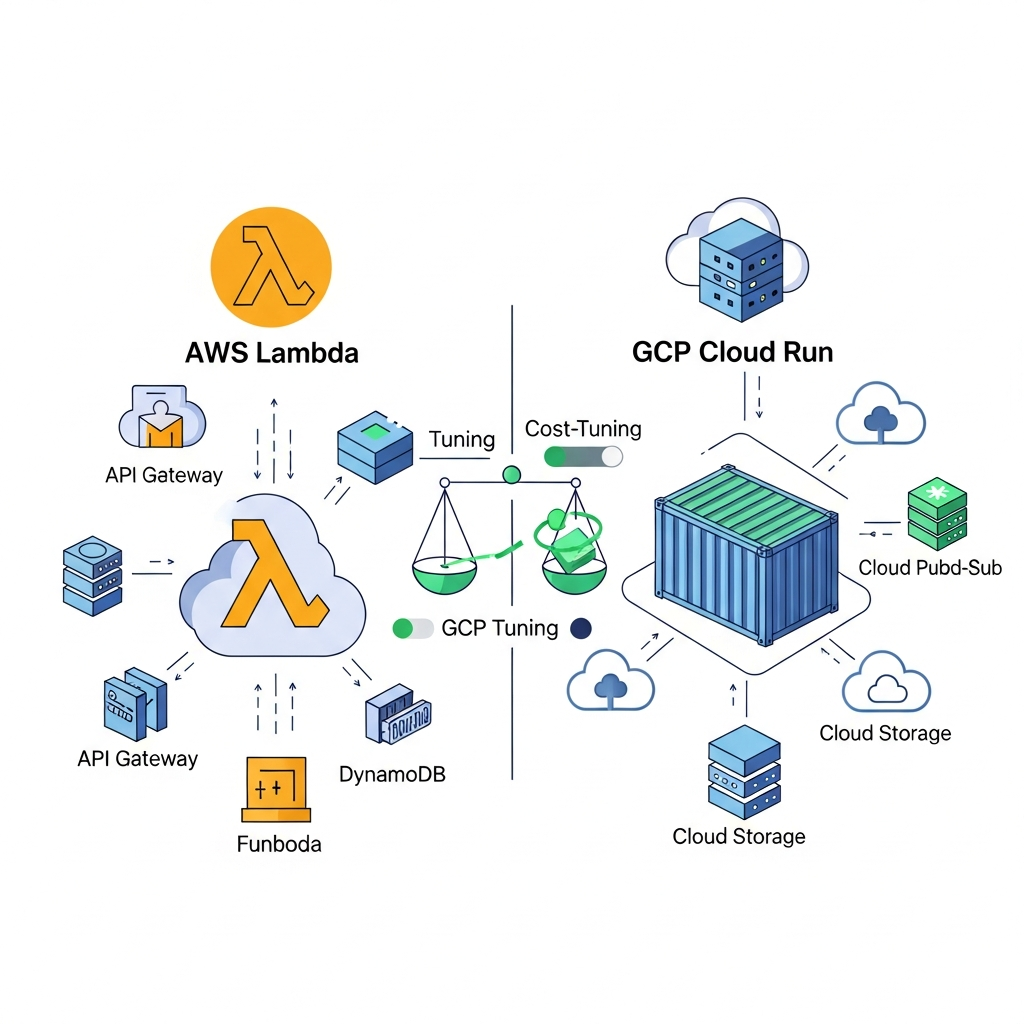
This comprehensive guide delves deep into architecting serverless solutions for optimal cost efficiency on AWS Lambda and GCP Cloud Run. We'll explore the nuances of their billing models, uncover strategies for fine-tuning resource allocation, mitigate the impact of cold starts, and implement best practices to ensure your serverless applications are not just performant and scalable, but also exceptionally cost-effective. Whether you're a seasoned cloud architect or new to serverless, understanding these principles is crucial for building sustainable and economical cloud-native solutions.
Prerequisites
To get the most out of this guide, a basic understanding of:
- AWS and GCP fundamentals.
- Serverless concepts and their advantages/disadvantages.
- Familiarity with containerization (Docker) for Cloud Run discussions.
- Basic programming knowledge (e.g., Python, Node.js) for code examples.
1. Understanding Serverless Billing Models
Optimizing costs begins with a thorough understanding of how you're charged. Both AWS Lambda and GCP Cloud Run operate on a consumption-based model, but their specific metrics differ significantly.
AWS Lambda Billing
Lambda's pricing is primarily based on three factors:
- Number of Requests: Each time your function is invoked, you incur a charge. The free tier includes one million requests per month.
- Duration: The time your code executes, rounded up to the nearest millisecond. This is directly tied to the function's memory allocation.
- Memory Allocated: You configure the amount of memory (from 128 MB to 10,240 MB) for your function. More memory generally means more CPU power and a higher duration cost per unit of time.
Other costs include data transfer out of AWS regions and provisioned concurrency.
GCP Cloud Run Billing
Cloud Run offers a more granular and potentially more complex billing model:
- Request Time: The duration your container processes a request, from start to finish.
- CPU Allocation: You can choose "CPU always allocated" or "CPU only during request processing." The latter is generally cheaper but can introduce latency for background tasks.
- Memory Allocated: The amount of memory assigned to your container instance.
- Idle Time: The time your container instance remains active but is not processing requests (if
min-instancesis set or if an instance is kept alive after a request). This can be a significant hidden cost. - Cold Starts: The time taken for an instance to become ready to serve traffic. While not a direct billing metric, it impacts
request timeand user experience.
Cloud Run also includes charges for network egress and potential charges for min-instances if they are idle.
2. Memory and CPU Allocation Strategies
This is often the most impactful area for cost optimization.
AWS Lambda: Finding the Memory Sweet Spot
Lambda's CPU power scales proportionally with memory. This means a function allocated 1024 MB of memory gets twice the CPU of a 512 MB function. Counter-intuitively, increasing memory (and thus CPU) can reduce overall costs if it significantly shortens execution duration.
Strategy: Use tools like AWS Lambda Power Tuning (a Step Functions state machine) to empirically test your function across various memory configurations. It runs your function multiple times with different memory settings and identifies the optimal configuration that minimizes cost, performance, or a balance of both.
# Example serverless.yml snippet for Lambda function memory
functions:
  myFunction:
    handler: handler.my_function
    runtime: python3.9
    memorySize: 512 # Start with a reasonable value, then tune
    timeout: 30
    events:
      - http:
          path: /hello
          method: get
GCP Cloud Run: CPU and Concurrency
Cloud Run decouples CPU and memory to some extent, offering more control.
- CPU Allocation: For most web services or APIs, "CPU only during request processing" is ideal. It means your container only consumes CPU when actively handling a request. For background jobs or long-running tasks within a request, "CPU always allocated" might be necessary, but be mindful of the increased cost.
- Concurrency: This determines how many requests a single container instance can handle simultaneously. Higher concurrency (e.g., 80-100 requests per instance) can drastically reduce the number of instances needed, especially for I/O-bound workloads. However, for CPU-bound tasks, high concurrency might lead to request queuing and increased latency.
Strategy: Start with "CPU only during request processing" and a moderate concurrency (e.g., 20-40). Monitor performance and costs. If your application is I/O-bound (e.g., fetching data from a database), you can likely increase concurrency significantly. For CPU-bound tasks, you might need lower concurrency or more powerful instances.
# Example gcloud command for Cloud Run deployment with specific settings
gcloud run deploy my-service \
  --image gcr.io/my-project/my-image \
  --platform managed \
  --region us-central1 \
  --cpu 1 \
  --memory 512Mi \
  --concurrency 80 \
  --no-cpu-throttling # Equivalent to "CPU only during request processing"
3. Optimizing Execution Duration
Shorter execution times directly translate to lower costs for both Lambda and Cloud Run.
Code Optimization
- Efficient Algorithms: Review your code for unnecessary loops, inefficient data structures, or redundant computations.
- Asynchronous Programming: For I/O-bound tasks (database calls, external API requests), use
async/awaitpatterns to release the execution thread, allowing the runtime to perform other tasks or simply reduce billed duration while waiting. - Minimize Dependencies: A smaller deployment package (Lambda) or container image (Cloud Run) reduces cold start times and potentially execution duration by having less code to load.
# Python example: Synchronous vs. Asynchronous I/O
import requests
import asyncio

# Synchronous (less efficient for multiple external calls)
def fetch_sync(url):
    return requests.get(url).json()

# Asynchronous (more efficient for multiple external calls)
async def fetch_async(url):
    # Using aiohttp or similar for true async HTTP client
    # For this example, simulating async with asyncio.sleep
    await asyncio.sleep(0.1) # Simulate network latency
    return {"data": f"from {url}"}

async def main_async():
    urls = ["http://api.example.com/data1", "http://api.example.com/data2"]
    tasks = [fetch_async(url) for url in urls]
    results = await asyncio.gather(*tasks)
    return results

# To run:
# if __name__ == "__main__":
#     asyncio.run(main_async())
External Dependencies and Data Access
- Connection Pooling: For database connections, reuse existing connections across invocations within the same warm instance. For Lambda, use libraries like
middy(Node.js) or custom patterns to manage connections outside the handler function. Cloud Run containers naturally benefit from this as instances persist. - Caching: Implement in-memory caching for frequently accessed data or utilize external caching services (e.g., Redis, Memcached) to reduce database load and execution time.
- Batch Processing: Instead of processing one item at a time, batch requests or events where possible. This amortizes the overhead of cold starts and external API calls.
4. Managing Cold Starts
Cold starts occur when a serverless function or container instance needs to be initialized from scratch. While unavoidable, their impact can be minimized.
AWS Lambda Cold Start Mitigation
- Provisioned Concurrency: This feature keeps a specified number of function instances initialized and ready to respond. It eliminates cold starts for those instances but comes with a continuous cost even when idle. Use it for latency-sensitive functions with predictable traffic.
- Runtime Choice: Compiled languages like Java or .NET generally have longer cold starts than interpreted languages like Node.js or Python. Choose the fastest runtime that meets your needs.
- Package Size: Keep your deployment package (ZIP file or container image) as small as possible. Remove unnecessary files, dependencies, and development tools.
- VPC Configuration: If your Lambda function needs to access resources in a VPC, the ENI (Elastic Network Interface) setup can add significant cold start latency. Optimize VPC configuration and consider VPC endpoints where possible.
# Example serverless.yml snippet for Provisioned Concurrency
functions:
  myLatencySensitiveFunction:
    handler: handler.process_event
    runtime: nodejs16.x
    memorySize: 256
    provisionedConcurrency: 10 # Keep 10 instances warm
    events:
      - http:
          path: /fast-api
          method: post
GCP Cloud Run Cold Start Mitigation
- Min Instances: Similar to Lambda's Provisioned Concurrency,
min-instanceskeeps a specified number of container instances running. This incurs idle cost but eliminates cold starts for those instances. Use for critical, latency-sensitive services. - Container Startup Time: Optimize your
Dockerfileto minimize the time it takes for your application to start. This includes using smaller base images, multi-stage builds, and deferring non-essential startup tasks. - Runtime Choice: As with Lambda, choose runtimes that have faster startup times. Modern runtimes and frameworks are often optimized for this.
# Example optimized Dockerfile for Cloud Run

# Stage 1: Build (if needed for compiled languages)
FROM node:18-slim AS builder
WORKDIR /app
COPY package*.json ./
RUN npm install --production # Install only production dependencies
COPY . .
RUN npm run build # If you have a build step

# Stage 2: Runtime
FROM node:18-slim
WORKDIR /app
COPY --from=builder /app/node_modules ./node_modules # Copy only needed modules
COPY --from=builder /app/dist ./dist # Copy built assets
COPY --from=builder /app/src ./src # Or copy source if not built
EXPOSE 8080
CMD ["node", "dist/index.js"] # Or your main entry point
5. Concurrency and Throttling
Managing how many requests your serverless resources can handle concurrently is vital for both cost and stability.
AWS Lambda: Reserved Concurrency
- Reserved Concurrency: This sets the maximum number of concurrent executions for a function. It prevents a single function from consuming all available concurrency in your account, acting as a circuit breaker. While it doesn't directly reduce cost, it prevents runaway functions from incurring massive bills and ensures critical functions have resources. Unreserved concurrency is shared across all functions without a specific limit.
- Burst Limits: Lambda has regional burst limits for invocations. If you exceed these, invocations are throttled. Implement retry mechanisms with exponential backoff in your clients.
# Example serverless.yml snippet for Reserved Concurrency
functions:
  myCriticalFunction:
    handler: handler.process_critical_event
    runtime: python3.9
    memorySize: 512
    reservedConcurrency: 50 # Ensure this function never exceeds 50 concurrent runs
GCP Cloud Run: Max Instances and Concurrency
- Max Instances: Limits the total number of container instances that can run for a service. This is a critical cost control mechanism, preventing uncontrolled scaling. Setting a reasonable
max-instancesis a best practice. - Concurrency per Instance: As discussed, this dictates how many requests a single instance handles. Tuning this correctly can significantly reduce the number of instances (and thus costs) needed for a given load.
Strategy: Start with a max-instances that aligns with your budget and expected peak load. Tune concurrency based on your workload (I/O vs. CPU bound). Monitor Cloud Run metrics to identify if you're hitting max-instances limits or if requests are queuing due to low concurrency.
6. Container Image Optimization (Cloud Run Specific)
For Cloud Run, the size and efficiency of your Docker image directly impact cold start times and potentially execution performance.
- Multi-stage Builds: Use multi-stage builds to separate build-time dependencies from runtime dependencies. The final stage should only contain what's necessary to run your application.
- Small Base Images: Opt for minimal base images like
alpine,slimversions of official runtimes (e.g.,node:18-slim), ordistrolessimages. This drastically reduces image size. .dockerignore: Use a.dockerignorefile to exclude unnecessary files (e.g.,.git,node_modulesif installed in a build stage, temporary files) from your image.- Layer Caching: Order your
Dockerfilecommands to leverage Docker's layer caching effectively. Place commands that change less frequently (like installing dependencies) earlier.
# Optimized Multi-stage Dockerfile for a Python application

# Stage 1: Builder
FROM python:3.9-slim-buster AS builder
WORKDIR /app
COPY requirements.txt .
RUN pip install --no-cache-dir -r requirements.txt
COPY . .

# Stage 2: Runtime
FROM python:3.9-slim-buster
WORKDIR /app
COPY --from=builder /usr/local/lib/python3.9/site-packages /usr/local/lib/python3.9/site-packages
COPY --from=builder /app /app
ENV PORT 8080
EXPOSE 8080
CMD ["gunicorn", "--bind", "0.0.0.0:8080", "app:app"]
7. Data Transfer Costs
Network egress (data transferred out of a region or between certain AWS services) can be a significant hidden cost.
AWS Lambda Data Transfer
- VPC Endpoints: If your Lambda functions in a VPC communicate with other AWS services (S3, DynamoDB, SQS), use VPC endpoints to keep traffic within the AWS network, often reducing transfer costs and improving security.
- Colocation: Store data and deploy functions in the same AWS region to minimize inter-region data transfer costs.
GCP Cloud Run Data Transfer
- Regional Services: Similar to AWS, keep your Cloud Run services and any dependent data stores (e.g., Cloud SQL, Cloud Storage) in the same GCP region.
- Cloud CDN: For publicly accessible content, use Cloud CDN to cache data closer to users, reducing egress from your Cloud Run service.
Strategy: Always be mindful of data flow. Design your architecture to minimize cross-region or internet-bound data transfers, especially for large volumes of data.
8. Monitoring and Alerting for Cost Anomalies
Proactive monitoring is crucial to catch unexpected cost increases early.
AWS Cost Monitoring
- AWS Cost Explorer: Regularly analyze your serverless costs by service, region, and even function (using tags). Set up monthly or daily cost reports.
- AWS Budgets: Create budget alerts that notify you when actual or forecasted costs exceed predefined thresholds. You can set these at the account level or for specific services/tags.
- CloudWatch Metrics: Monitor Lambda invocation count, duration, and errors. High error rates or durations can indicate inefficient code or external issues driving up costs.
- Custom Dashboards: Build CloudWatch dashboards to visualize key metrics alongside cost data.
GCP Cost Monitoring
- GCP Billing Reports: Use the GCP Console's Billing section to view detailed cost breakdowns by project, service, and SKU. Apply labels to your Cloud Run services for granular reporting.
- Budget Alerts: Set up budget alerts in GCP to receive notifications when your spend approaches or exceeds a defined budget.
- Cloud Monitoring (Stackdriver): Monitor Cloud Run metrics like request count, latency, instance count, and CPU utilization. Spikes in instance count or CPU usage could indicate a need for optimization.
- Export Billing to BigQuery: For advanced analysis, export your GCP billing data to BigQuery and query it to identify cost trends and anomalies.
Strategy: Implement robust tagging/labeling for all your serverless resources. This allows for accurate cost allocation and analysis.
9. Advanced Strategies and Best Practices
Beyond the basics, these techniques can further enhance cost efficiency.
AWS Lambda Specific
- Graviton Processors (Arm64 Architecture): For many workloads, deploying Lambda functions on Graviton (Arm64) processors can offer significant cost savings (up to 34% lower cost) and improved performance compared to x86-based functions. Test your functions for compatibility.
- Event Filtering: For services like SQS, DynamoDB Streams, or Kinesis, use event filtering to ensure your Lambda function is only invoked for relevant events, reducing invocation counts.
{
  "source": [
    "aws.sqs"
  ],
  "detail-type": [
    "AWS API Call via CloudTrail"
  ],
  "detail": {
    "eventSource": [
      "s3.amazonaws.com"
    ],
    "eventName": [
      "PutObject",
      "CopyObject"
    ],
    "requestParameters": {
      "bucketName": [
        "my-target-bucket"
      ]
    }
  }
}- Batch Processing: When consuming from event sources that support batching (SQS, Kinesis, DynamoDB Streams), increase the batch size to process multiple items per invocation. This amortizes the cold start cost and reduces the total number of invocations.
GCP Cloud Run Specific
- Idling and Scaling to Zero: Cloud Run's ability to scale down to zero instances when idle is a massive cost advantage. Design your applications to be truly stateless and capable of handling cold starts gracefully to fully leverage this.
- Service Mesh / Sidecars (Anthos Service Mesh): While powerful for advanced traffic management and observability, be aware of the potential overhead and cost implications if running on Anthos Service Mesh (for Cloud Run for Anthos). For vanilla Cloud Run, this isn't typically a concern.
- Background Tasks: For tasks that don't require an immediate HTTP response, consider offloading them to Cloud Tasks or Pub/Sub. Your Cloud Run service can then process these asynchronously, allowing the main request to finish quickly.
10. Common Pitfalls to Avoid
Even with the best intentions, certain patterns can lead to unexpected serverless costs.
- Over-provisioning Memory/CPU: Allocating significantly more resources than needed for Lambda or Cloud Run leads to paying for unused capacity. Always tune your settings.
- Unoptimized Loops and Blocking I/O: Synchronous, long-running operations within your function/container will directly inflate duration costs.
- Excessive Logging: While essential for debugging, overly verbose logging can incur significant costs in CloudWatch Logs (Lambda) or Cloud Logging (Cloud Run). Implement intelligent log levels.
- Ignoring Cold Starts: For latency-sensitive applications, not addressing cold starts (e.g., with provisioned concurrency or min instances) leads to poor user experience and potentially higher costs due to retries.
- Unmanaged Concurrency: Not setting
reservedConcurrency(Lambda) ormax-instances(Cloud Run) can lead to runaway costs if an event source triggers an uncontrolled number of invocations. - Ignoring Data Transfer Costs: Assuming network traffic is free or negligible can be a costly mistake, especially for high-volume data egress.
- Not Using Tags/Labels: Without proper tagging, it's nearly impossible to attribute costs to specific teams, projects, or applications, hindering optimization efforts.
11. Real-World Use Cases and Examples
Let's apply these principles to common serverless scenarios.
Image Processing Pipeline (AWS Lambda)
- Scenario: Users upload images to an S3 bucket, triggering a Lambda function to resize, watermark, and store them in another S3 bucket.
- Cost Optimization:
- Memory Tuning: Use Lambda Power Tuning to find the optimal memory for image processing. Image manipulation is often CPU and memory intensive; higher memory might reduce overall duration and cost.
- Runtime: Python with Pillow, or Node.js with sharp, are good choices. Avoid Java if possible for cold start reasons.
- Package Size: Only include necessary libraries. Use a layer for common image processing dependencies.
- Event Filtering: If multiple S3 buckets exist, ensure the S3 trigger is configured only for the relevant bucket and object prefixes.
- Graviton: Test performance on Graviton processors for potential cost savings.
API Backend for a Web Application (GCP Cloud Run)
- Scenario: A RESTful API serving a single-page application, connecting to a Cloud SQL database.
- Cost Optimization:
- CPU Allocation: "CPU only during request processing" is ideal for an API. Your service is mostly waiting for database responses or external APIs.
- Concurrency: Start with a high concurrency (e.g., 80-100) as API calls are often I/O-bound. Monitor and adjust.
- Min Instances: For high-traffic APIs, set
min-instancesto 1 or 2 to mitigate cold starts for initial requests, accepting a small idle cost. - Max Instances: Set a reasonable
max-instancesto prevent runaway costs during traffic spikes. - Container Optimization: Use a small base image (e.g.,
node:18-slim,python:3.9-slim-buster) and multi-stage builds. Optimize startup time by deferring non-essential initialization. - Connection Pooling: Implement database connection pooling within your application to reuse connections across requests.
Scheduled Data Aggregation Job (Both Lambda & Cloud Run)
- Scenario: A daily job aggregates data from various sources and writes to a data warehouse.
- Cost Optimization:
- Lambda: Schedule via EventBridge (CloudWatch Events). Tune memory for the shortest possible duration. No need for Provisioned Concurrency. If the job is long-running, consider Step Functions for orchestrating multiple smaller Lambda functions.
- Cloud Run: Trigger via Cloud Scheduler. Set
cputo "CPU only during request processing" if the job has I/O waits, or "CPU always allocated" if it's purely computational. Let it scale to zero after completion. Ensureconcurrencyis set appropriately for the internal workload.
Conclusion
Achieving serverless cost efficiency is not a one-time task but an ongoing process of monitoring, analysis, and optimization. While AWS Lambda and GCP Cloud Run offer incredible benefits, understanding their distinct billing models and applying targeted strategies is paramount to realizing their full economic potential.
By diligently tuning memory and CPU, minimizing cold starts, optimizing code and container images, managing concurrency, and closely monitoring your spending, you can build robust, scalable, and genuinely cost-effective serverless architectures. The future of cloud computing is increasingly serverless, and mastering these optimization techniques will be a crucial skill for any cloud professional.
Next Steps:
- Implement Tagging/Labeling: Start tagging all your serverless resources immediately.
- Set Up Budgets: Configure budget alerts in both AWS and GCP.
- Run Power Tuning: Use AWS Lambda Power Tuning for your critical Lambda functions.
- Optimize Dockerfiles: Review and optimize
Dockerfilesfor your Cloud Run services. - Monitor and Iterate: Regularly review your cost reports and performance metrics, and iterate on your optimization strategies.

Written by
CodewithYohaFull-Stack Software Engineer with 7+ years of experience in Java, Spring Boot, and cloud architecture across AWS, Azure, and GCP. Writing production-grade engineering patterns for developers who ship real software.