Terraform Modules: Scaling Cloud Infrastructure Management with Ease

Introduction
In the dynamic world of cloud computing, managing infrastructure efficiently and consistently across multiple environments and teams is a monumental challenge. As your cloud footprint grows, so does the complexity of provisioning, configuring, and maintaining resources. Manual processes become error-prone, slow, and unsustainable. This is where Infrastructure as Code (IaC) tools like Terraform shine, and more specifically, where Terraform modules become indispensable for scaling your operations.
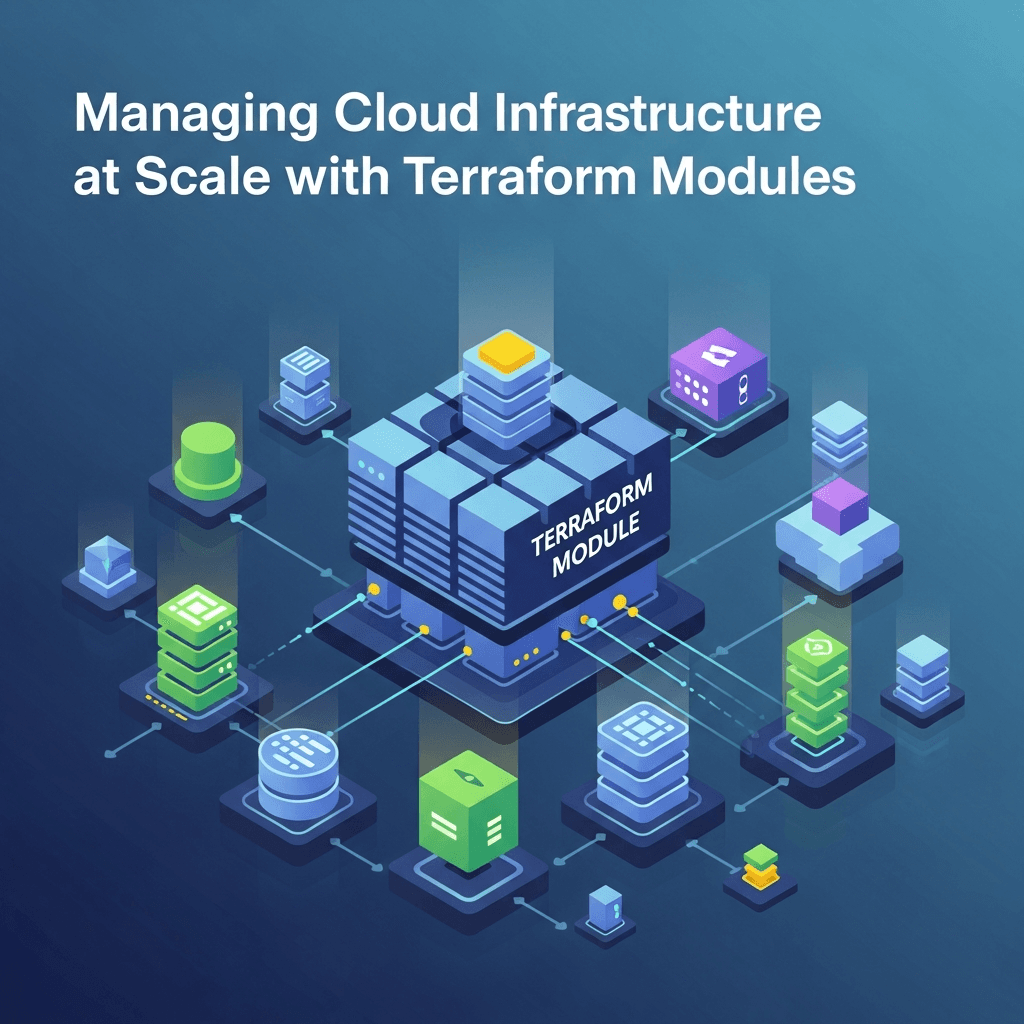
Terraform, by HashiCorp, allows you to define your infrastructure in a declarative configuration language (HCL). While writing main.tf files for individual resources is a good start, true scalability and reusability come from abstracting common infrastructure patterns into modules. Think of modules as functions or classes in programming: they encapsulate a set of resources, expose configurable inputs, and provide well-defined outputs. This guide will deep dive into how Terraform modules empower organizations to manage vast and complex cloud infrastructure with unprecedented consistency, speed, and reliability.
Prerequisites
Before we embark on this journey, ensure you have the following:
- Terraform CLI: Installed and configured on your local machine (version 1.0+ recommended).
- Cloud Provider Account: Access to a cloud provider like AWS, Azure, or Google Cloud Platform, with appropriate credentials configured for Terraform.
- Basic HCL Knowledge: Familiarity with Terraform's HashiCorp Configuration Language (variables, resources, outputs).
- Version Control System: Git installed and basic understanding of repositories (e.g., GitHub, GitLab, Bitbucket).
What are Terraform Modules?
At its core, a Terraform module is a self-contained package of Terraform configurations that are managed as a group. Every Terraform configuration has at least one module, known as the root module. When you execute terraform apply in a directory, that directory's configuration acts as the root module. However, the true power lies in defining child modules that can be called from the root module or even other child modules.
Modules allow you to:
- Abstract away complexity: Hide the intricate details of resource creation behind a simple interface.
- Promote reusability: Define infrastructure patterns once and reuse them across different projects, environments, or teams.
- Ensure consistency: Standardize deployments, reducing configuration drift and human error.
- Facilitate collaboration: Teams can work on specific modules without interfering with others' infrastructure definitions.
- Simplify maintenance: Updates to a module propagate to all instances where it's used.
Benefits of Using Modules at Scale
When managing cloud infrastructure at scale, modules transition from a convenience to a necessity. Here's why:
- DRY Principle (Don't Repeat Yourself): Avoid writing the same resource block repeatedly. Define a standard VPC, S3 bucket, or database instance once, and reuse it.
- Accelerated Development: Spin up new environments or deploy new applications much faster by assembling pre-built, tested modules.
- Reduced Errors: Standardized modules are thoroughly tested and less prone to configuration mistakes, leading to higher reliability.
- Team Collaboration and Governance: Different teams can own and maintain specific modules (e.g., a networking team maintains the VPC module), while consuming teams simply use them. This enforces architectural standards and simplifies governance.
- Version Control and Rollbacks: Modules can be versioned, allowing for controlled updates and easy rollbacks to previous stable configurations.
- Easier Onboarding: New team members can quickly understand and deploy infrastructure by using well-documented modules, rather than deciphering complex, monolithic configurations.
Module Structure and Anatomy
A well-structured Terraform module adheres to a convention that makes it easy to understand and use. A typical module directory contains:
main.tf: The primary file where resources are defined. This is the heart of your module.variables.tf: Defines the input variables for the module, including their types, descriptions, and default values.outputs.tf: Defines the output values that the module will expose to its callers.versions.tf: Specifies Terraform version constraints and required provider versions.README.md: Essential documentation explaining what the module does, how to use it, its inputs, and outputs.LICENSE: (Optional) Licensing information.examples/: (Optional) A directory containing example usage of the module.
Let's visualize this:
my-terraform-repo/
├── modules/
│   └── s3-static-website/
│       ├── main.tf
│       ├── variables.tf
│       ├── outputs.tf
│       ├── versions.tf
│       └── README.md
└── environments/
    ├── dev/
    │   └── main.tf
    └── prod/
        └── main.tf
Creating Your First Simple Module
Let's create a simple module to provision an AWS S3 bucket configured for static website hosting. This demonstrates how to encapsulate resources, define inputs, and expose outputs.
Module Definition: modules/s3-static-website/
modules/s3-static-website/main.tf
# Resource: AWS S3 Bucket
resource "aws_s3_bucket" "this" {
  bucket = var.bucket_name
  acl    = "public-read" # Required for static website hosting

  website {
    index_document = var.index_document
    error_document = var.error_document
  }

  tags = merge(
    var.tags,
    {
      "ManagedBy" = "Terraform"
      "Module"    = "s3-static-website"
    }
  )
}

# Resource: AWS S3 Bucket Policy (to allow public read access)
resource "aws_s3_bucket_policy" "this" {
  bucket = aws_s3_bucket.this.id

  policy = jsonencode({
    Version = "2012-10-17"
    Statement = [
      {
        Effect    = "Allow"
        Principal = "*"
        Action    = [
          "s3:GetObject"
        ]
        Resource = [
          "${aws_s3_bucket.this.arn}/*"
        ]
      }
    ]
  })
}

# Block public access settings for the bucket
resource "aws_s3_bucket_public_access_block" "this" {
  bucket                  = aws_s3_bucket.this.id
  block_public_acls       = false
  block_public_policy     = false
  ignore_public_acls      = false
  restrict_public_buckets = false
}
modules/s3-static-website/variables.tf
variable "bucket_name" {
  description = "The name for the S3 bucket."
  type        = string
}

variable "index_document" {
  description = "The name of the index document (e.g., index.html)."
  type        = string
  default     = "index.html"
}

variable "error_document" {
  description = "The name of the error document (e.g., error.html)."
  type        = string
  default     = "error.html"
}

variable "tags" {
  description = "A map of tags to assign to the bucket."
  type        = map(string)
  default     = {}
}
modules/s3-static-website/outputs.tf
output "s3_bucket_id" {
  description = "The ID (name) of the S3 bucket."
  value       = aws_s3_bucket.this.id
}

output "s3_bucket_arn" {
  description = "The ARN of the S3 bucket."
  value       = aws_s3_bucket.this.arn
}

output "s3_website_endpoint" {
  description = "The S3 static website endpoint."
  value       = aws_s3_bucket.this.website_endpoint
}
Consuming Modules: Local and Remote Sources
Once a module is defined, you can call it from your root configuration or another module. Terraform supports various source types.
Local Modules
Referencing a module within the same repository or local filesystem:
environments/dev/main.tf
provider "aws" {
  region = "us-east-1"
}

module "dev_website" {
  source         = "../../modules/s3-static-website"
  bucket_name    = "my-dev-static-website-12345"
  index_document = "index.html"
  error_document = "error.html"
  tags = {
    Environment = "dev"
    Project     = "MyWebApp"
  }
}

output "dev_website_url" {
  value       = module.dev_website.s3_website_endpoint
  description = "The URL for the development static website."
}
Remote Modules
For enterprise-scale, modules are typically stored in a centralized location:
- Terraform Registry: Public or private registries (e.g.,
hashicorp/vpc/aws). - Git Repositories: GitHub, GitLab, Bitbucket (e.g.,
git::https://github.com/org/repo.git?ref=v1.0.0). - S3/GCS Buckets: For privately hosted archives (e.g.,
s3::https://s3-us-west-2.amazonaws.com/example-bucket/vpc-module.zip).
Example using a Git repository:
Assume our s3-static-website module is in a GitHub repository github.com/my-org/tf-modules under the s3-static-website directory, and we've tagged a release v1.0.0.
environments/prod/main.tf
provider "aws" {
  region = "us-west-2"
}

module "prod_website" {
  source         = "git::https://github.com/my-org/tf-modules.git//s3-static-website?ref=v1.0.0"
  bucket_name    = "my-prod-static-website-prod-app"
  index_document = "index.html"
  error_document = "error.html"
  tags = {
    Environment = "prod"
    Project     = "MyWebApp"
  }
}

output "prod_website_url" {
  value       = module.prod_website.s3_website_endpoint
  description = "The URL for the production static website."
}
Notice the //s3-static-website part in the source URL. This tells Terraform to look for the module in a subdirectory of the Git repository.
Input Variables and Output Values
Modules derive their power from a clear contract defined by input variables and output values.
Input Variables
Variables allow you to customize the behavior of a module without modifying its internal configuration. They are defined in variables.tf.
variable "instance_type" {
  description = "The EC2 instance type."
  type        = string
  default     = "t3.micro"
  validation {
    condition     = contains(["t3.micro", "t3.small", "t3.medium"], var.instance_type)
    error_message = "Invalid instance type. Must be t3.micro, t3.small, or t3.medium."
  }
}

variable "ami_id" {
  description = "The AMI ID for the EC2 instance."
  type        = string
}

variable "ssh_key_name" {
  description = "The name of the SSH key pair to use for the EC2 instance."
  type        = string
  nullable    = false # This variable must be provided
}
Best Practice: Always provide clear description for variables. Use default values where appropriate to simplify usage, but make critical variables mandatory by omitting default or setting nullable = false (Terraform 1.2+).
Output Values
Outputs expose specific attributes or calculated values from the resources created by a module. These outputs can then be used by the calling module or other parts of your configuration.
output "instance_id" {
  description = "The ID of the EC2 instance."
  value       = aws_instance.example.id
}

output "public_ip" {
  description = "The public IP address of the EC2 instance."
  value       = aws_instance.example.public_ip
  sensitive   = true # Mark sensitive outputs to prevent logging
}

output "private_dns" {
  description = "The private DNS name of the EC2 instance."
  value       = aws_instance.example.private_dns
}
Best Practice: Mark sensitive outputs (like passwords, keys, or even public IPs that shouldn't be broadly exposed) with sensitive = true. This prevents them from being displayed in terraform plan or terraform apply output logs.
Module Versioning Strategies
Versioning is paramount for module stability and controlled evolution. Without proper versioning, changes to a shared module could inadvertently break consuming configurations.
Why Versioning is Crucial
- Predictability: Ensures that a module behaves consistently across different deployments until explicitly updated.
- Rollback Capability: Allows you to revert to a known good state if a new module version introduces issues.
- Dependency Management: Enables consuming configurations to pin to specific module versions, preventing unexpected changes.
- Clear Communication: Semantic versioning (e.g.,
v1.2.3) communicates the nature of changes (bug fixes, new features, breaking changes).
Common Strategies
-
Git Tags (Recommended for Git Sources):
- Use Semantic Versioning (MAJOR.MINOR.PATCH) for Git tags (e.g.,
v1.0.0,v1.0.1,v2.0.0). - When a consuming configuration specifies
ref=v1.0.0, Terraform will use the code at that specific tag. - Example:
source = "git::https://github.com/my-org/tf-modules.git//s3-static-website?ref=v1.0.0"
- Use Semantic Versioning (MAJOR.MINOR.PATCH) for Git tags (e.g.,
-
Branch Names: While possible (
ref=mainorref=develop), this is generally discouraged for production environments as the branch content can change unexpectedly, leading to non-reproducible deployments. -
Terraform Registry Versions: If using the Terraform Registry, versions are managed directly by the registry and follow semantic versioning. You specify the version directly:
- Example:
source = "hashicorp/vpc/aws" version = "~> 3.0"(Pessimistic constraint: allow3.x.ybut not4.0.0)version = "3.1.2"(Exact version)
- Example:
Best Practice: Always pin your module versions using exact tags or pessimistic version constraints. Avoid using main or master branches for production deployments.
Module Composition and Nesting
Modules aren't just for single resources; they can compose other modules to build more complex infrastructure patterns. This nesting capability allows for powerful abstraction and hierarchical organization.
Example: A "Network" Module Composing VPC and Subnet Modules
Imagine you have a vpc module and a subnet module. You can create a higher-level network module that consumes these to provision a complete network topology.
modules/vpc/ (simplified)
# main.tf
resource "aws_vpc" "this" {
  cidr_block = var.cidr_block
  tags       = var.tags
}
output "vpc_id" { value = aws_vpc.this.id }
output "vpc_cidr_block" { value = aws_vpc.this.cidr_block }

# variables.tf
variable "cidr_block" { type = string }
variable "tags" { type = map(string) default = {} }
modules/subnet/ (simplified)
# main.tf
resource "aws_subnet" "this" {
  vpc_id            = var.vpc_id
  cidr_block        = var.cidr_block
  availability_zone = var.availability_zone
  tags              = var.tags
}
output "subnet_id" { value = aws_subnet.this.id }
output "subnet_cidr_block" { value = aws_subnet.this.cidr_block }

# variables.tf
variable "vpc_id" { type = string }
variable "cidr_block" { type = string }
variable "availability_zone" { type = string }
variable "tags" { type = map(string) default = {} }
modules/network/main.tf (Composed Module)
# Call the VPC module
module "main_vpc" {
  source     = "../vpc" # Relative path to the VPC module
  cidr_block = var.vpc_cidr_block
  tags       = var.tags
}

# Call the Subnet module for a public subnet
module "public_subnet" {
  source            = "../subnet"
  vpc_id            = module.main_vpc.vpc_id
  cidr_block        = var.public_subnet_cidr_block
  availability_zone = var.az_name
  tags              = merge(var.tags, { Name = "public-subnet" })
}

# Call the Subnet module for a private subnet
module "private_subnet" {
  source            = "../subnet"
  vpc_id            = module.main_vpc.vpc_id
  cidr_block        = var.private_subnet_cidr_block
  availability_zone = var.az_name
  tags              = merge(var.tags, { Name = "private-subnet" })
}

output "network_vpc_id" {
  value = module.main_vpc.vpc_id
}

output "public_subnet_id" {
  value = module.public_subnet.subnet_id
}

output "private_subnet_id" {
  value = module.private_subnet.subnet_id
}
This network module now provides a single interface to deploy a VPC with public and private subnets, abstracting away the individual aws_vpc and aws_subnet resources.
Best Practices for Module Development
Developing effective Terraform modules requires adherence to certain best practices:
- Single Responsibility Principle (SRP): Each module should do one thing well. A
vpcmodule should create a VPC, not also an EC2 instance or an S3 bucket. - Clear Documentation: A comprehensive
README.mdis non-negotiable. It should cover purpose, usage, inputs, outputs, and examples. - Sensible Defaults: Provide default values for variables where appropriate to simplify module usage. However, critical variables should remain mandatory.
- Input Validation: Use
validationblocks for variables to ensure inputs meet expected criteria, catching errors early. - Test Your Modules: Implement automated testing for modules using tools like Terratest (Go-based) or Kitchen-Terraform (Ruby-based) to ensure they work as expected.
- Avoid Hardcoding: Use variables, data sources, or locals instead of hardcoding values like region, account IDs, or resource names.
- Idempotency: Ensure your module can be applied multiple times without causing unintended side effects or errors.
- Tagging: Consistently apply tags to all resources created by the module for cost allocation, inventory, and management.
- Security Considerations: Avoid exposing sensitive information in outputs, and ensure resources are configured with the principle of least privilege.
- Use
countandfor_each: Leverage these meta-arguments for dynamic resource creation within modules, making them more flexible.
Common Pitfalls and How to Avoid Them
Even with best intentions, module development can lead to pitfalls:
- Over-engineering Modules: Creating modules that try to do too much or have too many configurable options can make them complex and hard to use. Stick to SRP.
- Lack of Documentation: Undocumented modules are a nightmare to maintain and share. Invest time in clear
README.mdfiles. - Poor Version Control: Not tagging module releases or allowing
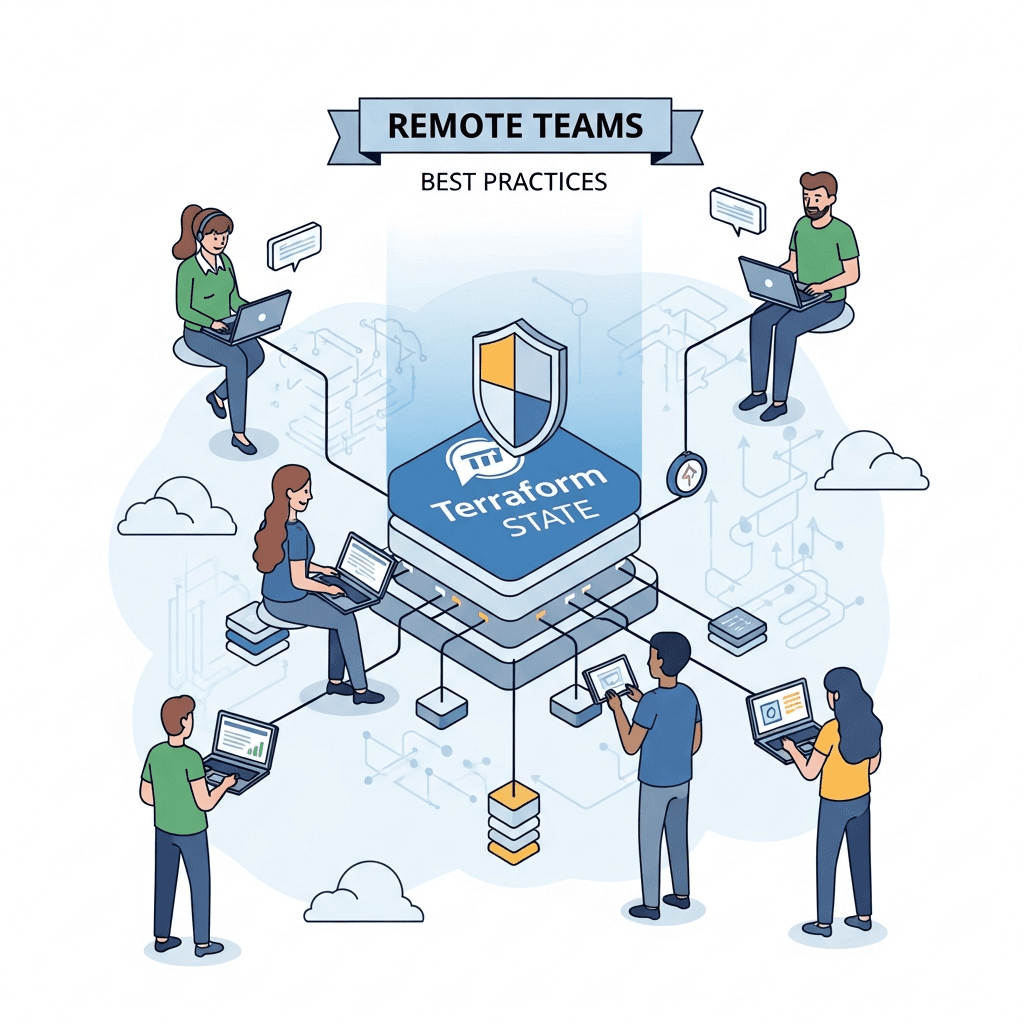
mainbranch usage in production leads to unpredictable deployments. Always use semantic versioning and pin versions. - Ignoring State Management: Terraform state files are critical. Ensure they are stored remotely (e.g., S3, Azure Blob Storage, GCS) and locked to prevent concurrent modifications, especially when using modules across teams.
- Security Vulnerabilities: Hardcoding credentials, not using
sensitivefor outputs, or granting overly broad permissions in module-created resources can lead to security breaches. Audit modules regularly. - Breaking Changes Without Warning: Modifying a module's interface (inputs/outputs) or core behavior without a major version bump (
v1.0.0tov2.0.0) can break consuming configurations. Communicate changes clearly. - Circular Dependencies: A module calling another module that in turn calls the first module. Terraform will detect this and throw an error. Design your module hierarchy carefully.
- Mixing Concerns: Placing unrelated resources within the same module (e.g., an EC2 instance and a database in the same module). This violates SRP and makes the module less reusable.
Real-World Use Cases
Terraform modules shine in various real-world scenarios:
- Standardized Application Environments: Create modules for
dev,staging, andprodenvironments, each calling a commonapp-stackmodule with environment-specific variables. This ensures consistency while allowing for necessary differentiation. - Reusable Network Components: A
networkmodule that deploys a VPC, subnets, route tables, NAT gateways, and security groups. This module can then be reused by any application requiring a network segment. - Shared Services Deployment: Modules for common services like logging (e.g., an S3 bucket for logs, CloudWatch log groups), monitoring (e.g., CloudWatch alarms, Prometheus setup), or identity management (e.g., IAM roles, service accounts).
- Database Instances: A
databasemodule that provisions a highly available PostgreSQL or MySQL instance, including backups, replication, and appropriate security group rules. - Container Orchestration Clusters: Modules to deploy Kubernetes clusters (EKS, AKS, GKE) with standardized configurations, node groups, and associated networking.
Conclusion
Managing cloud infrastructure at scale is a complex undertaking, but Terraform modules provide the foundational building blocks to tame this complexity. By embracing modules, organizations can achieve unparalleled levels of consistency, reusability, and efficiency in their infrastructure deployments.
From abstracting intricate resource configurations to facilitating seamless team collaboration and enforcing architectural standards, modules are an indispensable tool for any organization leveraging Terraform in a multi-environment or multi-team setup. By following best practices for module development, versioning, and consumption, you can transform your infrastructure-as-code strategy from a collection of scripts into a robust, scalable, and maintainable system, ready to meet the demands of modern cloud operations. Start modularizing your Terraform configurations today, and unlock the true potential of automated cloud infrastructure management.
Written by
CodewithYohaFull-Stack Software Engineer with 7+ years of experience in Java, Spring Boot, and cloud architecture across AWS, Azure, and GCP. Writing production-grade engineering patterns for developers who ship real software.