Boost DynamoDB Writes: Master Batching & Transactions with AWS Java SDK

Introduction
Amazon DynamoDB is a powerful, fully managed NoSQL database service known for its blazing-fast performance at any scale. While DynamoDB effortlessly handles millions of requests per second, achieving optimal write performance and ensuring data integrity requires a nuanced understanding of its write operations, especially when dealing with high-volume data ingestion or complex, multi-item updates. Simply performing single PutItem or UpdateItem operations for every record can quickly become inefficient and costly, leading to increased latency and higher Write Capacity Unit (WCU) consumption.
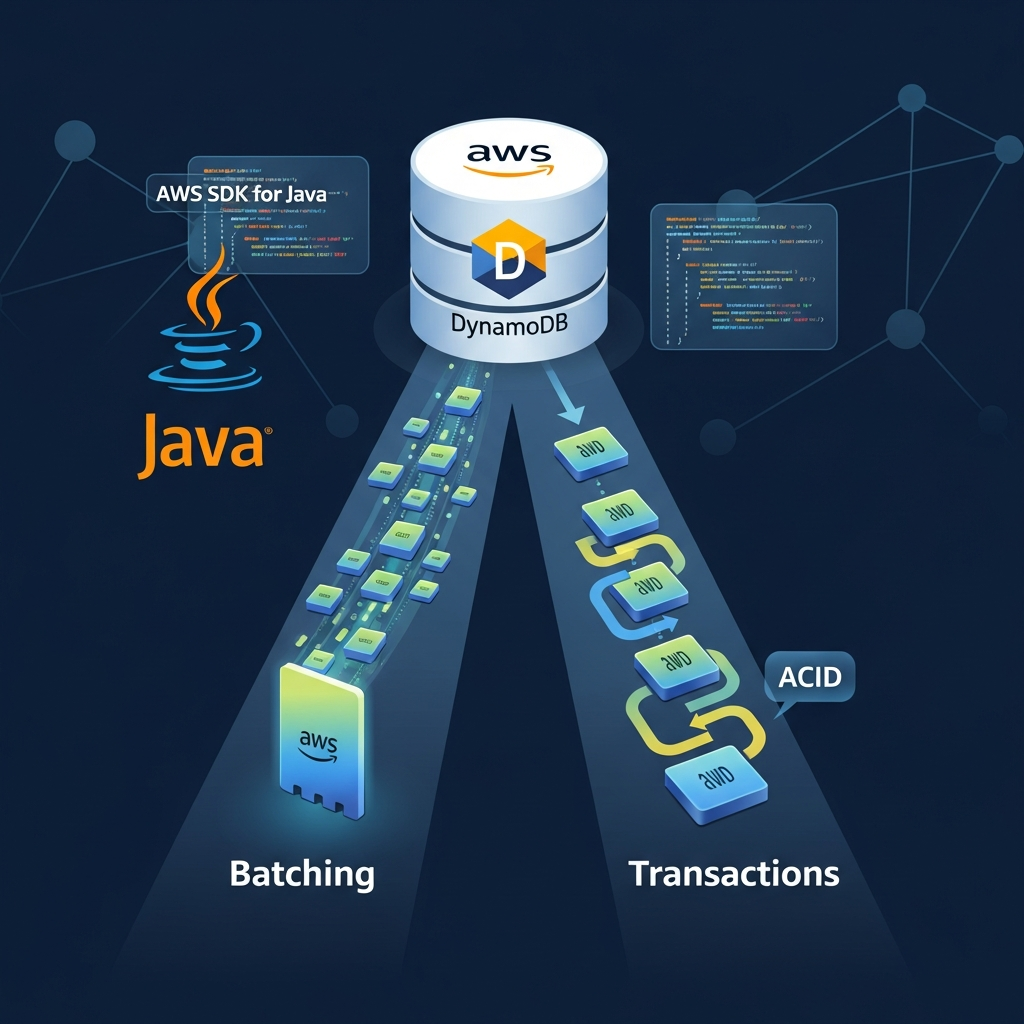
This comprehensive guide delves into two critical mechanisms provided by the AWS SDK for Java (v2) to optimize DynamoDB writes: BatchWriteItem for high-throughput, non-transactional writes, and TransactWriteItems for atomic, all-or-nothing operations. We'll explore their benefits, limitations, practical implementation details, and best practices, empowering you to build robust, performant, and cost-effective applications.
Prerequisites
Before we dive into the specifics, ensure you have the following set up:
- AWS Account: With appropriate IAM permissions to access DynamoDB.
- Basic DynamoDB Knowledge: Familiarity with tables, items, primary keys (partition and sort keys).
- Java Development Environment: Java 8 or higher.
- Build Tool: Maven or Gradle.
- AWS SDK for Java v2: We'll be using the non-blocking, immutable client builders from SDK v2.
To include the necessary dependencies in your Maven pom.xml:
<dependencies>
    <dependency>
        <groupId>software.amazon.awssdk</groupId>
        <artifactId>dynamodb</artifactId>
        <version>2.20.100</version>
    </dependency>
    <dependency>
        <groupId>software.amazon.awssdk</groupId>
        <artifactId>url-connection-client</artifactId>
        <version>2.20.100</version>
    </dependency>
    <!-- For logging, optional but recommended -->
    <dependency>
        <groupId>org.slf4j</groupId>
        <artifactId>slf4j-simple</artifactId>
        <version>1.7.36</version>
    </dependency>
</dependencies>
Understanding DynamoDB Single Write Operations
At its core, DynamoDB provides three fundamental single-item write operations:
PutItem: Writes a single item to a table. If an item with the same primary key already exists, it's replaced.UpdateItem: Modifies one or more attributes of an existing item. If the item doesn't exist, it can optionally create it.DeleteItem: Removes a single item from a table.
Each of these operations consumes Write Capacity Units (WCUs). A WCU represents one kilobyte (KB) of data written per second. For example, writing a 5KB item consumes 5 WCUs. While these operations are straightforward, making individual API calls for hundreds or thousands of items introduces significant network overhead and can lead to throttling if your application exceeds the provisioned or on-demand capacity too frequently.
The Power of Batching: BatchWriteItem
BatchWriteItem is a highly efficient operation designed for writing or deleting multiple items across one or more tables in a single network request. It's ideal for scenarios where you need to ingest large volumes of data quickly and atomicity across items is not a strict requirement.
How BatchWriteItem Works
Instead of sending individual PutItem or DeleteItem requests, BatchWriteItem allows you to bundle up to 25 put or delete requests into one API call. DynamoDB then processes these requests in parallel on its backend. This significantly reduces the network round trips between your application and DynamoDB, leading to improved throughput and often better overall performance.
Key Characteristics and Limitations:
- Max 25 Items: You can include up to 25
PutItemorDeleteItemrequests in a singleBatchWriteItemcall. - Max 16 MB Total Size: The total size of all items in the batch cannot exceed 16 MB.
- No
UpdateItem:BatchWriteItemdoes not supportUpdateItemoperations. For updates, you'd typically retrieve the item, modify it client-side, and thenPutItemthe updated version, or useTransactWriteItems. - Best-Effort Atomicity: This is crucial.
BatchWriteItemoperations are not atomic. Some items in the batch might succeed while others fail (e.g., due to throttling, item size limits, or other transient issues). DynamoDB returns a list ofUnprocessedItemsthat your application must handle by retrying them. - WCU Consumption: WCUs are still consumed for each successful item write/delete, just as they would be with individual operations. The benefit comes from reduced network overhead.
Implementing BatchWriteItem with AWS SDK for Java
Let's walk through an example of using BatchWriteItem to insert multiple items into a Product table.
First, define a simple Product data class:
import software.amazon.awssdk.services.dynamodb.model.AttributeValue;
import java.util.Map;
import java.util.HashMap;

public class Product {
    private String id;
    private String name;
    private String category;
    private double price;

    public Product(String id, String name, String category, double price) {
        this.id = id;
        this.name = name;
        this.category = category;
        this.price = price;
    }

    public Map<String, AttributeValue> toAttributeMap() {
        Map<String, AttributeValue> item = new HashMap<>();
        item.put("id", AttributeValue.builder().s(id).build());
        item.put("name", AttributeValue.builder().s(name).build());
        item.put("category", AttributeValue.builder().s(category).build());
        item.put("price", AttributeValue.builder().n(String.valueOf(price)).build());
        return item;
    }

    // Getters and other methods omitted for brevity
}
Now, the BatchWriteItem example:
import software.amazon.awssdk.services.dynamodb.DynamoDbClient;
import software.amazon.awssdk.services.dynamodb.model.AttributeValue;
import software.amazon.awssdk.services.dynamodb.model.BatchWriteItemRequest;
import software.amazon.awssdk.services.dynamodb.model.BatchWriteItemResponse;
import software.amazon.awssdk.services.dynamodb.model.PutRequest;
import software.amazon.awssdk.services.dynamodb.model.WriteRequest;
import software.amazon.awssdk.services.dynamodb.model.ResourceNotFoundException;
import software.amazon.awssdk.core.exception.SdkClientException;
import software.amazon.awssdk.regions.Region;

import java.util.ArrayList;
import java.util.HashMap;
import java.util.List;
import java.util.Map;
import java.util.concurrent.TimeUnit;

public class DynamoDBBatchWriter {

    private final DynamoDbClient dynamoDbClient;
    private final String tableName = "Products"; // Replace with your table name

    public DynamoDBBatchWriter() {
        this.dynamoDbClient = DynamoDbClient.builder()
                .region(Region.US_EAST_1) // Specify your AWS region
                .build();
    }

    public void writeProductsInBatches(List<Product> products) {
        List<WriteRequest> writeRequests = new ArrayList<>();

        for (Product product : products) {
            writeRequests.add(WriteRequest.builder()
                    .putRequest(PutRequest.builder()
                            .item(product.toAttributeMap())
                            .build())
                    .build());
        }

        // Split into batches of 25
        int BATCH_SIZE = 25;
        for (int i = 0; i < writeRequests.size(); i += BATCH_SIZE) {
            List<WriteRequest> currentBatch = writeRequests.subList(i, Math.min(i + BATCH_SIZE, writeRequests.size()));

            Map<String, List<WriteRequest>> requestItems = new HashMap<>();
            requestItems.put(tableName, currentBatch);

            BatchWriteItemRequest batchWriteItemRequest = BatchWriteItemRequest.builder()
                    .requestItems(requestItems)
                    .build();

            processBatch(batchWriteItemRequest);
        }
    }

    private void processBatch(BatchWriteItemRequest request) {
        BatchWriteItemResponse response;
        Map<String, List<WriteRequest>> unprocessedItems = request.requestItems();
        int retries = 0;
        final int MAX_RETRIES = 5;
        final long BASE_DELAY_MS = 100;

        while (!unprocessedItems.isEmpty() && retries < MAX_RETRIES) {
            try {
                System.out.println(String.format("Attempting batch write with %d items. Retry count: %d",
                                                unprocessedItems.get(tableName).size(), retries));

                // Build a new request for unprocessed items
                BatchWriteItemRequest currentRequest = BatchWriteItemRequest.builder()
                        .requestItems(unprocessedItems)
                        .build();

                response = dynamoDbClient.batchWriteItem(currentRequest);
                unprocessedItems = response.unprocessedItems();

                if (!unprocessedItems.isEmpty()) {
                    retries++;
                    long delay = BASE_DELAY_MS * (1L << (retries - 1)); // Exponential backoff
                    System.out.println(String.format("Unprocessed items remain. Retrying in %d ms...", delay));
                    TimeUnit.MILLISECONDS.sleep(delay);
                } else {
                    System.out.println("Batch write completed successfully.");
                }
            } catch (ResourceNotFoundException e) {
                System.err.println("Error: Table not found: " + e.getMessage());
                unprocessedItems.clear(); // Stop retrying
            } catch (SdkClientException e) {
                System.err.println("AWS SDK client error during batch write: " + e.getMessage());
                retries++;
                if (retries < MAX_RETRIES) {
                    try {
                        long delay = BASE_DELAY_MS * (1L << (retries - 1));
                        System.out.println(String.format("Client error, retrying in %d ms...", delay));
                        TimeUnit.MILLISECONDS.sleep(delay);
                    } catch (InterruptedException ie) {
                        Thread.currentThread().interrupt();
                        System.err.println("Retry sleep interrupted.");
                        unprocessedItems.clear();
                    }
                } else {
                    System.err.println("Max retries reached for client error. Some items may not have been written.");
                    unprocessedItems.clear();
                }
            } catch (InterruptedException e) {
                Thread.currentThread().interrupt();
                System.err.println("Batch write interrupted during sleep: " + e.getMessage());
                unprocessedItems.clear(); // Stop retrying
            } catch (Exception e) {
                System.err.println("An unexpected error occurred during batch write: " + e.getMessage());
                unprocessedItems.clear(); // Stop retrying for unexpected errors
            }
        }

        if (!unprocessedItems.isEmpty()) {
            System.err.println("Failed to process all items after multiple retries. Unprocessed items for table " + tableName + ":");
            unprocessedItems.get(tableName).forEach(item -> System.err.println(item.putRequest().item()));
        }
    }

    public static void main(String[] args) {
        DynamoDBBatchWriter writer = new DynamoDBBatchWriter();
        List<Product> productsToInsert = new ArrayList<>();
        for (int i = 0; i < 50; i++) { // Example: 50 products, will be split into 2 batches of 25
            productsToInsert.add(new Product("prod" + i, "Product " + i, "Category " + (i % 5), 10.0 + i));
        }
        writer.writeProductsInBatches(productsToInsert);
        writer.dynamoDbClient.close();
    }
}
Handling UnprocessedItems - A Critical Step
The most important aspect of using BatchWriteItem is correctly handling UnprocessedItems. If DynamoDB cannot process some items in a batch (e.g., due to temporary throttling), it will return them in the BatchWriteItemResponse.unprocessedItems() map. Your application must implement logic to re-send these unprocessed items, ideally with an exponential backoff strategy to avoid overwhelming the table further.
The processBatch method in the example above demonstrates this retry logic with exponential backoff, which is a common and recommended pattern for handling transient failures in distributed systems.
When to Use BatchWriteItem
- Initial Data Loading: Populating a new DynamoDB table with a large dataset.
- Log Ingestion: Writing application logs or sensor data where occasional loss of a single record is acceptable, or eventual consistency is sufficient.
- Bulk Deletions: Removing a large number of items that match certain criteria.
- Non-Critical Data: When the atomicity of all items in a batch is not strictly required. If some items fail, your system can tolerate a temporary inconsistency or has mechanisms for eventual reconciliation.
Ensuring Atomicity: TransactWriteItems
While BatchWriteItem excels at high-throughput, TransactWriteItems addresses the critical need for atomicity. It allows you to group up to 10 distinct write operations (e.g., PutItem, UpdateItem, DeleteItem, ConditionCheck) across one or more tables, guaranteeing that either all operations succeed or none of them do. This is vital for maintaining data consistency in complex workflows.
How TransactWriteItems Works
TransactWriteItems leverages DynamoDB's ACID (Atomicity, Consistency, Isolation, Durability) transaction capabilities. When you send a transaction, DynamoDB internally manages a two-phase commit-like protocol to ensure that all individual operations within the transaction are applied as a single, indivisible unit. If any part of the transaction fails (e.g., a conditional check fails, or a concurrent write conflict occurs), the entire transaction is rolled back.
Key Characteristics and Limitations:
- Max 10 Operations: A single
TransactWriteItemscall can include up to 10 distinct operations. This limit applies toPut,Update,Delete, andConditionCheckactions. - Max 4 MB Total Size: The total size of all items involved in the transaction (before and after modification) cannot exceed 4 MB.
- Atomicity: All operations in the transaction succeed or fail together. This is the primary benefit.
- Isolation: Transactions provide serializable isolation, meaning that concurrently running transactions appear to execute one after another, preventing dirty reads, non-repeatable reads, and phantom reads.
- Higher Latency/Cost: Transactions generally incur higher latency and consume more WCUs (typically 2x the WCUs of equivalent non-transactional operations) due to the overhead of ensuring atomicity and isolation.
- Transaction Conflicts: If two concurrent transactions attempt to modify the same item, one will fail with a
TransactionCanceledException.
Implementing TransactWriteItems with AWS SDK for Java
Consider a scenario where you need to transfer funds between two bank accounts, which must be an atomic operation. This involves decreasing the balance in one account and increasing it in another. If either operation fails, both must be rolled back.
import software.amazon.awssdk.services.dynamodb.DynamoDbClient;
import software.amazon.awssdk.services.dynamodb.model.AttributeValue;
import software.amazon.awssdk.services.dynamodb.model.TransactWriteItem;
import software.amazon.awssdk.services.dynamodb.model.TransactWriteItemsRequest;
import software.amazon.awssdk.services.dynamodb.model.TransactWriteItemsResponse;
import software.amazon.awssdk.services.dynamodb.model.Update;
import software.amazon.awssdk.services.dynamodb.model.TransactionCanceledException;
import software.amazon.awssdk.services.dynamodb.model.CancellationReason;
import software.amazon.awssdk.regions.Region;
import software.amazon.awssdk.core.exception.SdkClientException;

import java.util.ArrayList;
import java.util.List;
import java.util.Map;
import java.util.HashMap;

public class DynamoDBTransactionWriter {

    private final DynamoDbClient dynamoDbClient;
    private final String accountsTableName = "BankAccounts"; // Replace with your table name

    public DynamoDBTransactionWriter() {
        this.dynamoDbClient = DynamoDbClient.builder()
                .region(Region.US_EAST_1)
                .build();
    }

    public boolean transferFunds(String fromAccountId, String toAccountId, double amount) {
        if (amount <= 0) {
            System.err.println("Transfer amount must be positive.");
            return false;
        }

        System.out.println(String.format("Attempting to transfer %.2f from %s to %s", amount, fromAccountId, toAccountId));

        try {
            // 1. Decrease sender's balance (conditional update to prevent overdraft)
            TransactWriteItem debitSender = TransactWriteItem.builder()
                    .update(Update.builder()
                            .tableName(accountsTableName)
                            .key(Map.of("AccountId", AttributeValue.builder().s(fromAccountId).build()))
                            .updateExpression("SET Balance = Balance - :amount")
                            .conditionExpression("Balance >= :amount") // Ensure sufficient funds
                            .expressionAttributeValues(Map.of(
                                    ":amount", AttributeValue.builder().n(String.valueOf(amount)).build()
                            ))
                            .build()
                    ).build();

            // 2. Increase receiver's balance
            TransactWriteItem creditReceiver = TransactWriteItem.builder()
                    .update(Update.builder()
                            .tableName(accountsTableName)
                            .key(Map.of("AccountId", AttributeValue.builder().s(toAccountId).build()))
                            .updateExpression("SET Balance = Balance + :amount")
                            .expressionAttributeValues(Map.of(
                                    ":amount", AttributeValue.builder().n(String.valueOf(amount)).build()
                            ))
                            .build()
                    ).build();

            TransactWriteItemsRequest transactRequest = TransactWriteItemsRequest.builder()
                    .transactItems(debitSender, creditReceiver)
                    .build();

            TransactWriteItemsResponse response = dynamoDbClient.transactWriteItems(transactRequest);
            System.out.println("Funds transfer successful! Transaction ID: " + response.sdkHttpResponse().headers().get("x-amz-request-id"));
            return true;

        } catch (TransactionCanceledException e) {
            System.err.println("Funds transfer failed due to transaction cancellation:");
            for (CancellationReason reason : e.cancellationReasons()) {
                System.err.println(String.format(" - Code: %s, Message: %s", reason.code(), reason.message()));
                if ("ConditionalCheckFailed".equals(reason.code())) {
                    System.err.println("   Reason: Insufficient funds or account not found for sender.");
                } else if ("TransactionConflict".equals(reason.code())) {
                    System.err.println("   Reason: Concurrent modification detected.");
                }
            }
            return false;
        } catch (SdkClientException e) {
            System.err.println("AWS SDK client error during transaction: " + e.getMessage());
            return false;
        } catch (Exception e) {
            System.err.println("An unexpected error occurred during transaction: " + e.getMessage());
            return false;
        }
    }

    public static void main(String[] args) {
        DynamoDBTransactionWriter writer = new DynamoDBTransactionWriter();

        // Example setup (assume accounts exist with initial balances)
        // You would typically create these accounts via PutItem first
        // For demonstration, let's assume 'ACC001' has 100.0 and 'ACC002' has 50.0
        // writer.dynamoDbClient.putItem(PutItemRequest.builder().tableName(writer.accountsTableName)
        //         .item(Map.of("AccountId", AttributeValue.builder().s("ACC001").build(), "Balance", AttributeValue.builder().n("100.0").build())).build());
        // writer.dynamoDbClient.putItem(PutItemRequest.builder().tableName(writer.accountsTableName)
        //         .item(Map.of("AccountId", AttributeValue.builder().s("ACC002").build(), "Balance", AttributeValue.builder().n("50.0").build())).build());

        // Successful transfer
        writer.transferFunds("ACC001", "ACC002", 25.0);

        // Failed transfer (e.g., insufficient funds)
        writer.transferFunds("ACC001", "ACC002", 500.0);

        writer.dynamoDbClient.close();
    }
}
Handling TransactionCanceledException
When a TransactWriteItems operation fails, DynamoDB throws a TransactionCanceledException. This exception contains a list of CancellationReason objects, one for each operation in the transaction. These reasons provide crucial details about why the transaction failed, such as:
ConditionalCheckFailed: An item'sConditionExpressionevaluated to false.TransactionConflict: Another transaction concurrently modified one of the items involved.ValidationError: Invalid input in the transaction request.ResourceNotFound: One of the tables or items specified does not exist.
Properly inspecting these reasons allows your application to respond intelligently to transaction failures, as demonstrated in the transferFunds example.
When to Use TransactWriteItems
- Financial Transactions: Transferring funds, processing orders where multiple inventory items and user balances must be updated atomically.
- Inventory Management: Decrementing stock for an item while simultaneously creating an order, ensuring both happen or neither do.
- Multi-Entity State Changes: Updating the status of a workflow across multiple related entities (e.g., changing a
Taskstatus and updating its associatedProjectprogress). - Complex Conditional Logic: When you need to ensure that an update only occurs if certain conditions are met across multiple items.
Best Practices for Optimized DynamoDB Writes
To truly optimize your DynamoDB write operations, consider these best practices:
1. Capacity Planning: Provisioned vs. On-Demand
- On-Demand: Simpler, scales automatically, pays per request. Good for unpredictable workloads or new applications. Generally higher cost per WCU than provisioned but no need to manage capacity.
- Provisioned: Define WCUs upfront. Cost-effective for predictable, consistent workloads. Use Auto Scaling to dynamically adjust capacity based on actual usage, preventing throttling while managing costs.
2. Partition Key Design
This is paramount for write performance. A good partition key distributes write requests evenly across partitions, preventing hot spots and throttling. Hot spots occur when a single partition key receives a disproportionate number of requests, exhausting its capacity.
- High Cardinality: Choose a key with many unique values.
- Even Distribution: Ensure data access patterns don't concentrate on a few keys.
- Composite Keys: Use a combination of attributes to create a unique and well-distributed key.
- Write Sharding: For extremely high-volume writes to a single logical entity, you might append a random suffix (e.g.,
userId-001,userId-002) to the partition key and distribute writes across these "shards," then aggregate on reads if needed.
3. Error Handling and Retries with Exponential Backoff
Transient errors (e.g., ProvisionedThroughputExceededException, InternalServerError) are common in distributed systems. Implement a robust retry mechanism with exponential backoff and jitter. The AWS SDK for Java clients often have default retry logic, but for BatchWriteItem's UnprocessedItems and TransactWriteItems failures, you need to implement custom logic as shown in the examples.
4. Optimize Batch Sizing
BatchWriteItem: Aim for the maximum of 25 items per batch. This minimizes network overhead. Always account forUnprocessedItemsand retry them.TransactWriteItems: Keep transactions as small as possible, ideally 2-3 items, and certainly within the 10-item limit. Larger transactions increase the likelihood of conflicts and higher latency.
5. Asynchronous Writes with DynamoDbAsyncClient
For high-concurrency applications, consider using DynamoDbAsyncClient. This client leverages non-blocking I/O and CompletableFuture to perform operations concurrently without blocking the main thread, leading to better resource utilization and potentially higher throughput, especially when making many BatchWriteItem or TransactWriteItems calls.
import software.amazon.awssdk.services.dynamodb.DynamoDbAsyncClient;
import software.amazon.awssdk.services.dynamodb.model.BatchWriteItemRequest;
import software.amazon.awssdk.services.dynamodb.model.WriteRequest;
import software.amazon.awssdk.services.dynamodb.model.PutRequest;
import software.amazon.awssdk.services.dynamodb.model.AttributeValue;
import software.amazon.awssdk.regions.Region;

import java.util.List;
import java.util.ArrayList;
import java.util.Map;
import java.util.HashMap;
import java.util.concurrent.CompletableFuture;
import java.util.stream.Collectors;

public class DynamoDBAsyncBatchWriter {

    private final DynamoDbAsyncClient dynamoDbAsyncClient;
    private final String tableName = "Products";

    public DynamoDBAsyncBatchWriter() {
        this.dynamoDbAsyncClient = DynamoDbAsyncClient.builder()
                .region(Region.US_EAST_1)
                .build();
    }

    public CompletableFuture<Void> writeProductsAsync(List<Product> products) {
        List<WriteRequest> writeRequests = products.stream()
                .map(product -> WriteRequest.builder()
                        .putRequest(PutRequest.builder().item(product.toAttributeMap()).build())
                        .build())
                .collect(Collectors.toList());

        List<CompletableFuture<Void>> futures = new ArrayList<>();
        int BATCH_SIZE = 25;

        for (int i = 0; i < writeRequests.size(); i += BATCH_SIZE) {
            List<WriteRequest> currentBatch = writeRequests.subList(i, Math.min(i + BATCH_SIZE, writeRequests.size()));

            Map<String, List<WriteRequest>> requestItems = new HashMap<>();
            requestItems.put(tableName, currentBatch);

            BatchWriteItemRequest batchWriteItemRequest = BatchWriteItemRequest.builder()
                    .requestItems(requestItems)
                    .build();

            CompletableFuture<Void> batchFuture = dynamoDbAsyncClient.batchWriteItem(batchWriteItemRequest)
                    .thenAccept(response -> {
                        if (!response.unprocessedItems().isEmpty()) {
                            // Handle unprocessed items, possibly recursively or with a dedicated retry queue
                            System.err.println("Async batch had unprocessed items: " + response.unprocessedItems().get(tableName).size());
                            // For a robust solution, you'd re-submit these with backoff
                        }
                        System.out.println("Async batch completed for " + currentBatch.size() + " items.");
                    })
                    .exceptionally(ex -> {
                        System.err.println("Async batch failed: " + ex.getMessage());
                        return null; // Handle exception, don't re-throw to allow other futures to complete
                    });
            futures.add(batchFuture);
        }
        return CompletableFuture.allOf(futures.toArray(new CompletableFuture[0]));
    }

    public static void main(String[] args) throws Exception {
        DynamoDBAsyncBatchWriter writer = new DynamoDBAsyncBatchWriter();
        List<Product> productsToInsert = new ArrayList<>();
        for (int i = 0; i < 50; i++) {
            productsToInsert.add(new Product("async_prod" + i, "Async Product " + i, "Category " + (i % 3), 20.0 + i));
        }

        System.out.println("Starting async batch writes...");
        writer.writeProductsAsync(productsToInsert).join(); // .join() blocks until all futures complete
        System.out.println("All async batch writes initiated (check logs for success/failure).");
        writer.dynamoDbAsyncClient.close();
    }
}
6. Conditional Writes for Idempotency and Race Conditions
Even with BatchWriteItem (for individual items within the batch) and TransactWriteItems, using ConditionExpression is a powerful technique. For example, when performing an UpdateItem, you can specify a condition that must be met for the update to proceed. This is crucial for preventing race conditions and ensuring idempotency.
For TransactWriteItems, ConditionCheck allows you to verify conditions on items without modifying them, ensuring that the transaction proceeds only if specific prerequisites are met.
Common Pitfalls
- Ignoring
UnprocessedItems: This is the most frequent mistake withBatchWriteItem, leading to data loss or inconsistency. - Over-relying on Transactions: Using
TransactWriteItemsfor operations that don't strictly require atomicity can lead to higher costs and latency than necessary. Evaluate if eventual consistency is acceptable. - Poor Partition Key Design: Leads to hot partitions, throttling, and degraded performance, regardless of batching or transactions.
- Not Implementing Proper Retry Logic: Without exponential backoff and jitter, retries can exacerbate throttling issues.
- Hitting Item Size Limits: Individual items are limited to 400 KB. If your data exceeds this, consider storing large attributes in S3 and keeping a reference in DynamoDB.
- Not Monitoring: Without CloudWatch metrics (throttling, WCU consumption), you won't know if your optimizations are working or if new bottlenecks emerge.
Conclusion
Optimizing DynamoDB write operations with the AWS SDK for Java is a fundamental skill for building high-performance, scalable, and reliable applications. By strategically employing BatchWriteItem for high-throughput, non-atomic writes and TransactWriteItems for critical, atomic operations, you can significantly enhance your application's efficiency and data integrity.
Remember to:
- Choose the right tool:
BatchWriteItemfor scale,TransactWriteItemsfor atomicity. - Handle errors robustly: Always re-process
UnprocessedItemsand manageTransactionCanceledExceptionreasons. - Design your schema carefully: A well-chosen partition key is the cornerstone of DynamoDB performance.
- Monitor relentlessly: Use CloudWatch to keep an eye on WCUs, throttled requests, and latency.
Mastering these techniques will enable you to harness the full power of DynamoDB, delivering exceptional performance for even the most demanding workloads. Continue to explore advanced features like DynamoDB Streams for event-driven architectures and Global Tables for multi-region resilience to further enhance your DynamoDB expertise.
Written by
CodewithYohaFull-Stack Software Engineer with 7+ years of experience in Java, Spring Boot, and cloud architecture across AWS, Azure, and GCP. Writing production-grade engineering patterns for developers who ship real software.