Introduction
In today's data-intensive applications, users expect instant access to information. Whether it's searching for products on an e-commerce site, filtering through a large catalog of documents, or finding specific entries in a logging system, the demand for real-time search capabilities is paramount. Traditional relational database systems often struggle to deliver both high-volume transactional writes and complex, real-time full-text search queries efficiently, especially at scale.
This challenge often leads to performance bottlenecks, complex database optimizations, or the need for separate search indices that require constant synchronization. The good news is that modern architectural patterns and cloud-native services offer a robust solution.
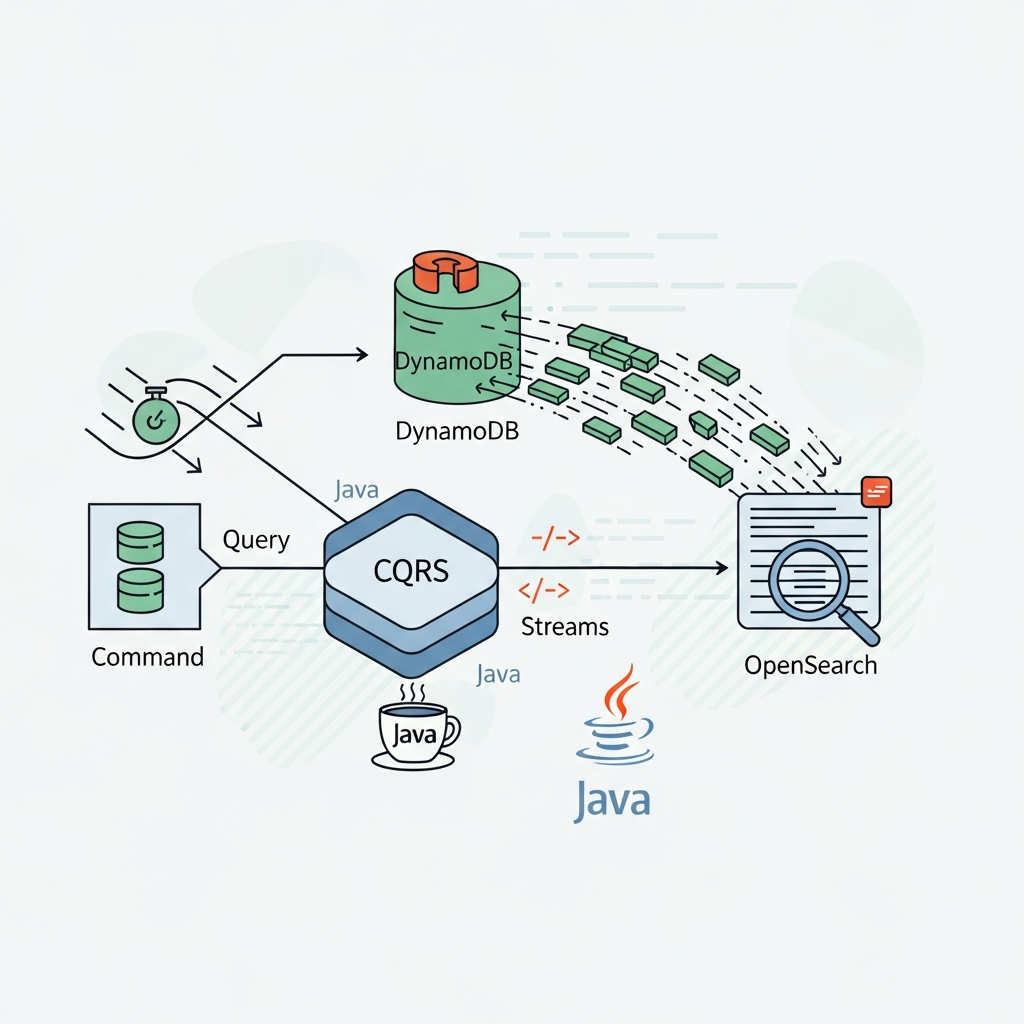
This article delves into building a highly scalable and performant real-time search solution using a powerful combination of Command Query Responsibility Segregation (CQRS), AWS DynamoDB Streams for change data capture (CDC), and Amazon OpenSearch Service (formerly Amazon Elasticsearch Service) for indexing and querying, all implemented in Java. We'll explore how these technologies work together to provide a robust, eventually consistent, and highly responsive search experience.
Prerequisites
To follow along with the concepts and code examples in this guide, you should have:
- Basic understanding of Java and Maven/Gradle.
- Familiarity with AWS services (IAM, DynamoDB, Lambda, OpenSearch).
- An AWS account with appropriate permissions.
- AWS SDK for Java v2 knowledge is beneficial.
Understanding CQRS (Command Query Responsibility Segregation)
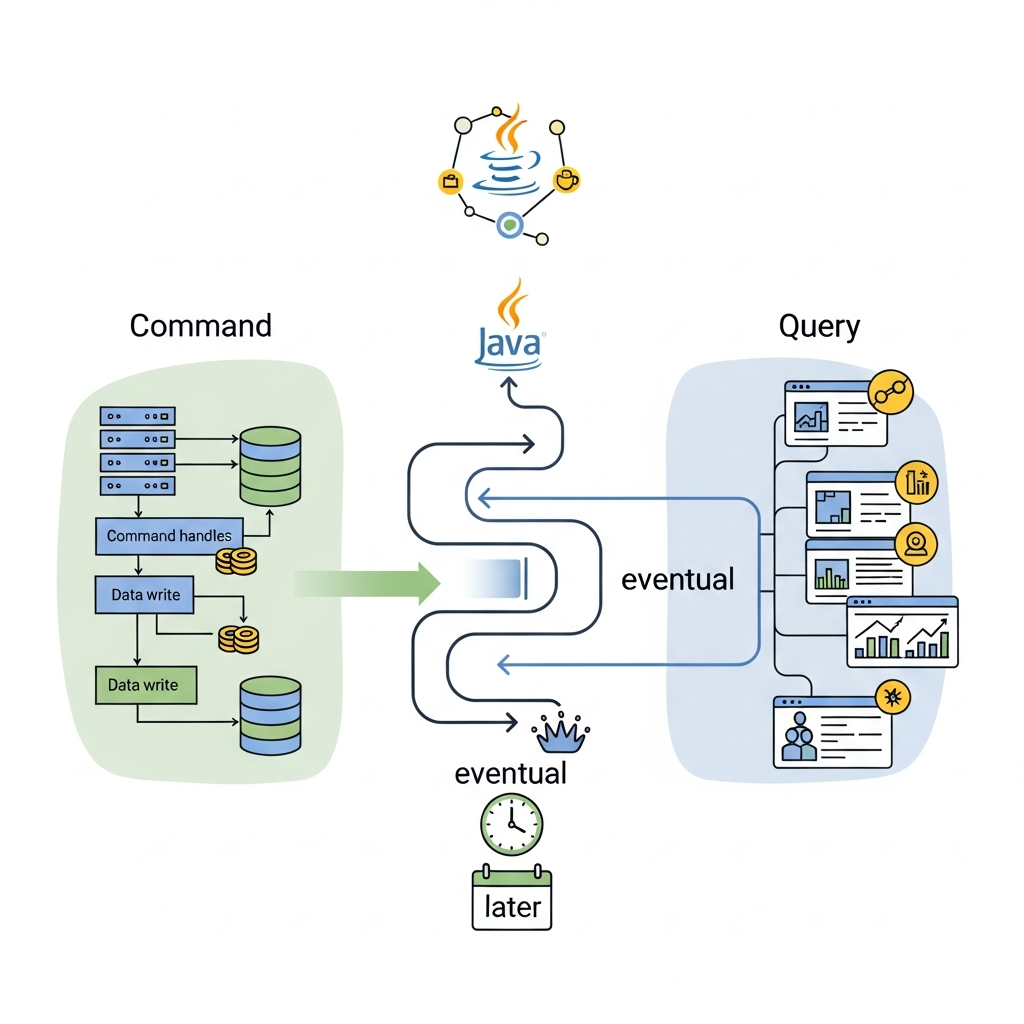
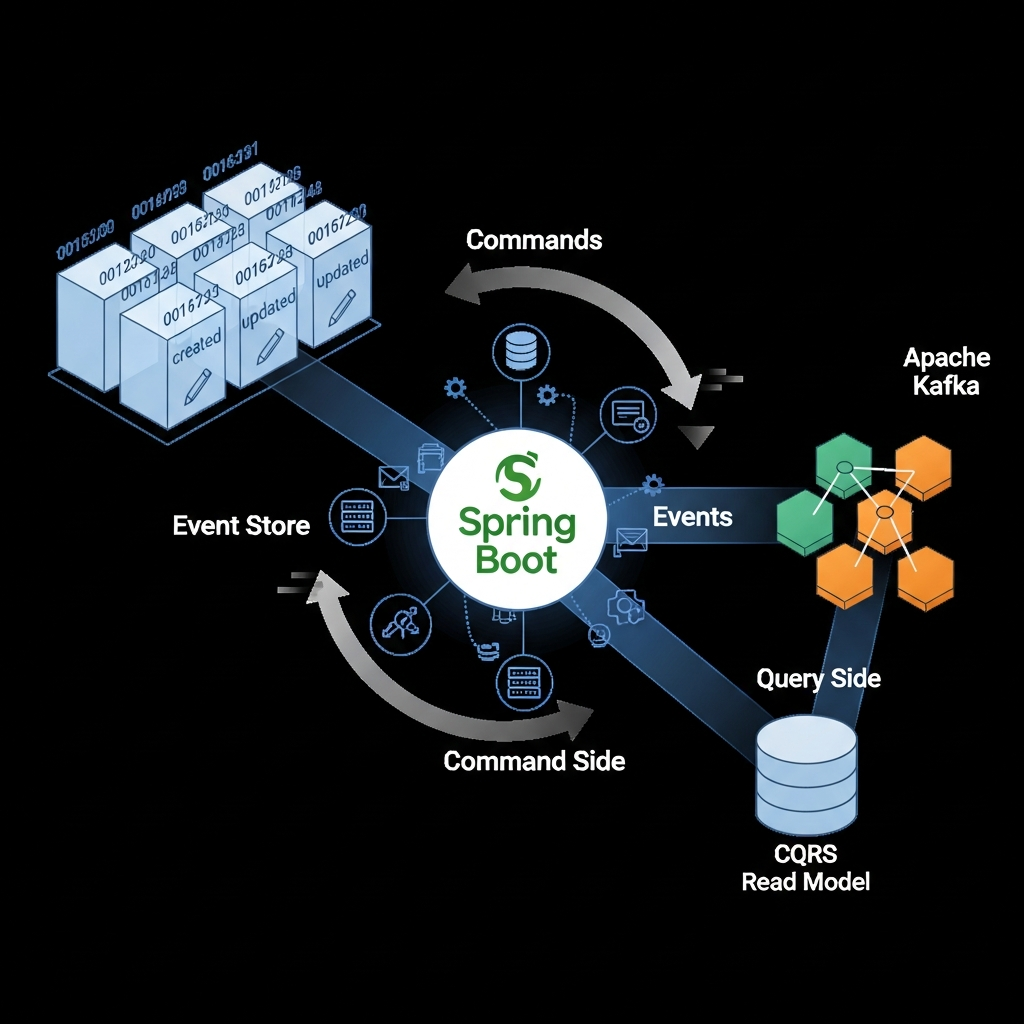
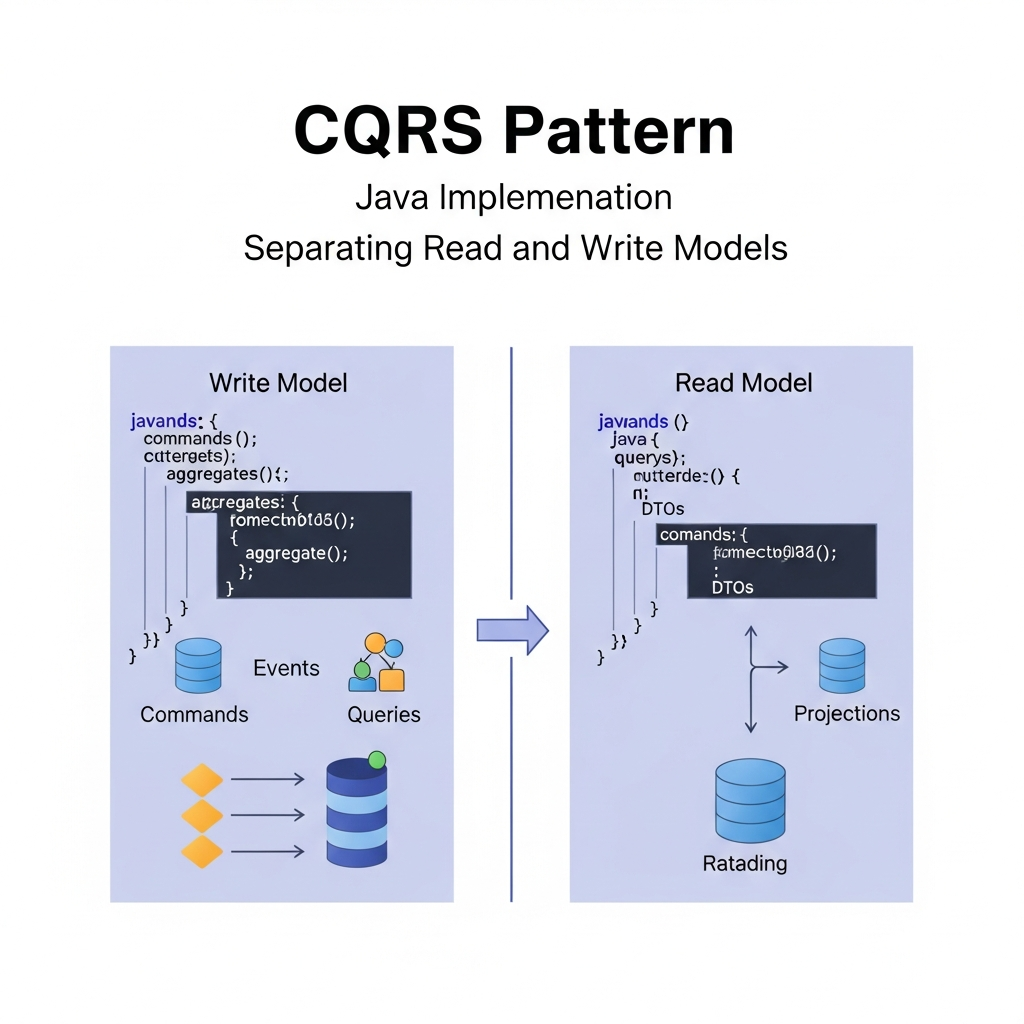
CQRS is an architectural pattern that separates the operations for updating data (commands) from the operations for reading data (queries). In traditional CRUD applications, a single data model handles both reads and writes. With CQRS, you maintain distinct models, often backed by different data stores, optimized for their specific responsibilities.
Why CQRS for Real-Time Search?
- Scalability: Write-heavy workloads can be scaled independently from read-heavy workloads. This is crucial when your application has many updates but even more search queries.
- Performance: Each model can be optimized for its specific task. The write model (e.g., DynamoDB) can be optimized for transactional integrity and rapid writes, while the read model (e.g., OpenSearch) can be optimized for complex queries and full-text search performance.
- Flexibility: Different data stores can be chosen based on their strengths. A NoSQL database might be perfect for the write model, while a search engine is ideal for the read model.
- Complexity Management: By separating concerns, the code for handling commands and queries becomes simpler and more focused.
In our setup, DynamoDB will serve as the write model, handling all data modifications, while OpenSearch will be our read model, providing a highly optimized search index.
DynamoDB as the Write Model
Amazon DynamoDB is a fully managed, serverless NoSQL database service that provides fast and predictable performance with seamless scalability. It's an excellent choice for the write model in a CQRS architecture due to several key features:
- High Throughput and Low Latency: DynamoDB is designed for high-performance applications, offering single-digit millisecond latency at any scale.
- Schema Flexibility: As a document and key-value store, DynamoDB allows for flexible schemas, which is advantageous when dealing with evolving data structures.
- Managed Service: AWS handles all operational aspects, including backups, patching, and scaling, reducing operational overhead.
- Native Integration with Streams: This is the crucial part for our real-time search solution. DynamoDB Streams provide a time-ordered sequence of item-level modifications.
For our example, let's consider a product catalog. Each product will be stored as an item in a DynamoDB table.
Introducing DynamoDB Streams
DynamoDB Streams provide a change data capture (CDC) mechanism that captures a time-ordered sequence of item-level modifications in a DynamoDB table. When you enable a stream on a table, every modification (insert, update, delete) to an item in that table is captured as a stream record. These records are durable for 24 hours.
How DynamoDB Streams Work:
- Enabling Streams: You can enable a stream on any DynamoDB table. You choose the view type, which determines what information is written to the stream (e.g.,
NEW_IMAGE,OLD_IMAGE,NEW_AND_OLD_IMAGES,KEYS_ONLY). For our use case,NEW_IMAGEorNEW_AND_OLD_IMAGESis typically required to get the full item content. - Stream Records: Each record represents a single data modification. It contains metadata about the event (event ID, event name, event source, timestamp) and the item's image(s).
- Consumers: Applications or AWS Lambda functions can consume these stream records. Lambda is a natural fit for processing DynamoDB Streams, as it automatically handles scaling and error handling for stream processing.
DynamoDB Streams are the bridge that connects our write model (DynamoDB) to our read model (OpenSearch), ensuring that changes to the primary data are propagated to the search index in near real-time.
OpenSearch for Real-Time Search
Amazon OpenSearch Service is a fully managed service that makes it easy to deploy, operate, and scale OpenSearch clusters. OpenSearch is a distributed, RESTful search and analytics engine capable of solving a growing number of use cases.
Why OpenSearch?
- Full-Text Search: Highly optimized for complex full-text search queries, including fuzzy matching, phrase search, and relevancy scoring.
- Scalability: Horizontally scalable, allowing you to handle vast amounts of data and query traffic by adding more nodes.
- Analytics: Supports powerful aggregation capabilities for analytical queries.
- Near Real-Time: Changes indexed into OpenSearch are typically available for search within seconds.
- Rich Query Language: Offers a comprehensive Query DSL (Domain Specific Language) for highly specific and powerful searches.
OpenSearch will store a denormalized, search-optimized version of our product data, allowing users to perform complex searches that would be inefficient or impossible directly on DynamoDB.
The Architecture: Connecting the Pieces
Let's visualize the data flow in our real-time search architecture:
- Application Writes Data: Your application performs
PUT,UPDATE, orDELETEoperations on items in the DynamoDB table (the write model). - DynamoDB Stream Captures Changes: Every modification to the DynamoDB table is automatically captured by its associated stream.
- AWS Lambda Processes Stream Records: An AWS Lambda function is configured to trigger whenever new records appear in the DynamoDB Stream. This Lambda function acts as the consumer.
- Lambda Transforms and Indexes: The Lambda function reads the DynamoDB Stream records, transforms the data into a format suitable for OpenSearch, and then sends indexing requests to the OpenSearch cluster.
- OpenSearch Indexes Data: OpenSearch indexes the received data, making it available for search queries.
- Application Queries OpenSearch: Your application performs search queries against the OpenSearch cluster (the read model) to retrieve real-time search results.
This architecture leverages the strengths of each component, creating a highly efficient and scalable system for real-time search.
Implementing the Write Model (Java & DynamoDB)
First, let's define our product data model and how to interact with DynamoDB using the AWS SDK for Java v2.
1. Product Data Model (Product.java)
package com.example.model;

import software.amazon.awssdk.enhanced.dynamodb.mapper.annotations.DynamoDbBean;
import software.amazon.awssdk.enhanced.dynamodb.mapper.annotations.DynamoDbPartitionKey;

@DynamoDbBean
public class Product {
    private String id;
    private String name;
    private String description;
    private String category;
    private double price;
    private int quantityAvailable;

    @DynamoDbPartitionKey
    public String getId() {
        return id;
    }

    public void setId(String id) {
        this.id = id;
    }

    public String getName() {
        return name;
    }

    public void setName(String name) {
        this.name = name;
    }

    public String getDescription() {
        return description;
    }

    public void setDescription(String description) {
        this.description = description;
    }

    public String getCategory() {
        return category;
    }

    public void setCategory(String category) {
        this.category = category;
    }

    public double getPrice() {
        return price;
    }

    public void setPrice(double price) {
        this.price = price;
    }

    public int getQuantityAvailable() {
        return quantityAvailable;
    }

    public void setQuantityAvailable(int quantityAvailable) {
        this.quantityAvailable = quantityAvailable;
    }

    @Override
    public String toString() {
        return "Product{" +
               "id='" + id + '\'' +
               ", name='" + name + '\'' +
               ", description='" + description + '\'' +
               ", category='" + category + '\'' +
               ", price=" + price +
               ", quantityAvailable=" + quantityAvailable +
               '}';
    }
}
2. DynamoDB Service (ProductService.java)
This class handles CRUD operations for Product objects.
package com.example.service;

import com.example.model.Product;
import software.amazon.awssdk.enhanced.dynamodb.DynamoDbEnhancedClient;
import software.amazon.awssdk.enhanced.dynamodb.DynamoDbTable;
import software.amazon.awssdk.enhanced.dynamodb.TableSchema;
import software.amazon.awssdk.regions.Region;
import software.amazon.awssdk.services.dynamodb.DynamoDbClient;
import software.amazon.awssdk.services.dynamodb.model.ResourceNotFoundException;
import software.amazon.awssdk.services.dynamodb.model.DescribeTableRequest;
import software.amazon.awssdk.services.dynamodb.model.DescribeTableResponse;
import software.amazon.awssdk.services.dynamodb.model.CreateTableRequest;
import software.amazon.awssdk.services.dynamodb.model.KeySchemaElement;
import software.amazon.awssdk.services.dynamodb.model.KeyType;
import software.amazon.awssdk.services.dynamodb.model.AttributeDefinition;
import software.amazon.awssdk.services.dynamodb.model.AttributeType;
import software.amazon.awssdk.services.dynamodb.model.ProvisionedThroughput;
import software.amazon.awssdk.services.dynamodb.model.StreamSpecification;
import software.amazon.awssdk.services.dynamodb.model.StreamViewType;

public class ProductService {
    private static final String TABLE_NAME = "Products";
    private final DynamoDbEnhancedClient enhancedClient;
    private final DynamoDbClient dynamoDbClient;
    private final DynamoDbTable<Product> productTable;

    public ProductService() {
        this.dynamoDbClient = DynamoDbClient.builder()
                .region(Region.US_EAST_1) // Specify your AWS region
                .build();
        this.enhancedClient = DynamoDbEnhancedClient.builder()
                .dynamoDbClient(dynamoDbClient)
                .build();
        this.productTable = enhancedClient.table(TABLE_NAME, TableSchema.fromBean(Product.class));
    }

    public void createTableIfNotExists() {
        try {
            DescribeTableRequest describeTableRequest = DescribeTableRequest.builder()
                    .tableName(TABLE_NAME)
                    .build();
            DescribeTableResponse describeTableResponse = dynamoDbClient.describeTable(describeTableRequest);
            System.out.println("Table " + TABLE_NAME + " already exists.");
            // Ensure stream is enabled with the correct view type
            if (describeTableResponse.table().streamSpecification() == null ||
                !describeTableResponse.table().streamSpecification().streamEnabled() ||
                !describeTableResponse.table().streamSpecification().streamViewType().equals(StreamViewType.NEW_AND_OLD_IMAGES)) {
                System.out.println("Warning: Stream not enabled or incorrect view type. Please enable NEW_AND_OLD_IMAGES for " + TABLE_NAME);
                // In a real application, you might update the table here or throw an error.
            }

        } catch (ResourceNotFoundException e) {
            System.out.println("Table " + TABLE_NAME + " does not exist. Creating it...");
            CreateTableRequest createTableRequest = CreateTableRequest.builder()
                    .tableName(TABLE_NAME)
                    .keySchema(KeySchemaElement.builder().attributeName("id").keyType(KeyType.HASH).build())
                    .attributeDefinitions(AttributeDefinition.builder().attributeName("id").attributeType(AttributeType.S).build())
                    .provisionedThroughput(ProvisionedThroughput.builder().readCapacityUnits(5L).writeCapacityUnits(5L).build())
                    .streamSpecification(StreamSpecification.builder().streamEnabled(true).streamViewType(StreamViewType.NEW_AND_OLD_IMAGES).build())
                    .build();
            dynamoDbClient.createTable(createTableRequest);
            System.out.println("Table " + TABLE_NAME + " created with stream enabled.");
        } catch (Exception e) {
            System.err.println("Error checking/creating table: " + e.getMessage());
            throw new RuntimeException("Failed to initialize DynamoDB table.", e);
        }
    }

    public void saveProduct(Product product) {
        productTable.putItem(product);
        System.out.println("Saved product: " + product.getName());
    }

    public Product getProduct(String id) {
        return productTable.getItem(r -> r.key(k -> k.partitionValue(id)));
    }

    public void deleteProduct(String id) {
        productTable.deleteItem(r -> r.key(k -> k.partitionValue(id)));
        System.out.println("Deleted product with ID: " + id);
    }

    public static void main(String[] args) {
        ProductService service = new ProductService();
        service.createTableIfNotExists();

        Product product1 = new Product();
        product1.setId("prod-001");
        product1.setName("Wireless Bluetooth Headphones");
        product1.setDescription("High-quality sound with noise cancellation.");
        product1.setCategory("Electronics");
        product1.setPrice(99.99);
        product1.setQuantityAvailable(150);
        service.saveProduct(product1);

        Product product2 = new Product();
        product2.setId("prod-002");
        product2.setName("Ergonomic Office Chair");
        product2.setDescription("Adjustable chair for maximum comfort.");
        product2.setCategory("Office Furniture");
        product2.setPrice(249.00);
        product2.setQuantityAvailable(50);
        service.saveProduct(product2);

        // Update a product
        product1.setPrice(89.99);
        service.saveProduct(product1);

        // Delete a product
        service.deleteProduct("prod-002");
    }
}Note: Remember to configure your AWS credentials and region. The createTableIfNotExists method includes logic to enable DynamoDB Streams with NEW_AND_OLD_IMAGES view type, which is crucial for our Lambda function to receive full item data.
Consuming DynamoDB Streams with AWS Lambda (Java)
Now, let's create an AWS Lambda function that will be triggered by the DynamoDB Stream. This function will be responsible for processing the stream records and sending the data to OpenSearch.
1. Lambda Handler (DynamoDbStreamProcessor.java)
package com.example.lambda;

import com.amazonaws.services.lambda.runtime.Context;
import com.amazonaws.services.lambda.runtime.RequestHandler;
import com.amazonaws.services.lambda.runtime.events.DynamodbEvent;
import com.amazonaws.services.lambda.runtime.events.models.dynamodb.AttributeValue;
import com.fasterxml.jackson.databind.ObjectMapper;
import com.example.model.Product;
import com.example.opensearch.OpenSearchService;

import java.util.Map;
import java.util.logging.Logger;

public class DynamoDbStreamProcessor implements RequestHandler<DynamodbEvent, Void> {

    private static final Logger logger = Logger.getLogger(DynamoDbStreamProcessor.class.getName());
    private final OpenSearchService openSearchService; // Inject OpenSearchService
    private final ObjectMapper objectMapper; // For JSON serialization/deserialization

    public DynamoDbStreamProcessor() {
        this.openSearchService = new OpenSearchService(); // Initialize OpenSearch client
        this.objectMapper = new ObjectMapper();
    }

    @Override
    public Void handleRequest(DynamodbEvent event, Context context) {
        for (DynamodbEvent.DynamodbStreamRecord record : event.getRecords()) {
            String eventName = record.getEventName();
            String recordId = record.getEventID();
            logger.info(String.format("Processing record %s with event name %s", recordId, eventName));

            try {
                switch (eventName) {
                    case "INSERT":
                    case "MODIFY":
                        // For INSERT and MODIFY, we get the new image of the item
                        Map<String, AttributeValue> newImage = record.getDynamodb().getNewImage();
                        Product product = convertDynamoDBMapToProduct(newImage);
                        openSearchService.indexProduct(product);
                        logger.info("Indexed/Updated product: " + product.getId());
                        break;
                    case "REMOVE":
                        // For REMOVE, we get the old image or just the keys
                        Map<String, AttributeValue> oldImage = record.getDynamodb().getOldImage();
                        if (oldImage != null && oldImage.containsKey("id")) {
                             String productId = oldImage.get("id").getS();
                             openSearchService.deleteProduct(productId);
                             logger.info("Deleted product from OpenSearch: " + productId);
                        } else {
                            logger.warning("REMOVE event for record " + recordId + " did not contain 'id' in old image.");
                        }
                        break;
                    default:
                        logger.warning("Unknown event name: " + eventName);
                }
            } catch (Exception e) {
                logger.severe(String.format("Error processing record %s: %s", recordId, e.getMessage()));
                // Depending on your error handling strategy, you might re-throw the exception
                // to trigger a retry, or send to a Dead Letter Queue (DLQ).
            }
        }
        return null;
    }

    /**
     * Converts a DynamoDB AttributeValue map to a Product object.
     * Note: This is a simplified conversion. A more robust solution might use
     * DynamoDbMapper or a dedicated utility for complex types.
     */
    private Product convertDynamoDBMapToProduct(Map<String, AttributeValue> dynamoDbMap) {
        Product product = new Product();
        if (dynamoDbMap.containsKey("id")) product.setId(dynamoDbMap.get("id").getS());
        if (dynamoDbMap.containsKey("name")) product.setName(dynamoDbMap.get("name").getS());
        if (dynamoDbMap.containsKey("description")) product.setDescription(dynamoDbMap.get("description").getS());
        if (dynamoDbMap.containsKey("category")) product.setCategory(dynamoDbMap.get("category").getS());
        if (dynamoDbMap.containsKey("price")) product.setPrice(Double.parseDouble(dynamoDbMap.get("price").getN()));
        if (dynamoDbMap.containsKey("quantityAvailable")) product.setQuantityAvailable(Integer.parseInt(dynamoDbMap.get("quantityAvailable").getN()));
        return product;
    }
}
2. Deployment Considerations for Lambda:
- IAM Role: The Lambda function needs an IAM role with permissions to read from the DynamoDB Stream and write to OpenSearch. Specifically:
dynamodb:DescribeStream,dynamodb:GetRecords,dynamodb:GetShardIterator,dynamodb:ListStreamses:ESHttpPost,es:ESHttpPut,es:ESHttpDelete(for OpenSearch data plane actions)logs:CreateLogGroup,logs:CreateLogStream,logs:PutLogEvents(for CloudWatch logging)
- VPC Configuration: If your OpenSearch cluster is in a VPC, your Lambda function must also be configured to run within that same VPC and have access to the necessary subnets and security groups to reach OpenSearch.
- Memory and Timeout: Adjust Lambda memory and timeout settings based on your processing needs. Complex transformations or bulk indexing might require more resources.
- Batch Size: Configure the DynamoDB Stream trigger with an appropriate batch size (e.g., 100 records) to optimize performance and cost.
Indexing Data into OpenSearch (Java)
Next, we need the OpenSearchService class that our Lambda function will use to interact with the OpenSearch cluster.
1. OpenSearch Service (OpenSearchService.java)
This service will handle connecting to OpenSearch and performing indexing/deletion operations.
package com.example.opensearch;

import com.example.model.Product;
import com.fasterxml.jackson.databind.ObjectMapper;
import org.apache.http.HttpHost;
import org.apache.http.auth.AuthScope;
import org.apache.http.auth.UsernamePasswordCredentials;
import org.apache.http.client.CredentialsProvider;
import org.apache.http.impl.client.BasicCredentialsProvider;
import org.apache.http.impl.nio.client.HttpAsyncClientBuilder;
import org.opensearch.client.opensearch.OpenSearchClient;
import org.opensearch.client.opensearch.core.DeleteRequest;
import org.opensearch.client.opensearch.core.IndexRequest;
import org.opensearch.client.opensearch.indices.CreateIndexRequest;
import org.opensearch.client.opensearch.indices.ExistsRequest;
import org.opensearch.client.opensearch.indices.IndexSettings;
import org.opensearch.client.opensearch.indices.TypeMapping;
import org.opensearch.client.transport.aws.AwsSdk2Transport;
import org.opensearch.client.transport.aws.AwsSdk2TransportBuilder;
import software.amazon.awssdk.auth.credentials.AwsCredentialsProvider;
import software.amazon.awssdk.auth.credentials.DefaultCredentialsProvider;
import software.amazon.awssdk.regions.Region;

import java.io.IOException;
import java.util.logging.Logger;

public class OpenSearchService {

    private static final Logger logger = Logger.getLogger(OpenSearchService.class.getName());
    private static final String OPENSEARCH_ENDPOINT = System.getenv("OPENSEARCH_ENDPOINT"); // e.g., https://search-your-domain-xyz.us-east-1.es.amazonaws.com
    private static final String OPENSEARCH_INDEX = "products";
    private final OpenSearchClient openSearchClient;
    private final ObjectMapper objectMapper; // For converting Product to JSON

    public OpenSearchService() {
        if (OPENSEARCH_ENDPOINT == null || OPENSEARCH_ENDPOINT.isEmpty()) {
            throw new IllegalStateException("OPENSEARCH_ENDPOINT environment variable not set.");
        }

        // Use DefaultCredentialsProvider for Lambda execution role or local AWS config
        AwsCredentialsProvider credentialsProvider = DefaultCredentialsProvider.create();

        this.openSearchClient = AwsSdk2TransportBuilder.builder()
                .region(Region.US_EAST_1) // Specify your AWS region
                .endpoint(OPENSEARCH_ENDPOINT)
                .credentials(credentialsProvider)
                .build()
                .createClient();

        this.objectMapper = new ObjectMapper();
        createIndexIfNotExists();
    }

    private void createIndexIfNotExists() {
        try {
            boolean exists = openSearchClient.indices().exists(ExistsRequest.builder().index(OPENSEARCH_INDEX).build()).value();
            if (!exists) {
                logger.info("Index '" + OPENSEARCH_INDEX + "' does not exist. Creating it...");
                CreateIndexRequest createIndexRequest = CreateIndexRequest.builder()
                        .index(OPENSEARCH_INDEX)
                        .settings(IndexSettings.builder()
                                .numberOfShards("1")
                                .numberOfReplicas("1")
                                .build())
                        .mappings(TypeMapping.builder()
                                .properties("name", p -> p.text(t -> t))
                                .properties("description", p -> p.text(t -> t))
                                .properties("category", p -> p.keyword(k -> k))
                                .properties("price", p -> p.double_(d -> d))
                                .properties("quantityAvailable", p -> p.integer(i -> i))
                                .build())
                        .build();
                openSearchClient.indices().create(createIndexRequest);
                logger.info("Index '" + OPENSEARCH_INDEX + "' created successfully.");
            } else {
                logger.info("Index '" + OPENSEARCH_INDEX + "' already exists.");
            }
        } catch (IOException e) {
            logger.severe("Error creating OpenSearch index: " + e.getMessage());
            throw new RuntimeException("Failed to initialize OpenSearch index.", e);
        }
    }

    public void indexProduct(Product product) throws IOException {
        IndexRequest<Product> request = IndexRequest.builder(Product.class)
                .index(OPENSEARCH_INDEX)
                .id(product.getId())
                .document(product)
                .build();
        openSearchClient.index(request);
    }

    public void deleteProduct(String productId) throws IOException {
        DeleteRequest request = DeleteRequest.builder()
                .index(OPENSEARCH_INDEX)
                .id(productId)
                .build();
        openSearchClient.delete(request);
    }
}
2. OpenSearch Client Setup:
- Dependencies: You'll need
opensearch-java,opensearch-java-client-aws, andjackson-databindin yourpom.xml(orbuild.gradle). OPENSEARCH_ENDPOINT: This is crucial. It should be an environment variable in your Lambda function, pointing to your OpenSearch domain's endpoint (e.g.,https://search-your-domain-xyz.us-east-1.es.amazonaws.com).- Authentication: The example uses
AwsSdk2TransportBuilderwhich leverages AWS SigV4 signing. This is the recommended way to connect to Amazon OpenSearch Service from AWS environments like Lambda, as it uses the Lambda execution role for authentication. - Index Mapping: The
createIndexIfNotExistsmethod defines a basic mapping for ourproductsindex. It's important to define appropriate data types (e.g.,textfor searchable fields,keywordfor exact matches,doublefor numbers) to ensure optimal search performance and accurate results.
Querying OpenSearch for Real-Time Search (Java)
Now that data is flowing into OpenSearch, let's create a client-side service to query it.
1. OpenSearch Query Service (ProductSearchService.java)
package com.example.opensearch;

import com.example.model.Product;
import org.opensearch.client.opensearch.OpenSearchClient;
import org.opensearch.client.opensearch.core.SearchRequest;
import org.opensearch.client.opensearch.core.SearchResponse;
import org.opensearch.client.opensearch.core.search.Hit;
import org.opensearch.client.transport.aws.AwsSdk2TransportBuilder;
import software.amazon.awssdk.auth.credentials.DefaultCredentialsProvider;
import software.amazon.awssdk.regions.Region;

import java.io.IOException;
import java.util.List;
import java.util.stream.Collectors;
import java.util.logging.Logger;

public class ProductSearchService {

    private static final Logger logger = Logger.getLogger(ProductSearchService.class.getName());
    private static final String OPENSEARCH_ENDPOINT = System.getenv("OPENSEARCH_ENDPOINT"); // Same endpoint as before
    private static final String OPENSEARCH_INDEX = "products";
    private final OpenSearchClient openSearchClient;

    public ProductSearchService() {
        if (OPENSEARCH_ENDPOINT == null || OPENSEARCH_ENDPOINT.isEmpty()) {
            throw new IllegalStateException("OPENSEARCH_ENDPOINT environment variable not set.");
        }

        this.openSearchClient = AwsSdk2TransportBuilder.builder()
                .region(Region.US_EAST_1) // Specify your AWS region
                .endpoint(OPENSEARCH_ENDPOINT)
                .credentials(DefaultCredentialsProvider.create())
                .build()
                .createClient();
    }

    public List<Product> searchProducts(String query) throws IOException {
        SearchRequest searchRequest = SearchRequest.builder()
                .index(OPENSEARCH_INDEX)
                .query(q -> q
                        .multiMatch(m -> m
                                .query(query)
                                .fields("name^3", "description", "category")) // Boost 'name' field
                )
                .build();

        SearchResponse<Product> response = openSearchClient.search(searchRequest, Product.class);

        logger.info("OpenSearch search results for query '" + query + "':");
        return response.hits().hits().stream()
                .map(Hit::source)
                .collect(Collectors.toList());
    }

    public List<Product> searchProductsWithCategoryFilter(String query, String category) throws IOException {
        SearchRequest searchRequest = SearchRequest.builder()
                .index(OPENSEARCH_INDEX)
                .query(q -> q
                        .bool(b -> b
                                .must(m -> m
                                        .multiMatch(mm -> mm
                                                .query(query)
                                                .fields("name^3", "description")))
                                .filter(f -> f
                                        .term(t -> t
                                                .field("category.keyword") // Use .keyword for exact match
                                                .value(category)))
                        ))
                .build();

        SearchResponse<Product> response = openSearchClient.search(searchRequest, Product.class);

        logger.info("OpenSearch search results for query '" + query + "' in category '" + category + "':");
        return response.hits().hits().stream()
                .map(Hit::source)
                .collect(Collectors.toList());
    }

    public static void main(String[] args) throws IOException {
        // Ensure OPENSEARCH_ENDPOINT env var is set before running this main method
        // e.g., export OPENSEARCH_ENDPOINT="https://search-your-domain-xyz.us-east-1.es.amazonaws.com"
        ProductSearchService searchService = new ProductSearchService();

        System.out.println("\n--- Searching for 'headphone' ---");
        List<Product> headphones = searchService.searchProducts("headphone");
        headphones.forEach(System.out::println);

        System.out.println("\n--- Searching for 'chair' in 'Office Furniture' category ---");
        List<Product> officeChairs = searchService.searchProductsWithCategoryFilter("chair", "Office Furniture");
        officeChairs.forEach(System.out::println);

        System.out.println("\n--- Searching for 'bluetooth' ---");
        List<Product> bluetoothItems = searchService.searchProducts("bluetooth");
        bluetoothItems.forEach(System.out::println);
    }
}
2. Querying Concepts:
- Multi-Match Query: Allows searching across multiple fields (e.g.,
name,description,category) with optional boosting (name^3givesnamefield higher relevance). - Boolean Query with Filters: For more complex queries,
boolqueries combinemust(all clauses must match),should(at least one should match),filter(must match, but score is ignored for faster execution), andmust_notclauses. - Term Query for Exact Match: When filtering by a category, use a
termquery on akeywordfield (e.g.,category.keyword) for exact matching, astextfields are analyzed and might not match precisely.
Best Practices and Considerations
- Error Handling and Retries: Implement robust error handling in your Lambda function. If indexing to OpenSearch fails, consider:
- DLQ (Dead Letter Queue): Configure your Lambda function with an SQS or SNS DLQ to capture failed records for later inspection and reprocessing.
- Retries: The AWS Lambda service automatically retries stream processing in case of transient errors. Design your Lambda to be idempotent.
- Idempotency: Your Lambda function should be idempotent, meaning processing the same record multiple times should produce the same result. DynamoDB Streams can deliver records more than once under certain failure scenarios. Ensure your OpenSearch indexing (upsert) and deletion operations are idempotent by using the
idfield. - Security: Adhere to the principle of least privilege.
- IAM Roles: Grant your Lambda function only the necessary permissions (DynamoDB Stream read, OpenSearch write, CloudWatch logs).
- VPC Security Groups: Restrict network access to your OpenSearch domain via VPC security groups, allowing ingress only from your Lambda's security groups.
- Access Policies: Configure OpenSearch domain access policies to align with your IAM roles.
- Monitoring and Alerting: Utilize AWS CloudWatch for monitoring your Lambda function (invocations, errors, duration) and OpenSearch cluster (CPU utilization, JVM memory pressure, indexing rates, search latencies). Set up alarms for critical metrics.
- OpenSearch Indexing Strategy:
- Mappings: Define explicit mappings for your OpenSearch indices. This ensures data types are correctly interpreted and optimized for search.
- Analyzers: Choose or create custom text analyzers for fields that require specific full-text search behavior (e.g., stemming, stop words).
- Aliases: Use index aliases for zero-downtime reindexing if your schema changes significantly.
- Batching: For optimal performance and cost, your Lambda function should process DynamoDB Stream records in batches. The AWS SDK for OpenSearch supports bulk indexing, which is significantly more efficient than indexing one document at a time.
- Schema Evolution: Plan for how your data schema might change. For minor changes, OpenSearch can often handle it, but for major changes, you might need to reindex your data.
Common Pitfalls
- Eventual Consistency Blind Spots: While near real-time, there's a small delay between a write to DynamoDB and its availability in OpenSearch. For critical operations where immediate consistency is required (e.g., checking stock availability right after an order), you might need to query the write model (DynamoDB) directly or implement compensating transactions.
- OpenSearch Indexing Bottlenecks: If your write volume to DynamoDB is very high, your Lambda function might struggle to keep up, or your OpenSearch cluster might become overwhelmed. Monitor OpenSearch's indexing queue and JVM memory. Scale your Lambda concurrency and OpenSearch cluster resources accordingly.
- Incorrect OpenSearch Mappings: Poorly defined mappings can lead to inefficient queries or unexpected search results (e.g., searching a
keywordfield astextor vice-versa). - Lambda Timeout/Memory Issues: Processing large DynamoDB Stream batches or performing complex data transformations can lead to Lambda timeouts or out-of-memory errors. Optimize your Lambda code and adjust resource settings.
- Security Misconfigurations: Exposing your OpenSearch cluster publicly or granting overly permissive IAM roles can lead to security vulnerabilities.
- Over-fetching/Under-fetching Data: Ensure your DynamoDB Stream view type provides all necessary data for OpenSearch. If you only request
KEYS_ONLY, your Lambda won't have the full item data to index.
Conclusion
Building real-time search capabilities is a critical requirement for many modern applications. By leveraging the power of CQRS, DynamoDB Streams, and Amazon OpenSearch Service, we can construct a robust, scalable, and highly performant architecture in Java.
This approach allows you to optimize your data stores for their specific roles: DynamoDB for high-throughput transactional writes and OpenSearch for complex, low-latency search queries. The event-driven nature of DynamoDB Streams ensures that your search index remains up-to-date with minimal effort, embracing eventual consistency for improved system resilience and scalability.
Experiment with different OpenSearch query types, explore advanced indexing features, and integrate this pattern into your microservices architecture. The journey to real-time search is complex, but with the right tools and architectural patterns, it becomes an achievable and rewarding endeavor.
Next Steps:
- Implement more sophisticated search queries (e.g., aggregations, geo-spatial search).
- Explore OpenSearch security features like fine-grained access control.
- Integrate Continuous Integration/Continuous Deployment (CI/CD) for your Lambda and OpenSearch index management.
- Consider using AWS CDK or CloudFormation for infrastructure as code to deploy and manage this entire stack.

Written by
CodewithYohaFull-Stack Software Engineer with 7+ years of experience in Java, Spring Boot, and cloud architecture across AWS, Azure, and GCP. Writing production-grade engineering patterns for developers who ship real software.