Introduction
Amazon DynamoDB is a powerful, fully managed NoSQL database service designed for applications that require single-digit millisecond performance at any scale. Its serverless nature, high availability, and incredible scalability make it a popular choice for modern cloud-native applications. However, harnessing DynamoDB's full potential requires a paradigm shift from traditional relational database modeling.
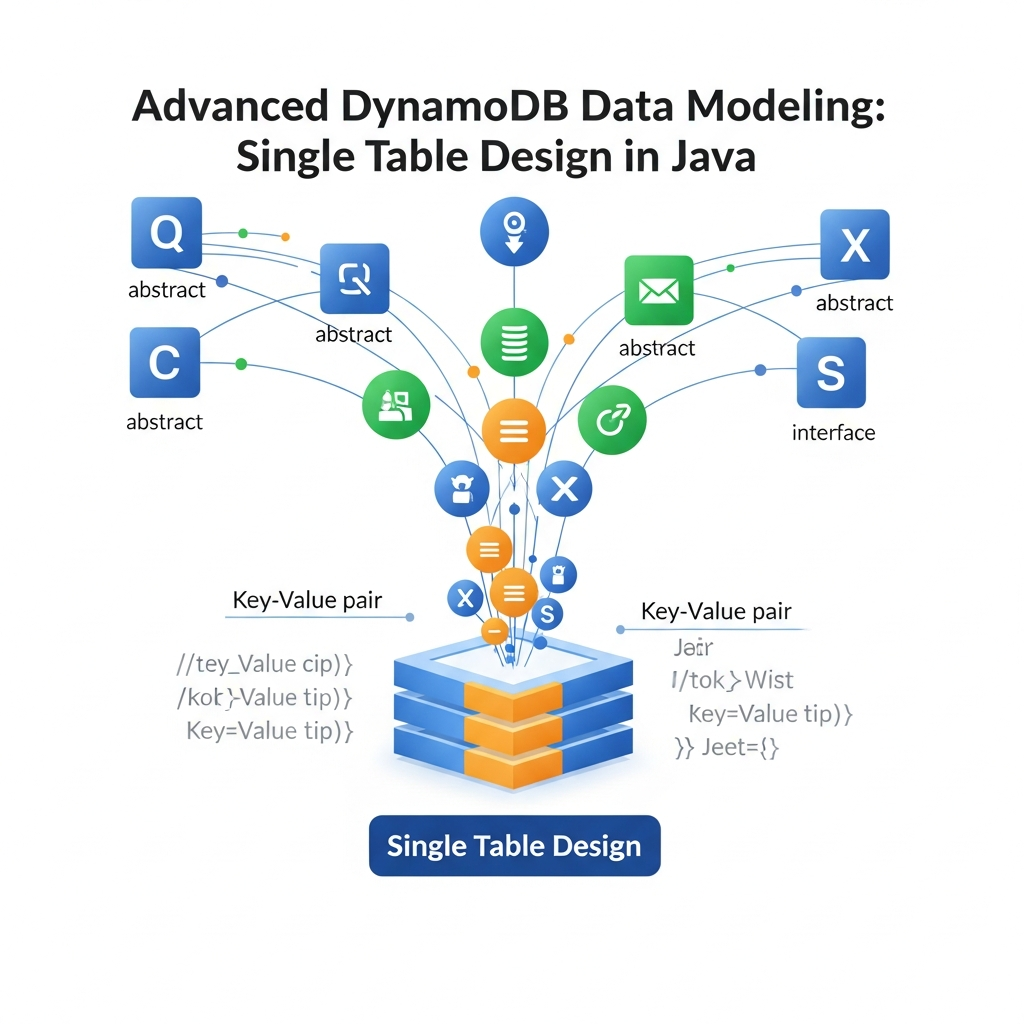
Many developers, accustomed to SQL databases, often fall into the trap of designing multiple tables for different entities in DynamoDB. While seemingly intuitive, this approach often leads to inefficient queries, increased costs, and hinders scalability in DynamoDB. The true power of DynamoDB is unlocked through Single Table Design (STD).
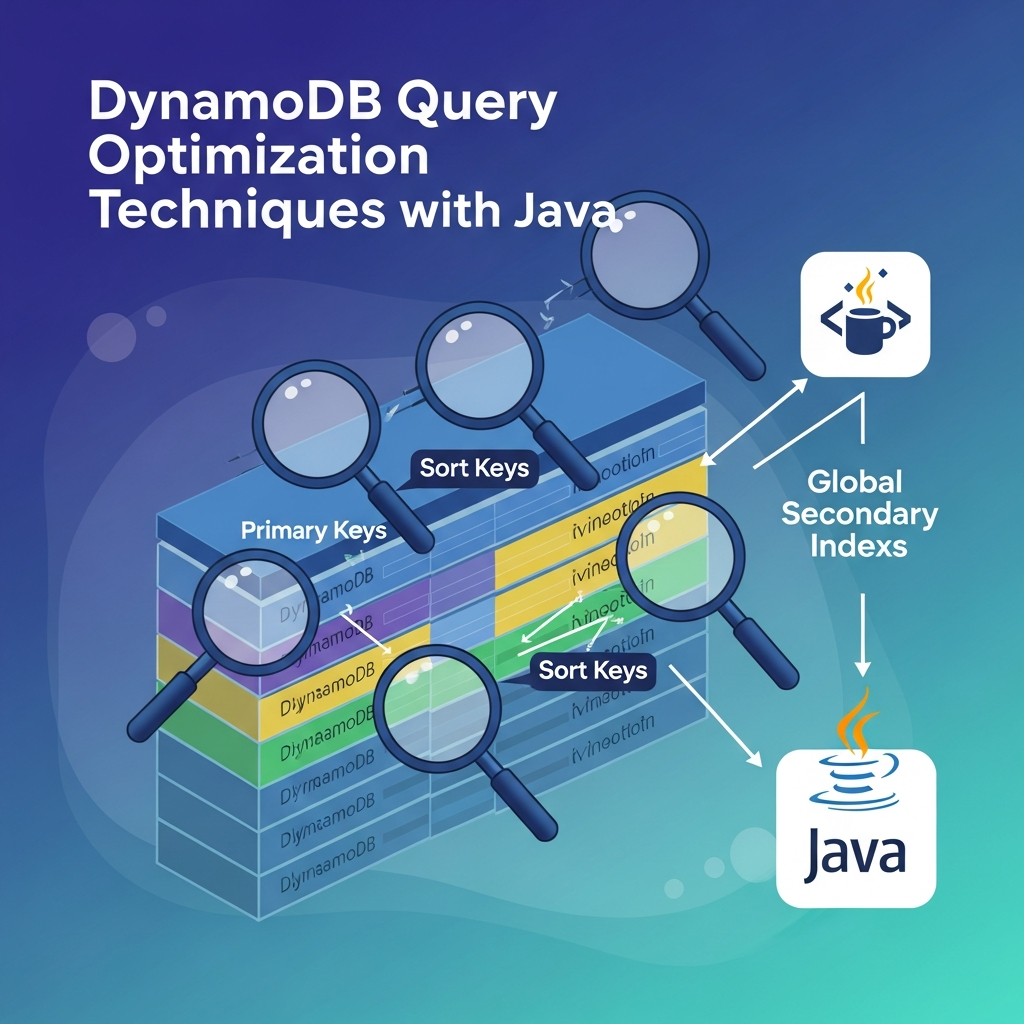
Single Table Design involves consolidating multiple entity types into a single, well-structured table, leveraging the potent combination of Partition Keys (PKs), Sort Keys (SKs), and Global Secondary Indexes (GSIs). This article will serve as your comprehensive guide to advanced DynamoDB data modeling using Single Table Design, with practical implementation examples in Java using the AWS SDK v2.
Prerequisites
To get the most out of this guide, you should have:
- A basic understanding of Java and object-oriented programming.
- Familiarity with the core concepts of DynamoDB: tables, items, attributes, Partition Keys, Sort Keys, and indexes (LSI/GSI).
- An AWS account and basic knowledge of setting up AWS credentials.
- AWS SDK for Java v2 configured in your project (e.g., via Maven or Gradle).
Understanding Single Table Design (STD)
At its core, Single Table Design means storing all your application's data, regardless of entity type, within a single DynamoDB table. Instead of having separate tables like Users, Products, and Orders, you'd have one table named, for example, MyAppTable that contains all these different data types.
Why Single Table Design?
- Cost Efficiency: DynamoDB charges are based on read/write capacity units (RCUs/WCUs) and storage. A single table often leads to more efficient use of provisioned capacity and fewer tables to manage.
- Atomic Transactions: DynamoDB's
TransactWriteItemsandTransactGetItemsoperations allow for atomic transactions across multiple items within the same table. This is crucial for maintaining data consistency across related entities. - Query Efficiency: By strategically modeling your PKs and SKs, you can retrieve related data (e.g., a user and all their orders) with a single
Queryoperation, which is far more efficient than multipleGetItemcalls or scans across different tables. - Simplified Development: While the initial modeling can be complex, once the access patterns are well-defined, interacting with a single table often simplifies application logic and reduces the number of DynamoDB client calls.
- Scalability: A single, well-designed table can scale to virtually any workload, as DynamoDB handles the underlying data distribution and partitioning.
Contrast with Multi-Table Approach
In a multi-table approach, you might have:
Userstable:userId (PK)Productstable:productId (PK)Orderstable:orderId (PK),userId (SK)
To get a user's orders, you'd first GetItem from the Users table, then Query the Orders table. To get order items, you might need yet another table. This leads to multiple network round trips and increased latency.
Core Concepts: Partition Key (PK) & Sort Key (SK)
PK and SK are the foundational elements of Single Table Design. They determine how data is stored, retrieved, and distributed across DynamoDB's partitions.
- Partition Key (PK): Determines the physical partition where your data resides. All items with the same PK are stored together. A good PK ensures even data distribution and prevents "hot partitions" (a single partition receiving too much traffic).
- Sort Key (SK): Defines the order of items within a given partition. It allows for efficient range queries and retrieval of multiple related items with a single
Queryoperation.
Polymorphic SKs: This is where STD gets powerful. You don't need a single, fixed data type for your SK. Instead, you can use prefixes or suffixes to store different types of related data under the same PK.
Consider a User entity. If USER#<userId> is the PK, the SK can take various forms:
METADATA#USER#<userId>: Stores the user's core profile information.ORDER#<orderId>: Represents an order placed by this user.ADDRESS#<addressId>: Represents a shipping address for this user.
By using this pattern, a single Query operation on PK = USER#<userId> with a SK begins_with "ORDER#" can fetch all orders for a specific user. This is a highly efficient way to model one-to-many relationships.
Global Secondary Indexes (GSIs) for Diverse Access Patterns
While the primary PK/SK combination handles your primary access patterns, real-world applications often require querying data in multiple ways. This is where Global Secondary Indexes (GSIs) come into play.
- Purpose: A GSI allows you to query the data in your table using an alternate Partition Key and Sort Key. It's essentially a separate table that mirrors a subset of your main table's data, but with a different primary key structure.
- Consistency: GSIs are eventually consistent. This means that changes to the main table might take a short while to propagate to the GSI.
- Projections: When creating a GSI, you specify which attributes from the main table should be projected (copied) into the index. This can be
ALL,KEYS_ONLY, orINCLUDE(a specific list of non-key attributes). Projecting only necessary attributes saves storage and RCUs/WCUs.
Overloading GSI PK/SK: Similar to the main table, you can use polymorphic keys for GSIs. For example:
- Main Table:
PK: USER#<userId>,SK: ORDER#<orderId> - GSI1: To find orders by
orderIddirectly:GSI1_PK: ORDER#<orderId>GSI1_SK: METADATA#ORDER#<orderId>(or theuserIdif needed)
- GSI2: To find orders by
statusandcreationDate:GSI2_PK: ORDER_STATUS#<status>GSI2_SK: CREATED_DATE#<timestamp>
This demonstrates how GSIs enable highly flexible query patterns that would be impossible with just the main table's primary key.
Local Secondary Indexes (LSIs) for Alternate Sort Orders
Local Secondary Indexes (LSIs) provide an alternative sort key for a given Partition Key. They share the same Partition Key as the base table, but have a different Sort Key.
- Limitations: LSIs must have the same Partition Key as the base table. They are limited to 5 per table and consume capacity from the base table. They are strongly consistent.
- Use Cases: LSIs are useful when you need to query items within the same partition using a different sort order. For instance, if your main table has
PK: USER#<userId>,SK: ORDER#<orderId>, you might create an LSI withPK: USER#<userId>,LSI_SK: CREATED_DATE#<timestamp>to query a user's orders by creation date instead of order ID.
While powerful, GSIs are generally more flexible for diverse access patterns across different PKs. LSIs are more specialized for alternate sort orders within the same partition.
Modeling Relationships: One-to-Many and Many-to-Many
Modeling relationships is a cornerstone of any database design. In DynamoDB STD, we primarily use two patterns:
-
Adjacency List Pattern: This is the most common pattern for one-to-many and many-to-many relationships. Related entities are stored under the same Partition Key, using the Sort Key to differentiate them.
- One-to-Many (e.g., User has many Orders): As discussed,
PK: USER#<userId>, with SKs likeMETADATA#USER#<userId>andORDER#<orderId>. All orders for a user are co-located. - Many-to-Many (e.g., Users attend many Events, Events have many Users): This typically involves two different PKs and a GSI to link them. For example:
- Main Table:
PK: USER#<userId>,SK: EVENT#<eventId>(User attendance record) - GSI1:
PK: EVENT#<eventId>,SK: USER#<userId>(Event attendees record) This allows querying all events for a user and all users for an event efficiently.
- Main Table:
- One-to-Many (e.g., User has many Orders): As discussed,
-
Denormalization: To optimize read performance, it's often beneficial to duplicate or denormalize data. For instance, an
Orderitem might include theuserNameanduserEmaildirectly, even though this information also exists in theUseritem. This avoids an extraGetItemcall when fetching an order.
Practical Java Implementation with AWS SDK v2
Let's dive into how to implement Single Table Design using the AWS SDK for Java v2, specifically leveraging the DynamoDbEnhancedClient for object mapping.
First, ensure you have the necessary dependencies in your pom.xml (Maven) or build.gradle (Gradle):
<!-- Maven -->
<dependencies>
    <dependency>
        <groupId>software.amazon.awssdk</groupId>
        <artifactId>dynamodb-enhanced</artifactId>
        <version>2.20.100</version>
    </dependency>
    <dependency>
        <groupId>software.amazon.awssdk</groupId>
        <artifactId>url-connection-client</artifactId>
        <version>2.20.100</version>
    </dependency>
</dependencies>// Gradle
dependencies {
implementation 'software.amazon.awssdk:dynamodb-enhanced:2.20.100'
implementation 'software.amazon.awssdk:url-connection-client:2.20.100'
}Next, initialize the DynamoDbEnhancedClient:
import software.amazon.awssdk.enhanced.dynamodb.DynamoDbEnhancedClient;
import software.amazon.awssdk.enhanced.dynamodb.DynamoDbTable;
import software.amazon.awssdk.enhanced.dynamodb.TableSchema;
import software.amazon.awssdk.regions.Region;
import software.amazon.awssdk.services.dynamodb.DynamoDbClient;

public class DynamoDbClientFactory {

    private static final String TABLE_NAME = "MyAppSingleTable";

    public static DynamoDbEnhancedClient getEnhancedClient() {
        DynamoDbClient ddbClient = DynamoDbClient.builder()
                .region(Region.US_EAST_1) // Specify your AWS region
                .httpClient(software.amazon.awssdk.http.urlconnection.UrlConnectionHttpClient.builder().build())
                .build();

        return DynamoDbEnhancedClient.builder()
                .dynamoDbClient(ddbClient)
                .build();
    }

    public static <T> DynamoDbTable<T> getTable(Class<T> itemClass) {
        return getEnhancedClient().table(TABLE_NAME, TableSchema.fromBean(itemClass));
    }
}
Code Example: A Multi-Entity E-commerce Table
Let's model a simple e-commerce scenario with Users, Products, Orders, and OrderItems in a single table.
Table Design (MyAppSingleTable):
- Primary Key:
PK(String),SK(String) - GSIs:
GSI1(foremaillookup,orderIdlookup):GSI1_PK(String)GSI1_SK(String)
GSI2(fororder statuslookup):GSI2_PK(String)GSI2_SK(String)
Entity Classes (Java Beans):
We'll use a base class to handle common attributes like PK, SK, EntityType, and GSI attributes.
import software.amazon.awssdk.enhanced.dynamodb.mapper.annotations.DynamoDbBean;
import software.amazon.awssdk.enhanced.dynamodb.mapper.annotations.DynamoDbPartitionKey;
import software.amazon.awssdk.enhanced.dynamodb.mapper.annotations.DynamoDbSortKey;
import software.amazon.awssdk.enhanced.dynamodb.mapper.annotations.DynamoDbSecondaryPartitionKey;
import software.amazon.awssdk.enhanced.dynamodb.mapper.annotations.DynamoDbSecondarySortKey;

// Base class for common attributes
@DynamoDbBean
public abstract class BaseItem {
    private String pk;
    private String sk;
    private String entityType; // e.g., "USER", "PRODUCT", "ORDER", "ORDER_ITEM"

    // GSI1 attributes
    private String gsi1Pk;
    private String gsi1Sk;

    // GSI2 attributes
    private String gsi2Pk;
    private String gsi2Sk;

    @DynamoDbPartitionKey
    public String getPk() { return pk; }
    public void setPk(String pk) { this.pk = pk; }

    @DynamoDbSortKey
    public String getSk() { return sk; }
    public void setSk(String sk) { this.sk = sk; }

    public String getEntityType() { return entityType; }
    public void setEntityType(String entityType) { this.entityType = entityType; }

    @DynamoDbSecondaryPartitionKey(indexName = "GSI1")
    public String getGsi1Pk() { return gsi1Pk; }
    public void setGsi1Pk(String gsi1Pk) { this.gsi1Pk = gsi1Pk; }

    @DynamoDbSecondarySortKey(indexName = "GSI1")
    public String getGsi1Sk() { return gsi1Sk; }
    public void setGsi1Sk(String gsi1Sk) { this.gsi1Sk = gsi1Sk; }

    @DynamoDbSecondaryPartitionKey(indexName = "GSI2")
    public String getGsi2Pk() { return gsi2Pk; }
    public void setGsi2Pk(String gsi2Pk) { this.gsi2Pk = gsi2Pk; }

    @DynamoDbSecondarySortKey(indexName = "GSI2")
    public String getGsi2Sk() { return gsi2Sk; }
    public void setGsi2Sk(String gsi2Sk) { this.gsi2Sk = gsi2Sk; }
}// User Entity
import software.amazon.awssdk.enhanced.dynamodb.mapper.annotations.DynamoDbBean;
import java.util.UUID;
@DynamoDbBean
public class User extends BaseItem {
private String userId;
private String username;
private String email;
private Long registrationDate;
public User() {
this.entityType = "USER";
}
public static User create(String username, String email) {
User user = new User();
user.setUserId(UUID.randomUUID().toString());
user.setUsername(username);
user.setEmail(email);
user.setRegistrationDate(System.currentTimeMillis());
user.setPk("USER#" + user.getUserId());
user.setSk("METADATA#" + user.getUserId());
user.setGsi1Pk("EMAIL#" + email); // For lookup by email
user.setGsi1Sk("METADATA#" + user.getUserId());
return user;
}
// Getters and Setters for userId, username, email, registrationDate
public String getUserId() { return userId; }
public void setUserId(String userId) { this.userId = userId; }
public String getUsername() { return username; }
public void setUsername(String username) { this.username = username; }
public String getEmail() { return email; }
public void setEmail(String email) { this.email = email; }
public Long getRegistrationDate() { return registrationDate; }
public void setRegistrationDate(Long registrationDate) { this.registrationDate = registrationDate; }
}// Product Entity
import software.amazon.awssdk.enhanced.dynamodb.mapper.annotations.DynamoDbBean;
import java.util.UUID;
@DynamoDbBean
public class Product extends BaseItem {
private String productId;
private String name;
private String description;
private Double price;
private Integer stockQuantity;
public Product() {
this.entityType = "PRODUCT";
}
public static Product create(String name, String description, Double price, Integer stockQuantity) {
Product product = new Product();
product.setProductId(UUID.randomUUID().toString());
product.setName(name);
product.setDescription(description);
product.setPrice(price);
product.setStockQuantity(stockQuantity);
product.setPk("PRODUCT#" + product.getProductId());
product.setSk("METADATA#" + product.getProductId());
return product;
}
// Getters and Setters for productId, name, description, price, stockQuantity
public String getProductId() { return productId; }
public void setProductId(String productId) { this.productId = productId; }
public String getName() { return name; }
public void setName(String name) { this.name = name; }
public String getDescription() { return description; }
public void setDescription(String description) { this.description = description; }
public Double getPrice() { return price; }
public void setPrice(Double price) { this.price = price; }
public Integer getStockQuantity() { return stockQuantity; }
public void setStockQuantity(Integer stockQuantity) { this.stockQuantity = stockQuantity; }
}// Order Entity
import software.amazon.awssdk.enhanced.dynamodb.mapper.annotations.DynamoDbBean;
import java.util.UUID;
import java.util.List;
import java.util.ArrayList;
@DynamoDbBean
public class Order extends BaseItem {
private String orderId;
private String userId;
private Long orderDate;
private String status;
private Double totalAmount;
private String shippingAddress;
// Denormalized user info for convenience
private String username;
private String userEmail;
public Order() {
this.entityType = "ORDER";
}
public static Order create(String userId, String username, String userEmail, String shippingAddress) {
Order order = new Order();
order.setOrderId(UUID.randomUUID().toString());
order.setUserId(userId);
order.setOrderDate(System.currentTimeMillis());
order.setStatus("PENDING");
order.setTotalAmount(0.0);
order.setShippingAddress(shippingAddress);
order.setUsername(username);
order.setUserEmail(userEmail);
order.setPk("USER#" + userId); // PK: User ID
order.setSk("ORDER#" + order.getOrderId()); // SK: Order ID
order.setGsi1Pk("ORDER#" + order.getOrderId()); // GSI1_PK: Order ID for direct lookup
order.setGsi1Sk("METADATA#ORDER#" + order.getOrderId()); // GSI1_SK: Metadata for order
order.setGsi2Pk("ORDER_STATUS#" + order.getStatus()); // GSI2_PK: Order Status
order.setGsi2Sk("ORDER_DATE#" + order.getOrderDate()); // GSI2_SK: Order Date for sorting
return order;
}
// Getters and Setters for orderId, userId, orderDate, status, totalAmount, shippingAddress, username, userEmail
public String getOrderId() { return orderId; }
public void setOrderId(String orderId) { this.orderId = orderId; }
public String getUserId() { return userId; }
public void setUserId(String userId) { this.userId = userId; }
public Long getOrderDate() { return orderDate; }
public void setOrderDate(Long orderDate) { this.orderDate = orderDate; }
public String getStatus() { return status; }
public void setStatus(String status) { this.status = status; }
public Double getTotalAmount() { return totalAmount; }
public void setTotalAmount(Double totalAmount) { this.totalAmount = totalAmount; }
public String getShippingAddress() { return shippingAddress; }
public void setShippingAddress(String shippingAddress) { this.shippingAddress = shippingAddress; }
public String getUsername() { return username; }
public void setUsername(String username) { this.username = username; }
public String getUserEmail() { return userEmail; }
public void setUserEmail(String userEmail) { this.userEmail = userEmail; }
}// OrderItem Entity
import software.amazon.awssdk.enhanced.dynamodb.mapper.annotations.DynamoDbBean;
import java.util.UUID;
@DynamoDbBean
public class OrderItem extends BaseItem {
private String orderItemId;
private String orderId;
private String productId;
private String productName;
private Integer quantity;
private Double unitPrice;
public OrderItem() {
this.entityType = "ORDER_ITEM";
}
public static OrderItem create(String userId, String orderId, String productId, String productName, Integer quantity, Double unitPrice) {
OrderItem item = new OrderItem();
item.setOrderItemId(UUID.randomUUID().toString());
item.setOrderId(orderId);
item.setProductId(productId);
item.setProductName(productName);
item.setQuantity(quantity);
item.setUnitPrice(unitPrice);
item.setPk("USER#" + userId); // Co-located with user and order
item.setSk("ORDER#" + orderId + "#ITEM#" + item.getOrderItemId()); // SK: Order ID + Item ID
return item;
}
// Getters and Setters for orderItemId, orderId, productId, productName, quantity, unitPrice
public String getOrderItemId() { return orderItemId; }
public void setOrderItemId(String orderItemId) { this.orderItemId = orderItemId; }
public String getOrderId() { return orderId; }
public void setOrderId(String orderId) { this.orderId = orderId; }
public String getProductId() { return productId; }
public void setProductId(String productId) { this.productId = productId; }
public String getProductName() { return productName; }
public void setProductName(String productName) { this.productName = productName; }
public Integer getQuantity() { return quantity; }
public void setQuantity(Integer quantity) { this.quantity = quantity; }
public Double getUnitPrice() { return unitPrice; }
public void setUnitPrice(Double unitPrice) { this.unitPrice = unitPrice; }
}CRUD Operations and Queries:
import software.amazon.awssdk.enhanced.dynamodb.DynamoDbTable;
import software.amazon.awssdk.enhanced.dynamodb.Key;
import software.amazon.awssdk.enhanced.dynamodb.model.QueryConditional;
import software.amazon.awssdk.enhanced.dynamodb.model.Page;
import software.amazon.awssdk.enhanced.dynamodb.model.QueryEnhancedRequest;
import java.util.List;
import java.util.stream.Collectors;

public class ECommerceService {

    private final DynamoDbTable<BaseItem> baseTable; // Use BaseItem for generic operations

    public ECommerceService() {
        this.baseTable = DynamoDbClientFactory.getTable(BaseItem.class);
    }

    // --- User Operations ---
    public void createUser(User user) {
        baseTable.putItem(user);
        System.out.println("User created: " + user.getUsername());
    }

    public User getUserById(String userId) {
        Key key = Key.builder()
                .partitionValue("USER#" + userId)
                .sortValue("METADATA#" + userId)
                .build();
        return (User) baseTable.getItem(r -> r.key(key));
    }

    public User getUserByEmail(String email) {
        QueryConditional queryConditional = QueryConditional.keyEqualTo(
                Key.builder().partitionValue("EMAIL#" + email).build()
        );
        // Query GSI1 to find the user by email
        List<User> users = baseTable.index("GSI1").query(
                QueryEnhancedRequest.builder()
                        .queryConditional(queryConditional)
                        .build()
        ).stream()
                .flatMap(page -> page.items().stream())
                .filter(item -> "USER".equals(item.getEntityType())) // Filter for User entities
                .map(item -> (User) item)
                .collect(Collectors.toList());
        return users.isEmpty() ? null : users.get(0);
    }

    // --- Product Operations ---
    public void createProduct(Product product) {
        baseTable.putItem(product);
        System.out.println("Product created: " + product.getName());
    }

    public Product getProductById(String productId) {
        Key key = Key.builder()
                .partitionValue("PRODUCT#" + productId)
                .sortValue("METADATA#" + productId)
                .build();
        return (Product) baseTable.getItem(r -> r.key(key));
    }

    // --- Order Operations ---
    public void createOrder(Order order, List<OrderItem> items) {
        // Use a transaction to create order and its items atomically
        baseTable.enhancedClient().transactWriteItems(builder -> {
            builder.addPutItem(baseTable, order);
            items.forEach(item -> builder.addPutItem(baseTable, item));
        });
        System.out.println("Order created for user " + order.getUserId() + ": " + order.getOrderId());
    }

    public Order getOrderById(String orderId) {
        QueryConditional queryConditional = QueryConditional.keyEqualTo(
                Key.builder().partitionValue("ORDER#" + orderId).build()
        );
        // Query GSI1 to find the order by orderId
        List<Order> orders = baseTable.index("GSI1").query(
                        QueryEnhancedRequest.builder()
                                .queryConditional(queryConditional)
                                .build()
                ).stream()
                .flatMap(Page::items) // Flatten pages into a single stream of items
                .filter(item -> "ORDER".equals(item.getEntityType())) // Filter for Order entities
                .map(item -> (Order) item)
                .collect(Collectors.toList());
        return orders.isEmpty() ? null : orders.get(0);
    }

    public List<Order> getOrdersByUserId(String userId) {
        QueryConditional queryConditional = QueryConditional.sortBeginsWith(
                Key.builder()
                        .partitionValue("USER#" + userId)
                        .sortValue("ORDER#")
                        .build()
        );
        return baseTable.query(queryConditional).stream()
                .flatMap(Page::items)
                .filter(item -> "ORDER".equals(item.getEntityType()))
                .map(item -> (Order) item)
                .collect(Collectors.toList());
    }

    public List<OrderItem> getOrderItemsByOrderId(String userId, String orderId) {
        QueryConditional queryConditional = QueryConditional.sortBeginsWith(
                Key.builder()
                        .partitionValue("USER#" + userId)
                        .sortValue("ORDER#" + orderId + "#ITEM#")
                        .build()
        );
        return baseTable.query(queryConditional).stream()
                .flatMap(Page::items)
                .filter(item -> "ORDER_ITEM".equals(item.getEntityType()))
                .map(item -> (OrderItem) item)
                .collect(Collectors.toList());
    }

    public List<Order> getPendingOrders() {
        QueryConditional queryConditional = QueryConditional.sortBeginsWith(
                Key.builder()
                        .partitionValue("ORDER_STATUS#PENDING")
                        .sortValue("ORDER_DATE#")
                        .build()
        );
        return baseTable.index("GSI2").query(queryConditional).stream()
                .flatMap(Page::items)
                .filter(item -> "ORDER".equals(item.getEntityType()))
                .map(item -> (Order) item)
                .collect(Collectors.toList());
    }

    public static void main(String[] args) {
        ECommerceService service = new ECommerceService();

        // 1. Create a User
        User user1 = User.create("Alice Wonderland", "alice@example.com");
        service.createUser(user1);

        // 2. Get User by ID
        User fetchedUser = service.getUserById(user1.getUserId());
        System.out.println("Fetched User by ID: " + fetchedUser.getUsername());

        // 3. Get User by Email (using GSI1)
        User fetchedUserByEmail = service.getUserByEmail("alice@example.com");
        System.out.println("Fetched User by Email: " + fetchedUserByEmail.getUsername());

        // 4. Create Products
        Product productA = Product.create("Laptop X1", "Powerful laptop", 1200.00, 50);
        Product productB = Product.create("Mouse Pro", "Ergonomic mouse", 75.00, 200);
        service.createProduct(productA);
        service.createProduct(productB);

        // 5. Create an Order with OrderItems (transactional)
        Order order1 = Order.create(user1.getUserId(), user1.getUsername(), user1.getEmail(), "123 Main St");
        List<OrderItem> order1Items = new ArrayList<>();
        order1Items.add(OrderItem.create(user1.getUserId(), order1.getOrderId(), productA.getProductId(), productA.getName(), 1, productA.getPrice()));
        order1Items.add(OrderItem.create(user1.getUserId(), order1.getOrderId(), productB.getProductId(), productB.getName(), 2, productB.getPrice()));
        service.createOrder(order1, order1Items);

        // 6. Get Order by ID (using GSI1)
        Order fetchedOrder = service.getOrderById(order1.getOrderId());
        System.out.println("Fetched Order by ID: " + fetchedOrder.getOrderId() + " for user: " + fetchedOrder.getUsername());

        // 7. Get all Orders for a User
        List<Order> userOrders = service.getOrdersByUserId(user1.getUserId());
        System.out.println("Orders for " + user1.getUsername() + ": " + userOrders.size());

        // 8. Get Order Items for a specific Order
        List<OrderItem> fetchedOrderItems = service.getOrderItemsByOrderId(user1.getUserId(), order1.getOrderId());
        System.out.println("Items for Order " + order1.getOrderId() + ": " + fetchedOrderItems.size());
        fetchedOrderItems.forEach(item -> System.out.println("  - " + item.getProductName() + " x " + item.getQuantity()));

        // 9. Get Pending Orders (using GSI2)
        List<Order> pendingOrders = service.getPendingOrders();
        System.out.println("Pending Orders: " + pendingOrders.size());
    }
}
This example demonstrates:
- How different entities (
User,Product,Order,OrderItem) coexist in a single table. - The use of polymorphic
PKandSKvalues to group related data. - Leveraging GSIs (
GSI1foremailandorderIdlookup,GSI2fororder statuslookup) to support various query patterns. - Atomic transactions (
transactWriteItems) to ensure consistency when creating an order and its associated items. - Efficient querying of one-to-many relationships (e.g., a user's orders, an order's items) using
Querywithbegins_withon theSK.
Advanced Patterns & Best Practices
- Composite Keys: Combine multiple attributes into your PK or SK using delimiters (e.g.,
USER#<userId>#TENANT#<tenantId>). This allows for more granular access patterns. - Sparse Indexes: GSIs only store items where the GSI's PK exists. You can intentionally make a GSI sparse by only populating its PK for a subset of items. This saves cost and can optimize specific queries. For example, a
VIP_USER_GSIthat only includes users marked as VIP. - Version Control / Optimistic Locking: Add a
versionattribute to your items. Increment it on every update. Use aConditionExpression(attribute_exists(version) AND version = :expectedVersion) to ensure you're updating the latest version, preventing concurrent update conflicts. - Batch Operations: For reading or writing multiple unrelated items, use
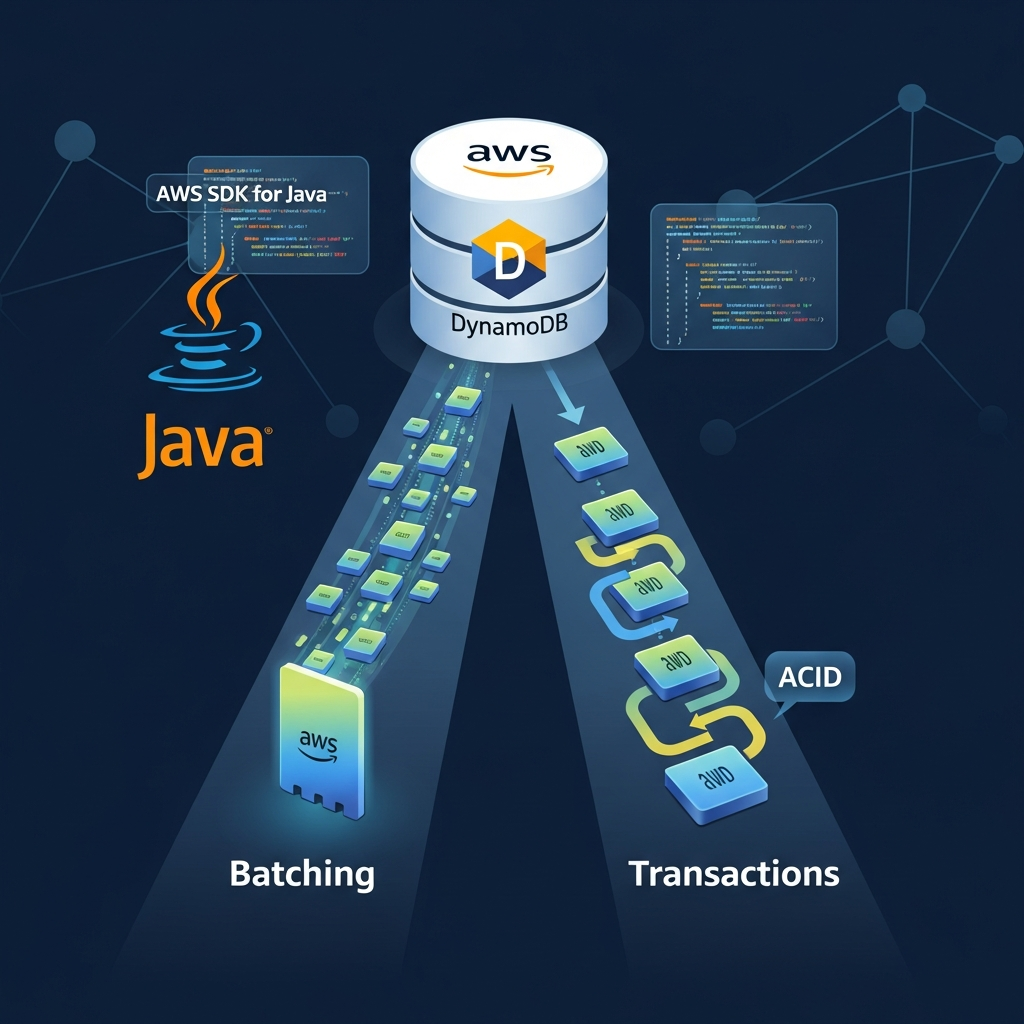
BatchGetItemandBatchWriteItem. These are more efficient than individualGetItem/PutItemcalls, as they reduce network round trips. Note:BatchWriteItemis not transactional. - Transactions (
TransactWriteItems,TransactGetItems): When you need to read or write multiple items atomically (all or nothing), use DynamoDB transactions. This is critical for maintaining data integrity across related items in your single table. - Attribute Projections: When querying or scanning, always project only the attributes you need. This reduces the amount of data transferred and saves RCUs.
- Hot Partition Avoidance: Ensure your Partition Keys distribute data access evenly. Avoid keys that would concentrate too much read or write activity on a single partition (e.g., a
PKlikeSTATUS#ACTIVEif most items are active). Use high-cardinality attributes for your PKs or introduce a random suffix for extremely high-volume use cases. - TTL (Time To Live): For data that expires (e.g., session tokens, temporary logs), configure TTL on your table. DynamoDB automatically deletes expired items, saving storage costs and simplifying data lifecycle management.
Common Pitfalls and Anti-Patterns
- Treating DynamoDB like a Relational Database: Trying to normalize data into many small tables or expecting complex join operations will lead to poor performance and high costs. Embrace denormalization and the power of PK/SK/GSI.
- Not Using GSIs Effectively: Failing to define appropriate GSIs for secondary access patterns forces you to use expensive
Scanoperations or multipleGetItemcalls. - Over-fetching Data:
Scanoperations without filters, orQueryoperations that projectALLattributes when only a few are needed, waste RCUs and bandwidth. - Poorly Chosen Partition Keys: A low-cardinality PK or one that concentrates access will lead to hot partitions, causing throttling and performance bottlenecks.
- Ignoring Read/Write Capacity Units (RCU/WCU): Not understanding how RCUs/WCUs are consumed can lead to unexpected costs or throttling. Monitor your capacity usage and adjust accordingly (on-demand or provisioned capacity).
- Lack of Understanding of Eventually Consistent Reads: By default, GSI reads are eventually consistent. If your application requires the absolute latest data, you must specify
ConsistentRead = true(only for primary table reads) or design your application to tolerate eventual consistency. - Over-reliance on Scans:
Scanoperations read every item in the table (or index). They are almost always inefficient and should be avoided in production for large datasets. UseQuerywhenever possible.
Conclusion
Single Table Design in DynamoDB is a powerful and essential technique for building high-performance, scalable, and cost-effective applications. While it requires a shift in mindset and a deeper understanding of DynamoDB's core mechanics, the benefits in terms of efficiency, consistency, and scalability are immense.
By carefully defining polymorphic Partition Keys and Sort Keys, strategically leveraging Global Secondary Indexes for diverse access patterns, and implementing these patterns with the AWS SDK for Java v2's DynamoDbEnhancedClient, you can unlock the full potential of DynamoDB. Remember to always design with your application's access patterns in mind, embrace denormalization, and avoid common pitfalls.
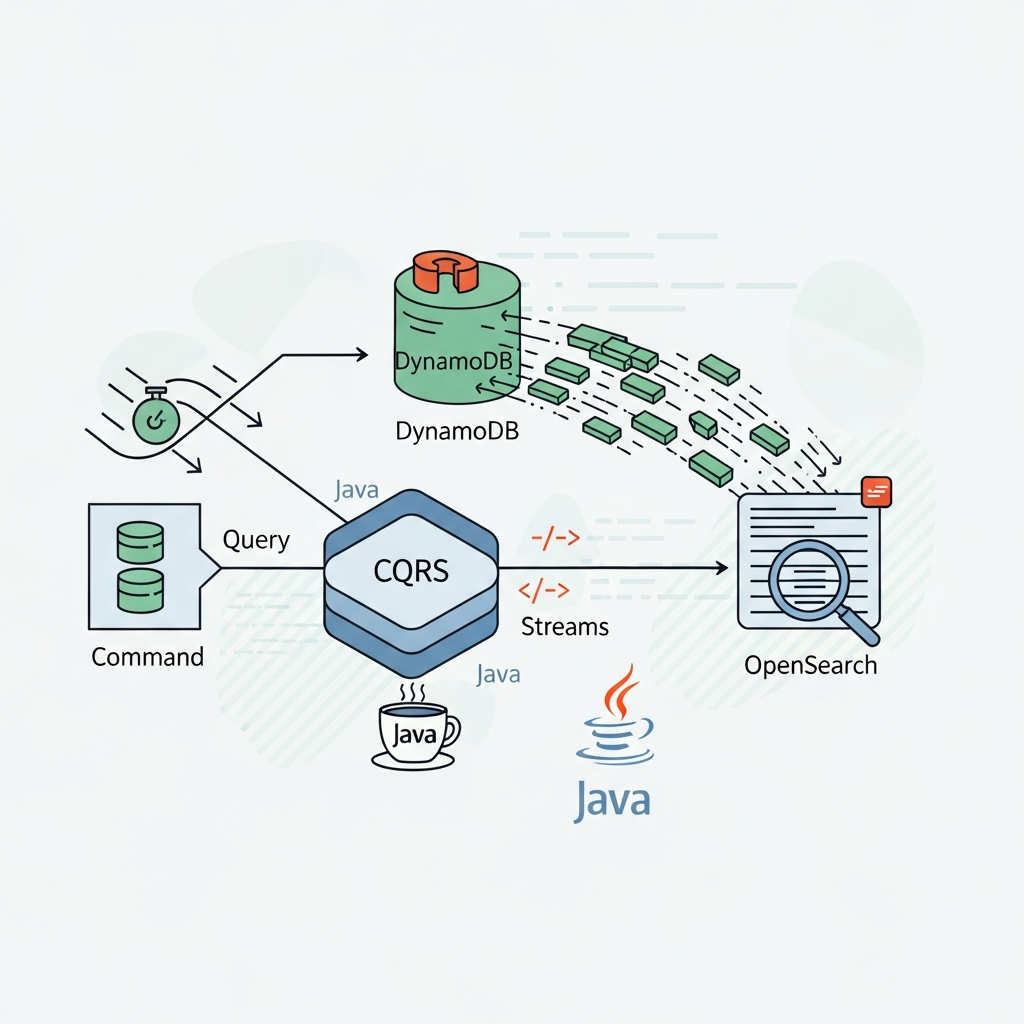
Start experimenting with these patterns in your Java applications today. The initial modeling effort pays off significantly in the long run, leading to a robust and highly performant data layer. As you grow, explore advanced topics like DynamoDB Streams for real-time event processing and integrating with other AWS services to build even more sophisticated solutions.

Written by
CodewithYohaFull-Stack Software Engineer with 7+ years of experience in Java, Spring Boot, and cloud architecture across AWS, Azure, and GCP. Writing production-grade engineering patterns for developers who ship real software.