Introduction
The rise of sophisticated AI agents, powered by large language models (LLMs), has opened unprecedented possibilities for automation and intelligent interaction. However, even the most advanced LLMs have inherent limitations: they lack real-time information, cannot directly interact with external systems, or access proprietary data sources. Their knowledge is often static, based on their training data cutoff.
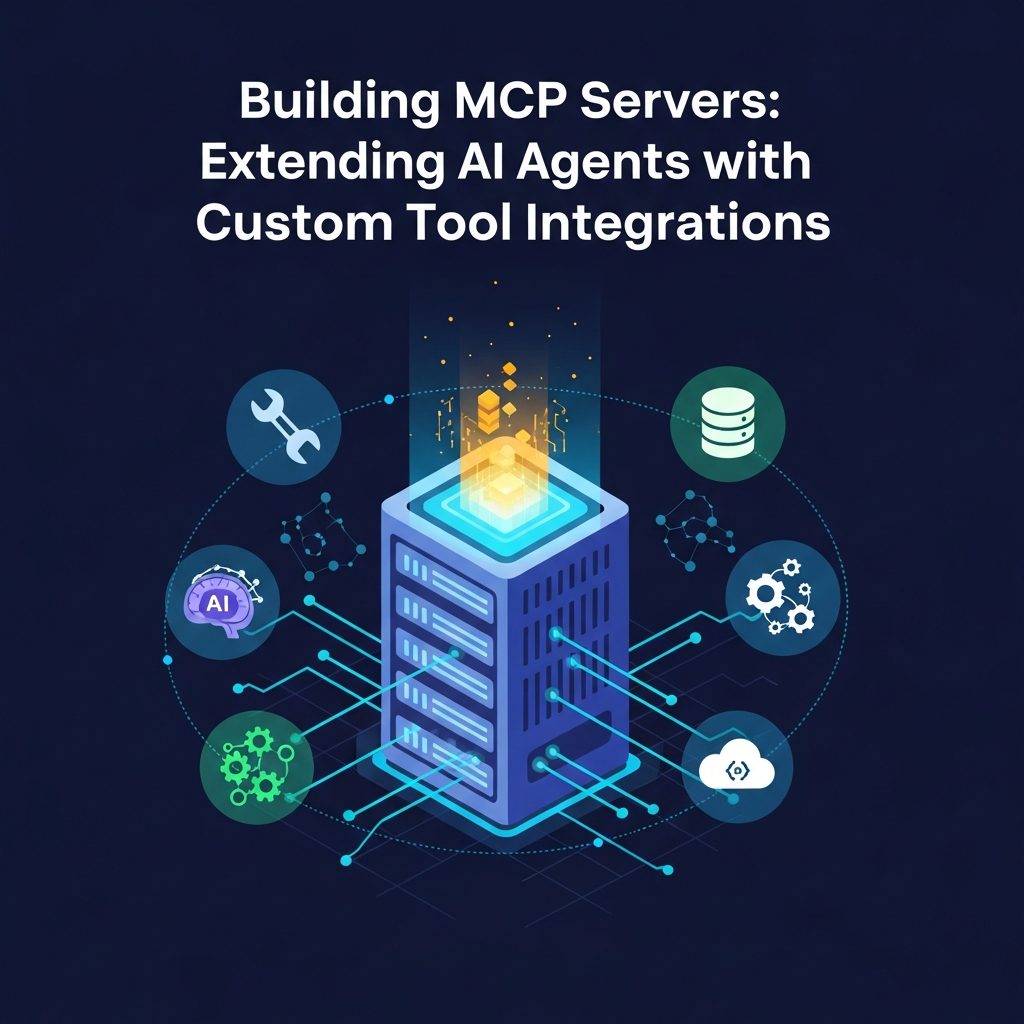
Enter the concept of "tool use" – the ability for an AI agent to leverage external functions, APIs, and services to extend its capabilities. This is where Multi-Capability Provider (MCP) servers become indispensable. An MCP server acts as a crucial bridge, exposing a well-defined set of custom tools and functionalities that an AI agent can discover, understand, and invoke to perform actions, retrieve up-to-date information, or access specialized domain logic.
This comprehensive guide will walk you through the process of designing, building, and deploying MCP servers, enabling your AI agents to transcend their inherent limitations and become truly powerful, context-aware, and actionable entities. We'll cover everything from architectural considerations to practical code examples using modern Python frameworks.
Prerequisites
To get the most out of this guide, you should have:
- Basic Python knowledge: Familiarity with Python syntax, functions, and common libraries.
- Understanding of AI agent concepts: An awareness of how AI agents (e.g., those built with LangChain, LlamaIndex, or directly using OpenAI Function Calling) operate and utilize external tools.
- Familiarity with REST APIs: Basic understanding of HTTP methods (GET, POST), request/response cycles, and JSON data format.
- Conceptual understanding of web frameworks: Exposure to frameworks like Flask or FastAPI is a plus, but we'll cover the essentials.
1. The AI Agent's Dilemma: Why Custom Tools?
Imagine an AI agent designed to assist with travel planning. While it can generate itineraries based on general knowledge, it can't:
- Access real-time flight prices: Its training data is outdated.
- Book a hotel: It has no interface to booking systems.
- Check a user's loyalty points: This requires access to a specific database.
- Send a confirmation email: It lacks email sending capabilities.
These are the fundamental limitations that custom tools address. By providing an AI agent with access to well-defined tools, we empower it to:
- Perform actions: Book, send, create, update.
- Retrieve real-time data: Weather, stock prices, news, flight status.
- Access proprietary or domain-specific data: Internal databases, CRM systems.
- Utilize specialized computation: Run complex simulations, perform specific data analysis tasks.
This transformation shifts AI agents from mere conversational interfaces to active participants in complex workflows.
2. Introducing MCP Servers: The Bridge to External Capabilities
An MCP (Multi-Capability Provider) server is essentially a specialized microservice designed to expose a collection of functionalities (tools) to AI agents. It acts as an API gateway, translating the agent's high-level requests into specific API calls or function executions.
How it works:
- Tool Definition: Each tool exposed by the MCP server has a clear schema (often OpenAPI or JSON Schema) describing its purpose, required parameters, and expected output.
- Agent Discovery: The AI agent (or its orchestrator) is provided with these tool schemas. It analyzes user prompts and its internal state to determine if any available tool can help achieve its goal.
- Tool Invocation: If a tool is selected, the agent constructs a request (e.g., a JSON payload) conforming to the tool's schema and sends it to the MCP server's designated endpoint.
- Execution: The MCP server receives the request, validates it, executes the underlying logic (e.g., calls an external API, queries a database, runs a local function), and processes the result.
- Response: The MCP server returns the result to the AI agent, again in a structured format (JSON). The agent then incorporates this information into its ongoing reasoning or response generation.
This architecture decouples the AI agent's reasoning from the complexities of external system integration, making agents more modular, scalable, and easier to manage.
3. Designing Your Custom Tool Interface
The effectiveness of your MCP server heavily depends on how well you design your tool interfaces. Clear, concise, and unambiguous definitions are crucial for the AI agent to correctly understand and use your tools.
Key design principles:
- Descriptive Names: Tool names should clearly indicate their function (e.g.,
get_current_weather,book_flight,send_email). - Clear Descriptions: Provide a human-readable description for each tool, explaining what it does and when it should be used. This is vital for the LLM's reasoning.
- Precise Parameters: Define parameters with appropriate types (string, integer, boolean), descriptions, and whether they are required or optional. Use JSON Schema or OpenAPI definitions.
- Atomic Operations: Generally, each tool should perform a single, well-defined operation. Avoid tools that try to do too many things, as this makes it harder for the agent to use them effectively.
- Consistent Output: Design tool outputs to be structured and predictable, making it easier for the AI agent to parse and utilize the results.
Example Tool Schema (Conceptual - based on OpenAPI/JSON Schema):
{
  "name": "get_current_weather",
  "description": "Get the current weather for a specified location. Use this tool when the user asks about the weather in a specific city.",
  "parameters": {
    "type": "object",
    "properties": {
      "location": {
        "type": "string",
        "description": "The city and state, e.g., San Francisco, CA"
      },
      "unit": {
        "type": "string",
        "enum": ["celsius", "fahrenheit"],
        "description": "The unit of temperature to use. Defaults to celsius.",
        "default": "celsius"
      }
    },
    "required": ["location"]
  }
}
4. Choosing Your Server Framework: FastAPI vs. Flask
When building an MCP server in Python, two popular choices are Flask and FastAPI.
Flask:
- Pros: Lightweight, mature, very flexible, large community.
- Cons: Synchronous by default (requires extensions for async), less opinionated about API structure, no built-in data validation or OpenAPI generation.
FastAPI:
- Pros: Modern, built on Starlette (async-ready), Pydantic for data validation and serialization, automatic OpenAPI/Swagger UI generation, excellent performance, great developer experience.
- Cons: Slightly steeper learning curve if unfamiliar with async Python or type hints.
For MCP servers, FastAPI is often the superior choice due to its asynchronous capabilities (important for non-blocking I/O when calling external APIs), automatic OpenAPI documentation (which AI agents can often consume directly), and robust data validation. We will use FastAPI for our examples.
5. Building a Basic MCP Server with FastAPI (Code Example 1)
Let's start by creating a simple FastAPI application that exposes a single "hello" tool.
First, install FastAPI and Uvicorn:
pip install fastapi uvicornNow, create a file named mcp_server.py:
from fastapi import FastAPI, HTTPException
from pydantic import BaseModel
import uvicorn

# Initialize the FastAPI app
app = FastAPI(
    title="AI Agent Custom Tools MCP",
    description="A Multi-Capability Provider server exposing custom tools for AI agents."
)

# 1. Define the input schema for the 'greet_user' tool
class GreetingInput(BaseModel):
    name: str
    language: str = "English"

# 2. Define the output schema for the 'greet_user' tool
class GreetingOutput(BaseModel):
    message: str

# 3. Expose the 'greet_user' tool as an API endpoint
@app.post("/tools/greet_user", response_model=GreetingOutput, summary="Greet a user in a specified language")
async def greet_user(input: GreetingInput):
    """
    Greets a user by name in the specified language.

    This tool is useful for personalizing interactions with users.
    """
    if input.language.lower() == "spanish":
        message = f"Hola, {input.name}!"
    elif input.language.lower() == "french":
        message = f"Bonjour, {input.name}!"
    else:
        message = f"Hello, {input.name}!"

    return GreetingOutput(message=message)


# Optional: Root endpoint for health check or info
@app.get("/", summary="Health Check")
async def root():
    return {"status": "MCP Server is running", "version": "1.0.0"}


# To run the server:
# uvicorn mcp_server:app --host 0.0.0.0 --port 8000 --reload
Explanation:
FastAPI: Our web framework.Pydantic BaseModel: Used to define clear input (GreetingInput) and output (GreetingOutput) schemas. FastAPI automatically uses these for validation and OpenAPI generation.@app.post("/tools/greet_user", ...): Defines an API endpoint that corresponds to ourgreet_usertool. We use POST because tools typically involve sending data (parameters).async def greet_user(...): FastAPI functions can beasyncfor non-blocking operations.input: GreetingInput: FastAPI automatically validates the incoming JSON payload against ourGreetingInputPydantic model.summaryand docstring: These are crucial for generating clear OpenAPI documentation, which AI agents can then use to understand the tool's purpose and parameters.
To run this server, save the code as mcp_server.py and execute in your terminal:
uvicorn mcp_server:app --host 0.0.0.0 --port 8000 --reloadYou can then visit http://127.0.0.1:8000/docs in your browser to see the automatically generated OpenAPI (Swagger UI) documentation for your tool.
6. Integrating a Real-World API: Weather Tool (Code Example 2)
Now, let's build a more practical tool that interacts with an external API – a weather service. We'll use the OpenWeatherMap API (you'll need a free API key).
First, install the httpx library for making asynchronous HTTP requests:
pip install httpxModify mcp_server.py to add the new weather tool:
from fastapi import FastAPI, HTTPException, status
from pydantic import BaseModel, Field
import uvicorn
import httpx
import os

# Retrieve API key from environment variable for security
OPENWEATHER_API_KEY = os.getenv("OPENWEATHER_API_KEY")
if not OPENWEATHER_API_KEY:
    raise ValueError("OPENWEATHER_API_KEY environment variable not set.")

app = FastAPI(
    title="AI Agent Custom Tools MCP",
    description="A Multi-Capability Provider server exposing custom tools for AI agents."
)

# --- Greeting Tool (from previous example) ---
class GreetingInput(BaseModel):
    name: str
    language: str = "English"

class GreetingOutput(BaseModel):
    message: str

@app.post("/tools/greet_user", response_model=GreetingOutput, summary="Greet a user in a specified language")
async def greet_user(input: GreetingInput):
    """
    Greets a user by name in the specified language.
    This tool is useful for personalizing interactions with users.
    """
    if input.language.lower() == "spanish":
        message = f"Hola, {input.name}!"
    elif input.language.lower() == "french":
        message = f"Bonjour, {input.name}!"
    else:
        message = f"Hello, {input.name}!"

    return GreetingOutput(message=message)

# --- Weather Tool ---
class WeatherInput(BaseModel):
    city: str = Field(..., description="The name of the city for which to get the weather.")
    country_code: str = Field("US", description="The two-letter country code (e.g., US, GB, DE). Defaults to US.")
    unit: str = Field("metric", description="Units of measurement: 'metric' for Celsius, 'imperial' for Fahrenheit. Defaults to metric.")

class WeatherOutput(BaseModel):
    location: str
    temperature: float
    feels_like: float
    description: str
    humidity: int
    wind_speed: float
    unit: str

@app.post("/tools/get_current_weather", response_model=WeatherOutput, summary="Get the current weather conditions for a city")
async def get_current_weather(input: WeatherInput):
    """
    Retrieves the current weather conditions for a specified city and country code.
    Use this tool when the user asks about the weather.
    """
    base_url = "http://api.openweathermap.org/data/2.5/weather"
    params = {
        "q": f"{input.city},{input.country_code}",
        "appid": OPENWEATHER_API_KEY,
        "units": input.unit
    }

    async with httpx.AsyncClient() as client:
        try:
            response = await client.get(base_url, params=params)
            response.raise_for_status() # Raise an exception for bad status codes
            data = response.json()

            # Basic error handling for API response
            if data.get("cod") == "404":
                raise HTTPException(status_code=status.HTTP_404_NOT_FOUND, detail=f"City '{input.city}' not found.")

            weather_data = data["main"]
            wind_data = data["wind"]
            weather_description = data["weather"][0]["description"]

            return WeatherOutput(
                location=data["name"],
                temperature=weather_data["temp"],
                feels_like=weather_data["feels_like"],
                description=weather_description,
                humidity=weather_data["humidity"],
                wind_speed=wind_data["speed"],
                unit="Celsius" if input.unit == "metric" else "Fahrenheit"
            )
        except httpx.HTTPStatusError as e:
            raise HTTPException(status_code=e.response.status_code, detail=f"Weather API error: {e.response.text}")
        except httpx.RequestError as e:
            raise HTTPException(status_code=status.HTTP_503_SERVICE_UNAVAILABLE, detail=f"Network error connecting to weather API: {e}")
        except Exception as e:
            raise HTTPException(status_code=status.HTTP_500_INTERNAL_SERVER_ERROR, detail=f"An unexpected error occurred: {e}")

# Optional: Root endpoint for health check or info
@app.get("/", summary="Health Check")
async def root():
    return {"status": "MCP Server is running", "version": "1.0.0"}

# To run the server:
# Set your API key: export OPENWEATHER_API_KEY="YOUR_API_KEY_HERE"
# Then run: uvicorn mcp_server:app --host 0.0.0.0 --port 8000 --reload
Explanation:
- Environment Variable:
OPENWEATHER_API_KEYis loaded from an environment variable for security, preventing hardcoding sensitive keys. httpx.AsyncClient: Used for making asynchronous HTTP requests toapi.openweathermap.org. This is crucial for performance, as it doesn't block the server while waiting for the external API response.- Error Handling: Comprehensive
try-exceptblocks are included to catch network errors (httpx.RequestError), HTTP status errors (httpx.HTTPStatusError), and specific API errors (e.g., city not found). These errors are re-raised asHTTPExceptionwith appropriate status codes and details, providing useful feedback to the AI agent or upstream system. - Pydantic
Field: Used to add more descriptive metadata to parameters, improving the auto-generated documentation for the AI agent.
Before running, get a free API key from OpenWeatherMap and set it as an environment variable:
export OPENWEATHER_API_KEY="YOUR_OPENWEATHERMAP_API_KEY"
uvicorn mcp_server:app --host 0.0.0.0 --port 8000 --reload
7. State Management and Asynchronous Operations
Many real-world tools require more than just stateless API calls. They might need to:
- Maintain state: E.g., a shopping cart, a user session, or a multi-step process.
- Perform long-running tasks: E.g., processing a large file, training a model, or generating a report.
Strategies:
- Stateless by Design: For simple tools, keep them stateless. All necessary information should be passed in the request.
- External State Stores: For stateful interactions, the MCP server should interact with external databases (SQL, NoSQL), caching layers (Redis), or message queues (RabbitMQ, Kafka) to store and retrieve state.
- Asynchronous Background Tasks: For long-running operations, the tool can initiate a background task (e.g., using Celery, FastAPI's
BackgroundTasks, or by pushing to a message queue) and immediately return atask_id. The AI agent can then query another tool (get_task_status) using thistask_idto check for completion.
Example (Conceptual for long-running task):
# ... (imports and existing code)

class LongTaskInput(BaseModel):
    data_url: str

class LongTaskOutput(BaseModel):
    task_id: str
    status_url: str

# In a real scenario, this would involve a task queue like Celery
async def _process_data_in_background(task_id: str, data_url: str):
    print(f"Processing task {task_id} for data: {data_url}")
    # Simulate long running work
    await asyncio.sleep(10)
    print(f"Task {task_id} completed.")
    # Update status in a database/cache

@app.post("/tools/start_data_processing", response_model=LongTaskOutput, summary="Initiate a long-running data processing task")
async def start_data_processing(input: LongTaskInput):
    """
    Starts an asynchronous data processing task and returns a task ID.
    The agent can then query the status using 'get_processing_status'.
    """
    task_id = str(uuid.uuid4())
    # In a real app, push to a message queue or use a dedicated task runner
    asyncio.create_task(_process_data_in_background(task_id, input.data_url))

    return LongTaskOutput(
        task_id=task_id,
        status_url=f"/tools/get_processing_status?task_id={task_id}"
    )

class TaskStatusOutput(BaseModel):
    task_id: str
    status: str
    result: Optional[str] = None

@app.get("/tools/get_processing_status", response_model=TaskStatusOutput, summary="Get the status of a data processing task")
async def get_processing_status(task_id: str):
    """
    Retrieves the current status and result of a previously initiated data processing task.
    """
    # In a real app, query a database or cache for task status
    # For this example, we'll simulate a random status
    import random
    status_options = ["PENDING", "RUNNING", "COMPLETED", "FAILED"]
    current_status = random.choice(status_options)

    result = None
    if current_status == "COMPLETED":
        result = f"Processed data for task {task_id} successfully."
    elif current_status == "FAILED":
        result = f"Task {task_id} failed with an error."

    return TaskStatusOutput(task_id=task_id, status=current_status, result=result)
8. Security Considerations for MCP Servers
Since MCP servers act as gateways to your internal systems and external APIs, security is paramount.
- Authentication & Authorization: Implement robust mechanisms. This could involve:
- API Keys: Simple, but less secure for production. Use environment variables.
- OAuth2/JWT: More secure, especially if your AI agent ecosystem supports it. Ensure proper token validation.
- Internal Network Access: Restrict MCP server access to only trusted AI orchestrators within your private network.
- Input Validation: FastAPI and Pydantic handle basic type validation, but always validate business logic and sanitize inputs to prevent injection attacks (SQL, XSS, etc.).
- Least Privilege: Ensure the MCP server (and the underlying services it calls) only has the minimum necessary permissions.
- Rate Limiting: Protect against abuse and accidental overload by implementing rate limiting on your endpoints.
- Logging & Monitoring: Implement comprehensive logging of requests, responses, and errors. Integrate with monitoring tools to detect anomalies.
- Secrets Management: Never hardcode API keys or credentials. Use environment variables, Kubernetes Secrets, AWS Secrets Manager, or Azure Key Vault.
9. Deployment Strategies and Scalability
Deploying your MCP server requires careful consideration for reliability and scalability.
- Containerization (Docker): Package your FastAPI app into a Docker image. This ensures consistent environments across development and production.
dockerfile
# Dockerfile example FROM python:3.9-slim-buster WORKDIR /app COPY requirements.txt ./requirements.txt RUN pip install --no-cache-dir -r requirements.txt COPY . . CMD ["uvicorn", "mcp_server:app", "--host", "0.0.0.0", "--port", "8000"] - Orchestration (Kubernetes): For production, deploy your Docker containers on Kubernetes. This provides features like auto-scaling, load balancing, service discovery, and self-healing.
- Serverless (AWS Lambda, Azure Functions, Google Cloud Functions): For tools that are invoked infrequently or have bursty traffic, serverless functions can be cost-effective and highly scalable. You'd typically expose them via an API Gateway.
- Monitoring & Alerting: Set up Prometheus/Grafana, Datadog, or similar tools to monitor server health, request latency, error rates, and resource utilization.
10. Integrating with AI Agent Frameworks (LangChain/LlamaIndex)
Modern AI agent frameworks are designed to work with external tools. Here's a conceptual overview of how you'd integrate your MCP server with LangChain.
LangChain Integration (Conceptual):
LangChain often uses Tool objects, which can be constructed from custom functions or by parsing OpenAPI specifications.
-
Generate OpenAPI Spec: Your FastAPI server automatically generates an OpenAPI spec at
/openapi.json. You can fetch this programmatically. -
Define a Custom Tool (if not using OpenAPI parsing directly):
pythonfrom langchain.tools import BaseTool from pydantic import BaseModel, Field import requests # For synchronous example, use httpx for async # Define the input schema for LangChain's Tool class WeatherToolInput(BaseModel): city: str = Field(description="The city name, e.g., 'London'") country_code: str = Field(description="The two-letter country code, e.g., 'GB'", default="US") unit: str = Field(description="Units of temperature: 'metric' for Celsius, 'imperial' for Fahrenheit", default="metric") class CustomWeatherTool(BaseTool): name = "get_current_weather" description = "Useful for getting the current weather conditions for a specified city and country." args_schema: Type[BaseModel] = WeatherToolInput def _run(self, city: str, country_code: str = "US", unit: str = "metric") -> str: # This would call your MCP server endpoint mcp_server_url = "http://localhost:8000/tools/get_current_weather" payload = {"city": city, "country_code": country_code, "unit": unit} try: response = requests.post(mcp_server_url, json=payload) response.raise_for_status() return response.json() # Agent processes this JSON except requests.exceptions.RequestException as e: return f"Error calling weather tool: {e}" async def _arun(self, city: str, country_code: str = "US", unit: str = "metric") -> str: # Asynchronous version using httpx # ... (similar logic as _run, but with async httpx) raise NotImplementedError("Async not implemented for this example") # In your agent creation logic: # tools = [CustomWeatherTool(), ...] # agent = initialize_agent(tools, llm, agent=AgentType.OPENAI_FUNCTIONS, verbose=True) # agent.run("What's the weather like in Paris, France?") -
OpenAI Functions Agent: If you're using OpenAI's Function Calling API, you'd convert your FastAPI's OpenAPI schema into the specific JSON format expected by OpenAI (which FastAPI helps with greatly). The LLM then directly generates the function call arguments, which your orchestrator then sends to your MCP server.
11. Advanced Patterns: Tool Chaining and Dynamic Tools
Tool Chaining:
Sometimes, an agent needs to use multiple tools in sequence to achieve a complex goal. For example:
search_database(to find a user's ID)get_user_profile(using the ID from step 1)send_personalized_email(using details from step 2)
Your MCP server doesn't directly handle chaining, but it provides the atomic tools. The AI agent's reasoning engine is responsible for deciding the sequence of tool calls based on its current goal and the results of previous tool calls.
Dynamic Tool Discovery:
For very large systems, you might not want to hardcode all tools. Dynamic tool discovery involves:
- Tool Registry: A central service that lists available MCP servers and their exposed tools.
- Agent Initialization: The AI agent queries this registry at startup or on demand to get the latest set of tools.
- Version Control: Tools can be versioned, allowing agents to use specific versions or adapt to changes.
This pattern is common in microservices architectures and provides greater flexibility and scalability.
12. Best Practices for MCP Server Development
- Modularity: Organize your tools into logical modules or even separate microservices if they become too complex or have distinct concerns.
- Clear Documentation: Leverage FastAPI's automatic OpenAPI generation. Ensure your
summaryand docstrings are descriptive for each endpoint/tool. - Robust Error Handling: Provide meaningful error messages and appropriate HTTP status codes. This helps the AI agent understand what went wrong and potentially recover.
- Idempotency: Design tools to be idempotent where possible. Calling the same tool with the same parameters multiple times should have the same effect as calling it once (e.g., creating a resource should return the existing resource if it already exists).
- Observability: Implement structured logging, metrics (e.g., Prometheus), and tracing (e.g., OpenTelemetry) to understand how your tools are being used and to diagnose issues.
- Versioning: Use API versioning (e.g.,
/v1/tools/,/v2/tools/) to manage changes to your tool interfaces without breaking existing agents. - Testing: Write unit tests for individual tool logic and integration tests for the FastAPI endpoints.
Common Pitfalls
- Over-complex Tools: Tools that try to do too much become difficult for the AI agent to use and reason about. Keep them atomic.
- Poor Error Handling: Generic or uninformative errors leave the AI agent guessing, leading to broken interactions.
- Security Oversights: Neglecting authentication, input validation, or proper secrets management can expose sensitive systems.
- Lack of Idempotency: Can lead to duplicate actions or inconsistent states if an agent retries failed tool calls.
- Synchronous I/O in Async Frameworks: Using
requestsinstead ofhttpxin anasyncFastAPI app can block the event loop, severely impacting performance. Always useawaitwithasynclibraries. - Insufficient Logging: Makes debugging and understanding agent behavior extremely difficult.
Conclusion
Building MCP servers is a powerful paradigm for extending the capabilities of AI agents, transforming them from mere conversationalists into active participants in the digital world. By carefully designing and implementing custom tools, you can enable your agents to interact with real-world systems, access dynamic information, and perform complex, domain-specific tasks.
With frameworks like FastAPI, the process of exposing these capabilities is streamlined, offering robust data validation, asynchronous performance, and automatic documentation. As AI agents become more sophisticated, the ability to integrate them seamlessly with external tools via well-architected MCP servers will be a critical skill for developers and architects alike.
Start experimenting with your own custom tools today, and unlock the full potential of your AI agents!
Enjoyed this deep dive? Buy me a coffee!
Every article on CodeWithYoha is 100% free, independent, and sponsor-free. If this guide saved you hours of debugging or helped you architect better software, consider supporting future guides with a coffee ($5, $10, or any amount of your choice).

Written by
CodewithYohaFull-Stack Software Engineer with 7+ years of experience in Java, Spring Boot, and cloud architecture across AWS, Azure, and GCP. Writing production-grade engineering patterns for developers who ship real software.