Advanced Multi-Agent Systems: CrewAI, LangGraph, Routing, and HITL

Introduction
The landscape of artificial intelligence is rapidly evolving, moving beyond single-shot prompts to sophisticated autonomous agents capable of performing complex, multi-step tasks. While individual agents excel at specialized functions, real-world problems often demand collaboration, dynamic decision-making, and robust oversight. This is where multi-agent systems shine, orchestrating a symphony of specialized AI entities to achieve a common, intricate goal.
Building production-grade multi-agent systems, however, introduces significant challenges: how do agents know when to act, what information to share, and who should handle a particular sub-task? Furthermore, how do we ensure reliability, safety, and compliance in autonomous systems, especially when critical decisions are involved? The answer lies in effective task routing and strategic Human-in-the-Loop (HITL) integration.
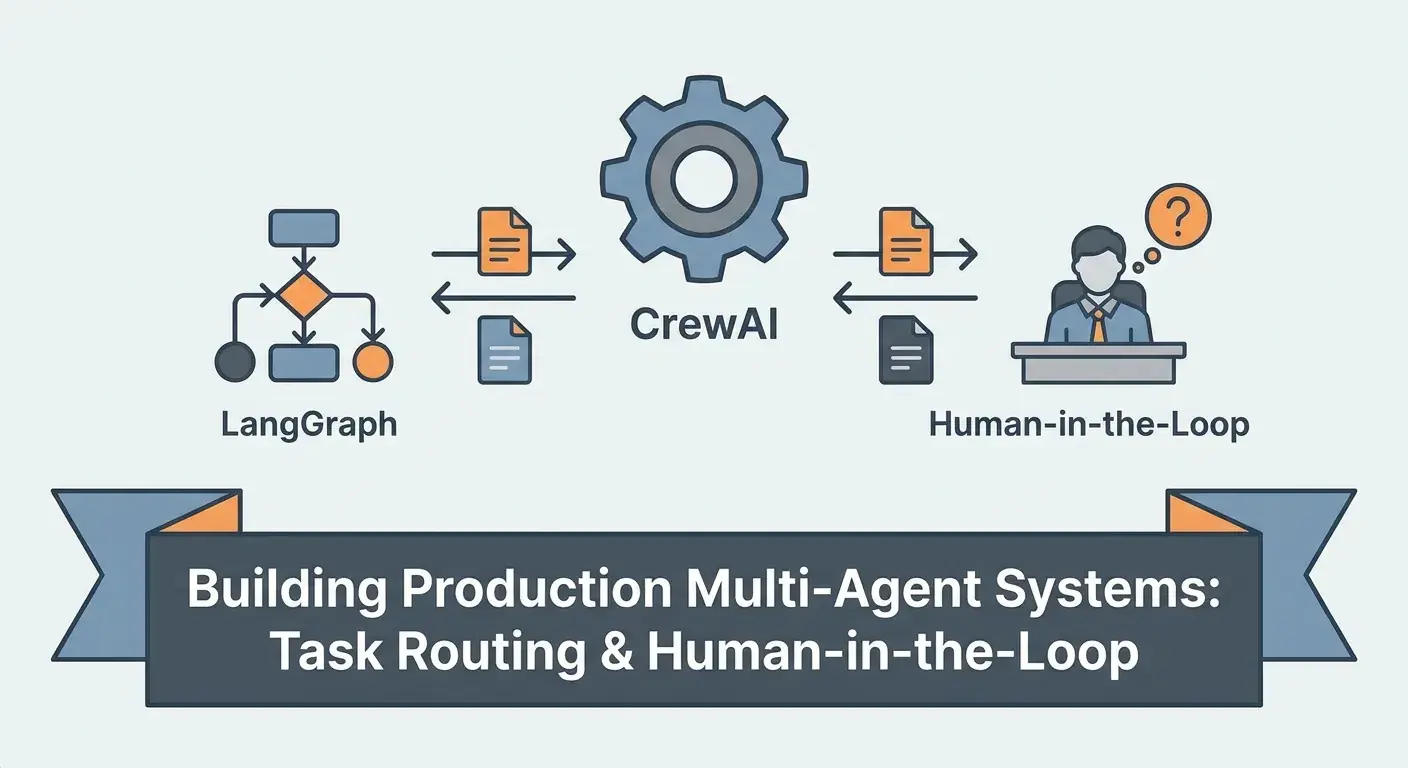
This comprehensive guide explores how to leverage two powerful frameworks – CrewAI for collaborative agent definition and LangGraph for stateful, cyclic execution graphs – to build robust, production-ready multi-agent systems. We'll delve into advanced task routing mechanisms that direct agents with precision and integrate Human-in-the-Loop processes to ensure oversight, quality, and adaptability in complex AI workflows.
Prerequisites
To follow along with the code examples and concepts in this article, you should have:
- Basic understanding of Python programming.
- Familiarity with Large Language Models (LLMs) and their capabilities.
- An API key for an LLM provider (e.g., OpenAI, Anthropic, Google Gemini).
pipinstalled and ready for package installation.
The Evolution of AI Agents: Why Multi-Agent?
Initially, interacting with LLMs involved sending a single prompt and receiving a single response. This proved powerful for many tasks but fell short for complex problems requiring iterative refinement, diverse expertise, or sequential steps. The concept of an "AI agent" emerged: an LLM equipped with tools, memory, and a defined role, capable of reasoning, planning, and taking actions to achieve a goal.
However, a single agent, no matter how capable, can be overwhelmed by highly specialized or multifaceted tasks. Imagine a team of human experts: a researcher, a writer, an editor, and a designer. Each brings unique skills to a project. Multi-agent systems mimic this collaborative structure, offering several key advantages:
- Specialization: Each agent can be fine-tuned for a specific role (e.g., data analyst, content creator, code reviewer), leading to higher accuracy and efficiency in their domain.
- Robustness: If one agent fails or struggles, others can potentially pick up the slack or provide alternative perspectives.
- Complex Problem Solving: By breaking down large problems into smaller, manageable sub-tasks that different agents can tackle, multi-agent systems can address challenges beyond the scope of a single agent.
- Scalability: New agents can be added to handle increasing complexity or new types of tasks without redesigning the entire system.
While powerful, multi-agent systems introduce the challenge of orchestration: how do these agents coordinate their efforts, share information, and ensure progress towards the ultimate goal? This is where frameworks like CrewAI and LangGraph become indispensable.
CrewAI: Collaborative AI Agents Made Easy
CrewAI is an open-source framework designed to simplify the creation and orchestration of collaborative AI agents. It provides a structured way to define agents with specific roles, goals, and tools, and then assign them tasks within a "crew" to work together.
Key concepts in CrewAI:
- Agent: An autonomous entity with a
role,goal,backstory, and a set oftoolsit can use. - Task: A specific piece of work assigned to an agent, with a
description,expected_output, and potentially acontextfrom previous tasks. - Crew: A collection of agents and tasks, defining the
process(e.g.,sequential,hierarchical) by which tasks are executed.
CrewAI abstracts away much of the complexity of inter-agent communication and task delegation, allowing developers to focus on defining the agents' expertise and the overall workflow. Here's a quick example of defining agents and a crew:
# First, install CrewAI and a language model integration (e.g., OpenAI)
# pip install crewai 'crewai[tools]' openai

import os
from crewai import Agent, Task, Crew, Process
from langchain_openai import ChatOpenAI

# Set your OpenAI API key
os.environ["OPENAI_API_KEY"] = "YOUR_OPENAI_API_KEY"

# Define LLM (can be any Langchain-compatible LLM)
llm = ChatOpenAI(model="gpt-4o", temperature=0.7)

# Define Agents
researcher = Agent(
    role='Senior Research Analyst',
    goal='Uncover groundbreaking insights on AI agent frameworks',
    backstory='A seasoned analyst with a knack for dissecting complex technical topics and extracting actionable information.',
    llm=llm,
    verbose=True,
    allow_delegation=False
)

writer = Agent(
    role='Technical Content Writer',
    goal='Craft compelling and informative blog posts based on research findings',
    backstory='A creative writer who transforms complex technical data into engaging, easy-to-understand narratives.',
    llm=llm,
    verbose=True,
    allow_delegation=False
)

# Define Tasks
research_task = Task(
    description='Identify the key features, benefits, and limitations of CrewAI and LangGraph for multi-agent systems.',
    expected_output='A detailed report summarizing the core functionalities and comparative advantages of CrewAI and LangGraph.',
    agent=researcher
)

write_blog_post_task = Task(
    description='Write a 1000-word blog post based on the research report, focusing on practical implementation and use cases.',
    expected_output='A well-structured, engaging blog post suitable for a technical audience.',
    agent=writer,
    context=[research_task] # Writer needs the research output
)

# Form the Crew
project_crew = Crew(
    agents=[researcher, writer],
    tasks=[research_task, write_blog_post_task],
    process=Process.sequential, # Tasks are executed one after another
    verbose=True
)

# Kick off the project
# result = project_crew.kickoff()
# print(result)
This example demonstrates a simple sequential workflow. For more dynamic and conditional execution, we need a more powerful orchestration tool.
LangGraph: State Management and Control Flow for Agents
While CrewAI excels at defining agents and their collaborative tasks, LangGraph, built on top of LangChain, provides the underlying state management and control flow necessary for truly complex, dynamic, and cyclic agentic workflows. It allows you to define a directed acyclic graph (DAG) or a cyclic graph where nodes represent agent actions, tool calls, or functions, and edges define transitions between these nodes.
LangGraph's core strength lies in its ability to manage state across multiple steps and to enable conditional routing. This means an agent's decision or a tool's output can directly influence which node is executed next. This is crucial for:
- Iterative Processes: Agents can loop back to refine outputs or gather more information.
- Conditional Logic: Different paths can be taken based on specific criteria (e.g., routing a customer query based on its type).
- Human-in-the-Loop: Pausing execution for human review and then resuming based on human input.
- Error Handling: Redirecting to error recovery nodes.
LangGraph moves beyond simple sequential chains, enabling robust, reactive systems that can adapt to changing conditions and outcomes, making it perfect for building the backbone of production-ready multi-agent systems.
Task Routing: Directing Agent Expertise
In a multi-agent system, efficient task routing is paramount. It's the mechanism that ensures the right agent, with the right expertise, receives the right task at the right time. Without effective routing, agents might waste cycles on irrelevant tasks, leading to inefficiencies, incorrect outputs, or even system collapse.
Strategies for task routing:
- Explicit Routing: The simplest form, where the developer predefines the sequence of tasks and which agent handles them (as seen in the basic CrewAI example). This is suitable for well-understood, fixed workflows.
- LLM-driven Routing (Autonomous Routing): An LLM acts as a router, analyzing the current state, task description, or agent output, and deciding which agent or node should execute next. This is highly flexible and adaptive.
- Tool-based Routing: Agents use tools that inherently route to other agents or functions. For instance, an initial "Triage Agent" might have tools like
escalate_to_tech_supportorforward_to_billing_department, effectively routing the request. - Conditional Routing (LangGraph): LangGraph's conditional edges are the most powerful mechanism. A function evaluates the current state and returns a string indicating the next node to execute, or a list of nodes for parallel execution.
LangGraph empowers sophisticated routing logic by allowing you to define a graph where each node represents a specific action (e.g., an agent processing a task, calling a tool, or a human review step), and edges dictate the flow based on dynamic conditions. This is where the true power of LangGraph for multi-agent orchestration shines.
Implementing Task Routing with LangGraph (Code Example)
Let's illustrate LLM-driven and conditional routing with a simplified customer support scenario. An initial message comes in, and we need to route it to either a "Technical Support Agent" or a "Billing Agent" based on its content.
First, we'll set up some basic agents and tools with CrewAI for clarity, but the routing logic will be handled by LangGraph.
# pip install langchain_community langgraph crewai openai

import os
from typing import TypedDict, Annotated, List
import operator
from crewai import Agent, Task, Crew, Process
from langchain_openai import ChatOpenAI
from langgraph.graph import StateGraph, END

os.environ["OPENAI_API_KEY"] = "YOUR_OPENAI_API_KEY"
llm = ChatOpenAI(model="gpt-4o", temperature=0.7)

# 1. Define Agents using CrewAI
tech_support_agent = Agent(
    role='Technical Support Specialist',
    goal='Resolve technical issues reported by customers',
    backstory='Expert in diagnosing and fixing software and hardware problems.',
    llm=llm,
    verbose=True,
    allow_delegation=False
)

billing_agent = Agent(
    role='Billing & Accounts Specialist',
    goal='Handle customer inquiries related to billing, subscriptions, and payments',
    backstory='Proficient in managing financial transactions and resolving account discrepancies.',
    llm=llm,
    verbose=True,
    allow_delegation=False
)

# Helper function to run a single CrewAI agent's task within LangGraph
def run_crew_task(agent: Agent, task_description: str, context: str = "") -> str:
    task = Task(
        description=task_description,
        expected_output=f"A concise resolution or action plan for: {task_description}",
        agent=agent,
        context=[context] if context else []
    )
    crew = Crew(
        agents=[agent],
        tasks=[task],
        process=Process.sequential,
        verbose=False
    )
    result = crew.kickoff()
    return result

# 2. Define LangGraph State
class AgentState(TypedDict):
    customer_query: str
    resolution: Annotated[List[str], operator.add]
    current_agent: str # To track which agent is active

# 3. Define LangGraph Nodes
def route_query(state: AgentState):
    print("---ROUTING QUERY---")
    query = state["customer_query"]
    router_llm = ChatOpenAI(model="gpt-4o", temperature=0)
    # A simple LLM-based router decision
    decision = router_llm.invoke(
        f"Analyze the following customer query and determine if it's 'technical' or 'billing'. "
        f"Respond with only 'technical' or 'billing'.\nQuery: {query}"
    ).content.strip().lower()

    print(f"Routing decision: {decision}")
    return decision

def handle_technical_issue(state: AgentState):
    print("---HANDLING TECHNICAL ISSUE---")
    query = state["customer_query"]
    tech_resolution = run_crew_task(tech_support_agent, f"Investigate and resolve: {query}")
    return {"resolution": [tech_resolution], "current_agent": "Technical Support"}

def handle_billing_issue(state: AgentState):
    print("---HANDLING BILLING ISSUE---")
    query = state["customer_query"]
    billing_resolution = run_crew_task(billing_agent, f"Address and resolve: {query}")
    return {"resolution": [billing_resolution], "current_agent": "Billing Support"}

# 4. Build the LangGraph
workflow = StateGraph(AgentState)

workflow.add_node("route_query", route_query)
workflow.add_node("handle_technical", handle_technical_issue)
workflow.add_node("handle_billing", handle_billing_issue)

workflow.set_entry_point("route_query")

# Conditional routing based on the 'route_query' node's output
workflow.add_conditional_edges(
    "route_query",
    route_query, # The function itself determines the next path
    {
        "technical": "handle_technical",
        "billing": "handle_billing"
    }
)

# End the graph after resolution
workflow.add_edge("handle_technical", END)
workflow.add_edge("handle_billing", END)

app = workflow.compile()

# 5. Run the graph with different queries
# print("\n--- Running with Technical Query ---")
# tech_result = app.invoke({"customer_query": "My software keeps crashing after the update.", "resolution": []})
# print(f"Final Resolution (Technical): {tech_result['resolution'][-1]}")

# print("\n--- Running with Billing Query ---")
# billing_result = app.invoke({"customer_query": "I was charged twice for my subscription this month.", "resolution": []})
# print(f"Final Resolution (Billing): {billing_result['resolution'][-1]}")
In this example, the route_query node uses an LLM to classify the input query. Based on the LLM's classification ("technical" or "billing"), LangGraph's add_conditional_edges directs the flow to either the handle_technical or handle_billing node, where the respective CrewAI agent processes the task. This demonstrates dynamic, LLM-driven task routing.
Human-in-the-Loop (HITL): Ensuring Oversight and Quality
While AI agents are powerful, complete autonomy can be risky in production environments. Human-in-the-Loop (HITL) integration is crucial for ensuring the reliability, safety, ethical compliance, and quality of multi-agent systems. It strategically places human oversight at critical junctures, preventing errors and providing valuable feedback for system improvement.
Why HITL is essential for production:
- Accuracy and Quality Assurance: Humans can catch hallucinations, nuanced errors, or outputs that don't meet specific quality standards.
- Safety and Compliance: For high-stakes applications (e.g., medical, financial, legal), human review is often a regulatory requirement and a safeguard against unintended consequences.
- Handling Ambiguity: When agents encounter ambiguous situations or novel problems, a human can provide context, clarification, or make a judgment call.
- Learning and Improvement: Human feedback (approvals, rejections, corrections) can be used to fine-tune agents, improve routing logic, or refine tool usage.
- Trust and Explainability: Involving humans builds trust in the system and provides an avenue for understanding agent decisions.
When to integrate HITL:
- Before critical actions: E.g., sending an email, making a financial transaction, deploying code.
- After complex reasoning: When an agent has synthesized information and proposes a solution.
- For final content approval: E.g., a blog post, a legal document.
- On low-confidence predictions: When the agent itself indicates uncertainty.
- For escalation: When an agent cannot resolve a problem.
Common HITL patterns include approval/rejection, correction/editing, and escalation.
Integrating Human-in-the-Loop with CrewAI and LangGraph (Code Example)
Let's extend our customer support example to include a human review step. After an agent provides a resolution, a human must approve it before it's finalized.
import os
from typing import TypedDict, Annotated, List
import operator
from crewai import Agent, Task, Crew, Process
from langchain_openai import ChatOpenAI
from langgraph.graph import StateGraph, END
from langgraph.checkpoint.memory import MemorySaver # For state persistence during HITL

os.environ["OPENAI_API_KEY"] = "YOUR_OPENAI_API_KEY"
llm = ChatOpenAI(model="gpt-4o", temperature=0.7)

# Define Agents (re-using from previous example)
tech_support_agent = Agent(
    role='Technical Support Specialist',
    goal='Resolve technical issues reported by customers',
    backstory='Expert in diagnosing and fixing software and hardware problems.',
    llm=llm,
    verbose=True,
    allow_delegation=False
)

billing_agent = Agent(
    role='Billing & Accounts Specialist',
    goal='Handle customer inquiries related to billing, subscriptions, and payments',
    backstory='Proficient in managing financial transactions and resolving account discrepancies.',
    llm=llm,
    verbose=True,
    allow_delegation=False
)

def run_crew_task(agent: Agent, task_description: str, context: str = "") -> str:
    task = Task(
        description=task_description,
        expected_output=f"A concise resolution or action plan for: {task_description}",
        agent=agent,
        context=[context] if context else []
    )
    crew = Crew(
        agents=[agent],
        tasks=[task],
        process=Process.sequential,
        verbose=False
    )
    result = crew.kickoff()
    return result

# LangGraph State with a 'needs_human_review' flag and 'human_feedback'
class AgentState(TypedDict):
    customer_query: str
    resolution: Annotated[List[str], operator.add]
    current_agent: str
    needs_human_review: bool
    human_feedback: str

# LangGraph Nodes
def route_query(state: AgentState):
    print("---ROUTING QUERY---")
    query = state["customer_query"]
    router_llm = ChatOpenAI(model="gpt-4o", temperature=0)
    decision = router_llm.invoke(
        f"Analyze the following customer query and determine if it's 'technical' or 'billing'. "
        f"Respond with only 'technical' or 'billing'.\nQuery: {query}"
    ).content.strip().lower()
    print(f"Routing decision: {decision}")
    return decision

def handle_technical_issue(state: AgentState):
    print("---HANDLING TECHNICAL ISSUE---")
    query = state["customer_query"]
    tech_resolution = run_crew_task(tech_support_agent, f"Investigate and resolve: {query}")
    return {"resolution": [tech_resolution], "current_agent": "Technical Support", "needs_human_review": True}

def handle_billing_issue(state: Agent_State):
    print("---HANDLING BILLING ISSUE---")
    query = state["customer_query"]
    billing_resolution = run_crew_task(billing_agent, f"Address and resolve: {query}")
    return {"resolution": [billing_resolution], "current_agent": "Billing Support", "needs_human_review": True}

def human_review_node(state: AgentState):
    print("---WAITING FOR HUMAN REVIEW---")
    print(f"Query: {state['customer_query']}")
    print(f"Proposed Resolution: {state['resolution'][-1]}")
    # In a real application, this would be a UI prompt, webhook, or message queue
    # For this example, we'll simulate input.
    feedback = input("Human: Approve (yes/no) or provide correction: ")
    if feedback.lower() == 'yes':
        return {"human_feedback": "approved", "needs_human_review": False}
    else:
        return {"human_feedback": feedback, "needs_human_review": True} # If not approved, re-evaluate

def re_evaluate_resolution(state: AgentState):
    print("---RE-EVALUATING RESOLUTION BASED ON HUMAN FEEDBACK---")
    query = state["customer_query"]
    previous_resolution = state["resolution"][-1]
    feedback = state["human_feedback"]
    current_agent_role = state["current_agent"]

    # Determine which agent needs to re-evaluate
    agent_to_use = tech_support_agent if current_agent_role == "Technical Support" else billing_agent

    updated_resolution = run_crew_task(
        agent_to_use,
        f"Re-evaluate and refine the following resolution based on human feedback. "
        f"Original query: {query}\nPrevious resolution: {previous_resolution}\nHuman feedback: {feedback}"
    )
    return {"resolution": [updated_resolution], "needs_human_review": True} # Back to human review

# 4. Build the LangGraph with HITL
workflow = StateGraph(AgentState)

workflow.add_node("route_query", route_query)
workflow.add_node("handle_technical", handle_technical_issue)
workflow.add_node("handle_billing", handle_billing_issue)
workflow.add_node("human_review", human_review_node)
workflow.add_node("re_evaluate", re_evaluate_resolution)

workflow.set_entry_point("route_query")

# Routing to initial handlers
workflow.add_conditional_edges(
    "route_query",
    route_query,
    {
        "technical": "handle_technical",
        "billing": "handle_billing"
    }
)

# After handling, always go to human review
workflow.add_edge("handle_technical", "human_review")
workflow.add_edge("handle_billing", "human_review")

# Conditional routing after human review
def decide_after_review(state: AgentState):
    if state["human_feedback"] == "approved":
        return "end"
    else:
        return "re_evaluate"

workflow.add_conditional_edges(
    "human_review",
    decide_after_review,
    {
        "end": END,
        "re_evaluate": "re_evaluate"
    }
)

# After re-evaluation, go back to human review
workflow.add_edge("re_evaluate", "human_review")

app = workflow.compile()

# Example of running the graph with HITL
# print("\n--- Running with HITL for a Technical Query ---")
# print("Initial state:", {"customer_query": "My VPN disconnects randomly, I need help.", "resolution": [], "needs_human_review": False, "human_feedback": ""})
# # The graph will pause at human_review_node, waiting for input.
# # You'll need to manually run the next step with the updated state.
# # For a real app, this would be handled by a persistent checkpointing mechanism.

# # To run step-by-step for demonstration:
# print("\n--- First Invocation (up to human_review) ---")
# for s in app.stream({"customer_query": "My VPN disconnects randomly, I need help.", "resolution": [], "needs_human_review": False, "human_feedback": ""}):
#     if "human_review" in s:
#         print(f"Human review needed for: {s['human_review']['resolution'][-1]}")
#         # Simulate human input - for a real app, this would be async
#         human_input = input("Human says (yes/no/correction): ")
#         # In a real system, you'd save state and then invoke with human_input
#         # For this example, we'll assume 'no, check logs more carefully'
#         current_state = s['human_review'] # Get the state right before human_review
#         current_state['human_feedback'] = human_input
#         current_state['needs_human_review'] = True
#         break # Stop after the first human review pause

# # Now, imagine the human input is processed and the graph resumes from human_review
# print("\n--- Second Invocation (after human feedback) ---")
# # For a live system, you would reload the state and continue.
# # Here, we'll simulate by creating a new graph run with the updated state.
# # This part is tricky to demonstrate purely sequentially without checkpointing.
# # If human_input was 'yes', it would END. If 'no', it would go to re_evaluate.
# # For a full demo, you'd use app.invoke with the updated state after human_review.
# # For example, if human_input was 'no, check logs more carefully', the state would be:
# # updated_state = {
# #   'customer_query': 'My VPN disconnects randomly, I need help.',
# #   'resolution': ['[AI Agent Resolution] VPN issue: Check network drivers and firewall settings.'],
# #   'current_agent': 'Technical Support',
# #   'needs_human_review': True,
# #   'human_feedback': 'no, check logs more carefully'
# # }
# # final_result = app.invoke(updated_state)
# # print(f"Final Resolution (after re-evaluation): {final_result['resolution'][-1]}")
This example demonstrates how LangGraph manages state and conditionally routes based on human input. The human_review_node simulates a pause, waiting for input. If the human approves, the graph ends. If they provide feedback or reject, the graph routes back to re_evaluate_resolution, where the agent refines its output based on the feedback, and then returns to the human for another review, creating a powerful feedback loop.
Best Practices for Production Multi-Agent Systems
Building reliable, scalable, and maintainable multi-agent systems requires adherence to certain best practices:
- Modular Design: Separate concerns. Define agents with clear, distinct roles and responsibilities. Keep tasks focused. Encapsulate tools for reusability. This makes debugging and maintenance much easier.
- Clear State Definition: In LangGraph, carefully define your
AgentState. What information needs to persist across nodes? What is essential for routing decisions? Overly complex state can lead to confusion; overly simplistic state can limit functionality. - Robust Error Handling and Retries: Agents can fail, tools can return errors, LLMs can hallucinate. Implement
try-exceptblocks, define fallback agents, and consider retry mechanisms with exponential backoff. LangGraph can define error handling paths. - Observability and Logging: Implement comprehensive logging for agent actions, decisions, tool calls, and state changes. Use tracing tools (like LangSmith) to visualize the agent's thought process and the graph's execution path. This is critical for understanding why an agent made a particular decision or where a workflow failed.
- Asynchronous Operations: For long-running tasks or external API calls, leverage asynchronous programming (
asyncio) to prevent blocking the entire workflow, especially if agents are working in parallel. - Security and Data Privacy: Be mindful of sensitive information. Ensure API keys are stored securely (e.g., environment variables, secret management services). Sanitize inputs and outputs to prevent data leakage or prompt injection vulnerabilities.
- Iterative Development and Testing: Start simple. Define a minimal viable multi-agent system and gradually add complexity. Write unit tests for individual agents and integration tests for the overall workflow, especially for routing logic and HITL paths.
- Clear Human-in-the-Loop Interfaces: If integrating HITL, ensure the human interface is intuitive, provides sufficient context, and clearly communicates what action is expected (approve, reject, edit, escalate).
- Cost Management: LLM API calls can be expensive. Optimize prompts, use cheaper models for simpler tasks (e.g., routing), implement caching, and monitor token usage.
Common Pitfalls and How to Avoid Them
Even with robust frameworks, pitfalls can derail your multi-agent system:
- Agent Hallucination: Agents might generate factually incorrect information or confidently assert false statements.
- Avoid: Ground agents with reliable tools (retrieval augmented generation - RAG, databases, APIs). Implement fact-checking tools. Integrate HITL for critical outputs.
- Infinite Loops: Agents might get stuck in a cycle, repeatedly performing the same actions or asking the same questions.
- Avoid: Implement maximum iteration limits in LangGraph. Ensure clear termination conditions for tasks. Design state to track progress and prevent re-entering states unnecessarily. Introduce a "stuck" detection mechanism.
- Over-orchestration: Making the system too complex for the problem it solves. Unnecessary agents or overly intricate graphs can be harder to debug and maintain.
- Avoid: Start with the simplest multi-agent design that solves the problem. Add complexity only when necessary. Often, a single, well-tooled agent can handle tasks that might initially seem to require multiple.
- Lack of Transparency: It's hard to understand why an agent made a particular decision or why a workflow took a specific path.
- Avoid: Leverage
verbose=Truein CrewAI agents. Use LangGraph's state history and tracing tools (like LangSmith) to log and visualize the execution flow and agent reasoning steps.
- Avoid: Leverage
- Ignoring Human Feedback: Treating HITL as a mere formality rather than an integral part of the system's learning and validation process.
- Avoid: Design HITL loops that genuinely incorporate feedback to refine agent behavior or update knowledge bases. Treat human corrections as valuable data for future system improvements.
- Prompt Engineering Overload: Relying solely on prompt engineering to define agent behavior, leading to brittle and hard-to-maintain systems.
- Avoid: Use tools and clear task definitions to constrain agent behavior. Leverage fine-tuning for specific behaviors where appropriate, rather than increasingly complex prompts.
Real-World Use Cases
The combination of CrewAI for agent definition and LangGraph for dynamic orchestration opens up a multitude of powerful real-world applications:
- Automated Customer Support with Escalation: An initial "Triage Agent" routes queries. A "Resolution Agent" attempts to solve the problem. If unsuccessful or if the issue is sensitive, it escalates to a "Human Agent" node (HITL) or a specialized "Senior Support Agent".
- Content Generation and Editing Workflows: A "Researcher Agent" gathers information, a "Writer Agent" drafts content, an "Editor Agent" refines it for grammar and style, and finally, a "Human Reviewer" approves the final piece before publication.
- Research and Analysis with Verification: Agents collaborate to gather data, synthesize findings, and propose hypotheses. A "Validator Agent" or a human reviewer checks for accuracy and biases before conclusions are drawn.
- Software Development Lifecycle: A "Planning Agent" breaks down requirements. A "Coding Agent" writes code. A "Testing Agent" generates and runs tests. A "Code Review Agent" suggests improvements, and a "Human Developer" approves pull requests.
- Financial Advisory and Planning: Agents analyze market data, client portfolios, and regulatory changes. A "Recommendation Agent" proposes investment strategies, which are then reviewed by a "Human Financial Advisor" before being presented to the client.
Conclusion and Future Outlook
Multi-agent systems represent a significant leap forward in AI capabilities, enabling us to tackle problems of unprecedented complexity. By combining CrewAI's intuitive agent and task definitions with LangGraph's powerful state management and conditional routing, developers can construct highly sophisticated, resilient, and adaptive AI workflows.
The integration of task routing ensures that expertise is utilized efficiently, while Human-in-the-Loop mechanisms provide the critical oversight necessary for production environments, fostering trust, ensuring quality, and enabling continuous improvement. As AI continues to evolve, the ability to build and manage these collaborative intelligent systems will be a cornerstone of innovation.
The future of multi-agent systems promises even more advanced capabilities, including self-healing systems, more sophisticated inter-agent communication protocols, and deeper integration with human teams. The journey from prototype to production-ready AI agents is challenging but immensely rewarding, and frameworks like CrewAI and LangGraph are paving the way. Start experimenting, building, and pushing the boundaries of what's possible with collaborative AI.
Enjoyed this deep dive? Buy me a coffee!
Every article on CodeWithYoha is 100% free, independent, and sponsor-free. If this guide saved you hours of debugging or helped you architect better software, consider supporting future guides with a coffee ($5, $10, or any amount of your choice).
Written by
CodewithYohaFull-Stack Software Engineer with 7+ years of experience in Java, Spring Boot, and cloud architecture across AWS, Azure, and GCP. Writing production-grade engineering patterns for developers who ship real software.