Introduction: The Promise and Peril of Virtual Threads in Spring Boot
Project Loom, culminating in Java 21's Virtual Threads (JEP 444), has fundamentally reshaped how we think about concurrent programming in Java. Designed to drastically reduce the overhead of creating and managing threads, Virtual Threads promise unprecedented scalability for I/O-bound applications, allowing developers to write high-throughput code in a straightforward, synchronous style without the complexities of asynchronous programming frameworks.
Spring Boot, a dominant framework for building Java applications, embraced Virtual Threads starting with version 3.2, offering seamless integration by allowing developers to enable them with a simple configuration. This combination appears to be a match made in heaven: Spring's ease of use meets Loom's scalable concurrency.
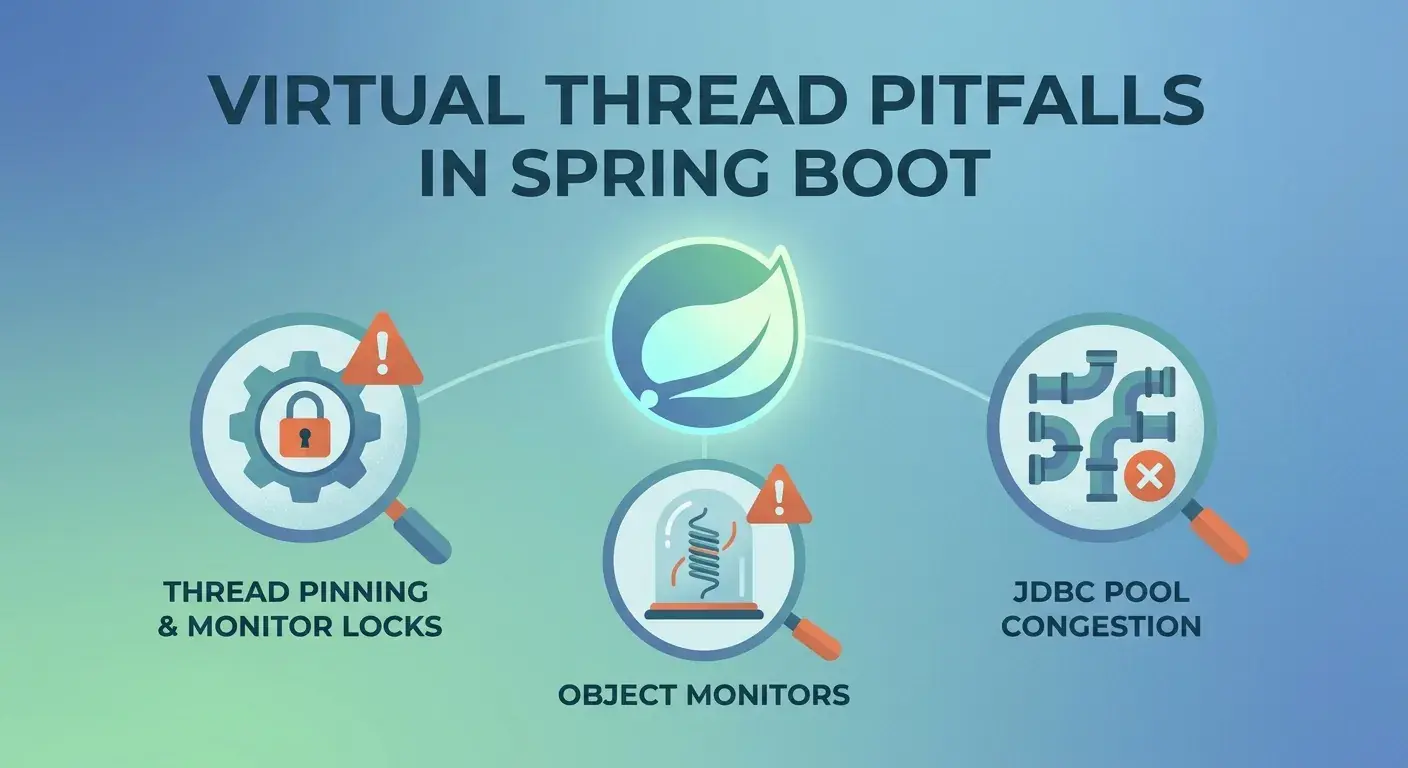
However, like any powerful new technology, Virtual Threads introduce a new set of challenges and considerations. While they abstract away many complexities, they don't eliminate the fundamental issues of concurrency. In fact, they can subtly amplify certain anti-patterns or expose hidden bottlenecks in existing codebases. This article delves into the most critical pitfalls when using Virtual Threads in Spring Boot: thread pinning, object monitor contention, and interactions with JDBC connection pools. We'll explore why these issues arise, how to diagnose them, and most importantly, how to mitigate them to truly harness the power of Project Loom.
Prerequisites
To follow along and understand the concepts discussed, you should have:
- Java Development Kit (JDK) 21 or newer: Virtual Threads are a standard feature from Java 21 onwards.
- Spring Boot 3.2 or newer: Spring Boot's official support for Virtual Threads.
- Basic understanding of Java concurrency: Concepts like threads, locks, and
synchronizedblocks. - Familiarity with Spring Boot applications: Including
Controller,Service, andRepositorycomponents.
Understanding Virtual Threads: A Quick Recap
Before diving into the pitfalls, let's briefly recap what Virtual Threads are and how they differ from traditional platform threads (OS threads):
- Lightweight and Abundant: Unlike platform threads, which are a thin wrapper around OS threads and thus a scarce resource, Virtual Threads are implemented entirely in the JVM. They are extremely cheap to create (millions can exist concurrently) and have a small memory footprint.
- Scheduler-Managed: Virtual Threads are scheduled by the JVM onto a small pool of platform threads, known as carrier threads, typically from a
ForkJoinPool. When a Virtual Thread performs a blocking I/O operation (e.g., network call, disk read), it can be unmounted from its carrier thread, allowing the carrier thread to pick up and run another Virtual Thread. When the I/O operation completes, the Virtual Thread is remounted onto an available carrier thread to resume execution. - Synchronous Code, Asynchronous Scalability: The beauty of Virtual Threads is that you can write traditional, blocking-style code (e.g.,
RestTemplate.getForObject(),Thread.sleep()) and the JVM handles the efficient scheduling and unmounting/remounting, providing high scalability without requiring explicit asynchronous programming models (likeCompletableFutureor reactive frameworks).
This unmounting/remounting mechanism is key to their efficiency. However, certain operations can prevent a Virtual Thread from unmounting, leading to a state known as "pinning."
The Promise vs. The Reality: New Pitfalls Emerge
While Virtual Threads excel at handling blocking I/O, they don't magically solve all concurrency problems. The JVM's ability to unmount a Virtual Thread is conditional. If a Virtual Thread executes code that holds an intrinsic lock (e.g., a synchronized block or method) or performs certain foreign function calls, it cannot be unmounted. In such cases, the Virtual Thread becomes "pinned" to its carrier thread. This means the carrier thread cannot be used by other Virtual Threads until the pinned Virtual Thread completes its blocking operation and releases the intrinsic lock.
Pinning effectively negates the benefits of Virtual Threads, as it ties up a valuable carrier thread, reducing the overall concurrency and throughput of your application. It can lead to scenarios where, despite having many Virtual Threads, your application's performance bottlenecks on the limited number of carrier threads.
Pitfall 1: Thread Pinning - The Silent Performance Killer
Thread pinning occurs when a Virtual Thread is executing a synchronized block or method, and within that synchronized block, it performs a blocking operation (like I/O, Thread.sleep(), or waiting on another thread). Because the Virtual Thread holds an intrinsic lock, the JVM cannot unmount it from its carrier thread. The carrier thread remains occupied until the synchronized block completes.
Why is Pinning Bad?
- Reduced Scalability: Each pinned Virtual Thread consumes a carrier thread. If you have many pinned Virtual Threads, you quickly exhaust the carrier thread pool (typically
ForkJoinPool.commonPool(), which has a size roughly equal to the number of CPU cores). This limits the actual parallelism your application can achieve. - Resource Exhaustion: While Virtual Threads are cheap, carrier threads are not. Pinning can lead to carrier thread starvation, causing subsequent Virtual Threads to wait for an available carrier, effectively bottlenecking your application.
- Subtle Degradation: Pinning doesn't usually cause immediate errors but rather a gradual degradation in throughput and increased latency, making it a "silent killer" that's hard to spot without proper diagnostics.
Diagnosing Thread Pinning
Identifying pinning requires looking at thread dumps or using profiling tools like JFR.
Example Scenario:
Consider a Spring Boot service that uses a synchronized method for a critical section, and within that section, performs a simulated blocking I/O operation (e.g., Thread.sleep()).
// com/example/demo/service/PinningService.java
package com.example.demo.service;

import org.springframework.stereotype.Service;

@Service
public class PinningService {

    private final Object lock = new Object();

    public String performBlockingTaskWithSync() {
        // This synchronized block holds an intrinsic lock
        synchronized (lock) {
            System.out.println("Virtual Thread " + Thread.currentThread().threadId() +
                               " (Carrier: " + Thread.currentThread().getName() + ") entered synchronized block.");
            try {
                // Simulate a blocking I/O operation inside the synchronized block
                Thread.sleep(1000); // This will cause pinning
            } catch (InterruptedException e) {
                Thread.currentThread().interrupt();
            }
            System.out.println("Virtual Thread " + Thread.currentThread().threadId() +
                               " (Carrier: " + Thread.currentThread().getName() + ") exiting synchronized block.");
            return "Task completed by virtual thread (pinned).";
        }
    }
}
And a controller to expose it:
// com/example/demo/controller/PinningController.java
package com.example.demo.controller;

import com.example.demo.service.PinningService;
import org.springframework.web.bind.annotation.GetMapping;
import org.springframework.web.bind.annotation.RestController;

@RestController
public class PinningController {

    private final PinningService pinningService;

    public PinningController(PinningService pinningService) {
        this.pinningService = pinningService;
    }

    @GetMapping("/pinned-task")
    public String getPinnedTask() {
        return pinningService.performBlockingTaskWithSync();
    }
}
To enable Virtual Threads in Spring Boot, add this to application.properties:
spring.threads.virtual.enabled=trueWhen you hit /pinned-task multiple times concurrently, you might observe degraded performance. To diagnose pinning, you can generate a thread dump using jstack or jcmd:
jstack <pid>
# or
jcmd <pid> Thread.dump_to_file -format=json thread_dump.json
In the jstack output, look for lines indicating [os_thread_id: XXXX] and specifically for Locked objects within the stack trace of a Virtual Thread. The key indicator is a Virtual Thread's stack trace showing it's on spinning or running on a carrier thread, and also holding a monitor lock while performing a blocking operation. JFR makes this even clearer by explicitly flagging "Pinned" events.
JFR Output Example (Conceptual):
JFR (Java Flight Recorder) is the most robust tool. When running with JFR enabled (-XX:+FlightRecorder -XX:StartFlightRecording=filename=recording.jfr), you can open the .jfr file in Java Mission Control (JMC). JMC provides a dedicated "Thread" view where pinned threads are explicitly marked. You'll see events like jdk.VirtualThreadPinned indicating the exact location where pinning occurred.
Mitigating Thread Pinning
The core strategy is to avoid holding intrinsic locks (synchronized) while performing blocking operations. Here are the common solutions:
-
Replace
synchronizedwithjava.util.concurrent.locks.Lock:ReentrantLockallows a Virtual Thread to unmount even when holding the lock, as it's not an intrinsic lock.java// com/example/demo/service/NonPinningService.java package com.example.demo.service; import org.springframework.stereotype.Service; import java.util.concurrent.locks.Lock; import java.util.concurrent.locks.ReentrantLock; @Service public class NonPinningService { private final Lock nonPinningLock = new ReentrantLock(); public String performBlockingTaskWithoutPinning() { nonPinningLock.lock(); // Acquire the ReentrantLock try { System.out.println("Virtual Thread " + Thread.currentThread().threadId() + " (Carrier: " + Thread.currentThread().getName() + ") entered non-pinning lock."); // Simulate a blocking I/O operation (does NOT cause pinning with ReentrantLock) Thread.sleep(1000); System.out.println("Virtual Thread " + Thread.currentThread().threadId() + " (Carrier: " + Thread.currentThread().getName() + ") exiting non-pinning lock."); return "Task completed by virtual thread (not pinned)."; } catch (InterruptedException e) { Thread.currentThread().interrupt(); } finally { nonPinningLock.unlock(); // Release the lock } return "Task interrupted."; } } -
Use
java.util.concurrentPrimitives: For atomic operations, preferAtomicInteger,AtomicLong,ConcurrentHashMap,Semaphore, etc., oversynchronizedblocks. -
Refactor Critical Sections: Minimize the scope of
synchronizedblocks. If asynchronizedblock is necessary, ensure no blocking I/O orThread.sleep()calls occur within it. Move blocking operations outside the synchronized region. -
Structured Concurrency: For complex task coordination, explore
java.util.concurrent.StructuredTaskScope(JEP 453 in Java 21) which is designed to work seamlessly with Virtual Threads.
Pitfall 2: Object Monitors and wait()/notify() - A Deeper Dive
wait(), notify(), and notifyAll() methods are intrinsically tied to object monitors (intrinsic locks). While wait() itself is designed to release the intrinsic lock and allow the thread to unmount, the act of acquiring the monitor before calling wait() or notify() can still lead to pinning if not handled carefully, especially if the code holding the monitor also performs blocking operations.
More critically, if you are using wait()/notify() for inter-thread communication, you are implicitly relying on intrinsic locks. If the code path leading to notify() involves blocking I/O while holding the monitor, it will pin.
Diagnosing Object Monitor Issues
Similar to general pinning, jstack output will reveal threads waiting on <monitor> or parking to wait for <monitor>. The key is to identify if the thread waiting or notifying is a Virtual Thread, and if its carrier thread is being held unnecessarily due to the monitor acquisition logic.
Example:
// com/example/demo/service/MonitorService.java
package com.example.demo.service;

import org.springframework.stereotype.Service;

@Service
public class MonitorService {

    private final Object monitor = new Object();
    private boolean condition = false;

    public void producerTask() {
        synchronized (monitor) {
            System.out.println("Producer (VT: " + Thread.currentThread().threadId() + ") acquired monitor.");
            try {
                // Simulate some work before notifying, potentially blocking
                Thread.sleep(500); // This causes pinning if 'monitor' is held
            } catch (InterruptedException e) {
                Thread.currentThread().interrupt();
            }
            condition = true;
            monitor.notifyAll(); // Notifying while holding intrinsic lock is fine for unmounting, but previous sleep was not.
            System.out.println("Producer (VT: " + Thread.currentThread().threadId() + ") notified and released monitor.");
        }
    }

    public void consumerTask() {
        synchronized (monitor) {
            System.out.println("Consumer (VT: " + Thread.currentThread().threadId() + ") acquired monitor.");
            while (!condition) {
                try {
                    System.out.println("Consumer (VT: " + Thread.currentThread().threadId() + ") waiting.");
                    monitor.wait(); // Releases monitor and unmounts Virtual Thread
                } catch (InterruptedException e) {
                    Thread.currentThread().interrupt();
                }
            }
            System.out.println("Consumer (VT: " + Thread.currentThread().threadId() + ") resumed and released monitor.");
            condition = false; // Reset for next cycle
        }
    }
}
In this example, the Thread.sleep(500) inside the synchronized block in producerTask will cause pinning. While monitor.wait() correctly unmounts, the overall design relies on intrinsic locks, which are prone to pinning if any blocking operations creep into the critical section.
Mitigation
-
Prefer
java.util.concurrent.locks.Condition: UseReentrantLockalong with itsnewCondition()method.Conditionobjects provideawait()andsignal()methods that are the non-pinning equivalents ofwait()andnotify(). They are designed to work efficiently with Virtual Threads.java// com/example/demo/service/ConditionService.java package com.example.demo.service; import org.springframework.stereotype.Service; import java.util.concurrent.locks.Condition; import java.util.concurrent.locks.Lock; import java.util.concurrent.locks.ReentrantLock; @Service public class ConditionService { private final Lock lock = new ReentrantLock(); private final Condition conditionVar = lock.newCondition(); private boolean dataReady = false; public void producerTask() { lock.lock(); try { System.out.println("Producer (VT: " + Thread.currentThread().threadId() + ") acquired lock."); // Simulate work (no pinning even with blocking calls here) Thread.sleep(500); dataReady = true; conditionVar.signalAll(); System.out.println("Producer (VT: " + Thread.currentThread().threadId() + ") signaled and released lock."); } catch (InterruptedException e) { Thread.currentThread().interrupt(); } finally { lock.unlock(); } } public void consumerTask() { lock.lock(); try { System.out.println("Consumer (VT: " + Thread.currentThread().threadId() + ") acquired lock."); while (!dataReady) { System.out.println("Consumer (VT: " + Thread.currentThread().threadId() + ") awaiting."); conditionVar.await(); // Releases lock and unmounts Virtual Thread } System.out.println("Consumer (VT: " + Thread.currentThread().threadId() + ") resumed and released lock."); dataReady = false; } catch (InterruptedException e) { Thread.currentThread().interrupt(); } finally { lock.unlock(); } } }
Pitfall 3: JDBC Connection Pools - The Hidden Bottleneck
JDBC connection pools (like HikariCP, Apache DBCP) are fundamental to most Spring Boot applications interacting with relational databases. These pools manage a fixed number of platform threads, each holding a database connection. When a thread requests a connection, it blocks until one is available. With Virtual Threads, this interaction needs careful consideration.
The Nuance of JDBC and Pinning
Modern JDBC drivers and connection pools are generally "Loom-aware" in that they are designed not to pin a Virtual Thread when getConnection() blocks waiting for a connection. When a Virtual Thread calls getConnection() and no connection is immediately available, the Virtual Thread will typically unmount and yield its carrier thread while it waits. This is the desired behavior.
However, pitfalls can still arise from:
- Outdated JDBC Drivers: Older JDBC drivers might use
synchronizedblocks internally around I/O operations or connection management, which could lead to pinning if thesesynchronizedblocks are held during blocking database calls. - Internal Pool Synchronization: While highly optimized pools like HikariCP are generally safe, custom or less mature pools might have internal
synchronizedblocks that cause pinning if they perform blocking operations while holding the monitor. - Carrier Thread Starvation (Indirect Pinning): If other parts of your application suffer from pinning, the carrier thread pool becomes saturated. Even if
getConnection()itself doesn't pin, the Virtual Threads waiting for connections might struggle to get a carrier thread to resume on once a connection becomes available, leading to overall system slowdowns. - Misconfigured Pool Size: A fixed-size connection pool designed for a small number of platform threads might become a bottleneck if hundreds or thousands of Virtual Threads concurrently try to acquire connections. While the Virtual Threads unmount, the database itself might be overwhelmed, or the sheer number of waiting Virtual Threads could exacerbate other performance issues.
Diagnosing JDBC Pool Issues
-
Monitor Connection Pool Metrics: Use Micrometer (integrated with Spring Boot) to monitor HikariCP metrics:
hikaricp_connections_active,hikaricp_connections_idle,hikaricp_connections_waiting,hikaricp_connections_max,hikaricp_connection_acquire_seconds_max. Highwaitingcounts or longacquire_seconds_maxindicate contention. -
Thread Dumps: Look for Virtual Threads whose stack traces show them blocked on
getConnection()or within database driver code. Specifically, examine if anyLockedmonitors are present in stack frames related to database I/O or connection pool management. If a Virtual Thread is shownon spinningand also holding a lock related to database interaction, that's a red flag."VirtualThread[#123,Foo]" #123 on ForkJoinPool-1-worker-5 @ForkJoinPool-1-worker-5/tid=12345 java.base/jdk.internal.vm.Continuation.yield(Continuation.java:319) java.base/java.lang.VirtualThread.park(VirtualThread.java:571) java.base/jdk.internal.misc.VirtualThreadSupport.park(VirtualThreadSupport.java:49) java.base/java.util.concurrent.locks.LockSupport.park(LockSupport.java:370) com.zaxxer.hikari.pool.HikariPool.getConnection(HikariPool.java:200) <--- Waiting for connection ... (your application code calling getConnection) ... (some blocking synchronized block within an *old* JDBC driver or custom pool) - Locked <0x0000000780000000> (a com.old.jdbc.Driver$ConnectionManager)The
Lockedline within a database-related stack trace is the critical indicator of pinning.
Mitigation
- Update JDBC Drivers: Ensure you are using the latest versions of your JDBC drivers. Major drivers like PostgreSQL (
org.postgresql:postgresql:42.5.0+) and MySQL Connector/J (mysql:mysql-connector-java:8.0.30+) have been updated to be Loom-friendly. - Use Loom-Aware Pools: HikariCP is highly optimized and generally Loom-friendly. Ensure you are on a recent version. Avoid custom or less-maintained connection pools unless thoroughly vetted for Virtual Thread compatibility.
- Review Pool Sizing: While Virtual Threads allow for massive concurrency, your database server still has limits. Don't blindly increase the number of Virtual Threads without considering the database's capacity. The connection pool size should be optimized for the database, not necessarily for the number of Virtual Threads. If your database can handle more concurrent connections, you can increase the pool size, but do so based on database performance, not just application-side thread count.
- Database Connection Management: If you're managing connections manually (e.g., in a legacy application without a robust pool), be extremely cautious about
synchronizedblocks aroundConnectionobjects orStatementexecution.
Best Practices for Spring Boot with Virtual Threads
To fully leverage Virtual Threads and avoid the pitfalls, adopt these best practices:
- Embrace
java.util.concurrent: Replacesynchronizedblocks andwait()/notify()withReentrantLock,Semaphore,Condition,ConcurrentHashMap, andAtomicclasses. These are designed for modern concurrency and are Virtual Thread-friendly. - Keep Dependencies Updated: Regularly update Spring Boot, JDBC drivers, HTTP clients (e.g., Apache HttpClient, OkHttp), message queue clients (e.g., Kafka client, RabbitMQ client), and other I/O-bound libraries to their latest versions. Library maintainers are actively making their code Loom-aware.
- Monitor Aggressively: Use JFR, Micrometer, and Spring Boot Actuator endpoints (
/actuator/threaddump,/actuator/metrics) to gain deep insights into your application's runtime behavior. Pay close attention to thread states, carrier thread utilization, and connection pool metrics. - Profile for Pinning: Regularly run JFR recordings in development and staging environments. JMC's ability to highlight pinned threads is invaluable for identifying and resolving bottlenecks early.
- Structured Concurrency for Complex Flows: For scenarios involving multiple concurrent subtasks that need to be coordinated and potentially cancelled, explore
java.util.concurrent.StructuredTaskScope. This API helps manage the lifecycle of a group of Virtual Threads, ensuring proper cleanup and error handling. - Be Mindful of
ThreadLocal: While Virtual Threads supportThreadLocal, they are not designed for resource management. Excessive use ofThreadLocals can lead to memory leaks if not properly managed, as Virtual Threads can be long-lived and reused. UseThreadLocalfor contextual data, but consider alternatives for heavyweight resources. - Test Under Load: The benefits and pitfalls of Virtual Threads become apparent under high concurrency. Stress test your application to simulate real-world load and identify performance bottlenecks.
Common Pitfalls Summary & Anti-Patterns
- Anti-Pattern: Blindly Enabling Virtual Threads: Simply setting
spring.threads.virtual.enabled=truewithout reviewing your codebase forsynchronizedblocks or outdated dependencies. This can introduce subtle performance regressions rather than improvements. - Anti-Pattern: Ignoring
synchronized: Believing that Virtual Threads makesynchronizedsafe everywhere. It remains a pinning risk if blocking operations occur within the critical section. - Anti-Pattern: Outdated Libraries: Running with old JDBC drivers, HTTP clients, or other I/O libraries that haven't been updated for Virtual Thread compatibility.
- Anti-Pattern: Neglecting Monitoring: Not instrumenting your application with tools like Micrometer or not regularly using JFR. Performance issues with Virtual Threads can be subtle and require deep visibility.
- Anti-Pattern: Over-reliance on
ThreadLocalfor Resources: UsingThreadLocalto store connections or other heavy resources without proper lifecycle management, leading to resource leaks.
Conclusion: A New Era of Concurrency, With New Responsibilities
Virtual Threads in Spring Boot represent a paradigm shift, offering an elegant solution to the challenges of building scalable, I/O-bound applications. They simplify concurrency by allowing developers to write straightforward, blocking-style code that the JVM efficiently manages. However, this power comes with a responsibility to understand their underlying mechanics.
The key to successfully adopting Virtual Threads lies in being vigilant about thread pinning, moving away from intrinsic locks (synchronized) where blocking operations are involved, and ensuring your entire dependency stack is Loom-aware. By embracing modern java.util.concurrent primitives, keeping your libraries updated, and leveraging robust monitoring and profiling tools, you can avoid the common pitfalls and truly unlock the high-throughput potential that Virtual Threads promise. This is not just about enabling a feature; it's about evolving your approach to concurrency in Java.
As Project Loom continues to mature and more libraries become fully compatible, the journey towards highly scalable, easy-to-reason-about concurrent applications will only get smoother. Your proactive understanding of these pitfalls will ensure your Spring Boot applications are ready for the future.
Enjoyed this deep dive? Buy me a coffee!
Every article on CodeWithYoha is 100% free, independent, and sponsor-free. If this guide saved you hours of debugging or helped you architect better software, consider supporting future guides with a coffee ($5, $10, or any amount of your choice).

Written by
CodewithYohaFull-Stack Software Engineer with 7+ years of experience in Java, Spring Boot, and cloud architecture across AWS, Azure, and GCP. Writing production-grade engineering patterns for developers who ship real software.