Introduction
The world of data is increasingly real-time. From monitoring IoT devices and tracking financial transactions to personalizing user experiences, the demand for immediate insights and reactions to data streams has never been higher. Apache Kafka has emerged as the de facto standard for building high-throughput, fault-tolerant real-time data pipelines. However, merely ingesting and routing data is often not enough.
Enter Apache Kafka Streams, a client-side library for building applications and microservices that process data in Kafka. While simple transformations like filtering or mapping (stateless operations) are straightforward, many real-world scenarios demand stateful processing. Imagine needing to count events over a time window, join a stream of orders with a stream of product updates, or maintain a running average of sensor readings. These operations require the application to remember information from previous events – to maintain state.
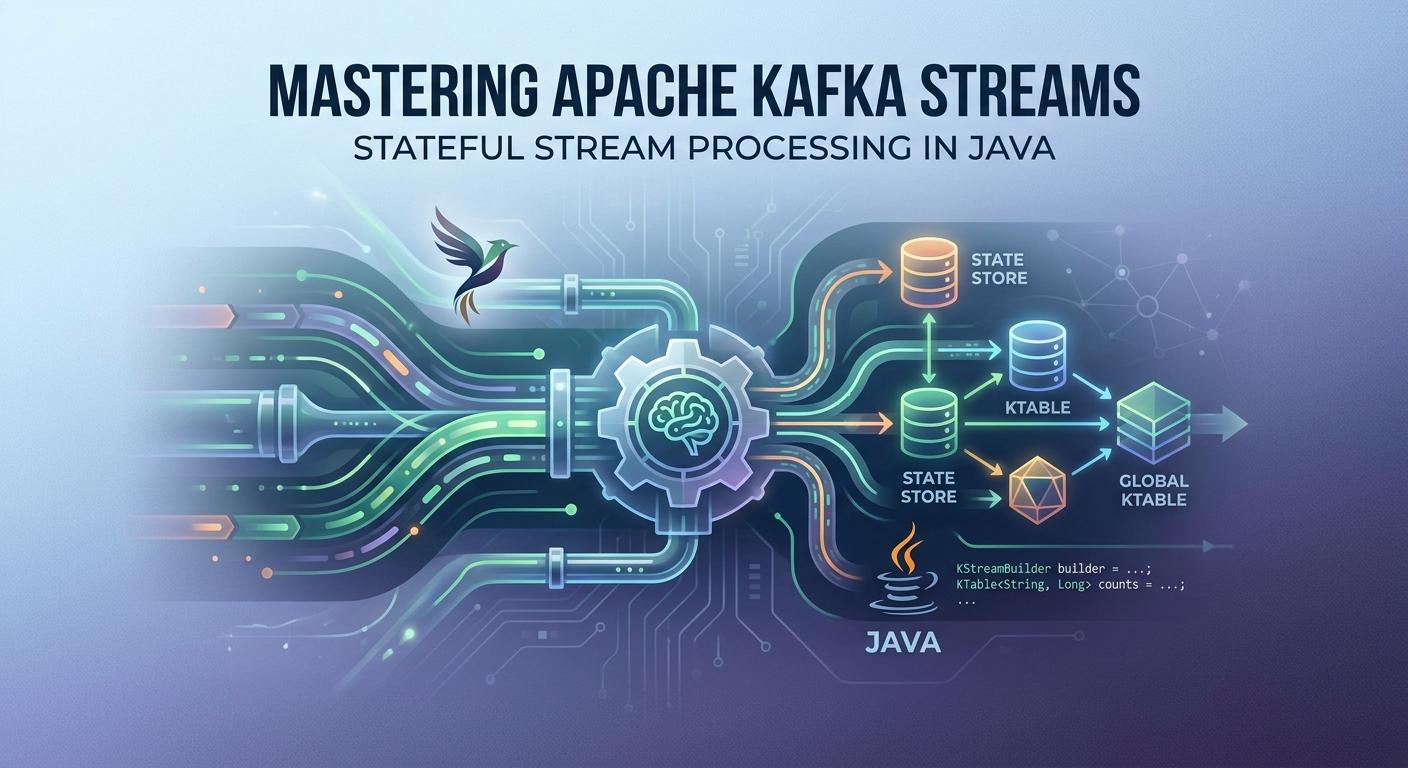
This comprehensive guide will dive deep into the world of stateful stream processing with Apache Kafka Streams in Java. We'll explore its core concepts, practical implementation patterns, best practices, and common pitfalls, empowering you to build powerful, resilient real-time applications.
Prerequisites
To get the most out of this guide, you should have:
- Basic understanding of Apache Kafka: Concepts like topics, producers, consumers, and brokers.
- Java Development Environment: Java 8 or higher, along with a build tool like Maven or Gradle.
- Familiarity with functional programming concepts: While not strictly mandatory, it helps in understanding the Kafka Streams DSL.
1. The Essence of Kafka Streams
Kafka Streams is not a separate cluster technology; it's a Java library. This means you can embed it directly into your existing Java applications or microservices, deployable as standard Java applications. It abstracts away much of the complexity of low-level Kafka consumer/producer APIs, offering two primary ways to build applications:
- Kafka Streams DSL (Domain Specific Language): A high-level, fluent API for common stream processing operations like
map,filter,groupBy,join,aggregate, andwindow. It's declarative and often preferred for its simplicity and readability. - Processor API: A lower-level, imperative API for more complex, custom processing logic where the DSL might not suffice. It allows direct interaction with state stores and offers fine-grained control over processing.
For stateful processing, the DSL is often sufficient and highly recommended due to its expressiveness and built-in fault tolerance mechanisms.
2. Understanding Stream Processing Paradigms: Stateless vs. Stateful
Before diving into implementation, let's solidify the distinction between stateless and stateful processing:
-
Stateless Processing: Each record is processed independently, without any knowledge of previous records. Operations like
filter(record -> record.getValue() > 10)ormap(record -> record.getValue().toUpperCase())are stateless. They transform or filter a single event based solely on its own content. -
Stateful Processing: Requires the processor to remember information from past records to influence the processing of current or future records. This state can be local to the processing instance or distributed across multiple instances. Examples include:
- Aggregations: Counting events, summing values, calculating averages.
- Joins: Combining data from two different streams or a stream and a table.
- Windowing: Performing aggregations over specific time intervals.
- Deduplication: Remembering previously seen record keys to filter out duplicates.
Stateful operations are crucial for deriving meaningful insights from continuous data streams, turning raw events into valuable business intelligence.
3. Introducing KTable and GlobalKTable: The Building Blocks for State
In Kafka Streams, state is primarily managed through two key abstractions: KTable and GlobalKTable.
KTable
A KTable<K, V> represents a changelog stream, where each record signifies an update or deletion for a specific key. Conceptually, it's a materialized view of a Kafka topic, where each key has at most one latest value. When a new record with an existing key arrives, it updates the KTable's view for that key.
- Local State: Each Kafka Streams application instance maintains its own local, fault-tolerant copy of a portion of the
KTable's data, based on the partitions it consumes. This local state is stored in embedded RocksDB databases by default. - Fault Tolerance: The local state is backed by a Kafka topic (a "changelog topic") which allows for recovery if an application instance fails.
GlobalKTable
A GlobalKTable<K, V> is similar to KTable but with a crucial difference: every instance of your Kafka Streams application receives all partitions of the underlying Kafka topic. This means each application instance has a complete, replicated copy of the entire GlobalKTable.
- Full Replication: Ideal for small, relatively static lookup data (e.g., product catalogs, user profiles) that need to be available globally to all processing instances without requiring key-based partitioning.
- No Repartitioning for Joins: Joins with a
GlobalKTabledo not require co-partitioning, simplifying stream processing logic for certain use cases.
When to use which?
- KTable: For large datasets, when you only need a subset of the data based on consumed partitions, and when data changes frequently.
- GlobalKTable: For smaller, lookup-style datasets that are needed by all instances and don't change frequently. Be mindful of memory and disk usage as it's fully replicated.
4. Implementing Aggregations with KTable
Aggregations are fundamental stateful operations. Kafka Streams provides powerful methods to perform aggregations on KStreams, converting them into KTables.
Let's consider an example: counting clicks for each user.
import org.apache.kafka.common.serialization.Serdes;
import org.apache.kafka.streams.KafkaStreams;
import org.apache.kafka.streams.StreamsBuilder;
import org.apache.kafka.streams.StreamsConfig;
import org.apache.kafka.streams.kstream.KStream;
import org.apache.kafka.streams.kstream.KTable;
import org.apache.kafka.streams.kstream.Materialized;

import java.util.Properties;

public class UserClickCounter {

    public static void main(String[] args) {
        Properties props = new Properties();
        props.put(StreamsConfig.APPLICATION_ID_CONFIG, "user-click-counter-app");
        props.put(StreamsConfig.BOOTSTRAP_SERVERS_CONFIG, "localhost:9092");
        props.put(StreamsConfig.DEFAULT_KEY_SERDE_CLASS_BY_DEFAULT, Serdes.String().getClass());
        props.put(StreamsConfig.DEFAULT_VALUE_SERDE_CLASS_BY_DEFAULT, Serdes.String().getClass());

        StreamsBuilder builder = new StreamsBuilder();
        KStream<String, String> clickStream = builder.stream("user-clicks-input");

        // Group by user ID (which is the key) and count clicks
        KTable<String, Long> userClickCounts = clickStream
                .groupByKey()
                .count(Materialized.as("UserClickCountsStore")); // Materialize to a KTable with a named state store

        // Output the KTable to another Kafka topic
        userClickCounts.toStream().to("user-click-counts-output");

        KafkaStreams streams = new KafkaStreams(builder.build(), props);
        streams.start();

        // Add shutdown hook to close the Streams application gracefully
        Runtime.getRuntime().addShutdownHook(new Thread(streams::close));
    }
}
Explanation:
builder.stream("user-clicks-input"): Creates aKStreamfrom the input topic where keys are user IDs and values are click events (e.g., product IDs).groupByKey(): This is the crucial step for aggregation. It re-partitions the stream by its key (user ID) if necessary, ensuring all records for a given key go to the same processing instance.count(Materialized.as("UserClickCountsStore")): This operation counts the records for each key and materializes the result into aKTable.Materialized.as("UserClickCountsStore")specifies the name of the underlying state store where the counts are persisted. Each time a new click for a user arrives, the count for that user in theKTableis updated.userClickCounts.toStream().to("user-click-counts-output"): Converts theKTableback into aKStream(each update to theKTablebecomes a new record in the stream) and sends it to an output topic.
Other aggregation methods include reduce (combining values with a reducer function) and aggregate (more general-purpose, allowing for different input and output value types).
5. Windowing for Time-Based State
In stream processing, data is often unbounded. To perform aggregations or joins on a finite subset of data, especially over time, we use windowing. Kafka Streams supports several window types:
- Tumbling Windows: Fixed-size, non-overlapping, gap-less windows (e.g., a 5-minute window starting at 00:00, then 00:05, etc.).
- Hopping Windows: Fixed-size, overlapping windows (e.g., a 10-minute window that advances every 2 minutes).
- Session Windows: Dynamically sized windows based on a period of inactivity. If no new data arrives for a key within a defined "grace period", the session window closes. Useful for user sessions.
Let's modify the click counter to count clicks within 5-minute tumbling windows.
import org.apache.kafka.common.serialization.Serdes;
import org.apache.kafka.streams.KafkaStreams;
import org.apache.kafka.streams.StreamsBuilder;
import org.apache.kafka.streams.StreamsConfig;
import org.apache.kafka.streams.kstream.*;
import java.time.Duration;
import java.util.Properties;

public class WindowedUserClickCounter {

    public static void main(String[] args) {
        Properties props = new Properties();
        props.put(StreamsConfig.APPLICATION_ID_CONFIG, "windowed-user-click-counter-app");
        props.put(StreamsConfig.BOOTSTRAP_SERVERS_CONFIG, "localhost:9092");
        props.put(StreamsConfig.DEFAULT_KEY_SERDE_CLASS_BY_DEFAULT, Serdes.String().getClass());
        props.put(StreamsConfig.DEFAULT_VALUE_SERDE_CLASS_BY_DEFAULT, Serdes.String().getClass());

        StreamsBuilder builder = new StreamsBuilder();
        KStream<String, String> clickStream = builder.stream("user-clicks-input");

        // Group by user ID and count clicks within a 5-minute tumbling window
        KTable<Windowed<String>, Long> windowedUserClickCounts = clickStream
                .groupByKey()
                .windowedBy(TimeWindows.of(Duration.ofMinutes(5)).grace(Duration.ofMinutes(1)))
                .count(Materialized.as("WindowedUserClickCountsStore"));

        // Output the windowed KTable to another Kafka topic
        // The key will now be Windowed<String> (containing the original key and window start/end times)
        windowedUserClickCounts
                .toStream((windowedKey, value) -> windowedKey.key() + "@" + windowedKey.window().start() + "-" + windowedKey.window().end())
                .to("windowed-user-click-counts-output");

        KafkaStreams streams = new KafkaStreams(builder.build(), props);
        streams.start();

        Runtime.getRuntime().addShutdownHook(new Thread(streams::close));
    }
}
Explanation:
windowedBy(TimeWindows.of(Duration.ofMinutes(5)).grace(Duration.ofMinutes(1))): This specifies a tumbling window of 5 minutes. The.grace()period allows late-arriving records (within 1 minute after the window closes) to still be processed and update the window's state.- The result is a
KTable<Windowed<String>, Long>, whereWindowed<String>is a special key type that encapsulates the original key (user ID) and the start/end timestamps of the window. - When converting to a stream, we use a custom
KeyValueMapperto format the key into a readable string, asWindowed<String>itself isn't directly serializable to a simple string topic key.
6. Stream-Table Joins
Joins are powerful stateful operations that combine data from different sources. Kafka Streams offers different types of joins:
KStream-KTable Join
This is a common pattern for enriching a stream of events with lookup data from a KTable (or GlobalKTable). For example, enriching a stream of click events with user profile information.
import org.apache.kafka.common.serialization.Serdes;
import org.apache.kafka.streams.KafkaStreams;
import org.apache.kafka.streams.StreamsBuilder;
import org.apache.kafka.streams.StreamsConfig;
import org.apache.kafka.streams.kstream.KStream;
import org.apache.kafka.streams.kstream.KTable;
import java.util.Properties;

public class StreamTableJoin {

    public static void main(String[] args) {
        Properties props = new Properties();
        props.put(StreamsConfig.APPLICATION_ID_CONFIG, "stream-table-join-app");
        props.put(StreamsConfig.BOOTSTRAP_SERVERS_CONFIG, "localhost:9092");
        props.put(StreamsConfig.DEFAULT_KEY_SERDE_CLASS_BY_DEFAULT, Serdes.String().getClass());
        props.put(StreamsConfig.DEFAULT_VALUE_SERDE_CLASS_BY_DEFAULT, Serdes.String().getClass());

        StreamsBuilder builder = new StreamsBuilder();

        // Stream of user clicks (key: userId, value: productId)
        KStream<String, String> clickStream = builder.stream("user-clicks-input");

        // KTable of user profiles (key: userId, value: userProfileJson)
        KTable<String, String> userProfilesTable = builder.table("user-profiles-topic");

        // Join clickStream with userProfilesTable to enrich click events
        KStream<String, String> enrichedClickStream = clickStream.leftJoin(
                userProfilesTable,
                (clickProductId, userProfileJson) -> {
                    // Example: combine product ID and user profile data
                    return clickProductId + "-" + (userProfileJson != null ? userProfileJson : "UNKNOWN_USER");
                }
        );

        enrichedClickStream.to("enriched-clicks-output");

        KafkaStreams streams = new KafkaStreams(builder.build(), props);
        streams.start();

        Runtime.getRuntime().addShutdownHook(new Thread(streams::close));
    }
}
Explanation:
clickStream: AKStreamrepresenting individual user clicks.userProfilesTable: AKTablerepresenting the latest state of user profiles. This topic should be compacted, and its records should have user IDs as keys.clickStream.leftJoin(userProfilesTable, ...): For each record inclickStream, Kafka Streams looks up the corresponding key inuserProfilesTable. If a match is found, the joiner function combines theKStreamvalue and theKTablevalue. AleftJoinmeans that if no match is found in theKTable, theKStreamrecord is still passed through, with anullvalue for theKTablepart. An innerjoinwould filter out non-matching records.
KTable-KTable Join
This join combines two changelog streams (tables) based on their keys. When either table is updated, the join result is recomputed and emitted. This is useful for maintaining a materialized view of combined data, e.g., product inventory updates joined with product metadata.
7. Stream-Stream Joins
Stream-stream joins correlate records from two different KStreams based on a common key and a specified time window. This is crucial for matching related events that might arrive at slightly different times.
Consider matching user login events with subsequent purchase events for the same user within a 1-hour window.
import org.apache.kafka.common.serialization.Serdes;
import org.apache.kafka.streams.KafkaStreams;
import org.apache.kafka.streams.StreamsBuilder;
import org.apache.kafka.streams.StreamsConfig;
import org.apache.kafka.streams.kstream.KStream;
import org.apache.kafka.streams.kstream.JoinWindows;
import java.time.Duration;
import java.util.Properties;

public class StreamStreamJoin {

    public static void main(String[] args) {
        Properties props = new Properties();
        props.put(StreamsConfig.APPLICATION_ID_CONFIG, "stream-stream-join-app");
        props.put(StreamsConfig.BOOTSTRAP_SERVERS_CONFIG, "localhost:9092");
        props.put(StreamsConfig.DEFAULT_KEY_SERDE_CLASS_BY_DEFAULT, Serdes.String().getClass());
        props.put(StreamsConfig.DEFAULT_VALUE_SERDE_CLASS_BY_DEFAULT, Serdes.String().getClass());

        StreamsBuilder builder = new StreamsBuilder();

        // Stream of user logins (key: userId, value: loginTimestamp)
        KStream<String, String> loginStream = builder.stream("user-logins-input");

        // Stream of user purchases (key: userId, value: purchaseDetails)
        KStream<String, String> purchaseStream = builder.stream("user-purchases-input");

        // Define a window for joining: purchase must occur within 1 hour after login
        JoinWindows joinWindows = JoinWindows.of(Duration.ofHours(1))
                                        .before(Duration.ZERO)
                                        .after(Duration.ofHours(1)); // Purchase can be up to 1 hour after login

        KStream<String, String> joinedStream = loginStream.join(
                purchaseStream,
                (loginValue, purchaseValue) -> "Login: " + loginValue + ", Purchase: " + purchaseValue,
                joinWindows
        );

        joinedStream.to("login-purchase-joined-output");

        KafkaStreams streams = new KafkaStreams(builder.build(), props);
        streams.start();

        Runtime.getRuntime().addShutdownHook(new Thread(streams::close));
    }
}
Explanation:
loginStreamandpurchaseStream: TwoKStreams with the same key type (user ID).JoinWindows.of(Duration.ofHours(1)).before(Duration.ZERO).after(Duration.ofHours(1)): This defines the time window for the join. It means a record frompurchaseStreamcan join with a record fromloginStreamif thepurchaseStreamrecord's timestamp is within 0 hours before theloginStreamrecord's timestamp and up to 1 hour after it. The total window size is 1 hour.loginStream.join(purchaseStream, ...): Performs the inner join. Only records that match on key AND fall within the specified time window are passed to theValueJoinerand emitted to the output stream. Kafka Streams manages the temporary state required for this windowed join.
8. Interactive Queries
One of the most compelling features of Kafka Streams is Interactive Queries. This allows you to directly query the local state stores (e.g., the KTables and windowed KTables) maintained by your running Kafka Streams application instances, as if they were local databases.
This capability transforms your stream processing application into a real-time, event-driven microservice that can both process data and serve queries about its current state. Use cases include:
- Real-time Dashboards: Displaying live aggregated metrics (e.g., current active users, total sales today).
- Microservice Lookups: A service needing the latest user profile or product inventory can query the Kafka Streams application directly instead of a separate database.
To enable interactive queries, you need to:
- Name your state stores: Use
Materialized.as("store-name")during aggregation or table creation. - Configure
application.server: SetStreamsConfig.APPLICATION_SERVER_CONFIGtohost:portfor each instance.
import org.apache.kafka.common.serialization.Serdes;
import org.apache.kafka.streams.KafkaStreams;
import org.apache.kafka.streams.StreamsBuilder;
import org.apache.kafka.streams.StreamsConfig;
import org.apache.kafka.streams.kstream.KStream;
import org.apache.kafka.streams.kstream.KTable;
import org.apache.kafka.streams.kstream.Materialized;
import org.apache.kafka.streams.state.QueryableStoreTypes;
import org.apache.kafka.streams.state.ReadOnlyKeyValueStore;

import java.util.Properties;
import java.util.concurrent.CountDownLatch;

public class InteractiveQueryApp {

    public static void main(String[] args) throws InterruptedException {
        Properties props = new Properties();
        props.put(StreamsConfig.APPLICATION_ID_CONFIG, "interactive-query-app");
        props.put(StreamsConfig.BOOTSTRAP_SERVERS_CONFIG, "localhost:9092");
        props.put(StreamsConfig.DEFAULT_KEY_SERDE_CLASS_BY_DEFAULT, Serdes.String().getClass());
        props.put(StreamsConfig.DEFAULT_VALUE_SERDE_CLASS_BY_DEFAULT, Serdes.String().getClass());
        props.put(StreamsConfig.APPLICATION_SERVER_CONFIG, "localhost:8080"); // Expose for interactive queries

        StreamsBuilder builder = new StreamsBuilder();
        KStream<String, String> inputStream = builder.stream("input-topic");

        KTable<String, Long> wordCounts = inputStream
                .flatMapValues((key, value) -> Arrays.asList(value.toLowerCase().split("\\W+")))
                .groupBy((key, word) -> word)
                .count(Materialized.as("WordCountStore")); // Name the state store

        // The KTable can be sent to an output topic if needed
        wordCounts.toStream().to("output-topic");

        KafkaStreams streams = new KafkaStreams(builder.build(), props);
        CountDownLatch latch = new CountDownLatch(1);

        streams.setStateListener((newState, oldState) -> {
            if (newState == KafkaStreams.State.RUNNING) {
                System.out.println("Kafka Streams application is running!");
                // You can now query the state store
                ReadOnlyKeyValueStore<String, Long> wordCountStore =
                        streams.store(StoreQueryParameters.fromNameAndType("WordCountStore", QueryableStoreTypes.keyValueStore()));

                // Example query
                Long countForHello = wordCountStore.get("hello");
                System.out.println("Current count for 'hello': " + (countForHello != null ? countForHello : 0));
            }
        });

        streams.start();

        Runtime.getRuntime().addShutdownHook(new Thread(() -> {
            streams.close();
            latch.countDown();
        }));

        latch.await();
    }
}
Explanation:
props.put(StreamsConfig.APPLICATION_SERVER_CONFIG, "localhost:8080"): This tells Kafka Streams to expose metadata about its local state stores on this address, allowing other instances or external services to discover which instance owns which key ranges.Materialized.as("WordCountStore"): The state store holding word counts is given a logical name.streams.store(...): After the stream application is running, you can retrieve aReadOnlyKeyValueStorehandle to the named state store. This allows you to perform local queries.
For distributed interactive queries, you'd typically build a REST API on top of your Kafka Streams application. When a query comes in for a specific key, the API would use streams.metadataForKey() to determine which instance owns that key and then either query its local store or forward the request to the correct instance.
9. Error Handling and Fault Tolerance
Kafka Streams is designed for fault tolerance and offers strong processing guarantees:
- Exactly-Once Processing: By default, Kafka Streams provides exactly-once processing semantics. This means that even if an application or machine fails, each record will be processed exactly once, and its effects on state stores and output topics will be applied exactly once. This is achieved through a combination of Kafka transactions, consumer group offsets, and state store changelog topics.
- State Store Recovery: Local state stores (RocksDB) are backed by internal changelog topics in Kafka. If an application instance fails, a new instance (or the restarted one) can recover its state by replaying records from these changelog topics, ensuring data consistency.
- Consumer Groups and Rebalancing: Kafka Streams applications leverage Kafka consumer groups. When instances are added or removed, Kafka automatically rebalances partitions and their associated state stores among the remaining instances.
- Handling Deserialization Errors: Use
DefaultDeserializationExceptionHandleror implement a customDeserializationExceptionHandlerto control how your application reacts to malformed records (e.g., log the error and continue, or fail the application). - Processing Exceptions: Wrap your processing logic in
try-catchblocks where appropriate. Uncaught exceptions will typically cause the stream task to fail and restart, potentially leading to reprocessing of records. For more graceful handling, consider using aProductionExceptionHandler.
10. Performance Tuning and Best Practices
Optimizing your Kafka Streams application is key for high-throughput, low-latency processing:
- Efficient Serdes: Serialization/Deserialization (Serdes) can be a bottleneck. Use efficient formats like Avro, Protobuf, or JSON with schema registries. Ensure your Serdes are correctly configured for both keys and values.
- State Store Configuration: Defaults are often fine, but for high-performance or specific durability needs:
- RocksDB vs. In-Memory: RocksDB (default) provides persistence. In-memory stores are faster but lose state on restart (unless backed by a changelog topic).
- Caching:
Materialized.withCachingEnabled()can significantly improve performance for state stores by reducing disk I/O, but increases memory usage. - Logging Level: Adjust RocksDB's internal logging for performance vs. debuggability.
- Key Design: A well-chosen key is crucial. Keys should be uniformly distributed to prevent data skew, which can lead to hot partitions and uneven workload distribution across instances. Keys are also fundamental for
groupBy,join, andaggregateoperations. - Repartitioning: Operations like
groupByKey()orjoinbetween twoKStreams often require repartitioning data to ensure records with the same key are processed by the same task. This involves writing intermediate data to internal Kafka topics. Minimize unnecessary repartitioning by structuring your topology efficiently. - Number of Stream Threads:
num.stream.threadsconfigures the number of processing threads per application instance. More threads can utilize more CPU cores but also increase memory overhead. Tune this based on your application's workload and available resources. - Monitoring: Use JMX metrics exposed by Kafka Streams to monitor application health, processing lag, state store sizes, and RocksDB performance. Integrate with monitoring tools like Prometheus and Grafana.
- Topology Optimization: Analyze your stream topology using
streams.describe()to identify complex chains of operations or unnecessary repartitioning. Simplify where possible.
11. Common Pitfalls and How to Avoid Them
Even with its robustness, Kafka Streams has nuances that can lead to issues if not understood:
- Large State Stores: Unbounded aggregations or joins can lead to state stores growing indefinitely, consuming disk space and impacting recovery times. Implement windowing or TTL (Time-To-Live) for state entries where applicable. For
KTables, ensure the backing topic is compacted. - Rebalancing Storms: Frequent application restarts, network issues, or misconfigured consumer group settings can trigger rebalances, causing tasks to stop, state stores to be re-initialized or recovered, and processing to be paused. Monitor rebalance events and ensure stable deployments.
- Data Skew: If a few keys receive a disproportionately high volume of data, the partition assigned to those keys becomes a "hot partition," overloading a single stream task. This can lead to processing delays and uneven resource utilization. Consider pre-aggregating hot keys or using a composite key strategy if possible.
- Incorrect Windowing Logic: Choosing the wrong window type or size can lead to incorrect results or excessive state. Understand the difference between tumbling, hopping, and session windows and their implications for your business logic.
- GlobalKTable Misuse: Using
GlobalKTablefor very large datasets can lead to high memory/disk usage on every application instance, potentially causing resource exhaustion. ReserveGlobalKTablefor relatively small, static lookup tables. - Serialization/Deserialization Mismatches: Ensure your Serdes are consistent across producers and consumers, and between different parts of your Kafka Streams topology. Mismatches lead to runtime exceptions.
- Handling Late-Arriving Data: While
.grace()helps with late records in windowed operations, very late data might be dropped or processed out of order. Design your applications to tolerate or explicitly handle late data based on business requirements.
Conclusion
Apache Kafka Streams provides a powerful, flexible, and fault-tolerant framework for building stateful stream processing applications in Java. By mastering concepts like KTable, GlobalKTable, windowing, and various join operations, you can transform raw event streams into rich, real-time insights.
This guide has covered the fundamental aspects, from basic aggregations to complex joins and interactive queries, along with essential best practices and common pitfalls. The ability to manage and query state directly within your streaming applications opens up a vast array of possibilities for real-time analytics, event-driven microservices, and dynamic data enrichment.
As you continue your journey, experiment with the Processor API for more fine-grained control, explore integration with schema registries for robust data governance, and continuously monitor your applications to ensure optimal performance and reliability. The world of real-time data is constantly evolving, and Kafka Streams is an indispensable tool for navigating its complexities.

Written by
CodewithYohaFull-Stack Software Engineer with 7+ years of experience in Java, Spring Boot, and cloud architecture across AWS, Azure, and GCP. Writing production-grade engineering patterns for developers who ship real software.