Introduction
In the realm of modern software architecture, applications often face increasing demands for scalability, performance, and flexibility. Traditional Create, Read, Update, Delete (CRUD) models, while simple and effective for many use cases, can become bottlenecks when dealing with complex domains, high transaction volumes, or disparate read/write requirements.
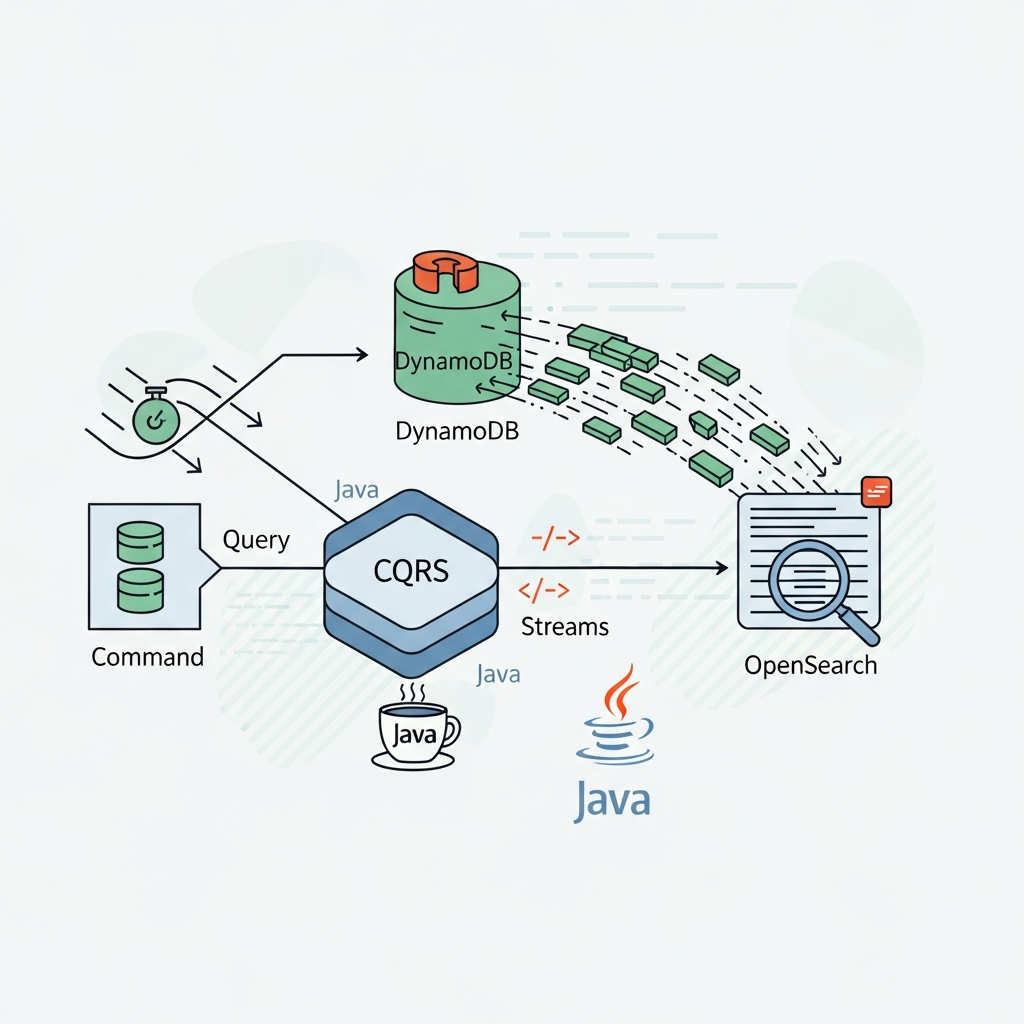
This is where the Command Query Responsibility Segregation (CQRS) pattern shines. CQRS is an architectural pattern that separates the operations that change data (commands) from the operations that read data (queries). By doing so, it allows for independent scaling, optimization, and design of the read and write sides of an application, leading to more robust, performant, and maintainable systems. This comprehensive guide will delve into implementing CQRS in Java, exploring its core concepts, benefits, trade-offs, and practical application with code examples.
Prerequisites
To fully grasp the concepts and code examples in this guide, you should have:
- A solid understanding of Java (JDK 11+).
- Familiarity with Spring Boot and Spring Data JPA.
- Basic knowledge of relational databases (e.g., H2, PostgreSQL).
- Understanding of Maven or Gradle for dependency management.
- Familiarity with object-oriented design principles.
Understanding CQRS: Commands vs. Queries
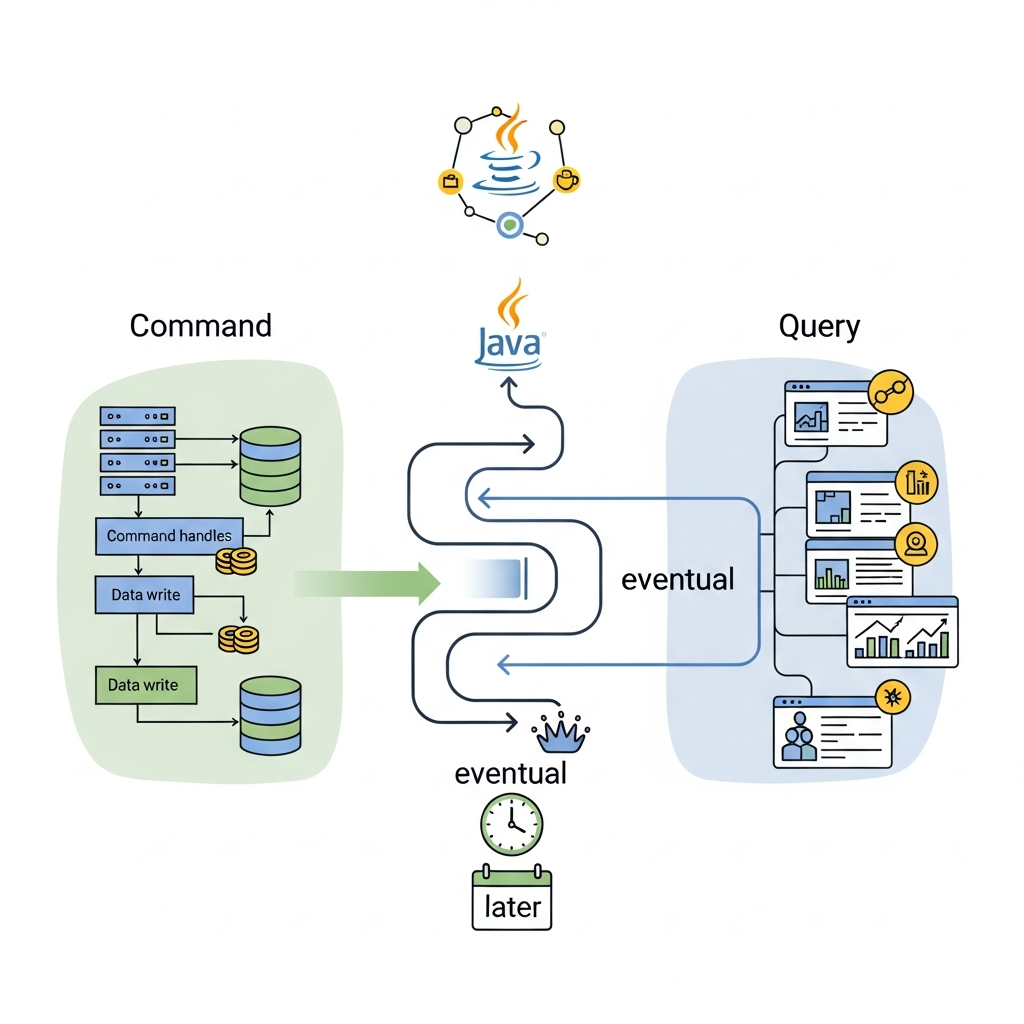
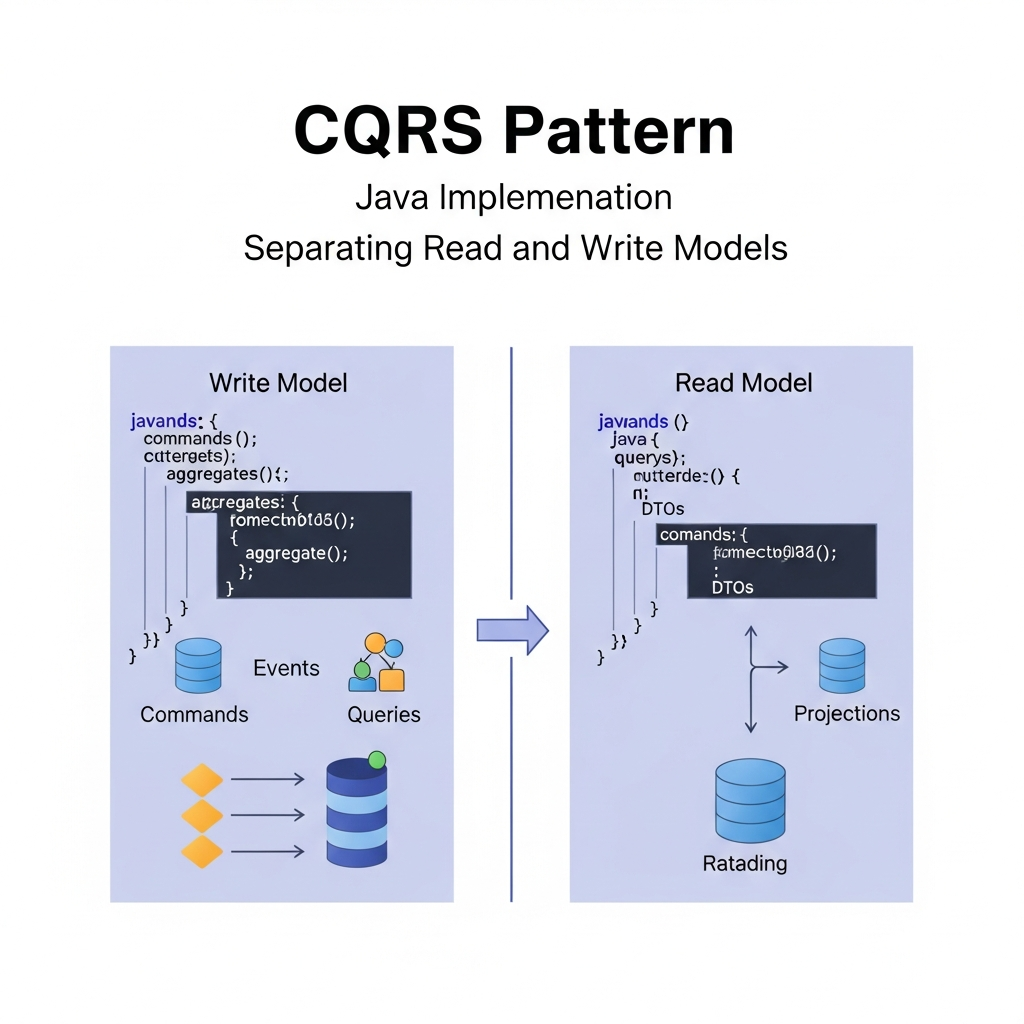
At its heart, CQRS is about segregating responsibilities. Instead of a single model handling both data modification and retrieval, CQRS introduces two distinct models:
- Command Model (Write Side): This model is responsible for handling all data modification operations. It processes commands, which are imperative instructions to perform an action (e.g.,
CreateProductCommand,UpdateOrderStatusCommand). Commands express intent and should result in a state change. The write model typically uses a write-optimized data store and can be highly normalized. - Query Model (Read Side): This model is solely responsible for data retrieval operations. It processes queries, which are requests for information (e.g.,
GetProductDetailsQuery,ListAllOrdersQuery). Queries should not modify any data. The read model often uses a read-optimized data store (which might be denormalized, a projection, or even a different type of database like a NoSQL store) to serve data quickly and efficiently.
This separation allows each side to evolve and be optimized independently, catering to their specific needs without impacting the other.
Why CQRS? Benefits and Trade-offs
CQRS offers several compelling benefits, but it also comes with its own set of complexities.
Benefits:
- Independent Scaling: Read and write workloads often differ significantly. CQRS allows you to scale the read model independently to handle high query loads (e.g., by adding more read replicas or using a specialized read database) without affecting the write model, and vice-versa.
- Optimized Data Models: The write model can be optimized for transactional integrity and domain complexity (e.g., highly normalized relational database), while the read model can be optimized for query performance and user interface needs (e.g., denormalized views, document databases, search indices).
- Improved Performance: By using specialized data stores and models, queries can be much faster. Complex joins can be pre-calculated and stored in the read model, reducing query execution time.
- Enhanced Maintainability and Flexibility: Each model is simpler and focused on a single responsibility, making it easier to understand, develop, and maintain. Changes to the read model (e.g., new reporting requirements) don't impact the write model's stability.
- Collaboration with Event Sourcing: CQRS pairs exceptionally well with Event Sourcing, where all state changes are stored as a sequence of events. This provides a robust audit log, enables powerful temporal queries, and allows for rebuilding read models.
- Security: Granular control over write operations can be enforced more strictly, while read operations can have different access policies.
Trade-offs:
- Increased Complexity: CQRS introduces more moving parts (commands, command handlers, queries, query handlers, potentially event stores, synchronization mechanisms). This adds overhead in design, development, and debugging.
- Eventual Consistency: If the read and write models use separate data stores, the read model might not reflect the absolute latest state of the write model immediately. There will be a propagation delay, leading to eventual consistency. This must be understood and handled in the application's design and user experience.
- Data Synchronization: Keeping the read model updated from the write model requires a robust synchronization mechanism, often implemented via events. This adds infrastructure and potential points of failure.
- Learning Curve: Teams new to CQRS and Event Sourcing will face a significant learning curve.
CQRS vs. Traditional CRUD
To illustrate the distinction, consider a Product entity.
Traditional CRUD:
// Product Entity
@Entity
public class Product {
    @Id @GeneratedValue(strategy = GenerationType.IDENTITY)
    private Long id;
    private String name;
    private String description;
    private BigDecimal price;
    private int stock;
    // Getters, Setters, Constructors
}

// ProductRepository (handles both read and write)
public interface ProductRepository extends JpaRepository<Product, Long> {
    // ... save(), findById(), findAll(), delete() ...
}

// ProductService (handles both read and write logic)
@Service
public class ProductService {
    @Autowired
    private ProductRepository productRepository;

    public Product createProduct(Product product) { return productRepository.save(product); }
    public Product getProduct(Long id) { return productRepository.findById(id).orElse(null); }
    public Product updateProduct(Long id, Product updatedProduct) { /* ... */ return productRepository.save(updatedProduct); }
    public List<Product> getAllProducts() { return productRepository.findAll(); }
}
CQRS Approach:
- Write Side:
CreateProductCommand,UpdateProductPriceCommand,DecreaseProductStockCommandprocessed by dedicated handlers, interacting with a write-optimizedProductentity and repository. - Read Side:
GetProductDetailsQuery,GetAllProductsSummaryQueryprocessed by dedicated handlers, interacting with a read-optimizedProductVieworProductSummaryDtofrom a potentially different data store.
The key difference is the explicit separation of concerns and models, allowing for distinct optimizations.
Architectural Overview of CQRS in Java
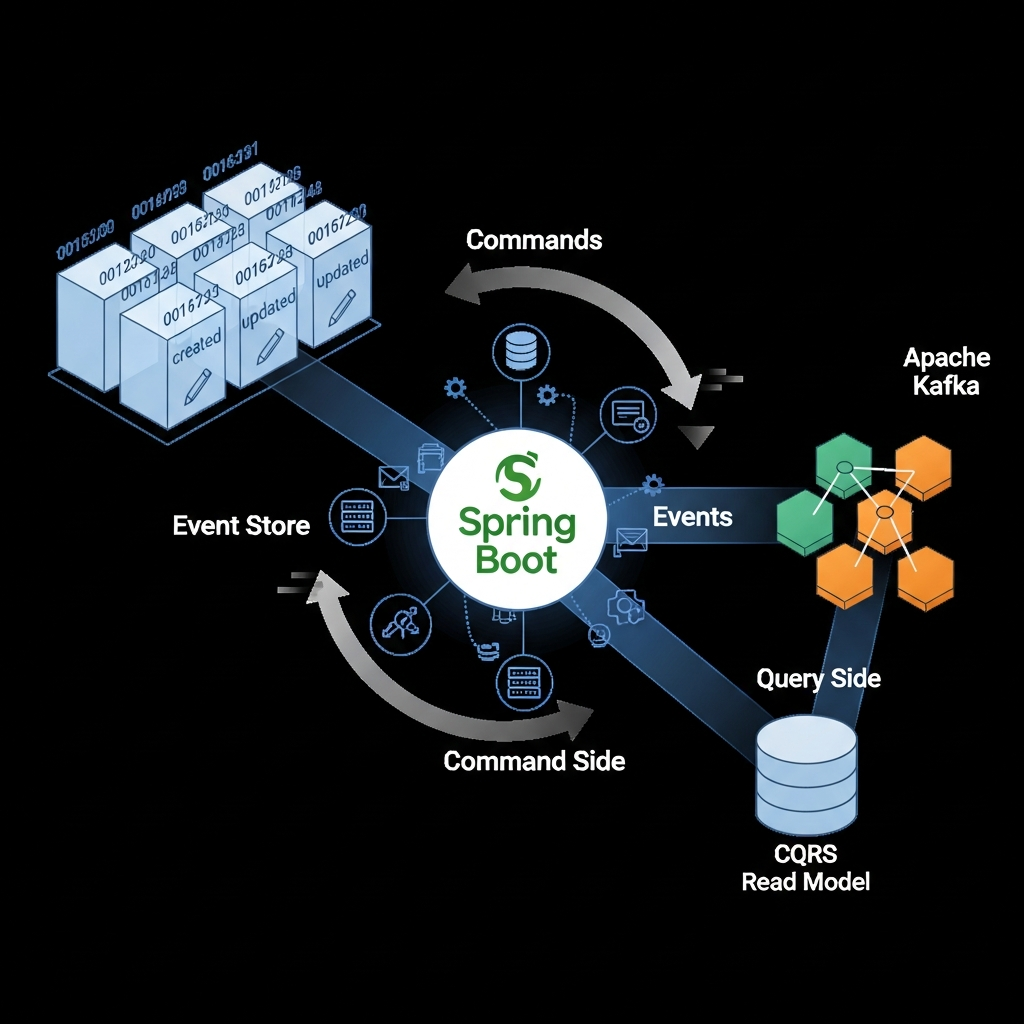
A typical CQRS architecture in Java, especially when paired with Event Sourcing, involves several key components:
- Commands: DTOs representing an intent to change state.
- Command Bus/Gateway: Dispatches commands to their respective handlers.
- Command Handlers: Contain the business logic to process a command, validate it, and update the write model.
- Aggregates: Domain objects in the write model that encapsulate business logic and ensure consistency. They emit events upon state changes.
- Events: Immutable facts representing something that happened in the domain (e.g.,
ProductCreatedEvent). - Event Store: A database that stores all events in chronological order, forming the source of truth for the write model (optional, but common with CQRS).
- Event Bus/Message Broker: Publishes events from the write model to interested subscribers (e.g., the read model).
- Event Handlers/Projectors: Listen for events and update the read model's denormalized views or projections.
- Queries: DTOs representing a request for data.
- Query Bus/Gateway: Dispatches queries to their respective handlers.
- Query Handlers: Retrieve data from the read model, typically returning DTOs.
- Read Model (Projections/Views): A data store optimized for querying, often denormalized, potentially using a different database technology.
Implementing the Write Model (Commands & Handlers)
Let's start by building the write side for a simple product management system.
1. Define Commands
Commands are immutable objects that describe an intent. They should contain all necessary data to execute the action.
// src/main/java/com/example/cqrs/command/CreateProductCommand.java
package com.example.cqrs.command;

import java.math.BigDecimal;

public class CreateProductCommand {
    private String name;
    private String description;
    private BigDecimal price;
    private int stock;

    public CreateProductCommand(String name, String description, BigDecimal price, int stock) {
        this.name = name;
        this.description = description;
        this.price = price;
        this.stock = stock;
    }

    // Getters
    public String getName() { return name; }
    public String getDescription() { return description; }
    public BigDecimal getPrice() { return price; }
    public int getStock() { return stock; }
}

// src/main/java/com/example/cqrs/command/UpdateProductPriceCommand.java
package com.example.cqrs.command;

import java.math.BigDecimal;

public class UpdateProductPriceCommand {
    private String productId;
    private BigDecimal newPrice;

    public UpdateProductPriceCommand(String productId, BigDecimal newPrice) {
        this.productId = productId;
        this.newPrice = newPrice;
    }

    // Getters
    public String getProductId() { return productId; }
    public BigDecimal getNewPrice() { return newPrice; }
}
2. Create Command Handlers
Command handlers receive commands, execute business logic on the aggregate, and persist the state change (often by storing events).
// src/main/java/com/example/cqrs/domain/ProductAggregate.java
package com.example.cqrs.domain;

import com.example.cqrs.event.ProductCreatedEvent;
import com.example.cqrs.event.ProductPriceUpdatedEvent;
import java.math.BigDecimal;
import java.util.ArrayList;
import java.util.List;
import java.util.UUID;

// This is a simplified Aggregate Root. In a full Event Sourcing setup,
// it would apply events to itself to rebuild state.
public class ProductAggregate {
    private String id;
    private String name;
    private String description;
    private BigDecimal price;
    private int stock;

    private final List<Object> uncommittedEvents = new ArrayList<>();

    public ProductAggregate() {
        this.id = UUID.randomUUID().toString();
    }

    // Constructor for creating a new product
    public ProductAggregate(String name, String description, BigDecimal price, int stock) {
        this(); // Initialize ID
        if (price.compareTo(BigDecimal.ZERO) < 0) {
            throw new IllegalArgumentException("Price cannot be negative.");
        }
        if (stock < 0) {
            throw new IllegalArgumentException("Stock cannot be negative.");
        }
        apply(new ProductCreatedEvent(this.id, name, description, price, stock));
    }

    // Method to change product price
    public void changePrice(BigDecimal newPrice) {
        if (newPrice.compareTo(BigDecimal.ZERO) < 0) {
            throw new IllegalArgumentException("New price cannot be negative.");
        }
        apply(new ProductPriceUpdatedEvent(this.id, newPrice));
    }

    // Apply events to update the aggregate's state
    private void apply(ProductCreatedEvent event) {
        this.name = event.getName();
        this.description = event.getDescription();
        this.price = event.getPrice();
        this.stock = event.getStock();
        uncommittedEvents.add(event);
    }

    private void apply(ProductPriceUpdatedEvent event) {
        this.price = event.getNewPrice();
        uncommittedEvents.add(event);
    }

    // Getters
    public String getId() { return id; }
    public String getName() { return name; }
    public String getDescription() { return description; }
    public BigDecimal getPrice() { return price; }
    public int getStock() { return stock; }

    public List<Object> getUncommittedEvents() {
        return new ArrayList<>(uncommittedEvents);
    }

    public void clearUncommittedEvents() {
        uncommittedEvents.clear();
    }
}

// src/main/java/com/example/cqrs/handler/CreateProductCommandHandler.java
package com.example.cqrs.handler;

import com.example.cqrs.command.CreateProductCommand;
import com.example.cqrs.domain.ProductAggregate;
import com.example.cqrs.event.EventPublisher;
import org.springframework.stereotype.Component;

@Component
public class CreateProductCommandHandler {
    private final EventPublisher eventPublisher;
    // In a real scenario, you would have a repository to save/load aggregates
    // and an EventStore to persist events.

    public CreateProductCommandHandler(EventPublisher eventPublisher) {
        this.eventPublisher = eventPublisher;
    }

    public String handle(CreateProductCommand command) {
        // 1. Business logic & validation
        // Create a new aggregate instance
        ProductAggregate product = new ProductAggregate(
            command.getName(), command.getDescription(), command.getPrice(), command.getStock()
        );

        // 2. Publish events generated by the aggregate
        product.getUncommittedEvents().forEach(eventPublisher::publish);
        product.clearUncommittedEvents();

        // 3. Persist aggregate state (if not using Event Sourcing as primary persistence)
        // For Event Sourcing, events would be stored in an Event Store here.
        // For simplicity, we're just publishing events now.

        return product.getId(); // Return the ID of the newly created product
    }
}

// src/main/java/com/example/cqrs/handler/UpdateProductPriceCommandHandler.java
package com.example.cqrs.handler;

import com.example.cqrs.command.UpdateProductPriceCommand;
import com.example.cqrs.domain.ProductAggregate;
import com.example.cqrs.event.EventPublisher;
import org.springframework.stereotype.Component;

@Component
public class UpdateProductPriceCommandHandler {
    private final EventPublisher eventPublisher;
    // In a real system, you'd load the aggregate from an Event Store or repository

    public UpdateProductPriceCommandHandler(EventPublisher eventPublisher) {
        this.eventPublisher = eventPublisher;
    }

    public void handle(UpdateProductPriceCommand command) {
        // 1. Load aggregate (simplified: assuming aggregate exists and can be loaded)
        // In a real app, this would involve fetching events from Event Store and replaying them.
        // For now, let's mock loading an aggregate.
        ProductAggregate product = new ProductAggregate(); // Placeholder - would load by ID
        // ... logic to load product by ID from a repository/event store ...
        // For demonstration, let's just set a dummy ID for the update
        // A real system would need to load the actual aggregate by command.getProductId()

        // 2. Execute business logic on the aggregate
        product.changePrice(command.getNewPrice());

        // 3. Publish events
        product.getUncommittedEvents().forEach(eventPublisher::publish);
        product.clearUncommittedEvents();

        // 4. Persist aggregate state (if not using Event Sourcing as primary persistence)
    }
}
3. Command Bus/Gateway
A Command Bus or Gateway acts as an entry point for commands, routing them to the appropriate handler. This can be a simple Map-based dispatcher or a more sophisticated messaging system.
// src/main/java/com/example/cqrs/bus/CommandGateway.java
package com.example.cqrs.bus;

import com.example.cqrs.command.CreateProductCommand;
import com.example.cqrs.command.UpdateProductPriceCommand;
import com.example.cqrs.handler.CreateProductCommandHandler;
import com.example.cqrs.handler.UpdateProductPriceCommandHandler;
import org.springframework.context.ApplicationContext;
import org.springframework.stereotype.Component;

import java.util.HashMap;
import java.util.Map;
import java.util.function.Function;

@Component
public class CommandGateway {
    private final Map<Class<?>, Function<Object, Object>> handlers = new HashMap<>();

    public CommandGateway(ApplicationContext context) {
        // Register handlers manually or via scanning (more robust for larger apps)
        handlers.put(CreateProductCommand.class, cmd -> context.getBean(CreateProductCommandHandler.class).handle((CreateProductCommand) cmd));
        handlers.put(UpdateProductPriceCommand.class, cmd -> {
            context.getBean(UpdateProductPriceCommandHandler.class).handle((UpdateProductPriceCommand) cmd);
            return null; // Update commands often don't return a value
        });
    }

    public <R> R send(Object command) {
        Function<Object, Object> handler = handlers.get(command.getClass());
        if (handler == null) {
            throw new IllegalArgumentException("No handler registered for command: " + command.getClass().getName());
        }
        return (R) handler.apply(command);
    }
}
Implementing the Read Model (Queries & Handlers)
Now, let's build the read side, which will query a denormalized view of our products.
1. Define Queries
Queries are immutable objects that describe a request for data. They contain criteria for retrieval.
// src/main/java/com/example/cqrs/query/GetProductDetailsQuery.java
package com.example.cqrs.query;

public class GetProductDetailsQuery {
    private String productId;

    public GetProductDetailsQuery(String productId) {
        this.productId = productId;
    }

    public String getProductId() { return productId; }
}

// src/main/java/com/example/cqrs/query/GetAllProductsQuery.java
package com.example.cqrs.query;

public class GetAllProductsQuery {
    // No specific fields needed for 'get all'
}
2. Define Read Model DTOs
These DTOs represent the data structure optimized for display or reporting, potentially different from the write model's aggregate.
// src/main/java/com/example/cqrs/readmodel/ProductView.java
package com.example.cqrs.readmodel;

import java.math.BigDecimal;

// This could be an @Entity for a separate read-only database,
// or a simple POJO for in-memory or NoSQL projections.
public class ProductView {
    private String id;
    private String name;
    private String description;
    private BigDecimal price;
    private int stock;

    public ProductView(String id, String name, String description, BigDecimal price, int stock) {
        this.id = id;
        this.name = name;
        this.description = description;
        this.price = price;
        this.stock = stock;
    }

    // Getters and Setters (setters are for projection updates)
    public String getId() { return id; }
    public void setId(String id) { this.id = id; }
    public String getName() { return name; }
    public void setName(String name) { this.name = name; }
    public String getDescription() { return description; }
    public void setDescription(String description) { this.description = description; }
    public BigDecimal getPrice() { return price; }
    public void setPrice(BigDecimal price) { this.price = price; }
    public int getStock() { return stock; }
    public void setStock(int stock) { this.stock = stock; }

    @Override
    public String toString() {
        return "ProductView{" +
               "id='" + id + '\'' +
               ", name='" + name + '\'' +
               ", description='" + description + '\'' +
               ", price=" + price +
               ", stock=" + stock +
               '}';
    }
}
3. Create Query Handlers
Query handlers retrieve data from the read model and return the appropriate DTOs.
// src/main/java/com/example/cqrs/handler/GetProductDetailsQueryHandler.java
package com.example.cqrs.handler;

import com.example.cqrs.query.GetProductDetailsQuery;
import com.example.cqrs.readmodel.ProductView;
import com.example.cqrs.readmodel.ProductViewRepository;
import org.springframework.stereotype.Component;

import java.util.Optional;

@Component
public class GetProductDetailsQueryHandler {
    private final ProductViewRepository productViewRepository;

    public GetProductDetailsQueryHandler(ProductViewRepository productViewRepository) {
        this.productViewRepository = productViewRepository;
    }

    public Optional<ProductView> handle(GetProductDetailsQuery query) {
        // Retrieve data from the read-optimized data store
        return productViewRepository.findById(query.getProductId());
    }
}

// src/main/java/com/example/cqrs/handler/GetAllProductsQueryHandler.java
package com.example.cqrs.handler;

import com.example.cqrs.query.GetAllProductsQuery;
import com.example.cqrs.readmodel.ProductView;
import com.example.cqrs.readmodel.ProductViewRepository;
import org.springframework.stereotype.Component;

import java.util.List;

@Component
public class GetAllProductsQueryHandler {
    private final ProductViewRepository productViewRepository;

    public GetAllProductsQueryHandler(ProductViewRepository productViewRepository) {
        this.productViewRepository = productViewRepository;
    }

    public List<ProductView> handle(GetAllProductsQuery query) {
        // Retrieve all products from the read-optimized data store
        return productViewRepository.findAll();
    }
}

// src/main/java/com/example/cqrs/readmodel/ProductViewRepository.java
package com.example.cqrs.readmodel;

import org.springframework.data.jpa.repository.JpaRepository;
import org.springframework.stereotype.Repository;

// This repository would interact with the read database
// For simplicity, we're using H2 and Spring Data JPA for both, but ideally they'd be separate.
@Repository
public interface ProductViewRepository extends JpaRepository<ProductView, String> {
}
4. Query Bus/Gateway
Similar to the Command Gateway, a Query Gateway dispatches queries to their respective handlers.
// src/main/java/com/example/cqrs/bus/QueryGateway.java
package com.example.cqrs.bus;

import com.example.cqrs.handler.GetAllProductsQueryHandler;
import com.example.cqrs.handler.GetProductDetailsQueryHandler;
import com.example.cqrs.query.GetAllProductsQuery;
import com.example.cqrs.query.GetProductDetailsQuery;
import org.springframework.context.ApplicationContext;
import org.springframework.stereotype.Component;

import java.util.HashMap;
import java.util.Map;
import java.util.function.Function;

@Component
public class QueryGateway {
    private final Map<Class<?>, Function<Object, Object>> handlers = new HashMap<>();

    public QueryGateway(ApplicationContext context) {
        handlers.put(GetProductDetailsQuery.class, query -> context.getBean(GetProductDetailsQueryHandler.class).handle((GetProductDetailsQuery) query));
        handlers.put(GetAllProductsQuery.class, query -> context.getBean(GetAllProductsQueryHandler.class).handle((GetAllProductsQuery) query));
    }

    public <R> R send(Object query) {
        Function<Object, Object> handler = handlers.get(query.getClass());
        if (handler == null) {
            throw new IllegalArgumentException("No handler registered for query: " + query.getClass().getName());
        }
        return (R) handler.apply(query);
    }
}
Data Synchronization and Event Sourcing
The most crucial aspect of CQRS with separate data stores is keeping the read model synchronized with the write model. Event Sourcing is a natural fit here. When a command is processed, it results in one or more domain events. These events are then published and consumed by event handlers (often called 'projectors') that update the read model.
1. Define Events
Events are immutable facts about something that has occurred.
// src/main/java/com/example/cqrs/event/ProductCreatedEvent.java
package com.example.cqrs.event;

import java.math.BigDecimal;

public class ProductCreatedEvent {
    private String productId;
    private String name;
    private String description;
    private BigDecimal price;
    private int stock;

    public ProductCreatedEvent(String productId, String name, String description, BigDecimal price, int stock) {
        this.productId = productId;
        this.name = name;
        this.description = description;
        this.price = price;
        this.stock = stock;
    }

    // Getters
    public String getProductId() { return productId; }
    public String getName() { return name; }
    public String getDescription() { return description; }
    public BigDecimal getPrice() { return price; }
    public int getStock() { return stock; }
}

// src/main/java/com/example/cqrs/event/ProductPriceUpdatedEvent.java
package com.example.cqrs.event;

import java.math.BigDecimal;

public class ProductPriceUpdatedEvent {
    private String productId;
    private BigDecimal newPrice;

    public ProductPriceUpdatedEvent(String productId, BigDecimal newPrice) {
        this.productId = productId;
        this.newPrice = newPrice;
    }

    // Getters
    public String getProductId() { return productId; }
    public BigDecimal getNewPrice() { return newPrice; }
}
2. Event Publisher
A simple event publisher using Spring's ApplicationEventPublisher.
// src/main/java/com/example/cqrs/event/EventPublisher.java
package com.example.cqrs.event;

import org.springframework.context.ApplicationEventPublisher;
import org.springframework.stereotype.Component;

@Component
public class EventPublisher {
    private final ApplicationEventPublisher publisher;

    public EventPublisher(ApplicationEventPublisher publisher) {
        this.publisher = publisher;
    }

    public void publish(Object event) {
        System.out.println("Publishing event: " + event.getClass().getSimpleName());
        publisher.publishEvent(event);
    }
}
3. Event Handlers (Projectors)
These handlers subscribe to events and update the ProductView in the read model.
// src/main/java/com/example/cqrs/handler/ProductViewProjection.java
package com.example.cqrs.handler;

import com.example.cqrs.event.ProductCreatedEvent;
import com.example.cqrs.event.ProductPriceUpdatedEvent;
import com.example.cqrs.readmodel.ProductView;
import com.example.cqrs.readmodel.ProductViewRepository;
import org.springframework.context.event.EventListener;
import org.springframework.stereotype.Component;
import org.springframework.transaction.annotation.Transactional;

@Component
public class ProductViewProjection {
    private final ProductViewRepository productViewRepository;

    public ProductViewProjection(ProductViewRepository productViewRepository) {
        this.productViewRepository = productViewRepository;
    }

    @EventListener
    @Transactional // Ensure read model updates are transactional
    public void handle(ProductCreatedEvent event) {
        ProductView productView = new ProductView(
            event.getProductId(), event.getName(), event.getDescription(), event.getPrice(), event.getStock()
        );
        productViewRepository.save(productView);
        System.out.println("Projected ProductCreatedEvent to read model: " + event.getProductId());
    }

    @EventListener
    @Transactional
    public void handle(ProductPriceUpdatedEvent event) {
        productViewRepository.findById(event.getProductId()).ifPresent(productView -> {
            productView.setPrice(event.getNewPrice());
            productViewRepository.save(productView);
            System.out.println("Projected ProductPriceUpdatedEvent to read model for product: " + event.getProductId());
        });
    }
}
Putting it Together (Spring Boot Application)
Let's create a simple Spring Boot application to test our CQRS setup.
// src/main/java/com/example/cqrs/CqrsApplication.java
package com.example.cqrs;

import com.example.cqrs.bus.CommandGateway;
import com.example.cqrs.bus.QueryGateway;
import com.example.cqrs.command.CreateProductCommand;
import com.example.cqrs.command.UpdateProductPriceCommand;
import com.example.cqrs.query.GetAllProductsQuery;
import com.example.cqrs.query.GetProductDetailsQuery;
import com.example.cqrs.readmodel.ProductView;
import org.springframework.boot.CommandLineRunner;
import org.springframework.boot.SpringApplication;
import org.springframework.boot.autoconfigure.SpringBootApplication;
import org.springframework.context.annotation.Bean;

import java.math.BigDecimal;
import java.util.List;
import java.util.Optional;

@SpringBootApplication
public class CqrsApplication {

    public static void main(String[] args) {
        SpringApplication.run(CqrsApplication.class, args);
    }

    @Bean
    public CommandLineRunner runner(CommandGateway commandGateway, QueryGateway queryGateway) {
        return args -> {
            System.out.println("\n--- CQRS Demo Started ---");

            // --- 1. Create a product (Write Operation) ---
            System.out.println("\nSending CreateProductCommand for Laptop...");
            CreateProductCommand createLaptopCommand = new CreateProductCommand(
                "Laptop Pro", "High-performance laptop", new BigDecimal("1200.00"), 10
            );
            String laptopId = commandGateway.send(createLaptopCommand);
            System.out.println("Laptop created with ID: " + laptopId);

            // Give some time for event projection (simulating eventual consistency)
            Thread.sleep(1000);

            // --- 2. Query the product (Read Operation) ---
            System.out.println("\nSending GetProductDetailsQuery for Laptop...");
            Optional<ProductView> laptopView = queryGateway.send(new GetProductDetailsQuery(laptopId));
            laptopView.ifPresentOrElse(
                product -> System.out.println("Found Laptop: " + product),
                () -> System.out.println("Laptop not found in read model.")
            );

            // --- 3. Create another product ---
            System.out.println("\nSending CreateProductCommand for Mouse...");
            CreateProductCommand createMouseCommand = new CreateProductCommand(
                "Wireless Mouse", "Ergonomic wireless mouse", new BigDecimal("25.00"), 50
            );
            String mouseId = commandGateway.send(createMouseCommand);
            System.out.println("Mouse created with ID: " + mouseId);

            Thread.sleep(1000);

            // --- 4. Get all products (Read Operation) ---
            System.out.println("\nSending GetAllProductsQuery...");
            List<ProductView> allProducts = queryGateway.send(new GetAllProductsQuery());
            System.out.println("All Products in Read Model:");
            allProducts.forEach(System.out::println);

            // --- 5. Update a product's price (Write Operation) ---
            System.out.println("\nSending UpdateProductPriceCommand for Laptop...");
            UpdateProductPriceCommand updatePriceCommand = new UpdateProductPriceCommand(laptopId, new BigDecimal("1150.00"));
            commandGateway.send(updatePriceCommand);
            System.out.println("Laptop price update command sent.");

            Thread.sleep(1000);

            // --- 6. Query the updated product (Read Operation) ---
            System.out.println("\nSending GetProductDetailsQuery for updated Laptop...");
            Optional<ProductView> updatedLaptopView = queryGateway.send(new GetProductDetailsQuery(laptopId));
            updatedLaptopView.ifPresentOrElse(
                product -> System.out.println("Found Updated Laptop: " + product),
                () -> System.out.println("Updated Laptop not found in read model.")
            );

            System.out.println("\n--- CQRS Demo Finished ---");
        };
    }
}
Dependencies (pom.xml for Maven):
<dependencies>
    <dependency>
        <groupId>org.springframework.boot</groupId>
        <artifactId>spring-boot-starter-data-jpa</artifactId>
    </dependency>
    <dependency>
        <groupId>org.springframework.boot</groupId>
        <artifactId>spring-boot-starter-web</artifactId>
    </dependency>
    <dependency>
        <groupId>com.h2database</groupId>
        <artifactId>h2</artifactId>
        <scope>runtime</scope>
    </dependency>
    <dependency>
        <groupId>org.springframework.boot</groupId>
        <artifactId>spring-boot-starter-test</artifactId>
        <scope>test</scope>
    </dependency>
</dependencies>
Application Properties (application.properties):
spring.datasource.url=jdbc:h2:mem:cqrsdb;DB_CLOSE_DELAY=-1;DB_CLOSE_ON_EXIT=FALSE
spring.datasource.driverClassName=org.h2.Driver
spring.datasource.username=sa
spring.datasource.password=
spring.jpa.database-platform=org.hibernate.dialect.H2Dialect
spring.jpa.hibernate.ddl-auto=update
spring.jpa.show-sql=true
Best Practices for CQRS
- Start Simple, Evolve Gradually: Don't apply CQRS everywhere. Begin with a critical bounded context or a module facing specific scalability challenges. Introduce complexity only when justified.
- Bounded Contexts: CQRS works best within a well-defined bounded context from Domain-Driven Design (DDD). Each context can have its own CQRS implementation.
- Event-Driven Architecture: Leverage events for synchronization. Use a robust message broker (Kafka, RabbitMQ) for reliable event delivery and consumption.
- Granularity of Commands and Queries: Commands should represent a single, atomic business action. Queries should be tailored to specific UI or reporting needs.
- Handle Eventual Consistency: Design your UI and user experience to account for potential delays between write and read models. Provide immediate feedback for commands and indicate when data is being processed.
- Idempotent Event Handlers: Event handlers (projectors) should be idempotent, meaning applying the same event multiple times has the same effect as applying it once. This is crucial for fault tolerance and message retries.
- Separate Data Stores: Ideally, use different database technologies or instances for the read and write models to maximize optimization and independent scaling.
- Monitoring and Observability: Implement robust logging, tracing, and monitoring for commands, events, and queries to understand data flow and debug issues, especially related to eventual consistency.
- Security: Apply distinct security policies for commands (requiring higher authorization) and queries.
Common Pitfalls and Anti-Patterns
- Over-engineering: Applying CQRS to simple CRUD operations or non-critical paths where the benefits don't outweigh the added complexity.
- Ignoring Eventual Consistency: Failing to design the system and user experience to gracefully handle the delay between the write and read models. This can lead to confused users or incorrect data displays.
- Tight Coupling of Read and Write Models: If the read model directly queries the write model's database (or vice-versa for updates), you lose the core benefits of separation.
- Chatty Commands/Events: Commands or events that are too granular or too broad can lead to excessive network traffic or complex event handling logic.
- Complex Transactional Sagas on the Read Side: The read model should be for queries. Avoid complex business logic or transactional updates on the read side; push those back to the write model via new commands.
- Lack of Unique Identifiers for Aggregates: Essential for loading aggregates from an Event Store and for updates in the read model.
- Poor Error Handling: Commands can fail validation or business rules. Ensure proper error reporting and compensation mechanisms.
Real-World Use Cases
CQRS is particularly beneficial in scenarios where:
- High-performance Reporting/Dashboards: Where complex queries on denormalized data need to be served rapidly, potentially from a data warehouse or search index.
- E-commerce Platforms: Separating product catalog browsing (high read volume) from order processing (high write integrity, lower volume).
- Financial Trading Systems: Where auditability (event sourcing), high-throughput transactions, and complex real-time analytics are critical.
- Collaborative Editing/Document Management: Tracking every change as an event and projecting different views for different users.
- Microservices Architectures: CQRS naturally aligns with microservices, allowing each service to optimize its read and write concerns independently.
- Systems with Disparate Read/Write Workloads: When the rate and nature of reads and writes are significantly different.
Conclusion
CQRS is a powerful architectural pattern that can significantly enhance the scalability, performance, and maintainability of complex Java applications. By explicitly separating command and query responsibilities, it enables independent optimization of each side, often complemented by event-driven architectures and event sourcing.
While CQRS introduces increased complexity and the challenge of eventual consistency, its benefits are profound for systems with demanding requirements. As a developer advocate, I encourage you to evaluate your application's needs, understand the trade-offs, and consider CQRS as a strategic pattern to build more resilient and performant systems. Start small, understand your domain, and let the problem drive the solution, not the other way around. The journey into CQRS is a step towards mastering modern distributed system design.

Written by
CodewithYohaFull-Stack Software Engineer with 7+ years of experience in Java, Spring Boot, and cloud architecture across AWS, Azure, and GCP. Writing production-grade engineering patterns for developers who ship real software.