OpenTelemetry GenAI: Monitor LLM Costs, Hallucinations & Latency

Introduction
The rapid evolution of Generative AI (GenAI) has unlocked unprecedented possibilities, transforming how we build applications and interact with technology. From intelligent chatbots to sophisticated content generation engines, Large Language Models (LLMs) are at the forefront of this revolution. However, as these powerful models integrate into production systems, a critical challenge emerges: observability.
Unlike traditional software components, LLMs often operate as opaque "black boxes." Understanding their internal workings, predicting their behavior, and ensuring their reliability, performance, and cost-effectiveness in real-world scenarios is complex. Developers and MLOps engineers grapple with questions like:
- How much does each LLM interaction cost in terms of tokens?
- Is the model generating accurate, relevant, and non-hallucinatory content?
- What's the end-to-end latency of an AI-powered feature?
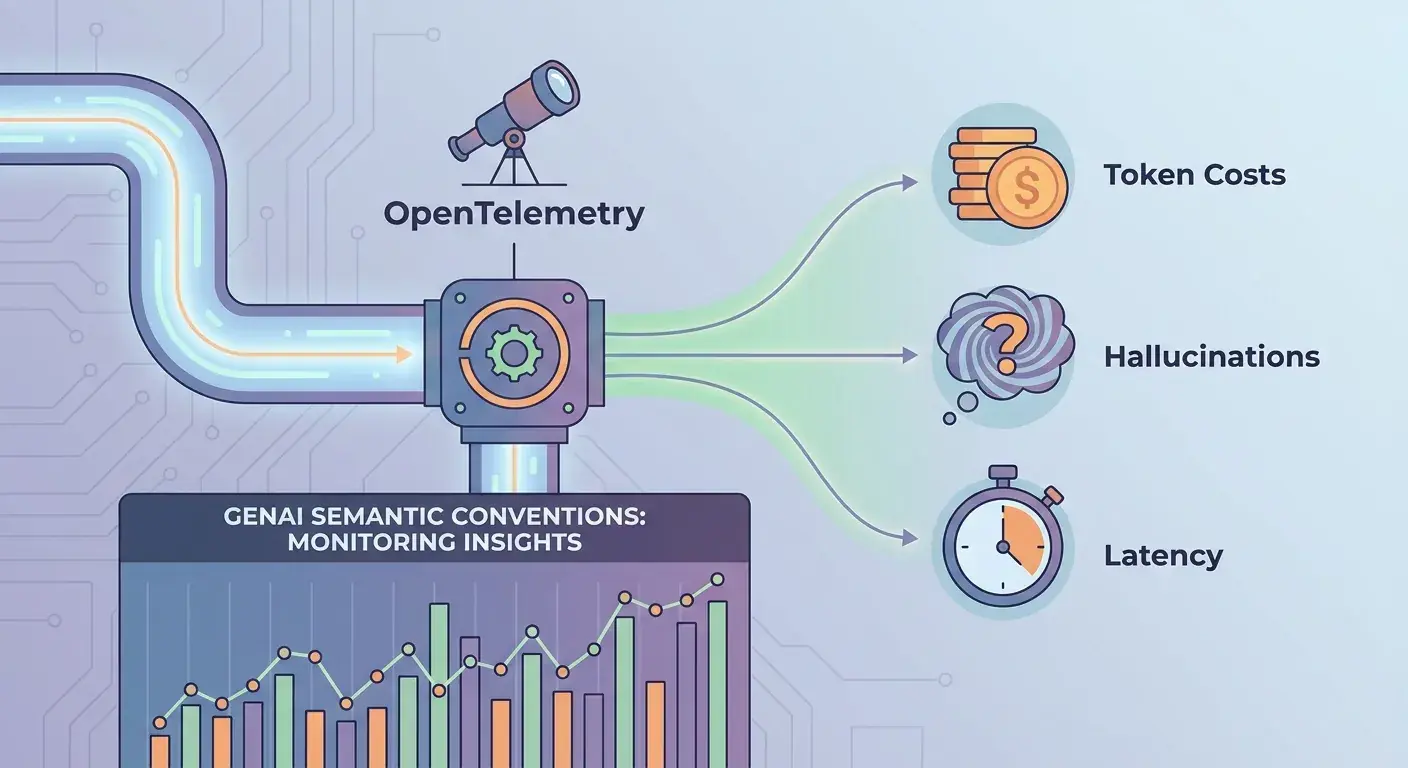
This is where OpenTelemetry (OTel) and its specialized GenAI Semantic Conventions come into play. OpenTelemetry provides a vendor-neutral standard for instrumenting, generating, and exporting telemetry data (traces, metrics, logs). The GenAI semantic conventions extend this power, offering a standardized way to capture crucial details about LLM operations. This article will dive deep into how you can leverage these conventions to monitor token costs, identify indicators of hallucinations, and track latency in your GenAI applications, providing you with a complete, authoritative guide to AI observability.
Prerequisites
To get the most out of this guide, a basic understanding of the following concepts will be beneficial:
- OpenTelemetry Fundamentals: Familiarity with traces, spans, attributes, and exporters.
- Python: Our code examples will be in Python, a common language for GenAI development.
- Generative AI Concepts: Basic knowledge of LLMs, prompts, and responses.
- Python Environment:
pipfor installing necessary libraries.
Understanding OpenTelemetry and Semantic Conventions
OpenTelemetry is an open-source, vendor-agnostic observability framework designed to standardize the generation and collection of telemetry data. It provides APIs, SDKs, and exporters that allow developers to instrument their applications once and send data to various observability backends (e.g., Jaeger, Prometheus, Datadog, New Relic) without vendor lock-in.
At the heart of OpenTelemetry's effectiveness are Semantic Conventions. These are a set of agreed-upon naming and typing conventions for common operations, attributes, and resource types. For example, http.method and http.status_code are standard attributes for HTTP requests. This standardization ensures that telemetry data from different services and languages can be understood and correlated consistently across an entire system.
Why GenAI Specific Conventions?
While general tracing can capture basic call durations, LLMs introduce unique dimensions that require specialized attributes. Think about token usage, model parameters (temperature, top_p), or the specific model being used. Without a standardized way to capture these, every developer would invent their own attributes, leading to fragmented and difficult-to-analyze data. The GenAI semantic conventions address this by providing a common language for LLM observability, enabling consistent monitoring, analysis, and tooling across diverse GenAI applications.
The OpenTelemetry GenAI Semantic Conventions Overview
The OpenTelemetry GenAI semantic conventions introduce a set of attributes specifically designed for interactions with Generative AI models. These conventions typically fall under the llm.* and gen_ai.* namespaces, providing a rich context for each LLM call. Key categories of attributes include:
- Model Identification:
llm.request.model,llm.response.model - Request Parameters:
llm.temperature,llm.top_p,llm.frequency_penalty,llm.presence_penalty,llm.max_tokens - Prompt Details:
llm.prompt.0.role,llm.prompt.0.content(for multi-turn conversations) - Usage Statistics:
llm.usage.input_tokens,llm.usage.output_tokens,llm.usage.total_tokens(orgen_ai.usage.token_countfor a more general approach) - Response Details:
llm.response.finish_reason
These attributes are attached to spans that represent an interaction with an LLM. By capturing this data, we can build a comprehensive picture of our LLM's behavior.
Let's set up a basic OpenTelemetry environment in Python:
import os
from opentelemetry import trace
from opentelemetry.sdk.resources import Resource
from opentelemetry.sdk.trace import TracerProvider
from opentelemetry.sdk.trace.export import ConsoleSpanExporter, SimpleSpanProcessor

# Configure the TracerProvider
resource = Resource.create({"service.name": "genai-app"})
provider = TracerProvider(resource=resource)

# Export spans to console for demonstration
# In a real application, you'd use OTLPSpanExporter to send to a collector
processor = SimpleSpanProcessor(ConsoleSpanExporter())
provider.add_span_processor(processor)

trace.set_tracer_provider(provider)

tracer = trace.get_tracer("genai-app-tracer")

# Simulate an LLM client (e.g., OpenAI, Anthropic, Hugging Face)
class MockLLMClient:
    def generate(self, prompt, temperature=0.7, max_tokens=100):
        # Simulate a delay for latency
        import time
        time.sleep(0.15)

        # Simulate token usage
        input_tokens = len(prompt.split()) # Simple word count
        output_tokens = len("This is a generated response.".split()) # Fixed for example

        response_text = f"Mock response for: '{prompt}'. This is a generated response."
        finish_reason = "stop"

        return {
            "text": response_text,
            "usage": {
                "prompt_tokens": input_tokens,
                "completion_tokens": output_tokens,
                "total_tokens": input_tokens + output_tokens,
            },
            "model": "mock-llm-model-v1",
            "finish_reason": finish_reason
        }

llm_client = MockLLMClient()
Monitoring Latency: Tracing LLM Interactions
Latency is a critical performance metric for any application, and GenAI applications are no exception. Slow LLM responses can degrade user experience, especially in interactive scenarios. OpenTelemetry traces are inherently designed to measure latency.
When you wrap an LLM call within an OTel span, the duration of that span directly represents the time taken for the LLM interaction. By capturing these spans, you can:
- Identify Bottlenecks: Pinpoint if the LLM call itself is the slowest part of your application flow.
- Track Performance Over Time: Monitor average, p90, p99 latencies to detect regressions.
- Correlate with Other Services: See how LLM latency impacts the overall end-to-end user request, especially when integrated into a larger microservices architecture.
Using the tracer initialized above, we can instrument a simple LLM call:
# ... (previous setup code)

# Example 1: Monitoring Latency
def generate_content_with_latency_monitoring(prompt_text):
    with tracer.start_as_current_span("llm.generate") as span:
        span.set_attribute("llm.request.type", "completion")
        span.set_attribute("llm.request.model", "mock-llm-model-v1")

        try:
            response = llm_client.generate(prompt_text)
            span.set_attribute("llm.response.model", response["model"])
            span.set_attribute("llm.response.finish_reason", response["finish_reason"])
            # ... other attributes
            return response["text"]
        except Exception as e:
            span.set_attribute("error", True)
            span.set_attribute("exception.type", type(e).__name__)
            span.set_attribute("exception.message", str(e))
            raise

print("\n--- Latency Monitoring Example ---")
response = generate_content_with_latency_monitoring("Tell me a short story about a brave knight.")
print(f"Generated: {response[:50]}...")

# To see the output, ensure you have configured a SpanExporter (like ConsoleSpanExporter)
When this code runs, the ConsoleSpanExporter will print details about the llm.generate span, including its duration, which directly reflects the latency of the llm_client.generate call.
Tracking Token Costs: The Financial Aspect
One of the most significant operational costs for GenAI applications is token usage. LLM providers typically charge per token, both for input (prompt) and output (completion). Unchecked token usage can lead to unexpected and rapidly escalating bills.
OpenTelemetry's GenAI conventions provide specific attributes to capture token usage:
llm.usage.input_tokens: The number of tokens in the prompt(s).llm.usage.output_tokens: The number of tokens in the generated response(s).llm.usage.total_tokens: The sum of input and output tokens.
By capturing these attributes on every LLM span, you can:
- Monitor Costs in Real-time: Aggregate token usage across your application to estimate expenditure.
- Optimize Prompt Engineering: Identify prompts or use cases that are particularly token-intensive.
- Budget Management: Set alerts for high token usage to prevent bill shock.
- A/B Test Models: Compare token efficiency between different LLM models or versions.
Here's how to capture token usage:
# ... (previous setup code)

# Example 2: Tracking Token Costs
def generate_content_with_token_monitoring(prompt_text):
    with tracer.start_as_current_span("llm.generate") as span:
        span.set_attribute("llm.request.type", "completion")
        span.set_attribute("llm.request.model", "mock-llm-model-v1")
        span.set_attribute("llm.prompt.0.role", "user")
        span.set_attribute("llm.prompt.0.content", prompt_text)

        try:
            response = llm_client.generate(prompt_text)
            span.set_attribute("llm.response.model", response["model"])
            span.set_attribute("llm.response.finish_reason", response["finish_reason"])

            # Capture token usage
            span.set_attribute("llm.usage.input_tokens", response["usage"]["prompt_tokens"])
            span.set_attribute("llm.usage.output_tokens", response["usage"]["completion_tokens"])
            span.set_attribute("llm.usage.total_tokens", response["usage"]["total_tokens"])

            return response["text"]
        except Exception as e:
            span.set_attribute("error", True)
            # ... error attributes
            raise

print("\n--- Token Cost Monitoring Example ---")
response = generate_content_with_token_monitoring("Summarize the plot of Moby Dick in 50 words.")
print(f"Generated: {response[:50]}...")
In your observability backend, you can then aggregate llm.usage.total_tokens as a metric, multiply it by your model's per-token cost, and visualize your estimated spend over time.
Detecting Hallucinations: A Challenging Frontier
Hallucinations, where an LLM generates factually incorrect or nonsensical information, are a major concern for the reliability of GenAI applications. Directly detecting a hallucination purely through OpenTelemetry attributes is extremely challenging, as it often requires domain-specific knowledge or external validation.
However, OpenTelemetry can play a crucial role by providing signals and hooks that indicate a higher propensity for hallucination or facilitate post-processing validation.
Here's how OTel can help:
llm.response.finish_reason: While not a direct hallucination indicator, afinish_reasonoflength(model stopped because it hitmax_tokens) might suggest an incomplete thought or truncated response, potentially leading to less coherent or accurate output.- Model Configuration: High
llm.temperatureorllm.top_pvalues often lead to more creative but potentially less grounded responses. Monitoring these parameters can help correlate them with perceived hallucination rates. - Custom Attributes for Confidence Scores/Evaluation: If you integrate external fact-checking services, RAG (Retrieval Augmented Generation) evaluation, or human feedback loops, you can attach the results as custom attributes to the LLM span. For example,
gen_ai.response.fact_check_scoreorgen_ai.response.human_feedback_rating. - Tracing RAG Components: For RAG systems, you can trace the retrieval step (e.g.,
vector_db.query) and attach attributes likeretrieval.relevant_docs_countorretrieval.similarity_score. A low score or few relevant documents might increase the risk of the LLM hallucinating.
# ... (previous setup code)

# Example 3: Hallucination Indicators
def generate_content_with_hallucination_indicators(prompt_text, temperature=0.7):
    with tracer.start_as_current_span("llm.generate") as span:
        span.set_attribute("llm.request.type", "completion")
        span.set_attribute("llm.request.model", "mock-llm-model-v1")
        span.set_attribute("llm.temperature", temperature)
        span.set_attribute("llm.prompt.0.content", prompt_text)

        response = llm_client.generate(prompt_text, temperature=temperature)

        span.set_attribute("llm.response.model", response["model"])
        span.set_attribute("llm.response.finish_reason", response["finish_reason"])

        # Simulate a post-processing check or RAG evaluation
        # In a real scenario, this would be a call to a separate service/function
        fact_check_confidence = 0.95 if "Moby Dick" in prompt_text else 0.60 # Mock logic
        is_plausible = fact_check_confidence > 0.75

        span.set_attribute("gen_ai.response.fact_check_confidence", fact_check_confidence)
        span.set_attribute("gen_ai.response.is_plausible", is_plausible)

        if not is_plausible:
            span.set_event("Potential Hallucination Detected", {"reason": "Low fact-check confidence"})

        return response["text"]

print("\n--- Hallucination Indicators Example ---")
response_good = generate_content_with_hallucination_indicators("Who was the captain of the Pequod in Moby Dick?")
print(f"Generated (Good): {response_good[:50]}...")

response_bad = generate_content_with_hallucination_indicators("What is the capital of the sun?")
print(f"Generated (Bad): {response_bad[:50]}...")
By adding custom attributes like gen_ai.response.fact_check_confidence or creating events, you provide crucial context for downstream analysis. You can then query your observability backend for spans where gen_ai.response.is_plausible is false, or where a "Potential Hallucination Detected" event occurred.
Advanced Monitoring: Context and Configuration
Beyond basic latency and token counts, understanding the context and configuration of each LLM call is vital for debugging, optimization, and reproducibility. The GenAI semantic conventions allow you to capture a wealth of additional details:
- Prompt Content: For multi-turn conversations, it's crucial to capture the full prompt history. Attributes like
llm.prompt.0.role,llm.prompt.0.content,llm.prompt.1.role,llm.prompt.1.content, etc., allow you to reconstruct the conversation leading to a response. - Model Parameters:
llm.temperature,llm.top_p,llm.n(number of completions),llm.stop_sequences– these directly influence the model's output. Capturing them helps in understanding why a particular response was generated and in correlating parameter tuning with performance or quality metrics. - Tool Usage: If your LLM uses function calling or tools, attributes like
llm.tool_call.0.function.nameandllm.tool_call.0.function.argumentsbecome invaluable for understanding complex agentic behaviors.
Capturing these details provides a complete snapshot of the LLM interaction, making it easier to reproduce issues, analyze behavior patterns, and optimize model usage.
# ... (previous setup code)

# Example 4: Context and Configuration
def chat_with_llm(messages, model_params=None):
    if model_params is None:
        model_params = {"temperature": 0.7, "max_tokens": 150, "top_p": 1.0}

    with tracer.start_as_current_span("llm.chat_completion") as span:
        span.set_attribute("llm.request.type", "chat")
        span.set_attribute("llm.request.model", "mock-llm-model-v1")

        # Set model parameters
        for param, value in model_params.items():
            span.set_attribute(f"llm.{param}", value)

        # Capture prompt messages
        prompt_text_concat = ""
        for i, msg in enumerate(messages):
            span.set_attribute(f"llm.prompt.{i}.role", msg["role"])
            span.set_attribute(f"llm.prompt.{i}.content", msg["content"])
            prompt_text_concat += f"{msg['role']}: {msg['content']}\n"

        # Simulate LLM call with parameters
        response = llm_client.generate(prompt_text_concat, **model_params)

        span.set_attribute("llm.response.model", response["model"])
        span.set_attribute("llm.response.finish_reason", response["finish_reason"])
        span.set_attribute("llm.usage.total_tokens", response["usage"]["total_tokens"])
        # For chat, response could also be structured with role/content
        # span.set_attribute("llm.response.0.role", "assistant")
        # span.set_attribute("llm.response.0.content", response["text"])

        return response["text"]

print("\n--- Context and Configuration Example ---")
chat_history = [
    {"role": "system", "content": "You are a helpful assistant."},
    {"role": "user", "content": "What is the capital of France?"}
]

response_chat = chat_with_llm(chat_history, {"temperature": 0.5, "max_tokens": 60})
print(f"Chat Response: {response_chat[:50]}...")

chat_history.append({"role": "assistant", "content": response_chat})
chat_history.append({"role": "user", "content": "And what about Germany?"})

response_chat_2 = chat_with_llm(chat_history, {"temperature": 0.9, "max_tokens": 60})
print(f"Chat Response 2: {response_chat_2[:50]}...")
Integrating with Observability Backends
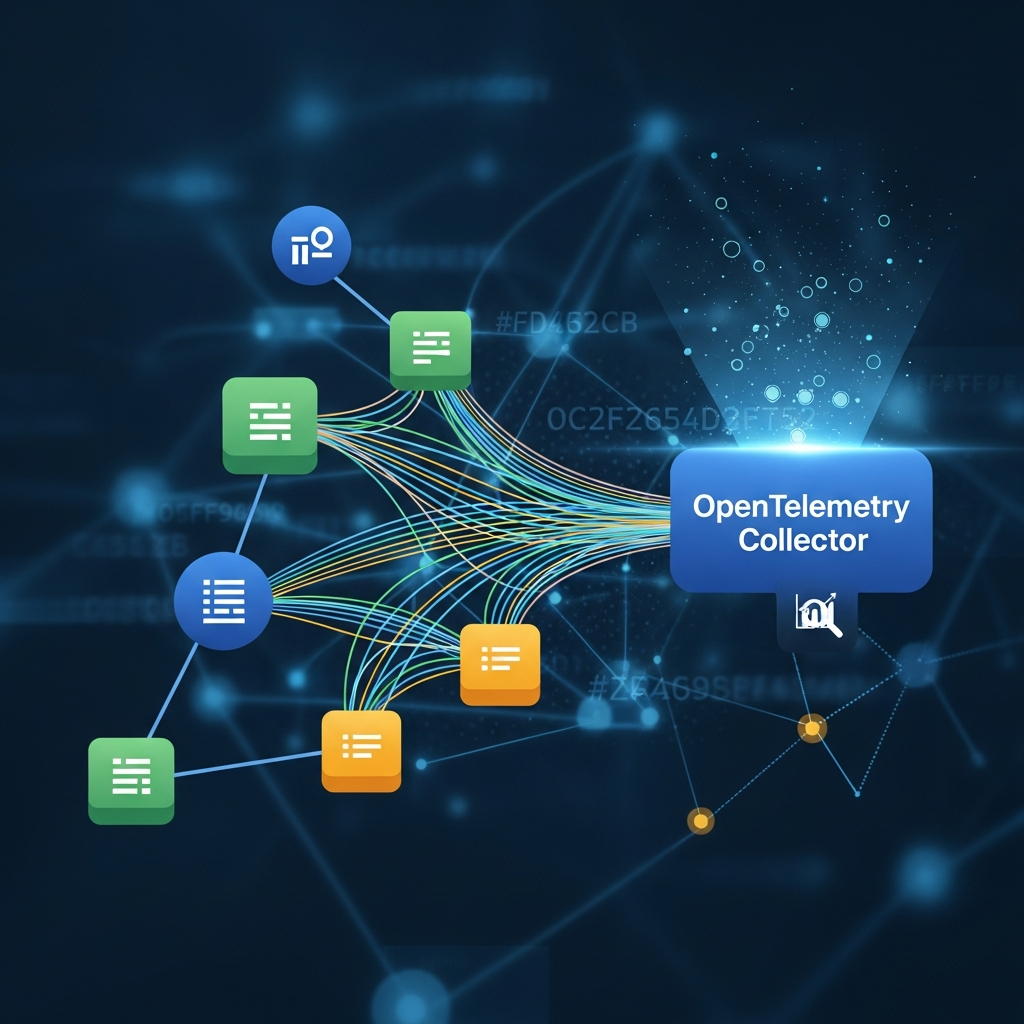
The real power of OpenTelemetry comes from its ability to export data to various observability backends. While our examples use ConsoleSpanExporter for simplicity, in a production environment, you would use an OTLPSpanExporter to send data to an OpenTelemetry Collector, which then forwards it to your chosen backend.
Popular observability backends like Jaeger (for tracing), Prometheus/Grafana (for metrics), Datadog, New Relic, or Honeycomb can ingest OTLP data. Once ingested, you can:
- Visualize Traces: See the full lifecycle of a request, including all LLM interactions, in a waterfall diagram.
- Create Dashboards: Build dashboards to monitor average latency, p99 latency, total token usage, estimated costs, and custom metrics (e.g., "hallucination rate" derived from
gen_ai.response.is_plausible). - Set Alerts: Configure alerts for spikes in latency, unexpected increases in token usage, or a rise in hallucination indicators.
- Perform Root Cause Analysis: Correlate LLM performance with other application components, infrastructure metrics, and logs.
# Example of OTLP Exporter setup (conceptual, requires opentelemetry-exporter-otlp-proto-grpc)
# from opentelemetry.exporter.otlp.proto.grpc.trace_exporter import OTLPSpanExporter
# from opentelemetry.sdk.trace.export import BatchSpanProcessor

# otlp_exporter = OTLPSpanExporter(endpoint="localhost:4317") # Default OTLP/gRPC port
# otlp_processor = BatchSpanProcessor(otlp_exporter)
# provider.add_span_processor(otlp_processor)
This setup allows you to leverage the full suite of features offered by your observability platform, turning raw telemetry data into actionable insights.
Best Practices for GenAI Observability
Implementing robust observability for GenAI requires thoughtful planning. Here are some best practices:
- Start with Core Metrics: Focus on latency, token usage, and error rates first. These provide immediate value and highlight critical issues.
- Strategic Instrumentation: While auto-instrumentation can cover basic HTTP calls, manual instrumentation is often necessary for rich GenAI context. Instrument at the point of interaction with the LLM API, ensuring all relevant
llm.*attributes are captured. - Mindful Attribute Granularity: Capture enough detail to be useful, but avoid excessive cardinality (too many unique attribute values) that can strain your backend. Be cautious about capturing raw prompt/response content, especially if it contains PII (Personally Identifiable Information).
- Cost Estimation with Metadata: Store token costs (per input/output token) as configuration or environment variables. Use this metadata in your observability backend to convert
llm.usage.total_tokensinto estimated monetary costs. - Combine OTel with External Evaluation: For sophisticated quality metrics like hallucination detection, sentiment analysis, or factual accuracy, integrate external evaluation tools. Use OTel to trace these evaluations and attach their results as custom span attributes.
- End-to-End Tracing: Ensure LLM spans are part of larger application traces. This allows you to see the full user journey and understand how LLM performance impacts the overall experience.
- Implement Sampling: In high-volume environments, sending every trace can be overwhelming and costly. Configure head-based or tail-based sampling strategies to manage data volume while retaining critical insights.
- Regular Review and Refinement: LLM models and application requirements evolve. Regularly review your observability setup to ensure it's still capturing the most relevant information and providing actionable insights.
Common Pitfalls and How to Avoid Them
Navigating GenAI observability can be tricky. Be aware of these common pitfalls:
- Over-instrumentation of Prompt/Response: Directly logging full prompts and responses as span attributes can lead to massive trace sizes, performance overhead, and storage costs. More importantly, it can expose sensitive user data (PII). Avoid this. Instead, capture summaries, hashes, or specific metadata. If full content is needed for debugging, use secure logging systems, not trace attributes.
- Under-instrumentation: Only capturing basic call duration misses the rich context (tokens, parameters, models) essential for GenAI-specific insights. Ensure you're leveraging the GenAI semantic conventions fully.
- Ignoring Token Costs: Not tracking
llm.usage.input_tokensandllm.usage.output_tokenscan lead to significant, unforeseen cloud bills. Make token monitoring a top priority. - Treating
finish_reasonas a Hallucination Detector:llm.response.finish_reasonprovides information about why a model stopped generating (e.g.,stop,length,tool_calls). It's not a direct indicator of factual correctness. Relying solely on it for hallucination detection will lead to false negatives and positives. - Lack of Contextual Tracing: If LLM spans are isolated and not connected to the broader application trace, you lose the ability to understand their impact on user requests and troubleshoot end-to-end issues.
- Inconsistent Attribute Naming: Without adhering to semantic conventions, your data becomes messy and hard to query. Stick to the
llm.*andgen_ai.*conventions as much as possible, and establish clear internal conventions for custom attributes.
Conclusion
Generative AI is transforming the technological landscape, but its power comes with unique operational challenges. Observability is no longer a luxury but a necessity for building reliable, performant, and cost-effective GenAI applications. OpenTelemetry, with its powerful GenAI semantic conventions, provides the standardized framework needed to gain deep insights into your LLM interactions.
By diligently monitoring latency, tracking token costs, and integrating indicators for challenging issues like hallucinations, you empower your teams to optimize models, enhance user experience, and manage operational expenses effectively. The journey into advanced AI applications is just beginning, and with OpenTelemetry, you have a robust companion to light the way.
Start instrumenting your GenAI applications today. Embrace the power of standardized telemetry, and transform the opaque black box of LLMs into a transparent, observable, and manageable component of your modern software stack.
Written by
CodewithYohaFull-Stack Software Engineer with 7+ years of experience in Java, Spring Boot, and cloud architecture across AWS, Azure, and GCP. Writing production-grade engineering patterns for developers who ship real software.