
AI-Native IDEs: How Cursor, Windsurf, & Copilot Transform Development

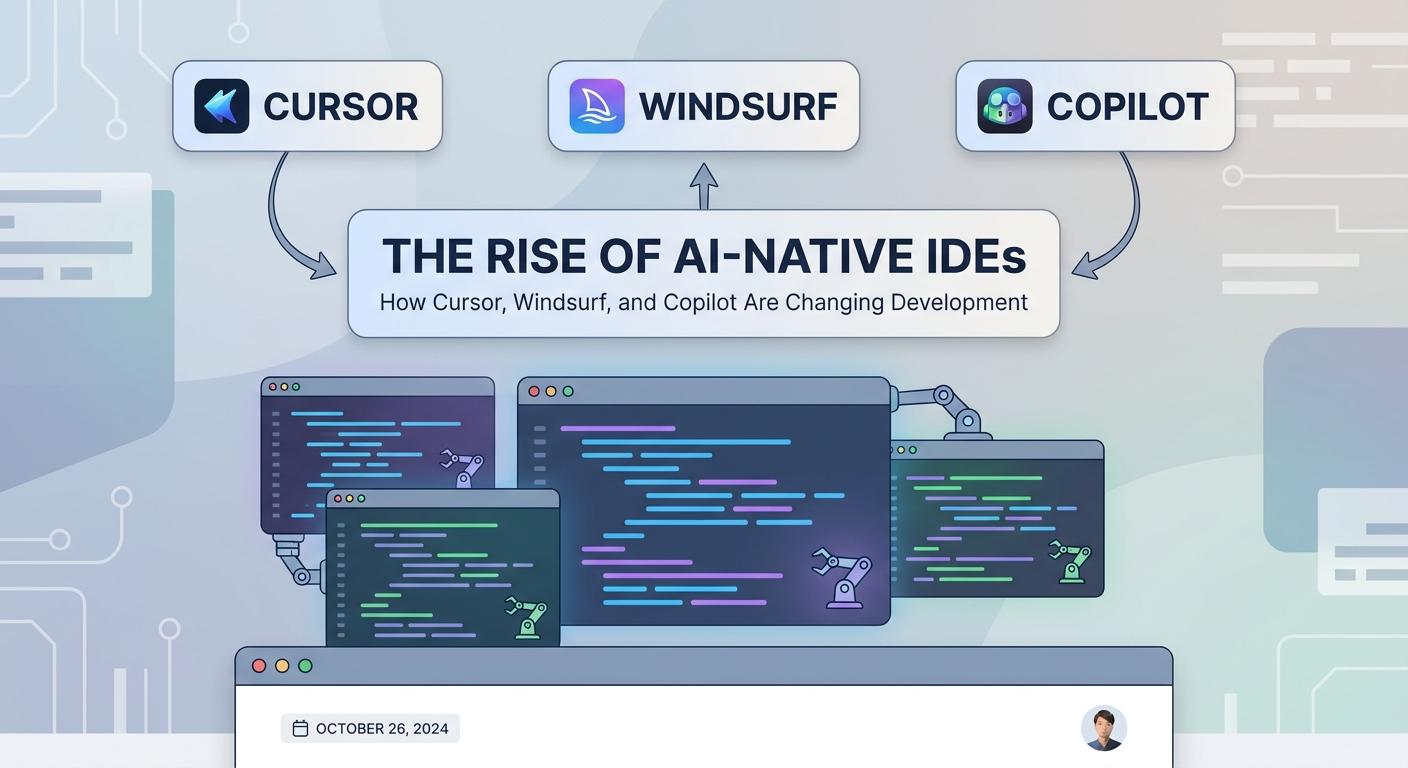
Introduction: The Dawn of AI-Native Development Environments
For decades, Integrated Development Environments (IDEs) have been the command centers for developers, evolving from simple text editors to sophisticated tools offering intelligent code completion, debugging, and project management. Yet, even with these advancements, the core interaction model remained largely human-centric, with AI acting as an assistant rather than a co-pilot. Today, we are witnessing a fundamental shift: the rise of AI-native IDEs.
These new environments are not merely IDEs with AI plugins; they are built from the ground up with artificial intelligence as a core paradigm, fundamentally altering how developers interact with code, solve problems, and even design software. This comprehensive guide delves into how pioneers like GitHub Copilot, Cursor, and the conceptual vision represented by "Windsurf" are leading this revolution, transforming the very fabric of software development.
From predictive code generation to natural language-driven refactoring and autonomous problem-solving, AI-native IDEs promise to unlock unprecedented levels of productivity and innovation. But what exactly defines an AI-native IDE, how do they work, and what are the implications for the future of coding?
Prerequisites
To fully appreciate the concepts discussed in this article, a basic understanding of:
- Integrated Development Environments (IDEs): Familiarity with common IDE features like code editing, debugging, and version control integration.
- Programming Concepts: General knowledge of programming languages and software development workflows.
- Artificial Intelligence (AI) and Machine Learning (ML): A high-level understanding of what AI and ML are, particularly Large Language Models (LLMs), will be beneficial.
1. What Defines an AI-Native IDE?
An AI-native IDE is more than just an IDE with AI features; it's an environment where AI is intrinsically woven into the core user experience and functionality. Unlike traditional IDEs augmented with AI extensions (e.g., VS Code with Copilot as an extension), an AI-native IDE treats AI as a first-class citizen, often designing the UI/UX around AI interactions from the outset.
Key characteristics include:
- Natural Language Interaction: The ability to communicate with the IDE using plain English (or other natural languages) to generate, modify, or understand code.
- Deep Contextual Awareness: AI models that understand not just individual files, but the entire codebase, project structure, dependencies, and even git history.
- Proactive Assistance: AI that doesn't just respond to explicit requests but anticipates developer needs, suggesting improvements, identifying bugs, or proposing solutions before being asked.
- Generative Capabilities: Beyond simple auto-completion, these IDEs can generate significant blocks of code, entire functions, tests, or even new files based on high-level prompts.
- Iterative Refinement: An interaction model that allows developers to refine AI-generated code through conversational feedback.
2. The Evolution of AI in Development Tools
The journey of AI in development tools has been incremental:
- Early Days (Syntax Highlighting, Basic Completion): Rudimentary pattern matching and keyword recognition.
- Static Analysis (Linters, Formatters): Tools that analyze code without executing it to find potential errors, style violations, and security vulnerabilities.
- Intelligent Auto-completion (IntelliSense): Context-aware suggestions based on language syntax, libraries, and project symbols.
- Predictive AI (Early ML Models): Limited suggestions based on common coding patterns, often requiring extensive training data specific to a domain.
- Generative AI (LLMs): The current paradigm shift, powered by large language models capable of understanding and generating human-like text, now applied to code.
This evolution has culminated in the AI-native IDE, where generative AI, coupled with deep contextual understanding, moves beyond mere assistance to become a truly collaborative partner in the development process.
3. GitHub Copilot: The Pioneer and its Impact
GitHub Copilot, powered by OpenAI's Codex (a descendant of GPT-3), was arguably the first widely adopted tool to introduce generative AI directly into the IDE. Launched in 2021, it works as an AI pair programmer, offering suggestions for lines of code or entire functions in real-time as developers type.
How it Works
Copilot analyzes the code and comments in the open file, along with other files in the project, to understand the context. It then uses this context to predict and suggest code snippets, drawing from a vast dataset of publicly available code.
Integration and Features
Copilot integrates seamlessly as an extension into popular IDEs like VS Code, JetBrains IDEs, Neovim, and Visual Studio. Its primary features include:
- Code Completion: Suggesting the next line or block of code.
- Function Generation: Writing entire functions based on a docstring or function signature.
- Test Generation: Proposing unit tests for existing code.
- Boilerplate Reduction: Automatically generating repetitive code structures.
Pros and Cons
- Pros: Significantly speeds up development, especially for boilerplate and common patterns; helps explore new APIs; reduces cognitive load.
- Cons: Can generate incorrect or suboptimal code (hallucinations); potential security risks if suggestions are blindly accepted; raises intellectual property concerns due to training data; can reduce the need for deep understanding if over-relied upon.
Code Example: Generating a Python Function with Copilot
Imagine typing the following in your editor:
# Function to calculate the factorial of a number
def factorial(
Copilot might then suggest the following:
# Function to calculate the factorial of a number
def factorial(n: int) -> int:
    if n == 0:
        return 1
    else:
        return n * factorial(n-1)
4. Cursor: An IDE Built for AI First
Cursor represents a significant step towards a truly AI-native IDE. Instead of being an add-on, Cursor is a fork of VS Code, redesigned from the ground up to integrate AI as a core interaction model. Its philosophy is "chat-first," allowing developers to interact with their codebase using natural language directly within the editor.
Core Philosophy and Features
Cursor's primary differentiator is its built-in AI chat interface, which can perform a variety of tasks:
- Chat with Codebase: Ask questions about specific files, functions, or the entire project. The AI can explain code, identify bugs, or suggest improvements.
- Generate and Edit: Provide natural language prompts to generate new code, refactor existing functions, or fix errors. The AI proposes changes, which can be accepted or iteratively refined.
- Diff View for AI Edits: When the AI suggests changes, Cursor presents them in a familiar diff view, allowing developers to review and accept/reject line-by-line.
- Autofix: Automatically identify and fix common errors or apply suggested changes.
- Generate Tests/Docs: Prompt the AI to create unit tests for a function or generate documentation comments.
How it Differs from Copilot
While Copilot is excellent for real-time code completion, Cursor aims for a more conversational and goal-oriented interaction. Copilot is reactive (suggests as you type); Cursor is proactive and directive (you tell it what to do, and it acts on the codebase).
Code Example: Refactoring with Cursor's Chat
Let's say you have this Python function:
def calculate_discount(price, quantity, is_premium_customer):
    total_price = price * quantity
    if is_premium_customer:
        return total_price * 0.9  # 10% discount for premium
    elif quantity > 5:
        return total_price * 0.95 # 5% discount for bulk
    else:
        return total_price
You might open Cursor's AI chat and type:
@all Refactor the 'calculate_discount' function to use clearer variable names and separate discount logic into helper functions. Ensure it handles edge cases like zero price or quantity.
Cursor's AI might then propose a refactored version in a diff view:
--- a/original.py
+++ b/refactored.py
@@ -1,9 +1,19 @@
 def calculate_discount(price, quantity, is_premium_customer):
-    total_price = price * quantity
-    if is_premium_customer:
-        return total_price * 0.9  # 10% discount for premium
-    elif quantity > 5:
-        return total_price * 0.95 # 5% discount for bulk
-    else:
-        return total_price
+    if price <= 0 or quantity <= 0:
+        return 0.0
+
+    base_amount = price * quantity
+    discount_percentage = 0.0
+
+    def get_premium_discount():
+        return 0.10  # 10% discount
+
+    def get_bulk_discount():
+        return 0.05  # 5% discount
+
+    if is_premium_customer:
+        discount_percentage = get_premium_discount()
+    elif quantity > 5:
+        discount_percentage = get_bulk_discount()
+
+    return base_amount * (1 - discount_percentage)
5. The Vision of Deeper Integration: What "Windsurf" Represents
While "Windsurf" may not be a widely recognized, commercially available AI-native IDE in the same vein as Cursor or GitHub Copilot, its mention points towards a crucial conceptual frontier: the evolution of AI in IDEs beyond simple suggestions and conversational interactions to truly agentic and autonomous capabilities. This represents the next wave of AI-native development, where the AI acts less like a co-pilot and more like an independent agent capable of understanding high-level goals and executing multi-step plans.
Moving Beyond Chat to Agentic Workflows
The vision that a tool like "Windsurf" embodies includes:
- Project-Level Understanding and Memory: An AI that maintains long-term memory of the project's architecture, past decisions, design patterns, and even team conventions. It understands the "why" behind the code, not just the "what."
- Goal-Oriented Development: Instead of asking the AI to refactor a function, a developer might instruct it: "Implement user authentication using OAuth2 and integrate it with the existing user profile service." The AI would then break down the task, generate multiple files, modify configurations, and even suggest database schema changes.
- Multi-Agent Collaboration: The IDE might host multiple specialized AI agents – one for front-end, one for backend, one for testing – that collaborate to achieve a larger development goal.
- Autonomous Problem Solving: When a test fails or a bug is reported, the AI could independently diagnose the issue, propose solutions, implement them, and even run new tests to verify the fix, presenting the developer with a fully tested pull request.
- Proactive System Design: The AI could analyze requirements and suggest optimal system architectures, API designs, or database schemas, taking into account scalability, performance, and security.
Code Example: Hypothetical Agentic Workflow for a New Feature
Imagine you want to add a new feature to an e-commerce platform:
Developer Prompt (to the "Windsurf"-like agent):
@project Implement a new 'Wishlist' feature. Users should be able to add products to their wishlist, view their wishlist, and remove items. The wishlist should be persistent and associated with authenticated users. Include necessary API endpoints, database schema changes, and a basic UI component for adding items.
The AI agent would then:
- Analyze existing codebase: Understand user authentication, product catalog, and database structure.
- Propose schema changes: Suggest a
wishlisttable withuser_idandproduct_id. - Generate API endpoints: Create
POST /api/wishlist/add,GET /api/wishlist,DELETE /api/wishlist/removewith appropriate validation and authentication logic. - Develop backend logic: Implement services to interact with the database.
- Create frontend components: Generate a React/Vue/Angular component for an "Add to Wishlist" button and a "My Wishlist" page.
- Write tests: Generate unit and integration tests for all new components and endpoints.
- Present a comprehensive plan: Show the developer a detailed breakdown of changes, potentially in a staged manner for review.
This level of autonomy, while still largely aspirational, represents the ultimate vision of AI-native IDEs – environments where the AI acts as a true development partner, handling complex tasks with minimal human intervention.
6. Core AI Capabilities Driving These IDEs
The advancements in AI-native IDEs are underpinned by several key AI technologies:
- Large Language Models (LLMs): The backbone of generative AI, LLMs like GPT-3/4, Llama, and Codex are trained on massive datasets of text and code, enabling them to understand natural language prompts and generate coherent, contextually relevant code.
- Contextual Understanding: Beyond just the current file, these IDEs leverage techniques to feed the LLM with relevant context from the entire project: other files, documentation, git history, dependency graphs, and even error logs. This enables more accurate and useful suggestions.
- Natural Language Processing (NLP): Allows the IDE to interpret developer commands and questions in plain language, translating them into actionable coding tasks.
- Code Generation and Completion: The core ability to predict and generate code snippets, functions, classes, or entire files.
- Code Refactoring and Transformation: AI models can analyze code structure and apply refactoring patterns, optimize performance, or convert code between different styles or even languages.
- Debugging Assistance: AI can analyze stack traces, error messages, and logs to pinpoint potential causes of bugs and suggest fixes.
- Semantic Search: Enabling developers to search their codebase not just by keywords, but by intent or functionality.
7. Real-World Use Cases and Benefits
AI-native IDEs are already demonstrating significant benefits across various development scenarios:
- Rapid Prototyping: Quickly spinning up new projects, features, or microservices with AI generating much of the initial boilerplate and structure.
- Boilerplate Reduction: Eliminating the tedious and error-prone task of writing repetitive code, allowing developers to focus on unique business logic.
- Learning New Languages/Frameworks: AI can act as a tutor, explaining syntax, suggesting common patterns, and generating examples in unfamiliar technologies.
- Code Review Assistance: AI can identify potential bugs, security vulnerabilities, or style inconsistencies during code review, augmenting human reviewers.
- Onboarding New Developers: Accelerating the learning curve for new team members by providing instant explanations of codebase sections and guiding them through initial tasks.
- Increased Productivity for Experienced Developers: Freeing up senior developers from mundane tasks, allowing them to concentrate on complex architectural decisions and innovative solutions.
- Legacy Code Modernization: Assisting in understanding, refactoring, or even migrating older codebases to newer standards.
- Test-Driven Development (TDD): AI can generate test cases based on function signatures or requirements, or even generate the function implementation to pass existing tests.
8. Best Practices for AI-Assisted Development
While powerful, AI-native IDEs are tools that require skillful use. Here are some best practices:
- Treat AI Suggestions as a Starting Point: Always review and understand generated code. It's a suggestion, not gospel.
- Understand the Generated Code: Don't blindly accept code. If you don't understand it, ask the AI to explain it, or research it yourself. This is crucial for debugging and maintenance.
- Leverage AI for Repetitive Tasks: Use AI for generating boilerplate, simple CRUD operations, or converting data formats. This is where it shines most.
- Practice Effective Prompt Engineering: The quality of AI output heavily depends on the clarity and specificity of your prompts. Learn to guide the AI effectively.
- Example Bad Prompt: "Write a function for users." (Too vague)
- Example Good Prompt: "Write a Python function
create_user(username: str, email: str)that validates email format, hashes the password, and saves the user to a PostgreSQL database via SQLAlchemy ORM. AssumeUsermodel exists and returns the new user object." (Specific, includes context and constraints)
- Maintain High Code Quality and Testing Standards: AI-generated code still needs to adhere to your team's quality standards and must be thoroughly tested.
- Use Version Control Diligently: Commit frequently and review diffs carefully, especially after accepting large AI-generated changes.
- Iterate and Refine: Don't expect perfect code on the first try. Use the AI's conversational capabilities to refine and improve its output.
9. Common Pitfalls and Challenges
Despite their promise, AI-native IDEs present several challenges:
- Over-Reliance and Skill Degradation: Developers might become overly dependent on AI, potentially hindering their problem-solving skills, architectural thinking, and deep understanding of core concepts.
- Security and Intellectual Property Concerns: AI models trained on public codebases might inadvertently reproduce copyrighted code or introduce vulnerabilities. Data sent to cloud-based AI services also raises privacy and security questions.
- Hallucinations and Incorrect Code: LLMs can confidently generate syntactically correct but logically flawed or entirely incorrect code, requiring careful human oversight.
- Maintaining Context in Large Codebases: While improving, AI still struggles with maintaining a comprehensive, deep understanding of extremely large and complex codebases over long interaction sessions.
- Bias in Training Data: If the training data contains biases (e.g., preference for certain patterns, frameworks, or even security practices), the AI might perpetuate them.
- The "Black Box" Problem: Understanding why the AI generated a particular piece of code can be challenging, making it harder to debug or modify.
- Cost: While some tools have free tiers, extensive use of powerful AI models can incur significant costs.
10. The Future of AI-Native IDEs
The trajectory of AI-native IDEs is towards even greater intelligence, autonomy, and integration:
- More Autonomous Agents: The vision represented by "Windsurf"—AI agents capable of executing multi-step development plans, managing entire features, and even participating in design discussions—will become more prevalent.
- Deeper Integration with DevOps Workflows: AI will extend beyond the IDE to assist with CI/CD pipeline creation, infrastructure as code, monitoring, and automated incident response.
- Personalized AI Models: IDEs will learn individual developer preferences, coding styles, and common mistakes, offering highly personalized assistance.
- Multimodal AI: Integrating code generation with UI/UX design tools, allowing developers to generate both functional code and corresponding visual interfaces from high-level descriptions.
- Enhanced Debugging and Optimization: AI will become even more adept at identifying performance bottlenecks, memory leaks, and complex bugs, suggesting highly optimized solutions.
- Ethical Considerations and Regulation: As AI becomes more integrated, discussions around intellectual property, liability for AI-generated errors, and the ethical implications of autonomous code generation will intensify, leading to new standards and regulations.
Conclusion: A New Era of Human-AI Collaboration
The rise of AI-native IDEs marks a pivotal moment in software development. Tools like GitHub Copilot and Cursor are not just enhancing existing workflows; they are fundamentally reshaping the developer experience, moving from reactive assistance to proactive collaboration. The conceptual frontier, exemplified by the "Windsurf" vision of agentic AI, promises an even more profound transformation, where AI systems take on increasingly complex and autonomous roles in the development lifecycle.
This new era demands a shift in mindset for developers. Instead of fearing replacement, we must embrace AI as a powerful partner, focusing on higher-level problem-solving, architectural design, and critical evaluation of AI-generated output. The most effective developers of tomorrow will be those who master the art of prompt engineering, understand when and how to leverage AI, and maintain a deep understanding of the underlying technologies. The future of coding is not just about writing code; it's about intelligently orchestrating human creativity with machine intelligence to build the next generation of software, faster and more efficiently than ever before.
Written by
CodewithYohaFull-Stack Software Engineer with 7+ years of experience in Java, Spring Boot, and cloud architecture across AWS, Azure, and GCP. Writing production-grade engineering patterns for developers who ship real software.