Introduction
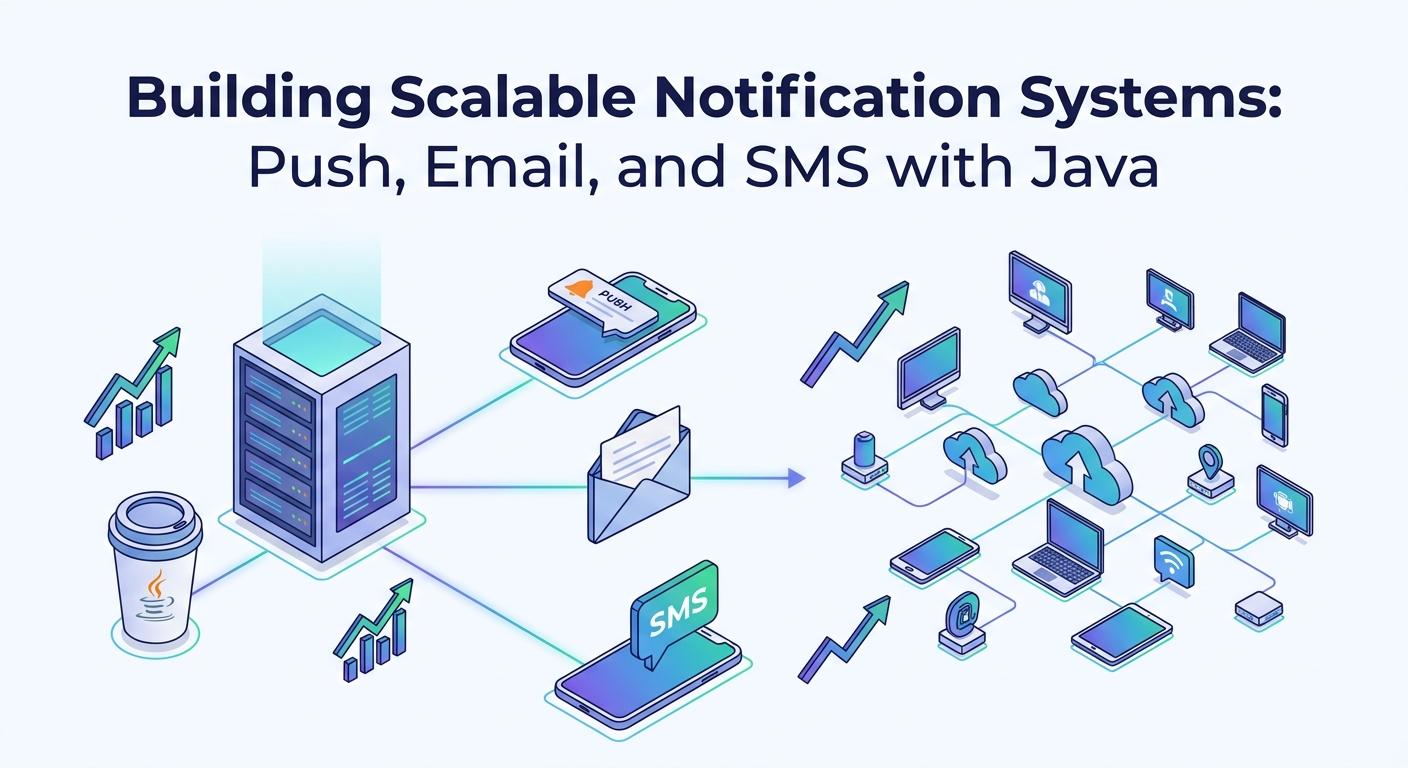
In today's fast-paced digital world, effective communication with users is paramount for any application's success. Whether it's confirming an order, alerting users to critical events, or delivering personalized marketing messages, a robust and scalable notification system is a core component of modern software architecture. This guide delves into building such systems using Java, focusing on three primary channels: Push Notifications (for mobile and web), Email, and SMS.
Building a notification system isn't just about sending messages; it's about doing so reliably, efficiently, and at scale, ensuring messages reach the right users at the right time without overwhelming your infrastructure or spamming your audience. We'll explore architectural patterns, practical implementations with Java and Spring Boot, and best practices to ensure your notification infrastructure is resilient and performs optimally.
Prerequisites
To follow along with the code examples and concepts in this article, you should have:
- Java Development Kit (JDK) 11+: The core language runtime.
- Spring Boot: For rapid application development and dependency management.
- Maven or Gradle: For project building and dependency management.
- Basic understanding of Message Queues: Concepts like Kafka or RabbitMQ will be beneficial.
- Familiarity with Cloud Services: AWS SNS/SES, Twilio, Firebase Cloud Messaging (FCM) will be referenced.
Architectural Overview of Scalable Notification Systems
Scalability and reliability are non-negotiable for notification systems. A common pitfall is to send notifications synchronously within the main application flow, which can lead to performance bottlenecks and service degradation under load. The solution lies in asynchronous processing and decoupling.
Decoupling with Message Queues
Message queues (like Apache Kafka, RabbitMQ, or AWS SQS) are central to a scalable notification architecture. When an application needs to send a notification, it publishes a message to a queue instead of directly invoking the notification service. A dedicated notification service (or multiple microservices) consumes these messages asynchronously and handles the actual sending.
Benefits:
- Decoupling: The main application doesn't wait for the notification to be sent.
- Buffering: Queues can absorb bursts of requests, preventing the notification service from being overwhelmed.
- Reliability: Messages can be retried, and dead-letter queues (DLQs) can capture failed messages for later inspection.
- Scalability: Multiple consumers can process messages in parallel, scaling horizontally.
Microservices Approach
Often, different notification channels are handled by separate microservices. For example, an EmailService, SmsService, and PushNotificationService might exist, each responsible for its specific channel and consuming from a common notification queue (or dedicated channel-specific queues).
Implementing Email Notifications in Java
Email remains a foundational communication channel. For scalable email sending, relying on dedicated Email Service Providers (ESPs) like SendGrid, Mailgun, or AWS SES is crucial. These services handle deliverability, bounce management, and scaling, significantly reducing operational overhead.
Spring Boot Mail Starter
Spring Boot provides an excellent starter for sending emails via JavaMail API. While it can be configured to send directly, it's best used as an abstraction layer over an ESP's SMTP gateway.
Dependency (pom.xml):
<dependency>
    <groupId>org.springframework.boot</groupId>
    <artifactId>spring-boot-starter-mail</artifactId>
</dependency>
Configuration (application.properties):
# Example for SendGrid SMTP
spring.mail.host=smtp.sendgrid.net
spring.mail.port=587
spring.mail.username=apikey
spring.mail.password=YOUR_SENDGRID_API_KEY
spring.mail.properties.mail.smtp.auth=true
spring.mail.properties.mail.smtp.starttls.enable=true
Code Example: Spring Boot Email Service
package com.example.notifications.email;

import org.springframework.mail.MailException;
import org.springframework.mail.SimpleMailMessage;
import org.springframework.mail.javamail.JavaMailSender;
import org.springframework.stereotype.Service;

import java.util.logging.Logger;

@Service
public class EmailService {

    private static final Logger LOGGER = Logger.getLogger(EmailService.class.getName());
    private final JavaMailSender mailSender;

    public EmailService(JavaMailSender mailSender) {
        this.mailSender = mailSender;
    }

    public void sendSimpleEmail(String to, String subject, String body) {
        try {
            SimpleMailMessage message = new SimpleMailMessage();
            message.setFrom("noreply@yourdomain.com"); // Should be a verified sender in your ESP
            message.setTo(to);
            message.setSubject(subject);
            message.setText(body);
            mailSender.send(message);
            LOGGER.info("Email sent successfully to: " + to);
        } catch (MailException e) {
            LOGGER.severe("Failed to send email to " + to + ": " + e.getMessage());
            // Implement retry mechanism or dead-letter queue here
            throw new RuntimeException("Email sending failed", e);
        }
    }

    // Method for sending HTML emails using MimeMessageHelper
    // public void sendHtmlEmail(String to, String subject, String htmlBody) { ... }
}
Implementing SMS Notifications in Java
SMS is ideal for urgent, time-sensitive, or transactional messages where high open rates are critical. Similar to email, using a third-party SMS gateway like Twilio, Nexmo (Vonage), or AWS SNS is the standard practice for reliability and global reach.
Twilio SMS API
Twilio is a popular choice, offering robust APIs for sending SMS, voice calls, and more. First, add the Twilio dependency:
Dependency (pom.xml):
<dependency>
    <groupId>com.twilio.sdk</groupId>
    <artifactId>twilio</artifactId>
    <version>9.0.0</version> <!-- Use the latest version -->
</dependency>
Configuration (application.properties):
twilio.account.sid=ACxxxxxxxxxxxxxxxxxxxxxxxxxxxxx
twilio.auth.token=your_auth_token
twilio.phone.number=+15017122661 # Your Twilio phone number
Code Example: Twilio SMS Service
package com.example.notifications.sms;

import com.twilio.Twilio;
import com.twilio.rest.api.v2010.account.Message;
import com.twilio.type.PhoneNumber;
import org.springframework.beans.factory.annotation.Value;
import org.springframework.stereotype.Service;

import javax.annotation.PostConstruct;
import java.util.logging.Logger;

@Service
public class SmsService {

    private static final Logger LOGGER = Logger.getLogger(SmsService.class.getName());

    @Value("${twilio.account.sid}")
    private String accountSid;

    @Value("${twilio.auth.token}")
    private String authToken;

    @Value("${twilio.phone.number}")
    private String twilioPhoneNumber;

    @PostConstruct
    public void init() {
        Twilio.init(accountSid, authToken);
    }

    public void sendSms(String toPhoneNumber, String messageBody) {
        try {
            Message message = Message.creator(
                            new PhoneNumber(toPhoneNumber),  // To number
                            new PhoneNumber(twilioPhoneNumber), // From number
                            messageBody)
                    .create();
            LOGGER.info("SMS sent successfully to: " + toPhoneNumber + ", SID: " + message.getSid());
        } catch (Exception e) {
            LOGGER.severe("Failed to send SMS to " + toPhoneNumber + ": " + e.getMessage());
            // Implement retry logic or DLQ
            throw new RuntimeException("SMS sending failed", e);
        }
    }
}
Implementing Push Notifications in Java
Push notifications are crucial for engaging mobile app users and increasingly for web users. Firebase Cloud Messaging (FCM) is the most popular solution for mobile (Android/iOS), while Web Push APIs are used for browsers.
Firebase Cloud Messaging (FCM)
FCM allows you to send messages to client apps reliably. It handles message routing, fan-out, and device token management. You'll need to set up a Firebase project and download a service account JSON file.
Dependency (pom.xml):
<dependency>
    <groupId>com.google.firebase</groupId>
    <artifactId>firebase-admin</artifactId>
    <version>9.1.1</version> <!-- Use the latest version -->
</dependency>
Configuration (application.properties or environment variable):
Point to your Firebase service account JSON file.
fcm.service-account-file=classpath:firebase-adminsdk.jsonCode Example: FCM Service
package com.example.notifications.push;

import com.google.auth.oauth2.GoogleCredentials;
import com.google.firebase.FirebaseApp;
import com.google.firebase.FirebaseOptions;
import com.google.firebase.messaging.FirebaseMessaging;
import com.google.firebase.messaging.FirebaseMessagingException;
import com.google.firebase.messaging.Message;
import com.google.firebase.messaging.Notification;
import org.springframework.beans.factory.annotation.Value;
import org.springframework.core.io.Resource;
import org.springframework.core.io.ResourceLoader;
import org.springframework.stereotype.Service;

import javax.annotation.PostConstruct;
import java.io.IOException;
import java.util.logging.Logger;

@Service
public class FcmService {

    private static final Logger LOGGER = Logger.getLogger(FcmService.class.getName());
    private final ResourceLoader resourceLoader;

    @Value("${fcm.service-account-file}")
    private String serviceAccountFile;

    public FcmService(ResourceLoader resourceLoader) {
        this.resourceLoader = resourceLoader;
    }

    @PostConstruct
    public void initialize() throws IOException {
        Resource resource = resourceLoader.getResource(serviceAccountFile);
        FirebaseOptions options = FirebaseOptions.builder()
                .setCredentials(GoogleCredentials.fromStream(resource.getInputStream()))
                .build();

        if (FirebaseApp.getApps().isEmpty()) {
            FirebaseApp.initializeApp(options);
            LOGGER.info("Firebase app initialized.");
        } else {
            LOGGER.info("Firebase app already initialized.");
        }
    }

    public String sendPushNotification(String deviceToken, String title, String body, java.util.Map<String, String> data) {
        try {
            Notification notification = Notification.builder()
                    .setTitle(title)
                    .setBody(body)
                    .build();

            Message message = Message.builder()
                    .setToken(deviceToken)
                    .setNotification(notification)
                    .putAllData(data) // Optional: custom data payload
                    .build();

            String response = FirebaseMessaging.getInstance().send(message);
            LOGGER.info("Successfully sent FCM message to " + deviceToken + ": " + response);
            return response;
        } catch (FirebaseMessagingException e) {
            LOGGER.severe("Failed to send FCM message to " + deviceToken + ": " + e.getMessage());
            // Handle invalid tokens (remove from DB), retries, etc.
            throw new RuntimeException("FCM sending failed", e);
        }
    }
}
Managing Device Tokens
For push notifications, managing device tokens is critical. Client applications (mobile or web) must register their tokens with your backend. Your backend then stores these tokens, typically associated with a user ID, and uses them to target specific devices. Tokens can expire, become invalid, or change, so your system needs to handle updates and cleanups.
Designing for Scalability and Reliability
Beyond basic implementation, ensuring your notification system can handle high loads and is resilient to failures requires careful design.
Message Queues for Asynchronous Processing
As discussed, message queues are fundamental. Here's a typical flow:
- Producer: Your application (e.g., an order service) publishes a
NotificationRequestmessage to a Kafka topic. - Consumer: A dedicated
NotificationService(or multiple instances) consumes messages from the Kafka topic. - Channel-Specific Dispatch: The
NotificationServicedetermines the channel (email, SMS, push) and dispatches the request to the appropriate sub-service (e.g.,EmailService). - External Provider Call: The sub-service calls the external provider (SendGrid, Twilio, FCM).
// Example of a NotificationRequest DTO
public class NotificationRequest {
    private String userId;
    private NotificationType type; // ENUM: EMAIL, SMS, PUSH
    private String recipient; // Email address, phone number, device token
    private String subject; // For email/push title
    private String body; // Message content
    private java.util.Map<String, String> data; // Additional data for push
    // Getters, Setters, Constructors
}

// In your application service (Producer):
@Service
public class OrderService {
    private final KafkaTemplate<String, NotificationRequest> kafkaTemplate;

    public OrderService(KafkaTemplate<String, NotificationRequest> kafkaTemplate) {
        this.kafkaTemplate = kafkaTemplate;
    }

    public void processOrder(Order order) {
        // ... order processing logic ...
        NotificationRequest emailReq = new NotificationRequest(
                order.getUserId(), NotificationType.EMAIL, order.getCustomerEmail(),
                "Order Confirmation", "Your order #" + order.getOrderId() + " has been placed.", null);
        kafkaTemplate.send("notification-topic", emailReq);

        if (order.isSmsOptIn()) {
            NotificationRequest smsReq = new NotificationRequest(
                    order.getUserId(), NotificationType.SMS, order.getCustomerPhone(),
                    null, "Order #" + order.getOrderId() + " confirmed!", null);
            kafkaTemplate.send("notification-topic", smsReq);
        }
    }
}

// In your NotificationService (Consumer):
@Service
public class NotificationConsumer {
    private final EmailService emailService;
    private final SmsService smsService;
    private final FcmService fcmService;

    public NotificationConsumer(EmailService emailService, SmsService smsService, FcmService fcmService) {
        this.emailService = emailService;
        this.smsService = smsService;
        this.fcmService = fcmService;
    }

    @KafkaListener(topics = "notification-topic", groupId = "notification-group")
    public void listen(NotificationRequest request) {
        LOGGER.info("Received notification request: " + request.toString());
        try {
            switch (request.getType()) {
                case EMAIL:
                    emailService.sendSimpleEmail(request.getRecipient(), request.getSubject(), request.getBody());
                    break;
                case SMS:
                    smsService.sendSms(request.getRecipient(), request.getBody());
                    break;
                case PUSH:
                    fcmService.sendPushNotification(request.getRecipient(), request.getSubject(), request.getBody(), request.getData());
                    break;
                default:
                    LOGGER.warning("Unknown notification type: " + request.getType());
            }
        } catch (Exception e) {
            LOGGER.severe("Error processing notification for " + request.getRecipient() + ": " + e.getMessage());
            // Implement sophisticated error handling: retry, move to DLQ
        }
    }
}
Retries and Dead-Letter Queues (DLQs)
External API calls can fail due to transient network issues, rate limits, or invalid recipient data. Implementing retry mechanisms (with exponential backoff) is crucial. If a message repeatedly fails, it should be moved to a Dead-Letter Queue (DLQ) for manual inspection or automated reprocessing after human intervention.
Rate Limiting
External providers often impose rate limits. Your notification service should implement client-side rate limiting to avoid exceeding these limits and getting temporarily blocked. This can be done using token bucket algorithms or simple throttling mechanisms.
Notification Templates and Personalization
Sending generic messages is rarely effective. Personalization is key to engagement. Templating engines allow you to define message structures with placeholders that are dynamically filled with user-specific data.
Using Templating Engines
For email and rich push notifications, using templating engines like Thymeleaf or FreeMarker (for Spring Boot) or dedicated email templating services (SendGrid's Dynamic Templates) is highly recommended.
// Example using Thymeleaf for email content
@Service
public class TemplateEmailService {
    private final JavaMailSender mailSender;
    private final SpringTemplateEngine templateEngine;

    public TemplateEmailService(JavaMailSender mailSender, SpringTemplateEngine templateEngine) {
        this.mailSender = mailSender;
        this.templateEngine = templateEngine;
    }

    public void sendTemplatedEmail(String to, String subject, String templateName, java.util.Map<String, Object> variables) throws MessagingException {
        Context context = new Context();
        context.setVariables(variables);
        String htmlContent = templateEngine.process(templateName, context);

        MimeMessage mimeMessage = mailSender.createMimeMessage();
        MimeMessageHelper helper = new MimeMessageHelper(mimeMessage, true, "UTF-8");
        helper.setFrom("noreply@yourdomain.com");
        helper.setTo(to);
        helper.setSubject(subject);
        helper.setText(htmlContent, true); // true indicates HTML content
        mailSender.send(mimeMessage);
    }
}
Internationalization (i18n)
For global applications, supporting multiple languages is essential. Notification templates should leverage i18n frameworks (like Spring's MessageSource) to deliver messages in the user's preferred language.
Monitoring and Analytics
Sending notifications is only half the battle; knowing if they were delivered and engaged with is equally important. Robust monitoring and analytics are critical.
Logging and Tracing
Extensive logging (using SLF4J/Logback) is crucial. Log every send attempt, success, and failure. Correlate logs with request IDs for end-to-end tracing. Tools like ELK stack (Elasticsearch, Logstash, Kibana) or Splunk can aggregate and analyze these logs.
Delivery Status Tracking
Most providers offer webhooks or APIs to report delivery status (sent, delivered, opened, failed, bounced). Your system should ingest these statuses and update a central notification log or database. This data is vital for troubleshooting and calculating delivery rates.
User Engagement Metrics
Track open rates, click-through rates (for emails and push), and conversion rates associated with notifications. This feedback loop helps refine your notification strategy and content.
Best Practices for Notification Systems
- Consent Management: Always obtain explicit user consent before sending notifications, especially for marketing messages. Provide clear opt-out mechanisms.
- Notification Preferences: Allow users to control which types of notifications they receive and via which channels (e.g., email vs. SMS for order updates).
- Security: Protect API keys and sensitive user data. Use environment variables or secure vault services (e.g., HashiCorp Vault) for credentials. Encrypt data at rest and in transit.
- Idempotency: Design your system so that reprocessing the same notification message multiple times doesn't lead to duplicate sends. This is especially important with message queues and retries.
- Batching: For non-urgent notifications, consider batching them (e.g., a daily digest email) to reduce API calls and prevent notification fatigue.
- Graceful Degradation: If an external notification provider is down, your core application should still function. Notifications might be queued for later or alternative channels used.
- Clear Call-to-Actions: For actionable notifications, ensure a clear and concise call-to-action.
- A/B Testing: Experiment with different message content, timings, and channels to optimize engagement.
Common Pitfalls and How to Avoid Them
- Blocking I/O: Performing synchronous API calls to external providers within your main application thread. Solution: Use message queues and asynchronous processing.
- Not Handling Failures: Ignoring potential errors from external APIs or network issues. Solution: Implement robust retry mechanisms, DLQs, and circuit breakers.
- Spamming Users: Sending too many notifications, irrelevant messages, or ignoring user preferences. Solution: Implement rate limiting, preference management, and intelligent scheduling.
- Security Vulnerabilities: Hardcoding API keys, using insecure communication channels, or exposing sensitive user data. Solution: Secure credential management, HTTPS, and data encryption.
- Vendor Lock-in: Tightly coupling your application to a specific notification provider's API. Solution: Use an abstraction layer or adapter pattern to switch providers more easily.
- Lack of Monitoring: Not knowing if messages are delivered or if the system is performing. Solution: Implement comprehensive logging, delivery tracking, and analytics.
- Poorly Designed Templates: Non-responsive email templates or push notifications that don't render well on different devices. Solution: Test templates rigorously across various clients and devices.
Conclusion
Building a scalable and reliable notification system in Java involves more than just sending messages. It requires a thoughtful architectural approach that leverages asynchronous processing, message queues, and dedicated external providers for each channel. By focusing on decoupling, robust error handling, personalization, and continuous monitoring, you can create a system that effectively communicates with your users, drives engagement, and scales with your application's growth.
As technology evolves, so too will notification capabilities. Expect to see more AI-driven personalization, richer media in messages, and closer integration with user behavior analytics. The foundational principles discussed here, however, will remain critical for any successful notification strategy.

Written by
CodewithYohaFull-Stack Software Engineer with 7+ years of experience in Java, Spring Boot, and cloud architecture across AWS, Azure, and GCP. Writing production-grade engineering patterns for developers who ship real software.