
Seamless Migration from Redis to Valkey: Architecture, HA, and Sharding

Introduction
In the rapidly evolving landscape of data infrastructure, open-source projects often serve as the backbone for critical applications. Redis, a popular in-memory data structure store, has long been a cornerstone for caching, session management, real-time analytics, and more. However, recent changes in Redis's licensing model have prompted many organizations and developers to explore alternatives that uphold the spirit of permissive open-source licensing.
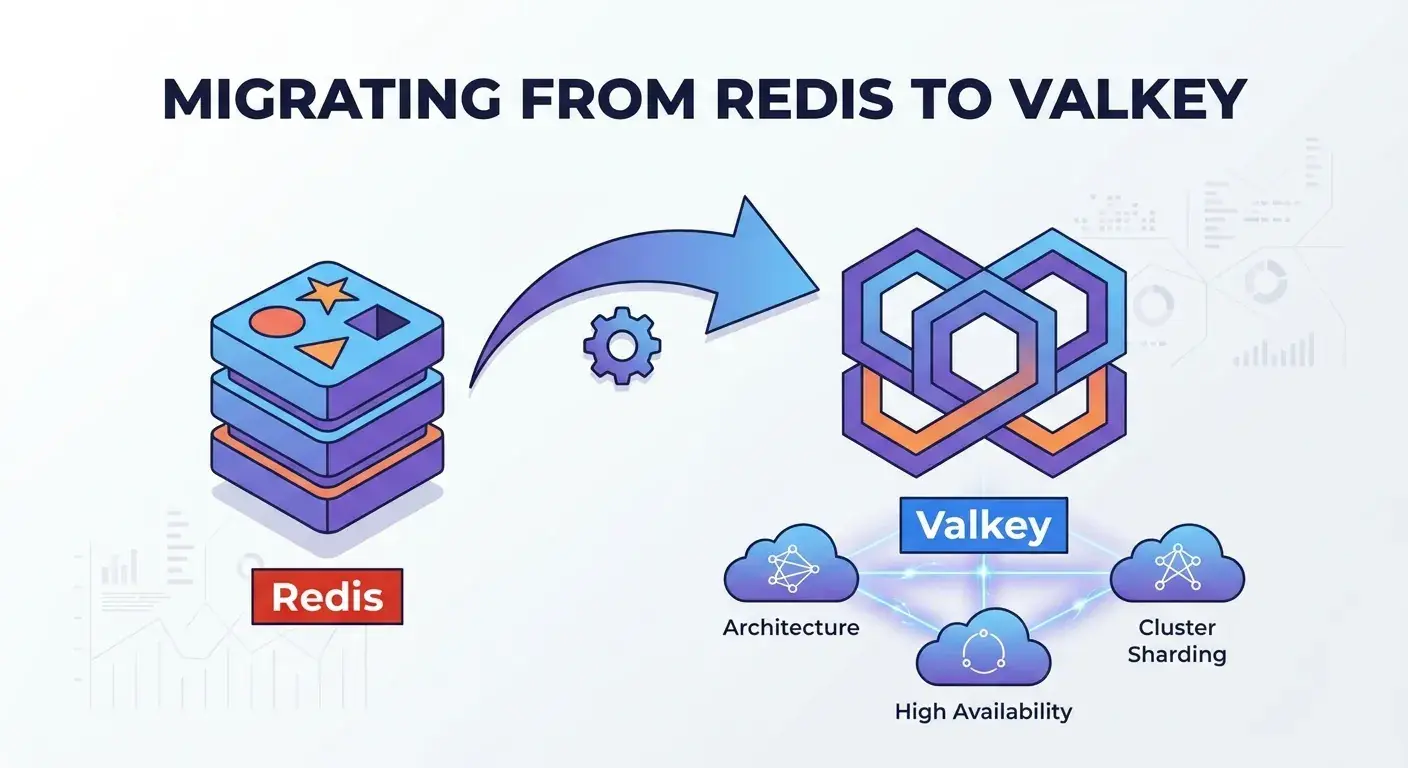
Enter Valkey, a high-performance, open-source, in-memory data structure store that emerged as a fork of Redis. Valkey aims to maintain full compatibility with Redis, ensuring a smooth transition for existing applications while preserving the open-source ethos that many rely upon. This guide provides a deep dive into migrating your existing Redis deployments to Valkey, focusing on architectural considerations, achieving high availability, and implementing robust cluster sharding.
Migrating a critical data store can seem daunting, but with careful planning and a clear understanding of the underlying technologies, it can be a straightforward process. We'll cover everything from understanding Valkey's architecture to practical steps for live migration, ensuring your applications continue to operate with minimal disruption and maximum performance.
Prerequisites
To get the most out of this guide, you should have:
- A basic understanding of Redis concepts, including data types, persistence (RDB/AOF), and high availability (Sentinel/Cluster).
- Familiarity with Linux command-line operations.
- Access to a Linux environment (VMs or containers) for practical examples.
- Basic knowledge of networking concepts.
- Experience with a programming language (e.g., Python) for client-side interactions.
1. Understanding Valkey: A Familiar Landscape
Valkey was created by a community-driven initiative, including former Redis contributors and major users, in response to Redis's shift from BSD to SSPL/RSAL licensing. The primary goal of Valkey is to provide a truly open-source alternative that maintains API, protocol, and data format compatibility with Redis 7.2.
This means that for most applications, migrating from Redis to Valkey is less about rewriting code and more about reconfiguring your infrastructure. Valkey inherits Redis's core strengths: speed, versatility, and a rich set of data structures. It supports the same client libraries, commands, and persistence mechanisms, making it a near drop-in replacement.
Key Characteristics of Valkey:
- Open Source: Licensed under BSD 3-Clause, ensuring long-term community access and contribution.
- High Performance: In-memory operations for blazing-fast data access.
- Versatile Data Structures: Supports Strings, Hashes, Lists, Sets, Sorted Sets, Streams, Geospatial indexes, and more.
- Persistence: RDB snapshots and AOF (Append-Only File) for data durability.
- High Availability: Sentinel for automatic failover and Cluster for sharding and distributed data.
- Extensibility: Modules API for custom functionality.
2. Architectural Parallels and Divergences
The architectural model of Valkey is virtually identical to that of Redis 7.2. Both are single-threaded, in-memory data stores that can be configured for persistence, high availability, and horizontal scaling.
Single-Threaded Nature
Both Valkey and Redis process commands sequentially on a single main thread. This design simplifies concurrency control and avoids complex locking mechanisms, contributing to their high performance. I/O multiplexing (using epoll, kqueue, etc.) allows them to handle many concurrent client connections efficiently without blocking.
Memory Management
Data is stored primarily in RAM. Both offer configurable memory policies, including eviction strategies (LRU, LFU, volatile-LRU, etc.) when memory limits are reached. Efficient memory allocation and data structure encoding are key to their performance.
Persistence Mechanisms
- RDB (Redis Database) snapshots: Point-in-time snapshots of the dataset are saved to disk. This is good for disaster recovery but can lead to data loss during crashes between snapshots.
- AOF (Append-Only File): Every write operation is logged to a file. This provides better durability but can result in larger file sizes and potentially slower recovery times. AOF can be configured with different fsync policies.
High Availability and Scaling
- Replication: Asynchronous replication allows a primary Valkey instance to stream its write operations to one or more replica instances. Replicas can serve read requests and take over as the primary in case of failure.
- Valkey Sentinel: A distributed system designed to monitor Valkey primary and replica instances, handle automatic failover, and provide configuration to clients.
- Valkey Cluster: Provides automatic sharding of data across multiple primary nodes and ensures high availability through replication within the cluster. It's designed for horizontal scaling and fault tolerance.
The critical takeaway is that if you understand Redis's architecture, you already understand Valkey's. The migration will leverage these familiar concepts.
3. Planning Your Migration Strategy
A successful migration requires careful planning. Here's a checklist of key considerations:
-
Inventory Current Redis Usage:
- Which applications use Redis? What are their read/write patterns? What data types are used?
- What are the current Redis versions, configurations (persistence, memory limits, eviction policies)?
- Are you using Redis Sentinel or Cluster? What's your current HA setup?
- Are there any custom Redis modules in use? (Valkey supports the Redis module API, but custom modules should be tested).
-
Define Migration Goals:
- What's the acceptable downtime? Zero downtime is often preferred but requires more complex strategies.
- What are the performance expectations post-migration? Benchmarking is crucial.
- What's the rollback plan in case of issues?
-
Set Up Valkey Environment:
- Provision new servers/VMs/containers for Valkey instances.
- Install Valkey and configure it mirroring your current Redis setup (e.g., memory limits, persistence).
-
Test Compatibility:
- Ensure your application's client libraries work seamlessly with Valkey. Most
redis-py,go-redis,jedis, etc., clients will work out of the box. - Run integration tests against a Valkey instance with a representative dataset.
- Ensure your application's client libraries work seamlessly with Valkey. Most
-
Choose a Migration Method: (Discussed in detail in Section 5)
- Snapshot and Restore (downtime).
- Replication-based migration (minimal downtime).
- Dual-write/Proxy migration (minimal downtime).
-
Monitoring and Alerting:
- Prepare monitoring tools to track Valkey's performance and health metrics.
- Set up alerts for critical events (e.g., memory usage, connection errors, failovers).
4. Data Compatibility and Client Libraries
One of Valkey's strongest advantages is its full compatibility with Redis 7.2's data formats and communication protocols. This means:
- Data Files (RDB/AOF): Valkey can directly load RDB and AOF files generated by Redis 7.2 and earlier versions. This simplifies data transfer significantly.
- Client Libraries: Existing Redis client libraries (e.g.,
redis-pyfor Python,Jedisfor Java,go-redisfor Go,ioredisfor Node.js) are designed to communicate using the RESP (REdis Serialization Protocol). Since Valkey uses the same protocol, these libraries will work without modification. You simply point them to the new Valkey endpoint.
Here's a quick Python example demonstrating client compatibility:
import redis

# Connect to Valkey (or Redis) instance
# Change host and port if your Valkey instance is elsewhere
r = redis.Redis(host='localhost', port=6379, db=0)

try:
    # Set a key
    r.set('mykey', 'Hello from Valkey!')
    print(f"Set 'mykey': {r.get('mykey').decode('utf-8')}")

    # Use a Hash
    r.hset('user:100', mapping={'name': 'Alice', 'email': 'alice@example.com'})
    print(f"User 100 name: {r.hget('user:100', 'name').decode('utf-8')}")

    # Use a List
    r.rpush('mylist', 'item1', 'item2', 'item3')
    print(f"List items: {r.lrange('mylist', 0, -1)}")

except redis.exceptions.ConnectionError as e:
    print(f"Could not connect to Valkey: {e}")
except Exception as e:
    print(f"An error occurred: {e}")
This code will work identically whether localhost:6379 is running Redis or Valkey.
5. Live Migration Approaches: Zero Downtime Strategies
Choosing the right migration method depends heavily on your acceptable downtime window and the complexity you're willing to manage.
5.1. Option A: Snapshot and Restore (Downtime Expected)
This is the simplest method but involves downtime. It's suitable for non-critical applications or during maintenance windows.
Steps:
- Stop Writes to Redis: Gracefully shut down applications writing to your Redis instance.
- Save RDB/AOF: Manually trigger a
BGSAVE(RDB) orBGREWRITEAOF(AOF) on your Redis primary to ensure all data is persisted.bashredis-cli BGSAVE # Or for AOF # redis-cli BGREWRITEAOF - Copy Data Files: Transfer the
dump.rdb(orappendonly.aof) file from your Redis server to your new Valkey server.bash# On Redis server scp /path/to/redis/dump.rdb user@valkey_server:/path/to/valkey/ - Start Valkey: Configure Valkey to use the copied persistence file and start the Valkey server.
bash
# Example valkey.conf snippet dir /path/to/valkey/ dbfilename dump.rdb appendonly yes # if using AOF # ... other configurations valkey-server /path/to/valkey.conf - Update Application Configuration: Point your applications to the new Valkey endpoint.
- Verify and Resume Writes: Monitor Valkey and resume application writes.
5.2. Option B: Replication-Based Migration (Minimal Downtime)
This method leverages Redis's replication capabilities to synchronize data to Valkey, minimizing downtime.
Steps:
- Set Up Valkey as a Replica: Start your Valkey instance and configure it to replicate from your existing Redis primary.
Valkey will perform a full synchronization (PSYNC) and then continuously receive updates from the Redis primary.bash
# In valkey.conf or via valkey-cli replicaof <redis_primary_ip> <redis_primary_port> - Monitor Replication: Ensure Valkey is fully synchronized and healthy.
Look forbash
valkey-cli INFO replicationmaster_link_status:upandmaster_sync_in_progress:0(after initial sync). - Switch Over:
- Temporarily stop writes to the Redis primary (very brief window).
- Wait for Valkey to process any remaining replication backlog.
- Promote the Valkey instance to a primary (optional, if you're not using Sentinel/Cluster yet).
bash
valkey-cli SLAVEOF NO ONE - Update application configuration to point to the Valkey primary.
- Verify and Resume Writes: Monitor Valkey and resume application writes.
This method offers near-zero downtime, as the switchover takes only moments after Valkey is fully synced.
5.3. Option C: Dual-Write/Proxy Migration (Minimal Downtime, Complex)
This method involves an application-level change or a proxy layer to write data to both Redis and Valkey simultaneously, ensuring data consistency during the transition. Reads can be directed to Redis initially, then gradually shifted to Valkey.
Steps:
- Deploy Valkey: Set up your Valkey instances (potentially in a HA setup like Sentinel or Cluster).
- Implement Dual Writes: Modify your application code or introduce a proxy layer to write all data to both Redis and Valkey.
python
# Example: Dual-write logic in application code def set_data(key, value): redis_client.set(key, value) valkey_client.set(key, value) def get_data(key): # During migration, read from Redis, verify with Valkey redis_val = redis_client.get(key) valkey_val = valkey_client.get(key) if redis_val != valkey_val: # Log discrepancy, potentially write to Valkey if Redis is authoritative valkey_client.set(key, redis_val) # Reconcile return redis_val - Backfill Historical Data (if necessary): If you have existing data in Redis that wasn't covered by dual writes, you might need a separate script to copy it to Valkey.
- Shift Reads: Once you're confident that Valkey contains all the data and is performing correctly, gradually shift read traffic from Redis to Valkey.
- Disable Redis: After all traffic is on Valkey, disable dual writes and decommission Redis.
This method provides maximum safety and flexibility but adds complexity to your application or infrastructure.
6. Ensuring High Availability in Valkey
Valkey, like Redis, offers robust solutions for high availability (HA) to ensure your data store remains operational even during node failures.
6.1. Valkey Sentinel
Valkey Sentinel is a distributed system that monitors Valkey primary and replica instances, handles automatic failover, and acts as a configuration provider for clients. It requires at least three Sentinel processes for a robust setup.
How it works:
- Monitoring: Sentinels constantly check if primary and replica instances are reachable and behaving as expected.
- Notification: If an instance fails, Sentinels can notify system administrators or other programs.
- Automatic Failover: If a primary node fails, Sentinels agree on a replica to promote to primary, reconfigure other replicas to follow the new primary, and update clients.
- Configuration Provider: Clients connect to Sentinels to discover the current primary's address.
Basic Sentinel Configuration (sentinel.conf):
# sentinel.conf for sentinel-1 (repeat for sentinel-2, sentinel-3 with different ports)
port 26379

# Monitor a master called 'mymaster' at 127.0.0.1:6379, with 2 sentinels required to agree on failover
sentinel monitor mymaster 127.0.0.1 6379 2

# Timeout for master or replica to be considered down
sentinel down-after-milliseconds mymaster 5000

# Timeout for failover process
sentinel failover-timeout mymaster 60000

# Number of replicas that can be reconfigured in parallel during failover
sentinel parallel-syncs mymaster 1

# Bind to specific IP if needed
# bind 0.0.0.0
To start Sentinels:
valkey-sentinel /path/to/sentinel.confClient libraries typically have built-in support for connecting to Sentinel, allowing them to automatically discover the current primary.
6.2. Valkey Cluster
Valkey Cluster provides a way to automatically shard your data across multiple Valkey primary nodes and ensures high availability through replication within the cluster. It's designed for horizontal scaling and fault tolerance.
We'll cover Cluster in more detail in the next section, but it's important to understand that both Sentinel and Cluster provide HA, but for different scaling paradigms: Sentinel for a single primary-replica set, Cluster for distributed, sharded data.
7. Implementing Valkey Cluster Sharding
Valkey Cluster is the solution for scaling beyond a single Valkey instance's memory and CPU limits. It partitions your dataset across multiple Valkey primary nodes.
7.1. Cluster Concepts
- Hash Slots: The key space is divided into 16384 hash slots. Each key is mapped to a specific slot using a CRC16 hash function.
- Nodes: A Valkey Cluster consists of multiple Valkey instances, each called a 'node'. Each primary node is responsible for a subset of the hash slots.
- Primary and Replica Nodes: Each primary node can have one or more replica nodes. Replicas provide high availability for their primary's hash slots. If a primary fails, one of its replicas is promoted.
- Client Redirection: Clients can connect to any node in the cluster. If a command is sent to a node that doesn't own the key's hash slot, the node redirects the client to the correct node.
7.2. Setting Up a Valkey Cluster
Let's set up a minimal 3-primary, 3-replica cluster (6 nodes total) on a single machine for demonstration, using different ports. In production, these would be on separate physical or virtual machines.
Steps:
-
Create Configuration Files and Data Directories: For each node (ports 7000-7005):
bashmkdir cluster-test cd cluster-test for port in $(seq 7000 7005); do \ mkdir node-${port} \ && cp valkey.conf node-${port}/valkey.conf \ && echo "port ${port}" >> node-${port}/valkey.conf \ && echo "cluster-enabled yes" >> node-${port}/valkey.conf \ && echo "cluster-config-file nodes-${port}.conf" >> node-${port}/valkey.conf \ && echo "cluster-node-timeout 5000" >> node-${port}/valkey.conf \ && echo "appendonly yes" >> node-${port}/valkey.conf \ && echo "dir node-${port}/" >> node-${port}/valkey.conf; doneEnsure
valkey.confexists incluster-test/and contains basic settings (e.g.,daemonize yes,loglevel notice). -
Start Each Valkey Instance:
bashfor port in $(seq 7000 7005); do \ valkey-server node-${port}/valkey.conf; done -
Create the Cluster: Use
valkey-cli --cluster createto form the cluster. We'll create 3 primaries and 3 replicas, with one replica for each primary.bashvalkey-cli --cluster create 127.0.0.1:7000 127.0.0.1:7001 127.0.0.1:7002 \ 127.0.0.1:7003 127.0.0.1:7004 127.0.0.1:7005 \ --cluster-replicas 1Confirm the cluster creation when prompted.
-
Verify Cluster Health:
bashvalkey-cli -c -p 7000 cluster info valkey-cli -c -p 7000 cluster nodesThe
-cflag tellsvalkey-clito enable cluster mode, allowing it to handle redirections.
Now you can interact with the cluster as if it were a single instance:
valkey-cli -c -p 7000 SET mykey "Hello Sharded World"
valkey-cli -c -p 7000 GET mykey
valkey-cli -c -p 7000 SET anotherkey "This is another key"
valkey-cli -c -p 7000 GET anotherkey
Notice how valkey-cli automatically redirects to the correct node if you try to set/get a key on a node that doesn't own its hash slot.
7.3. Resharding and Scaling the Cluster
Valkey Cluster allows dynamic scaling by adding or removing nodes and rebalancing hash slots.
Adding a New Primary Node:
- Start a new Valkey instance: For example, on port 7006.
bash
mkdir node-7006 # ... create valkey.conf for 7006 as above ... valkey-server node-7006/valkey.conf - Add to Cluster:
(The second IP is an existing node in the cluster).bash
valkey-cli --cluster add-node 127.0.0.1:7006 127.0.0.1:7000 - Reshard: Move some hash slots from existing primaries to the new primary.
bash
valkey-cli --cluster reshard 127.0.0.1:7000
# Follow the prompts: specify number of slots, destination node ID (new node), source node IDs.
Adding a New Replica Node:
- Start a new Valkey instance: For example, on port 7007.
bash
mkdir node-7007 # ... create valkey.conf for 7007 as above ... valkey-server node-7007/valkey.conf - Add as Replica: Specify the primary node it should replicate from.
You can get the primary's ID frombash
valkey-cli --cluster add-node 127.0.0.1:7007 127.0.0.1:7000 --cluster-slave --cluster-master-id <ID_OF_PRIMARY_TO_REPLICATE_FROM>valkey-cli cluster nodes.
Removing a Node:
- Reshard out slots (if primary): If removing a primary, first move its hash slots to other primaries.
bash
valkey-cli --cluster reshard 127.0.0.1:7000 --cluster-from <ID_OF_NODE_TO_REMOVE> --cluster-to <ID_OF_DESTINATION_NODE> --cluster-slots <NUM_SLOTS> --cluster-yes - Forget the node:
bash
valkey-cli --cluster del-node 127.0.0.1:7000 <ID_OF_NODE_TO_REMOVE> - Stop the Valkey instance.
8. Monitoring and Observability Post-Migration
After migrating to Valkey, robust monitoring is essential to ensure stability and performance. Many existing Redis monitoring solutions are compatible with Valkey.
Key Metrics to Monitor:
- Memory Usage:
used_memory,used_memory_rss,mem_fragmentation_ratio. High fragmentation can indicate inefficient memory usage. - CPU Usage:
used_cpu_sys,used_cpu_user. - Client Connections:
connected_clients,blocked_clients. - Operations per Second:
instantaneous_ops_per_sec. - Latency:
latency_latest_event,latency_avg_us(usevalkey-cli --latencyandvalkey-cli --latency-history). - Persistence:
rdb_last_save_time,aof_current_size,aof_rewrite_in_progress. - Replication:
master_link_status,master_repl_offset,replica_repl_offset(for primary/replica sync). - Cluster Status:
cluster_state,cluster_known_nodes,cluster_slots_assigned.
Tools:
valkey-cli INFO: Provides a wealth of information about the instance.- Prometheus & Grafana: Use the
valkey_exporter(compatible with Redis/Valkey) to scrape metrics and visualize them. - Datadog, New Relic, etc.: Many commercial monitoring solutions support Redis and will likely support Valkey with minimal configuration.
- Valkey Insight/Valkey CLI: For ad-hoc inspection and debugging.
Setting up proactive alerts for critical thresholds (e.g., high memory usage, replication lag, cluster instability) is paramount.
9. Performance Benchmarking and Optimization
After migration, it's crucial to benchmark Valkey's performance against your expectations and, if possible, against your previous Redis setup under similar load conditions.
Benchmarking Tools:
valkey-benchmark: A command-line tool included with Valkey for simulating various workloads.bash# Test 100,000 requests using 50 parallel connections, pipelining 10 commands per request valkey-benchmark -h 127.0.0.1 -p 6379 -n 100000 -c 50 -P 10 # Test specific commands valkey-benchmark -t SET,GET -n 100000- Application-level benchmarks: Integrate benchmarking into your application's test suite to simulate real-world usage patterns.
Common Optimizations:
- Pipelining: Group multiple commands into a single request-response cycle to reduce network latency overhead.
- Lua Scripting: Execute complex operations atomically on the server side, reducing network round trips.
- Efficient Data Structures: Choose the right Valkey data structure for your use case (e.g., Hashes for objects, Sorted Sets for leaderboards).
- Memory Optimization: Use
jemalloc(default allocator), ensuremaxmemoryis set, and select appropriate eviction policies. - Network Latency: Co-locate your application servers and Valkey instances to minimize network latency.
- Persistence Tuning: Balance durability requirements with performance. AOF
fsynccan bealways,everysec, orno. - Cluster Key Distribution: Ensure keys are well-distributed across hash slots to avoid hot spots on specific primary nodes.
10. Best Practices for a Smooth Transition
- Start Small: Begin with migrating less critical applications or development environments before tackling production.
- Thorough Testing: Comprehensive unit, integration, and load testing against Valkey is non-negotiable.
- Detailed Rollback Plan: Always have a well-defined and tested rollback strategy in case the migration encounters unforeseen issues.
- Documentation: Document your Valkey configuration, migration steps, and monitoring setup.
- Team Training: Ensure your operations and development teams are familiar with Valkey's specifics and troubleshooting.
- Security: Implement strong authentication (
requirepass), network segmentation, and TLS encryption (if supported and needed). - Regular Backups: Even with persistence, external backups of RDB/AOF files are crucial.
Common Pitfalls
- Inadequate Testing: Assuming full compatibility without thorough testing can lead to runtime errors or performance regressions.
- Ignoring Network Latency: Deploying Valkey instances geographically far from application servers will introduce significant latency.
- Insufficient Monitoring: Not having proper observability in place can make it hard to diagnose issues post-migration.
- Underestimating Data Size: Not accurately estimating memory requirements for Valkey can lead to OOM errors or excessive swapping.
- Neglecting Cluster Rebalancing: In Valkey Cluster, failing to properly rebalance hash slots after adding/removing nodes can create hot spots.
- Not Understanding Persistence Trade-offs: Incorrect
saveorappendonlysettings can lead to data loss or performance bottlenecks. - Overlooking Client Library Configuration: While clients are compatible, ensure they are configured correctly for Sentinel or Cluster mode (e.g., providing a list of Sentinel hosts, or all cluster nodes).
Conclusion
Migrating from Redis to Valkey is a strategic move for organizations seeking to maintain a robust, high-performance, and truly open-source in-memory data store. Valkey's strong compatibility with Redis 7.2 means that the architectural considerations, high availability patterns (Sentinel), and horizontal scaling strategies (Cluster) you're familiar with translate directly.
By carefully planning your migration, choosing an appropriate strategy for your downtime tolerance, and rigorously testing your new Valkey environment, you can achieve a seamless transition. Embrace Valkey not just as a replacement, but as a continuation of the open-source legacy, empowering your applications with speed, scalability, and community-driven innovation.
The journey to Valkey is an opportunity to review and optimize your data infrastructure, ensuring it aligns with your long-term operational and licensing goals. With the detailed steps and best practices outlined in this guide, you are well-equipped to make this transition a success.
Next Steps:
- Download and experiment with Valkey locally.
- Set up a small Valkey Sentinel or Cluster test environment.
- Integrate your application's client library with Valkey and run compatibility tests.
- Explore Valkey's official documentation for advanced configurations and features.
Written by
CodewithYohaFull-Stack Software Engineer with 7+ years of experience in Java, Spring Boot, and cloud architecture across AWS, Azure, and GCP. Writing production-grade engineering patterns for developers who ship real software.