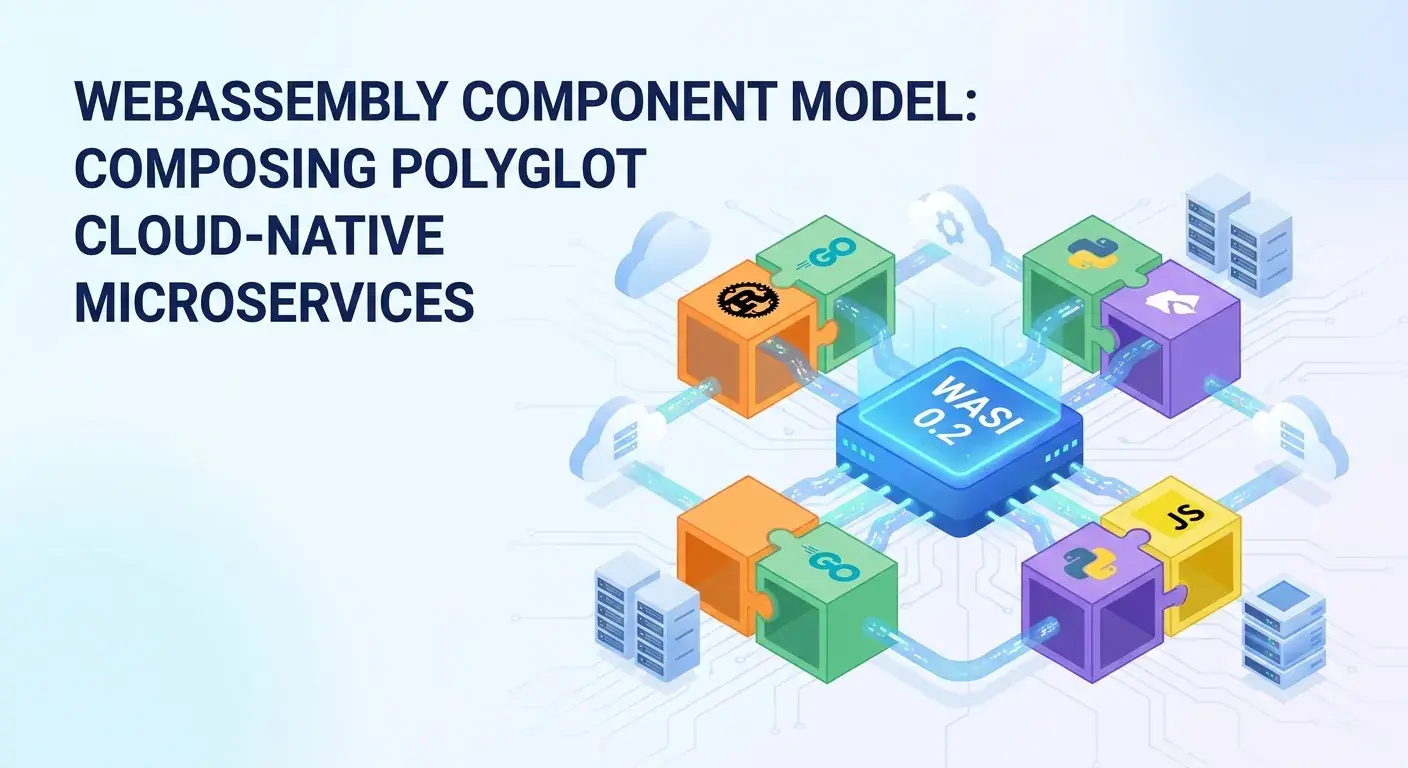
Unlocking Polyglot Microservices: A Deep Dive into the WebAssembly Component Model (WASI 0.2)

Introduction
The landscape of cloud-native application development is constantly evolving, driven by the demand for greater efficiency, security, and developer agility. Microservices architectures have become a cornerstone, allowing teams to build complex systems from smaller, independently deployable units. However, this modularity often comes with its own set of challenges, particularly when integrating components written in different programming languages or managing their dependencies and interactions.
Enter WebAssembly (Wasm) and its groundbreaking Component Model, coupled with the latest iteration of the WebAssembly System Interface (WASI 0.2), often referred to as WASI Preview 2. While WebAssembly initially gained traction in web browsers, its capabilities for creating secure, high-performance, and portable executables have propelled it into server-side and edge computing environments. The Component Model is the critical evolution that transforms raw Wasm modules into truly composable building blocks, enabling seamless polyglot microservices. This article will take a deep dive into the WebAssembly Component Model and WASI 0.2, exploring how they collectively address the complexities of modern distributed systems and unlock a new era of cloud-native development.
Prerequisites
To get the most out of this article, a basic understanding of the following concepts will be beneficial:
- WebAssembly (Wasm): Its core concepts, benefits, and how it differs from traditional binaries.
- Microservices Architecture: Principles of breaking down applications into smaller, independent services.
- Cloud-Native Principles: Familiarity with concepts like containers, serverless, and distributed systems.
- Programming Languages: General knowledge of languages like Rust, Go, or JavaScript, as examples will use Rust.
The Evolution of WebAssembly – Beyond the Browser
WebAssembly began its life as a compilation target for high-performance web applications, offering near-native execution speeds for languages like C, C++, and Rust in the browser. Its core benefits—speed, security (sandbox), and portability—quickly made it attractive for environments outside the browser.
On the server, Wasm modules offer several advantages over traditional containers:
- Tiny Footprint: Wasm modules are significantly smaller than Docker images, leading to faster downloads and reduced storage.
- Blazing Fast Startup: Wasm modules can start in microseconds, ideal for serverless and event-driven architectures.
- Enhanced Security: The Wasm sandbox provides strong isolation by default, preventing modules from accessing host resources unless explicitly granted through a capability-based security model.
- Language Agnostic: Compile code from a growing list of languages (Rust, Go, C/C++, AssemblyScript, Swift, etc.) to Wasm.
However, early server-side Wasm faced a significant limitation: while individual modules were powerful, composing them into complex applications, especially across language boundaries, was cumbersome. This is where the Component Model steps in.
The Need for a Component Model
Before the Component Model, integrating multiple Wasm modules or allowing them to interact effectively was challenging. Raw Wasm modules are low-level bytecode, lacking a standardized way to:
- Define and share rich types: Basic numeric types were easy, but complex data structures (strings, lists, records) required manual serialization/deserialization and shared memory acrobatics.
- Handle dependencies: There was no standard mechanism for one Wasm module to declare that it depends on functions exported by another Wasm module or by the host.
- Achieve true polyglot interoperability: While different languages could compile to Wasm, their interaction at runtime was hampered by the lack of a common interface definition and data exchange mechanism.
- Abstract away host specifics: Modules often had to be written with a specific host environment in mind, reducing portability.
These limitations made building intricate microservice ecosystems with Wasm difficult, effectively bottlenecking Wasm's potential on the server. The Component Model was designed to resolve these issues, elevating Wasm from a low-level bytecode format to a high-level, composable unit.
Introducing the WebAssembly Component Model
The WebAssembly Component Model is a higher-level abstraction built on top of core Wasm. It defines a standard way to compose Wasm modules, allowing them to communicate and interact seamlessly, regardless of their original source language. Think of it as a universal plug-and-play standard for Wasm.
At its core, the Component Model introduces several fundamental concepts:
- Components: A component is a self-contained, typed unit of software. Unlike raw Wasm modules, components have well-defined, language-agnostic interfaces. They can import capabilities from other components or the host and export capabilities for others to use.
- Interfaces (WIT - WebAssembly Interface Type): WIT is a language-agnostic Interface Definition Language (IDL) used to describe the types and functions that a component exports and imports. It allows developers to define complex data structures (records, variants, lists, options, results) and functions with strong typing, ensuring type safety across language boundaries.
- Worlds: A "world" defines a specific set of interfaces that a component expects to import and export. It essentially describes the entire operational environment for a component. For instance, a "serverless world" might define interfaces for HTTP requests, logging, and key-value stores.
- Adaptors: These are small, auto-generated Wasm modules that bridge the gap between the low-level Wasm core ABI (Application Binary Interface) and the high-level Component Model ABI. They handle tasks like data serialization/deserialization, ensuring that components written in different languages can exchange complex data types correctly.
- Canonical ABI: This is a standardized way for components to pass complex data types (like strings, lists, records) across their boundaries. It ensures that components compiled from different languages can understand and exchange data reliably and efficiently, without language-specific serialization formats.
WASI 0.2 (Preview 2) – The System Interface for Components
WASI (WebAssembly System Interface) is a modular collection of APIs that provide Wasm components with access to host system resources like files, networking, environment variables, and clocks in a secure and portable manner. WASI 0.2 (Preview 2) is particularly significant because it is built on top of the Component Model.
Prior WASI versions (like WASI Preview 1) were based on a more traditional Unix-like POSIX-style API, which, while functional, was tightly coupled to a specific ABI and lacked the composability benefits of the Component Model. WASI 0.2, however, defines its APIs using WIT. This means:
- Modular Design: WASI 0.2 is structured as a collection of independent interfaces (e.g.,
wasi:cli/environment,wasi:filesystem/types,wasi:http/outgoing-handler). Components can declare exactly which WASI interfaces they need, enhancing security through fine-grained permissions. - Component-Model Native: Because WASI interfaces are defined in WIT, they seamlessly integrate with the Component Model's type system and composition mechanisms.
- Capability-Based Security: The host grants capabilities (permissions) to specific interfaces, ensuring that a component can only access resources it explicitly requests and the host explicitly allows.
- Improved Portability: By standardizing system interactions via WIT, components become more portable across different Wasm runtimes and host environments.
Together, the Component Model and WASI 0.2 provide a robust foundation for building truly portable, secure, and composable cloud-native applications.
Polyglot Microservices with the Component Model
One of the most compelling advantages of the WebAssembly Component Model is its ability to enable truly polyglot microservices. In traditional microservice architectures, integrating services written in different languages often involves complex inter-process communication (IPC) mechanisms like REST, gRPC, or message queues, requiring serialization, deserialization, and schema management.
The Component Model simplifies this dramatically:
- Language-Agnostic Interfaces: WIT defines interfaces that are independent of any specific programming language. A
greetfunction defined in WIT can be implemented in Rust, Go, C++, or JavaScript, and then seamlessly called from a component written in any other language that supports Wasm compilation. - Direct In-Process Calls: When components are composed and run within the same Wasm runtime (e.g.,
wasmtime), calls between them become efficient, direct function invocations, avoiding network latency and expensive IPC overhead. - Shared Types: The Canonical ABI ensures that complex data types (like strings, lists of objects, or custom records) are passed efficiently and correctly between components, abstracting away language-specific memory layouts.
This means developers can choose the best language for each microservice or component based on its specific requirements (performance, existing libraries, team expertise) without sacrificing integration ease or runtime efficiency.
Building a Simple Component (Rust Example)
Let's walk through creating a simple Wasm component using Rust. This component will define an interface to greet a user.
First, we define our interface using WIT. Create a file named greeter.wit:
// greeter.wit
package example:greeter;

world greeter {
    export greet: func(name: string) -> string;
}
This WIT file defines a world named greeter that exports a single function greet which takes a string name and returns a string.
Next, we implement this in Rust. We'll use the wasm-tools and wasmtime ecosystem, specifically wit-bindgen to generate the Rust bindings from our greeter.wit file.
Create a new Rust project:
cargo new greeter-component --lib
cd greeter-component
Add dependencies to Cargo.toml:
# Cargo.toml
[package]
name = "greeter-component"
version = "0.1.0"
edition = "2021"

[dependencies]

[lib]
crate-type = ["cdylib"]

[build-dependencies]
wit-bindgen = { version = "0.11.0", features = ["guest_rust"] }

[package.metadata.component]
package = "example:greeter"
Create a build.rs file to generate Rust code from greeter.wit:
// build.rs
fn main() {
    wit_bindgen::generate("greeter.wit").unwrap();
}
Now, implement the greet function in src/lib.rs:
// src/lib.rs
// The `wit_bindgen::generate!` macro will generate the necessary boilerplate
// from our `greeter.wit` file, including a `Guest` trait that we implement.
wit_bindgen::generate!("greeter.wit");

struct GreeterComponent;

impl greeter::Greeter for GreeterComponent {
    fn greet(name: String) -> String {
        format!("Hello, {}! Welcome to the Component Model world.", name)
    }
}
To compile this into a Wasm component, you'll need wasm-tools installed (cargo install wasm-tools):
cargo component build --releaseThis will produce a greeter_component.wasm file in target/wasm32-wasi/release/ which is a Wasm component ready for consumption.
Composing Components – A Practical Scenario
Let's imagine a scenario where we have our greeter component and want to use it from a "main" application component. This "main" component might be written in a different language or simply orchestrate calls to other components.
First, define a host.wit file that describes the greeter component as an imported capability and exports its own main function:
// host.wit
package my-app:main;

// We import the 'greeter' world from the 'example:greeter' package.
// This means our 'main' component expects a 'greeter' component to be available.
import greeter: example:greeter/greeter;

world main {
    import greeter: greeter;
    export run: func(name: string) -> string;
}
Now, implement this main component in Rust. This component will import the greeter component and call its greet function.
Create a new Rust project for the main app:
cargo new my-app-component --lib
cd my-app-component
Update Cargo.toml:
# Cargo.toml
[package]
name = "my-app-component"
version = "0.1.0"
edition = "2021"

[dependencies]

[lib]
crate-type = ["cdylib"]

[build-dependencies]
wit-bindgen = { version = "0.11.0", features = ["guest_rust"] }

[package.metadata.component]
package = "my-app:main"
Create build.rs for host.wit:
// build.rs
fn main() {
    wit_bindgen::generate("host.wit").unwrap();
}
Implement src/lib.rs:
// src/lib.rs
wit_bindgen::generate!("host.wit");

struct MyAppComponent;

impl main::Main for MyAppComponent {
    fn run(name: String) -> String {
        // Call the imported 'greet' function from the 'greeter' component
        let greeting = main::greeter::greet(&name);
        format!("Main app received: {}", greeting)
    }
}
Compile the my-app-component:
cargo component build --releaseNow you have two components: greeter_component.wasm and my_app_component.wasm. To run them, you'd use a Wasm runtime like wasmtime that supports the Component Model. You'd typically link them together at runtime or pre-compose them.
Using wasmtime (ensure you have wasmtime installed, cargo install wasmtime-cli):
First, create a wit/ directory and place greeter.wit and host.wit inside it.
# Navigate to the root of your project (where Cargo.toml for my-app-component is)
# This command will compose the `my-app-component` with the `greeter-component`
# and run the `run` function, passing "Wasmtime User" as the argument.
# Note: The actual command for `wasmtime` to compose and run multiple components
# can be more involved, often requiring a linker or a specific host application.
# For demonstration, we'll simulate a direct call if the `greeter` was a host import.
# A more realistic composition would involve a `wit-component compose` step or a host runtime binding.

# For simplicity, assuming `greeter` is a direct `wasmtime` host import for the example:
# This is a conceptual run. Actual `wasmtime` component composition requires more explicit linking setup or a host program.
# If `greeter` was a host-defined function presented to `my-app-component`:
# wasmtime run --map example:greeter/greeter::greet=greeter_component.wasm my_app_component.wasm --invoke run "Wasmtime User"

# A more direct approach for demonstration, assuming `greeter` is available to the runtime
# and `my-app-component` calls it:
wasmtime run my-app-component/target/wasm32-wasi/release/my_app_component.wasm --invoke run "Wasmtime User"

# Expected output (simplified, as `wasmtime` needs to know how to resolve `example:greeter/greeter`)
# If successfully linked:
# Main app received: Hello, Wasmtime User! Welcome to the Component Model world.
In a real-world scenario, the wasmtime CLI or a custom host application would be responsible for instantiating my_app_component.wasm and providing the greeter instance (which could be greeter_component.wasm or a native host implementation) to satisfy its import requirements. The wasm-tools compose command can pre-link components into a single, larger component.
Advantages for Cloud-Native Microservices
The WebAssembly Component Model and WASI 0.2 offer profound advantages for building cloud-native microservices:
1. Enhanced Security
- Fine-grained Capabilities: Components only get access to what they explicitly declare they need (via WIT imports) and what the host explicitly grants. This is a fundamental shift from traditional containers, which often grant broad OS-level access.
- Strong Isolation: The Wasm sandbox provides robust isolation by default, preventing components from interfering with each other or the host.
- Supply Chain Security: By having well-defined interfaces and a clear dependency graph, it becomes easier to audit and secure the software supply chain.
2. Superior Performance
- Near-Native Speed: Wasm bytecode executes at speeds comparable to native code.
- Microsecond Startup: Wasm components can start in microseconds, dramatically reducing cold start times in serverless environments compared to container-based functions.
- Efficient IPC: Direct in-process calls between composed components eliminate network latency and serialization overhead often associated with gRPC or REST in polyglot microservices.
3. Unmatched Portability
- Run Anywhere: Wasm components can run on any operating system, CPU architecture, or device that has a compatible Wasm runtime, from tiny edge devices to large cloud servers.
- Consistent Behavior: The Component Model and WASI ensure consistent behavior across different environments, reducing "it works on my machine" issues.
4. Reduced Resource Footprint
- Tiny Binaries: Wasm components are significantly smaller than container images (often KBs vs. MBs/GBs), leading to lower storage, faster deployment, and reduced memory usage.
- Efficient Resource Utilization: The lightweight nature and fast startup of Wasm components make them ideal for high-density deployments and scaling on demand.
5. Improved Developer Experience
- True Polyglot Development: Developers can choose the best language for each component without integration headaches.
- Clear Interfaces: WIT provides a contract for component interactions, making it easier to understand, develop, and maintain complex systems.
- Tooling: The Wasm ecosystem is rapidly maturing, with tools like
wit-bindgenandwasm-toolssimplifying component creation and composition.
Best Practices for Component Development
To maximize the benefits of the WebAssembly Component Model, consider these best practices:
- Design Granular WIT Interfaces: Break down your component's functionality into small, focused interfaces. This promotes reusability and clearer contracts.
- Embrace Immutability: Where possible, design functions to operate on immutable data. This simplifies reasoning about component state and reduces side effects.
- Handle Errors Gracefully: Use WIT's
resulttype to explicitly define success and error cases, allowing for robust error handling across language boundaries. - Consider Host Capabilities: Understand what WASI interfaces your component truly needs and only import those. This enhances security and makes your component's dependencies explicit.
- Version Your Components and Interfaces: WIT files should be versioned alongside your components. Changes to interfaces can have breaking implications, so manage them carefully.
- Test Thoroughly: Test components in isolation and in composition to ensure correct interaction and data exchange.
- Optimize for Size and Performance: While Wasm is inherently efficient, be mindful of binary size and potential performance bottlenecks, especially with complex data structures.
Common Pitfalls and Considerations
While the Component Model is revolutionary, it's still a relatively new technology. Developers should be aware of potential challenges:
- Maturity of Tooling: The ecosystem is rapidly evolving. While core tools are stable, some language bindings or advanced features might still be in active development or lack extensive documentation.
- Debugging Complexity: Debugging across multiple composed Wasm components, especially when different languages are involved, can be more complex than traditional debugging. Improved tooling is continuously being developed.
- Performance Overhead (Serialization): While the Canonical ABI minimizes this, passing very large or deeply nested data structures between components can still incur some serialization/deserialization overhead. Design interfaces to be efficient.
- Asynchronous Operations: While WASI 0.2 introduces asynchronous I/O primitives, managing complex async workflows across components requires careful design and understanding of host capabilities.
- Ecosystem Adoption: While growing rapidly, the breadth of available libraries and frameworks directly compatible with the Component Model might not yet match established language ecosystems. This is changing quickly.
- Learning Curve: Understanding WIT, the Component Model's concepts, and the
wasm-toolsworkflow requires a dedicated learning effort.
Conclusion
The WebAssembly Component Model, powered by WASI 0.2, represents a paradigm shift in how we build and deploy cloud-native microservices. By providing a universal, language-agnostic, and secure way to compose software, it unlocks unprecedented levels of portability, performance, and developer flexibility. We are moving towards an era where developers can truly pick the best language for the job, knowing that their components will seamlessly integrate with others, run securely in minimal environments, and scale effortlessly.
While the technology is still maturing, the foundation is incredibly solid, and the pace of innovation is rapid. Embracing the Component Model is not just about adopting a new technology; it's about preparing for the next generation of highly efficient, secure, and truly polyglot cloud-native applications. Dive in, experiment with WIT, build your first components, and be part of shaping the future of distributed systems.
Enjoyed this deep dive? Buy me a coffee!
Every article on CodeWithYoha is 100% free, independent, and sponsor-free. If this guide saved you hours of debugging or helped you architect better software, consider supporting future guides with a coffee ($5, $10, or any amount of your choice).
Written by
CodewithYohaFull-Stack Software Engineer with 7+ years of experience in Java, Spring Boot, and cloud architecture across AWS, Azure, and GCP. Writing production-grade engineering patterns for developers who ship real software.