Ultimate Guide: Type-Safe APIs with tRPC, TanStack Query, & Next.js App Router

Introduction
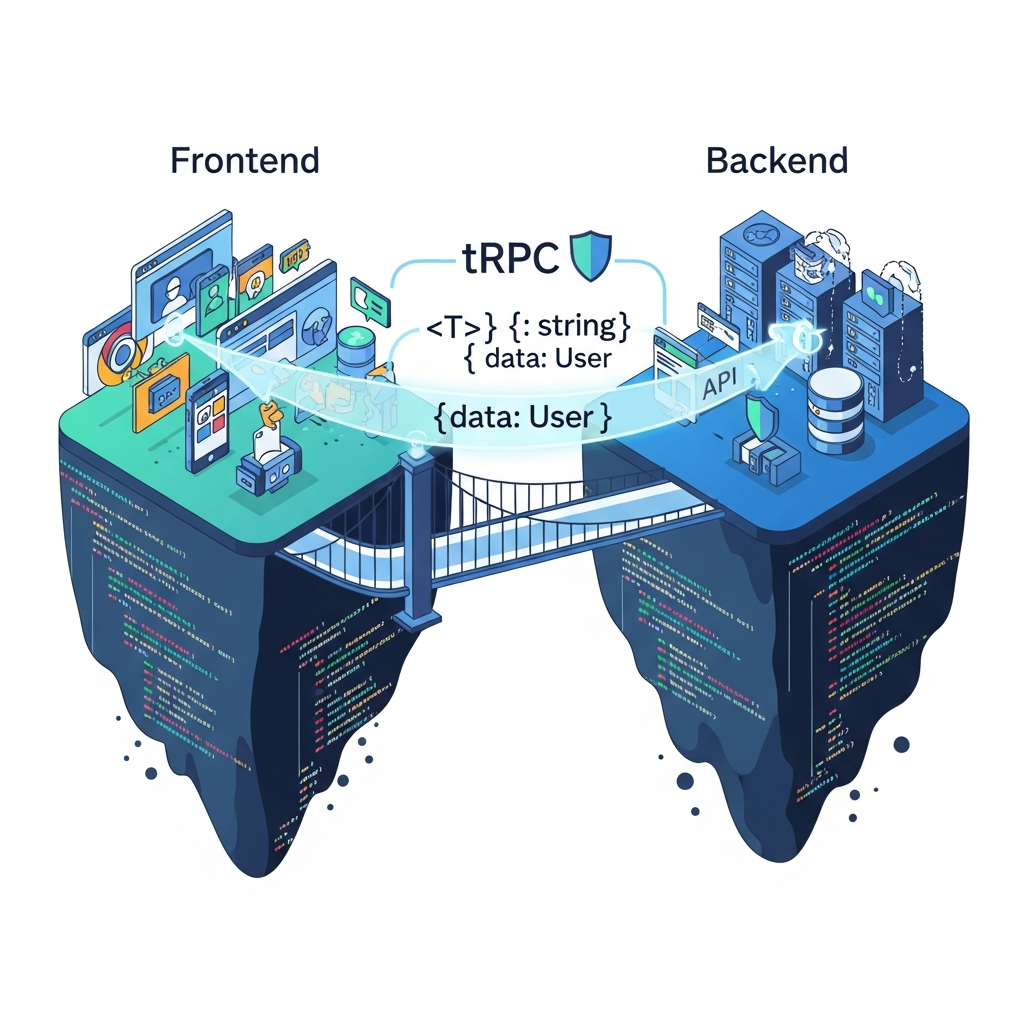
In the world of modern web development, the quest for developer efficiency, application reliability, and seamless user experiences is never-ending. A significant hurdle often encountered is the disconnect between frontend and backend data contracts. Manually synchronizing API types, dealing with runtime errors due to schema mismatches, and the sheer boilerplate involved in data fetching can quickly turn an exciting project into a maintenance nightmare.
Imagine a world where your frontend code inherently understands your backend API's data shapes, where a change in your backend instantly flags a type error in your frontend, and where data fetching, caching, and invalidation are handled with elegant simplicity. This isn't a pipe dream; it's the reality offered by a powerful combination of technologies: tRPC v11, TanStack Query (React Query), and Next.js App Router.
This comprehensive guide will walk you through building a truly end-to-end type-safe fullstack application. We'll explore how tRPC eliminates the need for traditional REST or GraphQL APIs by letting you call backend functions directly from your frontend, all while maintaining absolute type safety. We'll integrate TanStack Query for robust data management, caching, and state synchronization. Finally, we'll harness the power of Next.js App Router to build a performant and scalable application with server-side rendering and an optimized architecture.
Prerequisites
Before diving in, ensure you have the following:
- Node.js (LTS version): Installed on your machine.
- npm, yarn, or pnpm: A package manager of your choice.
- Basic understanding of Next.js: Familiarity with its concepts, especially the new App Router.
- Basic understanding of React: Knowledge of components, hooks, and state management.
- Basic understanding of TypeScript: Experience with types, interfaces, and generics.
1. Understanding the Core Technologies
tRPC (v11): The Type-Safe API Layer
tRPC stands for "TypeScript Remote Procedure Call." Unlike traditional API paradigms like REST or GraphQL, tRPC doesn't require schema generation, code generation, or complex build steps. Instead, it allows you to define your API procedures directly in TypeScript on the backend, and then infer their types directly into your frontend code.
Key features:
- End-to-end type safety: Changes in your backend API immediately reflect in your frontend, catching errors at compile time.
- No code generation: Reduces boilerplate and simplifies the development process.
- Tiny bundle size: Only the types are shared, not a large client library.
- Excellent developer experience: Autocompletion, type checking, and refactoring support out-of-the-box.
- Built on existing technologies: Leverages Express.js, Fastify, Next.js API routes, etc.
TanStack Query (React Query): Powerful Data Management
TanStack Query, formerly known as React Query, is a library for fetching, caching, synchronizing, and updating asynchronous data in React applications. It provides hooks that abstract away the complexities of data fetching, offering features like automatic caching, background refetching, pagination, optimistic updates, and robust error handling.
Key features:
- Automatic caching: Reduces network requests and improves performance.
- Declarative data fetching: Simplifies fetching and updating data.
- Background refetching: Keeps data fresh without user interaction.
- Optimistic updates: Provides instant UI feedback for mutations.
- Devtools: Excellent debugging experience with dedicated browser devtools.
Next.js App Router: Modern React Framework
Next.js is a React framework that enables server-side rendering (SSR), static site generation (SSG), and incremental static regeneration (ISR). The App Router, introduced in Next.js 13, is a new paradigm built on React Server Components, offering improved performance, simplified data fetching, and better separation of concerns.
Key features:
- React Server Components: Render components on the server, reducing client-side JavaScript.
- Co-location: Place data fetching logic directly within components.
- Nested layouts: Define complex UI structures with shared layouts.
- Streaming: Deliver UI incrementally to the client for faster perceived performance.
- Optimized bundle size: Only send necessary JavaScript to the browser.
2. Setting Up a New Next.js Project
Let's start by creating a new Next.js project with TypeScript enabled.
npx create-next-app@latest my-trpc-app --typescript --eslint --tailwind --app
cd my-trpc-app
When prompted, select Yes for using the App Router.
3. Integrating tRPC into Next.js App Router
First, install the necessary tRPC and Zod packages. Zod is a TypeScript-first schema declaration and validation library, commonly used with tRPC for input validation.
npm install @trpc/server @trpc/react-query @trpc/client zod
# For React Query integration with Next.js App Router
npm install @tanstack/react-query @tanstack/react-query-next-experimental
Next, we'll set up the tRPC server-side infrastructure.
3.1. Create the tRPC Context (src/server/trpc.ts)
The tRPC context is an object that is available to all your tRPC procedures. It's typically used for authentication, database connections, or other shared resources.
// src/server/trpc.ts
import { initTRPC, TRPCError } from '@trpc/server';
import { type CreateNextContextOptions } from '@trpc/server/adapters/next';

/**
 * 1. CONTEXT
 * In a Next.js environment, you might extract session data here.
 */
export const createTRPCContext = async (opts: CreateNextContextOptions) => {
  // For example, get user session from request headers
  // const { req } = opts;
  // const user = await getUserFromSession(req);

  return {
    // user,
    // db: prisma, // Example: your database client
  };
};

/**
 * 2. INITIALIZATION
 * This is where tRPC is initialized, with your context and error handling.
 */
const t = initTRPC.context<typeof createTRPCContext>().create({
  errorFormatter({
    shape,
    error
  }) {
    return {
      ...shape,
      data: {
        ...shape.data,
        zodError: error.cause instanceof TRPCError && error.cause.code === 'BAD_REQUEST'
          ? error.cause.message : null,
      },
    };
  },
});

/**
 * 3. ROUTER & PROCEDURES
 * Define your base router and procedures.
 */
export const createTRPCRouter = t.router;
export const publicProcedure = t.procedure;

// Example middleware for authenticated procedures
// const enforceUserIsAuthed = t.middleware(({ ctx, next }) => {
//   if (!ctx.user) {
//     throw new TRPCError({ code: 'UNAUTHORIZED' });
//   }
//   return next({ ctx: { user: ctx.user } });
// });

// export const protectedProcedure = t.procedure.use(enforceUserIsAuthed);
3.2. Create the Root Router (src/server/routers/_app.ts)
This file combines all your individual routers into one root router.
// src/server/routers/_app.ts
import { createTRPCRouter } from '../trpc';
import { postRouter } from './post'; // We'll create this next
import { userRouter } from './user'; // And this

/**
 * This is the primary router for your server.
 *
 * All routers added in /src/server/routers should be manually added here.
 */
export const appRouter = createTRPCRouter({
  post: postRouter,
  user: userRouter,
});

// Export type definition of API
export type AppRouter = typeof appRouter;
3.3. Create the tRPC API Route Handler (src/app/api/trpc/[trpc]/route.ts)
Next.js App Router uses a special file-based routing system. We'll create a dynamic API route that tRPC will use to handle all incoming requests.
// src/app/api/trpc/[trpc]/route.ts
import { fetchRequestHandler } from '@trpc/server/adapters/fetch';
import { type NextRequest } from 'next/server';

import { env } from '~/env.mjs'; // For environment variables, e.g., NODE_ENV
import { appRouter } from '~/server/routers/_app';
import { createTRPCContext } from '~/server/trpc';

/**
 * This wraps the `createTRPCContext` helper and provides the required context for the tRPC API when
 * handling a HTTP request in an edge runtime. It is not valid for Server Components.
 */
const createContext = async (req: NextRequest) => {
  return createTRPCContext({ headers: req.headers });
};

const handler = (req: NextRequest) =>
  fetchRequestHandler({
    endpoint: '/api/trpc',
    req,
    router: appRouter,
    createContext: () => createContext(req),
    onError: env.NODE_ENV === 'development'
      ? ({ path, error }) => {
        console.error(`❌ tRPC failed on ${path ?? "<no-path>"}: ${error.message}`);
      }
      : undefined,
  });

export { handler as GET, handler as POST };
Note: ~/env.mjs is a convention for environment variables in Next.js. You can create this file or just use process.env.NODE_ENV directly for simplicity if you don't need a robust env setup.
4. Defining Your First tRPC Procedure (Server-Side)
Let's create a simple router for managing users. We'll define a procedure to get a user by ID.
4.1. Create User Router (src/server/routers/user.ts)
// src/server/routers/user.ts
import { z } from 'zod';
import { createTRPCRouter, publicProcedure } from '../trpc';

export const userRouter = createTRPCRouter({
  // Example: Get a user by ID
  getUser: publicProcedure
    .input(z.object({
      id: z.string().uuid(), // Expect a UUID string for the ID
    }))
    .query(({ input }) => {
      // In a real application, you would fetch this from a database
      console.log(`Fetching user with ID: ${input.id}`);
      if (input.id === 'a1b2c3d4-e5f6-7890-1234-567890abcdef') {
        return {
          id: input.id,
          name: 'Alice Smith',
          email: 'alice@example.com',
          createdAt: new Date(),
        };
      }
      return null; // User not found
    }),

  // Example: Create a new user (mutation)
  createUser: publicProcedure
    .input(z.object({
      name: z.string().min(3).max(50),
      email: z.string().email(),
    }))
    .mutation(async ({ input }) => {
      // In a real application, you would save this to a database
      const newUser = {
        id: `user-${Date.now()}`,
        name: input.name,
        email: input.email,
        createdAt: new Date(),
      };
      console.log('New user created:', newUser);
      return newUser;
    }),
});
4.2. Update Root Router
Make sure src/server/routers/_app.ts includes userRouter as shown in Section 3.2.
5. Setting Up TanStack Query with tRPC (Client-Side)
Now, let's configure the client-side to consume our tRPC API using TanStack Query.
5.1. Create the tRPC Client (src/trpc/client.ts)
This file defines the client-side tRPC instance, which will be used to interact with your API.
// src/trpc/client.ts
import { createTRPCProxyClient, httpBatchLink } from '@trpc/client';
import { createTRPCReact } from '@trpc/react-query';
import { type AppRouter } from '~/server/routers/_app';
import superjson from 'superjson'; // For better serialization of Dates, etc.

// Install superjson: npm install superjson
export const trpc = createTRPCReact<AppRouter>();

export const trpcClient = createTRPCProxyClient<AppRouter>({
  links: [
    httpBatchLink({
      url: '/api/trpc',
      // You can add headers here, e.g., for authentication
      // headers() {
      //   return {
      //     authorization: getAuthToken(),
      //   };
      // },
    }),
  ],
  transformer: superjson,
});
5.2. Create the tRPC Provider (src/trpc/provider.tsx)
This component wraps your application with the necessary context for both TanStack Query and tRPC. It's crucial for hydrating server-fetched data and enabling client-side tRPC calls.
// src/trpc/provider.tsx
'use client';

import { QueryClient, QueryClientProvider } from '@tanstack/react-query';
import { ReactQueryStreamedHydration } from '@tanstack/react-query-next-experimental';
import React, { useState } from 'react';
import superjson from 'superjson';
import { loggerLink, unstable_httpBatchStreamLink } from '@trpc/client';
import { trpc } from './client';

export function TRPCProvider(props: { children: React.ReactNode }) {
  const [queryClient] = useState(
    () => new QueryClient({
      defaultOptions: {
        queries: {
          staleTime: 5 * 1000,
        },
      },
    }),
  );

  const [trpcClient] = useState(() =>
    trpc.createClient({
      transformer: superjson,
      links: [
        loggerLink({
          enabled: (opts) =>
            process.env.NODE_ENV === 'development' ||
            (opts.direction === 'down' && opts.result instanceof Error),
        }),
        unstable_httpBatchStreamLink({
          url: `/api/trpc`,
        }),
      ],
    }),
  );

  return (
    <trpc.Provider client={trpcClient} queryClient={queryClient}>
      <QueryClientProvider client={queryClient}>
        <ReactQueryStreamedHydration>{props.children}</ReactQueryStreamedHydration>
      </QueryClientProvider>
    </trpc.Provider>
  );
}
5.3. Wrap Your Layout with the Provider (src/app/layout.tsx)
To make tRPC and TanStack Query available throughout your application, wrap your root layout with TRPCProvider.
// src/app/layout.tsx
import '~/styles/globals.css'; // Assuming you have a globals.css
import { TRPCProvider } from '~/trpc/provider';

export const metadata = {
  title: 'tRPC Next.js App',
  description: 'Type-safe APIs with tRPC and Next.js App Router',
};

export default function RootLayout({ children }: { children: React.ReactNode }) {
  return (
    <html lang="en">
      <body>
        <TRPCProvider>
          {children}
        </TRPCProvider>
      </body>
    </html>
  );
}
6. Consuming tRPC Procedures in Client Components
Now we can use the trpc client in our Client Components to fetch data.
// src/app/user/[id]/page.tsx
'use client';

import { trpc } from '~/trpc/client';

interface UserProfilePageProps {
  params: { id: string };
}

export default function UserProfilePage({ params }: UserProfilePageProps) {
  const { id } = params;

  const { data: user, isLoading, error } = trpc.user.getUser.useQuery({
    id: id, // This type is inferred from your Zod schema!
  });

  if (isLoading) {
    return <div className="p-4">Loading user...</div>;
  }

  if (error) {
    return <div className="p-4 text-red-500">Error: {error.message}</div>;
  }

  if (!user) {
    return <div className="p-4">User not found.</div>;
  }

  return (
    <div className="p-4">
      <h1 className="text-2xl font-bold mb-4">User Profile</h1>
      <p><strong>ID:</strong> {user.id}</p>
      <p><strong>Name:</strong> {user.name}</p>
      <p><strong>Email:</strong> {user.email}</p>
      <p><strong>Joined:</strong> {user.createdAt.toLocaleDateString()}</p>
    </div>
  );
}
Notice the magic here: trpc.user.getUser.useQuery automatically infers the input type ({ id: string }) and the return type ({ id: string; name: string; email: string; createdAt: Date; } | null) directly from your userRouter definition. If you change the Zod schema on the server, TypeScript will immediately flag an error in your client code!
To test this, navigate to http://localhost:3000/user/a1b2c3d4-e5f6-7890-1234-567890abcdef (or any other UUID).
7. Data Mutations with tRPC and TanStack Query
Handling data mutations (create, update, delete) is just as type-safe and straightforward with useMutation.
Let's create a form to add a new user.
// src/app/create-user/page.tsx
'use client';

import { useState } from 'react';
import { trpc } from '~/trpc/client';

export default function CreateUserPage() {
  const [name, setName] = useState('');
  const [email, setEmail] = useState('');

  // Access the query client to invalidate queries after mutation
  const queryClient = trpc.useContext();

  const { mutate, isLoading, isError, isSuccess, error } = trpc.user.createUser.useMutation({
    onSuccess: () => {
      // Invalidate the 'getUser' query so it refetches fresh data if needed
      // (e.g., if there was a list of users somewhere)
      queryClient.user.getUser.invalidate();
      setName('');
      setEmail('');
      alert('User created successfully!');
    },
    onError: (err) => {
      console.error('Failed to create user:', err);
      alert(`Error creating user: ${err.message}`);
    },
  });

  const handleSubmit = (e: React.FormEvent) => {
    e.preventDefault();
    mutate({ name, email }); // Input types are inferred here!
  };

  return (
    <div className="p-4 max-w-md mx-auto">
      <h1 className="text-2xl font-bold mb-4">Create New User</h1>
      <form onSubmit={handleSubmit} className="space-y-4">
        <div>
          <label htmlFor="name" className="block text-sm font-medium text-gray-700">Name</label>
          <input
            type="text"
            id="name"
            value={name}
            onChange={(e) => setName(e.target.value)}
            className="mt-1 block w-full rounded-md border-gray-300 shadow-sm focus:border-indigo-500 focus:ring-indigo-500 sm:text-sm p-2"
            required
          />
        </div>
        <div>
          <label htmlFor="email" className="block text-sm font-medium text-gray-700">Email</label>
          <input
            type="email"
            id="email"
            value={email}
            onChange={(e) => setEmail(e.target.value)}
            className="mt-1 block w-full rounded-md border-gray-300 shadow-sm focus:border-indigo-500 focus:ring-indigo-500 sm:text-sm p-2"
            required
          />
        </div>
        <button
          type="submit"
          disabled={isLoading}
          className="inline-flex justify-center py-2 px-4 border border-transparent shadow-sm text-sm font-medium rounded-md text-white bg-indigo-600 hover:bg-indigo-700 focus:outline-none focus:ring-2 focus:ring-offset-2 focus:ring-indigo-500 disabled:opacity-50"
        >
          {isLoading ? 'Creating...' : 'Create User'}
        </button>
      </form>

      {isError && <p className="mt-4 text-red-500">Error: {error?.message}</p>}
      {isSuccess && <p className="mt-4 text-green-500">User created successfully!</p>}
    </div>
  );
}
8. Server-Side Data Fetching in Next.js App Router with tRPC Helpers
While trpc.useQuery is designed for Client Components, Next.js App Router encourages data fetching in Server Components for initial page loads. You can still leverage your tRPC procedures on the server-side to fetch data and hydrate it into the client-side TanStack Query cache.
This involves creating a 'server-side' tRPC client that doesn't make HTTP requests but directly calls your server procedures.
8.1. Create a Server-Side tRPC Caller (src/server/api.ts)
// src/server/api.ts
import 'server-only'; // Ensure this file is only used on the server

import { createTRPCContext } from './trpc';
import { appRouter } from './routers/_app';
import { caller } from '@trpc/server/unstable-core-do-not-import-this-item/internals/createCallerFactory';

// We need to create a context manually for server-side calls
const createCaller = caller.createCallerFactory(appRouter);

export const createServerTRPCCaller = async () => {
  const ctx = await createTRPCContext({ headers: new Headers() }); // Provide dummy headers for context
  return createCaller(ctx);
};
8.2. Fetching in a Server Component and Hydrating Client
Now, let's fetch a user on the server and pass it as initialData to a Client Component.
// src/app/user-ssr/[id]/page.tsx
import { HydrateClient } from '~/trpc/HydrateClient'; // We'll create this helper
import { createServerTRPCCaller } from '~/server/api';
import { UserProfileClient } from './UserProfileClient'; // We'll create this client component

interface UserSSRPageProps {
  params: { id: string };
}

export default async function UserSSRPage({ params }: UserSSRPageProps) {
  const { id } = params;
  const trpc = await createServerTRPCCaller();

  // Fetch data directly on the server
  const user = await trpc.user.getUser({
    id: id,
  });

  return (
    <HydrateClient>
      <UserProfileClient initialUser={user} />
    </HydrateClient>
  );
}
8.3. Create HydrateClient for Server-Side Hydration (src/trpc/HydrateClient.tsx)
This component helps hydrate the TanStack Query cache on the client with data fetched on the server.
// src/trpc/HydrateClient.tsx
'use client';

import { Hydrate as RQHydrate, type HydrateProps } from '@tanstack/react-query';

export function HydrateClient(props: HydrateProps) {
  return <RQHydrate {...props} />;
}
8.4. Create the Client Component to Display Data (src/app/user-ssr/[id]/UserProfileClient.tsx)
This client component receives initialUser and can optionally use trpc.user.getUser.useQuery with initialData to ensure the cache is populated and further client-side interactions are smooth.
// src/app/user-ssr/[id]/UserProfileClient.tsx
'use client';

import { trpc } from '~/trpc/client';
import { type inferRouterOutputs } from '@trpc/server';
import { type AppRouter } from '~/server/routers/_app';

// Infer the type of the getUser procedure's output
type RouterOutput = inferRouterOutputs<AppRouter>;
type GetUserOutput = RouterOutput['user']['getUser'];

interface UserProfileClientProps {
  initialUser: GetUserOutput;
}

export function UserProfileClient({ initialUser }: UserProfileClientProps) {
  // Use useQuery with initialData to hydrate the cache
  const { data: user, isLoading, error } = trpc.user.getUser.useQuery(
    { id: initialUser?.id || 'invalid-id' }, // Provide a default or handle case where initialUser is null
    {
      initialData: initialUser,
      // Optionally, set staleTime to 0 if you want to refetch on mount
      // or keep it high if you trust server data for a while.
      staleTime: 5 * 1000, // 5 seconds
    }
  );

  if (isLoading) {
    return <div className="p-4">Loading user...</div>;
  }

  if (error) {
    return <div className="p-4 text-red-500">Error: {error.message}</div>;
  }

  if (!user) {
    return <div className="p-4">User not found.</div>;
  }

  return (
    <div className="p-4">
      <h1 className="text-2xl font-bold mb-4">User Profile (SSR Hydrated)</h1>
      <p><strong>ID:</strong> {user.id}</p>
      <p><strong>Name:</strong> {user.name}</p>
      <p><strong>Email:</strong> {user.email}</p>
      <p><strong>Joined:</strong> {user.createdAt.toLocaleDateString()}</p>
    </div>
  );
}
This pattern allows you to leverage the benefits of Server Components (initial fast render, SEO) while still utilizing TanStack Query's powerful caching and state management on the client-side for subsequent interactions.
9. Authentication and Authorization with tRPC
tRPC provides a robust middleware system to handle cross-cutting concerns like authentication and authorization.
9.1. Extending the Context
First, let's assume you have a way to get user session data in createTRPCContext.
// src/server/trpc.ts (updated createTRPCContext)
// ... imports

export const createTRPCContext = async (opts: CreateNextContextOptions) => {
  const { req } = opts;
  // In a real app, integrate with NextAuth.js or your auth solution
  // For example, retrieve session from cookies or headers
  const session = { userId: 'some-user-id', role: 'admin' }; // Dummy session

  return {
    session,
  };
};

// ... initTRPC and createTRPCRouter

// New: Protected procedure middleware
const enforceUserIsAuthed = t.middleware(({ ctx, next }) => {
  if (!ctx.session || !ctx.session.userId) {
    throw new TRPCError({ code: 'UNAUTHORIZED', message: 'Not authenticated' });
  }
  return next({
    ctx: {
      // Infers a new `session` type for procedures using this middleware
      session: ctx.session,
    },
  });
});

export const protectedProcedure = t.procedure.use(enforceUserIsAuthed);
9.2. Using Protected Procedures
Now you can define procedures that require authentication.
// src/server/routers/post.ts (new router)
import { z } from 'zod';
import { createTRPCRouter, publicProcedure, protectedProcedure } from '../trpc';

export const postRouter = createTRPCRouter({
  // Public procedure to get all posts
  getAllPosts: publicProcedure.query(() => {
    // Fetch all posts from DB
    return [
      { id: '1', title: 'Public Post 1', content: 'This is a public post.' },
      { id: '2', title: 'Public Post 2', content: 'Another public post.' },
    ];
  }),

  // Protected procedure to create a post
  createPost: protectedProcedure
    .input(z.object({
      title: z.string().min(5),
      content: z.string().min(10),
    }))
    .mutation(async ({ ctx, input }) => {
      // ctx.session is now guaranteed to exist and be typed correctly
      console.log(`User ${ctx.session.userId} creating post: ${input.title}`);
      // Save to DB
      return { id: `post-${Date.now()}`, ...input, authorId: ctx.session.userId };
    }),

  // Protected procedure to get a user's specific posts
  getUsersPosts: protectedProcedure.query(({ ctx }) => {
    console.log(`Fetching posts for user: ${ctx.session.userId}`);
    return [
      { id: '3', title: 'My Private Post', content: 'Only I can see this.' },
    ];
  });
});
Remember to add postRouter to src/server/routers/_app.ts.
On the client, attempting to call trpc.post.createPost.useMutation() without a valid session (or if your createTRPCContext returns null for session) will result in a TRPCError with code UNAUTHORIZED.
10. Best Practices and Advanced Topics
10.1. Input Validation with Zod
Always use Zod for input validation. It's type-safe and provides clear error messages. Define granular schemas for each procedure.
10.2. Monorepo Setup for Shared Types
For larger applications, consider a monorepo structure (e.g., with Turborepo or Nx) where your src/server/routers and src/server/trpc.ts are in a shared package. This ensures that both your Next.js app and any other consumers (e.g., a separate mobile app) can import the AppRouter type directly.
10.3. Optimistic Updates
TanStack Query excels at optimistic updates. For mutations, you can provide onMutate and onError callbacks to immediately update the UI with the expected new data, then roll back if the actual mutation fails. This significantly improves perceived performance.
// Example for optimistic updates on a 'toggleTodo' mutation
const toggleTodoMutation = trpc.todo.toggle.useMutation({
  onMutate: async (newTodoStatus) => {
    // Cancel any outgoing refetches (so they don't overwrite our optimistic update)
    await queryClient.todo.getAll.cancel();

    // Snapshot the previous value
    const previousTodos = queryClient.todo.getAll.getData();

    // Optimistically update to the new value
    queryClient.todo.getAll.setData(undefined, (old) => {
      return old?.map((todo) =>
        todo.id === newTodoStatus.id ? { ...todo, done: newTodoStatus.done } : todo
      );
    });

    return { previousTodos };
  },
  onError: (err, newTodoStatus, context) => {
    // If the mutation fails, use the context for a rollback
    queryClient.todo.getAll.setData(undefined, context?.previousTodos);
    alert('Failed to update todo: ' + err.message);
  },
  onSettled: () => {
    // Always refetch after error or success: ensures client state is in sync with server
    queryClient.todo.getAll.invalidate();
  },
});
10.4. Error Handling
Leverage tRPC's errorFormatter in initTRPC.create to standardize error responses. On the client, useQuery and useMutation provide isError and error objects for displaying user-friendly messages.
10.5. Batching Requests
tRPC automatically batches requests by default when using httpBatchLink. This means multiple useQuery calls made within the same event loop tick will be sent as a single HTTP request, reducing network overhead.
11. Common Pitfalls and Troubleshooting
11.1. Client vs. Server Components
'use client'directive: Ensure it's at the top of any file usingtrpc.useQueryortrpc.useMutation.- Server Component data fetching: Use the
createServerTRPCCallerpattern or direct database calls for initial loads in Server Components, then hydrate the client if necessary. - No hooks in Server Components: React Hooks (including
useQuery) are client-side only.
11.2. Serialization Issues (Dates, Maps, Sets)
Standard JSON doesn't handle Date objects, Map, Set, etc., gracefully. superjson is highly recommended with tRPC and TanStack Query to handle these types seamlessly.
11.3. Incorrect TRPCProvider Placement
Ensure TRPCProvider wraps all components that need access to tRPC or TanStack Query. Typically, this means wrapping children in your src/app/layout.tsx.
11.4. Zod Schema Mismatches
If your frontend types don't match the backend, check your Zod schemas. TypeScript should catch most of these issues at compile time, but runtime errors can occur if you bypass Zod or have subtle logic errors.
11.5. Caching Stale Data
If your data isn't updating, check your staleTime and cacheTime configurations in QueryClient. Ensure you're invalidating relevant queries after mutations with queryClient.invalidate().
11.6. Environment Variables
Ensure your NODE_ENV is correctly set, especially for onError logging in [trpc]/route.ts.
Conclusion
By combining tRPC v11, TanStack Query, and Next.js App Router, you unlock an unparalleled developer experience for building fullstack applications. The end-to-end type safety provided by tRPC eliminates an entire class of runtime errors, making your applications more robust and easier to maintain. TanStack Query brings sophisticated data fetching and caching capabilities, significantly improving performance and simplifying client-side state management.
The Next.js App Router, with its focus on Server Components and optimized rendering, provides the perfect foundation for this stack, ensuring your applications are fast, scalable, and a joy to develop.
Embrace this powerful trio, and transform your API development from a chore into a highly productive and enjoyable process. Dive deeper into each library's documentation, experiment with more complex scenarios, and experience the future of fullstack web development today!
Enjoyed this deep dive? Buy me a coffee!
Every article on CodeWithYoha is 100% free, independent, and sponsor-free. If this guide saved you hours of debugging or helped you architect better software, consider supporting future guides with a coffee ($5, $10, or any amount of your choice).
Written by
CodewithYohaFull-Stack Software Engineer with 7+ years of experience in Java, Spring Boot, and cloud architecture across AWS, Azure, and GCP. Writing production-grade engineering patterns for developers who ship real software.