
Unifying Frontend & Backend with tRPC: End-to-End Type Safety in TypeScript

Introduction
In the world of modern web development, building robust and maintainable applications often involves juggling separate frontend and backend teams, distinct technology stacks, and, crucially, different type definitions for your API contracts. This traditional approach, whether using REST or GraphQL, frequently leads to a common pain point: the dreaded "type mismatch" error at runtime or the endless boilerplate of manually synchronizing types between your client and server.
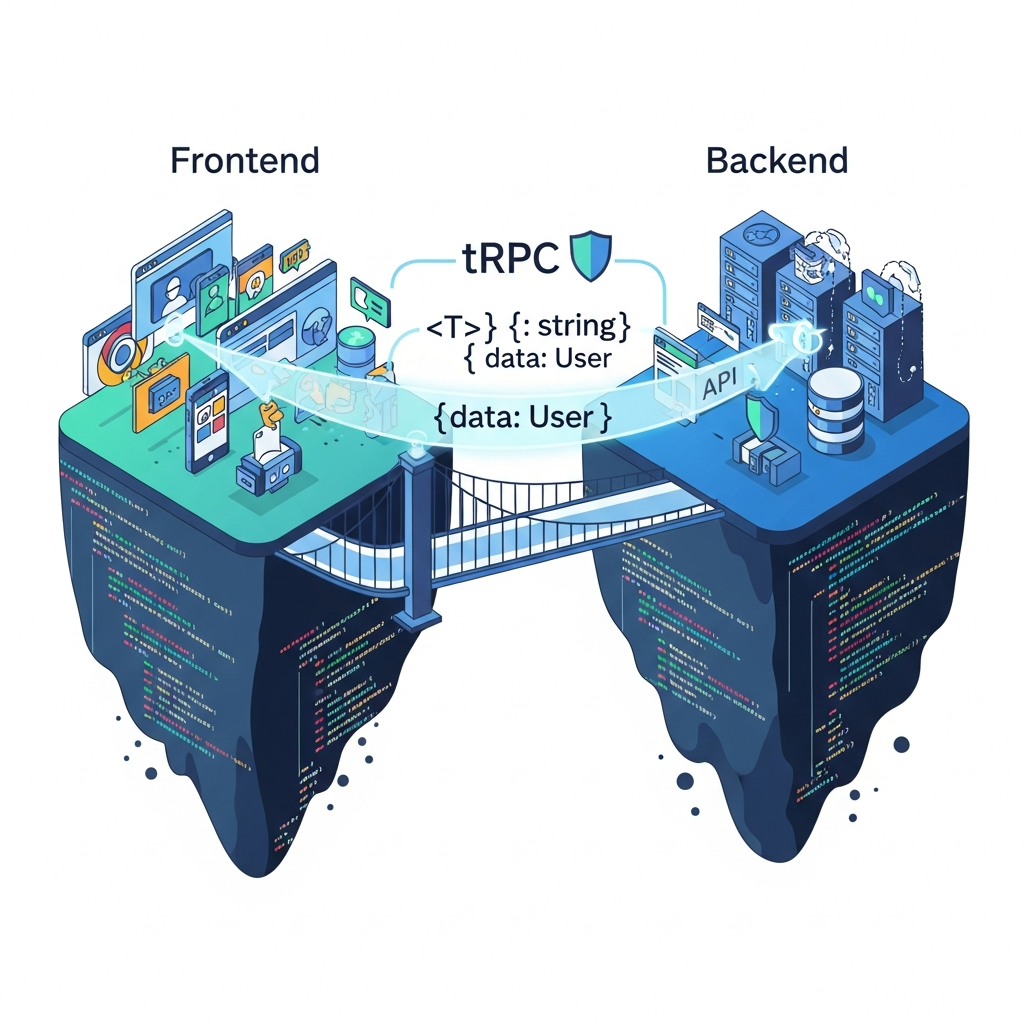
Imagine a world where your frontend code knows, with absolute certainty, the exact shape of the data it will receive from the backend, and your backend knows the precise structure of the data it expects from the client – all without writing a single line of schema definition or code generation. This isn't a pipe dream; it's the reality tRPC brings to TypeScript full-stack development. tRPC (TypeScript Remote Procedure Call) allows you to build fully type-safe APIs, where your frontend directly imports and calls backend functions, leveraging TypeScript's powerful inference engine to ensure end-to-end type safety from the moment you write your code.
This comprehensive guide will dive deep into tRPC, exploring its core concepts, demonstrating practical implementations, and showcasing how it dramatically improves developer experience, reduces bugs, and accelerates development cycles in TypeScript-first projects.
Prerequisites
To get the most out of this guide, a basic understanding of the following concepts and technologies will be beneficial:
- TypeScript: Familiarity with types, interfaces, and basic TypeScript syntax.
- Node.js: As the runtime for your backend.
- npm/yarn/pnpm: For package management.
- React/Next.js: While tRPC is framework-agnostic, we'll use React/Next.js for our frontend examples, leveraging React Query (TanStack Query) for data fetching.
- Basic API Concepts: Understanding of what an API is and how client-server communication generally works.
What is tRPC? The Core Idea
tRPC stands for TypeScript Remote Procedure Call. At its heart, tRPC is not a new protocol like REST or GraphQL, nor does it involve complex code generation or schema definitions. Instead, it's a lightweight framework that allows you to build fully type-safe APIs by directly importing your backend's router types into your frontend. It leverages TypeScript's inference capabilities to provide end-to-end type safety, eliminating the need for manual type synchronization.
The core idea is simple yet powerful: treat your backend functions as if they were local functions that you can call directly from your frontend. When you define a procedure on your backend, tRPC infers its input and output types. Your frontend then uses a special client that understands these types, giving you autocomplete, type checking, and compile-time error detection for your API calls. This means if you change a type signature on your backend, your frontend will immediately flag it as a type error, preventing runtime surprises.
It's RPC in the sense that you define specific "procedures" (functions) on the server that the client can "call" remotely. The "TypeScript" part ensures that these calls are type-checked across the entire stack.
The Problem tRPC Solves: Manual Type Syncing and API Contracts
Consider a typical full-stack application without tRPC. You might have a backend API exposing endpoints like /api/users or /api/products. For each endpoint, you'd likely:
- Define API Schema/Contract: Document the request payload and response structure (e.g., using OpenAPI/Swagger, or just mentally).
- Implement Backend: Write controllers or resolvers that handle these requests, validating inputs and returning structured data.
- Generate/Manually Create Frontend Types: Based on the API contract, you'd create TypeScript interfaces or types on the frontend to match the expected data.
- Implement Frontend Data Fetching: Write client-side code (e.g., using
fetchor Axios) to call these endpoints, often casting the response to your manually defined frontend types.
This process is prone to errors. If a backend developer changes the User object to include an email field instead of mail, the frontend might continue to expect mail, leading to undefined errors at runtime. Keeping these types in sync across a growing application becomes a significant maintenance burden. Tools like OpenAPI generators exist to automate type generation, but they add a build step, require schema definitions, and can still feel disconnected from the actual code.
tRPC bypasses all of this. By sharing the router type definition directly, it ensures that your frontend always has the most up-to-date type information about your backend procedures, making type mismatches a thing of the past.
Setting Up a tRPC Project: Backend Initialization
Let's start by setting up a basic tRPC backend. We'll use Next.js API routes for simplicity, but tRPC can be integrated with any Node.js server (Express, Fastify, etc.).
First, create a new Next.js project:
npx create-next-app@latest my-trpc-app --ts
cd my-trpc-app
Now, install the necessary tRPC packages for the backend:
pnpm add @trpc/server @trpc/next zod@trpc/server is the core library, @trpc/next provides adapters for Next.js API routes, and zod is a powerful schema validation library highly recommended for tRPC input validation.
Next, create your tRPC instance and context in src/server/trpc.ts (or pages/api/trpc/[trpc].ts if not using src directory):
// src/server/trpc.ts
import { initTRPC } from '@trpc/server';
import { type CreateNextContextOptions } from '@trpc/server/adapters/next';

/**
 * 1. CONTEXT
 * You can use this to pass sensitive data to your procedures
 * (e.g., authentication, database connections)
 */
export const createContext = async (opts: CreateNextContextOptions) => {
  // For simplicity, we'll just return an empty context for now.
  // In a real app, you might extract auth headers or a DB instance here.
  return {};
};

/**
 * 2. INITIALIZATION
 * Initialize tRPC on the backend. You only need to do this once.
 */
const t = initTRPC.context<typeof createContext>().create();

/**
 * 3. ROUTER & PROCEDURE
 * Define your base router and procedures
 */
export const router = t.router;
export const publicProcedure = t.procedure;

// You can also define protected procedures with middleware (covered later)
// export const protectedProcedure = t.procedure.use(isAuthed);
This file sets up the core tRPC instance, defines a context function (which can be used to pass request-specific data like user info or database connections to your procedures), and exports router and publicProcedure for building your API.
Building Your First tRPC Procedure: Queries and Mutations
tRPC distinguishes between queries (for fetching data, idempotent, read-only) and mutations (for creating, updating, or deleting data, typically side effects). Both can accept input and return output, and both are fully type-safe.
Let's create a simple router for user management. Create src/server/routers/user.ts:
// src/server/routers/user.ts
import { z } from 'zod'; // Zod for input validation
import { publicProcedure, router } from '../trpc';

// A mock database for demonstration purposes
const users: { id: string; name: string; email?: string }[] = [
  { id: '1', name: 'Alice' },
  { id: '2', name: 'Bob' },
];

export const userRouter = router({
  // Query to get all users
  getAllUsers: publicProcedure.query(() => {
    return users;
  }),

  // Query to get a user by ID with input validation
  getUserById: publicProcedure
    .input(z.object({ id: z.string().uuid('Invalid user ID format') })) // Input schema using Zod
    .query(({ input }) => {
      const user = users.find((u) => u.id === input.id);
      if (!user) {
        throw new Error('User not found');
      }
      return user;
    }),

  // Mutation to create a new user with input validation
  createUser: publicProcedure
    .input(
      z.object({
        name: z.string().min(3, 'Name must be at least 3 characters'),
        email: z.string().email('Invalid email address').optional(),
      })
    )
    .mutation(({ input }) => {
      const newUser = { id: String(users.length + 1), ...input };
      users.push(newUser);
      return newUser;
    }),
});
Now, combine your routers into a single appRouter in src/server/routers/_app.ts:
// src/server/routers/_app.ts
import { router } from '../trpc';
import { userRouter } from './user';

export const appRouter = router({
  user: userRouter, // Mount the user router under the 'user' namespace
  // Add other routers here as your application grows
});

// Export only the type of the router to be used on the client-side
export type AppRouter = typeof appRouter;
Finally, expose your tRPC API via a Next.js API route in src/pages/api/trpc/[trpc].ts:
// src/pages/api/trpc/[trpc].ts
import { createNextApiHandler } from '@trpc/server/adapters/next';
import { appRouter } from '../../server/routers/_app';
import { createContext } from '../../server/trpc';

// Exporting the API handler
export default createNextApiHandler({
  router: appRouter,
  createContext,
  // Optional: Add error handling, debugging, etc.
  onError: ({ path, error }) => {
    console.error(`❌ tRPC failed on ${path ?? '<no-path>'}: ${error.message}`);
  },
});
Your backend is now ready! The AppRouter type export is crucial, as it's what your frontend will import to gain type safety.
Integrating tRPC with Your Frontend (e.g., Next.js/React)
Now, let's set up the frontend to consume our tRPC API. We'll use @tanstack/react-query (formerly React Query) for data fetching and caching, as tRPC provides excellent integration with it.
Install the necessary client-side packages:
pnpm add @trpc/client @trpc/react-query @tanstack/react-queryCreate a src/utils/trpc.ts file on your frontend. This file will contain the tRPC client setup and a utility to create typed hooks:
// src/utils/trpc.ts
import { httpBatchLink, loggerLink } from '@trpc/client';
import { createTRPCReact } from '@trpc/react-query';
import { type AppRouter } from '../server/routers/_app'; // Import your backend router type

export const trpc = createTRPCReact<AppRouter>();

export const trpcClient = trpc.createClient({
  links: [
    loggerLink({
      enabled: (opts) =>
        process.env.NODE_ENV === 'development' ||
        (opts.direction === 'down' && opts.result instanceof Error),
    }),
    httpBatchLink({
      url: '/api/trpc', // Your tRPC API endpoint
    }),
  ],
});
This trpc object, created with createTRPCReact<AppRouter>(), is the magic ingredient. By passing our AppRouter type, trpc now knows all the available procedures, their inputs, and their outputs.
Next, wrap your application with the necessary providers in src/pages/_app.tsx:
// src/pages/_app.tsx
import { QueryClient, QueryClientProvider } from '@tanstack/react-query';
import { useState } from 'react';
import { trpc, trpcClient } from '../utils/trpc';
import type { AppProps } from 'next/app';

function MyApp({ Component, pageProps }: AppProps) {
  const [queryClient] = useState(() => new QueryClient());

  return (
    <trpc.Provider client={trpcClient} queryClient={queryClient}>
      <QueryClientProvider client={queryClient}>
        <Component {...pageProps} />
      </QueryClientProvider>
    </trpc.Provider>
  );
}

export default MyApp;
Here, we set up QueryClientProvider from React Query and trpc.Provider which makes the tRPC client available throughout your application.
Consuming tRPC Procedures in the Frontend: End-to-End Type Safety in Action
Now for the exciting part: using our type-safe API calls. Let's create a simple page src/pages/index.tsx to fetch and create users.
// src/pages/index.tsx
import { trpc } from '../utils/trpc';
import { useState } from 'react';

export default function Home() {
  // Fetch all users using trpc.user.getAllUsers.useQuery()
  const { data: users, isLoading, error } = trpc.user.getAllUsers.useQuery();

  // Use a mutation to create a new user
  const createUserMutation = trpc.user.createUser.useMutation({
    onSuccess: () => {
      // Invalidate the 'getAllUsers' query to refetch the list after creation
      trpc.user.getAllUsers.invalidate();
      setNewUserName('');
      setNewUserEmail('');
    },
  });

  const [newUserName, setNewUserName] = useState('');
  const [newUserEmail, setNewUserEmail] = useState('');

  const handleCreateUser = () => {
    createUserMutation.mutate({
      name: newUserName,
      email: newUserEmail,
    });
  };

  if (isLoading) return <div>Loading users...</div>;
  if (error) return <div>Error loading users: {error.message}</div>;

  return (
    <div style={{ padding: '20px', fontFamily: 'sans-serif' }}>
      <h1>Users</h1>
      <ul>
        {users?.map((user) => (
          <li key={user.id}>
            {user.name} {user.email ? `(${user.email})` : ''}
          </li>
        ))}
      </ul>

      <h2>Create New User</h2>
      <div>
        <input
          type="text"
          placeholder="Name"
          value={newUserName}
          onChange={(e) => setNewUserName(e.target.value)}
          style={{ marginRight: '10px', padding: '8px' }}
        />
        <input
          type="email"
          placeholder="Email (optional)"
          value={newUserEmail}
          onChange={(e) => setNewUserEmail(e.target.value)}
          style={{ marginRight: '10px', padding: '8px' }}
        />
        <button
          onClick={handleCreateUser}
          disabled={createUserMutation.isLoading || newUserName.length < 3}
          style={{ padding: '8px 15px', cursor: 'pointer' }}
        >
          {createUserMutation.isLoading ? 'Creating...' : 'Create User'}
        </button>
        {createUserMutation.error && (
          <p style={{ color: 'red' }}>
            Error: {createUserMutation.error.message}
          </p>
        )}
      </div>
    </div>
  );
}
Notice the magic here: trpc.user.getAllUsers.useQuery() and trpc.user.createUser.useMutation(). Your IDE (e.g., VS Code) will provide full autocomplete for trpc.user, suggesting getAllUsers, getUserById, and createUser. If you hover over data from useQuery, you'll see it's correctly typed as Array<{ id: string; name: string; email?: string }>. If you try to pass an incorrect input to createUserMutation.mutate(), TypeScript will immediately flag an error.
This is end-to-end type safety in action! Any change in your backend userRouter will instantly propagate type errors to your frontend, ensuring consistency and catching bugs at compile time.
Advanced Concepts: Context, Middleware, and Error Handling
tRPC offers powerful features for more complex scenarios.
Context
The createContext function (defined in src/server/trpc.ts) is executed on every incoming request. It's the perfect place to prepare data that all your tRPC procedures might need, such as an authenticated user object, a database client, or session information.
Let's enhance our context to include a mock user ID for demonstration:
// src/server/trpc.ts (updated createContext)
import { initTRPC } from '@trpc/server';
import { type CreateNextContextOptions } from '@trpc/server/adapters/next';

// Imagine a simple authentication check
interface User {
  id: string;
  name: string;
}

export const createContext = async (opts: CreateNextContextOptions) => {
  // In a real app, you'd parse JWT, session cookie, etc.
  const { req } = opts;
  const userId = req.headers['x-user-id'] as string | undefined; // Example header

  let user: User | null = null;
  if (userId) {
    user = { id: userId, name: `User ${userId}` }; // Mock user
  }

  return {
    user, // This 'user' object is now available in all procedures
  };
};

// ... rest of the file remains the same
Now, your procedures can access ctx.user:
// src/server/routers/user.ts (example with context)
// ...
export const userRouter = router({
  getMe: publicProcedure.query(({ ctx }) => {
    if (!ctx.user) {
      throw new Error('Not authenticated');
    }
    return ctx.user;
  }),
  // ... other procedures
});
Middleware
Middleware allows you to run code before a procedure executes, similar to Express middleware. It's ideal for authentication, authorization, logging, or input transformations.
Let's create an isAuthed middleware:
// src/server/trpc.ts (updated with middleware)
// ...
const t = initTRPC.context<typeof createContext>().create();

export const router = t.router;
export const publicProcedure = t.procedure;

// Middleware to check if a user is authenticated
const isAuthed = t.middleware(({ ctx, next }) => {
  if (!ctx.user) {
    throw new Error('Not authenticated. Please provide x-user-id header.');
  }
  return next({
    ctx: {
      // Infers the context with the authenticated user
      user: ctx.user,
    },
  });
});

export const protectedProcedure = t.procedure.use(isAuthed);
Now, you can define protected procedures:
// src/server/routers/protected.ts (new file)
import { router, protectedProcedure } from '../trpc';
import { z } from 'zod';

export const protectedRouter = router({
  getSecretData: protectedProcedure.query(({ ctx }) => {
    // This procedure will only run if ctx.user is present
    return `This is secret data for ${ctx.user.name} (ID: ${ctx.user.id})`;
  }),

  updateProfile: protectedProcedure
    .input(z.object({ newName: z.string().min(1) }))
    .mutation(({ ctx, input }) => {
      // In a real app, update user profile in DB
      console.log(`User ${ctx.user.id} updated name to ${input.newName}`);
      return { success: true, newName: input.newName };
    }),
});
Remember to add protectedRouter to your _app.ts:
// src/server/routers/_app.ts (updated)
// ...
import { protectedRouter } from './protected';

export const appRouter = router({
  user: userRouter,
  protected: protectedRouter, // Add the protected router
});
// ...
Error Handling
tRPC has built-in error handling that integrates well with React Query. Errors thrown in your procedures (like new Error('Not authenticated')) are automatically serialized and sent to the client, where React Query catches them and makes them available via error properties.
For custom errors or specific HTTP statuses, tRPC provides TRPCError:
// Example using TRPCError
import { TRPCError } from '@trpc/server';
// ...

// In a procedure:
getUserById: publicProcedure
  .input(z.object({ id: z.string().uuid() }))
  .query(({ input }) => {
    const user = users.find((u) => u.id === input.id);
    if (!user) {
      throw new TRPCError({
        code: 'NOT_FOUND',
        message: `User with ID ${input.id} not found.`,
      });
    }
    return user;
  }),
On the frontend, error.message will contain the message, and error.data.code will give you the tRPC error code (e.g., 'NOT_FOUND').
Real-World Use Cases and Best Practices
tRPC shines in several scenarios and benefits from specific architectural patterns.
When to Choose tRPC
- Full-stack TypeScript Applications: If your entire stack (frontend and backend) is in TypeScript, tRPC is a no-brainer. It maximizes type safety and developer velocity.
- Internal Tools/Dashboards: For internal applications where you control both ends, tRPC dramatically simplifies API development and maintenance.
- Monorepos: tRPC is perfectly suited for monorepos where backend and frontend code live in the same repository, making type sharing effortless.
- Rapid Prototyping: Its quick setup and excellent DX make it ideal for rapidly building out features.
Structuring Your tRPC Application
- Modular Routers: Organize your procedures into logical routers (e.g.,
userRouter,productRouter,authRouter) and combine them in your_app.ts. - Separate Backend/Frontend Concerns: Even though types are shared, keep your backend logic in
src/serverand frontend insrc/client(orsrc/pages,src/components).
Input Validation (Zod)
- Always Validate Inputs: Use Zod (or similar libraries like Yup, Valibot) for all procedure inputs. This is crucial for security and data integrity. tRPC integrates seamlessly with Zod.
- Refine Complex Schemas: Zod's
refinemethod allows for custom, cross-field validation logic.
Security Considerations
- Authentication & Authorization: Implement robust authentication in your context and use middleware for authorization checks on protected procedures.
- Input Validation: As mentioned, Zod is your first line of defense against malformed or malicious inputs.
- Environment Variables: Never expose sensitive information directly in your frontend code.
Performance
- Batching: tRPC automatically batches requests by default when using
httpBatchLink, reducing network overhead by sending multiple queries/mutations in a single HTTP request. - Caching: Leveraging
@tanstack/react-queryprovides powerful caching, background refetching, and optimistic updates out-of-the-box, significantly improving perceived performance.
Common Pitfalls and How to Avoid Them
While tRPC simplifies much, there are a few common stumbling blocks.
- Forgetting to Export
AppRouterType: Theexport type AppRouter = typeof appRouter;line insrc/server/routers/_app.tsis critical. Without it, your frontend cannot import the necessary type definitions, leading toanytypes or errors. - Incorrect tRPC Client Setup: Ensure your
trpcClientinsrc/utils/trpc.tspoints to the correcturl(/api/trpcfor Next.js) and that your_app.tsxcorrectly wraps the app with bothQueryClientProviderandtrpc.Provider. - Over-relying on
any: While tRPC aims for full type safety, it's possible to bypass it withany. Avoid this. If you find yourself usingany, re-evaluate your type definitions or tRPC setup. - Misunderstanding
queryvsmutation: Use queries for read-only operations and mutations for operations that change data on the server. This distinction is vital for React Query's caching and invalidation mechanisms. - Not using Zod for robust validation: While TypeScript provides compile-time checks, Zod provides runtime validation. Always validate inputs at the backend to prevent invalid data from reaching your business logic, even if the frontend attempts to send it.
- Sharing Runtime Code: While tRPC encourages sharing types, avoid directly sharing backend runtime code with the frontend unless it's truly universal utility code. Backend procedures often have access to sensitive resources (like database connections) that shouldn't be exposed to the client.
Conclusion
tRPC represents a significant leap forward in full-stack TypeScript development. By leveraging TypeScript's powerful inference capabilities, it eliminates the traditional friction between frontend and backend API development, delivering unparalleled end-to-end type safety.
Throughout this guide, we've seen how tRPC simplifies API creation, provides robust input validation with Zod, and integrates seamlessly with React Query for efficient data fetching. The result is a development experience that is not only more productive but also significantly less prone to runtime errors, allowing developers to focus on building features rather than debugging type mismatches.
If you're building a TypeScript-first application and control both your frontend and backend, tRPC offers a compelling alternative to REST and GraphQL. Its emphasis on developer experience, type safety, and minimal boilerplate makes it an invaluable tool for modern web development. Give it a try, and experience the joy of truly type-safe full-stack development.
Next Steps:
- Explore the official tRPC documentation for more advanced features like subscriptions and file uploads.
- Experiment with different server adapters (e.g., Express, Fastify) if you're not using Next.js.
- Build a small project using tRPC to solidify your understanding and explore its capabilities further.
Written by
CodewithYohaFull-Stack Software Engineer with 7+ years of experience in Java, Spring Boot, and cloud architecture across AWS, Azure, and GCP. Writing production-grade engineering patterns for developers who ship real software.