Securing GraphQL APIs: A Deep Dive into Preventing DoS, Deep Queries & Batch Attacks

Introduction
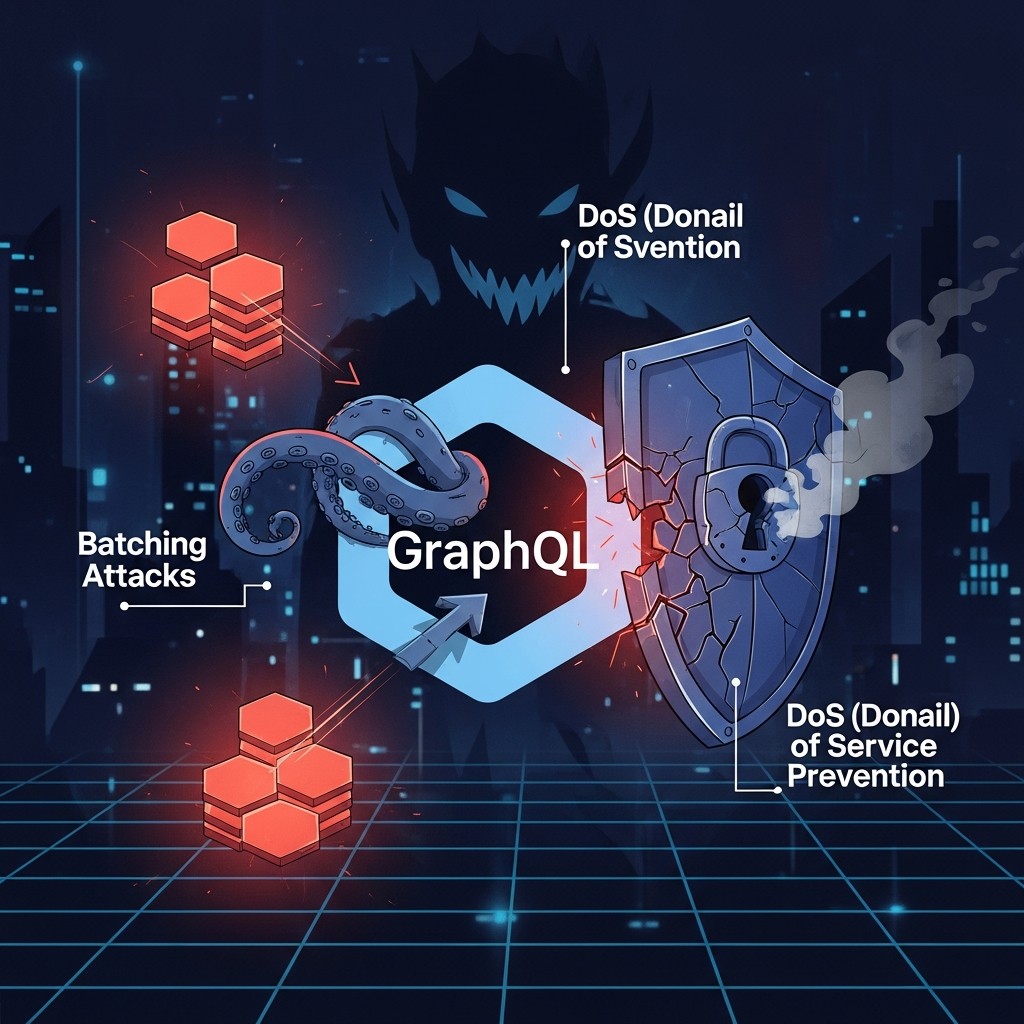
GraphQL has emerged as a powerful and flexible query language for APIs, enabling clients to request exactly the data they need, nothing more, nothing less. This flexibility, while incredibly beneficial for development speed and client-server communication efficiency, introduces unique security challenges that differ significantly from traditional REST APIs. The single endpoint, introspective capabilities, and nested query structure open new avenues for malicious actors to exploit. Without proper safeguards, a GraphQL API can become vulnerable to resource exhaustion, data exposure, and Denial of Service (DoS) attacks.
This comprehensive guide will equip you with the knowledge and practical strategies to fortify your GraphQL APIs against common threats. We'll deep dive into preventing deep and recursive queries, mitigating batching attacks, and implementing robust DoS protection mechanisms. By the end, you'll have a clear understanding of how to build and maintain a secure GraphQL API.
Prerequisites
To get the most out of this guide, you should have:
- A basic understanding of GraphQL concepts (schemas, queries, mutations, resolvers).
- Familiarity with server-side development, preferably using Node.js and a GraphQL server library like Apollo Server or Express-GraphQL, as code examples will be primarily in JavaScript.
- An awareness of general API security principles.
Understanding GraphQL's Unique Attack Surface
Unlike REST, where different resources are typically exposed through distinct HTTP endpoints, GraphQL consolidates all data access through a single endpoint (e.g., /graphql). This consolidation, combined with the ability to request deeply nested data, fundamentally changes the attack surface:
- Single Endpoint Focus: Attackers can focus all their efforts on one entry point.
- Introspection: While useful for development, introspection can reveal your entire schema, providing attackers with a map of your data model and potential vulnerabilities.
- Nested Queries: The ability to request related data in a single query can lead to performance bottlenecks and DoS if not controlled.
- N+1 Problem Amplification: Inefficient resolvers for nested fields can trigger numerous database calls, easily overwhelming the server.
- Flexibility as a Double-Edged Sword: The power to request arbitrary data combinations can be abused to craft complex, resource-intensive queries.
Deep Queries and Recursive Queries: The Resource Drain
The Problem: When Flexibility Becomes a Liability
A deep query is one that traverses many levels of nested relationships in your GraphQL schema. For example, a user might have friends, who also have friends, and so on. A seemingly innocuous query like user { friends { friends { name } } } can quickly become a recursive nightmare if not limited. Each nested level often translates to additional database lookups or computations, consuming significant CPU, memory, and database resources. A malicious actor could craft a very deep query, potentially leading to a DoS by exhausting your server's resources.
Mitigation Strategy 1: Query Depth Limiting
Query depth limiting involves restricting how many levels deep a client can query into your schema. This is a crucial first line of defense against resource exhaustion attacks.
How it Works
A middleware or plugin inspects the incoming GraphQL query's Abstract Syntax Tree (AST) before execution. It calculates the maximum depth of any field in the query and rejects the query if it exceeds a predefined threshold.
Code Example (Apollo Server with graphql-query-depth-limit)
First, install the necessary package:
npm install graphql-query-depth-limit apollo-serverThen, integrate it into your Apollo Server setup:
const { ApolloServer, gql } = require('apollo-server');
const depthLimit = require('graphql-query-depth-limit');

// Define your GraphQL schema
const typeDefs = gql`
  type User {
    id: ID!
    name: String!
    friends: [User]
    posts: [Post]
  }

  type Post {
    id: ID!
    title: String!
    content: String!
    author: User
  }

  type Query {
    users: [User]
    posts: [Post]
    user(id: ID!): User
  }
`;

// Dummy data for demonstration
const users = [
  { id: '1', name: 'Alice', friends: ['2', '3'] },
  { id: '2', name: 'Bob', friends: ['1'] },
  { id: '3', name: 'Charlie', friends: ['1'] },
];

const posts = [
  { id: '101', title: 'Post 1', content: 'Content 1', author: '1' },
  { id: '102', title: 'Post 2', content: 'Content 2', author: '2' },
];

const resolvers = {
  User: {
    friends: (parent) => users.filter(user => parent.friends.includes(user.id)),
    posts: (parent) => posts.filter(post => post.author === parent.id),
  },
  Post: {
    author: (parent) => users.find(user => user.id === parent.author),
  },
  Query: {
    users: () => users,
    posts: () => posts,
    user: (parent, { id }) => users.find(user => user.id === id),
  },
};

const server = new ApolloServer({
  typeDefs,
  resolvers,
  // Apply the depth limit rule
  validationRules: [depthLimit(5)], // Allow queries up to 5 levels deep
  formatError: (error) => {
    // Log the error and return a generic message to the client
    console.error(error);
    return new Error('Internal server error');
  },
});

server.listen().then(({ url }) => {
  console.log(`🚀 Server ready at ${url}`);
});
In this example, any query exceeding 5 levels of nesting will be rejected by the server, preventing potentially harmful deep queries from executing.
Query Complexity Analysis: Beyond Just Depth
The Problem: Not All Queries Are Equal
While depth limiting is effective, it doesn't account for other factors that contribute to query cost. A query with many fields at a shallow depth can be more expensive than a deep query with few fields. For instance, fetching 100 fields from a single object might be more resource-intensive than fetching a single field from an object nested 5 levels deep. Query complexity analysis provides a more granular way to assign a cost to a query based on its structure and the anticipated resource consumption of its resolvers.
How it Works
Each field in your schema can be assigned a static or dynamic cost. The complexity analyzer then calculates the total cost of an incoming query by summing the costs of all requested fields. If the total cost exceeds a predefined maximum, the query is rejected.
Code Example (Apollo Server with graphql-query-complexity)
Install the package:
npm install graphql-query-complexity apollo-serverIntegrate and define complexity rules:
const { ApolloServer, gql } = require('apollo-server');
const { createComplexityLimitRule } = require('graphql-query-complexity');

const typeDefs = gql`
  type User {
    id: ID!
    name: String!
    email: String
    friends(limit: Int = 10): [User]
    posts(limit: Int = 10): [Post]
  }

  type Post {
    id: ID!
    title: String!
    content: String!
    author: User
    comments: [Comment]
  }

  type Comment {
    id: ID!
    text: String!
    author: User
  }

  type Query {
    users(limit: Int = 10): [User]
    posts(limit: Int = 10): [Post]
    user(id: ID!): User
  }
`;

const resolvers = {
  // ... (same dummy data and basic resolvers as before)
  Query: {
    users: (parent, { limit }) => users.slice(0, limit),
    posts: (parent, { limit }) => posts.slice(0, limit),
    user: (parent, { id }) => users.find(user => user.id === id),
  },
  User: {
    friends: (parent, { limit }) => users.filter(user => parent.friends.includes(user.id)).slice(0, limit),
    posts: (parent, { limit }) => posts.filter(post => post.author === parent.id).slice(0, limit),
  },
  Post: {
    author: (parent) => users.find(user => user.id === parent.author),
    comments: () => [], // For simplicity, no comments in dummy data
  }
};

const complexityRule = createComplexityLimitRule({
  maximumComplexity: 1000, // Max allowed complexity score
  scalarCost: 1, // Default cost for scalar fields
  objectCost: 0, // Default cost for object fields (containers)
  listFactor: 10, // Multiplier for list fields (e.g., each item in a list adds this factor)
  // A callback function to calculate the complexity of a field dynamically
  // This allows you to assign specific costs based on field name or arguments
  fieldConfig: {
    Query: {
      users: { cost: 50, args: { limit: { multiplier: 5 } } }, // Base cost 50, each limit adds 5
      posts: { cost: 50, args: { limit: { multiplier: 5 } } },
    },
    User: {
      friends: { cost: 20, args: { limit: { multiplier: 2 } } }, // Base cost 20, each limit adds 2
      posts: { cost: 20, args: { limit: { multiplier: 2 } } },
    },
    Post: {
      comments: { cost: 10, args: { limit: { multiplier: 1 } } },
    }
  },
  // Optional: A callback function to format the error message when complexity is exceeded
  formatError: (complexity) => {
    return `Query is too complex. Max allowed: ${complexityRule.maximumComplexity}, your query: ${complexity}`;
  },
});

const server = new ApolloServer({
  typeDefs,
  resolvers,
  validationRules: [complexityRule],
  formatError: (error) => {
    console.error(error);
    return new Error('Internal server error');
  },
});

server.listen().then(({ url }) => {
  console.log(`🚀 Server ready at ${url}`);
});
This approach provides fine-grained control, allowing you to assign higher costs to fields that are known to be more expensive (e.g., those requiring complex database joins or external API calls).
Batching Attacks and the N+1 Problem
The N+1 Problem: A Performance Vulnerability
The N+1 problem occurs when a query fetches a list of items, and then for each item in that list, a separate database query (or API call) is made to fetch related data. For example, fetching 100 users and then making 100 separate queries to get each user's posts. This can quickly lead to hundreds or thousands of unnecessary round trips to your database, significantly impacting performance and potentially leading to a DoS.
Mitigation: Data Loaders
dataloader is a widely adopted utility that solves the N+1 problem by batching and caching requests. It provides a consistent API over various backends and ensures that a given resolver only makes a single call for all requested items of a certain type in a single tick of the event loop.
const DataLoader = require('dataloader');

// Imagine 'db' is your database client
const db = {
  getUsersByIds: (ids) => {
    console.log(`Fetching users for IDs: ${ids.join(', ')}`);
    // Simulate database call
    return Promise.resolve(users.filter(user => ids.includes(user.id)));
  },
  getPostsByAuthorIds: (authorIds) => {
    console.log(`Fetching posts for author IDs: ${authorIds.join(', ')}`);
    // Simulate database call
    return Promise.resolve(posts.filter(post => authorIds.includes(post.author)));
  },
};

// Create data loaders
const userLoader = new DataLoader(ids => db.getUsersByIds(ids));
const postLoader = new DataLoader(authorIds => db.getPostsByAuthorIds(authorIds).then(posts => {
  // Dataloader expects an array of arrays, where each inner array corresponds to the input ID
  // This maps posts back to their respective authors
  return authorIds.map(id => posts.filter(post => post.author === id));
}));

const resolvers = {
  User: {
    friends: (parent, args, context) => context.userLoader.loadMany(parent.friends),
    posts: (parent, args, context) => context.postLoader.load(parent.id),
  },
  Post: {
    author: (parent, args, context) => context.userLoader.load(parent.author),
  },
  Query: {
    users: () => users,
    user: (parent, { id }, context) => context.userLoader.load(id),
  },
};

const server = new ApolloServer({
  typeDefs,
  resolvers,
  context: () => ({
    userLoader: userLoader,
    postLoader: postLoader,
  }),
});
Query Batching Abuse: Bypassing Rate Limits
Some GraphQL clients (like Apollo Client) support sending multiple independent GraphQL operations (queries or mutations) in a single HTTP request, typically as an array of operations. While this can improve network efficiency, it can also be abused.
The Problem
A malicious actor could send hundreds or thousands of simple queries in a single batched request. If your rate limiter only counts HTTP requests, this single batched request would bypass the rate limit, allowing the attacker to perform many operations in a short period, potentially causing a DoS.
Mitigation Strategies
- Disable Query Batching: If your application doesn't require it, you can disable query batching on your GraphQL server. For Apollo Server, this is often done by not enabling the
apollo-server-expressgraphqlExpressfunction with thebatch: trueoption (it's off by default). - Per-Operation Rate Limiting: If you need query batching, your rate limiter should be aware of it and count each operation within a batched request individually. This requires parsing the GraphQL request body before applying rate limits.
- Limit Batch Size: Enforce a maximum number of operations allowed in a single batched request.
Denial of Service (DoS) Attacks: Overwhelming Your Server
DoS attacks aim to make your API unavailable to legitimate users by overwhelming it with requests or resource-intensive operations. Beyond deep queries and batching, general DoS protection is essential.
Mitigation 1: Rate Limiting
Rate limiting restricts the number of requests a client can make within a given time frame. It's a fundamental defense against brute-force attacks and general DoS.
How it Works
Requests are tracked by IP address, user ID (if authenticated), or API key. If a client exceeds the allowed rate, subsequent requests are blocked or delayed.
Code Example (Node.js with express-rate-limit)
const express = require('express');
const rateLimit = require('express-rate-limit');
const { ApolloServer, gql } = require('apollo-server-express');

const app = express();

// Apply to all requests
const limiter = rateLimit({
  windowMs: 15 * 60 * 1000, // 15 minutes
  max: 100, // Limit each IP to 100 requests per windowMs
  message: 'Too many requests from this IP, please try again after 15 minutes',
  // Optional: If you use a proxy, set trust proxy to true
  // trustProxy: true,
});

app.use(limiter);

// ... Your GraphQL schema and resolvers
const typeDefs = gql`
  type Query { hello: String }
`;
const resolvers = { Query: { hello: () => 'Hello world!' } };

const server = new ApolloServer({ typeDefs, resolvers });
server.applyMiddleware({ app });

app.listen({ port: 4000 }, () =>
  console.log(`🚀 Server ready at http://localhost:4000${server.graphqlPath}`)
);
For more advanced GraphQL-aware rate limiting, you might integrate it with your context and track requests per user or per GraphQL operation type.
Mitigation 2: Timeout Mechanisms
Set strict timeouts for your GraphQL resolvers and underlying database/service calls. If a resolver takes too long to execute, it should be aborted to prevent it from consuming resources indefinitely.
- GraphQL Server Timeouts: Configure your server (e.g., Apollo Server) to have a maximum request timeout.
- Database/External Service Timeouts: Ensure your database drivers and HTTP clients for external services have short, reasonable timeouts.
Mitigation 3: Max Payload Size
Limit the maximum size of the incoming HTTP request body. A very large GraphQL query string could itself be a vector for DoS, even if its complexity is low, by consuming network and parsing resources.
- Web Server/Proxy Level: Configure Nginx, Apache, or your cloud load balancer to limit request body size.
- Express Middleware: Use
express.json({ limit: '1mb' })to limit the JSON payload size.
Authentication and Authorization: The Foundation of Security
Robust authentication and authorization are non-negotiable for any API, including GraphQL. They ensure that only legitimate, authorized users can access specific data and perform certain actions.
Authentication
Verifies the identity of the client. Common methods include:
- JSON Web Tokens (JWT): Popular for stateless APIs. The token contains user identity and claims, signed by the server.
- OAuth 2.0: For delegated authorization, often used with identity providers.
- Session-based Authentication: Traditional approach where the server maintains a session.
Authorization
Determines what an authenticated client is allowed to do. Implement authorization at multiple levels:
-
Schema Directives: Use custom directives like
@author@hasRoleto apply authorization rules directly in your schema definition. This keeps your authorization logic close to your data types.graphqldirective @auth(requires: Role = ADMIN) on FIELD_DEFINITION | OBJECT enum Role { ADMIN REVIEWER USER UNKNOWN } type User @auth(requires: ADMIN) { id: ID! name: String! email: String! @auth(requires: USER) # User can see their own email } -
Resolver-Level Checks: Perform checks within your resolvers based on the authenticated user's context.
javascript// Assume `context.user` contains the authenticated user's information const resolvers = { Query: { users: (parent, args, context) => { if (!context.user || context.user.role !== 'ADMIN') { throw new Error('Unauthorized: Must be an admin to view all users.'); } return users; }, user: (parent, { id }, context) => { if (!context.user) { throw new Error('Unauthorized: Must be logged in.'); } // A user can fetch their own profile or an admin can fetch any profile if (context.user.id === id || context.user.role === 'ADMIN') { return users.find(user => user.id === id); } throw new Error('Unauthorized: You can only view your own profile.'); }, }, User: { email: (parent, args, context) => { // Only the user themselves or an admin can see their email if (context.user && (context.user.id === parent.id || context.user.role === 'ADMIN')) { return parent.email; } return null; // Or throw an error }, }, };
Input Validation and Sanitization
While GraphQL's strong type system helps prevent many common input issues, it's not a silver bullet. Malicious input can still be passed through string arguments or custom scalars.
- Leverage GraphQL Types: Use appropriate scalar types (e.g.,
Int,Boolean,ID) to automatically validate basic data formats. - Custom Scalars: For complex types like
Email,DateTime, orJSON, implement custom scalar resolvers that perform rigorous validation and sanitization during serialization and parsing. - Sanitize String Inputs: Any string input that will be stored in a database, displayed to other users, or used in file paths must be sanitized to prevent XSS, SQL injection, path traversal, and other injection attacks.
- Prevent SQL Injection: Always use parameterized queries or an ORM; never concatenate user input directly into SQL statements.
Monitoring and Logging: Your Eyes and Ears
Effective monitoring and logging are critical for detecting attacks, identifying performance bottlenecks, and troubleshooting issues. Without visibility, you're operating blind.
- Log Key Metrics:
- Query Details: Log the hashed query string (to avoid logging sensitive data), query depth, complexity score, and execution time.
- User Information: Log the authenticated user ID or IP address associated with each query.
- Errors: Capture all errors, including GraphQL execution errors, validation errors, and resolver errors.
- Rate Limit Hits: Log when a client hits a rate limit.
- Tools: Integrate with monitoring tools like Prometheus and Grafana for metrics visualization, and centralized logging systems like the ELK stack (Elasticsearch, Logstash, Kibana) or cloud-native solutions (CloudWatch, Stackdriver) for log analysis.
- Alerting: Set up alerts for unusual activity, such as a sudden spike in query complexity, error rates, or specific types of queries.
Best Practices and Advanced Security Strategies
Persisted Queries (Whitelisting)
Persisted queries are a powerful security and performance feature. Instead of sending the full GraphQL query string with each request, clients send a unique ID or hash that corresponds to a pre-registered, known query on the server.
Benefits:
- DoS Prevention: Rejects any query not explicitly whitelisted, making it impossible for attackers to craft arbitrary deep or complex queries.
- Performance: Smaller request payloads, efficient caching.
- Reduced Overhead: Server doesn't need to parse the query string on every request.
Implementation
Clients and servers agree on a set of queries and their unique identifiers. For Apollo Server, you can use the apollo-server-plugin-response-cache with a custom cacheKey function or implement a custom plugin for query registration.
GraphQL Firewall / API Gateway
Deploy a GraphQL-aware API Gateway or a dedicated GraphQL firewall in front of your server. These can provide:
- Pre-execution Validation: Perform depth limiting, complexity analysis, and even schema validation before the request ever reaches your GraphQL server.
- Advanced Rate Limiting: More sophisticated rate limiting based on GraphQL operation names, client IDs, etc.
- Caching: Intelligent caching of GraphQL responses.
- Threat Detection: Identify and block known attack patterns.
Disable Introspection in Production
While useful for development and tools like GraphiQL, introspection allows anyone to discover your entire schema. In production environments, consider disabling introspection to reduce your attack surface. Only enable it for specific, authorized clients or during controlled deployments.
Regular Security Audits and Penetration Testing
No amount of in-house effort can replace professional security audits and penetration testing. Engage security experts to probe your GraphQL API for vulnerabilities that might have been overlooked.
Keep Dependencies Updated
Regularly update your GraphQL server libraries, client libraries, and all other dependencies to patch known vulnerabilities.
Common Pitfalls to Avoid
- Over-reliance on
contextfor authorization: While useful, putting all authorization logic solely incontextcan lead to boilerplate and missed checks. Combine with directives or resolver wrappers. - Not setting reasonable default limits: Failing to configure depth, complexity, and rate limits leaves your API wide open.
- Exposing sensitive information via introspection: Be mindful of what your schema reveals.
- Inefficient N+1 resolvers without Data Loaders: This is a silent killer for performance and can lead to DoS.
- Ignoring error messages: Detailed error messages can leak sensitive server information. Always sanitize errors for production environments.
Conclusion
Securing a GraphQL API requires a multi-layered approach, addressing its unique characteristics head-on. By implementing query depth limiting, complexity analysis, robust rate limiting, proper authentication and authorization, and leveraging tools like Data Loaders and persisted queries, you can significantly mitigate the risks of deep queries, batching attacks, and Denial of Service. Continuous monitoring, logging, and regular security audits are vital to maintain a resilient and secure GraphQL API in an ever-evolving threat landscape. Embrace these strategies, and you'll empower your applications with the flexibility of GraphQL without compromising on security.
Written by
CodewithYohaFull-Stack Software Engineer with 7+ years of experience in Java, Spring Boot, and cloud architecture across AWS, Azure, and GCP. Writing production-grade engineering patterns for developers who ship real software.