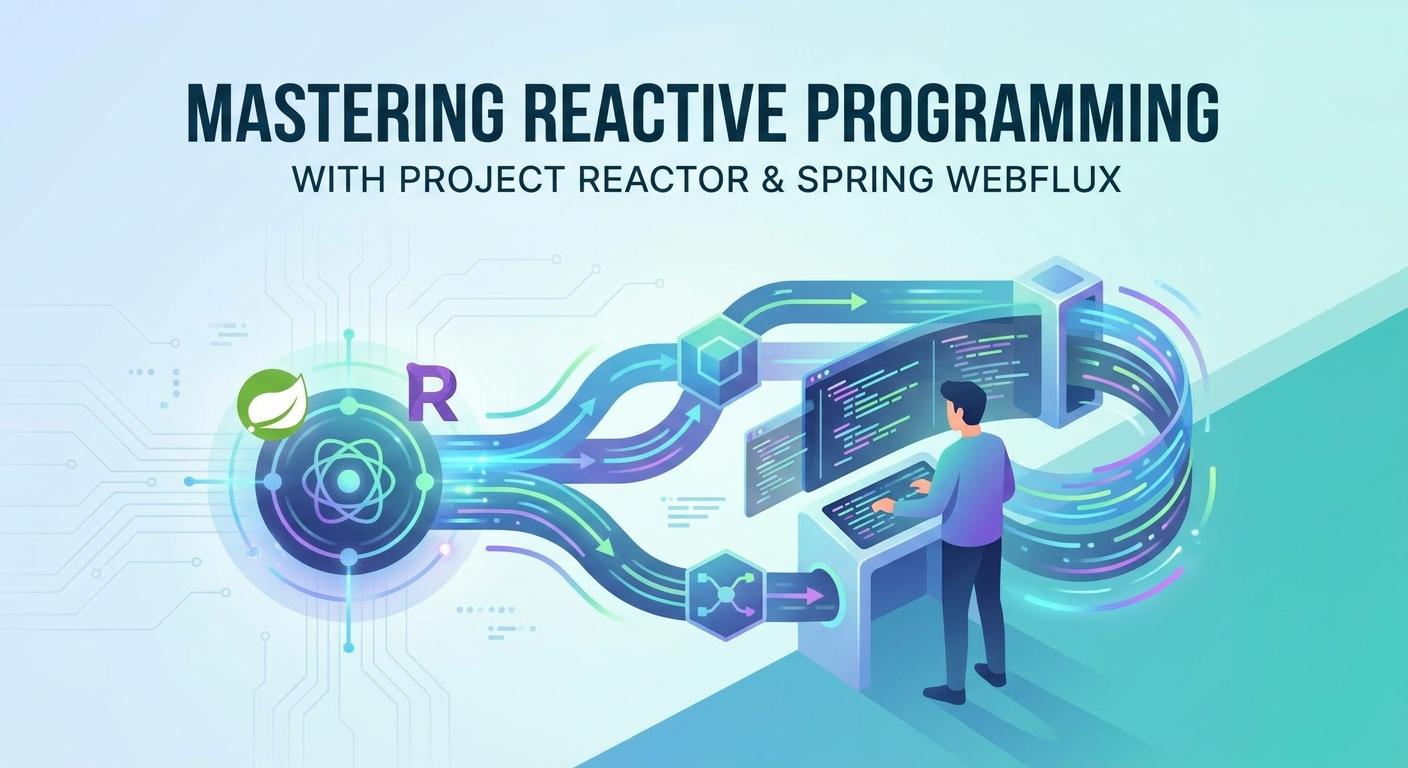
Mastering Reactive Programming with Project Reactor & Spring WebFlux

Introduction
In today's fast-paced digital world, applications are constantly challenged to deliver high concurrency, low latency, and exceptional responsiveness. Traditional synchronous, thread-per-request models, while simple to understand, often struggle under heavy loads due to their blocking nature, leading to inefficient resource utilization and scalability bottlenecks.
Enter Reactive Programming: a paradigm shift that embraces asynchronous, non-blocking, and event-driven data processing. It's about building systems that react to changes and data streams, rather than waiting for operations to complete. This approach significantly improves resource efficiency, enabling applications to handle more concurrent users with fewer threads.
This comprehensive guide will take you on a deep dive into two pivotal technologies at the forefront of reactive programming in the Java ecosystem: Project Reactor and Spring WebFlux. Project Reactor is the foundational library that implements the Reactive Streams specification, providing powerful tools for composing asynchronous data streams. Spring WebFlux, built on top of Reactor, is Spring Boot's answer to building fully non-blocking web applications, offering a modern alternative to traditional Spring MVC.
By the end of this article, you'll have a solid understanding of reactive fundamentals, how to build robust reactive applications with Spring WebFlux, integrate with reactive data stores, and apply best practices to overcome common challenges.
Prerequisites
To get the most out of this guide, you should have:
- Java 8+: Familiarity with Java's functional features (lambdas, method references) is essential.
- Basic Spring Boot Knowledge: Understanding of Spring Boot's auto-configuration and dependency management.
- Maven or Gradle: For project setup and dependency management.
- IDE: An IDE like IntelliJ IDEA or VS Code with Java support.
Understanding Reactive Programming Fundamentals
At its core, reactive programming is about working with asynchronous data streams. Think of it like a spreadsheet: when you change a cell, all dependent cells automatically update. In reactive programming, data flows through a pipeline, and operations are performed as data arrives, rather than waiting for an entire collection to be available.
The Reactive Streams Specification
Project Reactor adheres to the Reactive Streams specification, which defines a standard for asynchronous stream processing with non-blocking backpressure. It's crucial for interoperability between different reactive libraries. The spec defines four core interfaces:
Publisher<T>: A producer of a sequence of elements of typeT. It can emit zero or more elements, followed by a completion signal or an error signal. It has a single method:subscribe(Subscriber<? super T> s).Subscriber<T>: A consumer of elements from aPublisher. It defines four methods:onSubscribe(Subscription s): Called once by thePublisherto establish theSubscription.onNext(T t): Called for each element produced by thePublisher.onError(Throwable t): Called if an error occurs.onComplete(): Called when thePublisherhas no more elements to emit.
Subscription: Represents the one-to-one relationship between aPublisherand aSubscriber. It allows theSubscriberto request more data (request(long n)) and to cancel the subscription (cancel()). This is the mechanism for backpressure.Processor<T, R>: Represents a processing stage that is both aSubscriberand aPublisher, allowing for transformation of data streams.
Backpressure
Backpressure is a critical concept in reactive programming. It's the mechanism by which a Subscriber can signal to its Publisher how much data it is willing or able to process. Without backpressure, a fast producer could overwhelm a slow consumer, leading to resource exhaustion (e.g., OutOfMemoryError). Reactive Streams ensures that the consumer dictates the pace, preventing the producer from flooding it with data.
Introducing Project Reactor
Project Reactor is a powerful, non-blocking reactive programming library for the JVM, providing a rich set of operators to compose asynchronous logic. It's the foundation of Spring WebFlux.
Its two core types are:
Mono<T>: Represents a stream of 0 or 1 item. It's ideal for operations that return a single result (e.g., fetching a user by ID) or no result (e.g., avoidoperation).Flux<T>: Represents a stream of 0 to N items. It's suitable for operations that return multiple results (e.g., fetching all users) or continuous streams of data.
Creating Monos and Fluxes
Reactor provides various ways to create reactive sequences:
import reactor.core.publisher.Flux;
import reactor.core.publisher.Mono;

public class ReactorCreation {

    public static void main(String[] args) {
        // Mono creation
        Mono<String> monoJust = Mono.just("Hello Reactor"); // Emits a single item
        Mono<Void> monoEmpty = Mono.empty(); // Emits no items, only a completion signal
        Mono<String> monoError = Mono.error(new RuntimeException("Oops!")); // Emits an error

        // Flux creation
        Flux<String> fluxJust = Flux.just("Apple", "Banana", "Cherry"); // Emits multiple items
        Flux<Integer> fluxRange = Flux.range(1, 5); // Emits a sequence from 1 to 5
        Flux<String> fluxFromList = Flux.fromIterable(java.util.Arrays.asList("A", "B", "C")); // From a collection

        // Programmatic creation (advanced)
        Flux<String> fluxCreate = Flux.create(sink -> {
            sink.next("Event 1");
            sink.next("Event 2");
            sink.complete();
        });

        // Deferring execution until subscription
        Mono<Long> deferredMono = Mono.defer(() -> {
            long currentTime = System.currentTimeMillis();
            System.out.println("Deferred Mono created at: " + currentTime);
            return Mono.just(currentTime);
        });

        System.out.println("Before deferredMono subscription");
        deferredMono.subscribe(time -> System.out.println("Deferred Mono subscribed: " + time));
        System.out.println("After deferredMono subscription");

        // Examples of subscribing to see output
        monoJust.subscribe(System.out::println);
        fluxRange.subscribe(System.out::println);
    }
}
Mono.defer() and Flux.defer() are crucial. They ensure that the Publisher is created for each Subscriber, making them suitable for stateful operations or when you want to capture the state at the time of subscription, not creation.
Operators: The Building Blocks
Reactor's power lies in its rich set of operators, which allow you to transform, filter, combine, and handle errors in your data streams. Here are some common categories:
- Transformation:
map,flatMap,concatMap,handle.map: Transforms each item synchronously.flatMap: Transforms each item into a newMonoorFluxand then flattens these inner streams into a single outputFlux. Crucial for asynchronous chaining.concatMap: Similar toflatMapbut preserves the order of the source elements.
- Filtering:
filter,take,skip. - Combination:
zip,merge,concat.zip: Combines elements from multiple sources into aTuplewhen all sources emit an element at the same index.merge: Combines elements from multiple sources into a singleFlux, interleaving them as they arrive.concat: Combines elements sequentially; it waits for one source to complete before subscribing to the next.
- Error Handling:
onErrorReturn,onErrorResume,doOnError,retry. - Side Effects:
doOnNext,doOnError,doOnComplete,doFinally.
import reactor.core.publisher.Flux;

public class ReactorOperators {

    public static void main(String[] args) {
        Flux.just("apple", "banana", "cherry")
            .map(String::toUpperCase) // Transform to uppercase
            .filter(s -> s.startsWith("B")) // Filter items starting with 'B'
            .flatMap(s -> Mono.delay(java.time.Duration.ofMillis(500)) // Simulate async operation
                                .map(l -> s + "_PROCESSED"))
            .subscribe(System.out::println, // onNext
                       error -> System.err.println("Error: " + error.getMessage()), // onError
                       () -> System.out.println("Completed!")); // onComplete

        // Example with error handling
        Flux.just(1, 2, 3, 4)
            .map(i -> {
                if (i == 3) throw new RuntimeException("Value 3 is forbidden!");
                return i * 10;
            })
            .onErrorReturn(-1) // If error, return -1 and complete
            .subscribe(System.out::println,
                       error -> System.err.println("This won't be called due to onErrorReturn"));

        // Keep main thread alive for async operations
        try {
            Thread.sleep(2000);
        } catch (InterruptedException e) {
            Thread.currentThread().interrupt();
        }
    }
}
Spring WebFlux Overview
Spring WebFlux is Spring Framework's answer to building reactive, non-blocking web applications. Introduced in Spring 5, it provides a fully asynchronous and non-blocking programming model for web applications, making it ideal for microservices and highly scalable systems.
Why WebFlux?
- Non-blocking I/O: Unlike Spring MVC which relies on the Servlet API (blocking I/O), WebFlux uses reactive streams and non-blocking servers like Netty (default) or Undertow.
- Scalability: By not blocking threads for I/O operations, WebFlux can handle a significantly higher number of concurrent connections with fewer resources.
- High Concurrency: It efficiently manages a small pool of event loop threads to handle many requests, maximizing CPU utilization.
- Reactive Streams Integration: Seamlessly integrates with Project Reactor and other Reactive Streams implementations.
WebFlux vs. Spring MVC
| Feature | Spring MVC (Traditional) | Spring WebFlux (Reactive) |
|---|---|---|
| I/O Model | Blocking (Servlet API) | Non-blocking (Netty, Undertow, Servlet 3.1+ Async) |
| Thread Model | One thread per request (blocking) | Event-loop model (non-blocking, fewer threads) |
| Return Types | POJOs, ResponseEntity, Callable, DeferredResult | Mono, Flux, ResponseEntity<Mono<T>>, ServerResponse |
| Concurrency | Achieved via thread pooling | Achieved via event loop and asynchronous operations |
| Backpressure | Not inherently supported | Built-in via Reactive Streams |
| Default Server | Tomcat, Jetty | Netty |
WebFlux offers two programming models:
- Annotation-based Controllers: Similar to Spring MVC, using
@RestController,@GetMapping, etc., but withMonoandFluxas return types. - Functional Endpoints: A more functional, explicit way to define routes and handlers using
RouterFunctionandHandlerFunction.
Building Reactive REST APIs with Spring WebFlux
Let's build a simple CRUD API for Book resources using Spring WebFlux.
Project Setup
Create a Spring Boot project (e.g., via start.spring.io) and add the Spring Reactive Web dependency.
pom.xml snippet:
<dependency>
    <groupId>org.springframework.boot</groupId>
    <artifactId>spring-boot-starter-webflux</artifactId>
</dependency>
<dependency>
    <groupId>org.projectlombok</groupId>
    <artifactId>lombok</artifactId>
    <optional>true</optional>
</dependency>
<dependency>
    <groupId>org.springframework.boot</groupId>
    <artifactId>spring-boot-starter-test</artifactId>
    <scope>test</scope>
    <exclusions>
        <exclusion>
            <groupId>org.junit.vintage</groupId>
            <artifactId>junit-vintage-engine</artifactId>
        </exclusion>
    </exclusions>
</dependency>
<dependency>
    <groupId>io.projectreactor</groupId>
    <artifactId>reactor-test</artifactId>
    <scope>test</scope>
</dependency>
Book Model
package com.example.reactivewebflux.model;

import lombok.AllArgsConstructor;
import lombok.Data;
import lombok.NoArgsConstructor;

@Data
@AllArgsConstructor
@NoArgsConstructor
public class Book {
    private String id;
    private String title;
    private String author;
    private int year;
}
Book Service (Simulated Data Store)
For simplicity, we'll use an in-memory Map for now. Later, we'll integrate with a real reactive data store.
package com.example.reactivewebflux.service;

import com.example.reactivewebflux.model.Book;
import org.springframework.stereotype.Service;
import reactor.core.publisher.Flux;
import reactor.core.publisher.Mono;

import java.util.Map;
import java.util.concurrent.ConcurrentHashMap;

@Service
public class BookService {

    private final Map<String, Book> books = new ConcurrentHashMap<>();

    public BookService() {
        books.put("1", new Book("1", "The Lord of the Rings", "J.R.R. Tolkien", 1954));
        books.put("2", new Book("2", "Pride and Prejudice", "Jane Austen", 1813));
        books.put("3", new Book("3", "1984", "George Orwell", 1949));
    }

    public Flux<Book> findAll() {
        return Flux.fromIterable(books.values());
    }

    public Mono<Book> findById(String id) {
        return Mono.justOrEmpty(books.get(id));
    }

    public Mono<Book> save(Book book) {
        if (book.getId() == null) {
            book.setId(java.util.UUID.randomUUID().toString());
        }
        books.put(book.getId(), book);
        return Mono.just(book);
    }

    public Mono<Book> update(String id, Book book) {
        return Mono.justOrEmpty(books.get(id))
                   .flatMap(existingBook -> {
                       existingBook.setTitle(book.getTitle());
                       existingBook.setAuthor(book.getAuthor());
                       existingBook.setYear(book.getYear());
                       books.put(id, existingBook);
                       return Mono.just(existingBook);
                   });
    }

    public Mono<Void> deleteById(String id) {
        return Mono.justOrEmpty(books.remove(id))
                   .then(); // Convert to Mono<Void>
    }
}
Reactive Book Controller
package com.example.reactivewebflux.controller;

import com.example.reactivewebflux.model.Book;
import com.example.reactivewebflux.service.BookService;
import org.springframework.http.HttpStatus;
import org.springframework.web.bind.annotation.*;
import reactor.core.publisher.Flux;
import reactor.core.publisher.Mono;

@RestController
@RequestMapping("/api/books")
public class BookController {

    private final BookService bookService;

    public BookController(BookService bookService) {
        this.bookService = bookService;
    }

    @GetMapping
    public Flux<Book> getAllBooks() {
        return bookService.findAll();
    }

    @GetMapping("/{id}")
    public Mono<Book> getBookById(@PathVariable String id) {
        return bookService.findById(id)
                          .switchIfEmpty(Mono.error(new org.springframework.web.server.ResponseStatusException(HttpStatus.NOT_FOUND, "Book not found")));
    }

    @PostMapping
    @ResponseStatus(HttpStatus.CREATED)
    public Mono<Book> createBook(@RequestBody Book book) {
        return bookService.save(book);
    }

    @PutMapping("/{id}")
    public Mono<Book> updateBook(@PathVariable String id, @RequestBody Book book) {
        return bookService.update(id, book)
                          .switchIfEmpty(Mono.error(new org.springframework.web.server.ResponseStatusException(HttpStatus.NOT_FOUND, "Book not found")));
    }

    @DeleteMapping("/{id}")
    @ResponseStatus(HttpStatus.NO_CONTENT)
    public Mono<Void> deleteBook(@PathVariable String id) {
        return bookService.deleteById(id)
                          .switchIfEmpty(Mono.error(new org.springframework.web.server.ResponseStatusException(HttpStatus.NOT_FOUND, "Book not found")));
    }
}
Notice how the controller methods return Mono<T> or Flux<T>, allowing Spring WebFlux to handle the non-blocking I/O and stream processing efficiently.
Integrating with Reactive Data Stores
To maintain an end-to-end non-blocking architecture, your data layer must also be reactive. Spring Data provides reactive repositories for various data stores.
Reactive Spring Data MongoDB Example
Add the spring-boot-starter-data-mongodb-reactive dependency.
<dependency>
    <groupId>org.springframework.boot</groupId>
    <artifactId>spring-boot-starter-data-mongodb-reactive</artifactId>
</dependency>
Update the Book model with @Document annotation and @Id:
package com.example.reactivewebflux.model;

import lombok.AllArgsConstructor;
import lombok.Data;
import lombok.NoArgsConstructor;
import org.springframework.data.annotation.Id;
import org.springframework.data.mongodb.core.mapping.Document;

@Data
@AllArgsConstructor
@NoArgsConstructor
@Document(collection = "books")
public class Book {
    @Id
    private String id;
    private String title;
    private String author;
    private int year;
}
Create a reactive repository interface:
package com.example.reactivewebflux.repository;

import com.example.reactivewebflux.model.Book;
import org.springframework.data.mongodb.repository.ReactiveMongoRepository;
import reactor.core.publisher.Flux;

public interface BookRepository extends ReactiveMongoRepository<Book, String> {
    Flux<Book> findByAuthor(String author);
}
Now, you would inject BookRepository into your BookService and use its reactive methods directly. For example, bookRepository.findAll() returns a Flux<Book>, and bookRepository.findById(id) returns a Mono<Book>. This ensures your entire application stack remains non-blocking.
For relational databases, R2DBC (Reactive Relational Database Connectivity) is the reactive alternative to JDBC. Spring Data R2DBC provides similar reactive repository abstractions for SQL databases.
Backpressure in Action
Backpressure is fundamental to preventing resource exhaustion in reactive systems. When a Publisher produces items faster than a Subscriber can consume them, backpressure allows the Subscriber to signal its capacity to the Publisher.
Project Reactor handles backpressure automatically for most operators. For instance, if you have a Flux emitting items quickly and a Subscriber that processes them slowly, Reactor's internal mechanisms will manage the flow. However, understanding how it works is key.
Consider a custom Subscriber to explicitly demonstrate backpressure:
import org.reactivestreams.Subscription;
import reactor.core.publisher.BaseSubscriber;
import reactor.core.publisher.Flux;

public class BackpressureExample {

    public static void main(String[] args) {
        Flux.range(1, 100)
            .subscribe(new BaseSubscriber<Integer>() {
                private int count = 0;
                private final int batchSize = 10;

                @Override
                protected void hookOnSubscribe(Subscription subscription) {
                    System.out.println("Subscribed. Requesting " + batchSize + " items.");
                    request(batchSize); // Initial request
                }

                @Override
                protected void hookOnNext(Integer value) {
                    System.out.println("Received: " + value);
                    count++;
                    if (count % batchSize == 0) {
                        System.out.println("Processed " + batchSize + " items. Requesting more...");
                        request(batchSize); // Request next batch
                    }
                    // Simulate slow processing
                    try {
                        Thread.sleep(50);
                    } catch (InterruptedException e) {
                        Thread.currentThread().interrupt();
                    }
                }

                @Override
                protected void hookOnError(Throwable throwable) {
                    System.err.println("Error: " + throwable.getMessage());
                }

                @Override
                protected void hookOnComplete() {
                    System.out.println("Completed.");
                }
            });
    }
}
In this example, the Subscriber explicitly requests items in batches of 10 (request(batchSize)). The Publisher (Flux.range) will only send 10 items, wait for the Subscriber to process them and request more, thus preventing an overflow.
Error Handling Strategies
Errors are inevitable in any application. In reactive programming, an unhandled error will terminate the stream, preventing subsequent items or the completion signal from being processed. Reactor provides robust operators for handling errors gracefully:
onErrorReturn(T fallbackValue): Returns a default value and completes the stream if an error occurs.onErrorResume(Function<Throwable, Mono<T>> fallbackMono): Recovers from an error by switching to a new fallbackMonoorFluxstream.doOnError(Consumer<Throwable> errorConsumer): Performs a side-effect (e.g., logging) when an error occurs, but doesn't change the error itself or stop its propagation.retry(long numRetries): Retries the source sequence up tonumRetriestimes if an error occurs.retryWhen(Function<Flux<Throwable>, ? extends Publisher<?>> retryCompanion): Provides more fine-grained control over retry logic, allowing for exponential backoff, conditional retries, etc.timeout(Duration duration): Emits an error if the sourcePublisherdoes not emit an item within the specified duration.
import reactor.core.publisher.Flux;
import reactor.core.publisher.Mono;

import java.time.Duration;

public class ErrorHandlingExample {

    public static void main(String[] args) {
        Flux.range(1, 5)
            .map(i -> {
                if (i == 3) throw new RuntimeException("Problem with item 3");
                return i;
            })
            .onErrorResume(e -> {
                System.err.println("Recovering from: " + e.getMessage());
                return Flux.just(100, 101); // Fallback stream
            })
            .subscribe(System.out::println,
                       error -> System.err.println("Should not see this error: " + error.getMessage()),
                       () -> System.out.println("Completed with fallback."));

        System.out.println("\n--- Retrying Example ---");
        Mono.delay(Duration.ofMillis(100))
            .flatMap(l -> {
                if (Math.random() > 0.5) {
                    System.out.println("Failing...");
                    return Mono.error(new RuntimeException("Random failure"));
                } else {
                    System.out.println("Succeeding!");
                    return Mono.just("Success");
                }
            })
            .doOnError(e -> System.err.println("Attempt failed: " + e.getMessage()))
            .retry(3) // Retry up to 3 times
            .subscribe(System.out::println,
                       error -> System.err.println("Final error after retries: " + error.getMessage()),
                       () -> System.out.println("Retry sequence completed."));

        try {
            Thread.sleep(2000);
        } catch (InterruptedException e) {
            Thread.currentThread().interrupt();
        }
    }
}
For global error handling in Spring WebFlux, you can use @ControllerAdvice and @ExceptionHandler with reactive return types, similar to Spring MVC.
Testing Reactive Applications
Testing reactive code requires specialized tools to handle asynchronous operations and stream assertions. Project Reactor provides reactor-test and Spring WebFlux offers spring-test for this purpose.
StepVerifier for Mono and Flux
StepVerifier is invaluable for testing Mono and Flux streams. It allows you to define a sequence of expected events (onNext, onError, onComplete) and then verifies that the actual stream matches this expectation.
import org.junit.jupiter.api.Test;
import reactor.core.publisher.Flux;
import reactor.core.publisher.Mono;
import reactor.test.StepVerifier;

import java.time.Duration;

public class ReactorTest {

    @Test
    void testFluxSequence() {
        Flux<String> names = Flux.just("Alice", "Bob", "Charlie")
                                 .map(String::toUpperCase);

        StepVerifier.create(names)
                    .expectNext("ALICE", "BOB", "CHARLIE")
                    .verifyComplete();
    }

    @Test
    void testMonoError() {
        Mono<String> errorMono = Mono.error(new RuntimeException("Test Error"));

        StepVerifier.create(errorMono)
                    .expectError(RuntimeException.class)
                    .verify();
    }

    @Test
    void testFluxWithDelay() {
        Flux<Long> delayedFlux = Flux.interval(Duration.ofMillis(100))
                                     .take(3);

        StepVerifier.create(delayedFlux)
                    .expectNext(0L, 1L, 2L) // Expect elements after delays
                    .verifyComplete();
    }
}
WebTestClient for WebFlux Endpoints
WebTestClient allows you to test WebFlux controllers and functional endpoints end-to-end without starting a full HTTP server. It provides a fluent API to make requests and assert responses.
import com.example.reactivewebflux.controller.BookController;
import com.example.reactivewebflux.model.Book;
import com.example.reactivewebflux.service.BookService;
import org.junit.jupiter.api.BeforeEach;
import org.junit.jupiter.api.Test;
import org.mockito.Mockito;
import org.springframework.beans.factory.annotation.Autowired;
import org.springframework.boot.test.autoconfigure.web.reactive.WebFluxTest;
import org.springframework.boot.test.mock.mockito.MockBean;
import org.springframework.http.MediaType;
import org.springframework.test.web.reactive.server.WebTestClient;
import reactor.core.publisher.Flux;
import reactor.core.publisher.Mono;

@WebFluxTest(controllers = BookController.class)
public class BookControllerTest {

    @Autowired
    private WebTestClient webTestClient;

    @MockBean
    private BookService bookService;

    private Book book1, book2;

    @BeforeEach
    void setUp() {
        book1 = new Book("1", "Test Book 1", "Author A", 2020);
        book2 = new Book("2", "Test Book 2", "Author B", 2021);
    }

    @Test
    void getAllBooks() {
        Mockito.when(bookService.findAll())
               .thenReturn(Flux.just(book1, book2));

        webTestClient.get().uri("/api/books")
                     .accept(MediaType.APPLICATION_JSON)
                     .exchange()
                     .expectStatus().isOk()
                     .expectBodyList(Book.class)
                     .contains(book1, book2);
    }

    @Test
    void getBookById() {
        Mockito.when(bookService.findById("1"))
               .thenReturn(Mono.just(book1));

        webTestClient.get().uri("/api/books/{id}", "1")
                     .accept(MediaType.APPLICATION_JSON)
                     .exchange()
                     .expectStatus().isOk()
                     .expectBody(Book.class)
                     .isEqualTo(book1);
    }

    @Test
    void createBook() {
        Book newBook = new Book(null, "New Book", "New Author", 2023);
        Book savedBook = new Book("3", "New Book", "New Author", 2023);

        Mockito.when(bookService.save(Mockito.any(Book.class)))
               .thenReturn(Mono.just(savedBook));

        webTestClient.post().uri("/api/books")
                     .contentType(MediaType.APPLICATION_JSON)
                     .bodyValue(newBook)
                     .exchange()
                     .expectStatus().isCreated()
                     .expectBody(Book.class)
                     .isEqualTo(savedBook);
    }
}
Best Practices for Reactive Programming
Adopting reactive programming requires a shift in mindset. Here are some best practices:
- Embrace Immutability: Immutable data structures simplify reasoning about state changes in asynchronous flows.
- Avoid Blocking Calls: This is paramount. Never call
block()in your reactive production code (except perhaps inmainmethods for testing). Blocking operations defeat the purpose of reactive programming and can lead to thread starvation. - Keep Operators Small and Focused: Chain smaller, composable operators instead of creating complex custom logic within a single
maporflatMap. This improves readability and maintainability. flatMapfor Parallelism,concatMapfor Order: UseflatMapwhen the order of results doesn't matter and you want to process inner streams concurrently. UseconcatMapwhen you need to preserve the order of elements from the source stream, processing inner streams sequentially.- Understand Schedulers: Schedulers determine which thread executes a reactive operation.
Schedulers.parallel()for CPU-bound work,Schedulers.boundedElastic()for I/O-bound or blocking operations (carefully!),Schedulers.single()for single-threaded processing.subscribeOn()affects the thread on which the subscription happens (upstream), whilepublishOn()affects the thread for subsequent operators (downstream). - Use
Contextfor Request-Scoped Data: TheContextAPI (part of Reactor 3.3+) allows you to propagate request-scoped data (like security context or trace IDs) through reactive chains without relying onThreadLocal. - Monitor Your Reactive Applications: Use tools like Micrometer and Reactor Debugging to gain visibility into your reactive streams, identify bottlenecks, and debug issues.
Common Pitfalls and How to Avoid Them
Even with best practices, reactive programming has its unique set of pitfalls:
- Blocking within a Reactive Chain: The most common mistake. If you have a legacy blocking API, wrap it in
Mono.fromCallable()orFlux.fromIterable()and run it on a suitableScheduler(e.g.,Schedulers.boundedElastic()).java// Pitfall: Blocking call directly in reactive chain // Mono.just(blockingMethodCall()); // BAD! // Solution: Wrap blocking call and run on appropriate scheduler Mono.fromCallable(() -> blockingMethodCall()) .subscribeOn(Schedulers.boundedElastic()) .subscribe(); - Ignoring Backpressure: Not handling backpressure can lead to
OutOfMemoryErroror other resource issues when a fast producer overwhelms a slow consumer. Rely on Reactor's default backpressure handling, or implement customSubscriberlogic carefully. - Complex Nested
flatMapCalls: WhileflatMapis powerful, deeply nestedflatMapstructures can lead to "callback hell" similar to traditional asynchronous programming. Refactor complex logic into smaller, named methods that returnMonoorFlux. - Not Handling Errors Properly: An unhandled error terminates the stream. Always consider
onErrorReturn,onErrorResume, orretryoperators to ensure stream resilience. - Misunderstanding
subscribeOnvs.publishOn:subscribeOn()influences the thread where the entire sequence (from source to subscriber) is executed, but only if no othersubscribeOnis encountered further upstream. The lastsubscribeOnencountered upstream wins.publishOn()switches the thread for subsequent operators downstream from where it's applied.Observe the thread names to understand the flow.javaFlux.range(1, 5) .map(i -> { System.out.println("Map 1 on: " + Thread.currentThread().getName()); return i * 2; }) .publishOn(Schedulers.parallel()) // Switches thread for downstream .map(i -> { System.out.println("Map 2 on: " + Thread.currentThread().getName()); return i + 1; }) .subscribeOn(Schedulers.boundedElastic()) // Affects subscription and upstream if no other subscribeOn .subscribe(val -> System.out.println("Subscribe on: " + Thread.currentThread().getName() + " - " + val));
Conclusion
Reactive programming with Project Reactor and Spring WebFlux represents a significant leap forward in building modern, scalable, and resilient applications. By embracing non-blocking I/O and asynchronous data streams, you can dramatically improve the resource efficiency and responsiveness of your services, making them well-suited for microservices architectures and cloud-native deployments.
We've covered the fundamentals of Reactive Streams, explored the core Mono and Flux types in Project Reactor, built reactive REST APIs with Spring WebFlux, integrated with reactive data stores, and delved into crucial topics like backpressure, error handling, and testing. Furthermore, we discussed essential best practices and common pitfalls to help you navigate the reactive landscape effectively.
The journey into reactive programming can be challenging initially due to the paradigm shift, but the benefits in terms of scalability, performance, and resource utilization are immense. Continue exploring Reactor's vast operator set, experiment with more advanced Scheduler configurations, and integrate with other reactive components like RSocket for truly reactive communication.
Embrace the reactive paradigm, and unlock a new level of performance and resilience in your applications!
Written by
CodewithYohaFull-Stack Software Engineer with 7+ years of experience in Java, Spring Boot, and cloud architecture across AWS, Azure, and GCP. Writing production-grade engineering patterns for developers who ship real software.