Mastering Backstage: A Comprehensive Guide to Internal Developer Portals

Introduction
In the sprawling landscape of modern software development, engineering organizations often grapple with a common challenge: cognitive overload. As microservices proliferate, teams scale, and infrastructure becomes increasingly complex, developers spend an inordinate amount of time navigating fragmented documentation, discovering services, understanding dependencies, and provisioning resources. This friction directly impacts productivity, slows down innovation, and can lead to developer burnout.
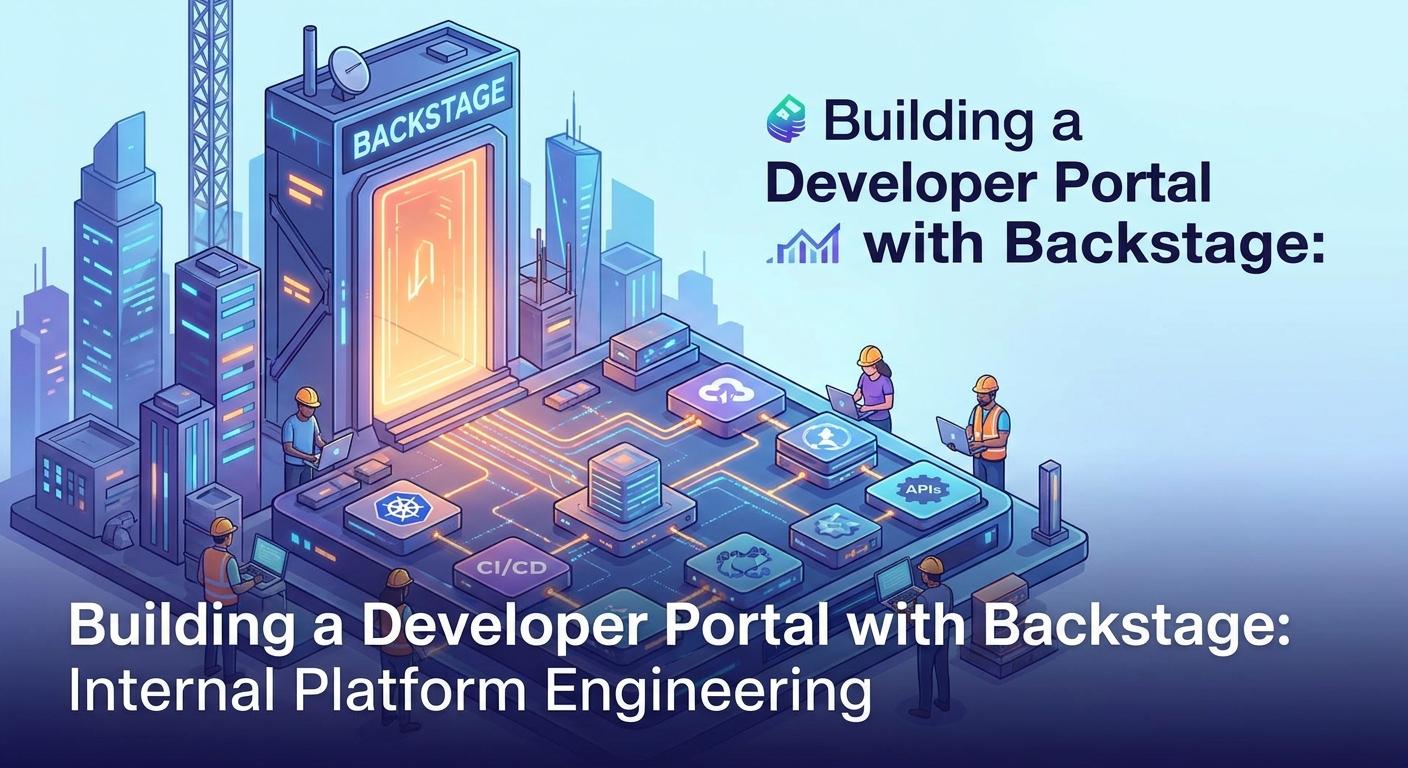
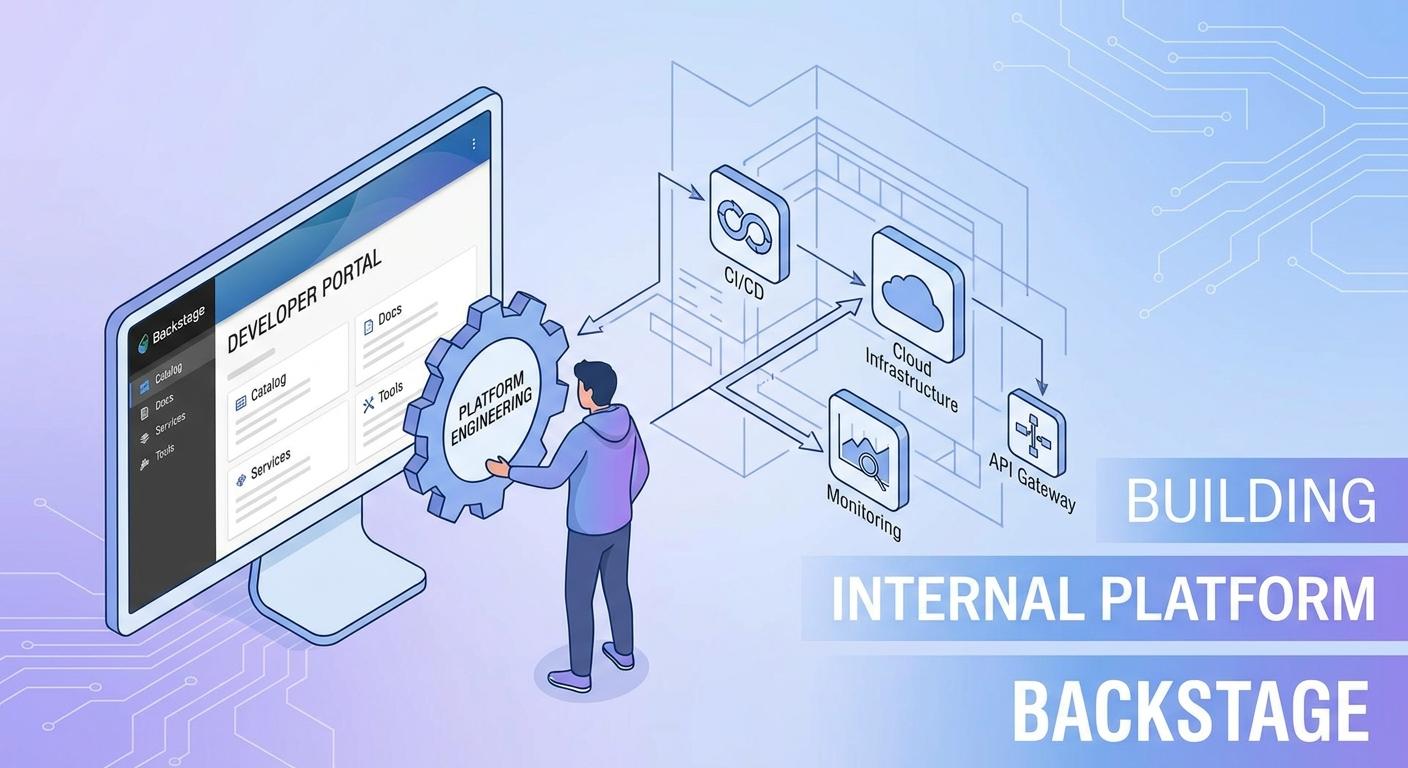
Enter the Developer Portal, a centralized hub designed to streamline the developer experience. It serves as a single pane of glass, offering self-service capabilities, standardized tooling, and comprehensive documentation. At the forefront of this movement is Backstage, an open-source framework from Spotify, purpose-built to create internal developer portals. Backstage isn't just a dashboard; it's a powerful platform for Platform Engineering teams to build and maintain the golden paths that empower their developers.
This comprehensive guide will walk you through the journey of building a robust developer portal with Backstage. We'll cover everything from initial setup and core concepts to advanced integrations and best practices, equipping you to transform your organization's developer experience.
Prerequisites
To get the most out of this guide, a basic understanding of the following concepts and tools will be beneficial:
- Node.js and npm/yarn: Backstage is built with Node.js and React.
- React: Familiarity with React concepts will help in understanding the frontend.
- Git and a Git Provider: (e.g., GitHub, GitLab, Bitbucket) for source code management.
- Docker: For containerizing Backstage and its components.
- Kubernetes (Optional but Recommended): For production deployments.
- Command Line Interface (CLI): Basic terminal usage.
1. The "Why" Behind Developer Portals and Backstage
The shift to microservices and distributed architectures, while offering flexibility and scalability, introduces significant operational overhead. Developers face a constant struggle with:
- Service Discovery: "Where is that service? Who owns it? What does it do?"
- Documentation Debt: Outdated, scattered, or non-existent documentation.
- Onboarding Friction: New hires taking weeks to become productive due to lack of consolidated knowledge.
- Tool Sprawl: A myriad of internal tools, each with its own UI and authentication.
- Inconsistent Practices: Teams reinventing the wheel for common tasks (e.g., creating a new service, deploying an application).
Platform Engineering aims to solve these problems by providing self-service capabilities, standardized tools, and well-defined "golden paths" for developers. Backstage acts as the central nervous system for this platform. It provides:
- A Unified Service Catalog: A single source of truth for all your software, infrastructure, and teams.
- Standardized Project Scaffolding: Automated creation of new services and components based on approved templates.
- Docs-as-Code: Centralized, discoverable, and version-controlled technical documentation.
- Operational Insights: Integration with monitoring, CI/CD, and incident management tools.
- Extensibility: A rich plugin ecosystem to tailor the portal to your organization's specific needs.
By consolidating these functions, Backstage reduces cognitive load, accelerates development cycles, and fosters a culture of consistency and collaboration.
2. Backstage Architecture Overview
Understanding Backstage's architecture is key to effectively customizing and extending it. It's fundamentally a monorepo application built on Node.js and React.
- Frontend (
packages/app): The user interface, built with React and Material-UI. This is where users interact with the catalog, templates, and plugins. - Backend (
packages/backend): A Node.js (Express-based) server that handles API requests, interacts with external services (like Git providers, CI/CD systems), and serves data to the frontend. It hosts various backend plugins. - Plugins: Backstage's modularity comes from its plugin architecture. Plugins can be:
- Frontend Plugins: Add new pages, cards, or functionality to the UI.
- Backend Plugins: Provide APIs, data synchronization, and integration with external systems.
- Common Plugins: Shared utilities or components.
- Database: Backstage uses SQLite for development by default, but supports PostgreSQL for production environments to store catalog data, permissions, and other persistent information.
- Configuration (
app-config.yaml): The central configuration file that dictates how Backstage behaves, including external integrations, authentication, and plugin settings.
This modular design allows platform teams to extend Backstage with custom features or integrate with existing internal tools seamlessly.
3. Setting Up Your First Backstage Instance
Getting started with Backstage is straightforward. The @backstage/create-app CLI tool simplifies the initial setup.
First, ensure you have Node.js (LTS version recommended) and Yarn installed.
npm install -g yarnNow, create your Backstage application:
npx @backstage/create-appThe CLI will prompt you for a project name (e.g., my-developer-portal). Once complete, navigate into your new directory and start the application:
cd my-developer-portal
yarn install
yarn dev
Your Backstage instance will typically be available at http://localhost:3000. You'll see an empty catalog and the default home page.
The core configuration file is app-config.yaml located at the root of your project. This file is crucial for defining how Backstage operates, including its base URL, authentication providers, and various plugin settings.
Example app-config.yaml snippet:
# app-config.yaml
app:
  title: My Internal Developer Portal
  baseUrl: http://localhost:3000

organization:
  name: My Company

backend:
  baseUrl: http://localhost:7007
  listen:
    port: 7007
  # ... other backend configs

catalog:
  # ... catalog configs

techdocs:
  # ... techdocs configs

auth:
  # ... auth configs

# ... other plugin configs
4. The Software Catalog: The Heart of Backstage
The Software Catalog is arguably Backstage's most powerful feature. It provides a single, centralized inventory of all software assets within your organization, including services, libraries, APIs, websites, infrastructure components, and even teams. Each item in the catalog is called an entity.
Entities are defined using catalog-info.yaml files, which are typically stored alongside the source code of the component they describe. This "Docs-as-Code" approach ensures that the catalog information is always up-to-date and version-controlled.
Backstage supports several entity kinds:
- Component: Represents a deployable software component (e.g., microservice, website, library).
- API: Describes an API exposed by a component.
- Resource: Represents an infrastructure resource (e.g., database, S3 bucket, Kubernetes cluster).
- System: A collection of related components and APIs that form a logical system.
- Domain: A high-level grouping of systems.
- Group: Represents a team or organizational group.
- User: Represents an individual user.
- Location: Defines where Backstage should look for other
catalog-info.yamlfiles.
Example catalog-info.yaml for a service:
# services/user-service/catalog-info.yaml
apiVersion: backstage.io/v1alpha1
kind: Component
metadata:
  name: user-service
  description: Manages user profiles and authentication.
  annotations:
    github.com/project-slug: my-org/user-service # Link to GitHub repo
    backstage.io/techdocs-ref: url:https://github.com/my-org/user-service/tree/main # Link to TechDocs source
  tags: [java, spring-boot, microservice, authentication]
spec:
  type: service
  lifecycle: production
  owner: team-alpha
  system: user-management-system
  providesApis: [user-service-api]
  dependsOn: [resource:user-database]
To populate your catalog, you register these catalog-info.yaml files with Backstage. This can be done manually or, more commonly, through processors that discover entities from your Git repositories.
Registering entities via Git discovery in app-config.yaml:
# app-config.yaml
catalog:
  import:
    entityFilename: catalog-info.yaml
    pullRequestLimit: 1000
  rules:
    - allow: [Component, API, System, Group, User, Resource, Location]
  locations:
    - type: url
      target: https://github.com/my-org/user-service/blob/main/catalog-info.yaml # Manual registration for a single file
    - type: url
      target: https://github.com/my-org/*/catalog-info.yaml # Discover all catalog-info.yaml files in my-org repos
      rules:
        - allow: [Component]
    - type: github-discovery # Automatically discover all repos in an organization/user
      target: https://github.com/my-org
      rules:
        - allow: [Component, API]
5. Empowering Developers with Software Templates (Scaffolder)
One of the biggest productivity boosters Backstage offers is the Software Templates feature, powered by the Scaffolder plugin. It allows developers to create new services, components, or entire projects from standardized templates with just a few clicks.
This solves the problem of:
- Boilerplate Fatigue: No more manually setting up project structures, build configurations, or CI/CD pipelines.
- Inconsistency: Ensures all new projects adhere to organizational standards, best practices, and security policies.
- Onboarding Time: New developers can spin up a compliant project in minutes.
A template is defined by a template.yaml file, which specifies:
- Parameters: Inputs required from the user (e.g., project name, owner, description).
- Steps: A sequence of actions to perform (e.g., cloning a repository, rendering files, registering the new component in the catalog).
Example template.yaml for a basic microservice:
# templates/java-microservice/template.yaml
apiVersion: backstage.io/v1alpha1
kind: Template
metadata:
  name: java-spring-microservice
  title: Java Spring Boot Microservice
  description: Creates a new Spring Boot microservice with basic structure and CI/CD.
spec:
  owner: team-platform
  type: service
  parameters:
    - id: component_id
      title: Component ID
      description: Unique ID of the component (e.g., my-service)
      type: string
      ui:autofocus: true
      ui:options:
        rows: 1
    - id: description
      title: Description
      description: A brief description of the new service.
      type: string
      ui:options:
        rows: 2
    - id: owner
      title: Owner
      description: The team or individual responsible for this service.
      type: string
      enum: [team-alpha, team-beta, team-platform]
      enumNames: ["Team Alpha", "Team Beta", "Platform Team"]
  steps:
    - id: fetch-base
      name: Fetch Base Template
      action: fetch:template
      input:
        url: ./content # Points to the 'content' directory within this template
    - id: generate-files
      name: Generate Files
      action: fs:copy
      input:
        targetPath: './'
    - id: publish
      name: Publish to GitHub
      action: publish:github
      input:
        repoUrl: github.com?owner=my-org&repo={{ parameters.component_id }}
        defaultBranch: main
    - id: register
      name: Register Component in Catalog
      action: catalog:register
      input:
        repoContentsUrl: '{{ steps.publish.output.repoContentsUrl }}'
        catalogInfoPath: '/catalog-info.yaml'
  output:
    links:
      - text: Open in Catalog
        url: '{{ steps.register.output.entityRef | backstage.linkToCatalog }}'
      - text: Open in GitHub
        url: '{{ steps.publish.output.repoUrl }}'
To make this template available in Backstage, you need to register its location in app-config.yaml within the scaffolder section:
# app-config.yaml
scaffolder:
  # ... other scaffolder configs
  locations:
    - type: url
      target: https://github.com/my-org/backstage-templates/blob/main/templates/java-microservice/template.yaml
6. Centralizing Documentation with TechDocs
Technical documentation is often scattered, outdated, and difficult to discover. Backstage's TechDocs feature addresses this by promoting a "Docs-as-Code" approach, allowing documentation to live alongside the code it describes, be version-controlled, and rendered consistently within the developer portal.
TechDocs leverages MkDocs, a static site generator, to build documentation sites from Markdown files. Here's how it works:
- Documentation Source: Each component's repository contains a
docs/directory with Markdown files and anmkdocs.ymlconfiguration file. - TechDocs Addon: The TechDocs backend processes these files.
- Storage: The rendered static documentation is stored in an object storage solution (e.g., S3, Google Cloud Storage, MinIO).
- Frontend Display: The Backstage frontend fetches and displays the documentation from storage.
Example mkdocs.yml in a component repository:
# services/user-service/mkdocs.yml
site_name: User Service Documentation
nav:
  - Home: index.md
  - API Reference: api.md
  - Deployment: deployment.md
theme:
  name: material
  features:
    - navigation.tabs
    - navigation.sections
    - search.highlight
To enable TechDocs for a component, you add an annotation to its catalog-info.yaml:
# services/user-service/catalog-info.yaml
apiVersion: backstage.io/v1alpha1
kind: Component
metadata:
  name: user-service
  # ... other metadata
  annotations:
    backstage.io/techdocs-ref: url:https://github.com/my-org/user-service/tree/main # Points to the root of the docs folder in your repo
spec:
  # ... spec
Remember to configure TechDocs storage in your app-config.yaml (e.g., for AWS S3):
# app-config.yaml
techdocs:
  builder: 'external' # Or 'local' for development
  generator:
    runIn: 'local' # Or 'docker'
  publisher:
    type: 'awsS3'
    awsS3:
      bucketName: 'my-backstage-techdocs-bucket'
      # ... other AWS S3 credentials/region
7. Extending Backstage with Plugins
Backstage's true power lies in its extensibility through a vibrant plugin ecosystem. You can install pre-built plugins from the community or create your own to integrate with virtually any internal or external tool.
Commonly used plugins include:
- Kubernetes: Visualize Kubernetes resources and deployments.
- Grafana: Embed Grafana dashboards.
- Sentry: Display Sentry issues for a component.
- Lighthouse: Performance and accessibility audits for websites.
- Jenkins/GitHub Actions/GitLab CI: Show CI/CD pipeline status.
To install a new plugin, you typically need to:
- Add the package:
yarn add @backstage/plugin-kubernetes(example). - Add to
packages/app/src/App.tsx: Import the plugin and add it to theAppRouter. - Add to
packages/backend/src/plugins/: If it has a backend component, create a new backend plugin file and register it inpackages/backend/src/index.ts. - Configure in
app-config.yaml: Provide necessary API keys, URLs, or other settings.
Example packages/app/src/App.tsx snippet for adding a Kubernetes plugin:
// packages/app/src/App.tsx
import { createApp } from '@backstage/app-defaults';
import { AppRouter, FlatRoutes } from '@backstage/core-app-api';
import { CatalogIndexPage, CatalogEntityPage } from '@backstage/plugin-catalog';
import { KubernetesPage } from '@backstage/plugin-kubernetes'; // Import the Kubernetes page
// ... other imports

const app = createApp({
  components: {
    // ...
  },
  plugins: [
    // ... other plugins
  ],
  bindRoutes({
    // ...
  }) {
    // ...
  }
});

const routes = (
  <FlatRoutes>
    <Route path="/catalog" element={<CatalogIndexPage />} />
    <Route
      path="/catalog/:namespace/:kind/:name"
      element={<CatalogEntityPage />}
    >
      <EntityLayout.Route path="/kubernetes" title="Kubernetes">
        <KubernetesPage /> {/* Add KubernetesPage to the entity layout */}
      </EntityLayout.Route>
      {/* ... other entity routes */}
    </Route>
    {/* ... other top-level routes */}
  </FlatRoutes>
);

const App = () => (
  <AppRouter>
    <Root>{routes}</Root>
  </AppRouter>
);

export default App;
8. Integrating with External Systems
A developer portal's value is amplified by its ability to integrate seamlessly with your existing toolchain. Backstage provides robust mechanisms for this:
- Authentication: Integrate with your corporate identity provider (IdP) for single sign-on (SSO). Backstage supports GitHub, Google, Okta, Microsoft Entra ID (Azure AD), Auth0, and more.
- CI/CD Systems: Display build statuses, links to pipelines, and deployment history directly on service pages. This often involves custom backend plugins or leveraging existing community plugins.
- Monitoring & Observability: Embed dashboards from Grafana, DataDog, Prometheus, or link to Sentry/PagerDuty for incident management.
- Cloud Providers: Connect to AWS, GCP, Azure APIs to display resource information or enable self-service provisioning.
- Alerting: Show active alerts from PagerDuty, Opsgenie, etc.
Example app-config.yaml for GitHub OAuth Authentication:
# app-config.yaml
auth:
  keys:
    - secret: ${AUTH_SECRET} # Use environment variable for secrets
  providers:
    github:
      development:
        clientId: ${GITHUB_CLIENT_ID}
        clientSecret: ${GITHUB_CLIENT_SECRET}
      # For production, define a separate entry or use a single 'provider' key
Remember to set up OAuth applications in your chosen Git provider and configure redirect URLs correctly (http://localhost:7007/api/auth/github/handler for development).
9. Best Practices for Backstage Adoption and Platform Engineering
Implementing Backstage is a journey, not a destination. Here are best practices to ensure successful adoption:
- Treat Backstage as a Product: Your developer portal is a product for your internal developers. Gather feedback, prioritize features, and iterate continuously.
- Start Small, Iterate Often: Don't try to build everything at once. Begin with the core catalog and a couple of high-impact templates. Add plugins and features incrementally.
- Empower Platform Teams: Dedicate a team (or individuals) to own, maintain, and evolve Backstage. This team should be focused on improving developer experience.
- Developer Advocacy: Actively promote Backstage within your organization. Showcase its benefits, provide training, and celebrate early wins.
- Establish Golden Paths: Use Backstage to define and enforce standardized ways of working (e.g., how to create a new service, how to deploy).
- Documentation First: Encourage teams to maintain
catalog-info.yamland TechDocs alongside their code. Make it part of the definition of "done". - Automate Everything: Automate catalog registration, TechDocs builds, and software template creation to reduce manual overhead and ensure consistency.
- Security by Design: Ensure Backstage itself is secure, and that any integrations follow security best practices. Implement proper access controls.
- Monitor Backstage Itself: Treat Backstage like any other critical production service. Monitor its health, performance, and usage.
10. Common Pitfalls and How to Avoid Them
Even with the best intentions, Backstage implementations can stumble. Be aware of these common pitfalls:
- Over-customization Early On: While Backstage is flexible, resist the urge to heavily customize the UI or core logic before understanding its capabilities. Leverage existing plugins and configurations first.
- Lack of Ownership/Advocacy: If no one champions Backstage, it will become another unused tool. A dedicated platform team and strong internal marketing are crucial.
- Ignoring Developer Feedback: The portal is for developers. Regularly solicit their input and prioritize features that solve their pain points. A beautiful but unused portal is a failure.
- Stale Catalog Data: An outdated catalog quickly loses trust. Implement automation for discovery and require teams to keep their
catalog-info.yamlfiles current. - "Build It and They Will Come" Mentality: Adoption requires active effort, training, and demonstrating clear value. Don't expect developers to flock to it without a push.
- Overloading the Portal: While Backstage can integrate with many tools, avoid making it a dumping ground for every single dashboard. Focus on high-value integrations that truly streamline workflows.
- Performance Issues: As your catalog grows, ensure your Backstage instance scales appropriately. Optimize database queries, use efficient discovery methods, and monitor performance.
11. Deployment Strategies for Backstage
Deploying Backstage for production requires more than just yarn dev. Here are common strategies:
- Containerization (Docker): Backstage is a Node.js application, making it a perfect candidate for Docker. Create a Dockerfile for both the frontend and backend.
- Backend: A simple Node.js Docker image running your compiled backend.
- Frontend: Build the React app, then serve the static assets using Nginx or a similar web server.
- Orchestration (Kubernetes): For scalability, resilience, and ease of management, Kubernetes is the de facto standard. You can use Helm charts (community or custom) to deploy Backstage.
- Pods: Deploy backend, frontend, and a database as separate pods.
- Services: Expose the frontend and backend via Kubernetes Services.
- Ingress: Use an Ingress controller for external access and SSL termination.
- Persistent Storage: Use Persistent Volumes for the database and TechDocs build artifacts.
- Database: For production, always use a robust database like PostgreSQL. Configure the backend to connect to your PostgreSQL instance (e.g., via environment variables).
- CI/CD Pipelines: Automate the build, test, and deployment of your Backstage instance itself. Use GitHub Actions, GitLab CI, Jenkins, etc., to ensure changes are deployed reliably.
- Reverse Proxy: Place a reverse proxy (Nginx, Caddy, HAProxy) in front of your Backstage application for SSL termination, load balancing, and possibly caching.
# Dockerfile for Backstage Backend (example)
FROM node:18-bullseye-slim

WORKDIR /app

# Copy package.json and yarn.lock first to leverage Docker cache
COPY package.json yarn.lock ./
COPY packages/backend/package.json packages/backend/
COPY packages/app/package.json packages/app/
# ... copy other plugin package.json files

RUN yarn install --frozen-lockfile

# Copy all source files
COPY . .

# Build Backstage (adjust based on your build process)
RUN yarn build:backend

ENV NODE_ENV production

EXPOSE 7007

CMD ["node", "packages/backend", "--config", "app-config.yaml"]
Conclusion
Building a developer portal with Backstage is a strategic investment in your engineering organization's future. It transforms fragmented processes into streamlined, self-service workflows, significantly reducing cognitive load and empowering developers to focus on what they do best: building great software.
By leveraging Backstage's powerful Software Catalog, automated Software Templates, centralized TechDocs, and extensive plugin ecosystem, platform engineering teams can establish robust "golden paths" that guide developers through complex landscapes with ease and consistency. Remember to treat your portal as a product, iterate based on feedback, and champion its adoption within your organization.
The journey to a truly efficient and joyful developer experience starts with a well-crafted developer portal. Start building your Backstage instance today and unlock the full potential of your engineering teams!
To dive deeper, explore the official Backstage documentation and community resources.
Written by
CodewithYohaFull-Stack Software Engineer with 7+ years of experience in Java, Spring Boot, and cloud architecture across AWS, Azure, and GCP. Writing production-grade engineering patterns for developers who ship real software.