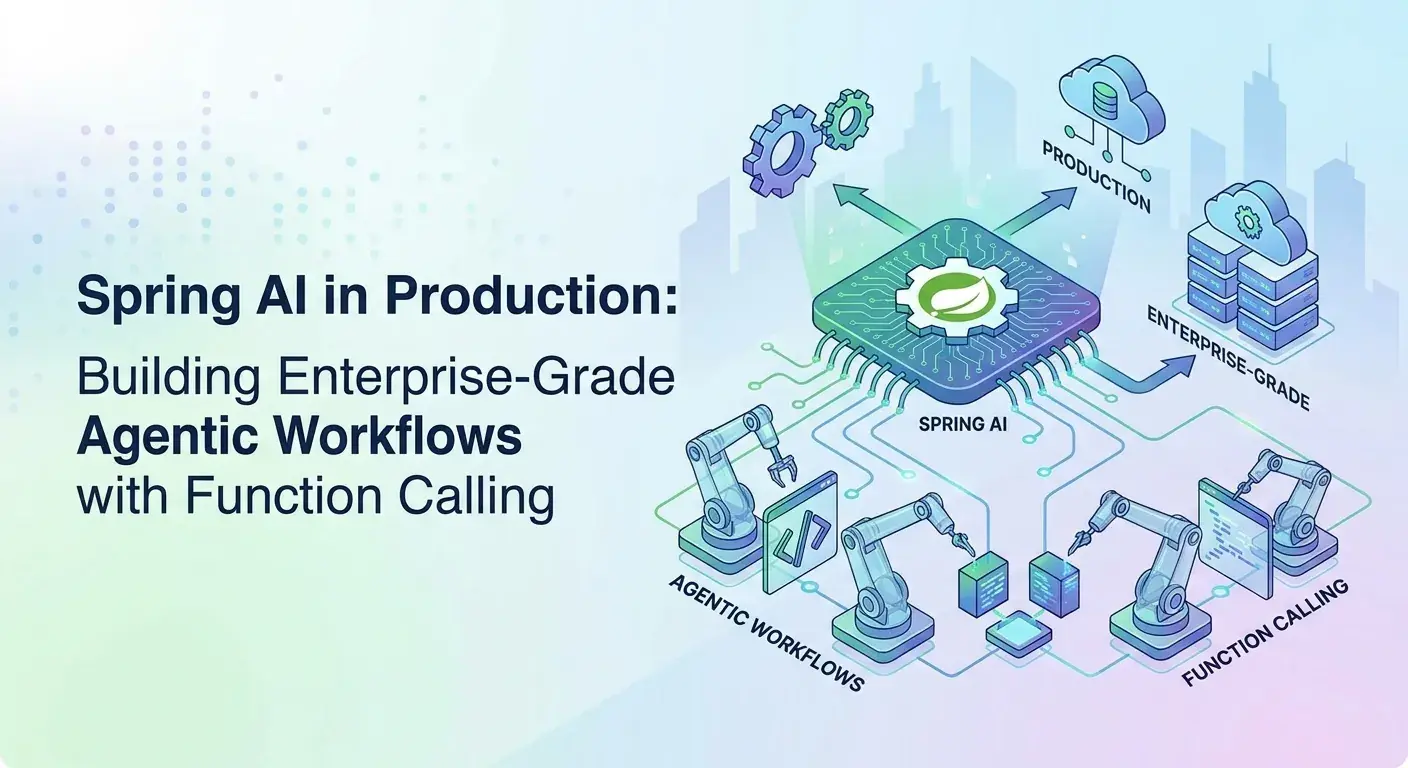
Spring AI in Production: Building Enterprise-Grade Agentic Workflows

Introduction
The landscape of enterprise software development is undergoing a profound transformation, driven by the rapid advancements in Artificial Intelligence, particularly Large Language Models (LLMs). While initial integrations often focused on simple prompt-response interactions, the real power emerges when LLMs can interact with external systems, perform actions, and participate in complex business processes. This is the realm of agentic workflows powered by function calling.
Spring AI, the incubating project from the Spring team, provides a robust, developer-friendly framework for integrating AI capabilities into Spring Boot applications. It abstracts away the complexities of interacting with various LLM providers and, crucially, offers first-class support for function calling, enabling the creation of intelligent, autonomous agents.
This comprehensive guide will walk you through building enterprise-grade agentic workflows with Spring AI and function calling. We'll move beyond basic examples to explore architectural patterns, best practices, and real-world considerations for deploying these intelligent systems in production environments.
Prerequisites
To follow along and implement the concepts discussed, you'll need:
- Java 17+: The minimum required Java version for Spring Boot 3.x.
- Spring Boot 3.2+: Spring AI integrates seamlessly with the latest Spring Boot versions.
- Maven or Gradle: For dependency management.
- Basic understanding of Spring Framework and LLMs: Familiarity with core Spring concepts and what LLMs are capable of.
- An OpenAI API Key (or similar): While Spring AI supports various providers, OpenAI's function calling capabilities are mature and widely used in examples.
Understanding Spring AI's Core Capabilities
Spring AI provides a consistent API for interacting with different AI models. At its heart are interfaces like ChatClient for conversational interactions and PromptTemplate for dynamic prompt generation. Its strength lies in its provider agnosticism, allowing you to switch between models (OpenAI, Azure OpenAI, Google Gemini, Hugging Face, etc.) with minimal code changes.
// Example: Basic ChatClient setup
import org.springframework.ai.chat.client.ChatClient;
import org.springframework.ai.openai.OpenAiChatModel;
import org.springframework.ai.openai.OpenAiChatOptions;
import org.springframework.beans.factory.annotation.Value;
import org.springframework.context.annotation.Bean;
import org.springframework.context.annotation.Configuration;

@Configuration
public class SpringAiConfig {

    @Bean
    public ChatClient chatClient(OpenAiChatModel model) {
        return ChatClient.builder(model).build();
    }

    // If using OpenAI, you'd typically configure the model like this
    // Ensure spring.ai.openai.api-key is set in application.properties
    // For production, consider using environment variables or Spring Cloud Vault
}
This foundational setup allows you to send prompts and receive responses, but for true enterprise utility, an LLM needs to do more than just talk; it needs to act.
The Power of Function Calling (Tools)
Function calling, often referred to as 'tools' in AI frameworks, is the mechanism by which an LLM can invoke external code or APIs. Instead of just generating text, the LLM can decide that a specific user query requires an action, identify the necessary parameters for that action, and then output a structured call to a predefined function.
Why is this crucial for enterprise applications?
- Access to Real-time Data: LLMs are trained on static datasets. Function calling allows them to fetch current information (e.g., stock prices, weather, order status) from your internal systems.
- Performing Actions: Beyond data retrieval, LLMs can trigger business processes (e.g., create a support ticket, approve a workflow, send an email).
- Complex Computations: Delegate precise calculations (e.g., financial modeling, currency conversion) to reliable code, mitigating LLM hallucinations.
- Breaking Context Barriers: LLMs can interact with vast amounts of information stored in databases, document management systems, or external APIs, overcoming their inherent context window limitations.
Spring AI provides a clean abstraction for defining and registering these functions, making it straightforward to integrate them into your ChatClient interactions.
Implementing Basic Function Calling in Spring AI
Let's illustrate with a simple example: an agent that can tell you the current price of a cryptocurrency. We'll define a CryptoService that acts as our tool.
First, define the service that will be exposed as a tool:
// src/main/java/com/example/ai/tools/CryptoService.java
package com.example.ai.tools;

import org.springframework.stereotype.Service;

@Service
public class CryptoService {

    // This method will be exposed as a tool
    // The description is crucial for the LLM to understand its purpose
    public String getCryptoPrice(String symbol) {
        // In a real application, this would call an external API
        // For demonstration, we return a mock value
        if ("BTC".equalsIgnoreCase(symbol)) {
            return "Current price of Bitcoin is $65,000.";
        } else if ("ETH".equalsIgnoreCase(symbol)) {
            return "Current price of Ethereum is $3,200.";
        } else {
            return "Crypto symbol '" + symbol + "' not found.";
        }
    }
}
Next, register this service as a FunctionCallback with the ChatClient. Spring AI can automatically discover and register Spring beans annotated with @Service or @Component if they are passed to the ChatClient builder methods.
// src/main/java/com/example/ai/controller/AgentController.java
package com.example.ai.controller;

import com.example.ai.tools.CryptoService;
import org.springframework.ai.chat.client.ChatClient;
import org.springframework.ai.chat.model.ChatResponse;
import org.springframework.ai.chat.model.Generation;
import org.springframework.web.bind.annotation.GetMapping;
import org.springframework.web.bind.annotation.RequestParam;
import org.springframework.web.bind.annotation.RestController;
import reactor.core.publisher.Flux;

@RestController
public class AgentController {

    private final ChatClient chatClient;
    private final CryptoService cryptoService; // Inject the service to register its functions

    public AgentController(ChatClient.Builder chatClientBuilder, CryptoService cryptoService) {
        this.cryptoService = cryptoService;
        // Register the function(s) from CryptoService
        this.chatClient = chatClientBuilder
                .defaultFunctions("getCryptoPrice") // Register the function by its method name
                .build();
    }

    @GetMapping("/crypto-agent")
    public String chatWithCryptoAgent(@RequestParam(value = "message", defaultValue = "What is the price of Bitcoin?") String message) {
        ChatResponse response = chatClient.prompt()
                .user(message)
                .call()
                .chatResponse();

        // The LLM decides whether to call the function or respond directly
        return response.getResult().getOutput().getContent();
    }
}
When you send a query like "What is the price of Bitcoin?" to /crypto-agent, the LLM will recognize that getCryptoPrice is relevant, extract "Bitcoin" as the symbol argument, and instruct Spring AI to call the getCryptoPrice method. The result of that method call is then fed back to the LLM, which generates a natural language response.
Building Agentic Workflows: The Iterative Loop
A single function call is powerful, but true agentic behavior emerges when an LLM can perform multiple steps, potentially involving several tool calls, to achieve a complex goal. This mirrors the human decision-making process, often described by the OODA loop (Observe-Orient-Decide-Act):
- Observe: Receive user input.
- Orient: Understand the intent, identify relevant information/tools.
- Decide: Determine the next best action (e.g., call a tool, ask for clarification, respond directly).
- Act: Execute the chosen action (e.g., invoke a tool, generate a response).
Spring AI facilitates this by allowing the ChatClient to handle the iterative process of tool invocation and response generation. When the LLM suggests a tool call, Spring AI executes it, injects the tool's output back into the conversation history, and prompts the LLM again, allowing it to continue the thought process.
Consider an agent that needs to find a product, check its stock, and then suggest adding it to a cart. This would involve a sequence of tool calls.
// Example of a multi-step agent (conceptual)
// This would typically involve a more sophisticated prompt and potentially a custom agent orchestrator

// Tool 1: Product search
public class ProductSearchService {
    public String searchProducts(String query) { /* ... */ return "Product X, Product Y"; }
}

// Tool 2: Stock checker
public class InventoryService {
    public String checkStock(String productId) { /* ... */ return "Product X has 10 units in stock."; }
}

// Tool 3: Add to cart
public class CartService {
    public String addToCart(String productId, int quantity) { /* ... */ return "Product X added to cart."; }
}

// Agent's thought process for "I want to buy a new laptop":
// 1. User: "I want to buy a new laptop."
// 2. LLM decides: Call ProductSearchService.searchProducts("laptop")
// 3. Tool output: "Available laptops: Model A, Model B, Model C"
// 4. LLM decides: Ask user for preferred model, or suggest a popular one.
// 5. User: "Model B looks good."
// 6. LLM decides: Call InventoryService.checkStock("Model B")
// 7. Tool output: "Model B has 5 units in stock."
// 8. LLM decides: Offer to add to cart. "Model B is in stock. Would you like to add it to your cart?"
// 9. User: "Yes, add one."
// 10. LLM decides: Call CartService.addToCart("Model B", 1)
// 11. Tool output: "Model B added to cart successfully."
// 12. LLM responds: "Model B has been added to your cart."
This iterative process, managed by the ChatClient and the LLM's reasoning, forms the backbone of sophisticated agentic behavior.
Advanced Agentic Design Patterns
To build truly robust enterprise agents, consider these design patterns:
Tool Orchestration
While the LLM is good at deciding which tool to call, for complex sequences or critical paths, explicit orchestration can be beneficial. You might have a meta-agent that first categorizes the user's intent (e.g., ORDER_MANAGEMENT, PRODUCT_SUPPORT, KNOWLEDGE_BASE) and then routes the query to a specialized sub-agent with a limited set of tools.
State Management and Memory
Agents need memory to maintain context across turns. Spring AI's ChatClient implicitly handles conversation history. For longer-term memory or more complex state (e.g., user preferences, ongoing transaction details), you'll need to integrate external storage:
ChatMemory(Spring AI): For short-term conversation history.- Database (SQL/NoSQL): For persistent user sessions, profiles, or transaction states.
- Vector Databases: For retrieving relevant past interactions or knowledge base articles based on semantic similarity.
Human-in-the-Loop (HITL)
For high-stakes decisions or ambiguous queries, incorporate human oversight. The agent can pause, summarize its planned action, and ask for human approval before executing a critical function (e.g., issuing a refund, making a purchase).
Error Handling and Retries
Tools can fail. Network issues, invalid arguments, or external API errors are common. Implement robust try-catch blocks around tool invocations. The LLM can be prompted to re-evaluate its plan if a tool call fails, potentially trying a different tool or asking the user for clarification.
Integrating with Enterprise Systems (Real-World Use Cases)
Agentic workflows with function calling bridge the gap between LLMs and your existing business infrastructure. Here are some real-world applications:
-
Customer Service Bots: An agent can check order status, initiate returns, answer FAQs by querying a CRM, ERP, or knowledge base, and even escalate to a human agent when necessary.
- Tools:
getOrderStatus(orderId),initiateReturn(orderId, reason),searchKnowledgeBase(query),createSupportTicket(details).
- Tools:
-
Data Analytics Agents: Users can ask natural language questions about business data. The agent translates these into database queries (via a tool), executes them, and summarizes the results.
- Tools:
executeSqlQuery(sql),generateReport(reportType, dateRange),fetchSalesData(productCategory, region).
- Tools:
-
Workflow Automation: An agent can automate internal processes, like approving expenses, onboarding new employees, or managing project tasks.
- Tools:
approveExpense(expenseId),createJiraTicket(summary, description),assignTask(taskId, assignee).
- Tools:
-
Internal Knowledge Bases: A sophisticated agent can perform semantic search across internal documents, summarize findings, and answer complex questions by combining information from multiple sources.
- Tools:
searchDocumentStore(query),summarizeDocument(docId),extractInformation(docId, entityType).
- Tools:
Best Practices for Production-Grade Agents
Deploying AI agents in production requires careful consideration:
- Tool Granularity: Design small, focused, idempotent tools. A tool should do one thing well. Avoid monolithic tools that try to do too much.
- Prompt Engineering for Tool Use: Craft clear, concise prompts that instruct the LLM on when and how to use tools. Provide examples of tool usage in your system prompt. Explicitly tell the LLM to use its tools when relevant.
- Security: Tools often interact with sensitive systems. Implement strict input validation on arguments passed from the LLM to your tools. Use robust authentication and authorization for tool access. Never expose sensitive internal APIs directly to the LLM without an intermediary security layer.
- Observability: Log every LLM interaction, every tool call, its arguments, and its results. Use tracing (e.g., OpenTelemetry) to understand the agent's decision-making flow. Monitor LLM token usage and tool execution times.
- Scalability: Design tools to be stateless where possible. If state is needed, store it externally (database, cache). Use asynchronous processing for long-running tool operations to prevent blocking the LLM interaction.
- Testing: This is paramount. Beyond unit tests for your tools, implement integration tests for the agent's full workflow. Use mock LLM responses to test specific tool invocation sequences. Consider end-to-end tests with real LLMs to validate overall behavior.
Common Pitfalls and How to Avoid Them
Building agents isn't without its challenges. Here's what to watch out for:
- Hallucinations in Tool Arguments: LLMs might invent arguments or misinterpret the schema for a tool. Avoid: Always validate tool arguments received from the LLM before execution. Return clear error messages to the LLM if validation fails, allowing it to correct itself.
- Over-reliance on LLM for Logic: While LLMs are good at reasoning, core business logic should reside in your application code, not solely in the LLM's prompt. Avoid: Use the LLM for intent recognition, data extraction, and orchestration, but let your Java code handle complex conditional logic, data transformations, and critical calculations.
- Performance Bottlenecks: Tool calls, especially to external APIs, can introduce latency. Avoid: Implement caching for frequently accessed data. Use asynchronous tool execution (e.g.,
CompletableFuture, Project Reactor) to prevent blocking the main thread while waiting for tool responses. - Context Window Limitations: Long conversations can exceed the LLM's context window, leading to forgotten information. Avoid: Implement summarization techniques for older chat history. Use external memory (e.g., vector databases for RAG) to retrieve relevant past information or knowledge base articles dynamically.
- Security Vulnerabilities (Prompt Injection): Malicious users might try to inject instructions into prompts to manipulate the agent or exploit tools. Avoid: Sanitize user inputs rigorously. Implement strict access control for tools. Consider a separate LLM for input classification/safety checking before processing.
Deployment and Monitoring
For production, your Spring AI agent application needs robust deployment and monitoring strategies:
- Containerization: Package your Spring Boot application in a Docker container. This ensures consistent environments across development, testing, and production.
- Cloud Deployment: Deploy on platforms like Kubernetes, Azure Spring Apps, AWS ECS/EKS, or Google Cloud Run. These platforms provide scalability, resilience, and integration with other cloud services.
- Observability Stack: Integrate with monitoring tools like Prometheus and Grafana for metrics (CPU, memory, request rates). Use a logging aggregation system (ELK stack, Splunk, Datadog) to centralize logs. Implement distributed tracing with OpenTelemetry to track requests across the LLM, Spring AI, and your tool services.
- A/B Testing: When iterating on prompts or agent configurations, use A/B testing to compare different versions' performance against key metrics (e.g., task completion rate, user satisfaction, token usage).
Conclusion
Spring AI with function calling offers an exciting and powerful paradigm for building intelligent, action-oriented applications. By embracing agentic workflows, enterprises can move beyond simple chatbot interactions to create sophisticated systems that interact with internal data, automate complex processes, and provide unprecedented levels of user experience.
Mastering the art of defining granular tools, crafting effective prompts, and implementing robust error handling and observability will be key to successfully deploying these agents in production. The journey to enterprise-grade AI is iterative, but with Spring AI as your foundation, you're well-equipped to build the next generation of intelligent applications that truly understand and act upon user intent.
The future of enterprise software is intelligent, adaptive, and agentic. Start building today and unlock the transformative potential of AI within your organization.
Enjoyed this deep dive? Buy me a coffee!
Every article on CodeWithYoha is 100% free, independent, and sponsor-free. If this guide saved you hours of debugging or helped you architect better software, consider supporting future guides with a coffee ($5, $10, or any amount of your choice).
Written by
CodewithYohaFull-Stack Software Engineer with 7+ years of experience in Java, Spring Boot, and cloud architecture across AWS, Azure, and GCP. Writing production-grade engineering patterns for developers who ship real software.