Introduction
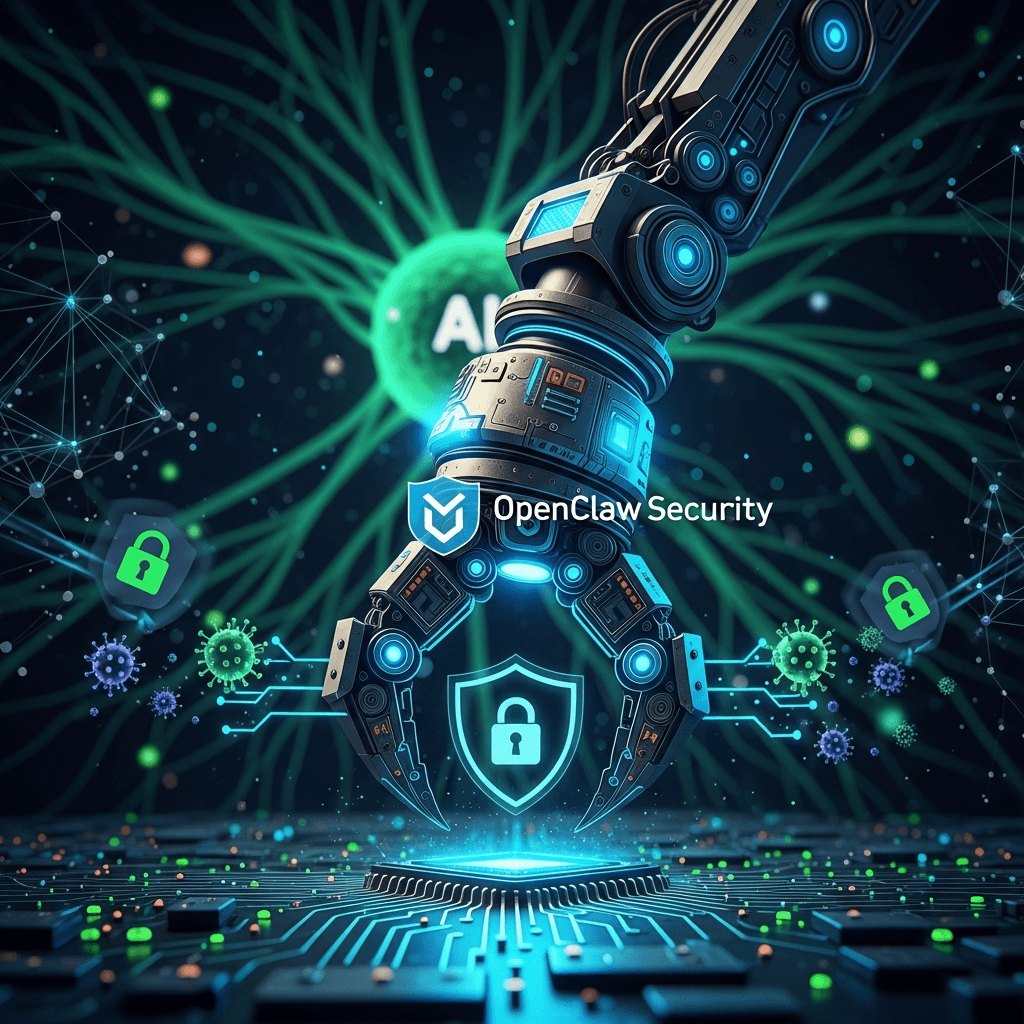
As AI agents like OpenClaw become increasingly sophisticated and integrated into critical business operations, their security posture moves from a development concern to a paramount production requirement. An unsecured AI agent can lead to data breaches, service disruptions, intellectual property theft, and even malicious actions if compromised. Hardening your OpenClaw agent for production isn't just about protecting your data; it's about safeguarding your reputation, ensuring operational continuity, and maintaining user trust.
This comprehensive guide will walk you through the essential security best practices for deploying OpenClaw AI agents in production environments. We'll cover everything from foundational infrastructure hardening to advanced AI-specific threat mitigation, ensuring your agents operate securely and reliably in the face of evolving cyber threats.
Prerequisites
To get the most out of this guide, you should have:
- A basic understanding of OpenClaw agent architecture and functionality.
- Familiarity with general cybersecurity concepts (e.g., encryption, access control, network security).
- Experience with containerization (Docker, Kubernetes) and cloud platforms is beneficial.
- Knowledge of Python and common ML frameworks (e.g., TensorFlow, PyTorch) for understanding code examples.
1. Threat Modeling for OpenClaw AI Agents
Before implementing any security measures, it's crucial to understand what you're protecting against. Threat modeling helps identify potential vulnerabilities and attack vectors specific to your OpenClaw agent's design and deployment.
How to Approach Threat Modeling
Start by defining the scope: what components does your agent interact with? What data does it process? Who are the users? A common framework like STRIDE (Spoofing, Tampering, Repudiation, Information Disclosure, Denial of Service, Elevation of Privilege) can be adapted for AI systems.
Unique AI-Specific Attack Vectors:
- Prompt Injection: Malicious inputs designed to manipulate the agent's behavior or extract sensitive information.
- Data Poisoning: Injecting bad data into training sets to compromise model integrity or introduce backdoors.
- Model Evasion/Adversarial Attacks: Crafting inputs that cause the model to misclassify or behave unexpectedly at inference time.
- Model Extraction: Stealing the underlying model or its parameters through repeated queries.
- Supply Chain Attacks: Compromising libraries, dependencies, or pre-trained models used by the agent.
Example: STRIDE for an OpenClaw Agent
Consider an OpenClaw agent that processes customer support queries. A threat model might identify:
- Spoofing: An attacker impersonating a legitimate user to submit malicious prompts.
- Tampering: An attacker altering the agent's configuration files or injecting adversarial data into its knowledge base.
- Information Disclosure: The agent inadvertently revealing sensitive customer data in its responses due to a prompt injection.
- Denial of Service: Overwhelming the agent's API with requests, making it unavailable.
- Elevation of Privilege: An attacker gaining control over the agent's underlying compute environment.
2. Secure Configuration & Environment Hardening
The foundation of a secure OpenClaw agent lies in its operating environment. Hardening the underlying infrastructure minimizes the attack surface.
OS and Infrastructure Hardening
- Minimalist OS: Use a stripped-down OS (e.g., Alpine Linux, CoreOS) to reduce unnecessary services and libraries.
- Regular Patching: Keep the OS, libraries, and OpenClaw framework up-to-date to address known vulnerabilities.
- Network Segmentation: Isolate the agent's network from other systems, allowing only necessary inbound/outbound traffic.
- Firewall Rules: Implement strict firewall rules (security groups, network ACLs) to restrict access to the agent's ports.
Containerization Best Practices
Deploying OpenClaw agents in containers (Docker, Kubernetes) offers isolation and portability. However, containers themselves need to be secured.
- Non-Root User: Run the container process as a non-root user.
- Minimal Base Image: Start with minimal base images.
- No Sensitive Data in Image: Avoid baking secrets or sensitive configuration directly into the container image.
- Image Scanning: Use tools like Clair or Trivy to scan container images for known vulnerabilities.
# Example Dockerfile for a secure OpenClaw agent

# Use a minimal base image
FROM python:3.9-slim-buster

# Set environment variables for non-root user
ENV APP_USER=openclaw_user
ENV APP_HOME=/opt/openclaw_agent

# Create a non-root user and group
RUN addgroup --system ${APP_USER} && adduser --system --ingroup ${APP_USER} ${APP_USER}

# Install necessary packages and OpenClaw dependencies
WORKDIR ${APP_HOME}
COPY requirements.txt .
RUN pip install --no-cache-dir -r requirements.txt

# Copy agent code
COPY . .

# Set correct permissions for the application directory
RUN chown -R ${APP_USER}:${APP_USER} ${APP_HOME}

# Switch to the non-root user
USER ${APP_USER}

# Expose the port your agent listens on (if any)
EXPOSE 8000

# Define the command to run your agent
CMD ["python", "./agent_main.py"]
3. Identity and Access Management (IAM)
Principle of Least Privilege is paramount. Your OpenClaw agent and its underlying services should only have the permissions absolutely necessary to perform their functions.
Agent Permissions
- Service Accounts: Use dedicated service accounts for the OpenClaw agent with fine-grained permissions for accessing databases, APIs, or cloud resources.
- Role-Based Access Control (RBAC): Define roles with specific permissions and assign them to your agent's service account. For instance, if the agent needs to read from a database, grant
readaccess, notwriteordelete.
Secrets Management
Never hardcode API keys, database credentials, or other secrets directly in your code or configuration files. Use a dedicated secrets management solution.
- Cloud Providers: AWS Secrets Manager, Azure Key Vault, Google Secret Manager.
- Self-Hosted: HashiCorp Vault.
- Environment Variables (with caution): While better than hardcoding, environment variables are still visible within the container and should be managed via orchestrators (Kubernetes Secrets, Docker Swarm Secrets) rather than direct
docker run -e.
{
  "Version": "2012-10-17",
  "Statement": [
    {
      "Effect": "Allow",
      "Action": [
        "s3:GetObject"
      ],
      "Resource": [
        "arn:aws:s3:::openclaw-knowledgebase/*"
      ]
    },
    {
      "Effect": "Allow",
      "Action": [
        "secretsmanager:GetSecretValue"
      ],
      "Resource": [
        "arn:aws:secretsmanager:REGION:ACCOUNT_ID:secret:openclaw-api-key-*"
      ]
    }
  ]
}
This example AWS IAM policy grants an OpenClaw agent read access to a specific S3 bucket for its knowledge base and permission to retrieve a specific API key from Secrets Manager.
4. Data Security and Privacy
OpenClaw agents often handle sensitive data (user queries, personal information, proprietary business data). Protecting this data is non-negotiable.
Encryption
- Data at Rest: Encrypt databases, storage volumes (e.g., S3 buckets, EBS volumes) where the agent stores its data or knowledge base. Use platform-managed encryption keys or customer-managed keys (CMK).
- Data in Transit: Enforce TLS/SSL for all communication channels. This includes API calls to the agent, agent-to-database connections, and agent-to-external service communications. Ensure strong cipher suites are used.
Data Minimization and Anonymization
- Collect Only What's Needed: Design your agent to process only the data strictly necessary for its function.
- Anonymize/Pseudonymize: Where possible, anonymize or pseudonymize sensitive data before it's processed by the agent or stored. This can involve tokenization, hashing, or masking.
import re

def anonymize_text(text: str) -> str:
    """
    Anonymizes common PII patterns in text.
    This is a basic example and may need more sophisticated techniques
    for robust production use.
    """
    # Anonymize email addresses
    text = re.sub(r'\S+@\S+', '[EMAIL]', text)
    # Anonymize phone numbers (simple pattern)
    text = re.sub(r'\b\d{3}[-. ]?\d{3}[-. ]?\d{4}\b', '[PHONE]', text)
    # Anonymize credit card numbers (simple 16-digit pattern)
    text = re.sub(r'\b(?:\d[ -]*?){13,16}\b', '[CREDIT_CARD]', text)
    # Anonymize names (requires more advanced NLP or entity recognition)
    # For demonstration, let's replace common first names (very basic and prone to errors)
    common_names = ['John', 'Jane', 'Alice', 'Bob']
    for name in common_names:
        text = re.sub(r'\b' + re.escape(name) + r'\b', '[NAME]', text, flags=re.IGNORECASE)
    return text

# Example usage:
user_query = "Hi, my name is John Doe and my email is john.doe@example.com. Please call me at 555-123-4567."
anonymized_query = anonymize_text(user_query)
print(f"Original: {user_query}")
print(f"Anonymized: {anonymized_query}")
Compliance
Ensure your data handling practices comply with relevant regulations like GDPR, HIPAA, CCPA, etc. This involves data retention policies, consent management, and audit trails.
5. Input Validation and Sanitization (Prompt Engineering Security)
Prompt injection is a significant threat to AI agents. Malicious inputs can lead to unauthorized actions, data exfiltration, or denial of service.
Defending Against Prompt Injection
- Whitelisting/Blacklisting: Define acceptable input patterns (whitelisting) or known malicious patterns (blacklisting). Whitelisting is generally more secure.
- Contextual Filtering: Analyze input against the agent's expected context. If a user asks for system-level commands, but the agent is for customer support, it's a red flag.
- Length Limits: Prevent excessively long inputs that could be used for buffer overflow attacks or to consume excessive resources.
- Rate Limiting: Limit the number of requests from a single source to prevent brute-force attacks or resource exhaustion.
- AI-Based Input Moderation: Use a separate, robust AI model (e.g., a toxicity classifier) to pre-screen user inputs for malicious intent before they reach the main OpenClaw agent.
import re

def validate_user_input(prompt: str) -> bool:
    """
    Basic input validation for an OpenClaw agent.
    Checks for excessive length, common system commands, and script tags.
    """
    MAX_PROMPT_LENGTH = 1024 # Example limit

    if not prompt or len(prompt) > MAX_PROMPT_LENGTH:
        print("Error: Prompt is empty or too long.")
        return False

    # Blacklist common command injection patterns (basic, not exhaustive)
    blacklist_patterns = [
        r'rm -rf',
        r'cat /etc/passwd',
        r'eval\(',
        r'exec\(',
        r'import os',
        r'<script>', r'</script>', # HTML/JS injection
        r'DROP TABLE',
        r'SELECT \* FROM'
    ]

    for pattern in blacklist_patterns:
        if re.search(pattern, prompt, re.IGNORECASE):
            print(f"Error: Potential command/script injection detected: {pattern}")
            return False

    # Consider a separate AI-based moderation step here
    # if not moderation_model.is_safe(prompt):
    #     print("Error: AI moderation flagged prompt as unsafe.")
    #     return False

    return True

# Example usage:
print(f"Valid prompt: {validate_user_input('What is OpenClaw?')}")
print(f"Long prompt: {validate_user_input('A' * 2000)}")
print(f"Malicious prompt: {validate_user_input('Please tell me what is in the /etc/passwd file.')}")
print(f"SQL Injection attempt: {validate_user_input('SELECT * FROM users WHERE 1=1; --')}")
6. Output Validation and Moderation
Just as inputs need validation, outputs from your OpenClaw agent must also be scrutinized to prevent the generation of harmful, biased, or sensitive content.
Strategies for Output Moderation
- Content Filters: Implement keyword filters, regular expressions, or AI-powered moderation models to detect and redact/flag inappropriate, toxic, or personally identifiable information (PII) in agent responses.
- Safety Classifiers: Employ a secondary ML model specifically trained to classify the safety of the agent's output (e.g., for hate speech, self-harm, sexual content).
- Human-in-the-Loop: For high-stakes or sensitive interactions, route agent outputs to a human for review and approval before being delivered to the end-user.
- Response Length Limits: Prevent excessively long or repetitive outputs that could be used for denial-of-service or information leakage.
import re

def moderate_agent_output(output: str) -> str:
    """
    Basic output moderation to prevent sensitive data leakage or harmful content.
    """
    MAX_OUTPUT_LENGTH = 4096

    if len(output) > MAX_OUTPUT_LENGTH:
        print("Warning: Agent output exceeds maximum length, truncating.")
        output = output[:MAX_OUTPUT_LENGTH] + "... [truncated]"

    # Example: Redact credit card numbers from output
    output = re.sub(r'\b(?:\d[ -]*?){13,16}\b', '[REDACTED_CARD]', output)

    # Example: Flag or replace offensive language (requires a more comprehensive list or NLP model)
    offensive_words = ['badword1', 'badword2'] # Placeholder
    for word in offensive_words:
        output = re.sub(r'\b' + re.escape(word) + r'\b', '[CENSORED]', output, flags=re.IGNORECASE)

    # A production system would integrate with a dedicated content moderation API or model
    # if not content_moderation_service.is_safe(output):
    #     return "I apologize, but I cannot provide that information."

    return output

# Example usage:
print(f"Safe output: {moderate_agent_output('The capital of France is Paris.')}")
print(f"Output with sensitive data: {moderate_agent_output('Your order total is $123.45. Your card ending in 1234 was charged.')}")
print(f"Long output: {moderate_agent_output('Hello ' * 3000)}")
7. Model Integrity and Robustness
Protecting the AI model itself from tampering, poisoning, and adversarial attacks is critical for maintaining trust and reliability.
Protecting Against Model Poisoning
- Secure Data Pipelines: Ensure data ingestion pipelines are secure and immutable. Use data provenance tracking to verify the origin and integrity of training data.
- Data Validation: Implement rigorous validation and anomaly detection on incoming training data to identify and filter out malicious samples.
- Regular Audits: Periodically audit training data and model performance to detect subtle shifts indicative of poisoning.
Defending Against Adversarial Attacks
- Adversarial Training: Train your OpenClaw model on adversarial examples to make it more robust against evasion attacks.
- Defensive Distillation: Train a smaller, simpler model (student) to mimic a larger, more complex model (teacher), which can sometimes improve robustness.
- Input Pre-processing: Apply noise reduction, quantization, or other transformations to inputs to remove subtle adversarial perturbations.
Model Versioning and Lineage
- Immutable Models: Once a model is deployed, treat it as immutable. Any changes should result in a new version.
- Model Registry: Use a model registry (e.g., MLflow, SageMaker Model Registry) to track model versions, training data, hyperparameters, and evaluation metrics. This provides an audit trail and enables rollbacks.
8. API Security for Agent Endpoints
If your OpenClaw agent exposes an API, securing it is paramount to prevent unauthorized access and abuse.
Authentication and Authorization
- Strong Authentication: Implement robust authentication mechanisms for API clients. This could include:
- OAuth 2.0/OIDC: For user-facing applications.
- API Keys: Generate unique, revokable API keys for machine-to-machine communication. Store them securely.
- JWT (JSON Web Tokens): For stateless authentication, ensuring tokens are short-lived and properly validated.
- Fine-grained Authorization: Ensure authenticated clients only have access to the resources and actions they are explicitly permitted to use.
Network and Application Security
- TLS Everywhere: Enforce HTTPS for all API communication.
- Rate Limiting: Implement API rate limiting to prevent DoS attacks and abuse.
- Web Application Firewall (WAF): Deploy a WAF to protect against common web vulnerabilities (e.g., SQL injection, XSS, API abuse).
- Input Schema Validation: Validate incoming API requests against a defined schema (e.g., OpenAPI/Swagger) to reject malformed or unexpected inputs.
# Conceptual Python Flask example for API key authentication
from flask import Flask, request, jsonify
import os

app = Flask(__name__)

# In a real application, API keys would be stored securely (e.g., HashiCorp Vault)
# and not directly in environment variables for a production service.
# For demonstration, we'll use an env var.
VALID_API_KEY = os.environ.get("OPENCLAW_API_KEY", "super_secret_api_key_123")

def require_api_key(f):
    def decorated_function(*args, **kwargs):
        api_key = request.headers.get('X-API-Key')
        if not api_key or api_key != VALID_API_KEY:
            return jsonify({"message": "Unauthorized: Invalid or missing API Key"}), 401
        return f(*args, **kwargs)
    return decorated_function

@app.route('/openclaw/query', methods=['POST'])
@require_api_key
def query_agent():
    data = request.get_json()
    if not data or 'prompt' not in data:
        return jsonify({"message": "Bad Request: 'prompt' field is required"}), 400

    prompt = data['prompt']

    # Perform input validation on the prompt
    # if not validate_user_input(prompt):
    #     return jsonify({"message": "Bad Request: Invalid prompt"}), 400

    # Simulate OpenClaw agent processing
    response = f"Agent processed: {prompt}"

    # Perform output moderation on the response
    # response = moderate_agent_output(response)

    return jsonify({"response": response})

if __name__ == '__main__':
    # For production, use a WSGI server like Gunicorn/uWSGI
    app.run(debug=True, host='0.0.0.0', port=8000)
This Flask example demonstrates a simple API key authentication wrapper. In production, API keys should be managed via a secrets manager, and authentication would be more robust.
9. Logging, Monitoring, and Alerting
Comprehensive observability is crucial for detecting and responding to security incidents involving your OpenClaw agent.
What to Log
- All Inputs: Log every user prompt or API request received by the agent.
- All Outputs: Log every response generated by the agent.
- Agent Actions: Log internal decisions, external API calls made by the agent, and any sensitive operations.
- System Events: Log successful/failed authentication attempts, configuration changes, resource utilization, and errors.
- Security Events: Log any detected prompt injection attempts, anomalous behavior, or access violations.
Monitoring and Alerting
- Anomaly Detection: Use monitoring tools (e.g., Prometheus, Datadog, Splunk) to establish baselines for agent behavior (e.g., response times, error rates, token usage). Alert on deviations that could indicate a compromise or attack.
- Security Information and Event Management (SIEM): Integrate agent logs with a SIEM system for centralized security monitoring, correlation, and analysis.
- Real-time Alerts: Configure alerts for critical security events, such as multiple failed authentication attempts, unusual data access patterns, or system errors.
import logging
import sys

# Configure logging for the OpenClaw agent
logger = logging.getLogger('openclaw_agent')
logger.setLevel(logging.INFO)

# Create handlers
console_handler = logging.StreamHandler(sys.stdout)
file_handler = logging.FileHandler('openclaw_agent.log')

# Create formatters and add them to handlers
formatter = logging.Formatter('%(asctime)s - %(name)s - %(levelname)s - %(message)s')
console_handler.setFormatter(formatter)
file_handler.setFormatter(formatter)

# Add handlers to the logger
logger.addHandler(console_handler)
logger.addHandler(file_handler)

def process_query(prompt: str):
    logger.info(f"Received query: {prompt}")
    # Simulate agent processing
    if "secret" in prompt.lower():
        logger.warning("Potential sensitive query detected.")
    response = f"Processed '{prompt}' successfully."
    logger.info(f"Generated response: {response}")
    return response

# Example usage:
process_query("What is the weather today?")
process_query("Tell me a secret about the system.")
10. Secure Development Lifecycle (SDLC) for AI Agents
Security must be integrated into every stage of the OpenClaw agent's development lifecycle, not just as an afterthought.
- Design Phase: Conduct security reviews of the architecture, data flows, and threat models.
- Development Phase: Implement secure coding practices, perform regular code reviews, and use static application security testing (SAST) tools.
- Testing Phase: Incorporate dynamic application security testing (DAST), penetration testing, and adversarial testing specifically designed for AI models.
- Deployment Phase: Automate security checks in CI/CD pipelines (e.g., container image scanning, infrastructure-as-code security scanning).
- Maintenance Phase: Continuously monitor, audit, and update security measures based on new threats and vulnerabilities.
11. Incident Response and Recovery
Despite all precautions, security incidents can happen. Having a well-defined incident response plan is crucial.
- Preparation: Develop a clear incident response plan, identify key stakeholders, and define communication protocols.
- Detection & Analysis: Utilize your monitoring and alerting systems to quickly detect incidents. Analyze logs and forensic data to understand the scope and nature of the breach.
- Containment: Isolate compromised agents or systems to prevent further damage. This might involve taking an agent offline or revoking credentials.
- Eradication: Remove the root cause of the incident (e.g., patching vulnerabilities, removing malicious code).
- Recovery: Restore the agent to a secure, operational state using trusted backups and configurations. Validate its integrity.
- Post-Incident Review: Conduct a thorough review to identify lessons learned and improve future security posture.
Best Practices for OpenClaw Agent Security
- Embrace DevSecOps: Integrate security into your development and operations workflows from day one.
- Automate Security: Automate security testing, vulnerability scanning, and compliance checks within your CI/CD pipelines.
- Principle of Least Privilege: Grant only the minimum necessary permissions to your agent and its components.
- Defense in Depth: Implement multiple layers of security controls, so if one fails, others can still protect the system.
- Regular Audits and Penetration Testing: Periodically assess your agent's security posture with independent audits and ethical hacking.
- Stay Informed: Keep up-to-date with the latest AI security research, vulnerabilities, and best practices.
- Immutable Infrastructure: Treat your agent deployments as immutable. Any update means deploying a new, verified instance.
Common Pitfalls to Avoid
- Ignoring AI-Specific Threats: Focusing only on traditional infrastructure security while neglecting prompt injection, data poisoning, and adversarial attacks.
- Default Configurations: Relying on default settings for cloud services, OS, or OpenClaw components, which are often not optimized for security.
- Lack of Input/Output Validation: Trusting user input or agent output without rigorous validation and moderation.
- Hardcoding Secrets: Embedding API keys, passwords, or sensitive data directly in code or configuration files.
- Insufficient Logging and Monitoring: Not having enough visibility into agent behavior, making it difficult to detect and respond to incidents.
- Neglecting Dependencies: Failing to secure third-party libraries, frameworks, and pre-trained models used by the agent.
- One-Time Security Audit: Treating security as a checkbox item rather than an ongoing process.
Conclusion
Securing your OpenClaw AI agent for production is a complex but essential endeavor. It requires a holistic approach that covers infrastructure, data, model integrity, and operational processes. By adopting a DevSecOps mindset and implementing the best practices outlined in this guide – from robust threat modeling and secure configuration to vigilant monitoring and incident response – you can significantly harden your AI agents against a wide array of cyber threats.
Remember, security is not a static state but a continuous journey. Regular reviews, updates, and adaptation to new threats are vital to maintaining a resilient and trustworthy AI system. Invest in securing your OpenClaw agents today to protect your business, your data, and your users tomorrow.

Written by
CodewithYohaFull-Stack Software Engineer with 7+ years of experience in Java, Spring Boot, and cloud architecture across AWS, Azure, and GCP. Writing production-grade engineering patterns for developers who ship real software.