Build Cross-Platform AI Agents with OpenClaw: WhatsApp, Telegram, Discord

Introduction
In today's interconnected world, communication happens across a myriad of platforms. From personal chats on WhatsApp and Telegram to community discussions on Discord, users expect seamless interactions. For developers, this presents a unique challenge: how do you build intelligent AI agents that can reach users wherever they are, without duplicating effort for each platform?
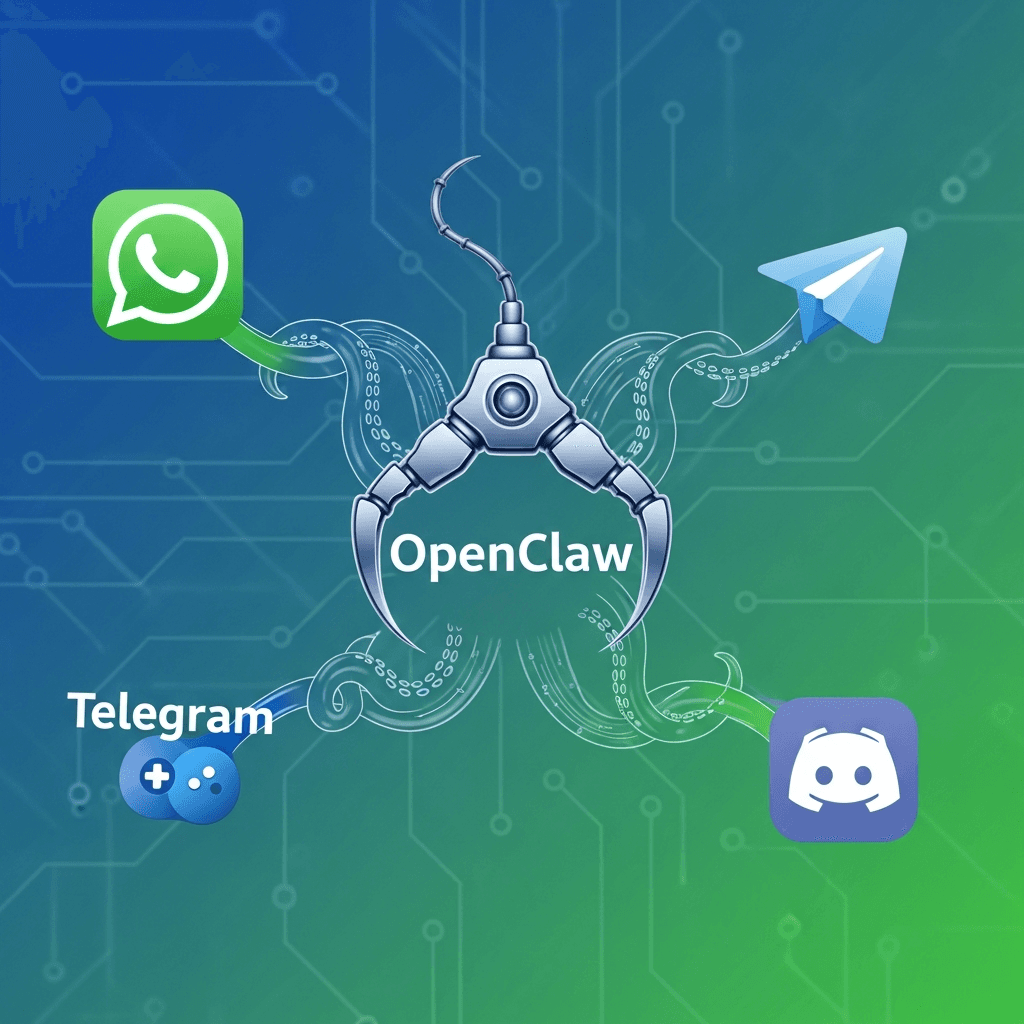
Enter OpenClaw, an innovative open-source framework designed to function as a universal AI gateway. Unlike traditional bot frameworks that require separate codebases for each platform, OpenClaw provides a unified "hub-and-spoke" architecture. It connects Large Language Models (LLMs) with popular communication channels like WhatsApp, Telegram, and Discord, allowing you to manage your AI's core logic (Skills) once and route it everywhere. This guide will walk you through setting up, configuring, and deploying your own multi-platform AI assistant using the official OpenClaw CLI.
Prerequisites
Before setting up OpenClaw, ensure you have the following in place:
- Node.js 22+: OpenClaw is built on the latest Node.js runtime.
- Package Manager:
pnpmis highly recommended, thoughnpmorbunwill also work. - API Keys: An OpenAI or Anthropic API key to power your agent's brain.
- Messaging Accounts:
- A WhatsApp account (for QR code pairing).
- A Telegram account (to create a bot via BotFather).
- A Discord account with Developer Mode enabled.
- Public URL (Optional): While OpenClaw can run locally, a public URL (via
ngrokor a VPS) is useful for webhooks, though many OpenClaw channels use polling or persistent connections.
What is OpenClaw?
OpenClaw is a self-hosted, personal AI assistant that acts as an abstraction layer between AI models and messaging platforms. It avoids the "silo" problem by treating every messaging app as a "Channel" and Every piece of logic as a "Skill."
Key architectural components include:
- Gateway: The central control plane that routes events between Channels and Skills.
- Channels: Connectors for WhatsApp, Telegram, Discord, Slack, etc.
- Skills: Modular blocks of code (Node.js/TypeScript) that give your agent specific capabilities like web browsing, file management, or API integrations.
- Sessions: Persistent memory stores that allow the agent to remember context across different platforms.
Setting Up Your Development Environment
OpenClaw is installed globally as a CLI tool. This allows you to manage your agent, channels, and skills from any terminal.
# Install OpenClaw globally using pnpm
pnpm add -g openclaw@latest

# Verify installation
openclaw --version
Once installed, use the built-in onboarding wizard to set up your primary gateway and link your first LLM:
openclaw onboard --install-daemonThis wizard will guide you through:
- Creating your workspace.
- Setting up your LLM API keys (OpenAI, Claude, etc.).
- Installing the OpenClaw daemon (to keep the agent running in the background).
Platform 1: WhatsApp Integration
WhatsApp integration in OpenClaw is incredibly simple because it uses the multi-device web protocol. You don't need a Twilio account or a Business API; you can use your personal WhatsApp account.
Setup Steps:
- Open your terminal and run:
bash
openclaw channels add - Select WhatsApp from the list.
- The CLI will prompt you for your phone number and then display a QR Code.
- Open WhatsApp on your phone, go to Settings > Linked Devices, and scan the QR code.
Your agent is now live on WhatsApp! Any message sent to your account (or group chats where the agent is invited) will be processed by the OpenClaw gateway.
Platform 2: Telegram Integration
Telegram bots are famous for their rich feature set. OpenClaw handles the complexity of the Telegram Bot API for you.
Telegram Bot Setup:
- Open Telegram and search for @BotFather.
- Send
/newbotand follow the instructions to get your HTTP API Token. - Run the OpenClaw command:
bash
openclaw channels add - Select Telegram and paste your Bot Token when prompted.
Configuration:
OpenClaw allows you to configure specific behaviors for Telegram, such as:
- DM Policy: Who is allowed to message the bot?
- Group Policy: Can the bot be added to groups?
- User ID: You can lock the bot specifically to your Telegram User ID for maximum privacy.
Platform 3: Discord Integration
Discord bots are essential for community management. To link Discord, you'll need to create an "Application" in the Discord Developer Portal.
Discord Setup:
- Go to the Discord Developer Portal.
- Create a New Application and navigate to the Bot tab.
- Crucial: Enable MESSAGE CONTENT INTENT under Privileged Gateway Intents.
- Reset and copy the Bot Token.
- Use the URL Generator (under OAuth2) to generate an invite link with
botandapplications.commandsscopes.
Linking to OpenClaw:
- Once again, run:
bash
openclaw channels add - Select Discord and provide the Token.
- Invite the bot to your server using the link you generated.
Building Multi-Platform Logic with "Skills"
The true power of "building" with OpenClaw isn't just in the connection—it's in the Skills. Instead of writing complex Python loops, you write modular Skills that the LLM can call.
Example: A Time-Check Skill
If you want your agent to be able to tell the time or perform a task, you add a Skill to your workspace. OpenClaw supports a large library of community skills:
# Explore available skills
openclaw skills list

# Add a specific skill (e.g., browsing)
openclaw skills add google-search
When a user asks "What's the weather in London?" via WhatsApp, the Telegram bot, or Discord:
- The channel sends the text to the Gateway.
- The Gateway prepares a prompt for the LLM.
- The LLM decides it needs the
google-searchskill. - OpenClaw executes the skill, gets the result, and routes the final answer back to the user on the original platform.
Best Practices for Production
- Run as a Daemon: Ensure you use
openclaw startto keep your gateway running 24/7. - Privacy: Use the
allowFromconfiguration in your channels to ensure only YOU or authorized users can trigger the LLM (and use your API balance). - Docker Deployment: For server deployment, use the official OpenClaw Docker image. This ensures a consistent environment for your Node.js runtime.
- Logging: Monitor your agent's performance and errors using:
bash
openclaw logs --follow
Common Pitfalls
- Node.js Version: Ensure you are on Node.js 22 or higher. Earlier versions lacks features required by the OpenClaw runtime.
- Permissions: On WhatsApp, ensure "Linked Devices" is active. On Discord, verify that the bot has
Send MessagesandRead Historypermissions. - API Limits: Multi-platform agents can consume many tokens. Set
max_tokenslimits in your OpenClaw config to avoid surprises.
Conclusion
Building cross-platform AI agents no longer requires managing three different codebases in Python or Go. With OpenClaw, you can leverage a powerful Node.js-based gateway to unify your communication channels under a single intelligent core.
By abstracting platforms into Channels and logic into Skills, OpenClaw lets you focus on what matters: the user experience and the intelligence of your agent. Whether you're building a personal assistant for WhatsApp or a community moderator for Discord, OpenClaw provides the most efficient path to deployment.
Start your journey today by installing the CLI and onboarding your first agent. The future of AI is universal, private, and powered by OpenClaw.
Written by
CodewithYohaFull-Stack Software Engineer with 7+ years of experience in Java, Spring Boot, and cloud architecture across AWS, Azure, and GCP. Writing production-grade engineering patterns for developers who ship real software.