Introduction: The Critical Role of Context in LLM Applications
The rise of Large Language Models (LLMs) has opened up unprecedented possibilities for building intelligent applications. From sophisticated chatbots to personalized content generators, LLMs are transforming how we interact with technology. However, a fundamental challenge persists: LLMs are inherently stateless. Each interaction is treated as a fresh request, devoid of memory from previous exchanges.
This statelessness becomes a significant hurdle when building applications that require continuity, personalization, or adherence to specific domain knowledge. Imagine a customer support bot that forgets your previous query, or a content generator that ignores your established preferences. This is where context management becomes paramount.
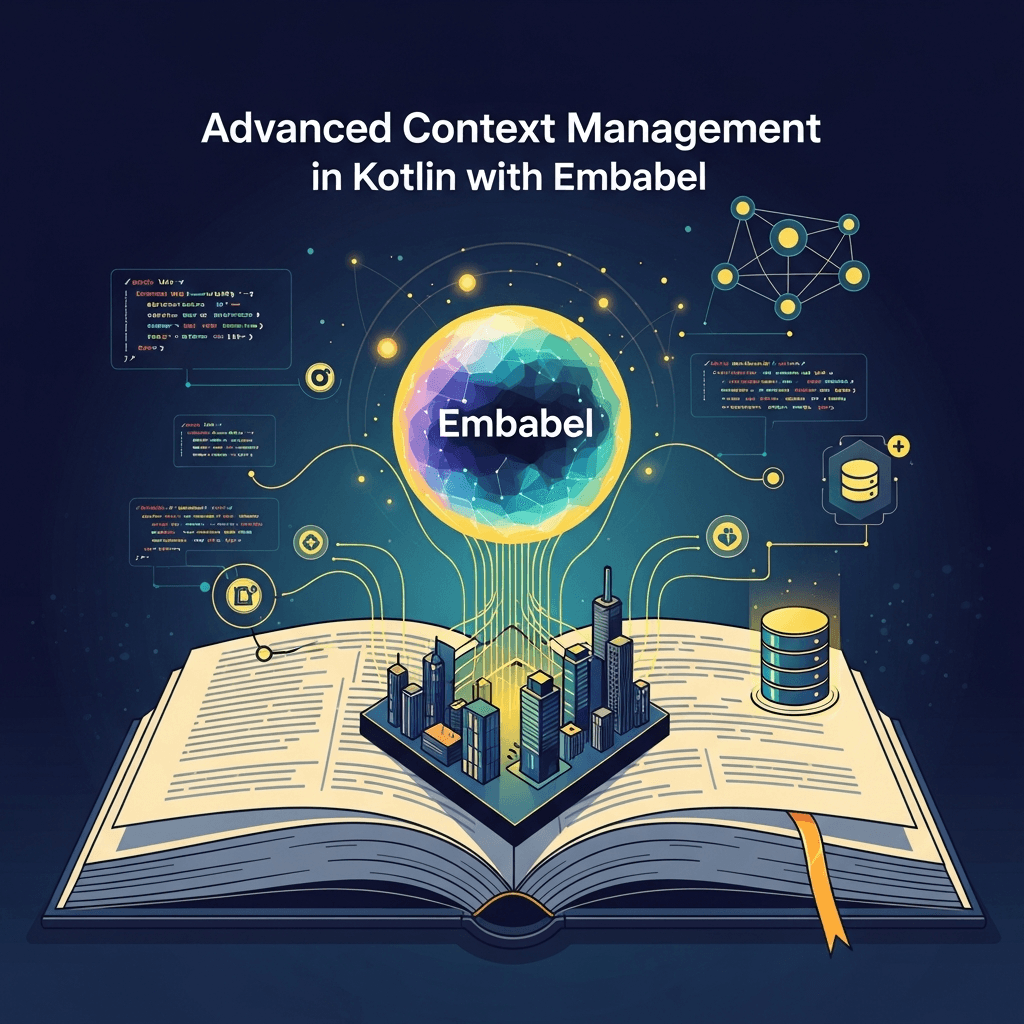
In the Kotlin ecosystem, Embabel emerges as a powerful framework designed to tackle this very challenge. Embabel provides a structured, developer-friendly approach to injecting, managing, and persisting context throughout your LLM-powered applications. This comprehensive guide will delve into advanced context management techniques using Embabel, empowering you to build truly intelligent and stateful AI experiences.
Prerequisites: Gearing Up for Embabel
Before we dive into the intricacies of Embabel's context management, ensure you have a solid foundation in the following areas:
- Kotlin (1.8+): Familiarity with Kotlin's syntax, functional programming features, and object-oriented concepts.
- Kotlin Coroutines: Understanding asynchronous programming with
suspendfunctions and coroutine scopes is crucial, as Embabel heavily leverages them. - Basic LLM Concepts: A general understanding of what LLMs are, how they work, and the concept of prompting.
- Gradle/Maven: Knowledge of dependency management for Kotlin projects.
To get started, add the necessary Embabel dependencies to your build.gradle.kts file:
// build.gradle.kts
dependencies {
    implementation("com.oliynick.shember.embabel:embabel-core:0.3.0") // Check for the latest version
    implementation("com.oliynick.shember.embabel:embabel-llm-openai:0.3.0") // For OpenAI integration
    // Add other LLM integrations as needed (e.g., HuggingFace, Google Gemini)
}
What is Embabel? An Overview of Its Philosophy
Embabel is more than just an LLM wrapper; it's a framework designed to bring structure, testability, and maintainability to LLM-powered applications in Kotlin. Its core philosophy revolves around abstracting away the complexities of interacting with various LLM providers and, crucially, providing robust mechanisms for managing application state and context.
Embabel aims to make LLMs first-class citizens in your application architecture, allowing you to define clear interfaces for LLM interactions, manage conversational flow, and dynamically inject relevant information into prompts. By providing high-level abstractions, Embabel enables developers to focus on application logic rather than low-level API calls and prompt engineering nuances.
The Challenge of LLM Context: Why It's Hard to Get Right
The inherent statelessness of LLMs means that every prompt is, by default, an isolated event. To simulate memory or intelligence, you must explicitly provide all necessary information within each prompt. This includes:
- Conversational History: Previous turns in a dialogue.
- User Preferences: Stored settings or choices made by the user.
- Domain Knowledge: Specific facts, rules, or data relevant to the application's purpose.
- Application State: Current mode, selected options, or ongoing tasks.
Manually concatenating all this information into a single prompt string for every request is cumbersome, error-prone, and quickly leads to unmanageable code. It also introduces issues like token limit management, context window optimization, and ensuring consistency across different parts of your application. Embabel steps in to solve these problems by offering a structured and declarative way to handle context.
Embabel's Core Context Abstractions: A Hierarchy of Information
Embabel introduces a powerful hierarchy of context objects, each serving a distinct purpose and scope. Understanding these is fundamental to effective context management:
EmbabelInstance: The entry point to the Embabel universe. It's the top-level object from which you initiate sessions and commands.CommandRuntimeContext: The most transient context, existing only for the duration of a single command execution. It encapsulates immediate parameters, environment variables, and any specific overrides for that particular LLM call.SessionContext: Represents a persistent session, typically tied to a user or a specific interaction flow. It's ideal for storing user-specific data, preferences, or application state that needs to endure across multiple commands or conversations within that session.ConversationContext: A specialized type ofSessionContextdesigned specifically for managing turn-by-turn conversational history. It keeps track of user inputs and LLM responses, allowing for natural, flowing dialogue.UserContext: (Often implicitly handled withinSessionContextor as part of external data stores) Represents static information about a user, such as their ID, role, or long-term preferences.
This layered approach allows for precise control over what information is available at each stage of an LLM interaction, preventing context bloat while ensuring necessary data is always accessible.
Managing Session Context: Persisting User-Specific State
SessionContext is crucial for applications that need to remember user preferences, ongoing tasks, or any state that persists beyond a single LLM command but is specific to a user's interaction. Embabel allows you to easily create and manage sessions.
Let's assume you have an Embabel instance configured:
import com.oliynick.shember.embabel.Embabel
import com.oliynick.shember.embabel.OpenAISession
import com.oliynick.shember.embabel.session.Session

suspend fun main() {
    val embabel = Embabel.builder()
        .withOpenAI("YOUR_OPENAI_API_KEY") // Configure your LLM provider
        .build()

    // Create or retrieve a session. In a real app, this would be tied to a user ID.
    val userSession: Session = embabel.session(OpenAISession::class) // Or specific session type

    // Store user preferences in the session
    userSession.put("preferred_language", "English")
    userSession.put("user_id", "user123")
    userSession.put("subscription_level", "premium")

    println("Session created and data stored.")

    // Later, retrieve data from the session
    val language = userSession.get<String>("preferred_language")
    val userId = userSession.get<String>("user_id")

    println("Retrieved language: $language, User ID: $userId")

    // Use the session to interact with the LLM, automatically injecting session context
    val response = userSession.chat(userMessage = "Tell me a joke.")
    println("LLM Response in session: ${response.output}")

    embabel.close()
}
In a production environment, you would typically have a mechanism to store and retrieve SessionContext across application restarts or different servers, potentially integrating with a database or a distributed cache. Embabel's design allows for this extensibility, though the exact persistence mechanism might depend on your application's architecture.
Conversation Context and History: Building Stateful Dialogues
For interactive applications like chatbots, maintaining a coherent conversation history is paramount. ConversationContext builds upon SessionContext to specifically manage the turn-by-turn exchange between the user and the LLM.
Embabel's ConversationContext automatically tracks messages, allowing the LLM to understand and respond intelligently based on previous turns. This is where the magic of "memory" in an LLM application truly comes alive.
import com.oliynick.shember.embabel.Embabel
import com.oliynick.shember.embabel.OpenAISession

suspend fun main() {
    val embabel = Embabel.builder()
        .withOpenAI("YOUR_OPENAI_API_KEY")
        .build()

    val userSession = embabel.session(OpenAISession::class)

    // Start a new conversation within the session
    val conversation = userSession.startConversation()

    println("Starting conversation...")

    // First turn
    val response1 = conversation.say("Hi, I'm looking for a new book.")
    println("User: Hi, I'm looking for a new book.")
    println("LLM: ${response1.output}")

    // Second turn - LLM remembers the previous turn
    val response2 = conversation.say("Something in the sci-fi genre, please.")
    println("User: Something in the sci-fi genre, please.")
    println("LLM: ${response2.output}")

    // Third turn - asking for a specific author, LLM still remembers genre
    val response3 = conversation.say("Do you have anything by Isaac Asimov?")
    println("User: Do you have anything by Isaac Asimov?")
    println("LLM: ${response3.output}")

    embabel.close()
}
Embabel handles the underlying mechanism of feeding the conversation history back into the LLM's prompt, often using a combination of system messages and user/assistant roles, effectively creating a "memory" for your application. For very long conversations, advanced strategies like summarization or sliding window context management might be necessary to stay within token limits; Embabel provides hooks or future features for such optimizations.
Injecting Context into Prompts: Dynamic and Personalized Responses
One of Embabel's most powerful features is its ability to dynamically inject contextual data directly into your prompts. This allows for highly personalized and relevant LLM responses without manually constructing complex prompt strings.
You can use placeholders in your prompts that Embabel will automatically fill with data from the current SessionContext or other provided parameters.
import com.oliynick.shember.embabel.Embabel
import com.oliynick.shember.embabel.OpenAISession
import com.oliynick.shember.embabel.prompt.Prompt

suspend fun main() {
    val embabel = Embabel.builder()
        .withOpenAI("YOUR_OPENAI_API_KEY")
        .build()

    val userSession = embabel.session(OpenAISession::class)

    // Store some user-specific data in the session
    userSession.put("user_name", "Alice")
    userSession.put("favorite_topic", "quantum physics")
    userSession.put("current_city", "New York")

    // Define a prompt with placeholders
    val personalizedPrompt = Prompt("Hello {user_name}! You are currently in {current_city}. Tell me an interesting fact about {favorite_topic}.")

    // Execute the prompt. Embabel automatically pulls values from the session.
    val response = userSession.chat(personalizedPrompt)

    println("Personalized LLM Response: ${response.output}")

    // You can also provide additional parameters that override or supplement session data
    val specificTopicPrompt = Prompt("Tell me a fun fact about {topic} for {user_name}.")
    val specificResponse = userSession.chat(specificTopicPrompt, parameters = mapOf("topic" to "black holes"))
    println("Specific topic response: ${specificResponse.output}")

    embabel.close()
}
This approach significantly cleans up prompt construction, making your code more readable, maintainable, and less prone to errors when dealing with complex contextual information.
Advanced Contextual Commands: Scoped Operations with withContext
Sometimes, you need to perform an LLM operation with a specific, temporary context that shouldn't affect the broader session or conversation. Embabel's withContext (or similar scoping mechanisms, depending on the exact version/API) allows you to execute commands within a temporarily enriched or modified context.
This is particularly useful for:
- Overriding session data: Temporarily changing a preference for a single command.
- Injecting transient data: Passing data that's only relevant for one specific query.
- Applying specific domain knowledge: Using a different set of instructions or facts for a particular task.
While the direct withContext block might not be explicitly exposed as a standalone function in all Embabel versions, the concept is often achieved by passing additional CommandRuntimeContext parameters or by creating temporary SessionContext instances for specific operations. If withContext is not directly exposed, you would typically pass the transient data as part of the parameters map of the chat or ask call, which implicitly forms a CommandRuntimeContext.
Let's illustrate the concept using parameters for a specific command:
import com.oliynick.shember.embabel.Embabel
import com.oliynick.shember.embabel.OpenAISession
import com.oliynick.shember.embabel.prompt.Prompt

suspend fun main() {
    val embabel = Embabel.builder()
        .withOpenAI("YOUR_OPENAI_API_KEY")
        .build()

    val userSession = embabel.session(OpenAISession::class)

    // General session preference
    userSession.put("output_format", "standard")

    // A regular chat command, using the session's output_format
    val regularPrompt = Prompt("Explain the concept of recursion.")
    val regularResponse = userSession.chat(regularPrompt)
    println("Regular explanation: ${regularResponse.output}")

    // Now, let's ask for the same explanation but with a specific, temporary output format
    val jsonPrompt = Prompt("Explain the concept of recursion in a JSON format with 'title' and 'explanation' fields.")
    val jsonResponse = userSession.chat(jsonPrompt, parameters = mapOf("output_format" to "json"))
    println("JSON explanation: ${jsonResponse.output}")

    // The session's output_format remains 'standard' for subsequent calls
    val anotherRegularResponse = userSession.chat(regularPrompt)
    println("Another regular explanation: ${anotherRegularResponse.output}")

    embabel.close()
}
Here, the parameters map effectively creates a transient context for that single chat call, overriding or adding information without altering the persistent SessionContext.
Integrating with External State: Leveraging Your Data Sources
While Embabel provides excellent internal context management, real-world applications often rely on external data sources like databases, external APIs, or knowledge bases. Embabel is designed to seamlessly integrate with these, allowing you to enrich your LLM context with dynamic, up-to-date information.
There are several patterns for this integration:
- Pre-fetching and Storing in
SessionContext: For frequently accessed or user-specific data, fetch it from your external source and store it in theSessionContextfor easy access during LLM interactions. - On-demand Fetching within a Command: For less frequently needed or highly dynamic data, fetch it directly from the external source just before making an LLM call, then pass it as part of the
parametersto your prompt. - Custom Context Providers: (More advanced) Extend Embabel's capabilities by implementing custom context providers that can dynamically pull information based on the current command or session.
Example (On-demand fetching):
import com.oliynick.shember.embabel.Embabel
import com.oliynick.shember.embabel.OpenAISession
import com.oliynick.shember.embabel.prompt.Prompt

// Imagine this is your external service
object ProductService {
    fun getProductDetails(productId: String): String? {
        return when (productId) {
            "P101" -> "Laptop Pro X, 16GB RAM, 512GB SSD, 14-inch display."
            "P102" -> "Wireless Headphones, Noise Cancelling, 24hr battery."
            else -> null
        }
    }
}

suspend fun main() {
    val embabel = Embabel.builder()
        .withOpenAI("YOUR_OPENAI_API_KEY")
        .build()

    val userSession = embabel.session(OpenAISession::class)

    val productId = "P101"
    val productDetails = ProductService.getProductDetails(productId)

    if (productDetails != null) {
        val prompt = Prompt("Based on the following product details: '{details}', write a short marketing blurb for this product.")
        val response = userSession.chat(prompt, parameters = mapOf("details" to productDetails))
        println("Marketing Blurb: ${response.output}")
    } else {
        println("Product not found.")
    }

    embabel.close()
}
This pattern allows your LLM application to stay current with your backend data, making its responses highly relevant and accurate.
Best Practices for Context Design: Crafting Effective LLM Interactions
Effective context management is an art. Follow these best practices to maximize the intelligence and efficiency of your Embabel applications:
- Keep Context Relevant and Concise: Only provide information that is truly necessary for the LLM to perform its current task. Avoid sending extraneous data, as it increases token usage, cost, and can dilute the LLM's focus.
- Use Appropriate Context Scopes: Leverage
SessionContextfor user-level, persistent data andConversationContextfor turn-by-turn chat history. Useparametersfor transient, command-specific data. Don't put everything in theSessionContextif it's only needed for one prompt. - Structure Your Context: If storing complex objects, consider serializing them into a structured format (e.g., JSON) within your context. This makes it easier for the LLM to parse and understand.
- Design for Testability: Ensure your context management logic is modular and testable. You should be able to mock context objects for unit and integration tests.
- Consider Data Privacy and Security: Be mindful of what sensitive information you store in context. Implement appropriate encryption, anonymization, or ensure PII is never stored unencrypted, especially if context is persisted.
- Dynamic Context Generation: Instead of pre-loading all possible context, generate or fetch context dynamically based on the current user query or application state. This is more efficient and adaptable.
- Context Pruning/Summarization: For long conversations, implement strategies to summarize older parts of the conversation or use a sliding window approach to keep the context within token limits without losing coherence.
Common Pitfalls and How to Avoid Them
Even with a powerful framework like Embabel, context management presents its own set of challenges. Being aware of these common pitfalls can save you significant debugging time:
- Context Bloat: Sending too much irrelevant information to the LLM. This increases token usage, processing time, and can lead to lower-quality responses as the LLM struggles to find the signal in the noise.
- Avoid: Be selective. Only include data that directly influences the desired output. Use techniques like summarization or retrieval-augmented generation (RAG) for large knowledge bases.
- Inconsistent Context: Different parts of your application seeing different versions of the "truth" about the user or session. This leads to confusing LLM behavior.
- Avoid: Establish a clear hierarchy and single source of truth for context. Use Embabel's
SessionContextas the authoritative store for user-specific state.
- Avoid: Establish a clear hierarchy and single source of truth for context. Use Embabel's
- Security and Privacy Leaks: Storing sensitive user data (PII, financial info) directly in context without proper precautions, especially if context is logged or persisted.
- Avoid: Never store sensitive data unencrypted. Anonymize data where possible. Be explicit about data retention policies for context.
- Performance Overhead: Excessive context serialization/deserialization or fetching large amounts of external data for every LLM call.
- Avoid: Cache frequently used context. Optimize data fetching from external sources. Only fetch what's needed, when needed.
- Over-reliance on Implicit Context: Expecting the LLM to infer too much without explicit guidance. While powerful, LLMs still benefit from well-defined context.
- Avoid: Balance implicit context (like conversation history) with explicit context (like specific parameters or instructions). If the LLM isn't performing as expected, often the context is missing crucial information.
Real-World Use Cases for Advanced Context Management
Embabel's advanced context management features unlock a wide array of sophisticated LLM applications:
- Intelligent Conversational Agents (Chatbots): Build chatbots that remember user preferences, past interactions, and ongoing goals, leading to highly personalized and efficient customer support, sales assistance, or virtual companions.
- Personalized Content Generation: Create marketing copy, blog posts, product descriptions, or news summaries tailored to a specific user's profile, reading history, or stated interests by injecting rich user context.
- Dynamic Interactive Storytelling/Games: Develop interactive narratives or text-based adventure games where the story branches and characters react based on player choices, character states, and game world context maintained across sessions.
- Automated Code Assistants: Provide context-aware code suggestions, refactoring advice, or bug explanations by feeding in project structure, relevant file contents, and user's coding preferences.
- Knowledge Base Search and Summarization: Power intelligent search interfaces that understand user intent, leverage past queries, and provide summarized answers from large document sets, guided by domain-specific context.
- Adaptive Learning Platforms: Create educational tools that adapt to a student's learning pace, track their progress, and provide personalized explanations or exercises based on their performance history and learning style context.
Conclusion: Building the Next Generation of Intelligent Applications with Embabel
The ability to manage context effectively is the cornerstone of building truly intelligent and engaging LLM applications. Embabel, with its robust set of context abstractions and developer-friendly design, empowers Kotlin developers to overcome the inherent statelessness of LLMs and create sophisticated, stateful, and personalized AI experiences.
By carefully designing your context, leveraging Embabel's session and conversation management, and integrating seamlessly with your existing data sources, you can unlock the full potential of generative AI. The journey into advanced context management with Embabel is an investment in building more powerful, more intuitive, and ultimately, more valuable LLM-powered solutions. Start experimenting today, and bring your intelligent applications to life with Embabel and Kotlin.

Written by
CodewithYohaFull-Stack Software Engineer with 7+ years of experience in Java, Spring Boot, and cloud architecture across AWS, Azure, and GCP. Writing production-grade engineering patterns for developers who ship real software.