Introduction
The landscape of Artificial Intelligence is evolving at an unprecedented pace, with Large Language Models (LLMs) like those from OpenAI and Anthropic leading the charge. These models offer incredible capabilities, from generating human-quality text to complex reasoning. However, integrating and managing these diverse models within a single application, especially in a robust, scalable, and maintainable way, can present significant challenges.
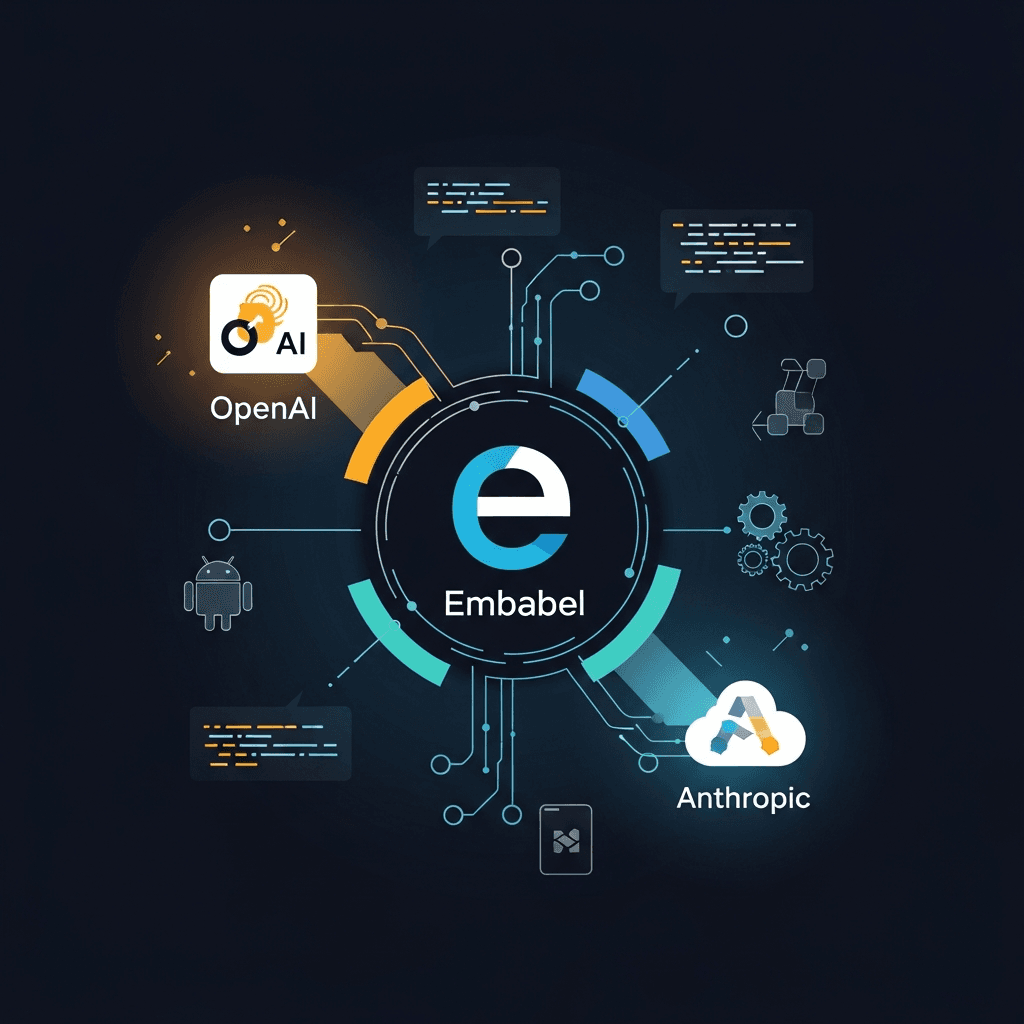
This is where Embabel steps in. Embabel is an open-source Kotlin framework designed to simplify the integration of various LLMs into your JVM applications. It acts as an abstraction layer, allowing developers to interact with different AI providers (like OpenAI and Anthropic) using a unified API, manage context, perform advanced prompt engineering, and handle structured data. By leveraging Embabel, you can future-proof your applications, easily switch between models, and focus more on your business logic rather than the intricacies of each LLM's API.
In this comprehensive guide, we'll explore how to integrate both OpenAI and Anthropic models into your Kotlin applications using Embabel. We'll cover everything from project setup to advanced use cases, best practices, and common pitfalls, empowering you to build intelligent, adaptable AI-powered applications.
Prerequisites
To follow along with this guide, you'll need:
- Kotlin 1.8+: The primary programming language.
- JVM 17+: The Java Virtual Machine runtime.
- Gradle or Maven: For dependency management (we'll use Gradle in this guide).
- OpenAI API Key: Obtainable from the OpenAI developer platform.
- Anthropic API Key: Obtainable from the Anthropic console.
- Basic understanding of Kotlin and object-oriented programming.
Understanding Embabel: The LLM Abstraction Layer
Embabel is more than just a wrapper around LLM APIs; it's a framework built to streamline the development of AI-powered applications. Its core philosophy revolves around providing a high-level, declarative API for interacting with LLMs, abstracting away the low-level details of each provider. Key features include:
- Unified API: Interact with different LLMs (OpenAI, Anthropic, Hugging Face, etc.) through a consistent interface.
- Context Management: Easily manage conversational context and state for more coherent interactions.
- Prompt Engineering Support: Tools for building, templating, and managing prompts effectively.
- Structured Output: Define expected output formats (e.g., JSON objects) using Kotlin data classes, and Embabel handles the parsing.
- Testability: Designed with testability in mind, making it easier to mock LLM interactions.
- Extensibility: Easily extendable to support new LLMs or custom components.
By using Embabel, you gain flexibility. Imagine you've built an application relying on OpenAI's gpt-4o. If a new Anthropic model like Claude 3.5 Sonnet offers superior performance for a specific task or becomes more cost-effective, Embabel allows you to switch with minimal code changes, simply by updating your configuration.
Setting Up Your Kotlin Project with Embabel
Let's start by creating a new Kotlin project and adding the necessary Embabel dependencies. We'll use Gradle for this example.
First, create a new Gradle project (e.g., kotlin-ai-app) and open its build.gradle.kts file. You'll need to add the Embabel core library and the specific support libraries for OpenAI and Anthropic.
// build.gradle.kts

plugins {
    kotlin("jvm") version "1.9.23" // Or your preferred Kotlin version
    application
}

group = "com.example"
version = "1.0-SNAPSHOT"

repositories {
    mavenCentral()
}

dependencies {
    implementation(kotlin("stdlib-jdk8"))

    // Embabel Core library
    implementation("com.dstevens.embabel:embabel-core:0.7.0") // Check for the latest version

    // Embabel support for OpenAI
    implementation("com.dstevens.embabel:embabel-support-openai:0.7.0")

    // Embabel support for Anthropic
    implementation("com.dstevens.embabel:embabel-support-anthropic:0.7.0")

    // Optional: Logging framework, e.g., SLF4J with Logback
    implementation("org.slf4j:slf4j-simple:2.0.12") // Or logback-classic

    testImplementation("org.jetbrains.kotlin:kotlin-test")
}

application {
    mainClass.set("com.example.AppKt")
}

tasks.withType<org.jetbrains.kotlin.gradle.tasks.KotlinCompile> {
    kotlinOptions.jvmTarget = "17"
}
After updating your build.gradle.kts, sync your Gradle project to download the dependencies.
Next, create your App.kt file (e.g., in src/main/kotlin/com/example/App.kt) where your main application logic will reside.
Configuring OpenAI with Embabel
To use OpenAI models, you need to provide your API key. Embabel allows you to configure this programmatically. It's highly recommended to load API keys from environment variables for security and flexibility.
// src/main/kotlin/com/example/App.kt
package com.example

import com.dstevens.embabel.runtime.Default  // Default for Llm.call()
import com.dstevens.embabel.runtime.builder.Llm.call
import com.dstevens.embabel.runtime.builder.LlmBuilder
import com.dstevens.embabel.runtime.DefaultLlmGateway
import com.dstevens.embabel.runtime.builder.OpenAiConfiguration
import com.dstevens.embabel.runtime.DefaultLlmInvocationConfig
import com.dstevens.embabel.runtime.llms.DefaultLlm

fun main() {
    val openAiApiKey = System.getenv("OPENAI_API_KEY")
    if (openAiApiKey == null) {
        println("Error: OPENAI_API_KEY environment variable not set.")
        return
    }

    val openAiConfig = OpenAiConfiguration(openAiApiKey)
    val openAiLlmGateway = DefaultLlmGateway(openAiConfig)

    // Create an Embabel Llm instance for OpenAI
    val openAiLlm = DefaultLlm(openAiLlmGateway, DefaultLlmInvocationConfig(model = "gpt-4o"))

    println("\n--- OpenAI Integration ---")
    val prompt = "What is the capital of France?"
    val response = openAiLlm.call(prompt).result
    println("Prompt: \"$prompt\"")
    println("Response: \"$response\"")

    // Example with a different model
    val gpt35Llm = DefaultLlm(openAiLlmGateway, DefaultLlmInvocationConfig(model = "gpt-3.5-turbo"))
    val creativePrompt = "Write a short, whimsical poem about a coding bug."
    val poem = gpt35Llm.call(creativePrompt).result
    println("\nPrompt: \"$creativePrompt\"")
    println("Poem: \n$poem")
}
Before running, set your OPENAI_API_KEY environment variable:
export OPENAI_API_KEY="your_openai_api_key_here"
kotlin -jar build/libs/kotlin-ai-app-1.0-SNAPSHOT.jar
This code snippet initializes Embabel with OpenAI, specifies gpt-4o as the default model for the openAiLlm instance, and then makes a simple text generation call. You can easily switch models by changing the model parameter in DefaultLlmInvocationConfig.
Configuring Anthropic with Embabel
Integrating Anthropic models follows a very similar pattern. You'll need your Anthropic API key and use AnthropicConfiguration.
Let's extend our main function to include Anthropic integration:
// src/main/kotlin/com/example/App.kt (continued)
package com.example

import com.dstevens.embabel.runtime.Default
import com.dstevens.embabel.runtime.builder.Llm.call
import com.dstevens.embabel.runtime.builder.LlmBuilder
import com.dstevens.embabel.runtime.DefaultLlmGateway
import com.dstevens.embabel.runtime.builder.OpenAiConfiguration
import com.dstevens.embabel.runtime.builder.AnthropicConfiguration // Import AnthropicConfiguration
import com.dstevens.embabel.runtime.DefaultLlmInvocationConfig
import com.dstevens.embabel.runtime.llms.DefaultLlm

fun main() {
    // ... (OpenAI configuration as above)

    val openAiApiKey = System.getenv("OPENAI_API_KEY")
    if (openAiApiKey == null) {
        println("Error: OPENAI_API_KEY environment variable not set.")
        return
    }

    val openAiConfig = OpenAiConfiguration(openAiApiKey)
    val openAiLlmGateway = DefaultLlmGateway(openAiConfig)
    val openAiLlm = DefaultLlm(openAiLlmGateway, DefaultLlmInvocationConfig(model = "gpt-4o"))

    println("\n--- OpenAI Integration ---")
    val prompt = "What is the capital of France?"
    val response = openAiLlm.call(prompt).result
    println("Prompt: \"$prompt\"")
    println("Response: \"$response\"")

    val gpt35Llm = DefaultLlm(openAiLlmGateway, DefaultLlmInvocationConfig(model = "gpt-3.5-turbo"))
    val creativePrompt = "Write a short, whimsical poem about a coding bug."
    val poem = gpt35Llm.call(creativePrompt).result
    println("\nPrompt: \"$creativePrompt\"")
    println("Poem: \n$poem")

    // Anthropic Configuration
    val anthropicApiKey = System.getenv("ANTHROPIC_API_KEY")
    if (anthropicApiKey == null) {
        println("Error: ANTHROPIC_API_KEY environment variable not set.")
        return
    }

    val anthropicConfig = AnthropicConfiguration(anthropicApiKey)
    val anthropicLlmGateway = DefaultLlmGateway(anthropicConfig)

    // Create an Embabel Llm instance for Anthropic
    // Using a Claude 3 model - check Anthropic docs for latest available models
    val claudeLlm = DefaultLlm(anthropicLlmGateway, DefaultLlmInvocationConfig(model = "claude-3-opus-20240229"))

    println("\n--- Anthropic Integration ---")
    val anthropicPrompt = "Briefly explain the concept of quantum entanglement."
    val anthropicResponse = claudeLlm.call(anthropicPrompt).result
    println("Prompt: \"$anthropicPrompt\"")
    println("Response: \"$anthropicResponse\"")

    // Example with a different Claude model
    val claudeSonnetLlm = DefaultLlm(anthropicLlmGateway, DefaultLlmInvocationConfig(model = "claude-3-sonnet-20240229"))
    val storyPrompt = "Write a very short story about a detective solving a mystery in a futuristic city."
    val story = claudeSonnetLlm.call(storyPrompt).result
    println("\nPrompt: \"$storyPrompt\"")
    println("Story: \n$story")
}
Again, set your ANTHROPIC_API_KEY environment variable before running:
export ANTHROPIC_API_KEY="your_anthropic_api_key_here"
export OPENAI_API_KEY="your_openai_api_key_here"
kotlin -jar build/libs/kotlin-ai-app-1.0-SNAPSHOT.jar
With these configurations, you now have the power to interact with both OpenAI and Anthropic models from your Kotlin application, using the consistent Embabel Llm interface.
Leveraging Different LLM Capabilities and Model Selection
One of the primary benefits of using Embabel is the ability to easily switch between and leverage the strengths of different LLMs. OpenAI models (like gpt-4o, gpt-3.5-turbo) are known for their versatility, coding capabilities, and vision. Anthropic models (like claude-3-opus, claude-3-sonnet, claude-3-haiku) are often praised for their strong performance in complex reasoning, long context windows, and safety features.
When to choose which model?
- OpenAI GPT-4o: Best for multimodal tasks (text, image, audio), complex reasoning, and general-purpose applications where cutting-edge performance is needed.
- OpenAI GPT-3.5-turbo: Cost-effective for simpler tasks like summarization, basic text generation, or chatbots where speed and lower cost are priorities.
- Anthropic Claude 3 Opus: Top-tier performance for highly complex tasks, advanced reasoning, scientific research, and scenarios requiring very long context windows.
- Anthropic Claude 3 Sonnet: A good balance of intelligence and speed, suitable for enterprise-grade applications, data processing, and mid-complexity tasks.
- Anthropic Claude 3 Haiku: Fastest and most cost-effective, ideal for quick, simple interactions, customer service bots, and light content generation.
Embabel's DefaultLlmInvocationConfig allows you to specify the model parameter, making it trivial to select the appropriate LLM for each task. You could even implement a strategy pattern to dynamically choose models based on the nature of the user's request or internal business rules.
Advanced Prompt Engineering with Embabel
Effective prompt engineering is crucial for getting the best results from LLMs. Embabel provides mechanisms to manage and template your prompts, moving beyond simple string concatenation.
Consider a scenario where you want to generate product descriptions. You can use a template with placeholders:
// src/main/kotlin/com/example/App.kt (continued)
package com.example

// ... (imports and main function setup as before)

import com.dstevens.embabel.runtime.DefaultLlmInvocationConfig
import com.dstevens.embabel.runtime.llms.DefaultLlm
import com.dstevens.embabel.runtime.Default
import com.dstevens.embabel.runtime.builder.Llm.call
import com.dstevens.embabel.runtime.builder.LlmBuilder
import com.dstevens.embabel.runtime.DefaultLlmGateway
import com.dstevens.embabel.runtime.builder.OpenAiConfiguration
import com.dstevens.embabel.runtime.builder.AnthropicConfiguration
import com.dstevens.embabel.runtime.template.PromptTemplate

fun main() {
    // ... (OpenAI and Anthropic setup)

    println("\n--- Advanced Prompt Engineering ---")

    val openAiApiKey = System.getenv("OPENAI_API_KEY")!!
    val openAiConfig = OpenAiConfiguration(openAiApiKey)
    val openAiLlmGateway = DefaultLlmGateway(openAiConfig)
    val openAiLlm = DefaultLlm(openAiLlmGateway, DefaultLlmInvocationConfig(model = "gpt-4o"))

    val productDescriptionTemplate = PromptTemplate(
        "Generate a concise product description for a {productName}. " +
        "Highlight its key feature: {keyFeature}. " +
        "Target audience: {audience}."
    )

    val productName = "Smart Coffee Mug"
    val keyFeature = "Keeps coffee at perfect temperature for hours"
    val audience = "Busy professionals and tech enthusiasts"

    val generatedDescription = openAiLlm.call(
        productDescriptionTemplate,
        mapOf(
            "productName" to productName,
            "keyFeature" to keyFeature,
            "audience" to audience
        )
    ).result

    println("\nProduct Name: $productName")
    println("Generated Description: \n$generatedDescription")

    // Example with Anthropic for a different kind of content
    val anthropicApiKey = System.getenv("ANTHROPIC_API_KEY")!!
    val anthropicConfig = AnthropicConfiguration(anthropicApiKey)
    val anthropicLlmGateway = DefaultLlmGateway(anthropicConfig)
    val claudeLlm = DefaultLlm(anthropicLlmGateway, DefaultLlmInvocationConfig(model = "claude-3-opus-20240229"))

    val researchSummaryTemplate = PromptTemplate(
        "Summarize the key findings of a research paper on '{topic}'. " +
        "Focus on the {aspect} and its implications for {field}. " +
        "Keep the summary to under 150 words."
    )

    val topic = "CRISPR-Cas9 gene editing"
    val aspect = "ethical considerations"
    val field = "bioethics"

    val researchSummary = claudeLlm.call(
        researchSummaryTemplate,
        mapOf(
            "topic" to topic,
            "aspect" to aspect,
            "field" to field
        )
    ).result
    println("\nResearch Topic: $topic")
    println("Research Summary: \n$researchSummary")
}
This approach makes prompts reusable, readable, and less prone to errors. You can also use few-shot learning by including examples within your PromptTemplate to guide the LLM's output more precisely.
Structured Output and Data Extraction
One of the most powerful features of Embabel is its ability to enforce structured output. Instead of parsing raw text, you can tell Embabel to return data directly into a Kotlin data class. This is invaluable for tasks like data extraction, form filling, or converting unstructured text into structured information.
Let's define a simple data class for a product review and ask an LLM to extract information into it:
// src/main/kotlin/com/example/App.kt (continued)
package com.example

// ... (imports and main function setup as before)

import com.dstevens.embabel.runtime.DefaultLlmInvocationConfig
import com.dstevens.embabel.runtime.llms.DefaultLlm
import com.dstevens.embabel.runtime.Default
import com.dstevens.embabel.runtime.builder.Llm.call
import com.dstevens.embabel.runtime.builder.LlmBuilder
import com.dstevens.embabel.runtime.DefaultLlmGateway
import com.dstevens.embabel.runtime.builder.OpenAiConfiguration
import com.dstevens.embabel.runtime.builder.AnthropicConfiguration
import com.dstevens.embabel.runtime.template.PromptTemplate

data class ProductReview(val productName: String, val rating: Int, val reviewText: String, val reviewerName: String?)

fun main() {
    // ... (OpenAI and Anthropic setup)

    println("\n--- Structured Output and Data Extraction ---")

    val openAiApiKey = System.getenv("OPENAI_API_KEY")!!
    val openAiConfig = OpenAiConfiguration(openAiApiKey)
    val openAiLlmGateway = DefaultLlmGateway(openAiConfig)
    val openAiLlm = DefaultLlm(openAiLlmGateway, DefaultLlmInvocationConfig(model = "gpt-4o"))

    val reviewText = "I bought the 'SuperWidget 5000' and it's fantastic! The battery life is amazing, and it's so easy to use. Definitely a 5-star product. - John Doe"

    val extractedReview = openAiLlm.call(
        "Extract the product name, rating (1-5), review text, and reviewer name from the following review: '{review}'",
        mapOf("review" to reviewText),
        ProductReview::class.java
    ).result

    println("Original Review: \"$reviewText\"")
    println("Extracted Product Review: $extractedReview")
    println("Product Name: ${extractedReview.productName}")
    println("Rating: ${extractedReview.rating}")

    // Example with Anthropic for extracting contact info
    val anthropicApiKey = System.getenv("ANTHROPIC_API_KEY")!!
    val anthropicConfig = AnthropicConfiguration(anthropicApiKey)
    val anthropicLlmGateway = DefaultLlmGateway(anthropicConfig)
    val claudeLlm = DefaultLlm(anthropicLlmGateway, DefaultLlmInvocationConfig(model = "claude-3-opus-20240229"))

    data class ContactInfo(val name: String, val email: String?, val phone: String?)

    val emailText = "Hello, my name is Alice Wonderland. You can reach me at alice@example.com or call me at 555-123-4567. Thanks!"

    val extractedContact = claudeLlm.call(
        "Extract the name, email, and phone number from the following text: '{text}'",
        mapOf("text" to emailText),
        ContactInfo::class.java
    ).result

    println("\nOriginal Text: \"$emailText\"")
    println("Extracted Contact Info: $extractedContact")
    println("Name: ${extractedContact.name}")
    println("Email: ${extractedContact.email}")
}
Embabel handles the underlying JSON generation and parsing, making it incredibly easy to work with structured data from LLMs. This feature alone can drastically reduce the complexity of many AI integration tasks.
Real-world Use Cases
Integrating OpenAI and Anthropic models with Embabel opens up a vast array of real-world applications:
- Intelligent Chatbots and Virtual Assistants: Combine the strengths of different models. Use a fast, cost-effective model (e.g., GPT-3.5 Turbo or Claude Haiku) for initial routing and common FAQs, and escalate to a more powerful model (e.g., GPT-4o or Claude Opus) for complex queries or creative tasks. Embabel's context management helps maintain conversation flow.
- Content Generation and Curation: Generate blog posts, marketing copy, social media updates, or product descriptions. Use a template-based approach with Embabel to ensure consistency and brand voice. For example, use OpenAI for creative text and Anthropic for more factual or safety-critical content.
- Data Extraction and Processing: Convert unstructured text (customer feedback, emails, legal documents) into structured data. Extract entities, sentiments, or key facts into Kotlin data classes for further analysis or database storage.
- Automated Summarization: Condense long articles, reports, or meeting transcripts. Different models might excel at different types of summarization (e.g., extractive vs. abstractive).
- Code Generation and Analysis: Leverage OpenAI's strong coding capabilities for generating code snippets, explaining complex functions, or even refactoring. Use Embabel to pass code context and receive structured suggestions.
- Personalized Recommendations: Analyze user preferences and generate personalized recommendations for products, content, or services.
- Language Translation and Localization: Integrate translation services, potentially using different models for different language pairs or domains.
- Sentiment Analysis and Moderation: Automatically detect sentiment in user reviews or social media posts. Use LLMs for content moderation, identifying harmful or inappropriate content.
Best Practices for Production Applications
Building robust AI applications requires more than just basic integration. Here are some best practices:
-
Environment Variables for API Keys: NEVER hardcode API keys. Use
System.getenv()or a configuration management system to load them securely. -
Error Handling and Retries: LLM APIs can be flaky due to network issues, rate limits, or transient server errors. Implement robust
try-catchblocks and exponential backoff retry mechanisms. Embabel itself might offer some retry capabilities, but custom logic for specific scenarios is often beneficial. -
Rate Limiting: Be aware of the rate limits imposed by OpenAI and Anthropic. Design your application to respect these limits, potentially using a token bucket algorithm or a library for rate limiting.
-
Asynchronous Operations: For long-running LLM calls, use Kotlin coroutines or a reactive framework to avoid blocking your main thread and improve application responsiveness.
-
Cost Management: Monitor your API usage and costs. Different models have different pricing tiers. Consider using cheaper models for simpler tasks and reserving premium models for complex, high-value operations. Embabel's flexibility makes this model switching easy.
-
Logging and Monitoring: Log LLM inputs, outputs, and any errors. This is crucial for debugging, auditing, and understanding model behavior in production. Monitor latency and success rates.
-
Version Control for Prompts: Treat your prompts as code. Store them in version control (e.g., Git) and manage them carefully. Changes to prompts can drastically alter model behavior.
-
Input Validation and Sanitization: Sanitize user inputs before passing them to an LLM to prevent prompt injection attacks or unexpected behavior.
-
Temperature and Top-P Tuning: Experiment with
temperatureandtopPparameters inDefaultLlmInvocationConfigto control the creativity and randomness of the LLM's output. Lower values for factual tasks, higher for creative ones.kotlinval preciseLlm = DefaultLlm(openAiLlmGateway, DefaultLlmInvocationConfig( model = "gpt-4o", temperature = 0.2, // Less creative, more deterministic topP = 0.5 )) -
Context Length Awareness: Be mindful of the context window limits of each model. For long conversations or documents, implement strategies like summarization, retrieval-augmented generation (RAG), or chunking to fit within the limits.
Common Pitfalls and Troubleshooting
Even with a powerful framework like Embabel, you might encounter issues. Here are some common pitfalls and how to address them:
- API Key Errors:
AuthenticationError(OpenAI) or similar (Anthropic) usually means your API key is invalid, expired, or incorrectly set. Double-check environment variables and key values. - Rate Limit Exceeded: You'll receive specific error messages when hitting rate limits. Implement retries with exponential backoff as described in best practices.
- Invalid Model Name: If you specify a model that doesn't exist or is not available through your API key, you'll get an error. Verify model names against the official documentation.
- Prompt Failures/Hallucinations: The LLM returns irrelevant, incorrect, or nonsensical output. This is often a sign of a poorly designed prompt. Refine your prompt, add examples (few-shot learning), or provide more context.
- Token Limit Exceeded: For very long inputs or desired outputs, you might hit the model's maximum token limit. Embabel will typically throw an error. Strategies include summarizing input, chunking data, or choosing models with larger context windows.
- Structured Output Mismatch: If the LLM struggles to return data in your specified Kotlin data class, it might return a
nullor a parsing error. This usually means the prompt wasn't clear enough about the desired output format, or the data class definition doesn't perfectly match what the LLM tried to generate. Add instructions like "respond only in JSON format matching this schema: {...}" to your prompt. - Network Issues: Transient network problems can cause API calls to fail. Implement retry logic.
- Dependency Conflicts: Ensure all Embabel and underlying libraries are compatible. Gradle/Maven dependency trees can help diagnose conflicts.
Conclusion
Integrating powerful Large Language Models from providers like OpenAI and Anthropic into your Kotlin applications doesn't have to be a complex, provider-specific ordeal. Embabel provides an elegant, unified abstraction layer that simplifies development, enhances maintainability, and offers crucial flexibility.
By following the steps outlined in this guide, you've learned how to set up your project, configure both OpenAI and Anthropic models, leverage advanced prompt engineering techniques, and extract structured data effortlessly. You're now equipped with the knowledge to build sophisticated, intelligent applications that can adapt to the evolving AI landscape.
Start experimenting with different models and prompts, explore Embabel's other features like context management and agent building, and unleash the full potential of generative AI in your Kotlin projects. The future of intelligent applications is here, and with Embabel, you're ready to build it.

Written by
CodewithYohaFull-Stack Software Engineer with 7+ years of experience in Java, Spring Boot, and cloud architecture across AWS, Azure, and GCP. Writing production-grade engineering patterns for developers who ship real software.