Introduction: The Dawn of LLM-Powered Applications in Kotlin
The rise of Large Language Models (LLMs) has ushered in a new era of application development, promising intelligent, dynamic, and context-aware user experiences. However, integrating these powerful models into traditional software stacks often comes with significant challenges: managing prompts, orchestrating complex conversational flows, handling external knowledge, and ensuring reliable, structured outputs. Developers frequently find themselves wrestling with boilerplate code, state management, and the inherent non-determinism of LLMs.
This is where Embabel steps in. Embabel is a powerful, opinionated framework designed specifically to streamline the development of LLM-powered applications in Kotlin. It provides a robust abstraction layer over various LLM providers, offering a structured, type-safe, and testable approach to building intelligent systems. By leveraging Kotlin's conciseness and strong type system, Embabel empowers developers to create sophisticated LLM applications with greater ease and confidence.
Why Kotlin for LLM apps? Kotlin offers a modern, expressive syntax, excellent interoperability with the vast JVM ecosystem, and strong null safety, which collectively contribute to more maintainable and robust codebases. Paired with Embabel, it creates an ideal environment for crafting the next generation of AI-driven software.
This guide will walk you through Embabel's core concepts, from setting up your first project to implementing advanced features like Retrieval Augmented Generation (RAG) and structured output parsing. By the end, you'll have a solid understanding of how to leverage Embabel to build your own intelligent applications.
Prerequisites
Before diving into Embabel, ensure you have the following:
- Kotlin Basics: Familiarity with Kotlin syntax, data classes, and common programming constructs.
- JVM: Java Development Kit (JDK) 17 or higher installed.
- Build Tool: Gradle (preferred) or Maven.
- LLM API Key: An API key from an LLM provider (e.g., OpenAI, Hugging Face). For this tutorial, we'll primarily use OpenAI examples.
1. What is Embabel? The Core Concepts
Embabel acts as an intelligent orchestrator, abstracting away the complexities of direct LLM interaction. It focuses on enabling developers to express intent rather than low-level API calls. At its heart, Embabel introduces several key concepts:
- Embabel: The central entry point for all LLM interactions. It's responsible for managing LLM instances, knowledge contexts, and conversational sessions.
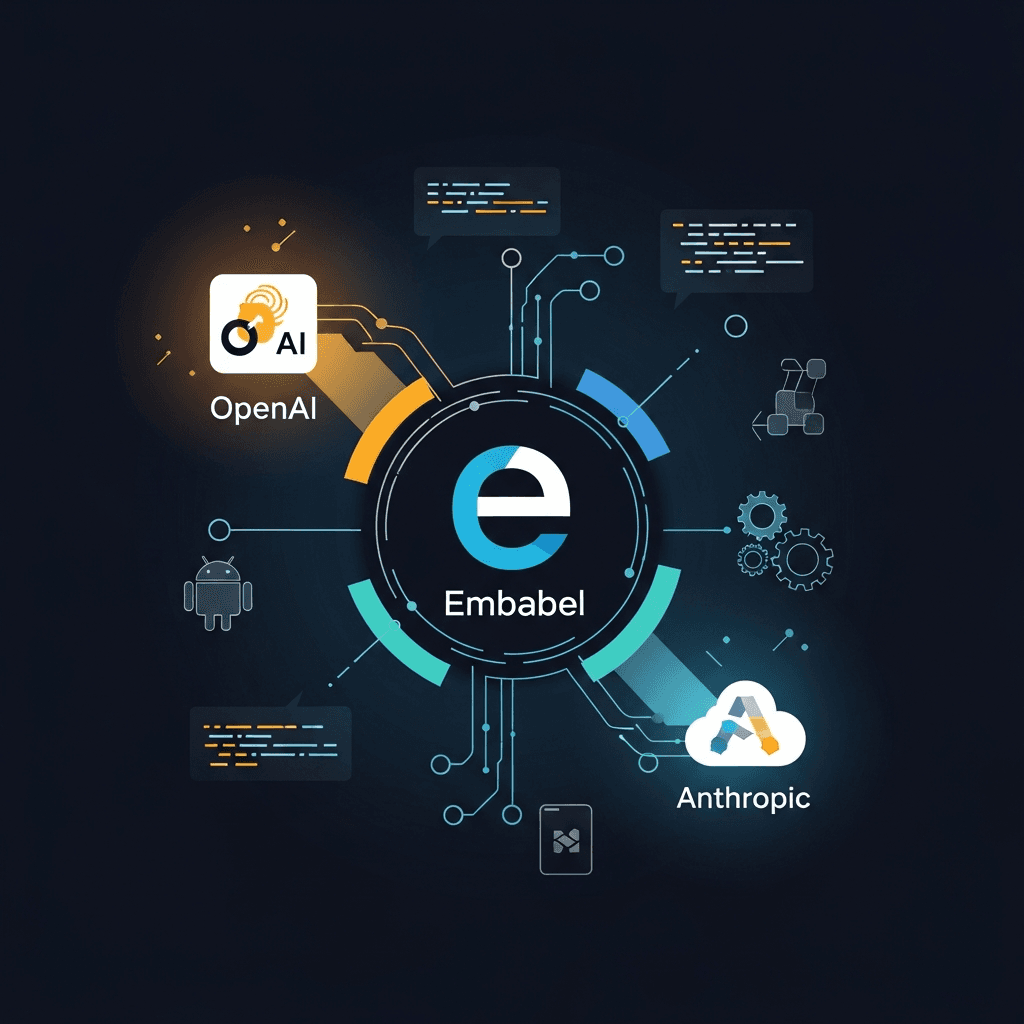
- LLM: Represents a specific Large Language Model provider (e.g., OpenAI's GPT-4, Hugging Face models). Embabel allows you to configure and switch between different LLMs seamlessly.
- Command: A single, stateless interaction with an LLM. This is used for one-off queries where no prior context is needed.
- Chat: A stateful, conversational session with an LLM. Embabel manages the message history, allowing for natural, multi-turn dialogues.
- KnowledgeContext: A powerful feature for Retrieval Augmented Generation (RAG). It allows you to inject external data (documents, databases, etc.) into the LLM's context, enabling it to answer questions based on your specific information.
- Output Types: Embabel can guide LLMs to produce structured output, parsing responses directly into Kotlin data classes, making it easier to integrate LLM results into your application logic.
2. Setting Up Your First Embabel Project
Let's start by creating a new Kotlin project and adding the necessary Embabel dependencies. We'll use Gradle for this example.
First, create a new Kotlin JVM project.
Next, modify your build.gradle.kts file to include Embabel and an LLM provider (e.g., OpenAI):
plugins {
    kotlin("jvm") version "1.9.23"
    application
}

group = "com.example"
version = "1.0-SNAPSHOT"

repositories {
    mavenCentral()
}

dependencies {
    // Embabel core library
    implementation("com.danielwaiguru.embabel:embabel-core:0.5.0")
    // OpenAI LLM provider integration
    implementation("com.danielwaiguru.embabel:embabel-support-openai:0.5.0")
    // Logging framework (optional but recommended)
    implementation("org.slf4j:slf4j-simple:2.0.7")

    testImplementation(kotlin("test"))
}

kotlin {
    jvmToolchain(17)
}

application {
    mainClass.set("com.example.AppKt")
}
Replace 0.5.0 with the latest stable version of Embabel. You can find the latest version on the Embabel GitHub repository or Maven Central.
Now, create a file src/main/kotlin/com/example/App.kt.
To configure your OpenAI API key, it's best practice to use environment variables. Embabel can pick up OPENAI_API_KEY automatically. Alternatively, you can pass it programmatically.
package com.example

import com.danielwaiguru.embabel.Embabel
import com.danielwaiguru.embabel.llm.openai.OpenAiLlm

fun main() {
    // Configure Embabel with an OpenAI LLM
    // By default, OpenAiLlm looks for OPENAI_API_KEY environment variable
    val embabel = Embabel.create(OpenAiLlm())

    println("Embabel initialized successfully!")

    // Don't forget to close Embabel when done
    embabel.close()
}
Run this main function. If you see "Embabel initialized successfully!" and no errors related to API keys, you're ready to interact with LLMs.
3. Your First LLM Interaction: Simple Commands
The simplest way to interact with an LLM in Embabel is through a Command. A command represents a single, self-contained prompt that doesn't rely on prior conversation history.
Let's ask the LLM to tell us a joke:
package com.example

import com.danielwaiguru.embabel.Embabel
import com.danielwaiguru.embabel.command.llm.LlmCommand
import com.danielwaiguru.embabel.llm.openai.OpenAiLlm

fun main() {
    val embabel = Embabel.create(OpenAiLlm())

    try {
        // Define a simple command
        val jokeCommand = LlmCommand("Tell me a short, funny joke about programming.")

        // Execute the command and get the response
        val joke = embabel.call(jokeCommand)

        println("Here's a programming joke for you:\n$joke")

    } catch (e: Exception) {
        println("An error occurred: ${e.message}")
    } finally {
        embabel.close()
    }
}
In this example:
- We create an
LlmCommandinstance with our prompt string. - We use
embabel.call(jokeCommand)to send the command to the configured LLM. - The result is a
Stringcontaining the LLM's response.
This pattern is ideal for tasks like generating summaries, translating text, or answering single-shot questions where context isn't maintained across multiple turns.
4. Engaging in Conversations: The Chat Interface
For more interactive applications, Embabel provides the Chat interface. A Chat instance maintains the history of messages, allowing the LLM to remember previous turns and respond contextually.
Let's build a simple conversational bot:
package com.example

import com.danielwaiguru.embabel.Embabel
import com.danielwaiguru.embabel.llm.openai.OpenAiLlm
import java.util.Scanner

fun main() {
    val embabel = Embabel.create(OpenAiLlm())

    try {
        // Create a new chat session
        val chat = embabel.startChat()

        println("Chatbot: Hello! I'm here to chat. Type 'exit' to quit.")

        val scanner = Scanner(System.`in`)
        while (true) {
            print("You: ")
            val userInput = scanner.nextLine()

            if (userInput.lowercase() == "exit") {
                println("Chatbot: Goodbye!")
                break
            }

            // Send the user's message to the chat and get the LLM's response
            val botResponse = chat.say(userInput)
            println("Chatbot: $botResponse")
        }

    } catch (e: Exception) {
        println("An error occurred: ${e.message}")
    } finally {
        embabel.close()
    }
}
Here:
embabel.startChat()creates a newChatinstance.- Each call to
chat.say(userInput)sends the user's message and implicitly includes the entire conversation history to the LLM, enabling context-aware responses.
This demonstrates how Embabel simplifies managing conversational state, which is notoriously tricky in raw LLM integrations.
5. Bringing Your Own Data: Knowledge Context (RAG)
LLMs are powerful, but their knowledge is limited to their training data. For applications requiring specific, up-to-date, or proprietary information, Retrieval Augmented Generation (RAG) is essential. Embabel's KnowledgeContext feature makes RAG straightforward.
Let's create a knowledge context and ask questions based on it.
package com.example

import com.danielwaiguru.embabel.Embabel
import com.danielwaiguru.embabel.command.llm.LlmCommand
import com.danielwaiguru.embabel.llm.openai.OpenAiLlm
import com.danielwaiguru.embabel.knowledge.InMemoryKnowledgeContext

fun main() {
    val embabel = Embabel.create(OpenAiLlm())

    try {
        // 1. Create an in-memory knowledge context
        val knowledgeContext = InMemoryKnowledgeContext()

        // 2. Add some documents to the knowledge context
        knowledgeContext.addFact(
            "The capital of France is Paris. Paris is known for the Eiffel Tower."
        )
        knowledgeContext.addFact(
            "Mount Everest is the Earth's highest mountain above sea level, located in the Himalayas."
        )
        knowledgeContext.addFact(
            "The Amazon River is the largest river by discharge volume of water in the world."
        )

        // 3. Start a chat session with the knowledge context
        val chatWithKnowledge = embabel.startChat(knowledgeContext)

        println("Chatbot (Knowledge-aware): Ask me about geography!")

        // Ask questions that require knowledge from the context
        println("Query 1: What is the capital of France?")
        println("Response: ${chatWithKnowledge.say("What is the capital of France?")}")

        println("\nQuery 2: Where is Mount Everest located?")
        println("Response: ${chatWithKnowledge.say("Where is Mount Everest located?")}")

        // Ask a question outside the context (LLM might still answer if it knows, but less reliably)
        println("\nQuery 3: What is the fastest land animal?")
        println("Response: ${chatWithKnowledge.say("What is the fastest land animal?")}")

    } catch (e: Exception) {
        println("An error occurred: ${e.message}")
    } finally {
        embabel.close()
    }
}
In this example:
- We initialize an
InMemoryKnowledgeContext. - We add simple string "facts" to it. In a real application, this could be loaded from databases, files, web pages, etc.
- When starting a chat with
embabel.startChat(knowledgeContext), Embabel will automatically retrieve relevant information from theknowledgeContextand include it in the prompt sent to the LLM, enabling it to answer questions based on your provided data.
6. Structuring LLM Outputs: Data Classes and Instructions
One of the most powerful features of Embabel is its ability to guide LLMs to produce structured output that can be directly parsed into Kotlin data classes. This eliminates the need for manual parsing and makes integrating LLM results into your application much cleaner and safer.
Let's define a data class for a person's information and ask the LLM to extract it from a text.
package com.example

import com.danielwaiguru.embabel.Embabel
import com.danielwaiguru.embabel.command.llm.LlmCommand
import com.danielwaiguru.embabel.llm.openai.OpenAiLlm
import com.danielwaiguru.embabel.command.llm.expectOutput

data class Person(val name: String, val age: Int, val city: String)

fun main() {
    val embabel = Embabel.create(OpenAiLlm())

    try {
        val text = "John Doe is 30 years old and lives in New York. He loves pizza."

        // Define a command to extract structured data
        val personCommand = LlmCommand(
            "Extract the person's name, age, and city from the following text: \"$text\""
        )

        // Use expectOutput to get a Person object
        val person = embabel.call(personCommand).expectOutput<Person>()

        println("Extracted Person: $person")
        println("Name: ${person.name}, Age: ${person.age}, City: ${person.city}")

    } catch (e: Exception) {
        println("An error occurred: ${e.message}")
    } finally {
        embabel.close()
    }
}
Embabel automatically adds instructions to the LLM's prompt, telling it to respond in a JSON format that matches your Person data class. It then handles the JSON parsing, returning a type-safe Person object. This feature is invaluable for building robust LLM-powered APIs and data extraction tools.
7. Customizing LLM Behavior: Prompts and Prompt Strategies
Embabel provides fine-grained control over how prompts are constructed and how the LLM behaves. You can adjust parameters like temperature, topP, and max tokens, and influence the overall prompt strategy.
package com.example

import com.danielwaiguru.embabel.Embabel
import com.danielwaiguru.embabel.command.llm.LlmCommand
import com.danielwaiguru.embabel.llm.openai.OpenAiLlm
import com.danielwaiguru.embabel.llm.openai.OpenAiChatLlmOptions
import com.danielwaiguru.embabel.llm.openai.OpenAiLlmOptions

fun main() {
    // Create an OpenAI LLM instance with custom options
    val openAiLlm = OpenAiLlm(
        OpenAiLlmOptions(
            temperature = 0.7f, // Higher temperature for more creativity (default is often 0.7)
            topP = 0.9f,      // Nucleus sampling
            maxTokens = 100   // Limit response length
        )
    )

    val embabel = Embabel.create(openAiLlm)

    try {
        val creativeCommand = LlmCommand("Write a short, imaginative poem about a cloud that dreams.")
        println("Creative Poem:\n${embabel.call(creativeCommand)}")

        // For chat sessions, options can also be set or overridden
        val chatOptions = OpenAiChatLlmOptions(
            temperature = 0.2f, // Lower temperature for more focused, factual responses
            maxTokens = 50
        )
        val factualChat = embabel.startChat(options = chatOptions)
        println("\nFactual Chat: What is the capital of Japan?")
        println("Response: ${factualChat.say("What is the capital of Japan?")}")

    } catch (e: Exception) {
        println("An error occurred: ${e.message}")
    } finally {
        embabel.close()
    }
}
Here, we configure temperature to control the randomness of the LLM's output (higher = more creative, lower = more deterministic) and maxTokens to limit the response length. Embabel allows you to pass specific LlmOptions when creating the LLM instance or when starting a chat, giving you granular control over the LLM's behavior for different use cases.
8. Error Handling and Robustness
LLM interactions are inherently prone to various issues: network failures, API rate limits, invalid requests, and even LLM hallucinations. Embabel helps manage these by throwing exceptions, allowing you to implement standard Kotlin error handling.
package com.example

import com.danielwaiguru.embabel.Embabel
import com.danielwaiguru.embabel.command.llm.LlmCommand
import com.danielwaiguru.embabel.llm.openai.OpenAiLlm
import com.danielwaiguru.embabel.llm.exceptions.LlmInteractionException
import com.danielwaiguru.embabel.llm.exceptions.LlmRuntimeException
import com.danielwaiguru.embabel.util.retry.RetryPolicy
import com.danielwaiguru.embabel.util.retry.RetryPolicy.Companion.createExponentialBackoffRetryPolicy

fun main() {
    // Example of a custom retry policy
    val customRetryPolicy = createExponentialBackoffRetryPolicy(
        maxAttempts = 5,
        initialDelayMillis = 1000,
        maxDelayMillis = 10000
    )

    val openAiLlm = OpenAiLlm(retryPolicy = customRetryPolicy)
    val embabel = Embabel.create(openAiLlm)

    try {
        // Simulate an invalid request (e.g., extremely long prompt exceeding token limits)
        val longPrompt = "A very long prompt that might exceed token limits... ".repeat(500)
        val command = LlmCommand(longPrompt)

        val response = embabel.call(command)
        println("Response: $response")

    } catch (e: LlmInteractionException) {
        println("LLM Interaction Error: ${e.message}")
        // Log the specific error, potentially retry, or notify user
    } catch (e: LlmRuntimeException) {
        println("LLM Runtime Error: ${e.message}")
        // Catch broader runtime issues from the LLM provider
    } catch (e: Exception) {
        println("General Error: ${e.message}")
        // Catch any other unexpected errors
    } finally {
        embabel.close()
    }
}
Embabel includes built-in retry mechanisms, which can be configured via RetryPolicy when initializing an LLM. This is crucial for handling transient network issues or rate limits. For more specific issues, LlmInteractionException and LlmRuntimeException provide structured error information, allowing you to implement robust fallback strategies.
9. Advanced Topics: Integrations and Extensibility
Embabel is designed to be extensible. While it offers out-of-the-box support for popular LLM providers like OpenAI, you can easily integrate other models or even custom local LLMs.
Custom LLM Providers
If you need to integrate an LLM not directly supported by Embabel, you can implement the Llm interface. This involves defining how your custom LLM handles LlmCommand and Chat interactions.
package com.example

import com.danielwaiguru.embabel.command.llm.LlmCommand
import com.danielwaiguru.embabel.llm.Llm
import com.danielwaiguru.embabel.llm.LlmChat
import com.danielwaiguru.embabel.llm.LlmOptions
import com.danielwaiguru.embabel.llm.LlmResponse
import com.danielwaiguru.embabel.llm.messages.ChatRole
import com.danielwaiguru.embabel.llm.messages.LlmChatMessage

// A very basic mock LLM for demonstration purposes
class MockLlm : Llm {
    override val capabilities = mapOf<String, Any>() // Define capabilities if needed

    override fun execute(command: LlmCommand, options: LlmOptions): LlmResponse {
        val responseContent = when {
            command.input.contains("hello") -> "Hello there!"
            command.input.contains("joke") -> "Why don't scientists trust atoms? Because they make up everything!"
            else -> "I received your command: '${command.input}'"
        }
        return LlmResponse(responseContent)
    }

    override fun startChat(options: LlmOptions): LlmChat {
        return object : LlmChat {
            val messages = mutableListOf<LlmChatMessage>()

            override fun say(input: String): String {
                messages.add(LlmChatMessage(ChatRole.USER, input))
                val response = when {
                    input.contains("how are you") -> "I'm a bot, but I'm doing great!"
                    input.contains("your name") -> "My name is MockBot."
                    else -> "You said: $input"
                }
                messages.add(LlmChatMessage(ChatRole.ASSISTANT, response))
                return response
            }
        }
    }

    override fun close() {
        println("Mock LLM closed.")
    }
}

// Example usage with Embabel
/*
fun main() {
    val embabel = Embabel.create(MockLlm())
    try {
        println(embabel.call(LlmCommand("Say hello")))
        val chat = embabel.startChat()
        println(chat.say("What is your name?"))
    } finally {
        embabel.close()
    }
}
*/
By implementing Llm, you can wrap any LLM API or local model, making it accessible through Embabel's consistent interface. This is crucial for integrating niche models or maintaining vendor independence.
Custom Knowledge Contexts
While InMemoryKnowledgeContext is useful for simple cases, real-world applications often need more sophisticated knowledge retrieval. You can implement KnowledgeContext to integrate with vector databases (e.g., Pinecone, Weaviate), traditional databases, or custom document stores.
10. Best Practices for Building LLM Apps with Embabel
Building reliable LLM applications requires more than just calling APIs. Here are some best practices:
- Clear Prompt Engineering: While Embabel abstracts away much of the prompt construction, the initial user-facing prompt and any system prompts are critical. Be clear, specific, and provide examples (few-shot prompting) where possible.
- Manage Context Effectively: For
Chatapplications, be mindful of token limits. Embabel automatically manages chat history, but for very long conversations, consider summarization or intelligent pruning strategies to stay within budget and maintain relevance. - Leverage Structured Outputs: Always use
expectOutput<T>()when you need specific data from the LLM. This significantly improves reliability and reduces parsing errors. - Implement Robust Error Handling: Anticipate LLM failures. Use Embabel's retry policies and implement
try-catchblocks to gracefully handle API errors, rate limits, and unexpected responses. - Test Your LLM Interactions: Testing LLM applications is challenging due to their non-deterministic nature. Consider using mock LLMs (like the
MockLlmabove) for unit tests and integration tests with fixed prompts/responses. For end-to-end tests, use a dedicated test environment and evaluate responses against expected criteria, perhaps with human review or automated evaluation metrics. - Monitor and Log: Implement comprehensive logging for all LLM interactions, including prompts, responses, tokens used, and latency. This is essential for debugging, performance tuning, and cost management.
- Security and Data Privacy: Be cautious about sending sensitive information to LLMs, especially third-party APIs. Implement data anonymization or redaction where necessary. Understand the data retention policies of your chosen LLM provider.
- Cost Management: LLM API calls incur costs. Monitor token usage, optimize prompts for conciseness, and consider using cheaper models for simpler tasks or local models where feasible.
Common Pitfalls
- Ignoring Token Limits: Sending overly long prompts or maintaining excessively long chat histories can lead to errors or unexpected truncation.
- Over-reliance on Defaults: While Embabel provides sensible defaults, not customizing
LlmOptions(temperature, max tokens) can lead to suboptimal or inconsistent LLM behavior for specific use cases. - Lack of Error Handling: Assuming LLM calls will always succeed is a recipe for brittle applications. Always anticipate and handle potential failures.
- Prompt Injection Vulnerabilities: Malicious users might try to manipulate your LLM's behavior by injecting harmful instructions into their input. Design your prompts and application logic to mitigate this risk.
- Hallucinations: LLMs can confidently generate incorrect or nonsensical information. For critical applications, always verify LLM outputs, especially when not using a strong
KnowledgeContext. - Not Using RAG When Needed: For applications requiring up-to-date, specific, or private data, relying solely on the LLM's pre-trained knowledge will lead to poor performance. Always consider RAG for such scenarios.
Conclusion: Empowering Kotlin Developers in the LLM Era
Embabel significantly lowers the barrier to entry for building sophisticated LLM-powered applications in Kotlin. By providing a clear, type-safe, and opinionated framework, it allows developers to focus on application logic rather than the intricate details of LLM integration.
From simple commands to complex conversational agents with integrated knowledge bases and structured outputs, Embabel equips you with the tools to harness the full potential of generative AI. Its emphasis on testability, extensibility, and best practices makes it an excellent choice for developing robust, scalable, and maintainable AI applications.
As the LLM landscape continues to evolve, frameworks like Embabel will be crucial in democratizing access to this transformative technology. So, dive in, explore Embabel, and start building the intelligent applications of tomorrow, today, with Kotlin!
Further Reading and Resources:
- Embabel GitHub Repository: https://github.com/danielwaiguru/embabel
- Kotlin Official Documentation: https://kotlinlang.org/docs/home.html
- OpenAI API Documentation: https://platform.openai.com/docs/api-reference

Written by
CodewithYohaFull-Stack Software Engineer with 7+ years of experience in Java, Spring Boot, and cloud architecture across AWS, Azure, and GCP. Writing production-grade engineering patterns for developers who ship real software.