Introduction: The Quest for Leaner Containers
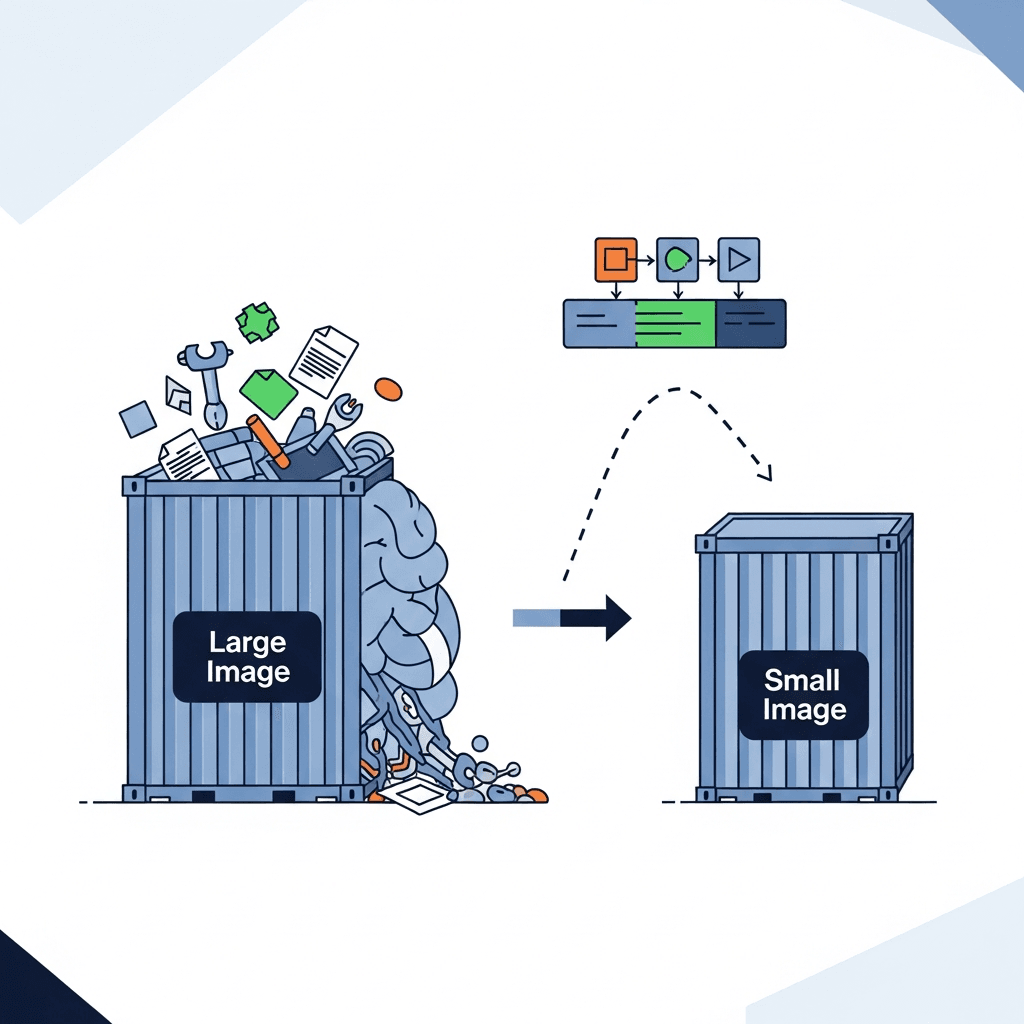
In the world of modern application development and deployment, Docker containers have become an indispensable tool. They offer unparalleled consistency, portability, and isolation for applications, simplifying the "it works on my machine" dilemma. However, a common challenge developers face is the sheer size of their Docker images. Bulky images lead to slower build times, increased network transfer during deployment, higher storage costs, and a larger attack surface. This is where Docker multi-stage builds come to the rescue.
Multi-stage builds are a powerful feature introduced in Docker 17.05 that allows you to create highly optimized and significantly smaller container images. Instead of cramming all build tools, source code, and runtime dependencies into a single final image, multi-stage builds let you separate the build environment from the runtime environment. This guide will walk you through the "how" and "why" of multi-stage builds, providing practical examples and best practices to help you achieve the leanest possible containers.
Prerequisites
To get the most out of this guide, you should have a basic understanding of:
- Docker Fundamentals: Familiarity with Docker concepts like images, containers,
Dockerfiles, and basic Docker commands (docker build,docker run). - Command Line Interface: Basic comfort using a terminal.
- A Text Editor: For writing
Dockerfiles and application code. - Docker Installed: A working Docker environment on your machine.
The Problem with Single-Stage Builds: Bloat and Inefficiency
Before diving into multi-stage builds, let's understand the problem they solve. Traditionally, a Dockerfile would contain all the instructions needed to build your application and package it into a single image. This often meant installing compilers, build tools, development libraries, and downloading source code directly into the final image, even if these components were only needed during the build process and not at runtime.
Consider a simple Node.js application. A single-stage Dockerfile might look something like this:
# Dockerfile.single-stage
FROM node:lts

WORKDIR /app

COPY package*.json ./

# This installs dev dependencies too, which are not needed at runtime
RUN npm install

COPY . .

RUN npm run build # If you have a build step for frontend assets, for example

EXPOSE 3000
CMD ["node", "src/index.js"]
While this Dockerfile works, the resulting image will contain:
- The entire Node.js development environment.
- All
node_modules, including development dependencies (devDependencies). - Potentially, intermediate build artifacts that are no longer needed.
This leads to unnecessarily large images, impacting deployment speed, resource consumption, and security. The more tools and files an image contains, the larger its attack surface, as each additional component could potentially introduce vulnerabilities.
Introducing Docker Multi-Stage Builds: The Solution
Docker multi-stage builds address the bloat problem by allowing you to define multiple FROM instructions in a single Dockerfile. Each FROM instruction starts a new build stage, and critically, you can selectively copy artifacts from one stage to another. This means you can use a robust, feature-rich base image with all the necessary build tools in an intermediate stage, and then only copy the essential, compiled application binaries or runtime artifacts to a much smaller, leaner final stage.
The key benefits are:
- Smaller Image Sizes: Significantly reduces the final image size by omitting build tools and temporary files.
- Improved Security: A smaller image means a smaller attack surface, as fewer unnecessary components are present.
- Faster Deployments: Leaner images transfer quicker over networks.
- Clearer
Dockerfiles: Separates build logic from runtime configuration, makingDockerfiles easier to read and maintain. - Reduced Build Times: While the initial build might take longer due to multiple stages, subsequent builds can leverage Docker's build cache more effectively, especially if only the final stage's content changes.
Anatomy of a Multi-Stage Dockerfile
A multi-stage Dockerfile typically involves two or more stages:
- Build Stage: This stage uses a base image that contains all the necessary compilers, SDKs, and build tools. It's where your application is compiled, dependencies are installed, or static assets are generated. This stage is often named using
AS <stage_name>for easy referencing. - Final (Runtime) Stage: This stage uses a minimal base image, often a slim runtime environment (e.g.,
node:lts-alpine,openjdk:jre-alpine,alpine, or evenscratch). It only includes the application's runtime dependencies and the compiled artifacts copied from the build stage.
The core syntax for copying artifacts between stages is COPY --from=<stage_name> /path/in/stage /path/in/final.
Basic Multi-Stage Example: Node.js Application
Let's refactor our earlier Node.js example using a multi-stage build. We'll separate the dependency installation and build steps from the final runtime environment.
First, assume a simple Node.js application structure:
my-node-app/
├── src/
│   └── index.js
├── package.json
├── package-lock.json
└── .dockerignore
package.json:
{
  "name": "my-node-app",
  "version": "1.0.0",
  "description": "A simple Node.js app",
  "main": "src/index.js",
  "scripts": {
    "start": "node src/index.js",
    "test": "echo \"No tests specified\" && exit 0"
  },
  "dependencies": {
    "express": "^4.17.1"
  }
}src/index.js:
const express = require('express');
const app = express();
const port = 3000;

app.get('/', (req, res) => {
  res.send('Hello from multi-stage Docker Node.js app!');
});

app.listen(port, () => {
  console.log(`App listening at http://localhost:${port}`);
});Dockerfile.multi-stage:
# Stage 1: Build dependencies and application
FROM node:lts-alpine AS build

WORKDIR /app

# Copy package.json and package-lock.json first to leverage Docker cache
COPY package*.json ./

# Install production dependencies only
RUN npm install --production

# Copy the rest of the application source code
COPY . .

# If you have a separate build step (e.g., for TypeScript or frontend assets),
# you would run it here. For this simple app, we just copy sources.
# RUN npm run build

# Stage 2: Create the final lean runtime image
FROM node:lts-alpine

WORKDIR /app

# Copy only the production node_modules from the 'build' stage
COPY --from=build /app/node_modules ./node_modules

# Copy the application source code from the 'build' stage
COPY --from=build /app/src ./src
COPY --from=build /app/package.json ./

# Expose the port and define the command to run the application
EXPOSE 3000
CMD ["npm", "start"]
Explanation:
FROM node:lts-alpine AS build: We start our first stage with a Node.js image based on Alpine Linux, which is already quite small. We name this stagebuild.RUN npm install --production: Crucially, we use--productionto only install dependencies required at runtime, excludingdevDependencies.FROM node:lts-alpine: We start a new, completely separate stage. This is our final runtime image. Notice it's the same base image, but it's a fresh start without any of the previous layers.COPY --from=build /app/node_modules ./node_modules: This is the magic! We copy only thenode_modulesdirectory (containing production dependencies) from thebuildstage's/app/node_modulespath to the current stage's/app/node_modules.COPY --from=build /app/src ./src: Similarly, we copy our application's source code.
The result is a significantly smaller image because the final image does not contain the npm executable, build caches, or any devDependencies that were present in the build stage.
Advanced Multi-Stage Example: Go Application
Go applications are excellent candidates for multi-stage builds because they compile into a single static binary. This allows for incredibly tiny final images, often based on scratch or alpine.
Assume a simple Go application main.go:
package main

import (
	"fmt"
	"log"
	"net/http"
)

func handler(w http.ResponseWriter, r *http.Request) {
	fmt.Fprintf(w, "Hello from Go Multi-Stage Docker!")
}

func main() {
	http.HandleFunc("/", handler)
	fmt.Println("Server listening on :8080")
	log.Fatal(http.ListenAndServe(":8080", nil))
}Dockerfile.go-multi-stage:
# Stage 1: Build the Go application
FROM golang:1.21-alpine AS builder

WORKDIR /app

# Copy go.mod and go.sum first to cache dependencies
COPY go.mod go.sum ./
RUN go mod download

# Copy the rest of the application source code
COPY . .

# Build the Go application, statically linked, no CGO for smaller binary
# and compatibility with scratch/alpine
RUN CGO_ENABLED=0 GOOS=linux go build -a -ldflags '-extldflags "-static"' -o /app/main .

# Stage 2: Create the final lean runtime image
FROM alpine:latest

WORKDIR /app

# Copy the compiled binary from the 'builder' stage
COPY --from=builder /app/main .

# Expose the port and define the command to run the application
EXPOSE 8080
CMD ["./main"]
Explanation:
FROM golang:1.21-alpine AS builder: The first stage uses a full Go development environment to compile the application.RUN CGO_ENABLED=0 GOOS=linux go build ...: We compile the Go application.CGO_ENABLED=0ensures that the binary is statically linked and doesn't rely on C libraries, making it highly portable.-o /app/mainspecifies the output path for the executable.FROM alpine:latest: The final stage uses a minimal Alpine Linux image. For even smaller images,FROM scratchcould be used if the application has absolutely no runtime dependencies (like C libraries), butalpineoften provides a good balance for basic utilities.COPY --from=builder /app/main .: Only the compiledmainexecutable is copied from thebuilderstage. Nothing else from the Go SDK or intermediate build files makes it into the final image.
This approach results in an incredibly small Go image, often just a few megabytes.
Multi-Stage for Frontend Applications (React/Angular/Vue)
Frontend applications often involve building static assets (HTML, CSS, JavaScript) using Node.js, and then serving them via a web server like Nginx or Apache. Multi-stage builds are perfect for this scenario.
Assume a React application:
my-react-app/
├── public/
│   └── index.html
├── src/
│   └── App.js
├── package.json
├── yarn.lock
└── .dockerignore
Dockerfile.react-multi-stage:
# Stage 1: Build the React application
FROM node:lts-alpine AS build

WORKDIR /app

COPY package.json yarn.lock ./
RUN yarn install --frozen-lockfile

COPY . .

# Build the React application into static files
RUN yarn build

# Stage 2: Serve the static files with Nginx
FROM nginx:alpine

# Remove default Nginx config
RUN rm -rf /etc/nginx/conf.d/*

# Copy custom Nginx config (optional, but good practice)
# If you have a custom nginx.conf, copy it here:
# COPY nginx.conf /etc/nginx/conf.d/default.conf

# Copy the built static assets from the 'build' stage to Nginx's web root
COPY --from=build /app/build /usr/share/nginx/html

# Expose the default Nginx HTTP port
EXPOSE 80

# Nginx starts by default when using the official image
CMD ["nginx", "-g", "daemon off;"]
Explanation:
FROM node:lts-alpine AS build: The first stage uses a Node.js image to install dependencies and run the build command (yarn buildornpm run build). The output of this stage is abuilddirectory containing all static assets.FROM nginx:alpine: The second stage uses a lightweight Nginx image based on Alpine.COPY --from=build /app/build /usr/share/nginx/html: Only the compiled static files from/app/buildin thebuildstage are copied to Nginx's default web root (/usr/share/nginx/html). The Node.js environment,node_modules, and build tools are completely discarded.
This results in a small Nginx image serving your static frontend, without any Node.js dependencies in the final production container.
Leveraging Build Arguments and Environment Variables
Multi-stage builds can also leverage ARG and ENV instructions effectively.
ARG: Build arguments are only available during the build time of the stage where they are defined. If you want to use anARGin a subsequent stage, you must redefine it. This is useful for passing versions, secrets (carefully!), or build flags.ENV: Environment variables persist into the final image and are available at runtime. They are typically used for configuration that the application needs to operate.
Example with ARG:
FROM node:lts-alpine AS build
ARG APP_VERSION=1.0.0
ENV BUILD_DATE=$(date -u +"%Y-%m-%dT%H:%M:%SZ")

WORKDIR /app
# ... build steps ...
RUN echo "Building version ${APP_VERSION} on ${BUILD_DATE}" > build_info.txt

FROM alpine:latest
ARG APP_VERSION # Must be redefined to be available in this stage

WORKDIR /app
COPY --from=build /app/build_info.txt .
RUN echo "Runtime image for version ${APP_VERSION}"

CMD ["cat", "build_info.txt"]
To pass APP_VERSION during build: docker build --build-arg APP_VERSION=1.2.3 -t myapp .
Best Practices for Multi-Stage Builds
To maximize the benefits of multi-stage builds, consider these best practices:
- Use Minimal Base Images: For your final stage, always opt for the smallest possible base image.
alpine,scratch, or slim runtime-specific images (e.g.,node:lts-alpine,openjdk:jre-alpine) are preferred.scratchis the smallest possible image, containing nothing, suitable for static binaries like Go. - Only Copy Necessary Artifacts: Be explicit about what you
COPY --fromyour build stage. AvoidCOPY --from=build /app .if/appcontains unnecessary build caches or temporary files. Copy specific binaries, configuration files, and static assets. - Leverage
.dockerignore: Just like with single-stage builds, use a.dockerignorefile to exclude irrelevant files and directories (like.git,node_modulesfor the host,target/for Java, etc.) from being sent to the Docker daemon. This speeds up the build context transfer. - Order Instructions for Caching: Place instructions that change infrequently (e.g., installing system dependencies, copying
package.jsonand runningnpm install) earlier in theDockerfile. This allows Docker to reuse cached layers when only application code changes. - Clean Up Within Stages: If a stage generates temporary files that are not needed even within that stage (e.g., downloaded archives that have been extracted), clean them up with
rm -rfin the sameRUNcommand. This ensures the layer size is minimized before it's cached. - Combine
RUNCommands: While modern Docker versions are smarter about layer caching, combining relatedRUNcommands with&&can still reduce the number of layers and simplify cleanup, especially when installing multiple packages.dockerfileRUN apk add --no-cache curl && \ rm -rf /var/cache/apk/* - Choose Appropriate Build Tools: For languages like Java, consider using
jlinkorjpackageto create custom, minimal JREs, which can then be copied into analpineorscratchfinal stage. - Tag Stages Clearly: Naming your stages with
AS <name>makes yourDockerfilemore readable and allows for easier debugging or specific stage targeting (e.g.,docker build --target build -t myapp:build .).
Common Pitfalls and Troubleshooting
Even with multi-stage builds, you might encounter issues. Here are some common pitfalls:
- Forgetting to Copy Necessary Files: The most common mistake. You build your app, copy the binary, but forget configuration files, static assets, or shared libraries. The container starts but fails because it can't find critical resources. Solution: Double-check your
COPY --fromcommands. List all files/directories needed at runtime. - Permissions Issues: Files copied from a build stage might have different ownership or permissions than expected in the final stage, especially if the final base image runs as a non-root user. Solution: Use
chownorchmodin the final stage if necessary, or specify user/group duringCOPY(e.g.,COPY --from=build --chown=appuser:appgroup /app/binary .). - Missing Runtime Dependencies: While
CGO_ENABLED=0helps with Go, other languages might implicitly link against system libraries (e.g.,glibc,libssl). If your final image is too minimal (e.g.,scratchfor a C-dependent binary), it might fail. Solution: Uselddon your binary in the build stage to check dynamic dependencies, then ensure those libraries are present in your finalalpineordebian-slimbase image. Or, compile statically if possible. - Debugging Build Stages: If your build stage fails, it can be tricky to debug. Solution: You can build a specific stage using
docker build --target <stage_name> -t <tag> .. Then, you can run an interactive shell in that intermediate image (docker run -it <tag> sh) to inspect files and environment variables. - Incorrect
WORKDIRor Paths: Ensure that yourCOPY --frompaths correctly reflect theWORKDIRof the source stage and the destinationWORKDIRof the target stage.
Real-World Use Cases and Beyond
Multi-stage builds are not just for basic applications; they are fundamental for robust CI/CD pipelines and microservices architectures:
- CI/CD Pipelines: In a CI/CD pipeline, multi-stage builds allow you to perform tests in a dedicated test stage, then build the final production image. You can even create an intermediate stage that runs security scans on your build artifacts before they proceed to the final image.
- Polyglot Applications: If your project involves multiple languages (e.g., a Go backend, a Node.js API gateway, and a React frontend), each component can have its own multi-stage
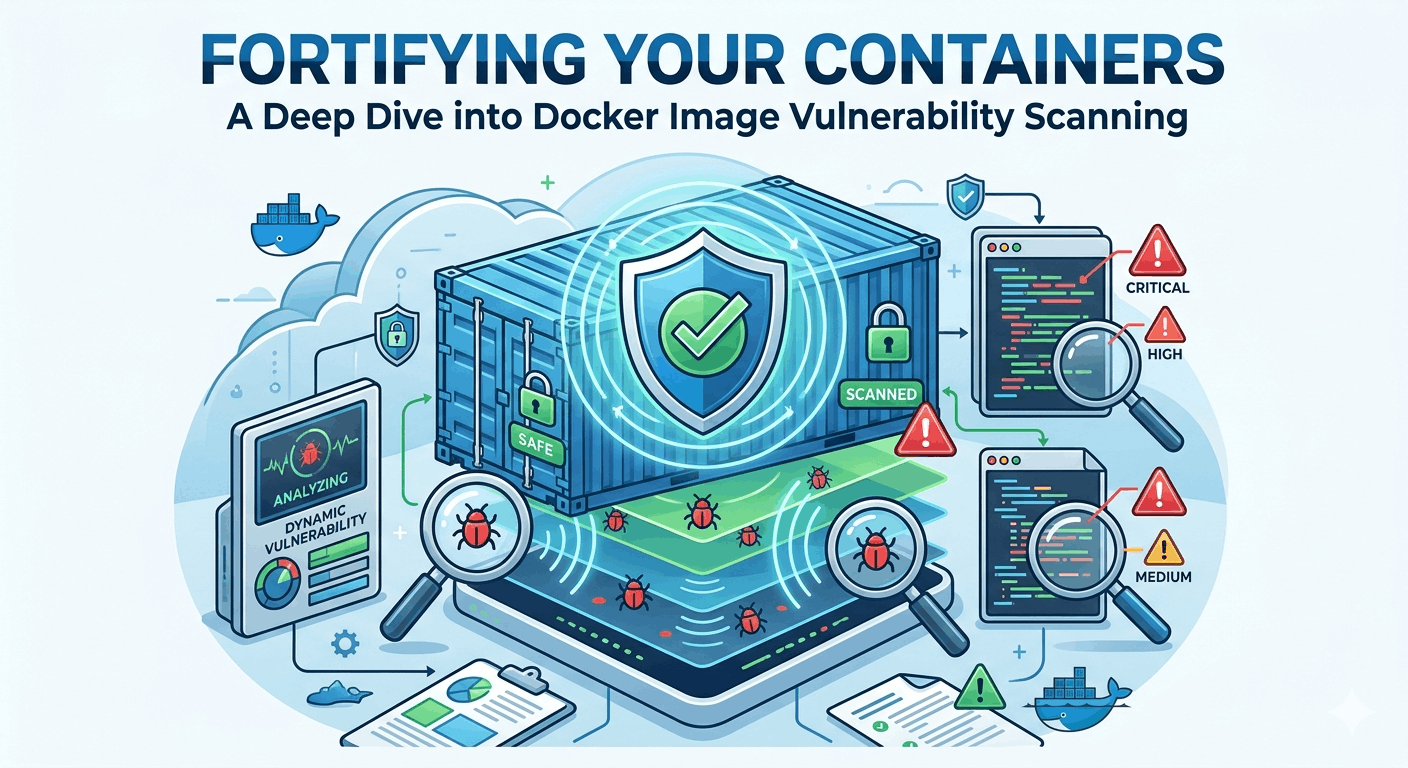
Dockerfiletailored for its specific build and runtime needs, while still producing consistently lean images. - Security Scanning: Smaller images inherently reduce the attack surface. Multi-stage builds help by removing build tools and development dependencies that could harbor vulnerabilities. Tools like Trivy or Clair can scan your final lean images more effectively and with fewer false positives.
- Reproducible Builds: By isolating build environments, multi-stage builds contribute to more reproducible builds, ensuring that the same source code always produces the same final image regardless of the host environment.
Conclusion: Embrace Efficiency with Multi-Stage Builds
Docker multi-stage builds are a cornerstone of efficient and secure containerization. By meticulously separating your build environment from your runtime environment, you gain significant advantages in terms of image size, deployment speed, and security posture. Whether you're working with Node.js, Go, Java, Python, or frontend frameworks, the principles remain the same: build big, ship small.
Start reviewing your existing Dockerfiles and identify opportunities to implement multi-stage builds. The effort invested will pay dividends in faster deployments, reduced resource consumption, and a more robust container strategy. Embrace the power of multi-stage builds and take your Docker game to the next level.

Written by
CodewithYohaFull-Stack Software Engineer with 7+ years of experience in Java, Spring Boot, and cloud architecture across AWS, Azure, and GCP. Writing production-grade engineering patterns for developers who ship real software.