
Architecting Robust AI Gateways: Rate Limiting, Caching, & Fallbacks with LiteLLM & Portkey

Introduction
The rapid proliferation of Large Language Models (LLMs) has revolutionized how we build applications, enabling capabilities previously confined to science fiction. However, integrating these powerful models into production systems introduces a new set of challenges: managing diverse API providers, ensuring reliability, controlling costs, and maintaining performance. Directly interacting with multiple LLM APIs can quickly become a labyrinth of SDKs, rate limits, error handling, and billing complexities.
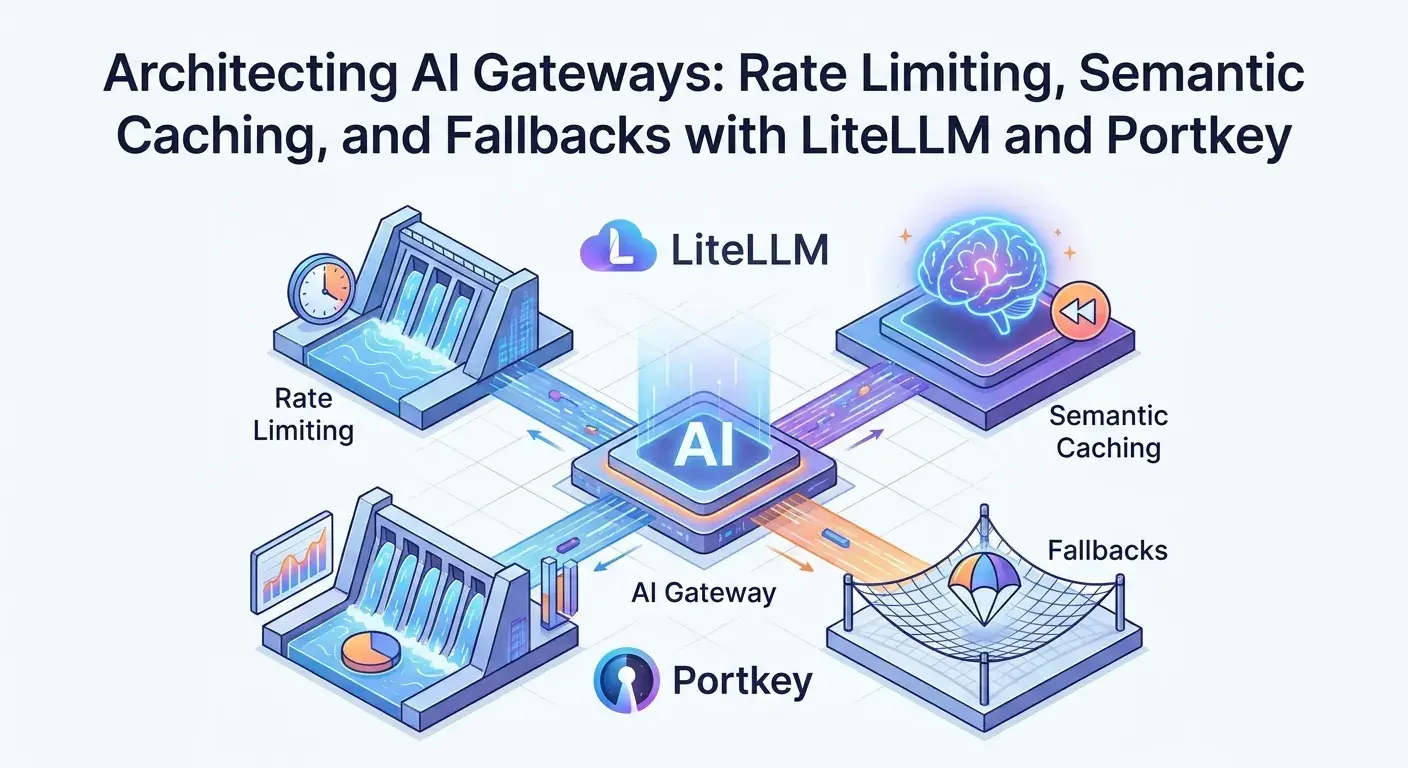
Enter the AI Gateway. An AI Gateway acts as an intelligent proxy layer between your application and various LLM providers. It centralizes critical functionalities like rate limiting, caching, load balancing, and fallbacks, abstracting away the underlying complexities and providing a unified, resilient, and cost-efficient interface. This article will guide you through architecting a robust AI Gateway using two powerful tools: LiteLLM for universal LLM API access and Portkey for advanced gateway features like rate limiting, semantic caching, and intelligent fallbacks.
The Rise of AI Gateways: Why We Need Them
As applications increasingly rely on LLMs, the need for a robust management layer becomes paramount. Here's why AI Gateways are indispensable:
- Complexity Abstraction: Different LLM providers (OpenAI, Anthropic, Google, Cohere, etc.) have distinct APIs, authentication methods, and model naming conventions. An AI Gateway unifies these into a single, consistent interface.
- Cost Management: LLM usage can be expensive. Gateways enable features like caching to reduce redundant calls and provide analytics to track spend.
- Reliability and Uptime: Individual LLM providers can experience outages, rate limit spikes, or performance degradation. Gateways offer mechanisms like fallbacks and retries to ensure continuous service.
- Performance Optimization: Caching frequently requested responses can significantly reduce latency and improve user experience.
- Security and Compliance: Centralizing API calls allows for better control over data flow, logging, and access policies.
- Vendor Lock-in Mitigation: By abstracting providers, an AI Gateway makes it easier to switch or integrate new LLMs without rewriting large parts of your application code.
Introducing LiteLLM: The Universal LLM API
LiteLLM is an open-source library that provides a unified interface to over 100+ LLM providers. Instead of learning each provider's SDK, you interact with a single completion() function, and LiteLLM handles the translation. This significantly simplifies development and allows for seamless switching between models or providers.
LiteLLM's core value proposition is its simplicity and breadth of support. It allows developers to focus on application logic rather than wrestling with API specifics. It also offers features like streaming, token usage tracking, and basic error handling across providers.
Introducing Portkey: The AI Gateway for Production
While LiteLLM excels at unifying API calls, Portkey takes it a step further by providing a comprehensive AI Gateway specifically designed for production environments. Portkey integrates seamlessly with LiteLLM (it uses LiteLLM internally for provider integrations) and layers on critical features:
- Rate Limiting: Protect your application and LLM providers from excessive requests.
- Semantic Caching: Cache responses based on meaning, not just exact text, to reduce costs and latency.
- Intelligent Fallbacks: Automatically switch to alternative models or providers if a primary one fails.
- Observability: Detailed logs, metrics, and analytics to monitor usage, performance, and costs.
- Routing and Load Balancing: Distribute requests across multiple models or providers based on custom logic.
- Retries: Automatic retries for transient errors.
Together, LiteLLM and Portkey form a powerful duo, allowing you to build highly resilient, performant, and cost-effective LLM-powered applications.
Prerequisites
Before we dive into the code, ensure you have the following:
- Python 3.8+: Our examples will be in Python.
- LiteLLM: Install it via pip.
- Portkey-AI: Install it via pip.
- API Keys: Access to API keys for at least two LLM providers (e.g., OpenAI, Anthropic, Google Gemini, Cohere) for demonstrating fallbacks and multi-provider setup. You'll also need a Portkey API key, which you can obtain by signing up on their website.
Let's install the necessary libraries:
pip install litellm portkey-aiSet your API keys as environment variables or load them securely. For demonstration purposes, we'll use environment variables:
export OPENAI_API_KEY="sk-..."
export ANTHROPIC_API_KEY="sk-..."
export PORTKEY_API_KEY="pk-..."
Section 1: Unified API Access with LiteLLM
LiteLLM simplifies calling various LLMs. Instead of importing different SDKs, you use a single completion() function. Let's see how easy it is to switch between OpenAI and Anthropic.
First, a direct call using LiteLLM without Portkey:
import litellm
import os

# Ensure API keys are set as environment variables
# os.environ["OPENAI_API_KEY"] = "sk-..."
# os.environ["ANTHROPIC_API_KEY"] = "sk-..."

def make_llm_call(provider, model):
    print(f"\n--- Calling {provider} ({model}) ---")
    try:
        response = litellm.completion(
            model=model,
            messages=[{"role": "user", "content": "Explain the concept of quantum entanglement in a sentence."}]
        )
        print(f"Response from {provider}: {response['choices'][0]['message']['content'].strip()}")
        print(f"Token usage: Input={response['usage']['prompt_tokens']}, Output={response['usage']['completion_tokens']}")
    except Exception as e:
        print(f"Error calling {provider}: {e}")

# Example calls
make_llm_call(provider="openai", model="gpt-3.5-turbo")
make_llm_call(provider="anthropic", model="claude-3-haiku-20240307") # Or 'claude-2.1', 'claude-3-opus-20240229', etc.
This example demonstrates LiteLLM's ability to abstract away provider-specific details. Notice how the model parameter is all that changes to switch providers. This foundational capability is what Portkey builds upon.
Now, let's integrate Portkey. Portkey acts as a proxy, and you configure LiteLLM to send requests through Portkey. This is done by setting the PORTKEY_API_KEY and PORTKEY_GATEWAY_URL environment variables, or by passing them directly to the completion call.
import litellm
import os

# Ensure PORTKEY_API_KEY is set as an environment variable
# os.environ["PORTKEY_API_KEY"] = "pk-..."

# Portkey uses litellm internally. You can configure litellm to use Portkey's gateway.
# The default gateway URL is usually 'https://api.portkey.ai/v1/chat/completions'
# LiteLLM automatically picks this up if PORTKEY_API_KEY is set.

def make_portkey_llm_call(model):
    print(f"\n--- Calling {model} via Portkey ---")
    try:
        response = litellm.completion(
            model=model,
            messages=[{"role": "user", "content": "Write a haiku about a blooming cherry blossom."}]
        )
        print(f"Response from {model} via Portkey: {response['choices'][0]['message']['content'].strip()}")
        print(f"Token usage: Input={response['usage']['prompt_tokens']}, Output={response['usage']['completion_tokens']}")
        # Portkey adds custom headers to the response for observability
        # You can inspect these in your Portkey dashboard
    except Exception as e:
        print(f"Error calling {model} via Portkey: {e}")

make_portkey_llm_call(model="gpt-3.5-turbo")
make_portkey_llm_call(model="claude-3-haiku-20240307")
After running this, you can log into your Portkey dashboard to see these requests, including their latency, token usage, and costs. This unified observability is the first benefit of using Portkey.
Section 2: Implementing Rate Limiting for Cost Control and Stability
Rate limiting is crucial for preventing abuse, managing costs, and protecting both your application and the upstream LLM providers from being overwhelmed. Without it, a sudden surge in user requests could quickly exhaust your API credits or trigger provider-side rate limits, leading to service degradation.
Portkey allows you to configure granular rate limits based on various criteria (e.g., user, API key, IP address, or globally). These limits can be set per minute, hour, or day. When a request hits a rate limit, Portkey automatically responds with a 429 Too Many Requests status, preventing the request from ever reaching the LLM provider.
To apply rate limits, you define them in your Portkey dashboard or configure them programmatically. For demonstration, we'll use a simple approach by passing Portkey-specific headers to the LiteLLM call. These headers allow you to define rules on the fly or reference pre-configured policies in Portkey.
import litellm
import os
import time

# Ensure PORTKEY_API_KEY is set

def test_rate_limiting(max_requests=3, interval_seconds=60):
    print(f"\n--- Testing Rate Limiting (max {max_requests} requests per {interval_seconds}s) ---")
    # Portkey-specific headers for rate limiting
    # In a real application, you'd likely define these in your Portkey dashboard
    # and reference them via a policy ID, or use a Portkey client library.
    # For this example, we're simulating a direct header configuration.
    # Note: These headers are illustrative. Portkey's actual implementation might use different headers
    # or rely on server-side configurations linked to a Portkey API key/project.
    # For simplicity, let's assume Portkey recognizes 'x-portkey-rate-limit-limit' and 'x-portkey-rate-limit-interval'
    # as instructions for a temporary, in-memory rate limit for this specific client request.
    # In practice, you'd configure this in the Portkey UI under 'Gateways' -> 'Policies'.
    # Then, you'd reference the policy ID in your request headers.

    # For this example, we'll use Portkey's 'virtual' rate limit headers for demonstration.
    # The actual enforcement would happen on the Portkey server side based on your project configuration.
    # We'll use a simple 'test-rate-limit' tag for Portkey to group these requests.

    # In a production setup, you'd typically define a policy in the Portkey UI and then
    # reference it via a header like: "x-portkey-policy": "your_rate_limit_policy_id"
    # For direct programmatic control (less common for rate limits), you might use:
    # "x-portkey-rate-limit-config": "limit=3,interval=60s,scope=ip"
    # For this example, let's just make multiple calls and observe Portkey's default behavior
    # or simulate hitting a limit if Portkey has a default project-level rate limit.

    # To properly demonstrate, you'd set a rate limit policy in your Portkey dashboard.
    # For instance, a policy named 'my-app-rate-limit' that allows 3 requests/minute.
    # Then, your code would look like this:

    headers = {
        "x-portkey-policy": "your-rate-limit-policy-id" # Replace with your actual policy ID from Portkey dashboard
    }

    # If you don't have a policy ID, Portkey might apply default project limits or allow all.
    # For a direct example, let's just spam requests and see if Portkey's project-level limits kick in.

    successful_calls = 0
    for i in range(5):
        try:
            print(f"Attempt {i+1}...")
            response = litellm.completion(
                model="gpt-3.5-turbo",
                messages=[{"role": "user", "content": f"Tell me a short fact about space. Request {i+1}."}],
                # Passing Portkey headers via `extra_headers`
                extra_headers=headers # This header would reference a policy configured in Portkey UI
            )
            print(f"  Success: {response['choices'][0]['message']['content'].strip()[:50]}...")
            successful_calls += 1
        except litellm.exceptions.RateLimitError as e:
            print(f"  Rate limit hit: {e}")
            break # Stop after hitting the limit for demonstration
        except Exception as e:
            print(f"  Other error: {e}")
        time.sleep(1) # Small delay to make logs readable
    print(f"Total successful calls: {successful_calls}")

# Run this after configuring a rate limit policy in your Portkey dashboard
# and replacing 'your-rate-limit-policy-id' with its actual ID.
# For example, create a policy that allows 3 requests per minute.
# test_rate_limiting()
print("\nTo test rate limiting, please configure a policy in your Portkey dashboard and uncomment the 'test_rate_limiting()' call.")
print("You would then pass 'x-portkey-policy': 'your-policy-id' in the extra_headers argument.")
By centralizing rate limit management at the gateway level, you gain precise control, prevent cascading failures, and ensure fair usage across your application.
Section 3: Semantic Caching for Performance and Cost Efficiency
Caching is a cornerstone of performance optimization and cost reduction in distributed systems. For LLMs, traditional exact-match caching is often insufficient because slight variations in user prompts (e.g., "What is the capital of France?" vs. "Capital of France?") would bypass the cache. Semantic caching solves this by understanding the meaning of the prompt. If two prompts are semantically similar, the cached response for one can be served for the other, even if their exact wording differs.
Portkey offers semantic caching, which uses embeddings to compare prompt similarity. If a new prompt is semantically close enough to a previously cached one (above a configurable similarity threshold), Portkey returns the cached response instead of making a new LLM API call. This dramatically reduces latency and API costs.
To enable semantic caching with Portkey, you typically configure it as part of a policy in your Portkey dashboard. Then, you can activate it for specific requests using headers.
import litellm
import os
import time

# Ensure PORTKEY_API_KEY is set

def test_semantic_caching():
    print("\n--- Testing Semantic Caching ---")
    # To enable caching, you typically set a policy in the Portkey dashboard.
    # For example, create a policy 'my-caching-policy' with caching enabled.
    # Then, reference it using 'x-portkey-policy'.
    # Alternatively, you can directly pass caching parameters via headers.
    # The 'cache: true' header tells Portkey to use its default caching mechanism.
    # For semantic caching, Portkey handles the embedding generation and similarity comparison internally.

    # Note: Portkey requires an LLM to generate embeddings for semantic comparison.
    # Ensure your Portkey project has access to an embedding model (e.g., text-embedding-ada-002).

    headers_with_cache = {
        "x-portkey-cache": "true", # Enable caching for this request
        "x-portkey-policy": "your-caching-policy-id" # Optional: reference a pre-configured policy
    }

    prompts = [
        "Tell me a fun fact about cats.",
        "Give me an interesting tidbit about felines.", # Semantically similar
        "What is the highest mountain in the world?"
    ]

    for i, prompt in enumerate(prompts):
        start_time = time.time()
        print(f"\nRequest {i+1}: '{prompt}'")
        try:
            response = litellm.completion(
                model="gpt-3.5-turbo",
                messages=[{"role": "user", "content": prompt}],
                extra_headers=headers_with_cache
            )
            duration = (time.time() - start_time) * 1000
            print(f"  Response ({duration:.2f}ms): {response['choices'][0]['message']['content'].strip()[:50]}...")
            # You can inspect Portkey's dashboard to see if the response was served from cache.
            # Portkey often adds a 'x-portkey-cache-hit' header to indicate a cache hit.
        except Exception as e:
            print(f"  Error: {e}")
        time.sleep(1) # Small delay

# Run this after configuring a caching policy in your Portkey dashboard.
# test_semantic_caching()
print("\nTo test semantic caching, please configure a policy in your Portkey dashboard with caching enabled and uncomment the 'test_semantic_caching()' call.")
Observe the response times and check your Portkey dashboard. You should see subsequent semantically similar requests served much faster, marked as cache hits, and not incurring LLM provider costs.
Section 4: Intelligent Fallbacks for Enhanced Reliability
Even the most robust LLM providers can experience downtime, temporary errors, or hit their own internal rate limits. Intelligent fallbacks ensure that your application remains functional by automatically switching to an alternative model or provider when the primary one fails. This is critical for maintaining high availability and a seamless user experience.
Portkey, in conjunction with LiteLLM, allows you to define a cascade of fallback models. If the first model in the list fails for any reason (e.g., API error, timeout, rate limit), Portkey automatically retries the request with the next model in the sequence.
This is typically configured using LiteLLM's litellm.set_model_list or by directly passing an array of models to the completion function, letting Portkey orchestrate the fallback logic.
import litellm
import os

# Ensure API keys for multiple providers are set
# os.environ["OPENAI_API_KEY"] = "sk-..."
# os.environ["ANTHROPIC_API_KEY"] = "sk-..."
# os.environ["GOOGLE_API_KEY"] = "sk-..." # If using Google models
# os.environ["PORTKEY_API_KEY"] = "pk-..."

def test_fallbacks():
    print("\n--- Testing Intelligent Fallbacks ---")

    # Define a list of models/providers for fallback. Portkey (via LiteLLM router) will try them in order.
    # In a real scenario, you might have specific models from different providers for robustness.
    # For this example, let's include a deliberately 'bad' model or misconfigured one first
    # to force a fallback.

    # Model list for LiteLLM. Portkey will use this order for fallbacks.
    # Note: 'bad-model' is a placeholder to simulate a failure.
    # In production, you'd list actual models, and Portkey would handle failures gracefully.
    model_list = [
        {"model_name": "azure/gpt-35-turbo", "litellm_params": {"api_base": "https://non-existent-endpoint.openai.azure.com/", "api_key": "bad_key", "api_version": "2023-07-01-preview"}}, # Simulate a failed Azure endpoint
        {"model_name": "gpt-3.5-turbo"}, # OpenAI as fallback 1
        {"model_name": "claude-3-haiku-20240307"} # Anthropic as fallback 2
    ]

    try:
        # LiteLLM's completion function can take a list of models for fallback
        # When integrated with Portkey, Portkey orchestrates this routing/fallback logic.
        response = litellm.completion(
            model=model_list,
            messages=[{"role": "user", "content": "What is the capital of France?"}],
            # You can add Portkey headers here if you have specific policies
            # extra_headers={"x-portkey-policy": "your-fallback-policy-id"}
        )
        print(f"\nFinal Response: {response['choices'][0]['message']['content'].strip()}")
        print(f"Model used: {response['_response_ms_metadata']['model_name']}")
    except Exception as e:
        print(f"\nAll fallback models failed: {e}")

# test_fallbacks()
print("\nTo test fallbacks, ensure you have API keys for multiple providers and uncomment the 'test_fallbacks()' call.")
print("You can intentionally break the first model's API key or endpoint to observe the fallback.")
In this example, if the primary model fails, Portkey (via LiteLLM's internal router) automatically tries the next model in the model_list. This provides a robust layer of resilience, ensuring your application can gracefully handle provider-side issues.
Section 5: Advanced Fallback Strategies (Routing & Retries)
Portkey's capabilities extend beyond simple sequential fallbacks. With LiteLLM's Router and Portkey's intelligent orchestration, you can implement sophisticated routing and retry strategies:
- Weighted Routing: Distribute traffic across models based on performance, cost, or availability.
- Dynamic Routing: Route requests based on prompt content, user context, or other application-specific logic.
- Exponential Backoff Retries: Automatically retry failed requests with increasing delays to avoid overwhelming the provider.
Let's demonstrate using LiteLLM's Router (which Portkey also leverages) to define a more advanced fallback and retry mechanism. The Router allows you to set up a list of models with their respective API keys and weightings.
import litellm
from litellm import Router
import os
import time

# Ensure API keys are set for multiple providers
# os.environ["OPENAI_API_KEY"] = "sk-..."
# os.environ["ANTHROPIC_API_KEY"] = "sk-..."
# os.environ["PORTKEY_API_KEY"] = "pk-..."

def test_advanced_fallbacks_and_retries():
    print("\n--- Testing Advanced Fallbacks & Retries with LiteLLM Router and Portkey ---")

    # Define a list of models with their properties for the Router.
    # LiteLLM (and Portkey) can pick up environment variables for API keys.
    # We'll simulate a 'bad' model first to trigger fallbacks.

    # Define your model configuration for the LiteLLM Router.
    # Note: For Portkey to manage this, you would configure these models in your Portkey dashboard
    # and then use a Portkey policy to reference them. The LiteLLM Router is often used
    # when you're managing the routing client-side, or Portkey's internal router will use similar logic.

    # For this example, we'll demonstrate the LiteLLM Router directly, which Portkey can integrate with.
    # In a Portkey-centric architecture, you'd likely define these models/fallbacks in the Portkey UI
    # and then simply call `litellm.completion` with Portkey headers.

    model_config = [
        {
            "model_name": "azure/gpt-35-turbo", # Intentionally misconfigured to fail
            "litellm_params": {
                "api_base": "https://non-existent-endpoint.openai.azure.com/",
                "api_key": "bad_key",
                "api_version": "2023-07-01-preview"
            }
        },
        {"model_name": "gpt-3.5-turbo"}, # Primary fallback
        {"model_name": "claude-3-haiku-20240307"} # Secondary fallback
    ]

    # Initialize the LiteLLM Router with the model list
    # The router handles retries and fallbacks internally.
    router = Router(model_list=model_config)

    try:
        print("Sending request through the LiteLLM Router...")
        response = router.completion(
            model="gpt-3.5-turbo", # The router will try models in its list, starting with the one matching this name or the first available
            messages=[{"role": "user", "content": "Describe the process of photosynthesis in simple terms."}]
            # Portkey-specific headers can still be added here for caching, rate limiting etc.
            # extra_headers={"x-portkey-policy": "your-router-policy-id"}
        )
        print(f"\nFinal Response via Router: {response['choices'][0]['message']['content'].strip()}")
        print(f"Model used by Router: {response['_response_ms_metadata']['model_name']}")
    except Exception as e:
        print(f"\nAll models in router failed: {e}")

    # Clean up router (optional)
    router.reset()

# test_advanced_fallbacks_and_retries()
print("\nTo test advanced fallbacks and retries, ensure API keys are set and uncomment the 'test_advanced_fallbacks_and_retries()' call.")
print("Observe how the router attempts different models until a successful response is obtained.")
By leveraging the Router, you gain fine-grained control over how requests are handled across multiple models and providers, significantly boosting the resilience and adaptability of your AI application. When using Portkey, the Portkey Gateway itself can act as this intelligent router, managing these configurations from its centralized dashboard.
Section 6: Observability and Monitoring
An AI Gateway is not just about routing requests; it's also a critical point for observability. Understanding how your LLM integrations are performing is essential for debugging, cost optimization, and capacity planning. Portkey provides a comprehensive dashboard that gives you real-time insights into:
- Total Requests: Volume of API calls over time.
- Latency: Average and percentile latency for different models and providers.
- Costs: Detailed breakdown of spend per model, provider, and even per request.
- Token Usage: Input and output token counts.
- Error Rates: Identification of failing models or common error types.
- Cache Hit/Miss Ratios: Effectiveness of your caching strategy.
- Rate Limit Hits: How often your application is hitting rate limits.
Every request made through Portkey is logged and aggregated, giving you a single pane of glass for all your LLM operations. This eliminates the need to stitch together logs from various providers and provides immediate actionable insights.
While we can't show a live dashboard in code, the calls made in previous sections will populate your Portkey dashboard. Simply log in to your Portkey account and navigate to your project to see the data flowing in.
# No direct code example for dashboard, but this illustrates how you'd interact
# with Portkey's observability features conceptually.

print("\n--- Observability with Portkey Dashboard ---")
print("All previous calls made via Portkey are automatically logged.")
print("Log into your Portkey dashboard at https://portkey.ai/login to view:")
print("  - Request logs, latency, and token usage")
print("  - Cost analytics for different models/providers")
print("  - Cache hit rates and rate limit occurrences")
print("  - Error rates and fallback events")
print("This centralized view is invaluable for monitoring and debugging your LLM applications.")
Section 7: Best Practices for AI Gateway Architecture
To maximize the benefits of an AI Gateway with LiteLLM and Portkey, consider these best practices:
- Centralize Configuration: Define your LLM provider keys, model mappings, rate limits, and caching policies within Portkey's dashboard or configuration files. Avoid hardcoding these in your application logic.
- Granular Rate Limiting: Don't use a single global rate limit. Apply different limits based on user tiers, application modules, or even specific LLM endpoints to prevent one component from starving others.
- Strategic Caching Policies: Implement caching for idempotent requests or those with high read frequency and low data sensitivity. Carefully consider TTLs (Time To Live) for cached entries and the semantic similarity threshold.
- Multi-Provider Redundancy: Always configure at least two different LLM providers for critical paths. This insulates you from single-vendor outages and allows for A/B testing or cost-based routing.
- Monitor Aggressively: Leverage Portkey's observability features to set up alerts for high error rates, rate limit hits, or unexpected cost spikes. Proactive monitoring is key to maintaining reliability.
- Secure Your API Keys: Never expose your LLM or Portkey API keys directly in client-side code. Use environment variables or a secure secret management system.
- Test Fallbacks: Regularly test your fallback mechanisms by temporarily disabling primary models or exceeding rate limits to ensure they behave as expected under stress.
- Understand Costs: Use Portkey's cost analytics to identify expensive queries or models and optimize accordingly, perhaps by routing to cheaper models for less critical tasks.
Section 8: Common Pitfalls to Avoid
While AI Gateways offer immense benefits, certain pitfalls can negate their advantages:
- Over-caching Sensitive Data: Avoid caching responses that contain highly sensitive or personalized information, especially if the cache is shared or not adequately secured. Always consider data privacy implications.
- Ignoring Error Handling: Even with fallbacks, not all errors can be gracefully handled by the gateway. Your application still needs robust error handling for unrecoverable failures or edge cases.
- One-Size-Fits-All Rate Limits: Applying a uniform rate limit to all requests can lead to poor user experience. Critical features might get throttled unnecessarily, while less critical ones consume too many resources.
- Not Testing Fallbacks: Assuming fallbacks will work without regular testing is a recipe for disaster. Downtime is the worst time to discover your fallback logic has a flaw.
- Lack of Observability: Running an AI Gateway without proper monitoring is flying blind. Without insights into performance, costs, and errors, you cannot effectively optimize or troubleshoot.
- Misconfiguring Semantic Caching Thresholds: A threshold that's too high will result in few cache hits, negating the benefit. Too low, and irrelevant responses might be served, leading to incorrect application behavior. Tune this carefully.
- Ignoring Provider-Specific Nuances: While LiteLLM unifies APIs, some LLM providers might have unique capabilities or limitations. Don't assume complete homogeneity; understand the underlying models.
Conclusion
Architecting an AI Gateway is no longer a luxury but a necessity for building scalable, reliable, and cost-effective LLM-powered applications. By combining the universal LLM API access of LiteLLM with the powerful production-grade features of Portkey, developers can abstract away complexity and gain granular control over their LLM interactions.
We've explored how to implement critical functionalities like rate limiting, semantic caching, and intelligent fallbacks, demonstrating how these features contribute to a more resilient and performant system. The journey into AI application development is dynamic and challenging, but with the right tools and architectural patterns, you can confidently build the next generation of intelligent experiences.
Start experimenting with LiteLLM and Portkey today to elevate your LLM application architecture. The future of AI is not just about powerful models, but also about the intelligent infrastructure that supports them.
Enjoyed this deep dive? Buy me a coffee!
Every article on CodeWithYoha is 100% free, independent, and sponsor-free. If this guide saved you hours of debugging or helped you architect better software, consider supporting future guides with a coffee ($5, $10, or any amount of your choice).
Written by
CodewithYohaFull-Stack Software Engineer with 7+ years of experience in Java, Spring Boot, and cloud architecture across AWS, Azure, and GCP. Writing production-grade engineering patterns for developers who ship real software.