Introduction
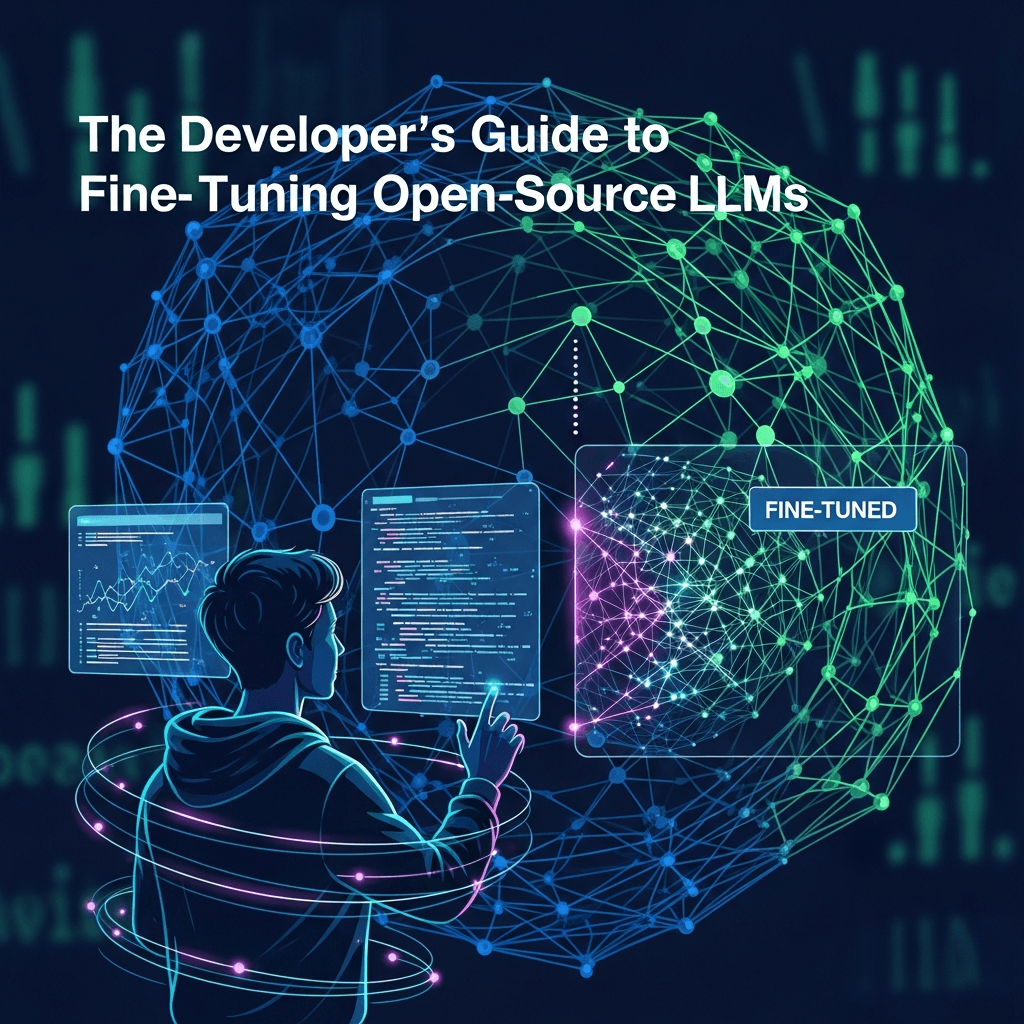
Large Language Models (LLMs) have revolutionized how we interact with AI, offering unprecedented capabilities in natural language understanding and generation. While powerful general-purpose models like GPT-4 or Claude excel at a wide array of tasks, they often fall short when confronted with highly specialized domains, proprietary knowledge, or specific stylistic requirements. This is where fine-tuning open-source LLMs becomes not just an advantage, but a necessity for developers looking to build truly impactful AI applications.
Fine-tuning allows you to adapt a pre-trained LLM to a new, more specific dataset, imbuing it with domain-specific knowledge, jargon, and stylistic nuances. The rise of robust open-source LLMs like Llama 2, Mistral, and Falcon, coupled with accessible tools from Hugging Face and others, has democratized this process, putting the power of customization directly into the hands of developers. This guide will walk you through the essential concepts, strategies, and practical steps for effectively fine-tuning open-source LLMs, transforming them from generalists into specialized experts tailored to your unique needs.
Prerequisites
To get the most out of this guide, a basic understanding of the following is recommended:
- Python Programming: Familiarity with Python syntax and data structures.
- Machine Learning Concepts: Grasp of training, validation, overfitting, and basic neural network architecture.
- Deep Learning Frameworks: Exposure to PyTorch or TensorFlow (PyTorch will be primarily used in examples).
- Hugging Face
transformersLibrary: Basic knowledge of how to load models and tokenizers. - GPU Access: Fine-tuning LLMs is computationally intensive and typically requires access to one or more GPUs.
1. Why Fine-Tune Open-Source LLMs?
While powerful proprietary LLMs are available via APIs, fine-tuning open-source models offers several compelling advantages:
- Domain Specificity: General models lack the nuanced understanding of niche industries (e.g., legal, medical, financial). Fine-tuning injects this specific knowledge.
- Cost Efficiency: Running inference on self-hosted fine-tuned models can be significantly cheaper than repeated API calls to proprietary models, especially at scale. Training costs can also be optimized.
- Data Privacy and Security: For sensitive data, fine-tuning on your own infrastructure ensures data never leaves your control, addressing critical compliance and privacy concerns.
- Control and Customization: You have full control over the model's architecture (within limits), training process, and deployment environment. This allows for deeper customization and experimentation.
- Reduced Latency: Hosting models locally or on private cloud instances can lead to lower inference latency compared to remote API calls.
- Innovation and Research: Open-source models facilitate research and allow developers to experiment with novel architectures, training techniques, and applications without proprietary restrictions.
2. Understanding Different Fine-Tuning Strategies
Fine-tuning isn't a one-size-fits-all approach. Different strategies offer trade-offs in terms of computational cost, memory footprint, and performance.
-
Full Fine-Tuning: This involves updating all parameters of the pre-trained LLM with your new dataset. It's the most computationally expensive and memory-intensive method, requiring significant GPU resources. While it can yield the best performance, it's often impractical for very large LLMs due to hardware constraints.
-
Parameter-Efficient Fine-Tuning (PEFT): This family of techniques aims to achieve comparable performance to full fine-tuning while only updating a small fraction of the model's parameters. This dramatically reduces computational cost and memory usage, making fine-tuning large LLMs feasible on consumer-grade GPUs.
- LoRA (Low-Rank Adaptation): One of the most popular PEFT methods. LoRA injects small, trainable matrices (adapters) into the transformer architecture. During fine-tuning, only these low-rank matrices are updated, while the original pre-trained weights remain frozen. This significantly reduces the number of trainable parameters.
- QLoRA (Quantized LoRA): An extension of LoRA that quantizes the pre-trained LLM to 4-bit precision during fine-tuning. This further reduces memory footprint, allowing even larger models to be fine-tuned on more modest hardware. The LoRA adapters are still trained in higher precision.
- Adapter Tuning: Involves adding small, task-specific neural network layers (adapters) between existing layers of the pre-trained model. Only these adapter layers are trained.
3. Choosing the Right Open-Source LLM
The landscape of open-source LLMs is rapidly evolving. When selecting a base model, consider:
- Model Size: Larger models (e.g., 70B parameters) generally perform better but require more resources. Smaller models (e.g., 7B, 13B) are more manageable for fine-tuning on single GPUs.
- Architecture: Models like Llama, Mistral, and Falcon have distinct architectures. While the core transformer block is similar, specifics can influence performance and fine-tuning behavior.
- Base Performance: Evaluate the model's general capabilities on standard benchmarks (e.g., MMLU, Hellaswag) before fine-tuning. A stronger base model usually leads to a stronger fine-tuned model.
- License: Ensure the model's license (e.g., Apache 2.0, Llama 2 Community License) is compatible with your intended use case (commercial, research, etc.).
- Community Support: Models with active communities (e.g., Llama, Mistral) often have better documentation, tools, and support.
Popular choices include:
- Llama 2 (Meta): Available in various sizes (7B, 13B, 70B), strong performance, good for general tasks. Requires specific community license.
- Mistral (Mistral AI): Known for its efficiency and strong performance for its size (7B, 8x7B Mixtral), often outperforms larger Llama 2 models on certain benchmarks. Apache 2.0 license.
- Falcon (TII): Another strong contender, available in 7B, 40B models. Apache 2.0 license.
4. Data Preparation: The Foundation of Success
High-quality, well-formatted data is the single most critical factor for successful fine-tuning. Poor data will lead to a poor model, regardless of your fine-tuning technique.
- Data Collection: Gather relevant domain-specific text. This could be internal documents, customer interactions, specialized articles, or curated datasets.
- Data Cleaning: Remove noise, duplicates, personally identifiable information (PII), and irrelevant content. Correct grammatical errors and inconsistencies.
- Data Formatting (Instruction Tuning): For most modern LLMs, instruction-tuning format is preferred. This involves structuring your data as prompt-response pairs, often with system messages to define the AI's persona or task. A common format looks like this:
Many models (e.g., Llama 2, Mistral) use specific chat templates. It's crucial to format your data to match the template the base model was trained with. For example, Llama 2 often usesjson
[ { "instruction": "Explain the concept of quantum entanglement in simple terms.", "input": "", "output": "Quantum entanglement is a phenomenon in quantum mechanics where two or more particles become linked in such a way that they share the same fate, regardless of the distance between them..." }, { "instruction": "Summarize the key points of the latest financial report.", "input": "[Full text of financial report]", "output": "The company reported a 15% increase in revenue, driven by strong sales in the EMEA region. Net profit increased by 10%..." } ][INST] {prompt} [/INST]. - Tokenization: The process of converting text into numerical tokens that the model can understand. Use the tokenizer associated with your chosen base model to ensure consistency. Ensure proper handling of special tokens (e.g.,
<s>,</s>,<unk>). - Splitting Data: Divide your dataset into training, validation, and optionally test sets (e.g., 80% training, 10% validation, 10% test). The validation set is crucial for monitoring performance and preventing overfitting.
5. Setting Up Your Environment
Before diving into code, ensure your environment is correctly configured.
- Hardware: A GPU with at least 16GB VRAM is recommended for 7B models using QLoRA. For larger models or full fine-tuning, more VRAM or multiple GPUs will be necessary.
- Python Environment: Create a virtual environment.
bash
python -m venv llm_finetune_env source llm_finetune_env/bin/activate - Install Libraries: Install necessary packages.
bash
pip install torch transformers peft trl bitsandbytes accelerate datasets scikit-learntorch: The deep learning framework.transformers: Hugging Face's library for pre-trained models.peft: Parameter-Efficient Fine-Tuning library.trl: Transformer Reinforcement Learning library, useful for SFT (Supervised Fine-Tuning) and RLHF.bitsandbytes: For 4-bit quantization (QLoRA).accelerate: Simplifies distributed training and mixed precision.datasets: Hugging Face's library for loading and processing datasets.scikit-learn: For evaluation metrics.
6. Full Fine-Tuning (Conceptual & Challenges)
While we'll focus on PEFT, it's important to understand full fine-tuning. In this approach, every single parameter of the pre-trained LLM is updated during training. This requires:
- Massive GPU Memory: Even a 7B parameter model (which has billions of parameters) requires tens of gigabytes of VRAM to store model weights, gradients, and optimizer states.
- Long Training Times: Updating all parameters takes significantly longer.
- Risk of Catastrophic Forgetting: Without careful regularization, the model might "forget" its general knowledge learned during pre-training and overfit to the new, smaller dataset.
Due to these challenges, full fine-tuning is typically reserved for research purposes or when you have extremely large, high-quality datasets and substantial computational resources.
7. Parameter-Efficient Fine-Tuning (PEFT) with LoRA
LoRA is a game-changer for fine-tuning LLMs. It works by freezing the original pre-trained model weights and injecting small, trainable rank-decomposition matrices into each layer of the Transformer architecture. These low-rank matrices (adapters) are then fine-tuned for the specific task.
How LoRA Works:
Instead of directly updating a weight matrix W, LoRA approximates its update ΔW by a low-rank decomposition BA, where B and A are much smaller matrices. The forward pass becomes h = Wx + BAx. Only B and A are trained, drastically reducing the number of trainable parameters.
Code Example 1: Basic LoRA Setup
Here's how to configure LoRA using the peft library with a transformers model:
from transformers import AutoModelForCausalLM, AutoTokenizer, BitsAndBytesConfig
from peft import LoraConfig, get_peft_model, prepare_model_for_kbit_training
import torch

# 1. Load a pre-trained model and tokenizer
model_id = "TinyLlama/TinyLlama-1.1B-Chat-v1.0" # Example: Use a small model for illustration
tokenizer = AutoTokenizer.from_pretrained(model_id)

# Ensure pad_token is set for causal LMs, often missing in chat models
if tokenizer.pad_token is None:
    tokenizer.pad_token = tokenizer.eos_token # Or another suitable token

# 2. Configure 4-bit quantization (Optional, but good for memory)
# This is a prerequisite for QLoRA, but can be used with standard LoRA too for memory savings
quantization_config = BitsAndBytesConfig(
    load_in_4bit=True,
    bnb_4bit_quant_type="nf4", # Normalized Float 4
    bnb_4bit_compute_dtype=torch.bfloat16,
    bnb_4bit_use_double_quant=True,
)

model = AutoModelForCausalLM.from_pretrained(
    model_id,
    quantization_config=quantization_config, # Apply quantization
    device_map="auto" # Automatically map model to available devices
)

# 3. Prepare model for k-bit training (important for QLoRA)
# This casts the layer norms to float32 and enables gradient checkpointing
model = prepare_model_for_kbit_training(model)

# 4. Configure LoRA parameters
lora_config = LoraConfig(
    r=16, # LoRA attention dimension (rank)
    lora_alpha=32, # Alpha parameter for LoRA scaling
    target_modules=["q_proj", "k_proj", "v_proj", "o_proj"], # Modules to apply LoRA to
    lora_dropout=0.05, # Dropout probability for LoRA layers
    bias="none", # Do not fine-tune bias weights
    task_type="CAUSAL_LM", # Task type
)

# 5. Get PEFT model
model = get_peft_model(model, lora_config)
model.print_trainable_parameters() # See how many parameters are now trainable

# Output will show a small fraction of the total parameters are trainable
# e.g., trainable params: 1,572,864 || all params: 1,100,000,000 || trainable%: 0.143

print("Model ready for LoRA fine-tuning!")
8. Quantization with QLoRA for Memory Efficiency
QLoRA takes LoRA a step further by quantizing the pre-trained LLM weights to 4-bit NormalFloat (NF4) data type. This drastically reduces the memory footprint of the base model, allowing you to fine-tune much larger models on consumer-grade GPUs (e.g., a 70B model with 48GB VRAM or even 13B on 24GB VRAM).
Key aspects of QLoRA:
- 4-bit Quantization: The base model weights are loaded in 4-bit precision.
- Double Quantization: An additional quantization step applied to the quantization constants themselves, saving even more memory.
- Paged Optimizers: QLoRA uses paged optimizers to manage memory spikes during training by offloading optimizer states to CPU RAM when GPU memory is low.
- LoRA Adapters in Higher Precision: The small LoRA adapters are still trained in a higher precision (e.g.,
bfloat16orfloat16) to maintain training stability and performance.
Code Example 2: QLoRA Setup
The setup for QLoRA is very similar to LoRA, leveraging BitsAndBytesConfig and prepare_model_for_kbit_training:
from transformers import AutoModelForCausalLM, AutoTokenizer, BitsAndBytesConfig
from peft import LoraConfig, get_peft_model, prepare_model_for_kbit_training
import torch

model_id = "mistralai/Mistral-7B-v0.1" # A more substantial model for QLoRA
tokenizer = AutoTokenizer.from_pretrained(model_id)
if tokenizer.pad_token is None:
    tokenizer.pad_token = tokenizer.eos_token

# QLoRA specific configuration
quantization_config = BitsAndBytesConfig(
    load_in_4bit=True, # Enable 4-bit quantization
    bnb_4bit_quant_type="nf4", # Use NF4 quantization type
    bnb_4bit_compute_dtype=torch.bfloat16, # Compute type for activations
    bnb_4bit_use_double_quant=True, # Enable double quantization
)

model = AutoModelForCausalLM.from_pretrained(
    model_id,
    quantization_config=quantization_config,
    torch_dtype=torch.bfloat16, # Model weights loaded as bfloat16 for computation
    device_map="auto"
)

model = prepare_model_for_kbit_training(model) # Essential for QLoRA

lora_config = LoraConfig(
    r=8,
    lora_alpha=16,
    target_modules=["q_proj", "k_proj", "v_proj", "o_proj", "gate_proj", "up_proj", "down_proj"], # Mistral specific modules
    lora_dropout=0.1,
    bias="none",
    task_type="CAUSAL_LM"
)

model = get_peft_model(model, lora_config)
model.print_trainable_parameters()

print("Model ready for QLoRA fine-tuning!")
9. Training and Evaluation
Once your model and data are prepared, the next step is training. The transformers Trainer API or the trl SFTTrainer (Supervised Fine-Tuning Trainer) simplifies this process.
Key Training Parameters:
- Learning Rate: Crucial for convergence. Typically smaller for fine-tuning than pre-training (e.g.,
1e-5to5e-5). - Batch Size: Limited by GPU memory. With QLoRA, larger batch sizes are possible.
- Epochs: Number of passes over the entire dataset. Start with a few (1-3) to avoid overfitting.
- Gradient Accumulation: Allows simulating larger batch sizes by accumulating gradients over several smaller batches before performing an optimizer step.
- Optimizer: AdamW is a common choice.
- Weight Decay: Regularization to prevent overfitting.
- Warmup Steps/Ratio: Gradually increases the learning rate at the beginning of training.
Code Example 3: Training Script Structure with SFTTrainer
from datasets import load_dataset
from transformers import TrainingArguments
from trl import SFTTrainer
import os

# Assuming 'model' and 'tokenizer' are already set up from previous QLoRA example

# 1. Load your dataset (replace with your actual data path)
# Example: A simple instruction dataset
dataset = load_dataset("json", data_files="your_instruction_data.jsonl", split="train")

# Function to format data into chat template (if needed)
def formatting_func(example):
    # This needs to match the specific model's chat template
    # For Llama-2: "[INST] {instruction}\n{input} [/INST] {output}"
    # For Mistral: "<s>[INST] {instruction}\n{input} [/INST]{output}</s>"
    text = f"<s>[INST] {example['instruction']}\n{example['input']} [/INST]{example['output']}</s>"
    return {"text": text}

# Apply formatting if your dataset isn't already in the desired chat format
# dataset = dataset.map(formatting_func, remove_columns=dataset.column_names)

# 2. Define Training Arguments
output_dir = "./results_mistral_finetune"
training_args = TrainingArguments(
    output_dir=output_dir,
    per_device_train_batch_size=4, # Adjust based on GPU memory
    gradient_accumulation_steps=2, # Effectively batch size of 4 * 2 = 8
    learning_rate=2e-4,
    logging_steps=10,
    max_steps=500, # Or num_train_epochs=3
    save_strategy="steps",
    save_steps=100,
    optim="paged_adamw_8bit", # QLoRA specific optimizer
    lr_scheduler_type="cosine",
    warmup_ratio=0.03,
    fp16=False, # Set to True if your GPU supports it and not using bfloat16
    bf16=True, # Recommended for QLoRA with modern GPUs (NVIDIA Ampere+)
    report_to="tensorboard", # Integrate with TensorBoard for logging
    push_to_hub=False, # Set to True to push to Hugging Face Hub
)

# 3. Initialize SFTTrainer
trainer = SFTTrainer(
    model=model,
    train_dataset=dataset,
    peft_config=lora_config, # Pass the LoRA config
    dataset_text_field="text", # Name of the column containing the formatted text
    tokenizer=tokenizer,
    args=training_args,
    max_seq_length=512, # Max input length. Truncates longer sequences.
    packing=False, # Set to True for more efficient packing of short sequences
)

# 4. Start Training
trainer.train()

# 5. Save the fine-tuned adapter weights
trainer.save_model(os.path.join(output_dir, "final_checkpoint"))

print("Fine-tuning complete!")
Evaluation Metrics:
- Perplexity: A common metric for language models, measuring how well the model predicts a sample. Lower is better.
- Task-Specific Metrics: For specific tasks, use appropriate metrics (e.g., F1-score for classification, ROUGE for summarization, BLEU for translation).
- Human Evaluation: The ultimate test. Have human evaluators assess the quality, relevance, and fluency of the model's outputs.
10. Deployment and Inference
After fine-tuning, you'll want to use your model for inference.
Saving and Loading the Model:
When using PEFT, you typically save only the small adapter weights. To load the full fine-tuned model, you reload the base model and then merge the adapters.
from transformers import AutoModelForCausalLM, AutoTokenizer, BitsAndBytesConfig
from peft import PeftModel
import torch

# 1. Load the base model (potentially in 4-bit again for inference memory savings)
model_id = "mistralai/Mistral-7B-v0.1"

# If you used QLoRA, load base model with same quantization config
quantization_config = BitsAndBytesConfig(
    load_in_4bit=True,
    bnb_4bit_quant_type="nf4",
    bnb_4bit_compute_dtype=torch.bfloat16,
    bnb_4bit_use_double_quant=True,
)

base_model = AutoModelForCausalLM.from_pretrained(
    model_id,
    quantization_config=quantization_config, # For QLoRA inference
    torch_dtype=torch.bfloat16,
    device_map="auto"
)

# 2. Load the tokenizer
tokenizer = AutoTokenizer.from_pretrained(model_id)
if tokenizer.pad_token is None:
    tokenizer.pad_token = tokenizer.eos_token

# 3. Load the fine-tuned adapter weights
adapter_path = "./results_mistral_finetune/final_checkpoint"
model = PeftModel.from_pretrained(base_model, adapter_path)

# 4. (Optional) Merge LoRA adapters into the base model for a single, deployable model
# This makes the model a standard Hugging Face model, no longer requiring PEFT library for inference
# Be careful: This increases memory usage as it converts 4-bit base model to bfloat16/float16
# Only do this if you have enough VRAM for the full model
# model = model.merge_and_unload()

# 5. Set model to evaluation mode
model.eval()

print("Fine-tuned model loaded for inference!")

# Inference Example
def generate_response(prompt_text, model, tokenizer, max_new_tokens=200):
    # Format the prompt according to the model's chat template
    formatted_prompt = f"<s>[INST] {prompt_text} [/INST]"
    inputs = tokenizer(formatted_prompt, return_tensors="pt").to(model.device)

    with torch.no_grad():
        outputs = model.generate(
            **inputs,
            max_new_tokens=max_new_tokens,
            do_sample=True,
            temperature=0.7,
            top_k=50,
            top_p=0.95,
            eos_token_id=tokenizer.eos_token_id
        )

    response = tokenizer.decode(outputs[0][inputs.input_ids.shape[1]:], skip_special_tokens=True)
    return response

user_query = "Explain the concept of 'zero-shot learning' in AI."
response = generate_response(user_query, model, tokenizer)
print(f"User: {user_query}")
print(f"AI: {response}")
Serving the Model:
- Hugging Face
text-generation-inference: A robust, optimized solution for serving LLMs with features like continuous batching, quantization, and multiple backends. - vLLM: Another high-throughput inference engine for LLMs.
- Custom API: Wrap your model in a Flask/FastAPI application for custom deployment.
- Cloud Services: Utilize services like AWS SageMaker, Google Cloud Vertex AI, or Azure ML for managed deployment.
11. Best Practices for Fine-Tuning
- Start Small: Begin with a smaller model and a smaller dataset to quickly iterate and validate your pipeline before scaling up.
- High-Quality Data is Paramount: Focus on cleaning, augmenting, and diversifying your training data. Garbage in, garbage out.
- Match Data Format: Ensure your fine-tuning data strictly adheres to the format the base LLM was pre-trained on (e.g., chat templates).
- Hyperparameter Tuning: Experiment with learning rates,
randalphafor LoRA, batch sizes, and optimizer settings. Tools like Weights & Biases or MLflow can help track experiments. - Monitor for Overfitting: Use a validation set and metrics like perplexity to detect if your model is memorizing the training data rather than generalizing.
- Gradient Checkpointing: A memory-saving technique that recomputes activations during the backward pass, reducing memory footprint at the cost of slight speed reduction.
- Iterative Refinement: Fine-tuning is rarely a one-shot process. Collect feedback, analyze errors, refine your data, and re-train.
- Responsible AI: Be mindful of biases in your data and potential for model misuse. Implement safety measures and content moderation where necessary.
12. Common Pitfalls and How to Avoid Them
- Insufficient Data: Too little data will lead to the model not learning enough or overfitting easily. Aim for thousands to tens of thousands of high-quality examples.
- Solution: Data augmentation, synthetic data generation (carefully!), or collecting more real-world data.
- Poor Data Quality: Inconsistent formatting, errors, or noisy data will degrade performance.
- Solution: Rigorous data cleaning, manual review of samples, and establishing clear data annotation guidelines.
- Catastrophic Forgetting: The model loses its general capabilities after fine-tuning on a narrow dataset.
- Solution: Use PEFT methods (which inherently mitigate this), mix in some general-purpose data, or use techniques like Elastic Weight Consolidation (EWC) (more advanced).
- Overfitting: The model performs well on training data but poorly on unseen data.
- Solution: Monitor validation loss, early stopping, increase dropout, reduce
lora_alpha, use more diverse data, reduce training epochs.
- Solution: Monitor validation loss, early stopping, increase dropout, reduce
- Hardware Limitations: Running out of GPU memory or having excessively long training times.
- Solution: Use QLoRA, gradient accumulation, reduce
max_seq_length, reduceper_device_train_batch_size, consider a smaller base model, or upgrade hardware.
- Solution: Use QLoRA, gradient accumulation, reduce
- Incorrect Prompt Formatting: If your inference prompts don't match the format used during fine-tuning (e.g., chat templates), the model will perform poorly.
- Solution: Strictly adhere to the model's expected prompt format during both training and inference.
Conclusion
Fine-tuning open-source LLMs is a powerful capability for developers looking to build intelligent applications tailored to specific domains and use cases. By leveraging techniques like LoRA and QLoRA, you can efficiently adapt even large models to your proprietary data, unlocking new levels of performance and control previously accessible only with immense resources.
This guide has provided a comprehensive overview, from understanding the 'why' behind fine-tuning to practical code examples for setting up your environment, preparing data, training with PEFT, and deploying your specialized LLM. Remember that success hinges on high-quality data and an iterative approach to training and evaluation. As the open-source LLM ecosystem continues to evolve, mastering these techniques will be a cornerstone of building the next generation of AI-powered solutions. Start experimenting, iterate on your data and models, and bring your unique AI vision to life!

Written by
CodewithYohaFull-Stack Software Engineer with 7+ years of experience in Java, Spring Boot, and cloud architecture across AWS, Azure, and GCP. Writing production-grade engineering patterns for developers who ship real software.