Introduction
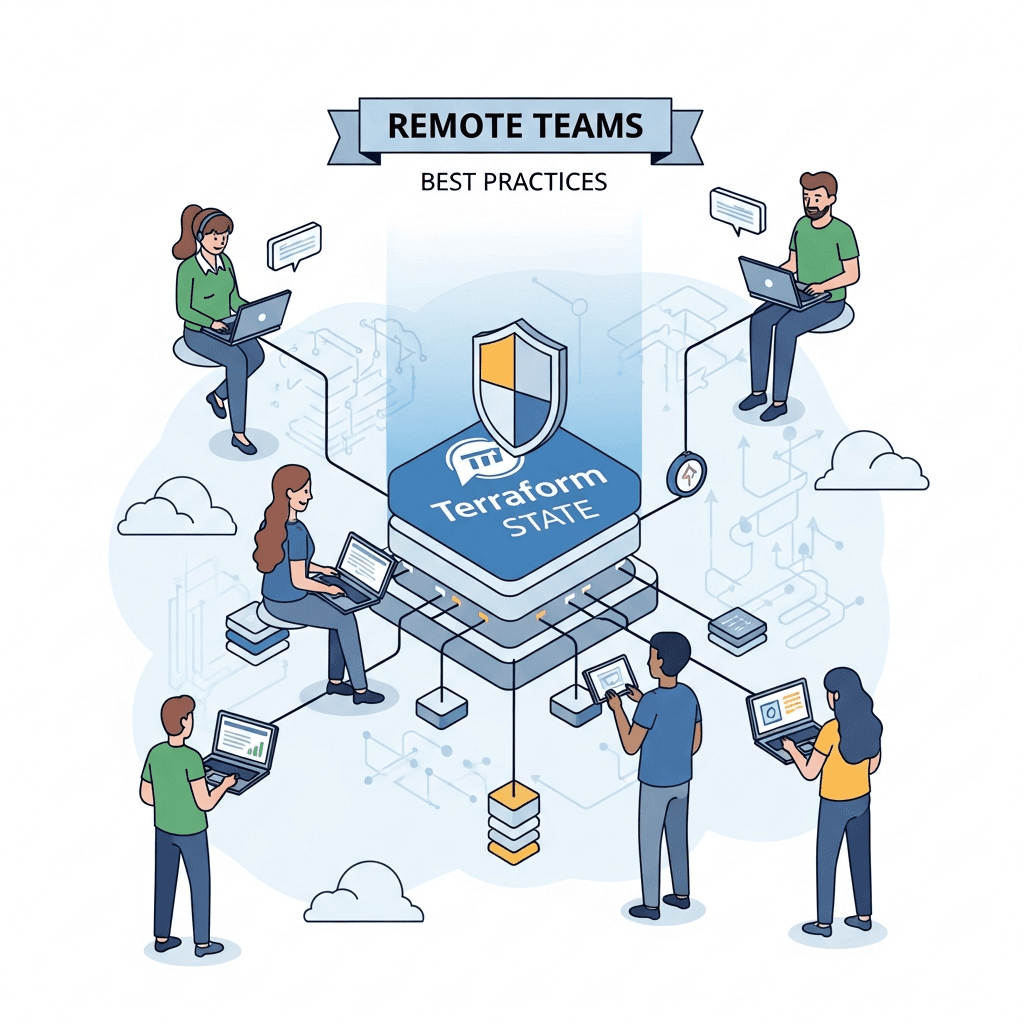
In the era of distributed workforces, remote teams have become the norm, bringing both flexibility and unique challenges. When it comes to managing infrastructure as code (IaC) with tools like Terraform, one of the most critical and often misunderstood aspects is state management. Terraform's state file is the linchpin that connects your configuration to your real-world infrastructure, acting as a source of truth for all deployed resources. For a single developer, managing a local state file might be sufficient. However, for remote teams collaborating on the same infrastructure, a local state file is a recipe for disaster, leading to conflicts, data loss, and inconsistent deployments.
This comprehensive guide will demystify Terraform state management for remote teams, providing a deep dive into best practices, common pitfalls, and practical solutions. We'll explore how to leverage remote backends, implement robust locking mechanisms, ensure security, and integrate with CI/CD pipelines to build a resilient and collaborative IaC workflow.
Prerequisites
To get the most out of this guide, you should have:
- A basic understanding of Terraform concepts (resources, providers, modules).
- Familiarity with command-line interfaces.
- An account with a cloud provider (AWS, Azure, GCP) to follow along with backend examples.
- Terraform CLI installed on your local machine.
1. Understanding Terraform State
Before diving into best practices, let's firmly grasp what Terraform state is and why it's so critical. The Terraform state file (terraform.tfstate) is a JSON document that records the state of your infrastructure at the point it was last applied. It contains:
- Mapping: A mapping between your Terraform configuration and the real resources it manages.
- Metadata: Attributes of your resources, such as IDs, IP addresses, and other configurations.
- Dependencies: Information about resource dependencies.
Terraform uses this state file to:
- Plan changes: Determine what changes need to be made to reach the desired state defined in your configuration.
- Track resources: Know which resources it created and which it manages.
- Improve performance: Avoid re-creating resources that already exist.
Without a correctly managed state file, Terraform would be unable to reliably manage your infrastructure, leading to potential resource duplication, deletion of critical resources, or inconsistent environments.
2. The Challenge of Remote State for Teams
For a single developer working in isolation, storing the terraform.tfstate file locally might seem convenient. However, this approach quickly breaks down in a team environment, especially for remote teams. Imagine multiple team members simultaneously running terraform apply with their local state files. This can lead to:
- State Conflicts: Each team member's local state might not reflect the latest changes applied by others, leading to
terraform applyoperations that overwrite or conflict with concurrent changes. - Inconsistent Deployments: Different team members might have different versions of the state, resulting in varied infrastructure states across environments.
- Data Loss: If a local machine fails or is lost, the state file (and thus the knowledge of the infrastructure) could be lost.
- Lack of Auditability: No central record of who changed what and when.
These challenges highlight the absolute necessity of a remote state backend for collaborative Terraform development.
3. Configuring Remote Backends
A remote backend stores your Terraform state file in a shared, persistent, and accessible location, rather than locally. This is the foundational step for enabling collaborative Terraform development for remote teams. Popular choices include cloud storage services like AWS S3, Azure Blob Storage, Google Cloud Storage, or dedicated services like Terraform Cloud/Enterprise.
Here's an example of configuring an AWS S3 backend:
terraform {
  backend "s3" {
    bucket         = "my-terraform-state-bucket-12345"
    key            = "prod/vpc/terraform.tfstate"
    region         = "us-east-1"
    encrypt        = true
    dynamodb_table = "terraform-state-locking"
  }
}

resource "aws_s3_bucket" "state_bucket" {
  bucket = "my-terraform-state-bucket-12345"
  acl    = "private"

  versioning {
    enabled = true
  }

  server_side_encryption_configuration {
    rule {
      apply_server_side_encryption_by_default {
        sse_algorithm = "AES256"
      }
    }
  }

  tags = {
    Name        = "Terraform State Bucket"
    Environment = "Production"
  }
}

resource "aws_dynamodb_table" "state_locking" {
  name           = "terraform-state-locking"
  billing_mode   = "PAY_PER_REQUEST"
  hash_key       = "LockID"

  attribute {
    name = "LockID"
    type = "S"
  }

  tags = {
    Name        = "Terraform State Locking Table"
    Environment = "Production"
  }
}
Explanation:
- The
backend "s3"block tells Terraform to use S3 for state storage. bucket: The name of your S3 bucket. This bucket must exist before you runterraform init.key: The path within the bucket where the state file will be stored. This allows for organizing state files for different environments or components.region: The AWS region where your S3 bucket resides.encrypt: Ensures the state file is encrypted at rest in S3 using AES256.dynamodb_table: Specifies a DynamoDB table for state locking (discussed next).- The
aws_s3_bucketandaws_dynamodb_tableresources are shown here to illustrate how you would create these resources, typically in a separate, foundational Terraform configuration, before using them as a backend for other configurations.
After defining your backend, run terraform init. Terraform will detect the backend configuration and prompt you to migrate your local state (if any) to the remote backend. Subsequent operations will automatically use the remote state.
4. State Locking for Concurrency Control
Even with a remote backend, concurrent terraform apply operations from different team members can still lead to race conditions and state corruption. This is where state locking comes in. State locking prevents multiple users from modifying the state file simultaneously.
When a Terraform operation (like plan or apply) starts, it attempts to acquire a lock on the state. If successful, it proceeds; if not, it waits until the lock is released or errors out. Most remote backends offer built-in locking mechanisms:
- AWS S3: Requires an Amazon DynamoDB table. Terraform uses an entry in this table to manage locks.
- Azure Blob Storage: Uses leases on blobs for locking.
- Google Cloud Storage: Uses object preconditions for locking.
- Terraform Cloud/Enterprise: Provides robust, centralized locking.
Example (AWS S3 with DynamoDB):
The previous S3 backend configuration already included dynamodb_table = "terraform-state-locking". This tells Terraform to use the specified DynamoDB table for locking. You must create this DynamoDB table beforehand, with LockID as the primary key. The aws_dynamodb_table resource definition in the previous section demonstrates how to create it.
This setup ensures that if two team members try to run terraform apply simultaneously, one will acquire the lock, and the other will wait or fail, preventing state corruption.
5. State Versioning and Rollbacks
Accidental deletions or erroneous apply operations can corrupt your state file. State versioning is a crucial feature that allows you to track changes to your state file over time and revert to previous versions if needed. This provides a safety net for remote teams.
Most cloud storage backends support versioning:
- AWS S3: Enable bucket versioning on your state bucket.
- Azure Blob Storage: Supports blob versioning.
- Google Cloud Storage: Supports object versioning.
Example (AWS S3 Versioning):
In the S3 bucket definition from Section 3, we included:
resource "aws_s3_bucket" "state_bucket" {
  # ... other configurations ...

  versioning {
    enabled = true
  }
}
Once enabled, S3 automatically keeps previous versions of your terraform.tfstate file whenever it's updated. If you need to revert, you can manually download an older version from S3 and replace the current one, or use terraform state pull to retrieve the current state and then terraform state push with a modified local state (use with extreme caution).
6. Terraform Workspaces for Environment Isolation
Terraform workspaces allow you to manage multiple distinct sets of infrastructure using the same Terraform configuration. While often confused with environment management, workspaces are best suited for ephemeral environments or testing branches, rather than long-lived, critical environments like dev, staging, and prod.
When to use workspaces:
- Ephemeral environments: For feature branches or individual developer sandboxes where environments are spun up and torn down frequently.
- Testing different configurations: Quickly test variations of your infrastructure.
When NOT to use workspaces for critical environments:
- State isolation: While workspaces isolate state, they share the same configuration. Accidental changes in one workspace can sometimes affect others if not careful.
- Permissions: Granular IAM policies per environment are harder to enforce.
- Code divergence: Different environments often require slightly different resource configurations or provider versions, which is better managed with separate directories or modules.
Basic Workspace Commands:
# List existing workspaces
terraform workspace list

# Create a new workspace (e.g., "dev")
terraform workspace new dev

# Select an existing workspace
terraform workspace select dev

# Delete a workspace (after deleting its resources)
terraform workspace delete dev
Example using terraform.workspace:
resource "aws_s3_bucket" "my_bucket" {
  bucket = "my-app-${terraform.workspace}-bucket"
  acl    = "private"

  tags = {
    Environment = terraform.workspace
  }
}
In this example, terraform.workspace dynamically sets the bucket name and tag based on the active workspace. For production environments, it's generally recommended to use separate directories or modules, each with its own backend configuration, for clearer separation and more robust access control.
7. Structuring Your Terraform Projects for Remote Teams
A well-defined project structure is vital for remote teams to maintain clarity, reduce conflicts, and scale effectively. There are several common approaches:
- Monorepo vs. Multi-repo: Decide if all your IaC lives in one repository or if different components/environments have their own repos.
- Monorepo: Easier to manage dependencies and global changes. Requires careful branching and review processes.
- Multi-repo: Better isolation, clearer ownership. Can lead to dependency hell if not managed with private module registries.
- Module-driven development: Break down complex infrastructure into reusable, versioned modules. This promotes DRY (Don't Repeat Yourself) principles and allows teams to share components.
Recommended Structure (Multi-repo with Modules):
├── modules/
│   ├── vpc/
│   │   ├── main.tf
│   │   ├── variables.tf
│   │   └── outputs.tf
│   ├── ec2/
│   │   ├── main.tf
│   │   └── variables.tf
│   └── ...
├── environments/
│   ├── dev/
│   │   ├── main.tf
│   │   ├── variables.tf
│   │   └── backend.tf
│   ├── staging/
│   │   ├── main.tf
│   │   ├── variables.tf
│   │   └── backend.tf
│   └── prod/
│       ├── main.tf
│       ├── variables.tf
│       └── backend.tf
└── README.md
Explanation:
modules/: Contains reusable Terraform modules (e.g., VPC, EC2 instance, RDS database). These modules should be self-contained and versioned.environments/: Each subdirectory represents a distinct environment (dev, staging, prod). Each environment has its ownmain.tfto call modules and its ownbackend.tfto configure its unique remote state.
This structure ensures strong isolation between environments, makes it easier to assign ownership, and prevents accidental cross-environment modifications. Remote teams can work on different environments or modules concurrently with minimal conflict.
8. Leveraging Terraform Cloud/Enterprise
For larger or more complex remote teams, HashiCorp Terraform Cloud (SaaS) or Terraform Enterprise (self-hosted) offer advanced features that go beyond open-source Terraform's remote backend capabilities:
- Remote Operations: Terraform Cloud executes
terraform planandterraform applyremotely in a consistent, controlled environment, reducing reliance on individual developer machines and local configurations. - Shared State Management: Centralized, secure state management with built-in locking and versioning.
- Private Module Registry: Easily share and version private modules within your organization, fostering reuse and standardization.
- Run Workflows: Define and automate
plan/applyworkflows, including approval steps. - Policy as Code (Sentinel): Enforce compliance and security policies on your infrastructure changes before they are applied.
- Team and Governance Features: Granular access control, audit logs, and integration with VCS (Version Control Systems).
Terraform Cloud significantly streamlines collaboration for remote teams by centralizing operations, providing a single source of truth for state and configuration, and adding layers of governance and security.
9. Secrets Management with Terraform
Storing sensitive information (API keys, database passwords, private keys) directly in your Terraform configuration or state file is a severe security risk. Even if your state file is encrypted, it's not designed to be a secrets manager.
Best Practices for Secrets Management:
- Avoid storing secrets in state: Never put raw sensitive data directly into
main.tfvariables or outputs that could end up in the state file. - Use dedicated secrets management solutions: Integrate Terraform with tools designed for secrets management:
- HashiCorp Vault: A powerful, open-source secrets management tool.
- AWS Secrets Manager / Parameter Store: For AWS environments.
- Azure Key Vault: For Azure environments.
- Google Cloud Secret Manager: For GCP environments.
Example (Retrieving a secret from AWS Secrets Manager):
data "aws_secretsmanager_secret_version" "db_password" {
  secret_id = "my-database-password"
}

resource "aws_db_instance" "my_db" {
  # ... other configurations ...
  password = data.aws_secretsmanager_secret_version.db_password.secret_string
}
This approach ensures that sensitive data is retrieved at runtime from a secure, dedicated service and is never written into the Terraform state file, enhancing security for remote teams.
10. State File Security and Access Control
Given that the state file contains a complete map of your infrastructure, including potentially sensitive resource attributes (even if secrets are externalized), its security is paramount. For remote teams, this means carefully managing who has access to the backend where the state is stored.
Key Security Measures:
- IAM Policies: Implement strict Identity and Access Management (IAM) policies to control who can read, write, or delete the state file in your chosen backend (e.g., S3 bucket policies, Azure RBAC, GCP IAM).
- Grant least privilege: Users should only have the permissions necessary for their role.
- Separate read/write roles: Consider different roles for
plan(read-only state) andapply(read-write state).
- Encryption at Rest: Ensure your backend storage (S3, Azure Blob, GCS) encrypts the state file at rest. Most cloud providers offer this by default or as an easily configurable option (as shown in the S3 example).
- Encryption in Transit: Use HTTPS/TLS for all communication with the remote backend to protect data during transfer.
- Audit Logging: Enable audit logging for your backend storage to track access and modifications to the state file.
- MFA: Enforce Multi-Factor Authentication for all users accessing the backend.
11. Dealing with State Corruption and Drift
Despite best practices, state corruption or drift can occur. State drift happens when your real infrastructure deviates from what's recorded in your Terraform state, usually due to manual changes outside of Terraform.
Tools and Techniques:
-
terraform refresh: Updates the state file to reflect the current actual state of resources in the cloud. It does not modify infrastructure but updates the state file based on real-world attributes. This is often implicitly run byterraform plan. -
terraform plan: Always runterraform planbeforeterraform applyto review proposed changes. A plan that shows unexpected changes indicates drift. -
terraform import: If resources were created manually,importallows you to bring them under Terraform's management. This is a critical tool for rectifying drift.bash# Example: Importing an existing S3 bucket terraform import aws_s3_bucket.my_existing_bucket my-existing-bucket-name -
terraform state mv: Moves a resource within the state file. Useful when refactoring configurations without destroying and re-creating resources.bash# Example: Moving a resource terraform state mv 'aws_instance.old_name' 'aws_instance.new_name' -
terraform state rm: Removes a resource from the state file without destroying the actual resource. Use with extreme caution. -
terraform taint/terraform untaint: Marks a resource for recreation on the nextapply. Useful if a resource is in a bad state.bashterraform taint aws_instance.example -
Regular Audits: Periodically compare your infrastructure to your Terraform state and configuration using tools like
terraform planand cloud provider native configuration drift detection services.
12. Automation and CI/CD Integration
Integrating Terraform with a Continuous Integration/Continuous Delivery (CI/CD) pipeline is a game-changer for remote teams. It centralizes and automates the plan and apply workflow, reducing human error and ensuring consistency.
Benefits for Remote Teams:
- Consistent Execution Environment: All Terraform operations run in a standardized, controlled environment, eliminating "it works on my machine" issues.
- Automated State Management: The CI/CD system handles
terraform init,plan, andapplyoperations, ensuring the remote state is always correctly accessed and updated. - Mandatory Code Review: Changes are applied only after being merged into a main branch, typically requiring pull request reviews from team members.
- Approval Workflows: Implement manual approval steps for
terraform applyoperations, especially for production environments. - Auditability: CI/CD logs provide a clear audit trail of who approved and deployed what changes.
- Reduced Human Error: Automating repetitive tasks minimizes mistakes.
Example CI/CD Workflow (Conceptual - using GitHub Actions/GitLab CI/Jenkins):
- Developer pushes code: A team member pushes changes to a feature branch.
- Pull Request (PR) opened: A PR is opened against the main branch.
- CI/CD Trigger: The PR triggers a CI/CD pipeline.
terraform init: Initializes the Terraform working directory and backend.terraform plan: Generates an execution plan and posts it as a comment on the PR.- Code Review & Approval: Team members review the code and the
terraform planoutput. If approved, the PR is merged. - Main Branch Merge Trigger: Merging to the main branch triggers a second CI/CD pipeline.
terraform init: Initializes again.terraform apply -auto-approve: Applies the changes to the infrastructure (often with manual approval gate for production).- Notifications: Alerts on success or failure.
This workflow ensures that all infrastructure changes are peer-reviewed, tested, and applied through a controlled, automated process, which is essential for remote team collaboration and maintaining infrastructure integrity.
Best Practices Summary for Remote Teams
- Always use a remote backend: Never rely on local state for shared infrastructure.
- Implement state locking: Prevent concurrent operations and state corruption.
- Enable state versioning: Provide a safety net for rollbacks.
- Structure your projects thoughtfully: Use modules and separate directories for environments.
- Leverage CI/CD: Automate
plan/apply, enforce reviews, and ensure consistency. - Externalize secrets: Never store sensitive data in Terraform state or configuration.
- Implement strong IAM policies: Control access to your state backend with least privilege.
- Monitor for drift: Regularly check for discrepancies between state and reality.
- Consider Terraform Cloud/Enterprise: For enhanced collaboration, governance, and remote operations.
Common Pitfalls to Avoid
- Forgetting
terraform init: Especially after changing backend configuration or switching directories. - Ignoring
terraform planoutput: Always review the plan carefully before applying. - Manual changes outside Terraform: Leads to state drift and conflicts.
- Storing secrets in
tfvarsor state: A major security vulnerability. - Not using state locking: High risk of state corruption in team environments.
- Sharing credentials directly: Use IAM roles or temporary credentials.
- Using
terraform destroycarelessly: Especially in shared environments. Automate destruction where possible in CI/CD for ephemeral environments. - Over-reliance on
terraform workspacefor production: Better to use separate directories/backends for critical environments.
Conclusion
Effective Terraform state management is not just a best practice; it's a fundamental requirement for the success of remote teams building and maintaining infrastructure as code. By meticulously configuring remote backends, implementing robust locking and versioning, adopting a clear project structure, and integrating with CI/CD pipelines, teams can overcome the inherent challenges of distributed development.
Embracing these strategies ensures that your Terraform deployments are consistent, secure, auditable, and collaborative. As your infrastructure grows in complexity and your team expands, a solid foundation in state management will be the bedrock of your IaC success, empowering your remote team to build and scale with confidence.

Written by
CodewithYohaFull-Stack Software Engineer with 7+ years of experience in Java, Spring Boot, and cloud architecture across AWS, Azure, and GCP. Writing production-grade engineering patterns for developers who ship real software.