Introduction
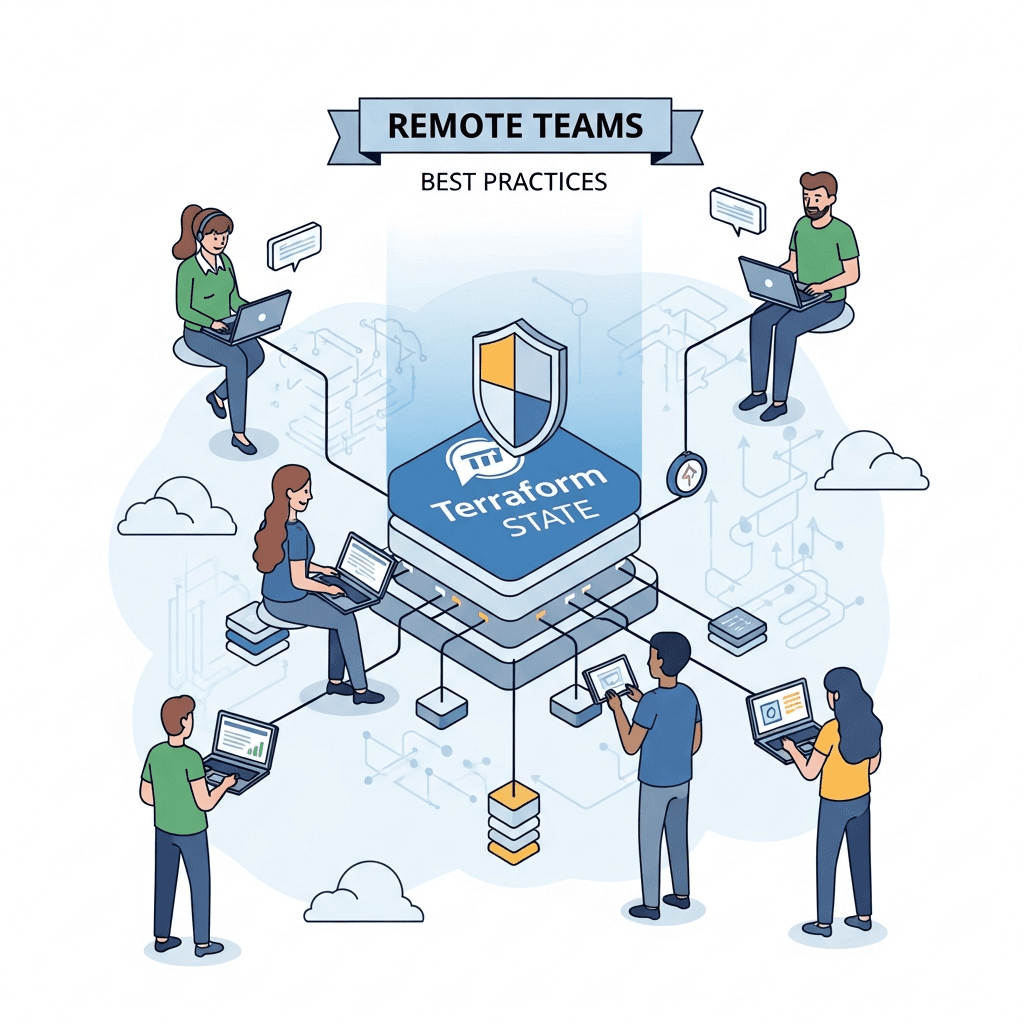
Infrastructure as Code (IaC) has become the cornerstone of modern cloud infrastructure provisioning and management. Among the leading IaC tools, Terraform stands out for its declarative approach to defining and deploying infrastructure across various cloud providers. While Terraform simplifies infrastructure management significantly, its core mechanism – the Terraform state file – introduces unique challenges, especially for remote and distributed teams.
The Terraform state file is a crucial component that maps your configuration to real-world resources. It tracks metadata, resource dependencies, and the current state of your infrastructure. Without proper state management, remote teams can face issues ranging from accidental resource deletion and configuration drift to significant collaboration bottlenecks and security vulnerabilities. This comprehensive guide will delve into the best practices for managing Terraform state effectively in a remote team setting, ensuring consistency, security, and seamless collaboration.
Prerequisites
To get the most out of this guide, you should have:
- A foundational understanding of Terraform concepts (resources, providers, modules).
- Familiarity with a cloud provider (e.g., AWS, Azure, GCP).
- Basic knowledge of version control systems, particularly Git.
Understanding Terraform State
At its heart, Terraform state is a snapshot of your infrastructure's current configuration. It's how Terraform knows what resources exist, their current attributes, and how they relate to your Terraform configuration files. When you run terraform apply, Terraform consults the state file to determine what changes need to be made to achieve the desired state defined in your .tf files.
Why is it Crucial?
- Mapping Real Resources: The state file acts as a bridge, mapping the logical resources in your configuration to the physical resources in your cloud provider.
- Performance: It caches resource attributes, reducing the need for constant API calls to the cloud provider.
- Dependency Tracking: Terraform uses the state to understand resource dependencies, ensuring resources are created and destroyed in the correct order.
- Managing Metadata: It stores metadata about your infrastructure that isn't directly exposed by the cloud provider APIs.
Local vs. Remote State
By default, Terraform stores its state locally in a file named terraform.tfstate. While this works for individual developers experimenting with Terraform, it's a significant bottleneck for teams:
- Collaboration Issues: Each team member has their own local state, leading to conflicts, overwrites, and inconsistent views of the infrastructure.
- Risk of Loss: If a developer's machine fails, the state file is lost, potentially leading to infrastructure drift or unmanageable resources.
- Security: Local state files can contain sensitive information and are not easily protected or audited.
This is where remote state comes in.
The Imperative of Remote State Backends
For any team, especially remote ones, using a remote state backend is not merely a best practice; it's a fundamental requirement. Remote backends store the terraform.tfstate file in a shared, persistent, and typically versioned storage location, accessible by all team members.
Why Remote State is Non-Negotiable:
- Centralization: All team members work against a single source of truth for the infrastructure's state.
- Consistency: Prevents configuration drift and ensures everyone has the same understanding of the deployed resources.
- Durability: State files are stored in highly available and durable storage, mitigating loss risks.
- State Locking: Crucial for preventing race conditions and concurrent modifications.
- Security: Centralized storage allows for better access control, encryption, and auditing.
Common Remote Backends:
- AWS S3: Highly popular, durable, scalable, and integrates well with DynamoDB for locking.
- Azure Blob Storage: Microsoft Azure's equivalent, often used with Azure Table Storage for locking.
- Google Cloud Storage (GCS): Google Cloud's object storage, with built-in locking.
- HashiCorp Cloud/Enterprise: Offers a managed remote state backend with advanced features like remote operations, policy enforcement, and private module registry.
- Gitlab/GitHub: Some CI/CD platforms offer built-in state management features.
Configuring Remote State (Example: AWS S3)
Let's walk through configuring AWS S3 as a remote backend. This typically involves an S3 bucket for storing the state file and a DynamoDB table for state locking.
First, you need to create these resources, ideally with Terraform itself in a separate, bootstrap configuration.
# backend-setup.tf

resource "aws_s3_bucket" "terraform_state" {
  bucket = "my-team-terraform-state-bucket-12345" # Must be globally unique

  # Enable versioning for state history and recovery
  versioning {
    enabled = true
  }

  # Server-Side Encryption (SSE-S3) for data at rest
  server_side_encryption_configuration {
    rule {
      apply_server_side_encryption_by_default {
        sse_algorithm = "AES256"
      }
    }
  }

  # Block public access for security
  acl = "private"

  tags = {
    Name        = "Terraform State Bucket"
    Environment = "Shared"
  }
}

resource "aws_dynamodb_table" "terraform_locks" {
  name           = "my-team-terraform-locks"
  billing_mode   = "PAY_PER_REQUEST"
  hash_key       = "LockID"

  attribute {
    name = "LockID"
    type = "S"
  }

  tags = {
    Name        = "Terraform State Lock Table"
    Environment = "Shared"
  }
}

output "s3_bucket_id" {
  value = aws_s3_bucket.terraform_state.id
}

output "dynamodb_table_name" {
  value = aws_dynamodb_table.terraform_locks.name
}
After applying this bootstrap configuration, you can configure your main Terraform project to use this remote backend. This is typically done in a backend.tf or main.tf file within your project's root.
# main.tf or backend.tf in your main project

terraform {
  backend "s3" {
    bucket         = "my-team-terraform-state-bucket-12345"
    key            = "path/to/my/environment/terraform.tfstate" # Unique key for this state file
    region         = "us-east-1"
    encrypt        = true # Ensures SSE-S3 is used
    dynamodb_table = "my-team-terraform-locks" # For state locking
  }
}

# ... your resource definitions ...
After defining the backend, run terraform init. Terraform will detect the backend configuration and prompt you to migrate your local state (if any) to the remote backend. Subsequent terraform plan and terraform apply commands will automatically use the remote state.
State Locking for Concurrency Control
Imagine two team members, Alice and Bob, simultaneously attempting to apply changes to the same infrastructure. Without state locking, both might read the same state file, make their changes, and then try to write back, leading to a "race condition." One person's changes could overwrite the other's, or worse, lead to corrupted infrastructure.
State locking prevents this by ensuring that only one terraform apply operation can modify the state at a time. When an operation begins, it acquires a lock on the state file. Other operations attempting to modify the state will wait until the lock is released or fail.
- AWS S3 Backend: Relies on a DynamoDB table. The
dynamodb_tableargument in the backend configuration is essential. Terraform uses an item in this table to manage locks. - Azure Blob Storage Backend: Uses Azure Table Storage for locking.
- GCS Backend: Has built-in locking capabilities.
- HashiCorp Cloud/Enterprise: Provides robust, built-in locking.
Always ensure your chosen backend is configured for state locking. It's a critical safeguard for team collaboration.
State Versioning and Recovery
Accidents happen. A misconfigured terraform apply or an accidental terraform destroy can have severe consequences. State versioning is your safety net, allowing you to track changes to your state file over time and revert to previous versions if needed.
For AWS S3, enabling versioning on the S3 bucket where your state files are stored is straightforward:
resource "aws_s3_bucket" "terraform_state" {
  # ... other configurations ...

  versioning {
    enabled = true # This line is crucial
  }
}
With versioning enabled, every update to the terraform.tfstate file creates a new version. You can view these versions in the S3 console. If you need to revert:
- Identify the desired version: Use the S3 console or AWS CLI to find the object ID of the good state version.
- Download the old state:
aws s3api get-object --bucket <your-bucket> --key <your-state-key> --version-id <version-id> local.tfstate - Push the old state:
terraform state push local.tfstate(ensure no other operations are running).
Alternatively, for simpler rollbacks, if you know the previous state was correct, you can sometimes use terraform state pull to get the current remote state, manually edit it (with extreme caution!), and then terraform state push it back. However, using S3 versioning for recovery is generally safer and recommended.
Structuring Your Terraform Projects for Collaboration
How you structure your Terraform code significantly impacts team collaboration and maintainability. Common approaches include:
- Monorepo vs. Multi-repo: For smaller teams or tightly coupled infrastructure, a monorepo might work. For larger, more independent services or environments, multiple repositories (one per service/environment) can reduce blast radius and improve isolation.
- Workspaces vs. Separate State Files/Directories: This is a common point of confusion.
Recommended: Separate Directories/State Files per Environment/Component
For distinct environments (dev, staging, prod) or major infrastructure components (network, compute, database), it's generally best practice to use separate root Terraform configurations, each with its own remote state file. This provides clear isolation and reduces the blast radius of changes.
Example Directory Structure:
├── infrastructure/
│   ├── dev/
│   │   ├── main.tf
│   │   ├── variables.tf
│   │   └── backend.tf # points to s3://my-bucket/dev/terraform.tfstate
│   ├── staging/
│   │   ├── main.tf
│   │   ├── variables.tf
│   │   └── backend.tf # points to s3://my-bucket/staging/terraform.tfstate
│   └── prod/
│       ├── main.tf
│       ├── variables.tf
│       └── backend.tf # points to s3://my-bucket/prod/terraform.tfstate
├── modules/
│   ├── ec2_instance/
│   │   ├── main.tf
│   │   └── variables.tf
│   └── vpc/
│       ├── main.tf
│       └── variables.tf
└── README.md
Each dev, staging, and prod directory is a separate Terraform root module, initialized independently, and manages its own isolated state file. This allows teams to work on different environments without stepping on each other's toes and provides clear boundaries.
Securing Your Terraform State
Terraform state files can contain sensitive information, including resource IDs, network configurations, and sometimes even secrets if not handled carefully. Securing these files is paramount.
-
Encryption at Rest: Ensure your remote backend encrypts the state file. For S3, enable Server-Side Encryption (SSE-S3 or SSE-KMS). For Azure Blob Storage, enable encryption at rest. HashiCorp Cloud/Enterprise handles this automatically.
terraform# Example S3 bucket configuration with SSE-KMS resource "aws_s3_bucket" "terraform_state" { # ... server_side_encryption_configuration { rule { apply_server_side_encryption_by_default { sse_algorithm = "aws:kms" kms_master_key_id = "alias/my-terraform-kms-key" } } } # ... } -
Encryption in Transit: All communication with remote backends should occur over HTTPS/TLS. This is standard for cloud providers, but always verify.
-
Access Control (Least Privilege): Implement strict IAM policies (AWS), Azure RBAC, or GCP IAM roles to control who can read, write, or delete state files.
- Developers: Typically need read/write access to state files for their respective environments.
- CI/CD Service Accounts: Should have programmatic access with the minimum necessary permissions to perform
init,plan, andapplyoperations. - Auditors: May need read-only access.
-
No Public Access: Ensure your S3 buckets or storage accounts are not publicly accessible.
-
Sensitive Data in State: Never store sensitive data (API keys, passwords, database credentials) directly in your Terraform configuration or allow it to persist in the state file. Use dedicated secret management tools (discussed later).
Using Terraform Workspaces (When and When Not To)
Terraform workspaces (terraform workspace new <name>) allow you to manage multiple distinct instances of a single configuration. Each workspace has its own state file. While they seem appealing for managing dev/prod environments, they come with caveats.
When to Use Workspaces:
- Ephemeral Environments: For short-lived, identical environments, such as feature branches for testing. You can spin up a new workspace, test, and then destroy it.
- Parallel Staging: If you need multiple, identical staging environments for different testing phases.
When NOT to Use Workspaces (Anti-Pattern):
- For Dev/Staging/Production Environments: It's generally discouraged to use workspaces for distinct, long-lived environments like dev, staging, and production. Why?
- Configuration Drift: It's easy for configurations to diverge slightly across workspaces, leading to inconsistencies that are hard to track.
- Module Complexity: Modules often need to behave differently across environments (e.g., different instance types, scaling policies). Managing these differences with conditional logic within a single configuration can become complex and error-prone.
- Blast Radius: An error in a shared module could affect all workspaces.
Recommendation: For distinct environments like dev, staging, and production, use separate root Terraform configurations, each in its own directory, with its own dedicated state file and potentially different variable files. This provides better isolation, clearer boundaries, and simpler management.
Automating Terraform with CI/CD
For remote teams, manual terraform apply operations are a recipe for inconsistency and errors. Implementing a robust CI/CD pipeline for Terraform is crucial.
Benefits of CI/CD for Terraform:
- Consistency: Ensures all operations follow the same steps and use the same environment.
- Auditability: Every change is tracked through version control and pipeline logs.
- Reduced Human Error: Eliminates manual typos and forgotten steps.
- Collaboration: Integrates with Git workflows (Pull Requests/Merge Requests) for peer review.
- Security: Credentials are managed by the CI/CD system, not individual developers' machines.
Typical CI/CD Pipeline Steps:
git clone: Fetch the Terraform configuration.terraform init: Initialize the working directory, download providers, and configure the remote backend.terraform fmt: Enforce consistent code formatting.terraform validate: Check configuration syntax and internal consistency.terraform plan: Generate an execution plan. This plan should be reviewed (e.g., as a comment on a Pull Request).- Approval Step: Require manual approval for
applyoperations, especially for production environments. terraform apply: Execute the plan to provision or update infrastructure.
Example (Conceptual GitLab CI/CD):
# .gitlab-ci.yml

stages:
  - validate
  - plan
  - apply

variables:
  TF_ROOT: "infrastructure/prod"
  AWS_REGION: "us-east-1"

.terraform_template:
  image: hashicorp/terraform:latest
  before_script:
    - cd $TF_ROOT
    - terraform init -backend-config="bucket=my-team-terraform-state-bucket-12345" \
                   -backend-config="key=prod/terraform.tfstate" \
                   -backend-config="region=${AWS_REGION}" \
                   -backend-config="dynamodb_table=my-team-terraform-locks"

validate_tf:
  stage: validate
  extends: .terraform_template
  script:
    - terraform fmt -check=true
    - terraform validate

plan_tf:
  stage: plan
  extends: .terraform_template
  script:
    - terraform plan -out=tfplan
  artifacts:
    paths:
      - ${TF_ROOT}/tfplan

apply_tf:
  stage: apply
  extends: .terraform_template
  script:
    - terraform apply -input=false tfplan
  when: manual # Requires manual approval for production
Managing Sensitive Data with External Tools
As mentioned, storing secrets directly in Terraform configuration or state is a major security risk. Instead, integrate Terraform with dedicated secret management services.
Solutions:
- AWS Secrets Manager: For AWS environments.
- Azure Key Vault: For Azure environments.
- Google Secret Manager: For GCP environments.
- HashiCorp Vault: A versatile, self-hosted or managed solution for multi-cloud and on-premises.
Integration Example (AWS Secrets Manager):
# main.tf

data "aws_secretsmanager_secret_version" "db_password" {
  secret_id = "my-rds-db-password"
}

resource "aws_rds_cluster" "example" {
  # ...
  master_password = data.aws_secretsmanager_secret_version.db_password.secret_string
  # ...
}
Terraform will fetch the secret at runtime, ensuring it's never hardcoded or stored in the state file. Your CI/CD pipeline's service principal will need appropriate permissions to access the secret manager.
Common Pitfalls and How to Avoid Them
Even with best practices, teams can encounter issues. Here's a list of common pitfalls:
- Forgetting
terraform init: Always runterraform initafter cloning a new repository or switching branches with backend changes. Forgetting this can lead to using local state or incorrect backend configuration. - Manual State File Edits: Never manually edit the
terraform.tfstatefile. If you need to manipulate the state, useterraform state mv,terraform state rm, orterraform import. Manual edits almost always lead to corruption. - Lack of State Locking: Running
terraform applyconcurrently without state locking will lead to race conditions and potential state corruption. Ensure your backend is configured for locking. - Not Using Versioning: Without state versioning, recovering from a bad deployment or accidental deletion is extremely difficult or impossible. Always enable versioning on your state backend.
- Storing Secrets in State: As discussed, this is a major security vulnerability. Use secret managers.
- Ignoring
terraform planOutput: Always review theterraform planoutput carefully. It tells you exactly what changes Terraform intends to make. Donen't blindlyapply. - Running
terraform applyWithout Review: Especially for production environments, enforce a review and approval process forterraform planoutputs before allowingterraform applyto proceed, ideally via CI/CD and pull requests. - Inconsistent Provider Versions: Ensure all team members and CI/CD pipelines use the same Terraform and provider versions to avoid unexpected behavior due to API changes or deprecations. Use
required_providersblocks in your configuration.
Best Practices Summary
To summarize the key takeaways for effective Terraform state management in remote teams:
- Always use a remote state backend: S3, Azure Blob, GCS, or HashiCorp Cloud are excellent choices.
- Enable state locking: Prevent concurrent operations and state corruption.
- Enable state versioning: Provide a history of your state for easy rollbacks and recovery.
- Implement robust access control: Use IAM/RBAC with the principle of least privilege for state backend access.
- Encrypt state at rest and in transit: Protect sensitive data within your state files.
- Use CI/CD for all deployments: Automate
init,plan,validate, andapplyfor consistency and auditability. - Never store secrets directly in state or configuration: Integrate with dedicated secret management solutions.
- Structure projects logically: Use separate root configurations (directories) for distinct environments and major components.
- Regularly review state and configuration: Conduct peer reviews of Terraform code and
planoutputs.
Conclusion
Terraform is an incredibly powerful tool for managing infrastructure, but its effectiveness in a team environment hinges on robust state management practices. For remote teams, the challenges are amplified by geographical distribution and asynchronous work patterns. By diligently implementing remote state backends, state locking, versioning, strong access controls, CI/CD automation, and proper secret management, your team can leverage Terraform to its full potential.
Embracing these best practices will not only prevent common pitfalls but also foster a collaborative, secure, and efficient infrastructure provisioning workflow, ultimately enabling your remote team to build and manage cloud resources with confidence and consistency. As Terraform continues to evolve, consider exploring advanced features offered by HashiCorp Cloud/Enterprise for even more sophisticated state management and governance capabilities.

Written by
CodewithYohaFull-Stack Software Engineer with 7+ years of experience in Java, Spring Boot, and cloud architecture across AWS, Azure, and GCP. Writing production-grade engineering patterns for developers who ship real software.