Mastering Web Performance: Core Web Vitals, Hydration, and Streaming SSR

Introduction
In today's fast-paced digital world, web performance isn't just a nice-to-have; it's a critical factor for user retention, conversion rates, and even search engine rankings. A slow website frustrates users, leads to higher bounce rates, and can significantly impact your business's bottom line. Google's Core Web Vitals (CWV) have cemented performance as a first-class citizen, providing a standardized set of metrics to quantify user experience.
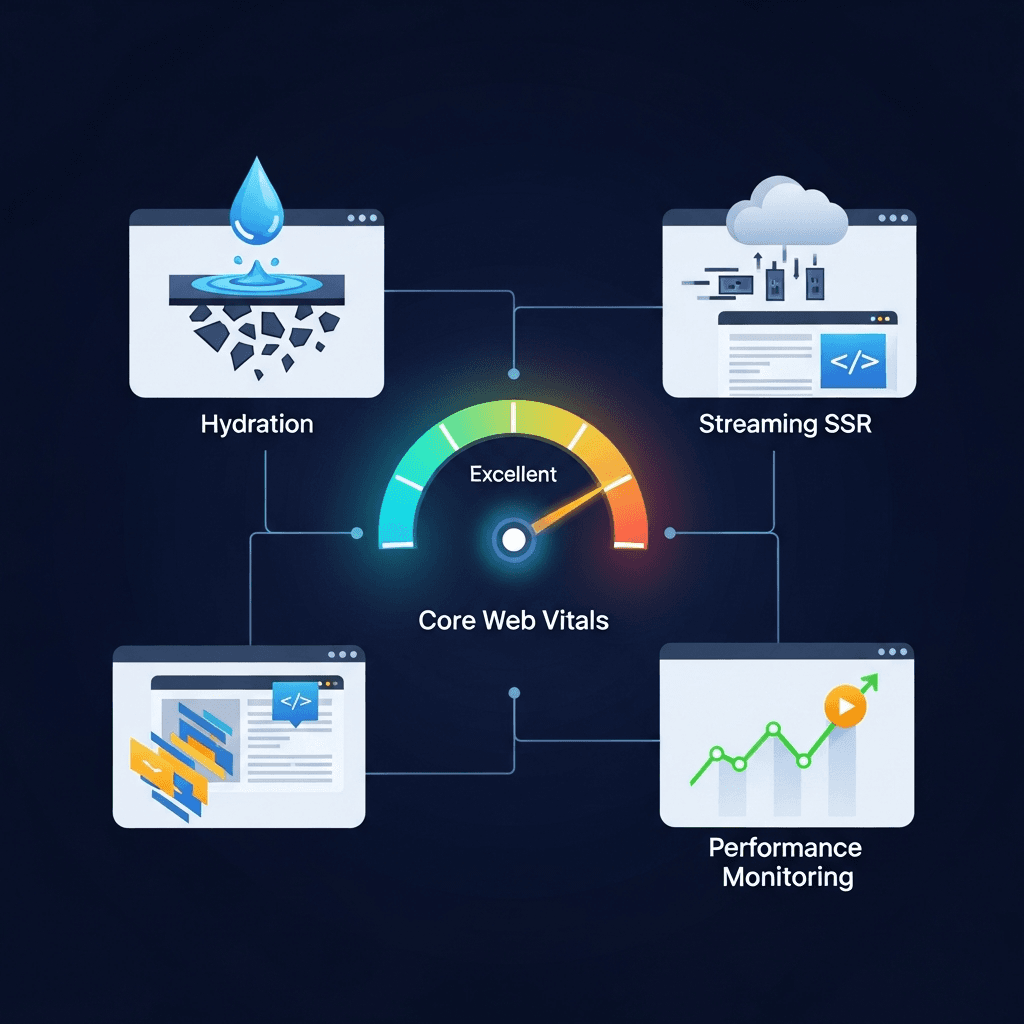
This comprehensive guide will take you on a journey to master web performance. We'll start by dissecting Core Web Vitals, understanding what they measure and why they matter. Then, we'll dive into the intricacies of client-side rendering (CSR) versus server-side rendering (SSR), focusing on the often-misunderstood performance bottleneck of "hydration." Finally, we'll explore the cutting-edge technique of streaming SSR, demonstrating how it can dramatically improve perceived and actual loading performance, especially for complex applications. By the end, you'll have a robust understanding of these concepts and practical strategies to build lightning-fast web applications.
Prerequisites
To get the most out of this guide, you should have:
- A foundational understanding of web development (HTML, CSS, JavaScript).
- Familiarity with modern JavaScript frameworks like React, Vue, or Angular.
- Basic knowledge of client-side rendering (CSR) and server-side rendering (SSR) concepts.
- An eagerness to optimize and build performant web applications.
1. The Foundation: Understanding Core Web Vitals (CWV)
Core Web Vitals are a set of real-world, user-centric metrics that quantify key aspects of the user experience. They measure visual loading speed, interactivity, and visual stability, directly impacting how users perceive your site's performance. Google incorporates these signals into its search ranking algorithm, making them crucial for SEO.
The three primary Core Web Vitals are:
- Largest Contentful Paint (LCP): Measures loading performance. It reports the render time of the largest image or text block visible within the viewport.
- Interaction to Next Paint (INP): Measures interactivity. It assesses the responsiveness of a page by observing the latency of all interactions a user has made with the page and reports a single, representative value.
- Cumulative Layout Shift (CLS): Measures visual stability. It quantifies the amount of unexpected layout shift of visible page content.
Each metric has a threshold for "Good," "Needs Improvement," and "Poor" scores. Our goal is always to achieve "Good" scores across the board.
2. Deep Dive into Largest Contentful Paint (LCP)
LCP focuses on how quickly the main content of your page becomes visible to the user. A fast LCP reassures users that the page is loading and useful. The largest element could be an <img>, <video>, element with a background image, or a block-level text element.
Common causes of poor LCP:
- Slow server response times: The browser waits for the server to send the initial HTML.
- Render-blocking JavaScript and CSS: Browser must parse and execute these before rendering content.
- Slow resource load times: Large images, videos, or fonts that are part of the LCP element.
- Client-side rendering: Requires fetching, parsing, and executing JavaScript before content appears.
Optimization strategies for LCP:
- Optimize server response time (TTFB): Use CDNs, optimize database queries, implement server-side caching.
- Prioritize critical resources: Use
<link rel="preload">for LCP images, fonts, or critical CSS/JS. - Minimize render-blocking resources:
- Critical CSS: Extract and inline essential CSS for the above-the-fold content (
<style>). Load the rest asynchronously. - Defer non-critical JavaScript: Use
deferorasyncattributes.
- Critical CSS: Extract and inline essential CSS for the above-the-fold content (
- Optimize images:
- Compress images (WebP, AVIF).
- Use responsive images (
<img srcset="..." sizes="...">). - Lazy-load images below the fold.
- Preconnect to required origins: Use
<link rel="preconnect">for third-party domains.
<!-- Example: Preloading LCP image and inlining critical CSS -->
<!DOCTYPE html>
<html lang="en">
<head>
    <meta charset="UTF-8">
    <meta name="viewport" content="width=device-width, initial-scale=1.0">
    <title>LCP Optimized Page</title>
    <!-- Preload LCP image -->
    <link rel="preload" href="/hero-image.webp" as="image">
    <!-- Inline critical CSS -->
    <style>
        body { font-family: sans-serif; margin: 0; }
        .hero { background-color: #f0f0f0; padding: 2rem; }
        .hero-img { width: 100%; max-width: 800px; display: block; margin: 0 auto; }
    </style>
    <!-- Load remaining CSS asynchronously -->
    <link rel="stylesheet" href="/styles.css" media="print" onload="this.media='all'">
    <noscript><link rel="stylesheet" href="/styles.css"></noscript>
</head>
<body>
    <header>...</header>
    <main>
        <section class="hero">
            <h1>Welcome to Our Site</h1>
            <img src="/hero-image.webp" alt="Hero Image" class="hero-img">
            <p>Discover amazing things!</p>
        </section>
        <!-- Other content -->
    </main>
    <footer>...</footer>
    <script src="/app.js" defer></script>
</body>
</html>
3. Understanding Interaction to Next Paint (INP)
INP measures a page's overall responsiveness to user interactions. It observes the latency of all click, tap, and drag interactions made by a user and reports a single, representative value at the end of the page visit. This metric is a significant upgrade from FID (First Input Delay) as it accounts for the entire lifecycle of an interaction, not just the initial delay.
Causes of poor INP:
- Long JavaScript tasks: Scripts blocking the main thread, preventing event listeners from running or updates from rendering.
- Excessive event handlers: Too many or inefficient event listeners attached to elements.
- Large rendering updates: Complex DOM manipulations that take a long time to paint.
- Heavy third-party scripts: Ads, analytics, or trackers consuming main thread time.
Optimization strategies for INP:
- Break up long tasks: Divide large JavaScript operations into smaller, asynchronous chunks using
setTimeout,requestIdleCallback, or web workers. - Optimize event handlers:
- Debounce or throttle expensive event listeners (e.g., scroll, resize, input).
- Delegate events to parent elements instead of attaching to many individual elements.
- Reduce JavaScript execution time: Code splitting, tree-shaking, lazy loading modules.
- Minimize rendering work: Use CSS animations over JavaScript where possible, avoid forced reflows/re-layouts, virtualize long lists.
- Utilize Web Workers: Offload CPU-intensive tasks (e.g., data processing, complex calculations) to a background thread to keep the main thread free for user interactions.
// Example: Breaking up a long task
function processLargeArray(data) {
  let i = 0;
  const chunkSize = 100;

  function processChunk() {
    const start = i;
    const end = Math.min(i + chunkSize, data.length);

    for (let j = start; j < end; j++) {
      // Simulate heavy computation
      Math.sqrt(data[j] * data[j] + 1);
    }

    i = end;

    if (i < data.length) {
      // Yield to the main thread
      setTimeout(processChunk, 0);
    } else {
      console.log('Processing complete!');
    }
  }

  processChunk();
}

// Example: Debouncing an input handler
function debounce(func, delay) {
  let timeout;
  return function(...args) {
    const context = this;
    clearTimeout(timeout);
    timeout = setTimeout(() => func.apply(context, args), delay);
  };
}

const handleSearchInput = (event) => {
  console.log('Searching for:', event.target.value);
  // Perform actual search API call here
};

document.getElementById('search-input').addEventListener('input', debounce(handleSearchInput, 300));
4. Mitigating Cumulative Layout Shift (CLS)
CLS measures the sum of all individual layout shift scores for every unexpected layout shift that occurs during the entire lifespan of the page. An unexpected layout shift happens when a visible element changes its position from one rendered frame to the next, causing the user to lose their place or click the wrong thing. This is incredibly frustrating for users.
Common causes of poor CLS:
- Images or videos without dimensions: Browser doesn't know how much space to reserve, so content shifts when the media loads.
- Ads, embeds, and iframes without dimensions: Similar to images, these often load asynchronously and push content around.
- Dynamically injected content: Content inserted above existing content (e.g., cookie banners, signup forms).
- Web fonts causing FOIT/FOUT: Fonts loading late can cause text to render with a fallback font, then reflow when the custom font loads.
- Actions waiting for a network response: Content changing after an API call completes.
Optimization strategies for CLS:
- Always include
widthandheightattributes for images and video elements: Or use CSSaspect-ratioto reserve space. - Reserve space for ads and embeds: Use a placeholder or define fixed dimensions for ad slots before they load.
- Avoid inserting content above existing content: If dynamic content must be inserted, reserve space for it or place it below the fold.
- Handle web fonts carefully:
- Use
font-display: swap(shows fallback text immediately, then swaps). - Preload critical fonts using
<link rel="preload">. - Use
size-adjust,ascent-override,descent-override, andline-gap-overrideCSS properties to minimize font swapping shifts.
- Use
- Animate transitions with CSS transforms:
transformproperties don't trigger layout changes, only painting and compositing.
/* Example: Preventing CLS for images using aspect-ratio */
.image-container {
  width: 100%;
  /* For a 16:9 image */
  aspect-ratio: 16 / 9;
  background-color: #eee; /* Placeholder background */
}

.image-container img {
  width: 100%;
  height: 100%;
  object-fit: cover;
}

/* Example: Font display strategy */
@font-face {
  font-family: 'MyCustomFont';
  src: url('my-custom-font.woff2') format('woff2');
  font-weight: normal;
  font-style: normal;
  font-display: swap; /* Crucial for CLS */
}
5. Client-Side Rendering (CSR) vs. Server-Side Rendering (SSR)
Before diving into hydration, it's essential to understand the distinction between CSR and SSR.
Client-Side Rendering (CSR):
- The server sends a minimal HTML file (often just a
<div>for the app root) and a large JavaScript bundle. - The browser downloads, parses, and executes the JavaScript.
- The JavaScript then fetches data, builds the DOM, and renders the UI.
- Pros: Rich interactivity, good for highly dynamic applications, less server load after initial render.
- Cons: Poor initial load performance (empty page until JS loads), bad for LCP and FCP, worse SEO for crawlers that don't execute JS.
Server-Side Rendering (SSR):
- The server renders the full HTML for the initial page request.
- The browser receives fully formed HTML, which can be immediately displayed.
- JavaScript bundles are still sent to the client.
- Pros: Excellent for LCP and FCP (content is immediately visible), better SEO, good for static content.
- Cons: Can increase server load, the page might not be interactive immediately (hydration problem).
SSR provides a better starting point for CWV, especially LCP, because content is delivered as HTML. However, it introduces its own set of performance challenges, primarily related to "hydration."
6. The Challenge of Hydration
Hydration is the process where client-side JavaScript takes over the server-rendered HTML. It involves:
- Downloading and parsing the JavaScript bundles.
- Rebuilding the virtual DOM tree on the client side, matching the server-rendered HTML.
- Attaching event listeners to the corresponding DOM elements.
- Restoring application state (if any was serialized from the server).
During hydration, the page might look ready and visually complete, but it's not interactive. Users might click on buttons or links, but nothing happens because the JavaScript hasn't yet attached the event handlers. This period of visual completeness but functional inertness is known as the "Total Blocking Time" (TBT) and can significantly impact INP.
Why hydration is a bottleneck:
- Blocking the main thread: The browser's main thread is busy downloading, parsing, and executing JavaScript, preventing it from responding to user input.
- Large JavaScript bundles: Complex applications send a lot of JS, increasing the time required for hydration.
- Redundant work: The browser often re-renders a virtual DOM that largely matches the server-rendered HTML, which can be inefficient.
- Impact on INP: If hydration takes too long, interactions during this period will be delayed, leading to a poor INP score.
7. Optimizing Hydration Strategies
To mitigate the performance impact of hydration, several advanced strategies have emerged:
7.1. Lazy Hydration
Instead of hydrating the entire application immediately, lazy hydration defers the hydration of certain components until they become visible in the viewport or are interacted with. This reduces the initial JavaScript execution cost.
Implementation: Use an Intersection Observer to detect when a component enters the viewport, or attach a one-time event listener (e.g., onmouseover, onclick) to trigger hydration.
7.2. Partial Hydration
This strategy involves hydrating only specific, interactive components on the page, leaving static parts of the server-rendered HTML untouched by client-side JavaScript. This is more granular than lazy hydration and requires careful component design.
Implementation: Frameworks like Astro or libraries like Marko implement this by default. In React, you might manually manage hydration boundaries or use solutions like "React Server Components" (RSC) which inherently support this.
7.3. Progressive Hydration
This approach hydrates components in a prioritized order, often starting with critical components above the fold, then gradually hydrating less critical components. This improves perceived performance by making the most important parts of the page interactive sooner.
Implementation: React 18's ReactDOM.hydrateRoot with Suspense boundaries allows for progressive hydration, where different parts of the application can hydrate independently as their code and data become available.
7.4. Island Architecture
Popularized by frameworks like Astro and Fresh, Island Architecture takes partial hydration to an extreme. The server renders the entire HTML page, but only small, independent JavaScript "islands" are shipped to the client for interactive components. The rest of the page is pure static HTML.
Benefits: Extremely small JS bundles, minimal hydration cost, excellent performance for content-heavy sites with sporadic interactivity.
8. Introducing Streaming SSR
Traditional SSR renders the entire page on the server, buffers the HTML, and then sends it as a single, large response to the browser. While this improves LCP over CSR, the browser still waits for the entire HTML document before it can begin parsing.
Streaming SSR changes this paradigm. Instead of waiting for the full page to render, the server sends HTML to the browser in chunks as soon as they are ready. This allows the browser to start parsing, rendering, and even fetching resources (like CSS, images) much earlier.
Key benefits of Streaming SSR:
- Faster Time to First Byte (TTFB): The first byte of HTML is sent sooner.
- Faster First Contentful Paint (FCP): The browser can start rendering parts of the page as they arrive.
- Improved perceived performance: Users see content appearing progressively, reducing the feeling of waiting.
- Better LCP: Especially when combined with progressive hydration, the LCP element can be sent and rendered very early.
- Reduced server memory usage: No need to buffer the entire HTML response.
Streaming SSR is particularly powerful when combined with techniques like React 18's Suspense, which allows parts of the page to "suspend" rendering while waiting for data, without blocking the entire stream.
9. Implementing Streaming SSR with React 18
React 18 introduced renderToPipeableStream for Node.js environments, enabling streaming SSR with Suspense.
Let's illustrate with a basic example:
Imagine a page with a main layout and a component (ProductDetails) that fetches data asynchronously.
// src/ProductDetails.jsx
import React from 'react';

const fetchProduct = async (id) => {
  return new Promise(resolve => setTimeout(() => {
    resolve({ id, name: `Product ${id}`, price: `$${(id * 10).toFixed(2)}` });
  }, 2000)); // Simulate 2-second data fetch
};

let productCache = new Map();
function getProduct(id) {
  if (!productCache.has(id)) {
    throw fetchProduct(id).then(p => productCache.set(id, p));
  }
  return productCache.get(id);
}

function ProductDetails({ productId }) {
  const product = getProduct(productId);
  return (
    <div className="product-details">
      <h3>{product.name}</h3>
      <p>Price: {product.price}</p>
      <p>ID: {product.id}</p>
    </div>
  );
}

export default ProductDetails;// src/App.jsx
import React, { Suspense } from 'react';
import ProductDetails from './ProductDetails';
function App() {
return (
<html>
<head>
<title>Streaming SSR Demo</title>
<link rel="stylesheet" href="/styles.css" />
</head>
<body>
<div id="root">
<h1>Welcome to our Store</h1>
<p>This is the main content.</p>
<Suspense fallback={<div>Loading product details...</div>}>
<ProductDetails productId={123} />
</Suspense>
<section>
<h2>Other Sections</h2>
<p>Content that doesn't depend on the product data.</p>
</section>
</div>
<script src="/client.js" async></script>
</body>
</html>
);
}
export default App;// server.js (Node.js Express example)
import express from 'express';
import React from 'react';
import ReactDOMServer from 'react-dom/server';
import { Writable } from 'stream';
import App from './src/App.jsx';
import fs from 'fs';
import path from 'path';
const app = express();
const PORT = 3000;
app.use(express.static('public')); // Serve static files like styles.css, client.js
app.get('/', async (req, res) => {
res.set('Content-type', 'text/html');
let didError = false;
const { pipe, abort } = ReactDOMServer.renderToPipeableStream(<App />,
{
onShellReady() {
// The shell is ready, send the initial HTML before Suspense boundaries resolve
res.statusCode = didError ? 500 : 200;
pipe(res);
},
onShellError(err) {
// Something went wrong with the shell itself
console.error('Shell error:', err);
res.statusCode = 500;
res.send('<!doctype html><h1>Something went wrong!</h1>');
},
onAllReady() {
// All data has loaded and all Suspense boundaries are resolved.
// This is where you might flush any remaining data or close the stream
// if you were not piping directly to res.
},
onError(err) {
didError = true;
console.error('Streaming error:', err);
},
}
);
// Handle client-side hydration (client.js)
// In a real app, this would be bundled via Webpack/Vite etc.
// For this demo, let's create a minimal client.js
const clientJsContent = `
import React from 'react';
import ReactDOM from 'react-dom/client';
import App from './src/App.jsx';
ReactDOM.hydrateRoot(document.getElementById('root'), <App />);
`;
fs.writeFileSync(path.resolve(__dirname, 'public/client.js'), clientJsContent);
});
app.listen(PORT, () => {
console.log(`Server running on http://localhost:${PORT}`);
console.log('Open in browser and observe network waterfall for streaming!');
});
// To run this example:
// 1. npm init -y
// 2. npm install express react react-dom
// 3. Save files as src/App.jsx, src/ProductDetails.jsx, server.js
// 4. Create a public folder and styles.css (e.g., body { margin: 20px; background: #fafafa; } .product-details { border: 1px solid #ccc; padding: 10px; margin-top: 15px; })
// 5. Run: node server.jsWhen you run this, you'll see the "Welcome to our Store" and "Other Sections" content render almost immediately. Then, after a 2-second delay (simulating data fetch), the "Loading product details..." fallback will be replaced by the actual ProductDetails content, streamed in as an HTML chunk. The browser can start rendering the initial shell even while the data for the suspended component is being fetched, leading to a much faster FCP and perceived load time.
10. Advanced Performance Patterns & Best Practices
Mastering web performance requires a holistic approach. Beyond the core concepts, consider these advanced patterns:
- Critical CSS Extraction and Inlining: As seen in the LCP section, identifying and inlining the CSS necessary for the initial viewport (
above-the-fold) eliminates a render-blocking request. Tools like Critical CSS can automate this. - Asset Preloading (
preload,preconnect,prefetch):preload: Fetches a resource that you're sure will be needed soon (e.g., LCP image, custom fonts).preconnect: Establishes an early connection to a third-party domain, resolving DNS, TCP, and TLS handshakes upfront.prefetch: Fetches a resource that might be needed in the next navigation (e.g., a link on the current page).
- Image Optimization:
- Responsive Images: Use
srcsetandsizesto deliver appropriately sized images for different viewports. - Modern Formats: Serve images in WebP or AVIF formats for superior compression and quality.
- Image CDNs: Use services like Cloudinary or imgix to automate optimization and delivery.
- Lazy Loading: Use
loading="lazy"attribute for images and iframes below the fold.
- Responsive Images: Use
- Code Splitting and Dynamic Imports: Break your JavaScript bundle into smaller chunks. Load only the code required for the current view, and dynamically import other modules when they are actually needed (e.g., on route change, component interaction).
- Web Workers: Offload computationally intensive tasks (e.g., complex calculations, large data processing) to a background thread, preventing the main thread from being blocked and keeping the UI responsive.
- Content Delivery Networks (CDNs): Distribute your static assets (images, CSS, JS) to servers geographically closer to your users, reducing latency and improving load times.
- Browser Caching: Leverage HTTP caching headers (
Cache-Control,Expires) to instruct browsers to store resources locally, reducing subsequent load times. - Long-Term Caching: Use content hashing in filenames (e.g.,
app.123abc.js) to allow aggressive caching of static assets, only invalidating when content changes.
11. Common Pitfalls and Anti-Patterns
Even with the best intentions, developers can fall into performance traps. Be wary of these common pitfalls:
- Over-hydrating: Hydrating the entire page when only small, interactive sections require client-side JavaScript. This negates the benefits of SSR and burdens the client with unnecessary JS execution.
- Loading too much JavaScript upfront: Shipping a massive JavaScript bundle on initial page load, even if most of it isn't needed immediately. This directly impacts LCP and INP.
- Ignoring image dimensions: Forgetting to specify
widthandheightattributes oraspect-ratioCSS for images, videos, and ads, leading to significant CLS. - Excessive use of third-party scripts: Each third-party script (analytics, ads, chat widgets) adds overhead, can block the main thread, and introduce potential performance regressions. Audit them regularly.
- Not monitoring performance: Relying solely on local development testing. Real user monitoring (RUM) and synthetic monitoring are crucial to catch performance issues in production under real-world conditions.
- Blocking main thread with animations: Using JavaScript for complex animations that could be achieved more efficiently with CSS
transformandopacityproperties, which are often handled by the browser's compositor thread. - Using
import()withoutSuspensein SSR: When using dynamicimport()for components in an SSR context, ensure they are wrapped inSuspenseboundaries to allow the server to stream the fallback while waiting for the component's code/data.
Conclusion
Mastering web performance is a continuous journey, but by focusing on Core Web Vitals, understanding the nuances of hydration, and leveraging advanced techniques like streaming SSR, you can build web applications that not only perform exceptionally but also delight your users.
Start by regularly auditing your site's Core Web Vitals using tools like Lighthouse, PageSpeed Insights, and the Chrome DevTools. Prioritize optimizations that address the biggest bottlenecks identified by these metrics. Embrace modern SSR techniques and smart hydration strategies to deliver content quickly and make your applications interactive without delay. Remember that performance is not a feature you add at the end; it's an integral part of the development process.
As the web evolves, so too will performance best practices. Stay curious, keep experimenting with new technologies like React Server Components, and always keep the user experience at the forefront of your development efforts. Your users, and your business, will thank you for it.
Written by
CodewithYohaFull-Stack Software Engineer with 7+ years of experience in Java, Spring Boot, and cloud architecture across AWS, Azure, and GCP. Writing production-grade engineering patterns for developers who ship real software.