
Mastering Intersection Observer: Lazy Loading, Animations & Beyond

Introduction
In the quest for faster, smoother web experiences, developers often grapple with the performance implications of scroll-based interactions. Traditionally, tasks like lazy loading images, triggering animations, or tracking element visibility relied heavily on attaching event listeners to the scroll event. While seemingly straightforward, this approach can quickly lead to performance bottlenecks, janky scrolling, and a poor user experience, especially on complex pages or lower-powered devices.
The core issue lies in the synchronous and frequent nature of the scroll event. Every pixel scrolled can trigger multiple event handlers, forcing the browser to perform expensive layout calculations and DOM manipulations on the main thread. This contention for resources often results in dropped frames and a noticeable lag.
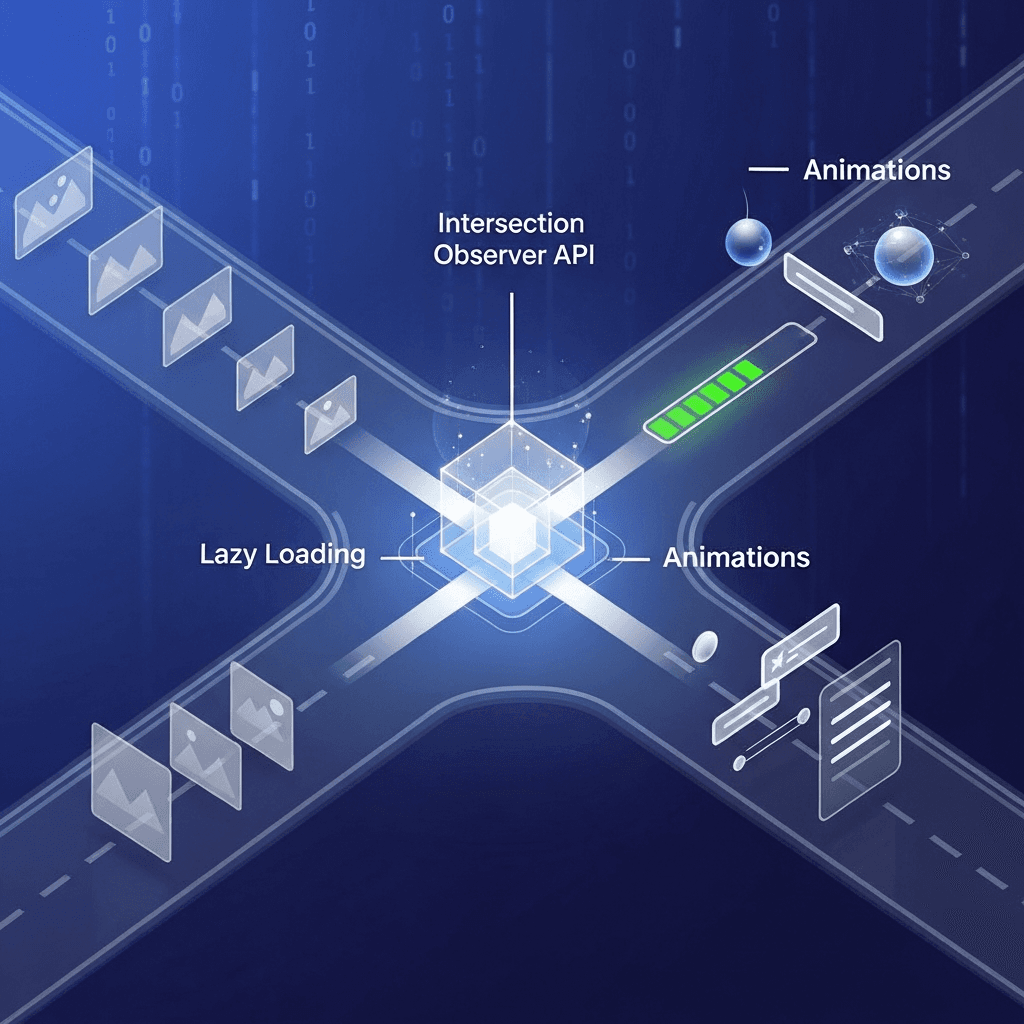
Enter the Intersection Observer API, a modern, highly performant solution designed to address these very challenges. Introduced as a web standard, the Intersection Observer provides an asynchronous and non-blocking way to determine when an element enters or exits the viewport, or even when it crosses specific thresholds within its parent container. By offloading this work from the main thread and providing a simpler, more efficient API, it empowers developers to build highly optimized, responsive web applications.
This comprehensive guide will take you on a deep dive into the Intersection Observer API. We'll explore its fundamental concepts, walk through practical use cases like lazy loading and scroll-triggered animations, discuss advanced configurations, and equip you with the best practices to leverage its full potential for superior web performance and user experience.
Prerequisites
To get the most out of this guide, you should have:
- A solid understanding of HTML5 and CSS3.
- Intermediate knowledge of JavaScript, including ES6 features like arrow functions and destructuring.
- Familiarity with the browser's developer tools for inspecting elements and monitoring performance.
1. The Problem with Traditional Scroll Events
Before we embrace the Intersection Observer, let's understand why it was created. Consider a common scenario: loading images only when they are about to become visible. A naive approach might look like this:
// Potentially problematic scroll event listener

const images = document.querySelectorAll('img[data-src]');

function checkVisibility() {
    images.forEach(img => {
        const rect = img.getBoundingClientRect();
        // Check if image is within or just above the viewport
        if (rect.top < window.innerHeight && rect.bottom >= 0) {
            if (img.dataset.src) {
                img.src = img.dataset.src;
                img.removeAttribute('data-src');
            }
        }
    });
}

window.addEventListener('scroll', checkVisibility);
window.addEventListener('resize', checkVisibility);
window.addEventListener('DOMContentLoaded', checkVisibility);
Why this is problematic:
- Frequent Firing: The
scrollevent can fire hundreds of times per second during a fast scroll. Each firing triggers thecheckVisibilityfunction. - Expensive Calculations: Inside
checkVisibility,getBoundingClientRect()is called for every observed image on every scroll event. This forces the browser to re-calculate layout, which is a synchronous and often expensive operation. - Main Thread Blocking: All these calculations happen on the browser's main thread, competing with other critical tasks like rendering, parsing HTML, executing other JavaScript, and handling user input. This leads to a unresponsive UI, janky scrolling, and a poor user experience.
- Debouncing/Throttling Complexity: While debouncing or throttling can mitigate some of the frequency issues, they add complexity and can still miss critical intersection moments or introduce delays.
The Intersection Observer API was designed to solve these exact problems by providing an asynchronous, efficient, and less resource-intensive way to monitor element visibility.
2. Introducing the Intersection Observer API
The Intersection Observer API provides a way to asynchronously observe changes in the intersection of a target element with an ancestor scroll container or with the document's viewport. Instead of constantly polling for changes, you tell the browser what elements to watch and what conditions to look for, and the browser notifies you only when those conditions are met.
Key Benefits:
- Performance: It runs off the main thread where possible, significantly reducing the performance overhead compared to traditional scroll listeners.
- Efficiency: The callback only fires when a target element's visibility status changes, not on every scroll tick.
- Simplicity: The API is straightforward, making it easier to implement complex visibility-based logic.
- Accuracy: Provides precise information about the intersection ratio and bounding boxes.
At its core, the Intersection Observer is a constructor that creates an observer instance. This instance then monitors one or more target elements for intersection changes.
3. Core Concepts: Root, Target, Threshold, Root Margin
To effectively use the Intersection Observer, it's crucial to understand its core concepts:
-
Target Element: This is the DOM element that you want to observe for intersection changes. You pass this element to
observer.observe(). For example, an<img>tag you want to lazy load, or a<div>you want to animate when it enters the viewport. -
Root Element (
rootoption): This is the element that is used as the viewport for checking target visibility. The target's intersection is calculated with respect to this root. If not specified or set tonull, the browser's viewport is used as the root (this is the most common scenario). -
Root Margin (
rootMarginoption): This property allows you to effectively shrink or grow therootelement's bounding box before computing intersections. It works like the CSSmarginproperty, accepting values like"10px 20px 30px 40px"(top, right, bottom, left) or"200px 0px". A positive margin expands the root, causing the callback to fire before the target fully enters the actual root. A negative margin shrinks it, causing the callback to fire after the target has partially entered. -
Threshold (
thresholdoption): This defines one or more numbers that indicate at what percentage of the target's visibility the observer's callback should be executed. It can be a single number between 0.0 and 1.0, or an array of such numbers. For example:0.0: The callback fires as soon as even one pixel of the target element is visible within the root.1.0: The callback fires only when the entire target element is visible within the root.[0, 0.25, 0.5, 0.75, 1]: The callback fires when 0%, 25%, 50%, 75%, and 100% of the target is visible.
4. How to Create and Use an Intersection Observer
Using the Intersection Observer API involves a few straightforward steps:
Step 1: Create an Observer Instance
You create a new IntersectionObserver instance by passing a callback function and an optional options object.
const options = {
    root: null, // default is the viewport
    rootMargin: '0px', // default is '0px'
    threshold: 0.5 // callback fires when 50% of the target is visible
};

const observer = new IntersectionObserver((entries, observer) => {
    // This callback function will be executed when intersection changes
    entries.forEach(entry => {
        if (entry.isIntersecting) {
            console.log('Element is now visible:', entry.target);
            // Perform action, e.g., load image, trigger animation
        } else {
            console.log('Element is no longer visible:', entry.target);
        }
    });
}, options);
Step 2: Observe Target Elements
Once you have an observer instance, you tell it which elements to observe using observer.observe().
const targetElement = document.querySelector('#myElement');
if (targetElement) {
    observer.observe(targetElement);
}

// You can observe multiple elements with the same observer
const allSections = document.querySelectorAll('.section');
allSections.forEach(section => {
    observer.observe(section);
});
Step 3: Stop Observing (Crucial for Performance)
When you no longer need to observe an element (e.g., after it has been lazy-loaded), it's vital to unobserve() it to free up resources.
// Stop observing a specific element
observer.unobserve(targetElement);

// Stop observing all elements with this observer instance
observer.disconnect();
The IntersectionObserverEntry Object
The callback function receives an array of IntersectionObserverEntry objects (one for each target element whose intersection status has changed) and the observer instance itself. Each entry object provides valuable information:
entry.isIntersecting: A boolean indicating whether the target element is currently intersecting with the root.entry.intersectionRatio: A number between 0.0 and 1.0, indicating how much of the target element is visible within the root.entry.target: The DOM element whose intersection status has changed.entry.boundingClientRect: TheDOMRectof the target element.entry.intersectionRect: TheDOMRectof the intersection between the target and the root.entry.rootBounds: TheDOMRectof the root element.entry.time: ADOMHighResTimeStampindicating when the intersection change occurred.
5. Practical Use Case 1: Efficient Lazy Loading of Images
Lazy loading images is one of the most common and impactful applications of the Intersection Observer API. It prevents images from being loaded until they are close to or within the user's viewport, significantly improving initial page load times and reducing bandwidth consumption.
While browsers now offer native loading="lazy" for <img> and <iframe>, the Intersection Observer remains crucial for:
- Older browser support.
- Custom lazy loading logic (e.g., lazy loading background images,
pictureelements, or complex components). - More fine-grained control over pre-loading behavior.
Here's how to implement it:
HTML Structure:
Instead of src, use a data-src attribute for the actual image URL. You might also include a placeholder src for better UX or accessibility.
<img class="lazy-img" data-src="image-1.jpg" alt="Description 1">
<img class="lazy-img" data-src="image-2.jpg" alt="Description 2">
<img class="lazy-img" data-src="image-3.jpg" alt="Description 3">
<!-- Many more images below the fold -->
JavaScript Implementation:
const lazyImages = document.querySelectorAll('.lazy-img');

const imgObserver = new IntersectionObserver((entries, observer) => {
    entries.forEach(entry => {
        if (entry.isIntersecting) {
            const img = entry.target;
            img.src = img.dataset.src;
            img.removeAttribute('data-src');
            img.classList.remove('lazy-img'); // Optional: remove class once loaded
            observer.unobserve(img); // Stop observing once loaded
        }
    });
}, {
    rootMargin: '0px 0px 100px 0px', // Load images when they are 100px from entering the viewport
    threshold: 0 // Trigger as soon as any part of the image is visible
});

lazyImages.forEach(img => {
    imgObserver.observe(img);
});

// Optional: Fallback for browsers that don't support Intersection Observer
if (!('IntersectionObserver' in window)) {
    lazyImages.forEach(img => {
        img.src = img.dataset.src;
        img.removeAttribute('data-src');
    });
}
In this example, rootMargin: '0px 0px 100px 0px' tells the observer to trigger the callback when the image is within 100 pixels of the bottom of the viewport, effectively pre-loading it slightly before it becomes fully visible. This creates a smoother user experience as the image appears without a sudden pop-in.
6. Practical Use Case 2: Lazy Loading Components and Iframes
The power of Intersection Observer extends beyond simple images. You can use it to lazy load any complex DOM structure, including:
- Iframes: Especially useful for embedded videos (YouTube, Vimeo) or third-party widgets that can be heavy.
- Complex UI components: Such as comment sections, social media feeds, or interactive maps that are initially off-screen.
- Background Images: CSS
background-imageproperties can't be lazy-loaded directly withloading="lazy". IO is perfect here.
HTML Structure for Lazy Iframe/Component:
<div class="lazy-component" data-src="https://www.youtube.com/embed/dQw4w9WgXcQ">
    <!-- Placeholder or loading spinner -->
    <p>Loading video...</p>
</div>

<section class="lazy-section" data-component-url="/api/load-comments">
    <h2>Comments</h2>
    <div class="comments-placeholder"></div>
</section>
JavaScript Implementation:
const lazyComponents = document.querySelectorAll('.lazy-component');
const lazySections = document.querySelectorAll('.lazy-section');

const componentObserver = new IntersectionObserver((entries, observer) => {
    entries.forEach(entry => {
        if (entry.isIntersecting) {
            const container = entry.target;
            if (container.dataset.src) {
                // Lazy load an iframe
                const iframe = document.createElement('iframe');
                iframe.src = container.dataset.src;
                iframe.setAttribute('frameborder', '0');
                iframe.setAttribute('allowfullscreen', '');
                iframe.setAttribute('loading', 'lazy'); // Native lazy loading for iframe itself
                container.innerHTML = ''; // Clear placeholder
                container.appendChild(iframe);
            } else if (container.dataset.componentUrl) {
                // Lazy load a complex component (e.g., via AJAX)
                fetch(container.dataset.componentUrl)
                    .then(response => response.text())
                    .then(html => {
                        container.querySelector('.comments-placeholder').innerHTML = html;
                    })
                    .catch(error => console.error('Error loading component:', error));
            }
            observer.unobserve(container);
        }
    });
}, { rootMargin: '0px 0px 200px 0px' });

lazyComponents.forEach(comp => componentObserver.observe(comp));
lazySections.forEach(section => componentObserver.observe(section));
This pattern allows you to defer the rendering and loading of heavy content blocks until they are needed, significantly improving initial page load and rendering performance.
7. Scroll-Triggered Animations and Effects
Intersection Observer is a game-changer for scroll-triggered animations. Instead of relying on error-prone and performance-heavy scroll event listeners, you can precisely animate elements as they enter or exit the viewport.
HTML Structure:
Add a class for elements that should animate and a class for their initial hidden state.
<section class="animated-section fade-in-up">
    <h2>Our Services</h2>
    <p>Details about services...</p>
</section>

<div class="animated-element slide-in-left">
    <h3>Feature 1</h3>
    <p>More info...</p>
</div>
CSS for Animations:
Define initial hidden states and the animation properties.
/* Initial hidden states */
.animated-section.fade-in-up {
    opacity: 0;
    transform: translateY(50px);
    transition: opacity 0.8s ease-out, transform 0.8s ease-out;
}

.animated-element.slide-in-left {
    opacity: 0;
    transform: translateX(-50px);
    transition: opacity 0.8s ease-out, transform 0.8s ease-out;
}

/* Active states */
.animated-section.fade-in-up.is-visible,
.animated-element.slide-in-left.is-visible {
    opacity: 1;
    transform: translateY(0) translateX(0);
}
JavaScript Implementation:
const animatedElements = document.querySelectorAll('.animated-section, .animated-element');

const animateObserver = new IntersectionObserver((entries) => {
    entries.forEach(entry => {
        if (entry.isIntersecting) {
            entry.target.classList.add('is-visible');
            // Optionally, unobserve if the animation should only happen once
            // animateObserver.unobserve(entry.target);
        } else {
            // Optionally, remove 'is-visible' if animation should reset on exit
            // entry.target.classList.remove('is-visible');
        }
    });
}, {
    threshold: 0.2 // Trigger when 20% of the element is visible
});

animatedElements.forEach(el => {
    animateObserver.observe(el);
});
This approach provides smooth, performant animations without constantly checking scroll positions.
8. Implementing Infinite Scrolling
Infinite scrolling (or "endless scrolling") is a common pattern for displaying large datasets without traditional pagination. Users simply scroll to the bottom, and more content automatically loads. Intersection Observer is perfectly suited for this by monitoring a "sentinel" element.
HTML Structure:
You need a container for your items and a sentinel element, usually at the very bottom, that the observer will watch.
<div id="content-container">
    <!-- Dynamically loaded items will go here -->
    <div class="item">Item 1</div>
    <div class="item">Item 2</div>
</div>
<div id="load-more-sentinel">Loading more content...</div>
JavaScript Implementation:
const contentContainer = document.getElementById('content-container');
const loadMoreSentinel = document.getElementById('load-more-sentinel');

let currentPage = 1;
let isLoading = false;

async function loadMoreItems() {
    if (isLoading) return;
    isLoading = true;
    loadMoreSentinel.textContent = 'Loading more content...';

    try {
        // Simulate API call
        const response = await new Promise(resolve => setTimeout(() => {
            const newItems = Array.from({ length: 5 }, (_, i) => `Item ${currentPage * 5 + i + 1}`);
            resolve(newItems);
        }, 1000));

        response.forEach(itemText => {
            const itemDiv = document.createElement('div');
            itemDiv.classList.add('item');
            itemDiv.textContent = itemText;
            contentContainer.appendChild(itemDiv);
        });

        currentPage++;
        loadMoreSentinel.textContent = 'Scroll down for more...';

    } catch (error) {
        console.error('Failed to load more items:', error);
        loadMoreSentinel.textContent = 'Failed to load content. Please try again.';
    } finally {
        isLoading = false;
    }
}

const infiniteScrollObserver = new IntersectionObserver((entries) => {
    entries.forEach(entry => {
        if (entry.isIntersecting && !isLoading) {
            loadMoreItems();
        }
    });
}, {
    rootMargin: '0px 0px 200px 0px' // Trigger when sentinel is 200px from bottom
});

infiniteScrollObserver.observe(loadMoreSentinel);

// Initial load
loadMoreItems();
By observing the sentinel element, we efficiently trigger data fetching only when the user is approaching the end of the current content, providing a seamless infinite scroll experience.
9. Tracking Element Visibility for Analytics
Beyond visual effects and loading, Intersection Observer is incredibly useful for analytics. You can track when specific content, advertisements, or call-to-action buttons become visible to the user, providing valuable insights into user engagement.
HTML Structure:
Add a data-analytics-id to the elements you want to track.
<div class="product-card" data-analytics-id="product-A123">
    <h3>Product A</h3>
    <p>Great features...</p>
</div>

<div class="ad-banner" data-analytics-id="promo-summer-sale">
    <p>Buy now!</p>
</div>
JavaScript Implementation:
const trackableElements = document.querySelectorAll('[data-analytics-id]');

const analyticsObserver = new IntersectionObserver((entries) => {
    entries.forEach(entry => {
        if (entry.isIntersecting && entry.intersectionRatio >= 0.5) {
            // Element is 50% visible, send analytics event
            const elementId = entry.target.dataset.analyticsId;
            console.log(`Analytics: Element '${elementId}' is ${Math.round(entry.intersectionRatio * 100)}% visible.`);
            // Example: Send to Google Analytics, Segment, etc.
            // gtag('event', 'element_view', { 'event_category': 'visibility', 'event_label': elementId });

            // Stop observing once tracked (if you only want to track once)
            analyticsObserver.unobserve(entry.target);
        }
    });
}, {
    threshold: 0.5 // Trigger when 50% of the element is visible
});

trackableElements.forEach(el => {
    analyticsObserver.observe(el);
});
This allows for highly accurate and performant tracking of user engagement with specific page elements, informing content strategies and ad placements.
10. Advanced Thresholds and rootMargin
The threshold and rootMargin options offer powerful control over when the observer's callback fires. Understanding how to combine them can lead to sophisticated and highly optimized behaviors.
Using an Array for threshold
Instead of a single number, you can provide an array of numbers. The callback will fire every time the intersection ratio crosses one of these thresholds.
const multiThresholdObserver = new IntersectionObserver((entries) => {
    entries.forEach(entry => {
        console.log(`Element: ${entry.target.id}, Intersection Ratio: ${entry.intersectionRatio.toFixed(2)}`);
        if (entry.intersectionRatio > 0.75) {
            // Maybe load higher resolution content
        } else if (entry.intersectionRatio > 0.25) {
            // Initial content loaded
        }
    });
}, {
    threshold: [0, 0.25, 0.5, 0.75, 1] // Callback fires at 0%, 25%, 50%, 75%, 100% visibility
});

multiThresholdObserver.observe(document.getElementById('my-dynamic-content'));
This is useful for progressive loading, where you might load a low-res image at 0.1 threshold and a high-res one at 0.8, or for complex animations that change based on visibility depth.
Fine-tuning rootMargin
rootMargin allows you to define an area around the root element, effectively expanding or shrinking its boundaries for intersection calculations. This is perfect for pre-loading content before it's fully in view.
// Pre-load images 300px before they enter the viewport from the bottom
const preLoadObserver = new IntersectionObserver((entries) => {
    entries.forEach(entry => {
        if (entry.isIntersecting) {
            // Load image logic
            const img = entry.target;
            if (img.dataset.src) {
                img.src = img.dataset.src;
                img.removeAttribute('data-src');
                preLoadObserver.unobserve(img);
            }
        }
    });
}, {
    rootMargin: '0px 0px 300px 0px' // Top, Right, Bottom, Left. Expands the bottom of the root by 300px
});

// Trigger animation when element is 50px *out* of view at the top, or fully in view
const customTriggerObserver = new IntersectionObserver((entries) => {
    entries.forEach(entry => {
        if (entry.isIntersecting) {
            entry.target.classList.add('active');
        } else {
            entry.target.classList.remove('active');
        }
    });
}, {
    rootMargin: '-50px 0px 0px 0px', // Shrink root from the top by 50px
    threshold: 1 // Only trigger when 100% visible (after margin adjustment)
});
By carefully adjusting rootMargin, you can create a buffer zone that allows for smoother transitions and pre-fetching of resources, enhancing the perceived performance of your application.
11. Best Practices and Performance Considerations
To truly master the Intersection Observer API, consider these best practices:
-
Unobserve Elements: This is perhaps the most critical performance consideration. Once an element has been processed (e.g., an image has loaded, an animation has fired once),
observer.unobserve(targetElement)it. If you're done with all elements for a specific observer, callobserver.disconnect(). Failing to do so can lead to memory leaks and unnecessary processing. -
Batch DOM Updates: While Intersection Observer callbacks are asynchronous, the work inside the callback still happens on the main thread. If your callback performs many DOM manipulations, consider batching them (e.g., using
requestAnimationFrame) to avoid layout thrashing, though for most simple tasks like changing ansrcattribute, it's not strictly necessary. -
One Observer Per Task: Instead of using a single observer for every possible task (lazy loading, animations, analytics), create separate observer instances for distinct functionalities. This improves code organization and allows for different
rootMarginandthresholdconfigurations for each task. -
Accessibility First: Ensure that content loaded via Intersection Observer is still accessible if JavaScript fails or is disabled. For lazy images, provide meaningful
alttext. For dynamically loaded content, consider server-side rendering or a<noscript>fallback. -
Polyfill for Older Browsers: Intersection Observer is widely supported, but if you need to support older browsers (e.g., IE11), you'll need a polyfill. The official polyfill is available on npm (
intersection-observer) or via CDN. Always include the polyfill conditionally to avoid unnecessary downloads for modern browsers.html<script> if (!('IntersectionObserver' in window)) { // Dynamically load the polyfill if not supported const script = document.createElement('script'); script.src = 'https://unpkg.com/intersection-observer'; document.head.appendChild(script); } </script> -
Avoid
display: noneorvisibility: hiddenTargets: Elements withdisplay: noneorvisibility: hiddenare not considered to be in the DOM's layout and will not trigger intersection events. If you need to observe elements that are initially hidden, useopacity: 0ortransform: scale(0)instead, ensuring they still occupy space in the layout. -
Initial Check: When setting up an observer, remember that the callback might not fire immediately for elements already in view. It's often a good practice to manually trigger your loading/animation logic for elements already visible on page load.
12. Common Pitfalls and Troubleshooting
Even with its simplicity, developers can encounter a few common issues when working with Intersection Observer:
-
Forgetting
unobserve()/disconnect(): As mentioned, this is a major one. If you lazy load 100 images but neverunobservethem, the observer will keep monitoring them unnecessarily, leading to memory leaks and wasted CPU cycles. Always clean up after your observer has done its job for a specific target. -
Incorrect
rootMarginorthreshold: Misunderstanding how these values affect the intersection calculation can lead to unexpected behavior. If your elements are loading too late or too early, double-check these options. RememberrootMarginuses CSS margin syntax (top, right, bottom, left). -
Observing Elements Not in the DOM: If you try to
observe()an element that hasn't been added to the DOM yet, or one that has been removed, it simply won't work. Ensure your target elements exist and are part of the document flow. -
Elements with
display: noneorvisibility: hidden: These elements are explicitly excluded from intersection calculations because they don't participate in the layout. If you want to observe a hidden element, use CSS properties that keep it in the layout but make it invisible, likeopacity: 0orheight: 0; overflow: hidden;. -
Asynchronous Nature: Remember that the callback is asynchronous. It won't fire immediately upon an element entering/exiting the viewport. This is by design for performance, but it means you shouldn't rely on it for perfectly synchronous, real-time updates (which is rarely needed for its intended use cases).
-
rootElement Issues: If you specify arootelement other than the viewport, ensure that therootelement itself hasoverflow: scroll,overflow: auto, oroverflow: clip(or equivalent) to create a scrollable container. Without a scrollable root, intersection changes won't be detected as the root itself doesn't scroll.
By being mindful of these points, you can avoid common frustrations and build robust, performant solutions with the Intersection Observer API.
Conclusion
The Intersection Observer API is a powerful, performant, and elegant solution for handling element visibility tracking on the web. It liberates developers from the performance pitfalls of traditional scroll event listeners, enabling the creation of smoother, more responsive, and more efficient user interfaces.
From efficiently lazy loading images and complex components to orchestrating scroll-triggered animations and gathering precise analytics, the Intersection Observer is an indispensable tool in the modern frontend developer's toolkit. Its asynchronous nature and off-main-thread optimization contribute directly to faster page loads, reduced jank, and an overall superior user experience.
By understanding its core concepts, applying best practices, and being aware of common pitfalls, you can confidently integrate the Intersection Observer into your projects to build high-performance web applications that delight users. Start experimenting with it today, and unlock a new level of control over your page's dynamic content and interactions.
Written by
CodewithYohaFull-Stack Software Engineer with 7+ years of experience in Java, Spring Boot, and cloud architecture across AWS, Azure, and GCP. Writing production-grade engineering patterns for developers who ship real software.