Introduction
In the fast-paced world of web development, deploying new features to production is a constant dance between innovation and risk. Frontend applications, in particular, are at the forefront of user interaction, making their stability and performance paramount. A single bug or regression in a new release can lead to a degraded user experience, loss of revenue, and damage to brand reputation. Traditional "big bang" deployments, where an entire new version is pushed live at once, are inherently risky, offering little room for error or controlled experimentation.
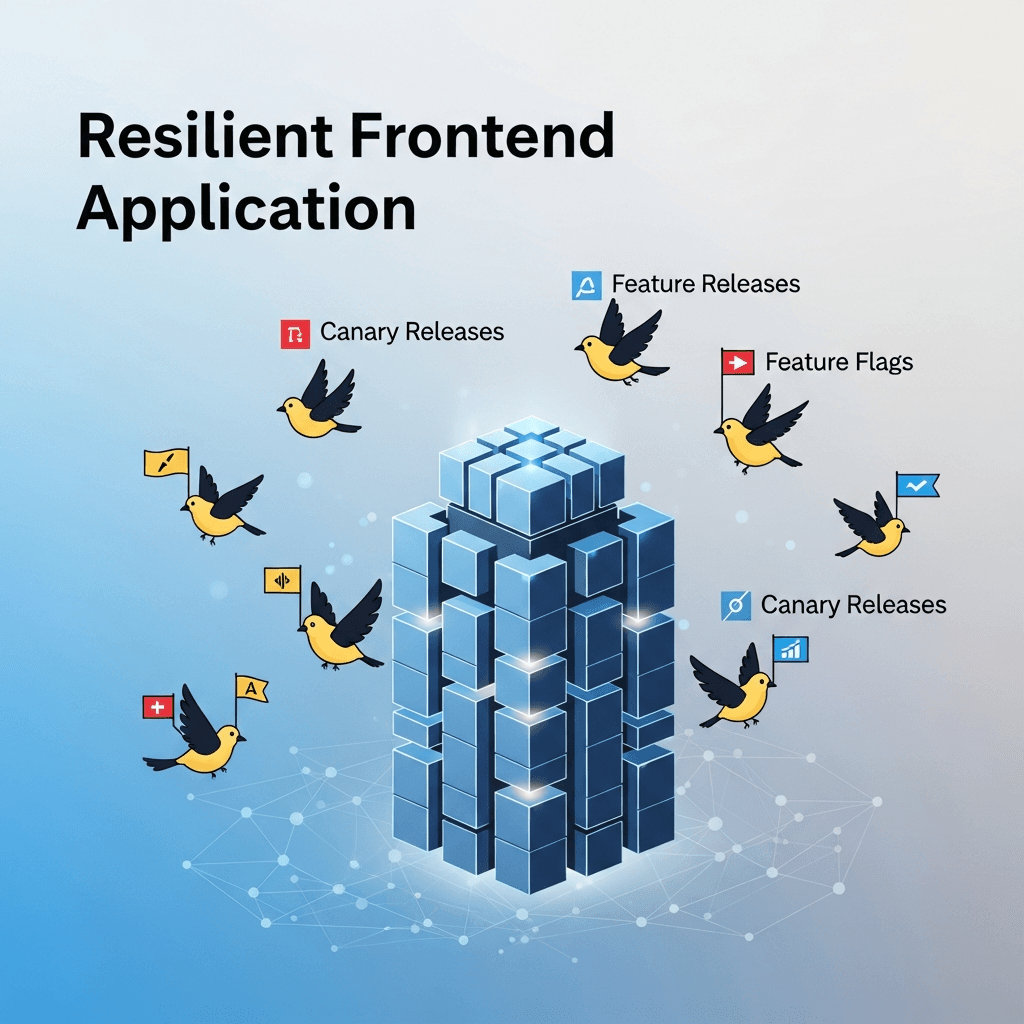
This is where advanced deployment strategies like Feature Flags (also known as Feature Toggles) and Canary Releases come into play. These techniques empower development teams to decouple deployment from release, mitigate risk, and gain unprecedented control over their application's lifecycle. By adopting these strategies, you can build frontend applications that are not only feature-rich but also inherently resilient, allowing for rapid iteration, safe experimentation, and quick rollbacks when necessary.
This comprehensive guide will delve deep into the world of feature flags and canary releases, explaining their core concepts, practical implementation, best practices, and how to combine them for maximum impact. By the end, you'll have a solid understanding of how to transform your frontend deployment process into a robust, low-risk, and highly efficient operation.
Prerequisites
To get the most out of this guide, a basic understanding of the following concepts will be beneficial:
- Web Development Fundamentals: HTML, CSS, and JavaScript.
- Frontend Frameworks: Familiarity with frameworks like React, Vue, or Angular is helpful for code examples.
- CI/CD Concepts: Basic knowledge of Continuous Integration and Continuous Delivery pipelines.
- Version Control: Experience with Git.
- HTTP and DNS: Understanding how web requests are routed.
1. The Need for Resilience in Frontend Applications
Frontend applications are complex systems, often interacting with multiple backend services, third-party APIs, and a diverse range of user devices and browsers. The sheer number of variables makes predicting every possible outcome of a new deployment virtually impossible. Traditional deployment models, where a new version replaces the old one entirely, inherently carry several risks:
- High Impact of Bugs: A critical bug can affect 100% of users immediately.
- Difficult Rollbacks: Reverting a full deployment can be complex, time-consuming, and itself risky.
- Limited Testing in Production: Staging environments rarely perfectly mirror production traffic and usage patterns.
- Slow Iteration: Fear of breaking production often leads to slower release cycles and delayed feature delivery.
- Poor User Experience: Degraded performance or broken features directly impact user satisfaction and engagement.
Building resilience means designing your application and deployment process to withstand failures, recover quickly, and maintain functionality even in adverse conditions. It's about minimizing the "blast radius" of any potential issue and enabling rapid response.
2. Understanding Feature Flags (Feature Toggles)
At its core, a feature flag (also known as a feature toggle or feature switch) is a software development technique that allows you to turn specific features of your application on or off without deploying new code. Think of it as a conditional switch that wraps a new piece of functionality.
How They Work
When a user interacts with your application, the code checks the state of a feature flag. Based on whether the flag is on or off (or any other configured state), the application either executes the new feature's code path or the existing one. This decision can be made at various points:
- Build Time: Using environment variables to include/exclude code (less dynamic).
- Runtime (Client-side): The client application fetches flag states from a service and renders UI accordingly.
- Runtime (Server-side): A backend service decides which features are active and sends this information to the frontend.
Benefits of Feature Flags
- Decouple Deployment from Release: You can deploy unfinished features to production in an "off" state, then enable them later without a new deployment.
- A/B Testing and Experimentation: Roll out new UI elements or workflows to a subset of users to gather data and compare performance.
- Kill Switches: Instantly disable a buggy feature in production without rolling back the entire application.
- Personalized Experiences: Show different features or content based on user roles, subscriptions, or segments.
- Gradual Rollouts: Release a feature to a small percentage of users, then slowly increase the rollout percentage.
- Emergency Fixes: Deploy a hotfix and enable it only for affected users or specific conditions.
Types of Feature Flags
- Release Toggles: Used to manage the release of new features. They typically have a short lifespan and are removed once the feature is fully rolled out.
- Experiment Toggles: Used for A/B testing or multivariate testing. They help gather data on user behavior and impact.
- Operational Toggles: Control operational aspects of the system, like enabling/disabling a non-critical service or switching between different data sources.
- Permissioning Toggles: Grant or deny access to certain features for specific user groups (e.g., admin features, premium content).
3. Implementing Feature Flags in a Frontend Application
Implementing feature flags can range from a simple local configuration to integrating with a sophisticated feature flag management service. For most modern applications, especially those with complex needs, a dedicated service is recommended.
Client-side vs. Server-side Evaluation
- Client-side Evaluation: The feature flag SDK runs directly in the user's browser. It fetches flag rules and evaluates them locally. This is common for UI-centric flags. Pros: Fast, less backend load. Cons: Flags can be visible in client code (security/IP concerns), potential for flicker if not handled well.
- Server-side Evaluation: The flag evaluation happens on your backend servers. The backend then tells the frontend what features are enabled. Pros: More secure, centralized control, consistent experience across different clients. Cons: Requires a backend component, potential for increased latency.
Often, a hybrid approach is used, where core flags are evaluated server-side and UI-specific flags client-side.
Using a Dedicated Feature Flag Service
Services like LaunchDarkly, Split.io, Optimizely Feature Flags, or Flagsmith provide comprehensive dashboards, SDKs for various languages (including JavaScript), targeting rules, and analytics. They simplify flag management significantly.
Manual Implementation (for simpler cases)
For very small projects or specific, non-critical flags, you might implement them manually using a configuration file or environment variables. This approach quickly becomes cumbersome as the number of flags grows.
Code Example 1: Basic React Component with a Local Feature Flag
Let's imagine you want to introduce a new "Dark Mode" toggle. You can start with a simple local flag.
// src/config/features.js
const featureFlags = {
  isDarkModeEnabled: true, // Set to false initially for testing
  showNewDashboardWidget: false
};

export default featureFlags;// src/components/Header.jsx
import React from 'react';
import featureFlags from '../config/features';
const Header = () => {
const [isDarkMode, setIsDarkMode] = React.useState(false);
React.useEffect(() => {
// Check feature flag on component mount
if (featureFlags.isDarkModeEnabled) {
setIsDarkMode(true);
}
}, []);
const toggleDarkMode = () => {
// In a real app, this would update user preferences and potentially a flag service
setIsDarkMode(!isDarkMode);
};
return (
<header className={isDarkMode ? 'dark-mode' : ''}>
<h1>My Awesome App</h1>
{featureFlags.isDarkModeEnabled && (
<button onClick={toggleDarkMode}>
{isDarkMode ? 'Light Mode' : 'Dark Mode'}
</button>
)}
{featureFlags.showNewDashboardWidget && (
<span style={{ marginLeft: '10px' }}>New Widget Preview!</span>
)}
</header>
);
};
export default Header;This simple example shows how featureFlags.isDarkModeEnabled and featureFlags.showNewDashboardWidget control the rendering of UI elements. While functional, managing many flags this way becomes unwieldy.
4. Advanced Feature Flag Strategies
Moving beyond simple on/off switches, advanced feature flag strategies unlock powerful capabilities for controlled rollouts and personalized experiences.
Targeting Rules
Most feature flag services allow you to define rules for who sees a feature. Common targeting attributes include:
- User ID/Email: Enable a feature for specific users (e.g., internal QA team, beta testers).
- User Attributes: Based on user roles (admin, premium), subscription status, or other custom data.
- Geographic Location: Roll out a feature to users in a specific country or region.
- Device Type/Browser: Target users on mobile, desktop, or specific browsers.
- IP Address: Useful for internal testing or specific corporate networks.
Percentage Rollouts
This is a critical strategy for gradual rollouts. You can configure a flag to be on for, say, 1% of your users, then gradually increase that percentage (e.g., 5%, 10%, 25%, 50%, 100%). This minimizes the blast radius of any potential issues, allowing you to monitor performance and user feedback before a full release.
Kill Switches and Emergency Toggles
A kill switch is a feature flag designed to immediately disable a critical or potentially problematic feature in production. If a newly released feature causes unexpected errors, performance degradation, or security vulnerabilities, you can flip its kill switch to off without needing a full rollback or new deployment. This provides an instant safety net.
Dynamic Configuration
Feature flags can also be used for dynamic configuration, allowing you to change application settings (e.g., API endpoints, timeout values, theme colors) without redeploying. This is particularly useful for operational parameters that might need to be adjusted frequently.
Code Example 2: Integrating with a Hypothetical Feature Flag Service SDK (React)
Imagine you're using a service like myFeatureFlagService.
// src/services/featureFlags.js
// This would typically be an SDK provided by your feature flag service
// For demonstration, we'll mock it.
const myFeatureFlagService = {
  initialize: (userContext) => {
    console.log('Initializing feature flag service for user:', userContext);
    // In a real SDK, this would fetch flags based on userContext
  },
  getFlag: (flagName, defaultValue) => {
    // Simulate fetching flag state based on some rules
    if (flagName === 'enableNewNavigation') {
      // Simulate 10% rollout for 'enableNewNavigation'
      const userIdHash = Math.floor(Math.random() * 100); // Simple hash for demo
      return userIdHash < 10; // 10% of users get new nav
    }
    if (flagName === 'showPremiumContent') {
      // Assume user context has 'isPremium' property
      return window.currentUser?.isPremium || defaultValue;
    }
    return defaultValue; // Default value if flag not found or no rule matches
  },
  // Add methods for tracking events, etc.
};

export default myFeatureFlagService;// src/App.js
import React, { useEffect, useState } from 'react';
import myFeatureFlagService from './services/featureFlags';
import Header from './components/Header'; // Assume Header uses some flags
const App = () => {
const [isNewNavigationEnabled, setIsNewNavigationEnabled] = useState(false);
const [showPremiumContent, setShowPremiumContent] = useState(false);
useEffect(() => {
// Simulate a user context
window.currentUser = { id: 'user-123', email: 'test@example.com', isPremium: true };
myFeatureFlagService.initialize(window.currentUser);
// Fetch flag states
setIsNewNavigationEnabled(myFeatureFlagService.getFlag('enableNewNavigation', false));
setShowPremiumContent(myFeatureFlagService.getFlag('showPremiumContent', false));
}, []);
return (
<div>
<Header />
{isNewNavigationEnabled ? (
<nav>New Navigation Bar</nav>
) : (
<nav>Old Navigation Bar</nav>
)}
<main>
<h1>Welcome to the App</h1>
{showPremiumContent && (
<section style={{ border: '1px solid gold', padding: '10px' }}>
<h2>Premium Content Unlocked!</h2>
<p>Thanks for being a premium subscriber.</p>
</section>
)}
<p>This is the main content area.</p>
</main>
</div>
);
};
export default App;This example demonstrates how myFeatureFlagService.getFlag() can dynamically control parts of the application based on rules (like a 10% rollout for enableNewNavigation or isPremium status for showPremiumContent).
5. Introduction to Canary Releases
A canary release is a deployment strategy that reduces the risk of introducing a new version of software into production by gradually rolling out the change to a small subset of users. The term comes from the historical practice of using canaries in coal mines to detect toxic gases; if the canary died, miners knew to evacuate.
How it Works
Instead of replacing the old version (often called the "stable" or "production" version) with the new one all at once, you deploy the new version (the "canary" version) alongside the stable version. A small percentage of live user traffic is then routed to the canary. During this phase, you rigorously monitor the canary's performance, error rates, and user behavior. If everything looks good, you gradually increase the traffic to the canary until it receives 100% of the traffic, at which point the old version can be decommissioned. If issues are detected, traffic can be quickly shifted back to the stable version, minimizing impact.
Benefits of Canary Releases
- Early Problem Detection: Catch bugs and performance regressions with real user traffic before they impact all users.
- Minimized Risk: Limit the blast radius of any deployment failure to a small segment of users.
- Real-world Performance Testing: Validate performance and scalability under actual production load.
- A/B Testing (Infrastructure/Code Changes): Test different infrastructure configurations or core application changes with live traffic.
- Faster Rollbacks: Reverting to the stable version is often as simple as re-routing traffic.
- Confidence in Releases: Build trust in your deployment process and the quality of your code.
6. How Canary Releases Work for Frontends
Implementing canary releases for frontend applications primarily involves intelligent traffic routing at different layers of your infrastructure. The goal is to direct a small, controlled percentage of users to the new frontend version while the majority continue to use the stable one.
DNS-based Routing
Services like AWS Route 53, Cloudflare, or other DNS providers offer weighted routing policies. You can configure DNS records to direct a certain percentage of requests to one IP address (your stable frontend) and another percentage to a different IP address (your canary frontend). This is effective but can have caching issues and isn't ideal for highly dynamic traffic splitting.
Load Balancer-based Routing
This is a common and highly effective method. Modern load balancers (e.g., Nginx, HAProxy, AWS ELB/ALB, Google Cloud Load Balancing, Azure Application Gateway) can be configured to split traffic based on various rules:
- Percentage: Route X% of requests to the canary.
- Headers/Cookies: Route users with specific headers (e.g., internal QA users) or cookies to the canary.
- IP Address: Route specific IP ranges to the canary.
When a new frontend version is deployed, it's typically deployed to a new set of servers or containers behind the load balancer. The load balancer then directs traffic to the appropriate target group.
CDN-level Routing (Edge Functions)
Content Delivery Networks (CDNs) like Cloudflare, AWS CloudFront (with Lambda@Edge), or Netlify Edge Functions allow you to run code at the edge of the network. This provides extremely low-latency routing decisions. You can write functions that inspect incoming requests and decide whether to serve the stable or canary version based on custom logic (e.g., user ID, geolocation, a random percentage).
Client-side Routing (Less Common for Canaries Alone)
While less common as a primary canary release mechanism, you could technically use feature flags within your application to determine which version of a component or even a whole app build to load. However, this often requires the user to load a base application that then makes the decision, which can be complex and prone to flicker. It's usually better handled at the network/server level.
Code Example 3: Conceptual Nginx Configuration for a Canary Release
This example shows how you might configure Nginx to split traffic between two upstream servers (frontend_stable and frontend_canary) using a weighted approach.
# /etc/nginx/conf.d/frontend-canary.conf

upstream frontend_stable {
    server stable-frontend-ip:80 weight=90; # 90% of traffic
}

upstream frontend_canary {
    server canary-frontend-ip:80 weight=10; # 10% of traffic
}

server {
    listen 80;
    server_name your-app.com;

    location / {
        # Introduce a random factor for fairer distribution across workers
        # Or use consistent hashing based on user IP for sticky sessions if needed
        if ($request_uri ~* "^/(.*)") {
            set $target_upstream "frontend_stable";
            # Simple random split (not truly sticky, but demonstrates the concept)
            # In production, use more sophisticated logic or load balancer features
            # For example, hashing user IP or a cookie to ensure a user stays on one version
            # For a more robust solution, use Nginx Plus's `split_clients` or a dedicated LB
            if (random() * 100 < 10) { # 10% chance to go to canary
                set $target_upstream "frontend_canary";
            }
        }

        proxy_pass http://$target_upstream;
        proxy_set_header Host $host;
        proxy_set_header X-Real-IP $remote_addr;
        proxy_set_header X-Forwarded-For $proxy_add_x_forwarded_for;
        proxy_set_header X-Forwarded-Proto $scheme;
    }

    # Example to direct specific users to canary using a cookie
    location /canary_test {
        if ($cookie_canary_user = "true") {
            proxy_pass http://frontend_canary;
        } {
            proxy_pass http://frontend_stable;
        }
        proxy_set_header Host $host;
        proxy_set_header X-Real-IP $remote_addr;
        proxy_set_header X-Forwarded-For $proxy_add_x_forwarded_for;
        proxy_set_header X-Forwarded-Proto $scheme;
    }
}Note: This Nginx configuration is illustrative. For production, you'd typically use more robust load balancer features, A/B testing modules, or external services that provide sticky sessions for canary users (so they consistently experience the canary version).
7. Setting Up a Canary Release Pipeline (CI/CD)
Automating your canary release process within your CI/CD pipeline is crucial for efficiency and reliability. A typical pipeline might look like this:
- Code Commit & CI: Developer commits code -> CI pipeline runs tests, builds the frontend artifact (e.g., optimized JavaScript, CSS, HTML).
- Containerization/Deployment: The new frontend artifact is packaged (e.g., into a Docker image or uploaded to a CDN bucket).
- Canary Deployment: The CI/CD system deploys this new version to a small, isolated set of infrastructure (e.g., new EC2 instances, Kubernetes pods, or a separate S3 bucket/CloudFront distribution).
- Traffic Shifting (Initial): The load balancer or CDN is configured to route a small percentage (e.g., 1-5%) of live traffic to the canary.
- Monitoring & Validation: This is the most critical step. Automated systems continuously monitor key metrics:
- Error Rates: JavaScript errors, HTTP 5xx responses.
- Performance: Page load times, core web vitals, API response times.
- User Behavior: Conversion rates, bounce rates, engagement metrics.
- Logs: Anomaly detection in logs.
- Automated Rollback/Promotion: If monitoring detects significant degradation (e.g., error rate spikes above a threshold), the pipeline automatically triggers a rollback, shifting 100% of traffic back to the stable version. If the canary performs well for a defined period, the pipeline can gradually increase traffic to the canary.
- Full Rollout: Once the canary receives 100% of traffic and remains stable, the old stable version can be decommissioned.
Integrating with Application Performance Monitoring (APM) tools (e.g., Datadog, New Relic, Sentry) and logging platforms (e.g., ELK stack, Splunk) is essential for effective monitoring during canary releases.
8. Combining Feature Flags and Canary Releases
While both feature flags and canary releases enhance resilience, they solve slightly different problems and are incredibly powerful when used together. They represent different layers of control:
- Canary Releases: Control which version of your entire application a user sees. This is about infrastructure-level deployment risk management.
- Feature Flags: Control which features within a specific application version a user sees. This is about application-level feature risk management and experimentation.
Synergy and Use Cases
- A/B Testing a New Feature on a Canary: You could deploy a new application version as a canary to 5% of users. Within that canary version, a specific new feature might be gated by a feature flag, allowing you to A/B test it with an even smaller subset (e.g., 50% of the canary users). This allows for highly granular experimentation with minimal risk.
- Staged Rollout of a Feature within a Canary: Deploy a new version with multiple new features, all initially disabled by flags. Roll out the application as a canary. Once the canary is stable, you can then enable individual features using their respective flags, perhaps with percentage rollouts, all within the canary environment. This allows you to test the infrastructure stability first, then the feature stability.
- Emergency Kill Switch for a Feature in a Canary: If a specific feature within your canary version causes issues, you can disable it instantly via its feature flag without rolling back the entire canary application. This gives you more fine-grained control than a full canary rollback.
- Testing Infrastructure Changes with Flags: Deploy a new infrastructure configuration as a canary. Use a feature flag to enable a specific new API endpoint or data source within the canary, ensuring both the infrastructure and the new feature work together seamlessly before a full rollout.
This combined approach provides unparalleled control, allowing teams to iterate rapidly with confidence, knowing they have multiple layers of safety nets.
9. Best Practices for Feature Flags and Canary Releases
To maximize the benefits and avoid common pitfalls, adhere to these best practices:
For Feature Flags:
- Clear Naming Conventions: Use descriptive, consistent names (e.g.,
feature-name-enable,new-dashboard-layout-v2). - Flag Lifecycle Management: Flags introduce technical debt. Have a process to review and remove old flags regularly, especially release toggles once a feature is fully live. Don't let flag proliferation become unmanageable.
- Documentation: Document each flag's purpose, expected behavior, dependencies, and owners.
- Default Values: Always provide sensible default values for flags in case the flag service is unavailable or a flag isn't found.
- Performance Considerations: Minimize the number of flags fetched at application startup. Cache flag states where appropriate.
- Security: Be mindful of sensitive information exposed via client-side flags. Use server-side flags for critical access control.
- Testing: Write unit and integration tests for code paths under different flag states. Consider end-to-end tests that simulate flag variations.
For Canary Releases:
- Granular Monitoring: Beyond basic error rates, monitor business metrics (conversion, engagement), performance (Core Web Vitals), and specific component health. Set clear thresholds for automated rollbacks.
- Small Initial Traffic Percentage: Start with a very small percentage (1-5%) of users for the canary. Increase gradually.
- Automated Rollbacks: Design your CI/CD pipeline to automatically revert traffic to the stable version if critical metrics degrade.
- Clear Rollback Strategy: Ensure you can quickly and reliably revert to the previous stable state.
- Idempotent Deployments: Ensure your deployments are idempotent, meaning applying them multiple times yields the same result.
- User Experience Consistency: Aim for user stickiness (a user routed to the canary should stay on the canary) to ensure consistent experience and accurate monitoring.
- Communication: Inform stakeholders and support teams about ongoing canaries and potential impacts.
10. Common Pitfalls and How to Avoid Them
Even with the best intentions, missteps can occur when implementing these powerful strategies.
Feature Flag Pitfalls:
- Flag Debt: Accumulating too many unused or poorly managed flags. This increases complexity, makes debugging harder, and can impact performance. Avoid by: Regular flag audits, clear ownership, and a process for deprecating/removing flags.
- Lack of Testing: Not testing all code paths (both
onandoffstates) for a feature. Avoid by: Comprehensive unit, integration, and end-to-end tests covering flag variations. Consider matrix testing where combinations of flags are tested. - Performance Overhead: Too many client-side flag evaluations or frequent fetching can slow down your application. Avoid by: Caching flag states, optimizing flag evaluation logic, and using server-side flags for critical paths.
- Security Vulnerabilities: Exposing sensitive features or data through easily discoverable client-side flags. Avoid by: Using server-side evaluation for access control, and ensuring client-side flags don't expose critical business logic.
- Inconsistent State: A user seeing different flag states across multiple page loads or devices. Avoid by: Ensuring consistent user context for flag evaluation and potentially persisting flag decisions (e.g., in a cookie or local storage).
Canary Release Pitfalls:
- Inadequate Monitoring: Not having the right metrics or alerts in place to detect issues quickly. Avoid by: Defining clear success and failure metrics before deployment, setting up robust monitoring and alerting, and integrating with APM tools.
- Insufficient Traffic: Rolling out to too small a percentage for too short a time, leading to missed issues. Avoid by: Balancing the risk with sufficient traffic and observation time. Start small, but ensure enough data points for meaningful insights.
- Lack of Rollback Plan: Not having a well-tested, automated rollback mechanism. Avoid by: Practicing rollbacks regularly and automating the process within your CI/CD pipeline.
- Inconsistent Infrastructure: The canary environment not accurately reflecting the stable environment (e.g., different dependencies, configurations). Avoid by: Using Infrastructure as Code (IaC) to ensure environments are identical except for the application version.
- User Stickiness Issues: Users randomly switching between stable and canary versions mid-session, leading to a broken experience. Avoid by: Implementing routing mechanisms (e.g., load balancer sticky sessions, consistent hashing based on user ID/IP, or cookie-based routing) to ensure users stay on one version.
Conclusion
Building resilient frontend applications is no longer a luxury but a necessity in today's demanding digital landscape. Feature flags and canary releases provide powerful, complementary strategies to achieve this resilience, transforming your deployment process from a high-stakes gamble into a controlled, iterative, and confidence-inspiring operation.
By embracing feature flags, you gain the ability to innovate faster, conduct experiments safely, and respond instantly to critical issues with kill switches. By implementing canary releases, you minimize the risk of new deployments, validate changes with real user traffic, and ensure a smooth, stable experience for the vast majority of your users.
When combined, these techniques unlock a new level of control, allowing you to manage both the rollout of your entire application and the individual features within it with unparalleled precision. The journey towards a truly resilient frontend is continuous, requiring careful planning, robust automation, and a strong culture of monitoring and rapid response. Start integrating these strategies into your development workflow today, and empower your teams to deliver exceptional user experiences with unwavering confidence.

Written by
CodewithYohaFull-Stack Software Engineer with 7+ years of experience in Java, Spring Boot, and cloud architecture across AWS, Azure, and GCP. Writing production-grade engineering patterns for developers who ship real software.