Introduction
In the fast-paced world of modern software development, speed and agility are paramount. Continuous Integration and Continuous Delivery (CI/CD) pipelines have become the backbone of rapid software releases, enabling teams to deploy code multiple times a day. However, this velocity often comes with a hidden cost: security. Historically, security has been a separate, often late-stage, concern, leading to bottlenecks, costly rework, and increased risk. This is where DevSecOps steps in.
DevSecOps is more than just a buzzword; it's a cultural and technical shift that embeds security practices throughout the entire software development lifecycle (SDLC), from design and development to testing, deployment, and operations. The core principle is "shift left" – integrating security as early as possible in the development process. By bringing security into the CI/CD pipeline, organizations can identify and remediate vulnerabilities proactively, reduce the cost of fixes, and build inherently more secure applications without sacrificing speed.
This comprehensive guide will walk you through the "how" and "why" of integrating various security scans into your CI/CD pipeline. We'll explore different types of scans, practical tools, code examples, best practices, and common pitfalls to help you build a robust, secure, and efficient development workflow.
Prerequisites
To get the most out of this guide, a basic understanding of the following concepts is recommended:
- CI/CD Fundamentals: Familiarity with concepts like continuous integration, continuous delivery, build stages, and deployment stages.
- Version Control: Experience with Git and platforms like GitHub, GitLab, or Bitbucket.
- Application Development: Basic knowledge of a programming language (e.g., Python, Java, JavaScript) and associated build tools.
- Containerization: Understanding of Docker and container images (for container security sections).
- Infrastructure as Code (IaC): Basic familiarity with tools like Terraform or Kubernetes manifests (for IaC security sections).
1. Understanding DevSecOps and Shift-Left Security
DevSecOps extends the DevOps philosophy by integrating security as a shared responsibility across the entire development team. It emphasizes automation, collaboration, and continuous feedback. The "shift-left" approach is central to DevSecOps, advocating for security activities to be performed early and often in the SDLC. Instead of finding security flaws just before release or, worse, in production, we aim to detect them during coding, committing, and building phases.
Why Shift Left?
- Cost Reduction: Fixing vulnerabilities in the design or coding phase is significantly cheaper than fixing them post-release.
- Faster Remediation: Developers are more familiar with the code they just wrote, making it quicker to address issues.
- Improved Security Posture: Proactive security leads to fewer vulnerabilities making it to production.
- Enhanced Developer Productivity: Developers receive immediate feedback, learning secure coding practices over time.
- Compliance: Helps meet regulatory requirements by demonstrating continuous security efforts.
2. Why Integrate Security into CI/CD?
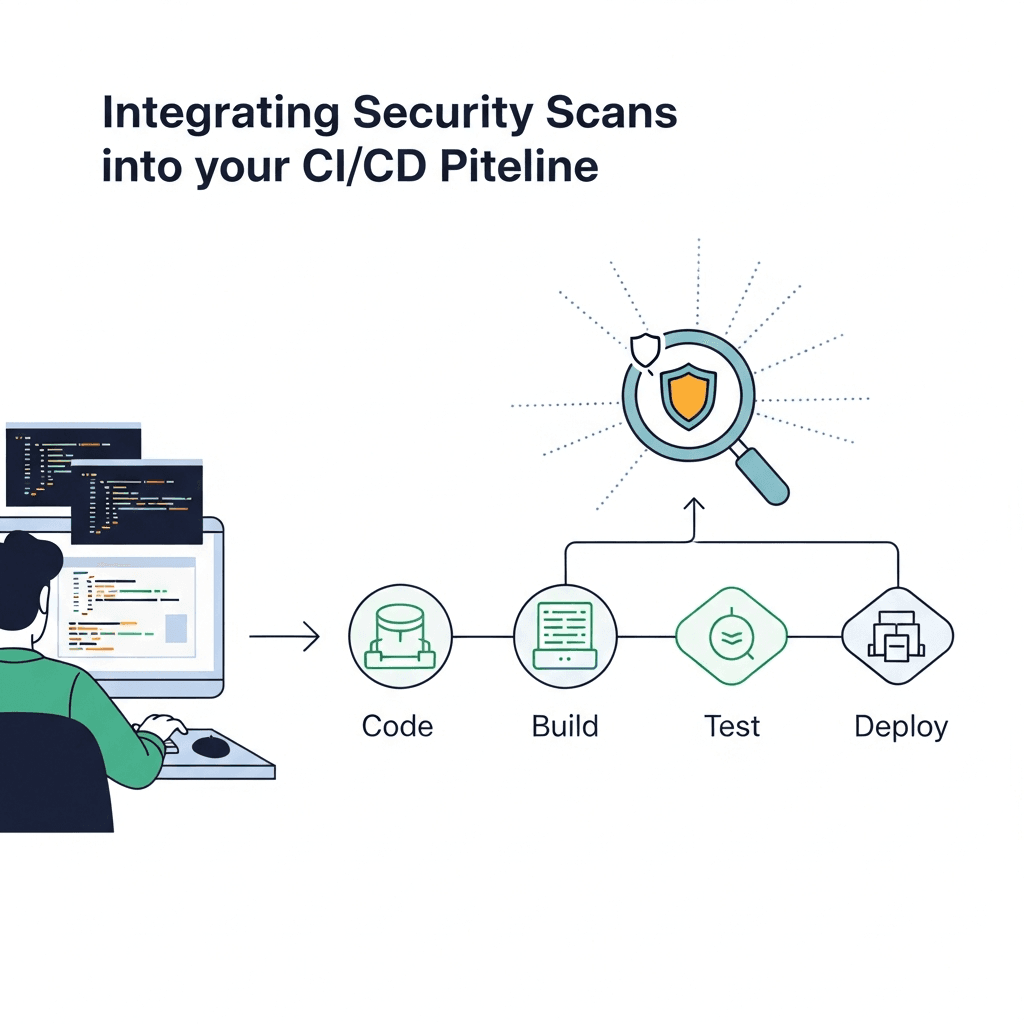
The CI/CD pipeline is the ideal place to embed security checks because it's where code changes are built, tested, and prepared for deployment. By integrating security scans directly into the pipeline, you can:
- Automate Security Checks: Eliminate manual, error-prone security reviews.
- Provide Immediate Feedback: Alert developers to vulnerabilities as soon as they are introduced.
- Enforce Security Policies: Automatically block builds or deployments that fail to meet defined security criteria.
- Maintain Development Velocity: Security becomes an integrated part of the workflow, not a separate, delaying gate.
- Create Audit Trails: Generate reports and logs for compliance and accountability.
3. Types of Security Scans in CI/CD
Integrating security into CI/CD involves employing various types of automated scans, each designed to detect different classes of vulnerabilities at different stages of the SDLC.
Static Application Security Testing (SAST)
SAST tools analyze source code, bytecode, or binary code without executing the application. They look for coding errors, security weaknesses, and violations of secure coding guidelines. SAST is typically performed early in the CI pipeline.
- Pros: Early detection, can be run frequently, covers custom code.
- Cons: Can produce false positives, doesn't detect runtime issues, language-specific.
Software Composition Analysis (SCA)
SCA tools identify and analyze open-source components, libraries, and dependencies used in an application. They check for known vulnerabilities (CVEs), licensing issues, and outdated versions. Given the prevalence of open-source in modern applications, SCA is crucial.
- Pros: Identifies vulnerabilities in third-party code, helps manage licenses.
- Cons: Relies on public vulnerability databases, may miss custom vulnerabilities.
Container Security Scanning
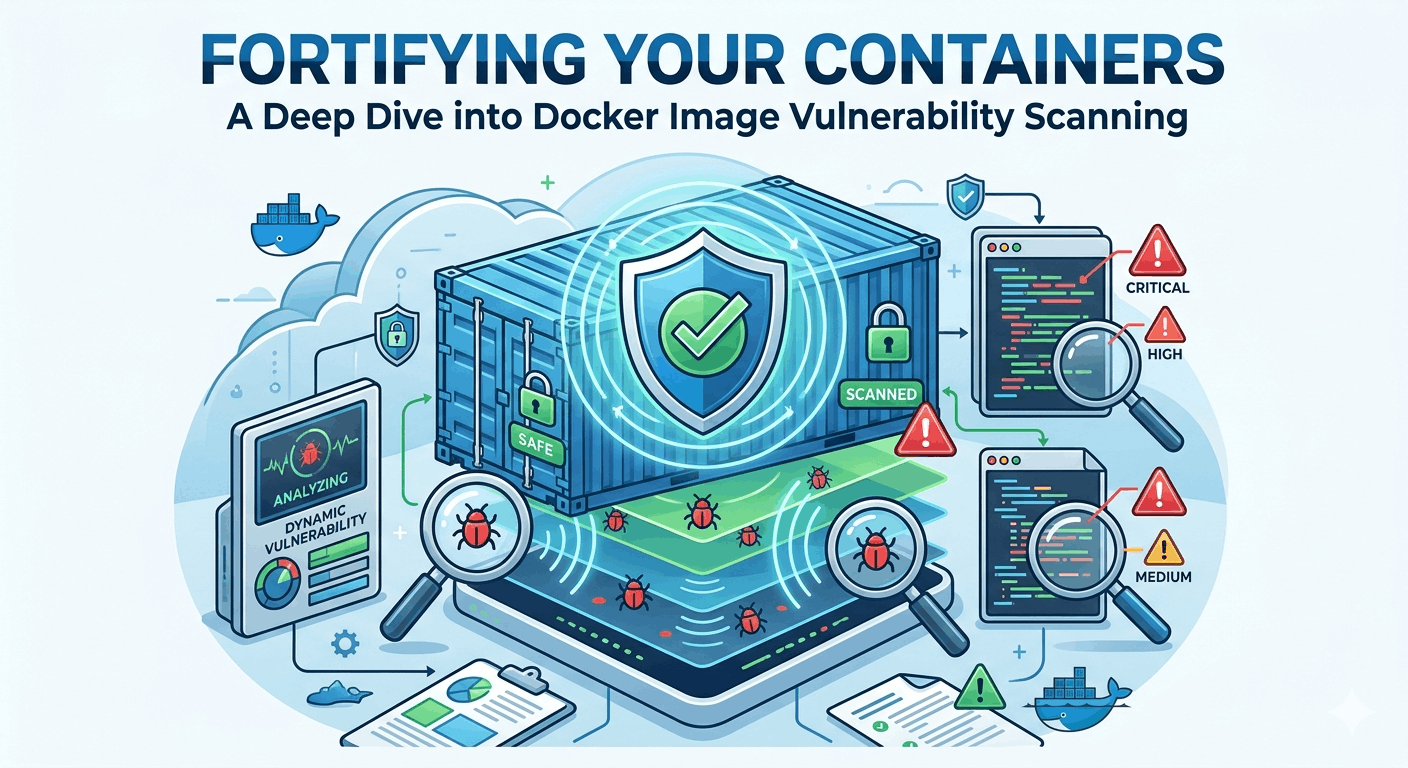
These tools scan Docker images and other container artifacts for known vulnerabilities in the operating system, installed packages, and application dependencies within the container. They also check for misconfigurations.
- Pros: Secures the deployment unit, prevents vulnerable images from reaching production.
- Cons: Focuses on image content, not runtime behavior.
Infrastructure as Code (IaC) Security Scanning
IaC tools (like Terraform, CloudFormation, Kubernetes manifests) define infrastructure programmatically. IaC security scanners analyze these configuration files for misconfigurations, security best practice violations, and compliance issues before infrastructure is provisioned.
- Pros: Proactive security for infrastructure, prevents cloud misconfigurations.
- Cons: Requires understanding of IaC syntax, may not cover all cloud services.
Dynamic Application Security Testing (DAST)
DAST tools test a running application from the outside, simulating attacks to find vulnerabilities like SQL injection, cross-site scripting (XSS), and insecure direct object references. DAST is typically performed in a staging or test environment after the application has been deployed.
- Pros: Finds runtime vulnerabilities, technology-agnostic, lower false positives.
- Cons: Requires a running application, slower than SAST, doesn't cover unexecuted code paths.
4. Integrating SAST into the CI Pipeline
SAST is best run at the commit or build stage. It provides immediate feedback to developers on vulnerabilities in their own code. Popular tools include SonarQube, Checkmarx, Fortify, and open-source options like Bandit (Python), ESLint (JavaScript), and FindBugs (Java).
Let's integrate Bandit for Python code scanning in a GitHub Actions workflow.
name: Python CI/CD with SAST

on: [push, pull_request]

jobs:
  build-and-sast:
    runs-on: ubuntu-latest

    steps:
    - name: Checkout code
      uses: actions/checkout@v4

    - name: Set up Python
      uses: actions/setup-python@v5
      with:
        python-version: '3.x'

    - name: Install dependencies
      run: |-
        python -m pip install --upgrade pip
        pip install bandit
        pip install -r requirements.txt # If you have a requirements.txt

    - name: Run Bandit SAST scan
      # Bandit will exit with a non-zero code if issues are found, failing the build.
      # You can adjust severity levels or exclude tests as needed.
      run: |-
        bandit -r . -ll -f json -o bandit-results.json || true # Run and save results, don't fail immediately

    - name: Upload Bandit results (optional)
      uses: actions/upload-artifact@v4
      with:
        name: bandit-results
        path: bandit-results.json

    - name: Evaluate Bandit results and fail if critical issues found
      # This step can parse bandit-results.json and decide whether to fail the build.
      # For simplicity, we'll just show the raw output for now.
      run: |-
        echo "Bandit scan complete. Review bandit-results.json for details."
        # Example: if you want to fail on specific severities, you'd parse 'bandit-results.json'
        # and use 'exit 1' if conditions are met.
        # For example, to fail if any 'HIGH' severity issue is found:
        # if grep -q '"severity": "HIGH"' bandit-results.json; then
        #   echo "Critical SAST issues found! Failing build."
        #   exit 1
        # fi
Explanation:
actions/checkout@v4: Checks out your repository code.actions/setup-python@v5: Configures the Python environment.pip install bandit: Installs the Bandit SAST tool.bandit -r . -ll -f json -o bandit-results.json: Runs Bandit recursively (-r .) on the current directory, reports all issues (-ll), outputs in JSON format (-f json), and saves tobandit-results.json(-o). The|| trueprevents the step from failing immediately, allowing for later evaluation.actions/upload-artifact@v4: Uploads the JSON report as a build artifact for later review.- Evaluate Bandit results: This placeholder demonstrates where you would add logic to parse the
bandit-results.jsonand enforce a security gate (e.g.,exit 1if a critical vulnerability is found).
5. Integrating SCA into the CI Pipeline
SCA tools should run after dependencies are resolved but before the application is built. This ensures that all third-party components are checked for known vulnerabilities. Popular tools include OWASP Dependency-Check, Snyk, WhiteSource, and Black Duck.
Here's an example using OWASP Dependency-Check with GitHub Actions for a Java project (it supports many languages).
name: Java CI/CD with SCA

on: [push, pull_request]

jobs:
  build-and-sca:
    runs-on: ubuntu-latest

    steps:
    - name: Checkout code
      uses: actions/checkout@v4

    - name: Set up Java
      uses: actions/setup-java@v4
      with:
        distribution: 'temurin'
        java-version: '17'

    - name: Build with Maven (to resolve dependencies)
      run: mvn clean install -DskipTests # Ensure all dependencies are downloaded

    - name: Run OWASP Dependency-Check
      # Using the official action or run directly via CLI
      uses: dependency-check/Dependency-Check-Action@v3.2.1
      id: depcheck
      with:
        project: 'MyJavaApp'
        path: '.' # Scan current directory, where pom.xml and dependencies are
        format: 'HTML,JSON'
        failOnCVSS: 7 # Fail the build if CVSS score is 7 or higher
        # Arguments can be passed directly, e.g., --scan .

    - name: Upload Dependency-Check reports
      uses: actions/upload-artifact@v4
      with:
        name: dependency-check-reports
        path: target/dependency-check-report.*
Explanation:
actions/setup-java@v4: Configures the Java environment.mvn clean install -DskipTests: Builds the Java project, ensuring all Maven dependencies are downloaded and available for scanning.dependency-check/Dependency-Check-Action@v3.2.1: This GitHub Action wraps the OWASP Dependency-Check tool. It scans the project (path: '.'), generates HTML and JSON reports, and crucially,failOnCVSS: 7will cause the build to fail if any identified vulnerability has a CVSS score of 7 or higher.actions/upload-artifact@v4: Uploads the generated reports for review.
6. Integrating Container Security Scans
Container image scanning should occur immediately after an image is built, before it's pushed to a registry or deployed. This prevents vulnerable images from propagating. Popular tools include Trivy, Clair, Anchore Engine, and Docker Scout.
Here's an example using Trivy to scan a Docker image in GitHub Actions.
name: Docker Image CI/CD with Container Scan

on: [push, pull_request]

jobs:
  build-and-scan-image:
    runs-on: ubuntu-latest
    steps:
    - name: Checkout code
      uses: actions/checkout@v4

    - name: Build Docker image
      run: docker build -t my-app:latest .

    - name: Run Trivy vulnerability scan
      uses: aquasecurity/trivy-action@master
      with:
        image-ref: 'my-app:latest'
        format: 'table'
        exit-code: '1' # Fail the build if any vulnerability is found
        severity: 'CRITICAL,HIGH'
        output: 'trivy-results.txt'

    - name: Upload Trivy results
      uses: actions/upload-artifact@v4
      with:
        name: trivy-scan-results
        path: trivy-results.txt

    # Optional: Push image to registry if scan passes
    # - name: Log in to Docker Hub
    #   uses: docker/login-action@v3
    #   with:
    #     username: ${{ secrets.DOCKER_USERNAME }}
    #     password: ${{ secrets.DOCKER_PASSWORD }}
    # - name: Push Docker image
    #   run: docker push my-app:latest
Explanation:
docker build -t my-app:latest .: Builds your Docker image.aquasecurity/trivy-action@master: This GitHub Action integrates Trivy. It scansmy-app:latest.exit-code: '1': Crucially, this will cause the workflow to fail if Trivy finds any vulnerabilities of the specifiedseverity.severity: 'CRITICAL,HIGH': Configures Trivy to only report and fail on Critical and High severity vulnerabilities.actions/upload-artifact@v4: Saves the Trivy scan report.
7. Integrating IaC Security Scans
IaC scanning should occur before any infrastructure is provisioned. This catches misconfigurations or policy violations in your Terraform, CloudFormation, or Kubernetes manifests. Tools include Checkov, Terrascan, KICS, and Bridgecrew.
Here's an example using Checkov for Terraform files in GitHub Actions.
name: IaC Security Scan with Checkov

on: [push, pull_request]

jobs:
  scan-iac:
    runs-on: ubuntu-latest
    steps:
    - name: Checkout code
      uses: actions/checkout@v4

    - name: Run Checkov IaC scan
      uses: bridgecrewio/checkov-action@v12
      with:
        directory: . # Scan current directory for IaC files
        output_format: cli,json
        output_file_path: checkov-results.json
        soft_fail: false # Set to true if you don't want to fail the build immediately
        # framework: terraform,kubernetes # Specify frameworks if needed

    - name: Upload Checkov results
      uses: actions/upload-artifact@v4
      with:
        name: checkov-results
        path: checkov-results.json
Explanation:
bridgecrewio/checkov-action@v12: Integrates Checkov. It scans thedirectory: '.'for IaC files.soft_fail: false: Ensures that if Checkov finds policy violations, the GitHub Action will fail, blocking the pipeline.actions/upload-artifact@v4: Uploads the JSON report for detailed review.
8. Integrating DAST into the CD Pipeline
DAST tools require a running application, so they are typically integrated into the CD pipeline after deployment to a staging or test environment. OWASP ZAP (Zed Attack Proxy) is a popular open-source DAST tool. Other options include Burp Suite, Acunetix, and Qualys WAS.
Here's a simplified example of running OWASP ZAP's baseline scan in GitHub Actions after deploying to a temporary environment.
name: Application Deployment and DAST Scan

on: [push]

jobs:
  deploy-and-dast-scan:
    runs-on: ubuntu-latest
    steps:
    - name: Checkout code
      uses: actions/checkout@v4

    - name: Set up Node.js (example for a web app)
      uses: actions/setup-node@v4
      with:
        node-version: '20'

    - name: Install dependencies and build app
      run: npm install && npm run build

    - name: Start a simple web server (for DAST target)
      run: |-
        npm install -g serve
        serve -s build -l 3000 &
        sleep 10 # Give server time to start
      # In a real scenario, this would be a deployment to a staging environment

    - name: Run OWASP ZAP Baseline Scan
      uses: zaproxy/action-baseline@v0.12.0
      with:
        target: 'http://localhost:3000' # Replace with your deployed application URL
        docker_name: 'owasp/zap2docker-stable'
        allow_issue_failing_on_warnings: true # Fail if warnings are found
        # rules_file: .zap/baseline-rules.conf # Optional: custom rules to ignore false positives

    - name: Upload ZAP report
      uses: actions/upload-artifact@v4
      with:
        name: zap-report
        path: zap_report.html
Explanation:
Start a simple web server: In a real scenario, this step would involve deploying your application to a dedicated staging environment, making it accessible via a URL.zaproxy/action-baseline@v0.12.0: This GitHub Action runs OWASP ZAP's baseline scan against the specifiedtargetURL. The baseline scan is quick and identifies common issues.allow_issue_failing_on_warnings: true: Configures the action to fail the build if ZAP identifies any issues (warnings or errors).actions/upload-artifact@v4: Saves the ZAP HTML report for detailed analysis.
9. Automating Security Gates and Policy Enforcement
One of the most powerful aspects of integrating security into CI/CD is the ability to enforce security policies automatically. This means defining criteria that, if not met, will halt the pipeline, preventing vulnerable code or infrastructure from reaching production.
Examples of Security Gates:
- Vulnerability Thresholds: Fail the build if SAST or SCA tools report critical or high-severity vulnerabilities.
- Policy Violations: Fail if IaC scans detect non-compliance with security standards (e.g., S3 buckets publicly accessible).
- Code Coverage: Require a minimum security test coverage percentage.
- Manual Approval: For specific high-risk changes or after certain scan results.
Most security scanning tools and CI/CD platforms offer mechanisms to configure these gates (e.g., exit-code: 1 in Trivy, failOnCVSS in Dependency-Check, soft_fail: false in Checkov). By failing fast, you ensure that security issues are addressed immediately by the team that introduced them.
10. Reporting and Alerting
Simply running scans isn't enough; the results need to be visible, actionable, and integrated into development workflows. Effective reporting and alerting are crucial for DevSecOps success.
- Centralized Dashboards: Integrate scan results into a central security dashboard (e.g., DefectDojo, SonarQube dashboard, custom dashboards) that provides an overview of the security posture.
- Developer Feedback: Provide direct, contextualized feedback to developers. This can be through comments on pull requests, integration with IDEs, or direct messages to Slack/Microsoft Teams channels.
- Ticketing System Integration: Automatically create tickets (e.g., Jira, ServiceNow) for critical vulnerabilities, assigning them to the relevant team or developer.
- Alerting: Configure alerts for critical security failures in the pipeline to security teams via email, Slack, PagerDuty, etc.
Many CI/CD platforms and security tools offer webhooks or APIs for integrating with external systems.
11. Choosing the Right Tools and Strategy
Selecting the appropriate security tools and defining a strategy is critical. Consider the following factors:
- Programming Languages and Frameworks: Ensure tools support your tech stack.
- Cloud Provider: Some tools are optimized for specific cloud environments.
- Budget: Open-source tools (OWASP ZAP, Trivy, Bandit, Checkov) are cost-effective but may require more setup. Commercial tools often offer broader language support, better reporting, and enterprise features.
- Compliance Requirements: Choose tools that help meet specific regulatory standards (e.g., GDPR, HIPAA, PCI DSS).
- Integration with CI/CD Platform: Ensure seamless integration with your existing CI/CD system (GitHub Actions, GitLab CI, Jenkins, Azure DevOps, CircleCI).
- False Positive Rate: Tools with high false positive rates can lead to developer fatigue and ignored alerts. Prioritize tools with configurable rules and good accuracy.
- Scalability: Can the tools handle your project size and scan frequency as your organization grows?
Start small, perhaps with a single type of scan (like SCA or SAST) on a critical application, and gradually expand. Prioritize based on your highest risks.
12. Real-World Use Cases and Success Stories
Organizations across industries are successfully implementing DevSecOps:
- Financial Institutions: Leverage SAST and SCA to ensure compliance with strict regulatory requirements, catching vulnerabilities in their banking applications and preventing data breaches.
- E-commerce Platforms: Integrate DAST and API security testing into their CD pipelines to protect against common web vulnerabilities like XSS and broken authentication, especially during peak sales events.
- SaaS Providers: Utilize IaC scanning to prevent misconfigurations in their cloud infrastructure, ensuring customer data is secure and services remain highly available.
- Government Agencies: Employ container security scanning to vet all Docker images before deployment to production, ensuring that only hardened, approved images are used for critical government applications.
These examples highlight that DevSecOps isn't a one-size-fits-all solution but a tailored approach that integrates relevant security practices where they provide the most value.
Best Practices for DevSecOps in CI/CD
- Start Small and Iterate: Don't try to implement all security scans at once. Begin with one or two high-impact scans and expand incrementally.
- Educate and Empower Developers: Provide training on secure coding practices and the importance of security. Make security a shared responsibility, not just the security team's.
- Manage False Positives: Configure tools to minimize noise. A high volume of false positives leads to alert fatigue and ignored warnings. Use baselines and custom rule sets.
- Automate Everything Possible: Manual security checks are slow and prone to human error. Automate scans, gates, and reporting.
- Contextualized Feedback: Provide security findings directly within the developer's workflow (e.g., pull request comments, IDE integration) with clear remediation guidance.
- Regularly Update Tools and Rules: Security tools and their vulnerability databases need to be kept up-to-date to detect the latest threats.
- Treat Security Findings as Code Defects: Integrate security vulnerabilities into your existing defect tracking system with clear SLAs for remediation.
- Security by Design: Encourage architects and developers to consider security from the initial design phase, not just during scanning.
Common Pitfalls to Avoid
- "Set It and Forget It" Mentality: Simply installing tools without continuous monitoring, tuning, and acting on results is ineffective.
- Overwhelming Developers with Noise: Too many alerts, especially false positives, can lead to developers ignoring security warnings altogether.
- Ignoring Results: If vulnerabilities are identified but not remediated, the security integration is pointless.
- Lack of Ownership: Without clear ownership of security issues and remediation efforts, vulnerabilities will persist.
- Focusing Only on Tools, Not Process: Tools are enablers; the process, culture, and collaboration are what make DevSecOps successful.
- Late-Stage Integration: Waiting until the very end of the pipeline for critical security checks defeats the purpose of "shift left."
- Inadequate Remediation Guidance: Simply reporting a vulnerability isn't enough; developers need clear, actionable steps to fix the issue.
Conclusion
Integrating security scans into your CI/CD pipeline is no longer optional; it's a fundamental requirement for modern software development. By embracing DevSecOps principles and shifting security left, organizations can build more secure applications, accelerate delivery, reduce costs, and foster a culture of shared security responsibility. While the journey requires careful planning, tool selection, and continuous refinement, the benefits of proactive security far outweigh the initial investment.
Start by identifying your critical assets and high-risk areas, choose appropriate scanning tools, and gradually embed them into your pipeline. Empower your development teams with knowledge and actionable feedback, and remember that DevSecOps is a continuous improvement process. By doing so, you'll transform your CI/CD pipeline into a robust security fortress, delivering secure software at the speed of business.
Enjoyed this deep dive? Buy me a coffee!
Every article on CodeWithYoha is 100% free, independent, and sponsor-free. If this guide saved you hours of debugging or helped you architect better software, consider supporting future guides with a coffee ($5, $10, or any amount of your choice).

Written by
CodewithYohaFull-Stack Software Engineer with 7+ years of experience in Java, Spring Boot, and cloud architecture across AWS, Azure, and GCP. Writing production-grade engineering patterns for developers who ship real software.