Introduction: The Imperative for Private LLM Deployment
The era of Large Language Models (LLMs) has ushered in unprecedented capabilities, transforming how businesses interact with data and automate complex tasks. However, relying solely on public LLM APIs often presents significant challenges: data privacy concerns, potential vendor lock-in, compliance requirements, and unpredictable costs, especially for high-volume or sensitive workloads. For many organizations, the solution lies in deploying private LLMs within their controlled infrastructure.
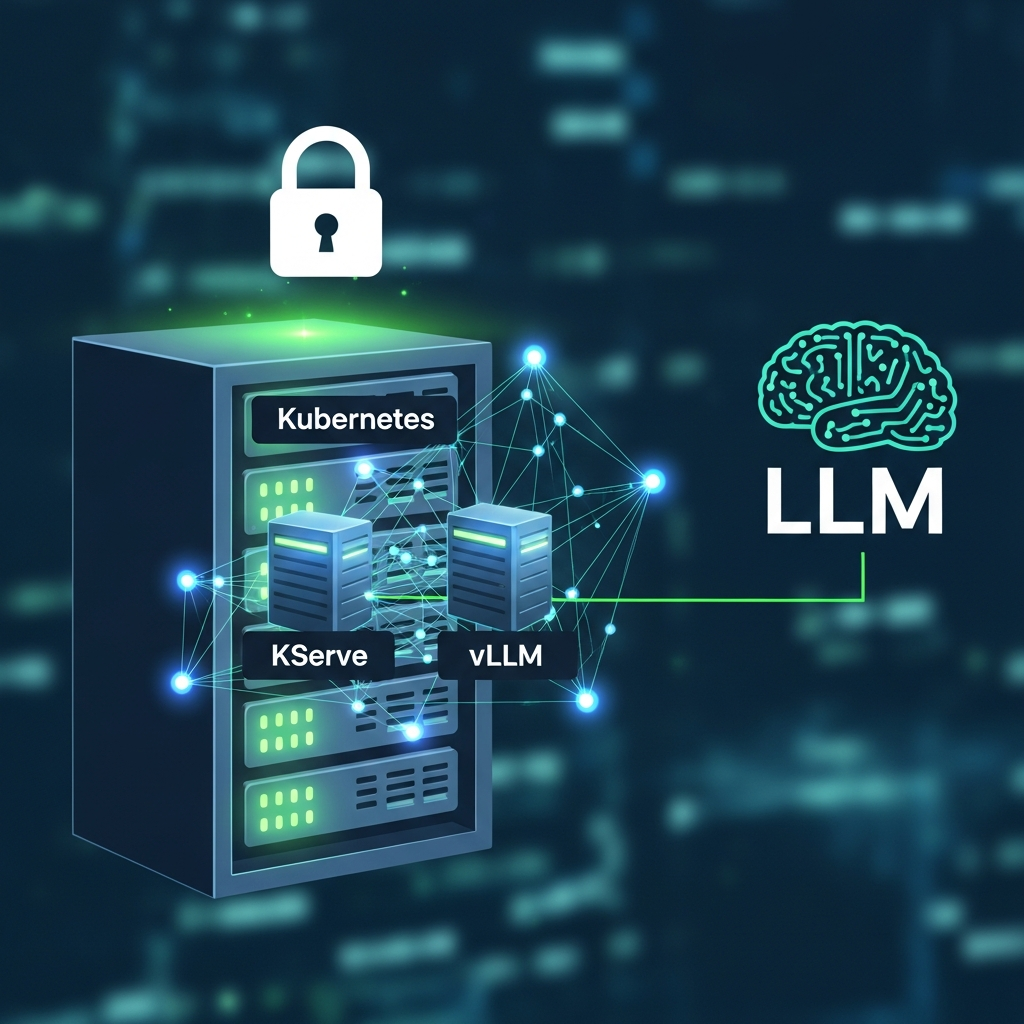
This guide will walk you through deploying private LLMs on Kubernetes, leveraging two powerful tools: vLLM for high-throughput, low-latency inference, and KServe for standardized, scalable, and robust model serving. By combining these technologies, you gain unparalleled control over your data, enhance security, and achieve enterprise-grade performance and scalability for your LLM applications.
Prerequisites
Before diving into the deployment, ensure you have the following:
- Kubernetes Cluster: A running Kubernetes cluster (v1.20+) with GPU nodes provisioned and NVIDIA GPU drivers installed. The NVIDIA GPU Operator is highly recommended for managing GPU resources.
- kubectl: The Kubernetes command-line tool, configured to connect to your cluster.
- Helm: The Kubernetes package manager (v3+).
- KServe CLI (optional but recommended): For easier interaction with KServe resources.
- Basic Understanding: Familiarity with Docker, Kubernetes concepts (Pods, Deployments, Services), and fundamental LLM principles.
Understanding the Core Components
To appreciate the power of this stack, let's briefly review each component's role.
Why Private LLMs?
Private LLMs refer to models deployed within an organization's own infrastructure, rather than consuming them as a service from a third-party provider. This approach offers several critical advantages:
- Data Privacy and Security: Sensitive data remains within your network boundaries, crucial for compliance with regulations like GDPR, HIPAA, or internal security policies.
- Customization and Fine-tuning: Easily fine-tune models with proprietary data without exposing it externally, leading to more accurate and domain-specific responses.
- Cost Control: Eliminate per-token costs and manage infrastructure expenses directly, potentially leading to significant savings for high-usage scenarios.
- Reduced Latency: Deploying models closer to your applications can reduce network latency.
- Vendor Lock-in Avoidance: Maintain flexibility to switch models or infrastructure providers without being tied to a specific API ecosystem.
Kubernetes: The Orchestration Backbone
Kubernetes is the de facto standard for container orchestration. It provides a robust platform for automating the deployment, scaling, and management of containerized applications. For LLMs, Kubernetes offers:
- Scalability: Automatically scale inference services up or down based on demand.
- Resource Management: Efficiently allocate GPU and CPU resources across your cluster.
- High Availability: Ensure your LLM services remain available even if nodes fail.
- Portability: Deploy your LLMs consistently across different environments (on-premises, cloud).
vLLM: High-Performance LLM Inference
vLLM is an open-source library for fast and efficient LLM inference. It addresses key performance bottlenecks in LLM serving, making it ideal for production environments. Its core innovations include:
- PagedAttention: An attention algorithm that manages key-value caches efficiently, reducing memory footprint and allowing for higher throughput, especially with long sequences.
- Continuous Batching: Processes incoming requests continuously, rather than waiting for a full batch, maximizing GPU utilization and minimizing latency.
- Optimized CUDA Kernels: Leverages highly optimized CUDA kernels for faster execution of LLM operations.
By using vLLM, you can achieve significantly higher throughput and lower latency compared to traditional LLM serving methods, making your private LLM deployment more cost-effective and responsive.
KServe: Standardized ML Inference Platform
KServe (formerly KFServing) is a Kubernetes-native platform for serving machine learning models. It provides a standard interface for deploying various ML frameworks, including PyTorch, TensorFlow, Scikit-learn, and custom models. KServe simplifies LLM deployment by offering:
- Standardized API: A unified API for model inference, regardless of the underlying framework.
- Autoscaling: Automatic scaling (both CPU and GPU) using KPA (KServe Pod Autoscaler) or HPA (Horizontal Pod Autoscaler).
- Canary Deployments/A/B Testing: Safely roll out new model versions or experiment with different models by routing a percentage of traffic.
- Traffic Management: Leverages Istio for advanced routing, retries, and circuit breaking.
- Model Versioning and Management: Simplifies managing different versions of your LLMs.
Setting Up Your Kubernetes Environment for LLMs
Before deploying KServe and vLLM, ensure your Kubernetes cluster is ready for GPU workloads.
1. Install NVIDIA GPU Operator
If you haven't already, install the NVIDIA GPU Operator to manage NVIDIA GPUs on your cluster. This simplifies driver and toolkit installation.
# Add the NVIDIA Helm repository
helm repo add nvidia https://helm.ngc.nvidia.com/nvidia \
  && helm repo update

# Install the GPU Operator
helm install --wait --generate-name nvidia/gpu-operator \
  --set driver.enabled=true \
  --set toolkit.enabled=true
Verify GPU resources are visible to Kubernetes:
kubectl get nodes "-o=custom-columns=NAME:.metadata.name,GPU:.status.allocatable.'nvidia.com/gpu'"2. Install KServe
KServe relies on Istio for networking and Cert-Manager for TLS. Install these components first.
Install Istio:
# Download Istio
curl -L https://istio.io/downloadIstio | sh -
cd istio-*

# Install Istio base and default profile
./bin/istioctl install --set profile=default -y

# Add Istio namespace label for automatic sidecar injection
kubectl label namespace default istio-injection=enabled --overwrite
Install Cert-Manager:
kubectl apply -f https://github.com/cert-manager/cert-manager/releases/download/v1.13.1/cert-manager.yamlInstall KServe Core:
# Create KServe namespace
kubectl create namespace kserve

# Install KServe via Helm
helm install kserve kserve/kserve --namespace kserve \
  --set ingress.istio.gateway.selector.istio=ingressgateway

# Install KServe's Knative Serving component (for autoscaling)
helm install knative-serving knative/serving --namespace knative-serving

# Install KServe's Knative Eventing component (optional, for event-driven workflows)
helm install knative-eventing knative/eventing --namespace knative-eventing
Verify KServe components are running:
kubectl get pods -n kserve
kubectl get pods -n knative-serving
Preparing Your LLM Model for vLLM
vLLM supports a wide range of Hugging Face models. For private deployments, you'll typically download the model weights and make them available to your vLLM container.
1. Choose Your Model
Select a suitable open-source LLM, such as Llama 2, Mistral, or Zephyr. For this guide, let's assume we're using mistralai/Mistral-7B-Instruct-v0.2.
2. Download Model Weights (Optional, but recommended for private deployments)
For air-gapped environments or to ensure consistent model versions, download the model weights locally or to an internal model repository.
# model_download.py
from transformers import AutoTokenizer, AutoModelForCausalLM
import os

model_name = "mistralai/Mistral-7B-Instruct-v0.2"
output_dir = "./mistral-7b-v0.2"

os.makedirs(output_dir, exist_ok=True)

tokenizer = AutoTokenizer.from_pretrained(model_name)
tokenizer.save_pretrained(output_dir)

model = AutoModelForCausalLM.from_pretrained(model_name)
model.save_pretrained(output_dir)

print(f"Model and tokenizer saved to {output_dir}")
Run this script and then package the mistral-7b-v0.2 directory with your Docker image or mount it as a persistent volume.
Creating a vLLM Inference Server Docker Image
Next, we'll create a Docker image that contains vLLM and your chosen model (or instructions to download it at runtime).
# Dockerfile
FROM nvcr.io/nvidia/pytorch:23.09-py3

# Install vLLM and its dependencies
RUN pip install vllm==0.2.7 torch==2.1.0 transformers==4.35.2 accelerate==0.25.0 sentencepiece==0.1.99 tiktoken==0.5.1 --extra-index-url https://download.pytorch.org/whl/cu121

# Create a directory for the model and application
WORKDIR /app

# Copy the model weights if pre-downloaded (uncomment and adjust path)
# COPY mistral-7b-v0.2 /app/mistral-7b-v0.2

# Expose the vLLM API port
EXPOSE 8000

# Define the command to run the vLLM API server
# Adjust --model path if using pre-downloaded weights
CMD ["python3", "-m", "vllm.entrypoints.api_server", "--host", "0.0.0.0", "--port", "8000", "--model", "mistralai/Mistral-7B-Instruct-v0.2", "--tensor-parallel-size", "1"]
Explanation of vLLM arguments:
--host 0.0.0.0 --port 8000: Binds the server to all network interfaces on port 8000.--model mistralai/Mistral-7B-Instruct-v0.2: Specifies the Hugging Face model to load. If you pre-downloaded, change this to/app/mistral-7b-v0.2.--tensor-parallel-size 1: Number of GPUs to use for tensor parallelism. Set to 1 for a single GPU. Adjust if you have multiple GPUs and a very large model.
Build and push your Docker image to a registry accessible by your Kubernetes cluster:
docker build -t your-registry/vllm-mistral:latest .
docker push your-registry/vllm-mistral:latest
Deploying with KServe: The InferenceService
Now, we'll define a KServe InferenceService resource to deploy your vLLM server.
# kserve-vllm-mistral.yaml
apiVersion: serving.kserve.io/v1beta1
kind: InferenceService
metadata:
  name: vllm-mistral
  namespace: default
spec:
  predictor:
    minReplicas: 1
    maxReplicas: 2 # Adjust based on expected load
    container:
      image: your-registry/vllm-mistral:latest # Replace with your image
      name: vllm-server
      resources:
        limits:
          nvidia.com/gpu: 1 # Request a single GPU
          memory: "30Gi" # Adjust based on model size (e.g., Mistral 7B needs ~15-20GB VRAM + system RAM)
          cpu: "8"
        requests:
          nvidia.com/gpu: 1
          memory: "20Gi"
          cpu: "4"
      env:
        - name: HUGGING_FACE_HUB_TOKEN # Optional, if accessing private HF models
          valueFrom:
            secretKeyRef:
              name: huggingface-secret
              key: token
      command: ["python3", "-m", "vllm.entrypoints.api_server"]
      args: [
        "--host", "0.0.0.0",
        "--port", "8000",
        "--model", "mistralai/Mistral-7B-Instruct-v0.2", # Or /app/mistral-7b-v0.2 if pre-downloaded
        "--tensor-parallel-size", "1",
        "--dtype", "bfloat16" # Use bfloat16 for better performance on newer GPUs
      ]
Key points in the InferenceService:
metadata.name: A unique name for your inference service.predictor: Defines the primary model serving component.minReplicas,maxReplicas: KServe's autoscaler will manage the number of vLLM pods between these values.container.image: Your Docker image for the vLLM server.resources.limits,resources.requests: Crucial for GPU allocation. Ensurenvidia.com/gpuis set to 1 for a single GPU per pod. Adjust CPU and memory based on your model's needs and node capacity.env: Use this to pass environment variables, such as Hugging Face tokens for private models (if not pre-downloaded).commandandargs: Override the Dockerfile'sCMDif needed, or pass additional vLLM arguments.
Apply the InferenceService:
kubectl apply -f kserve-vllm-mistral.yamlMonitor the deployment:
kubectl get inferenceservice vllm-mistral -wWait until the STATUS shows Ready.
Interacting with Your Deployed LLM
Once the InferenceService is ready, KServe provides an ingress URL to access your model.
1. Get the Service URL
MODEL_NAME=vllm-mistral
SERVICE_HOSTNAME=$(kubectl get inferenceservice $MODEL_NAME -o jsonpath='{.status.address.url}' | cut -d'/' -f3)
INGRESS_HOST=$(kubectl -n istio-system get service istio-ingressgateway -o jsonpath='{.status.loadBalancer.ingress[0].ip}') # Or hostname

# If using a custom domain with Istio Gateway, you might need to find that hostname instead.
# For local testing, often you can use the IP directly or port-forward.

echo "Service Hostname: $SERVICE_HOSTNAME"
echo "Ingress Host: $INGRESS_HOST"
2. Send an Inference Request (cURL)
vLLM exposes an OpenAI-compatible API. You can use it like this:
curl -v \
  -H "Host: ${SERVICE_HOSTNAME}" \
  -H "Content-Type: application/json" \
  -d '{ "model": "mistralai/Mistral-7B-Instruct-v0.2", "prompt": "What is Kubernetes?", "max_tokens": 100, "temperature": 0.7 }' \
  http://${INGRESS_HOST}/v1/completions
3. Send an Inference Request (Python Client)
import requests
import os

MODEL_NAME = "vllm-mistral"

# Replace with your actual KServe Ingress Host and Service Hostname
# You can get these from the previous shell commands
INGRESS_HOST = os.environ.get("INGRESS_HOST", "<YOUR_INGRESS_IP_OR_HOSTNAME>")
SERVICE_HOSTNAME = os.environ.get("SERVICE_HOSTNAME", "vllm-mistral.default.example.com") # Default KServe hostname

# Construct the URL
url = f"http://{INGRESS_HOST}/v1/completions"
headers = {
    "Host": SERVICE_HOSTNAME,
    "Content-Type": "application/json"
}

payload = {
    "model": "mistralai/Mistral-7B-Instruct-v0.2", # Must match the model name specified in vLLM server args
    "prompt": "Explain the concept of PagedAttention in vLLM.",
    "max_tokens": 250,
    "temperature": 0.7,
    "top_p": 0.9,
    "n": 1,
    "stream": False
}

try:
    response = requests.post(url, headers=headers, json=payload, verify=False) # verify=False for local testing, use proper certs in prod
    response.raise_for_status() # Raise an exception for HTTP errors
    print(response.json())
except requests.exceptions.RequestException as e:
    print(f"An error occurred: {e}")
    if hasattr(e, 'response') and e.response is not None:
        print(f"Response content: {e.response.text}")
Advanced KServe Features for LLMs
KServe provides powerful features that are particularly beneficial for LLM deployments.
1. Autoscaling
KServe automatically scales your vLLM pods based on request load. The minReplicas and maxReplicas in your InferenceService control this. KServe's KPA (Knative Pod Autoscaler) is optimized for scale-to-zero and rapid scaling. For GPU workloads, ensure your cluster has enough available GPU nodes to accommodate scaling.
2. Canary Deployments and A/B Testing
When updating your LLM (e.g., deploying a fine-tuned version), KServe allows you to roll out new versions gradually using canary deployments.
# kserve-vllm-mistral-canary.yaml
apiVersion: serving.kserve.io/v1beta1
kind: InferenceService
metadata:
  name: vllm-mistral
  namespace: default
spec:
  predictor:
    minReplicas: 1
    maxReplicas: 2
    container:
      image: your-registry/vllm-mistral:latest # Current stable version
      name: vllm-server
      resources:
        limits:
          nvidia.com/gpu: 1
          memory: "30Gi"
          cpu: "8"
        requests:
          nvidia.com/gpu: 1
          memory: "20Gi"
          cpu: "4"
  canary:
    percent: 10 # Route 10% of traffic to the new version
    minReplicas: 1
    container:
      image: your-registry/vllm-mistral:new-version # New fine-tuned model
      name: vllm-server-canary
      resources:
        limits:
          nvidia.com/gpu: 1
          memory: "30Gi"
          cpu: "8"
        requests:
          nvidia.com/gpu: 1
          memory: "20Gi"
          cpu: "4"
Apply this YAML. KServe will create a new canary revision and split traffic. You can monitor its performance and gradually increase percent to 100% if satisfied, then remove the canary section.
Monitoring and Observability
Monitoring is critical for production LLM deployments. KServe, leveraging Istio and Knative, exposes a wealth of metrics.
- KServe Metrics: KServe provides metrics like request count, latency, error rates, and autoscaling events, accessible via Prometheus.
- vLLM Metrics: vLLM itself exposes Prometheus metrics on a separate port (default 8000 for API, you might need to configure a separate metrics endpoint or scrape the API server directly if it exposes them).
- GPU Metrics: NVIDIA DCGM Exporter can expose detailed GPU metrics (utilization, memory, temperature) to Prometheus.
Integrate Prometheus and Grafana into your cluster to visualize these metrics. You can create custom Grafana dashboards to track LLM-specific KPIs like tokens per second, batch size, and inference latency.
Best Practices for Production LLM Deployments
- GPU Resource Allocation: Accurately size your GPU memory and compute requests. LLMs are memory-hungry; under-resourcing leads to OOM errors and poor performance. Over-resourcing wastes expensive GPU time.
- Model Versioning: Always version your LLM models and corresponding Docker images. This is crucial for reproducibility, rollbacks, and A/B testing.
- Security: Implement strict network policies to control ingress/egress for your LLM pods. Use Kubernetes Secrets for API keys (e.g., Hugging Face tokens).
- Cost Optimization: Leverage KServe's autoscaling to scale down to
minReplicas(or even zero if your model can load quickly) during low traffic. Consider using spot instances for non-critical workloads. - Pre-warming: For models that take a long time to load, consider setting
minReplicasto 1 or more to keep an instance warm, avoiding cold start latency. - Health Checks: Ensure your vLLM container has proper liveness and readiness probes defined (KServe automatically adds some, but custom ones can be beneficial).
- Logging: Centralize logs from your vLLM containers (e.g., with Fluentd/Loki or Elastic Stack) for easier debugging and monitoring.
- Quantization/Distillation: Explore model quantization (e.g., 8-bit, 4-bit) or distillation techniques to reduce model size and memory footprint, allowing more efficient use of GPUs.
Common Pitfalls and Troubleshooting
- GPU Driver Issues: The most common culprit. Ensure NVIDIA drivers and the GPU Operator are correctly installed and that Kubernetes can see
nvidia.com/gpuresources.- Troubleshooting: Check
kubectl describe node <node-name>fornvidia.com/gpuunderCapacityandAllocatable.
- Troubleshooting: Check
- Out of Memory (OOM) Errors: LLMs are large. If your vLLM pod crashes with OOM, increase the
memorylimit in yourInferenceServiceand ensure your GPU has enough VRAM.bfloat16orfloat16precision can help reduce memory usage.- Troubleshooting: Check pod logs for
CUDA out of memoryor similar errors. Usekubectl top podornvidia-smion the node.
- Troubleshooting: Check pod logs for
- KServe/Istio Configuration Problems: Incorrect Istio installation or KServe configuration can prevent the
InferenceServicefrom becomingReady.- Troubleshooting: Check
kubectl get inferenceservice <name> -o yamlforstatus.conditions. Look at logs of KServe controller pods and Istio ingress gateway pods.
- Troubleshooting: Check
- Model Loading Failures: If the vLLM server fails to start, it's often due to an incorrect model path, insufficient memory for the model, or issues fetching model weights (e.g., Hugging Face token missing).
- Troubleshooting: Check the vLLM pod logs (
kubectl logs <vllm-pod-name>).
- Troubleshooting: Check the vLLM pod logs (
- Network Latency: Even with private LLMs, network latency can affect performance. Ensure your application calling the LLM is co-located or has low network latency to the Kubernetes cluster.
Conclusion
Deploying private LLMs on Kubernetes with vLLM and KServe offers a robust, scalable, and secure solution for organizations seeking to harness the power of generative AI while maintaining full control over their data and infrastructure. By following this guide, you've learned how to set up your environment, containerize your vLLM inference server, deploy it with KServe's advanced features, and establish best practices for production readiness.
This architecture provides the flexibility to scale with demand, experiment with new models safely, and ensure the privacy and compliance of your AI workloads. As LLM technology continues to evolve, this Kubernetes-native approach positions your organization to adapt quickly and innovate responsibly.

Written by
CodewithYohaFull-Stack Software Engineer with 7+ years of experience in Java, Spring Boot, and cloud architecture across AWS, Azure, and GCP. Writing production-grade engineering patterns for developers who ship real software.