
Docker Compose vs. Kubernetes in Production: A Definitive Guide

Introduction
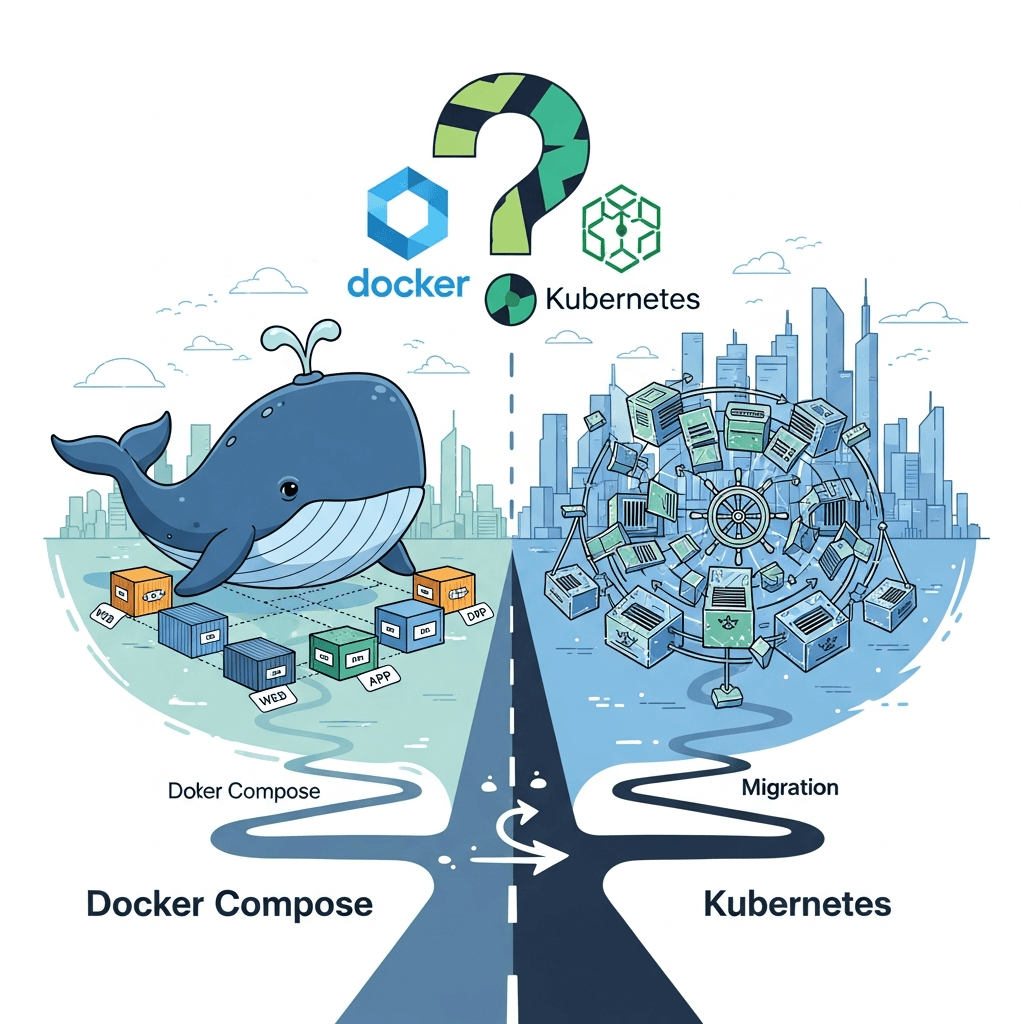
In the world of containerized applications, Docker has become an indispensable tool for packaging and running software. While individual Docker containers provide isolation and portability, real-world applications often consist of multiple interconnected services. This is where orchestrators come into play. Docker Compose, designed for defining and running multi-container Docker applications, is a popular choice for development environments and simpler deployments. But when it comes to production, its suitability often sparks debate.
On the other hand, Kubernetes has emerged as the de facto standard for orchestrating containerized workloads at scale. It offers robust features for automation, scaling, and management of complex microservices architectures. The challenge lies in understanding the trade-offs: when is the simplicity of Docker Compose sufficient for your production needs, and at what point does the operational overhead of Kubernetes become a necessary investment?
This comprehensive guide will delve deep into both Docker Compose and Kubernetes from a production perspective. We'll explore their strengths, limitations, practical use cases, and provide a clear framework for deciding when to stick with Compose and when to embark on a migration to Kubernetes. By the end, you'll have a clear understanding of how to make an informed decision for your application's lifecycle.
Prerequisites
To get the most out of this guide, a basic understanding of the following concepts will be beneficial:
- Docker: Familiarity with Docker images, containers, volumes, and networks.
- YAML: Knowledge of YAML syntax, as it's used extensively in both Docker Compose and Kubernetes configurations.
- Command Line Interface (CLI): Comfort with executing commands in a terminal.
1. Understanding Docker Compose in Production
Docker Compose is a tool for defining and running multi-container Docker applications. With a single docker-compose.yml file, you can configure your application's services, networks, and volumes, and then spin up or tear down your entire stack with a single command.
What is its core purpose? Primarily, Docker Compose was designed to streamline local development workflows. It allows developers to quickly set up complex environments (e.g., a web app, a database, a cache, and a message queue) on their local machines, ensuring consistency across development teams.
Why consider it for production? Despite its development-centric origins, Docker Compose's simplicity and ease of use make it an attractive option for certain production scenarios. For small, self-contained applications running on a single server, the overhead of a full-fledged orchestrator might seem unnecessary. It provides a declarative way to manage a multi-container application, making deployments repeatable and less error-prone than manual docker run commands.
2. When Docker Compose Shines in Production (Use Cases)
Docker Compose isn't always the wrong choice for production. Here are scenarios where it can be a perfectly viable, and even preferable, solution:
- Small, Single-Host Applications: For applications that fit comfortably on a single server and don't require high availability or horizontal scaling, Compose is an excellent fit. Think of a simple CRUD application with a database, or a static site generator with a web server.
- Proof-of-Concept (PoC) or Minimum Viable Product (MVP) Deployments: When speed to market is critical and the application's future scale is uncertain, Compose allows for rapid deployment and iteration. It's easy to get started and demonstrates functionality quickly.
- Internal Tools and Dashboards: Many internal applications, monitoring dashboards, or CI/CD runner instances don't demand the same level of resilience or scalability as customer-facing applications. Compose can effectively manage these workloads.
- Development and Staging Environments Mimicking Production: While not strictly "production," using Compose for these environments ensures consistency with a potential Compose-based production setup, reducing "it works on my machine" issues.
- Resource-Constrained Environments (Edge Devices): On embedded systems, IoT devices, or edge servers with limited resources, the lightweight nature of Compose is advantageous compared to the resource demands of a Kubernetes cluster.
- Batch Processing Jobs: For applications that run periodically as batch jobs and can tolerate occasional downtime or manual restarts, Compose offers sufficient control.
3. Practical Docker Compose Production Example
Let's illustrate with a common scenario: a simple Node.js web application connected to a PostgreSQL database, served by Nginx as a reverse proxy. This setup could run on a single virtual private server (VPS).
First, a Dockerfile for our Node.js application (assuming app.js is our server file):
# Dockerfile for Node.js application
FROM node:18-alpine
WORKDIR /app
COPY package*.json ./
RUN npm install
COPY . .
EXPOSE 3000
CMD ["node", "app.js"]
Next, our docker-compose.yml file:
version: '3.8'

services:
  nginx:
    image: nginx:stable-alpine
    ports:
      - "80:80"
    volumes:
      - ./nginx.conf:/etc/nginx/conf.d/default.conf:ro
    depends_on:
      - web
    restart: always
    healthcheck:
      test: ["CMD", "curl", "-f", "http://localhost/"]
      interval: 30s
      timeout: 10s
      retries: 3

  web:
    build: .
    environment:
      DATABASE_URL: postgres://user:password@db:5432/mydatabase
      NODE_ENV: production
    depends_on:
      db:
        condition: service_healthy # Ensure DB is ready before starting web
    restart: always
    healthcheck:
      test: ["CMD", "curl", "-f", "http://localhost:3000/health"]
      interval: 30s
      timeout: 10s
      retries: 3

  db:
    image: postgres:14-alpine
    environment:
      POSTGRES_DB: mydatabase
      POSTGRES_USER: user
      POSTGRES_PASSWORD: password
    volumes:
      - db_data:/var/lib/postgresql/data
    restart: always
    healthcheck:
      test: ["CMD-SHELL", "pg_isready -U user -d mydatabase"]
      interval: 10s
      timeout: 5s
      retries: 5

volumes:
  db_data:

networks:
  default: # All services connect to this default network
    driver: bridge
And nginx.conf:
server {
    listen 80;

    location / {
        proxy_pass http://web:3000;
        proxy_set_header Host $host;
        proxy_set_header X-Real-IP $remote_addr;
        proxy_set_header X-Forwarded-For $proxy_add_x_forwarded_for;
        proxy_set_header X-Forwarded-Proto $scheme;
    }
}
To deploy, you'd simply run docker compose up -d on your server. This demonstrates key production considerations like named volumes for data persistence, environment variables for configuration, depends_on with condition: service_healthy for service startup order, restart: always for basic self-healing, and health checks for service readiness.
4. Limitations of Docker Compose for Production
While simple and effective for specific scenarios, Docker Compose has significant limitations that make it unsuitable for large-scale, high-availability production environments:
- Lack of Built-in Orchestration: Compose manages containers on a single host. It doesn't provide features for distributed systems like automatic load balancing across multiple instances, self-healing beyond simple restarts, or intelligent scheduling across a cluster of machines.
- No Rolling Updates or Zero-Downtime Deployments: Updating an application with Compose typically involves tearing down and bringing up services, leading to downtime. There's no native mechanism for blue/green deployments or rolling updates to ensure continuous service availability.
- Limited Scaling Capabilities: Scaling with Compose is limited to increasing the number of containers for a service on the same host. There's no horizontal scaling across multiple hosts, and manual intervention is required to manage resource allocation.
- Single Point of Failure: If the single host running your Compose application goes down, your entire application goes down. There's no inherent high availability or fault tolerance.
- Basic Service Discovery and Load Balancing: Compose uses Docker's default bridge network for basic service discovery by service name. It lacks advanced load balancing algorithms, traffic splitting, or ingress management for external access.
- Manual Host Resource Management: You're responsible for monitoring and managing the underlying server's CPU, memory, and disk. There's no automatic resource allocation or optimization.
- Security Concerns (Secrets Management): While Docker Swarm (which shares some Compose syntax) offers secrets management, plain Docker Compose relies on environment variables, which are not ideal for sensitive information. External tools or manual injection are often required.
- Complex Management of Application State: Managing database migrations, persistent volumes, and backups across multiple hosts becomes a complex manual process without a dedicated orchestrator.
5. Introducing Kubernetes: The Orchestration Powerhouse
Kubernetes (K8s) is an open-source container orchestration platform designed to automate the deployment, scaling, and management of containerized applications. Developed by Google, it has become the industry standard for running production workloads at scale.
What is its core purpose? Kubernetes is built to manage large, complex distributed systems. It abstracts away the underlying infrastructure, allowing you to declare the desired state of your applications, and Kubernetes continuously works to maintain that state. It's a platform for building platforms.
Key Components: Understanding K8s involves familiarizing yourself with its core building blocks:
- Pods: The smallest deployable unit in Kubernetes, encapsulating one or more containers (e.g., your app container and a sidecar logging agent).
- Deployments: Manages a set of identical Pods, ensuring a specified number of replicas are running and facilitating rolling updates and rollbacks.
- Services: An abstraction that defines a logical set of Pods and a policy by which to access them (e.g., internal load balancing, exposing ports).
- ReplicaSets: Ensures a stable set of replica Pods are running at any given time, underlying Deployments.
- ConfigMaps & Secrets: Store non-confidential configuration data and sensitive information (passwords, API keys) separately from application code.
- Volumes: Provides persistent storage for Pods.
- Ingress: An API object that manages external access to services in a cluster, typically HTTP.
- Nodes: The worker machines (VMs or physical servers) that run your applications.
- Master/Control Plane: Manages the worker nodes and the Pods on them.
6. When to Migrate to Kubernetes (Decision Points)
The decision to migrate from Docker Compose to Kubernetes is a strategic one, typically driven by evolving application requirements and operational needs. Here are the key indicators:
- Need for High Availability and Fault Tolerance: If your application cannot tolerate downtime and requires automatic recovery from failures (node crashes, container crashes), Kubernetes' self-healing capabilities are crucial. It automatically restarts failed containers, reschedules Pods, and ensures the desired number of replicas are always running.
- Requirement for Horizontal Scaling (Auto-scaling): When your application experiences variable load and needs to scale up or down dynamically based on demand, Kubernetes' Horizontal Pod Autoscaler (HPA) and Vertical Pod Autoscaler (VPA) become essential. This ensures optimal resource utilization and performance.
- Complex Microservices Architectures: For applications composed of many independent services that need to communicate reliably, discover each other, and be managed independently, Kubernetes provides advanced service discovery, load balancing, and network policies.
- Advanced Deployment Strategies: If you need to implement sophisticated deployment patterns like blue/green, canary releases, or A/B testing for new features, Kubernetes, often coupled with tools like Istio or Linkerd, offers the necessary primitives.
- Robust Monitoring, Logging, and Tracing: Kubernetes integrates seamlessly with powerful monitoring (Prometheus, Grafana), logging (Fluentd, ELK stack), and tracing (Jaeger) solutions, providing deep insights into your distributed applications.
- Multi-Cloud or Hybrid Cloud Strategy: If you aim for vendor lock-in avoidance, disaster recovery, or leveraging specific services from different cloud providers, Kubernetes offers a consistent deployment experience across various environments.
- Team Growth and Operational Complexity: As your team grows and the number of applications or services increases, manual management becomes unsustainable. Kubernetes provides a declarative, API-driven approach to manage infrastructure as code, standardizing operations.
- Resource Optimization: Kubernetes can intelligently schedule Pods across your cluster nodes to make efficient use of CPU, memory, and storage, leading to cost savings, especially in large deployments.
7. Migrating from Docker Compose to Kubernetes: Step-by-Step
Migrating from a Docker Compose setup to Kubernetes involves translating your Compose definitions into Kubernetes manifest files. While it might seem daunting, it's a structured process.
-
Containerize Everything (if not already): Ensure all your application components (web servers, databases, caches) are properly containerized with optimized Docker images. This is a prerequisite for both Compose and Kubernetes.
-
Define Kubernetes Resources: Translate each service in your
docker-compose.ymlinto equivalent Kubernetes objects:- Services become
Deploymentobjects (for Pod management) andServiceobjects (for network access). - Volumes become
PersistentVolumeandPersistentVolumeClaimobjects. - Environment Variables become
ConfigMaps(for general config) orSecrets(for sensitive data). - Ports are handled by
Serviceand potentiallyIngressobjects. - Networks are managed by Kubernetes' CNI (Container Network Interface).
- Services become
-
Use a Conversion Tool (Optional but Recommended): Tools like Kompose can help automate the initial conversion of
docker-compose.ymlfiles into Kubernetes manifests. While not perfect, it provides a good starting point.bash# Install Kompose (example for macOS) brew install kompose # Navigate to your docker-compose.yml directory cd my-app-compose # Convert to Kubernetes manifests kompose convertThis will generate
.yamlfiles for Deployments, Services, etc., which you'll then need to review and refine. -
Refine Manifests: The generated manifests often need adjustments. Add
resource requestsandlimits, define properreadinessandlivenessprobes, configureaffinity/anti-affinityrules, and implement robust secrets management (e.g., using Kubernetes Secrets, Sealed Secrets, or external secret managers). -
Implement Storage: For stateful applications like databases, ensure
PersistentVolumeClaimsare correctly configured and backed by a suitable storage class (e.g., cloud provider block storage, NFS). -
Set up Ingress: Configure an
Ingresscontroller (like Nginx Ingress or Traefik) andIngressresources to expose your services to external traffic, handle TLS, and routing. -
Testing and Validation: Deploy your application to a staging Kubernetes cluster first. Thoroughly test all functionalities, performance, scaling behavior, and resilience. Use monitoring tools to observe its behavior.
-
CI/CD Integration: Integrate your Kubernetes deployments into your CI/CD pipeline using tools like Argo CD, Flux CD, or Jenkins X for automated, declarative deployments.
8. Kubernetes Production Example (Mapping Compose to K8s)
Let's take our previous Node.js + PostgreSQL + Nginx example and translate it into Kubernetes manifests. We'll simplify for brevity but cover the core concepts.
1. web-deployment.yaml (Node.js App)
apiVersion: apps/v1
kind: Deployment
metadata:
  name: web-app-deployment
  labels:
    app: web-app
spec:
  replicas: 3 # Scale to 3 instances for high availability
  selector:
    matchLabels:
      app: web-app
  template:
    metadata:
      labels:
        app: web-app
    spec:
      containers:
      - name: web-app
        image: your-dockerhub-user/node-web-app:1.0.0 # Your built image
        ports:
        - containerPort: 3000
        env:
        - name: DATABASE_URL
          value: postgres://user:password@db-service:5432/mydatabase # K8s service name
        - name: NODE_ENV
          value: production
        livenessProbe:
          httpGet:
            path: /health
            port: 3000
          initialDelaySeconds: 15
          periodSeconds: 20
        readinessProbe:
          httpGet:
            path: /health
            port: 3000
          initialDelaySeconds: 5
          periodSeconds: 10
        resources:
          requests:
            memory: "128Mi"
            cpu: "250m"
          limits:
            memory: "256Mi"
            cpu: "500m"
2. web-service.yaml (Exposing Node.js App Internally)
apiVersion: v1
kind: Service
metadata:
  name: web-service
spec:
  selector:
    app: web-app
  ports:
    - protocol: TCP
      port: 3000 # Service port
      targetPort: 3000 # Container port
3. db-deployment.yaml (PostgreSQL Database)
apiVersion: apps/v1
kind: Deployment
metadata:
  name: db-deployment
  labels:
    app: db
spec:
  replicas: 1 # Typically 1 for a single master DB unless using a cluster
  selector:
    matchLabels:
      app: db
  template:
    metadata:
      labels:
        app: db
    spec:
      containers:
      - name: postgres
        image: postgres:14-alpine
        env:
        - name: POSTGRES_DB
          value: mydatabase
        - name: POSTGRES_USER
          value: user
        - name: POSTGRES_PASSWORD
          valueFrom:
            secretKeyRef:
              name: db-secret # Referencing a Kubernetes Secret
              key: password
        ports:
        - containerPort: 5432
        volumeMounts:
        - name: db-persistent-storage
          mountPath: /var/lib/postgresql/data
        livenessProbe:
          exec:
            command: ["pg_isready", "-U", "user", "-d", "mydatabase"]
          initialDelaySeconds: 30
          periodSeconds: 10
        readinessProbe:
          exec:
            command: ["pg_isready", "-U", "user", "-d", "mydatabase"]
          initialDelaySeconds: 5
          periodSeconds: 5
      volumes:
      - name: db-persistent-storage
        persistentVolumeClaim:
          claimName: db-pvc # Referencing a PersistentVolumeClaim
4. db-service.yaml (Exposing PostgreSQL Internally)
apiVersion: v1
kind: Service
metadata:
  name: db-service
spec:
  selector:
    app: db
  ports:
    - protocol: TCP
      port: 5432
      targetPort: 5432
5. db-pvc.yaml (Persistent Volume Claim for DB)
apiVersion: v1
kind: PersistentVolumeClaim
metadata:
  name: db-pvc
spec:
  accessModes:
    - ReadWriteOnce # Can be mounted as read-write by a single node
  resources:
    requests:
      storage: 5Gi # Request 5GB of storage
6. db-secret.yaml (Database Secret - Base64 encoded)
apiVersion: v1
kind: Secret
metadata:
  name: db-secret
type: Opaque
data:
  password: <BASE64_ENCODED_PASSWORD> # e.g., echo -n 'your_db_password' | base64
7. nginx-deployment.yaml (Nginx as Ingress Controller/Reverse Proxy)
For Nginx, you'd typically use an Ingress controller and an Ingress resource rather than a separate Nginx deployment for internal routing. However, for a direct comparison, here's an Nginx deployment similar to Compose:
apiVersion: apps/v1
kind: Deployment
metadata:
  name: nginx-deployment
  labels:
    app: nginx-proxy
spec:
  replicas: 2 # Multiple Nginx instances for HA
  selector:
    matchLabels:
      app: nginx-proxy
  template:
    metadata:
      labels:
        app: nginx-proxy
    spec:
      containers:
      - name: nginx
        image: nginx:stable-alpine
        ports:
        - containerPort: 80
        volumeMounts:
        - name: nginx-config-volume
          mountPath: /etc/nginx/conf.d/default.conf
          subPath: default.conf # Mount only the specific file
        livenessProbe:
          httpGet:
            path: /
            port: 80
          initialDelaySeconds: 10
          periodSeconds: 15
        readinessProbe:
          httpGet:
            path: /
            port: 80
          initialDelaySeconds: 5
          periodSeconds: 10
      volumes:
      - name: nginx-config-volume
        configMap:
          name: nginx-config # Referencing a ConfigMap for Nginx config
8. nginx-configmap.yaml (Nginx Configuration)
apiVersion: v1
kind: ConfigMap
metadata:
  name: nginx-config
data:
  default.conf: |
    server {
        listen 80;

        location / {
            proxy_pass http://web-service:3000; # Target K8s web service
            proxy_set_header Host $host;
            proxy_set_header X-Real-IP $remote_addr;
            proxy_set_header X-Forwarded-For $proxy_add_x_forwarded_for;
            proxy_set_header X-Forwarded-Proto $scheme;
        }
    }
9. nginx-service.yaml (Exposing Nginx Externally)
apiVersion: v1
kind: Service
metadata:
  name: nginx-lb-service
spec:
  selector:
    app: nginx-proxy
  ports:
    - protocol: TCP
      port: 80
      targetPort: 80
  type: LoadBalancer # Expose externally via a cloud load balancer
To deploy these, you would run kubectl apply -f . in the directory containing all these YAML files. This example highlights Kubernetes' declarative nature, built-in load balancing (via Service and Ingress), secrets management, and persistent storage, all spread across multiple, self-healing Pods.
9. Best Practices for Both Environments
Docker Compose Best Practices for Production
- Use Specific Image Versions: Always pin your Docker image versions (e.g.,
node:18-alpineinstead ofnode:latest) to ensure reproducible builds. - Externalize Configuration: Use environment variables,
.envfiles, or bind mounts for configuration files. Avoid hardcoding values indocker-compose.yml. - Use Named Volumes for Persistence: For databases and other stateful services, use named volumes (
volumes: db_data:/var/lib/postgresql/data) for data persistence. Avoid anonymous volumes. - Implement Health Checks: Define
healthcheckdirectives for all services to ensure they are truly ready before traffic is routed to them and for automatic restarts if they become unhealthy. - Configure Restart Policies: Use
restart: alwaysorrestart: on-failureto ensure services automatically recover from crashes. - Resource Limits (Awareness): While Compose doesn't enforce limits rigorously across hosts, you can specify
mem_limitandcpu_sharesto guide the Docker daemon on a single host. - Backup Strategy: Implement a robust backup strategy for your persistent data, as Compose offers no native solution.
- Security Context (Limited): Be mindful of running containers as non-root users and limiting capabilities where possible, though Compose's options are less granular than Kubernetes.
Kubernetes Best Practices
- Immutable Infrastructure: Treat your containers as immutable. Update by deploying new images, not by modifying running containers.
- Declarative Configurations: Define everything as YAML manifests and store them in version control (GitOps). Avoid manual
kubectlcommands for significant changes. - Resource Requests and Limits: Always define
resources.requestsandresources.limitsfor CPU and memory in your Pods. This helps the scheduler place Pods efficiently and prevents resource starvation. - Liveness and Readiness Probes: Implement both
livenessProbe(to restart unhealthy containers) andreadinessProbe(to control when a container receives traffic) for all application containers. - Namespaces: Use namespaces to organize resources, isolate environments (dev, staging, prod), and manage access control (RBAC).
- Role-Based Access Control (RBAC): Configure RBAC to grant granular permissions to users and service accounts, adhering to the principle of least privilege.
- Secrets Management: Use Kubernetes
Secretsfor sensitive data, and consider external secret management solutions (e.g., HashiCorp Vault, cloud provider secret managers) for enhanced security. - Logging and Monitoring: Implement a robust logging and monitoring stack (e.g., Prometheus, Grafana, ELK stack) to gain visibility into your cluster and applications.
- Helm for Package Management: Use Helm charts to define, install, and upgrade even complex Kubernetes applications, promoting reusability and standardization.
- Network Policies: Implement network policies to control traffic flow between Pods, enhancing security within your cluster.
- Storage Classes: Leverage
StorageClassesfor dynamic provisioning ofPersistentVolumes, abstracting underlying storage infrastructure.
10. Common Pitfalls and Anti-Patterns
Docker Compose Pitfalls
- Over-reliance for Large Scale: Trying to force Docker Compose into a role it wasn't designed for, leading to complex manual scaling, recovery, and deployment processes.
- Hardcoding Secrets: Storing sensitive information directly in
docker-compose.ymlor committing it to version control. - Ignoring Health Checks: Not defining health checks, leading to services receiving traffic before they are ready or not being restarted when truly unhealthy.
- No Backup Strategy: Neglecting to implement a robust backup and recovery plan for persistent data, especially databases.
- Using
latestTag in Production: Deploying images with thelatesttag, leading to unpredictable deployments and difficulty in rolling back.
Kubernetes Pitfalls
- Over-engineering for Small Apps: Deploying a complex Kubernetes cluster for a simple application that could be managed perfectly well with Compose, leading to unnecessary operational overhead and cost.
- Misconfiguring Resources: Not setting
requestsandlimitscorrectly, leading to resource contention, Pod evictions, or inefficient scheduling. - Neglecting Security: Not implementing RBAC, network policies, or proper secret management, leaving the cluster vulnerable.
- Not Understanding Core Concepts: Treating Kubernetes as a black box without understanding Pods, Deployments, Services, etc., making troubleshooting and optimization difficult.
- Monolithic Dockerfiles: Creating huge Docker images with many layers and unnecessary dependencies, increasing build times and attack surface.
- Manual Management: Directly modifying cluster state with
kubectl editinstead of declarativekubectl apply -fwith version-controlled manifests. - Ignoring Logs and Metrics: Not setting up comprehensive logging and monitoring, hindering incident response and performance analysis.
Conclusion
The choice between Docker Compose and Kubernetes for production deployments is not about one being inherently "better" than the other, but rather about selecting the right tool for the job. Docker Compose excels in its simplicity, making it ideal for small, single-host applications, PoCs, internal tools, and development environments where the overhead of a full orchestrator is unwarranted.
However, as applications grow in complexity, demand higher availability, require horizontal scaling, or move towards a microservices architecture, the limitations of Docker Compose become apparent. This is the inflection point where migrating to Kubernetes becomes a strategic imperative. Kubernetes provides the robust, scalable, and self-healing platform necessary to manage distributed systems in demanding production environments.
Ultimately, the decision should be driven by your application's specific requirements, your team's expertise, and your organization's growth trajectory. Start simple with Compose if it fits, but be prepared to embrace Kubernetes when your needs evolve beyond Compose's capabilities. A well-planned migration, focusing on understanding Kubernetes fundamentals and adopting best practices, will ensure a smooth transition and a resilient, scalable application infrastructure.
Choose wisely, build robustly, and scale confidently.
Written by
CodewithYohaFull-Stack Software Engineer with 7+ years of experience in Java, Spring Boot, and cloud architecture across AWS, Azure, and GCP. Writing production-grade engineering patterns for developers who ship real software.