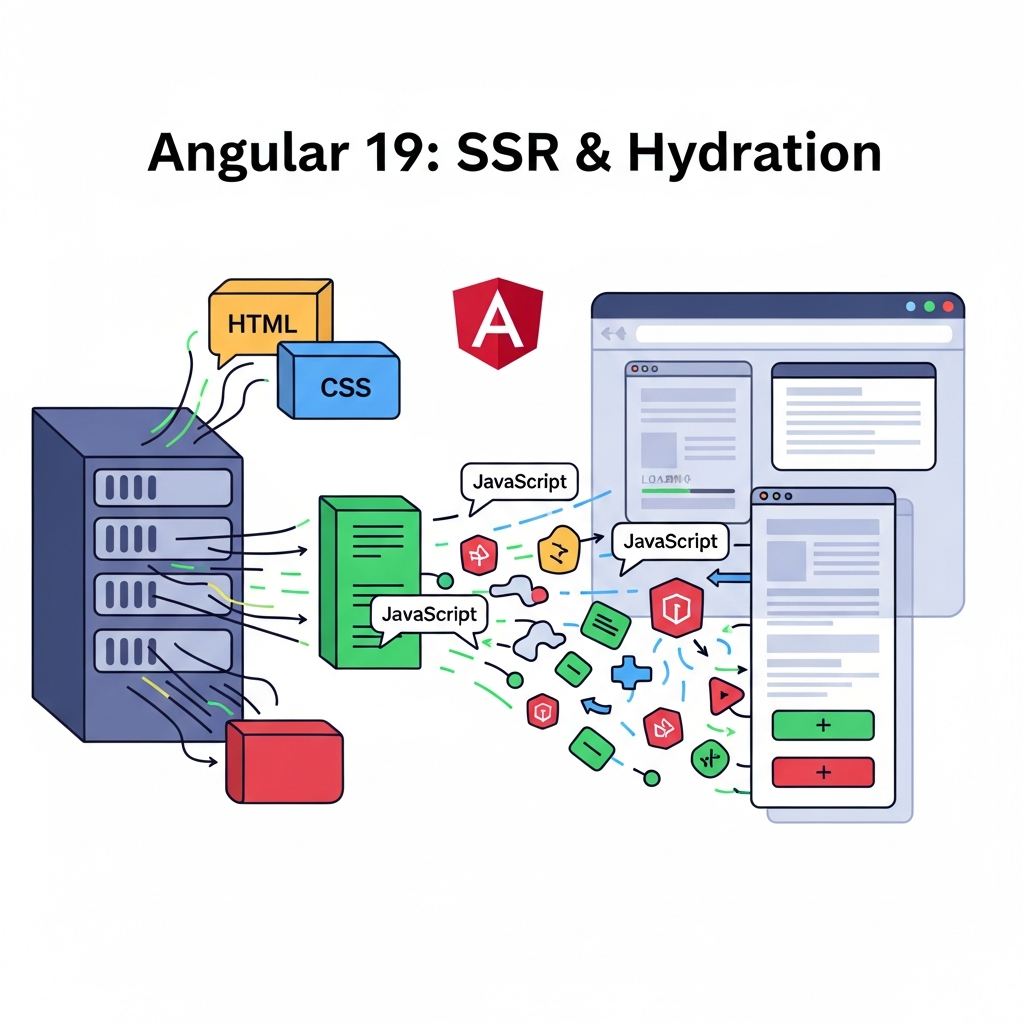
Introduction
In the era of dynamic web applications, Single Page Applications (SPAs) built with frameworks like Angular offer rich, interactive user experiences. However, SPAs traditionally face two significant challenges: slow initial load times (leading to poor user experience) and suboptimal Search Engine Optimization (SEO) due to search engine crawlers often seeing an empty HTML shell.
Server-Side Rendering (SSR) and Hydration have emerged as powerful solutions to these problems. Angular, with its continuous evolution, has significantly enhanced its SSR and Hydration capabilities, especially with Angular 19. This comprehensive guide will walk you through the "how" and "why" of implementing SSR and Hydration in your Angular 19 applications, providing practical examples and best practices to supercharge your web presence.
Prerequisites
Before diving into the implementation, ensure you have the following set up:
- Node.js: Version 18.x or higher.
- Angular CLI: Latest stable version (v18+ recommended for Angular 19 projects).
- You can install it globally using
npm install -g @angular/cli.
- You can install it globally using
- Basic Angular Knowledge: Familiarity with Angular components, services, modules, and routing.
- An existing (or new) Angular 19 project.
Understanding Server-Side Rendering (SSR)
What is Server-Side Rendering (SSR)?
Server-Side Rendering is a technique where the initial rendering of an Angular application occurs on a server (typically Node.js) instead of the client's browser. When a user requests a page, the server executes the Angular application, generates the full HTML content for that specific route, and then sends this pre-rendered HTML to the client's browser.
Why is SSR Important?
- Faster First Contentful Paint (FCP) and Largest Contentful Paint (LCP): The user sees meaningful content much faster because the browser receives fully formed HTML, which it can render immediately. This significantly improves perceived performance and user experience, especially on slower networks or devices.
- Improved SEO: Search engine crawlers (like Googlebot) can easily index the complete content of your pages. Since they receive a fully rendered HTML document, all text, images, and links are immediately available for crawling, leading to better search rankings.
- Enhanced User Experience: Reduces the "white screen of death" often associated with SPAs, providing a smoother transition from loading to interactive content.
How SSR Works (High-Level)
When a request comes in:
- A Node.js server intercepts the request.
- It uses Angular Universal (Angular's SSR solution) to bootstrap the Angular application.
- The Angular application renders to a string of HTML on the server.
- This HTML, along with references to the client-side Angular bundle, is sent to the browser.
- The browser displays the HTML immediately while simultaneously downloading the Angular client-side bundle.
Introducing Hydration
What is Hydration?
Hydration is the process by which the client-side Angular application takes over the server-rendered HTML. Instead of discarding the server-generated DOM and re-rendering everything from scratch (which would cause a flicker), the client-side Angular application reuses the existing DOM structure and attaches its event listeners, state, and interactive capabilities to it. This makes the application interactive without a noticeable delay or visual jump.
Why is Hydration Crucial?
- Eliminates Content Flickering (FOUC): Without hydration, the browser would display the server-rendered content, then once the client-side JavaScript loads, it would often clear the DOM and re-render everything. This causes an unpleasant flicker or jump. Hydration prevents this by reusing the existing DOM.
- Preserves DOM State: If the server-rendered HTML contains complex structures or user input (though less common for initial render), hydration ensures these are maintained.
- Seamless Transition to Interactivity: The user can see and potentially interact with the content sooner, even if the full JavaScript bundle hasn't loaded or fully initialized. Once hydration completes, the application becomes fully interactive and behaves like a standard SPA.
How Hydration Works
- The browser receives and renders the server-generated HTML.
- The client-side Angular application loads and boots up.
- Instead of creating a new DOM tree, Angular traverses the existing DOM, matching components and directives to the pre-rendered elements.
- It attaches event listeners and re-establishes the application's internal state to make the application fully interactive.
Setting Up SSR and Hydration in Angular 19
Angular 19 (and previous versions since 17) has made setting up SSR and Hydration incredibly straightforward with the Angular CLI.
1. Create a New Angular Project (or use an existing one)
If you don't have an existing project, create one:
ng new my-ssr-app --standalone
cd my-ssr-app
We'll use a standalone application for simplicity, but the process is similar for NgModule-based apps.
2. Add Angular Universal (SSR) to Your Project
Use the Angular CLI's dedicated command:
ng add @angular/ssrThis command performs several actions:
- Installs necessary dependencies (
@angular/platform-server,express, etc.). - Generates server-side specific files (
server.ts,main.server.ts,tsconfig.server.json). - Updates
angular.jsonto include server-side build configurations. - Enables hydration by default in
main.ts(for standalone) orapp.module.ts(for NgModule).
3. Verify Hydration is Enabled
After running ng add @angular/ssr, open your src/main.ts file (for standalone apps). You should see withNgxFeatures() or withServerHydration() added to your bootstrapApplication call:
// src/main.ts
import { bootstrapApplication, provideClientHydration } from '@angular/platform-browser';
import { appConfig } from './app/app.config';
import { AppComponent } from './app/app.component';

bootstrapApplication(AppComponent, {
  providers: [
    // ... other providers
    provideClientHydration() // This enables hydration
  ]
}).catch(err => console.error(err));
For NgModule-based applications, check src/app/app.module.ts:
// src/app/app.module.ts
import { BrowserModule, provideClientHydration } from '@angular/platform-browser';
import { NgModule } from '@angular/core';
import { AppComponent } from './app.component';

@NgModule({
  declarations: [
    AppComponent
  ],
  imports: [
    BrowserModule
  ],
  providers: [
    provideClientHydration() // This enables hydration
  ],
  bootstrap: [AppComponent]
})
export class AppModule { }
4. Running Your SSR Application
To run your application in SSR mode with hydration, use:
npm run dev:ssrThis command compiles both the client-side and server-side bundles, then starts a Node.js server (typically on http://localhost:4200). When you open this URL in your browser, you'll see the server-rendered content. You can verify this by viewing the page source – you'll see the full HTML content of your Angular app.
To build for production:
npm run build:ssrThis command generates the production-ready client-side assets in dist/my-ssr-app/browser and the server-side bundle in dist/my-ssr-app/server.
Deep Dive into the SSR Architecture
The ng add @angular/ssr command introduces several key files and configurations:
main.ts vs main.server.ts
-
src/main.ts: This is your standard client-side entry point. It bootstraps the Angular application for the browser. -
src/main.server.ts: This is the entry point for the server-side bundle. It usesrenderApplication(orrenderModulefor NgModule apps) from@angular/platform-serverto bootstrap the application in a server environment.typescript// src/main.server.ts (simplified) import { bootstrapApplication } from '@angular/platform-browser'; import { AppComponent } from './app/app.component'; import { config } from './app/app.config.server'; const bootstrap = () => bootstrapApplication(AppComponent, config); export default bootstrap;
app.config.ts vs app.config.server.ts
For standalone applications, app.config.ts defines the client-side providers. app.config.server.ts (generated by @angular/ssr) extends this configuration with server-specific providers:
// src/app/app.config.server.ts
import { mergeApplicationConfig, ApplicationConfig } from '@angular/core';
import { provideServerRendering } from '@angular/platform-server';
import { appConfig } from './app.config';

const serverConfig: ApplicationConfig = {
  providers: [
    provideServerRendering() // Essential for server-side rendering
  ]
};

export const config = mergeApplicationConfig(appConfig, serverConfig);
server.ts (The Express Server)
This file is the Node.js Express server that serves your Angular SSR application. It's responsible for handling incoming HTTP requests, rendering the Angular app, and sending the HTML response.
// server.ts (simplified)
import { APP_BASE_HREF } from '@angular/common';
import { CommonEngine } from '@angular/ssr';
import express from 'express';
import { fileURLToPath } from 'node:url';
import { dirname, join, resolve } from 'node:path';
import bootstrap from './src/main.server'; // Your server-side app entry point

export function app(): express.Express {
  const server = express();
  const serverDistFolder = dirname(fileURLToPath(import.meta.url));
  const browserDistFolder = resolve(serverDistFolder, '../browser');
  const indexHtml = join(serverDistFolder, 'index.server.html');

  const commonEngine = new CommonEngine();

  server.set('view engine', 'html');
  server.set('views', browserDistFolder);

  // Serve static files from the browser dist folder
  server.get('*.*', express.static(browserDistFolder, {
    maxAge: '1y'
  }));

  // All regular routes use the Angular engine
  server.get('*', (req, res, next) => {
    const { protocol, originalUrl, baseUrl, headers } = req;

    commonEngine
      .render({
        documentFilePath: indexHtml,
        url: `${protocol}://${headers.host}${originalUrl}`,
        providers: [{ provide: APP_BASE_HREF, useValue: baseUrl }],
        bootstrap: bootstrap, // The server-side bootstrap function
      })
      .then(html => res.send(html))
      .catch(err => next(err));
  });

  return server;
}

function run(): void {
  const port = process.env['PORT'] || 4000;

  // Start up the Node server
  const server = app();
  server.listen(port, () => {
    console.log(`Node Express server listening on http://localhost:${port}`);
  });
}

run();
This server uses CommonEngine from @angular/ssr to render your Angular application. It also serves static assets (like JavaScript, CSS, images) from your client-side browser build directory.
Working with Data Fetching in SSR
One of the critical aspects of SSR is ensuring that data required for the initial render is fetched on the server. If data is only fetched on the client, you'll still have an incomplete UI until the client-side fetch completes.
The Challenge: Duplicate API Calls
If you fetch data on the server, send the HTML, and then the client-side app re-fetches the same data during hydration, you're making redundant API calls. This wastes resources and can delay interactivity.
The Solution: TransferState
Angular's TransferState mechanism solves this by allowing you to transfer data from the server context to the client context. Data fetched on the server can be serialized into the HTML and then picked up by the client, preventing duplicate fetches.
Example: Fetching and Transferring Data
-
Define a
StateKey: A unique key to identify your transferred data.typescript// src/app/app.component.ts (or a service) import { Component, OnInit, inject, PLATFORM_ID } from '@angular/core'; import { CommonModule, isPlatformBrowser } from '@angular/common'; import { HttpClient, HttpClientModule } from '@angular/common/http'; import { makeStateKey, TransferState } from '@angular/platform-browser'; const POSTS_KEY = makeStateKey<any[]>('posts'); @Component({ selector: 'app-root', standalone: true, imports: [CommonModule, HttpClientModule], template: ` <h1>My SSR Blog Posts</h1> <div *ngIf="posts; else loading"> <div *ngFor="let post of posts"> <h3>{{ post.title }}</h3> <p>{{ post.body }}</p> </div> </div> <ng-template #loading>Loading posts...</ng-template> `, styles: [] }) export class AppComponent implements OnInit { posts: any[] | undefined; private http = inject(HttpClient); private transferState = inject(TransferState); private platformId = inject(PLATFORM_ID); ngOnInit() { if (isPlatformBrowser(this.platformId)) { // On the browser, try to get data from TransferState this.posts = this.transferState.get(POSTS_KEY, undefined); if (this.posts) { console.log('Posts retrieved from TransferState on browser.'); return; // Data already available, no need to fetch again } } // If not on browser, or not in TransferState, fetch data this.http.get<any[]>('https://jsonplaceholder.typicode.com/posts?_limit=5') .subscribe(data => { this.posts = data; if (!isPlatformBrowser(this.platformId)) { // On the server, set data into TransferState this.transferState.set(POSTS_KEY, data); console.log('Posts set into TransferState on server.'); } }); } }Explanation:
makeStateKeycreates a unique key for your data.- On the server-side,
isPlatformBrowser(this.platformId)is false. TheHttpClientrequest is made, and the fetched data is stored inTransferStateusingthis.transferState.set(POSTS_KEY, data). - Angular serializes this
TransferStatedata into a<script>tag within the server-rendered HTML. - On the client-side,
isPlatformBrowser(this.platformId)is true. The component first attempts to retrieve data fromTransferStateusingthis.transferState.get(POSTS_KEY, undefined). If found, it uses this data and avoids a new HTTP request.
-
Ensure
HttpClientModuleandTransferStateare provided: For standalone apps,HttpClientModuleis imported directly.provideClientHydration()automatically configuresTransferState.
Handling Platform-Specific Code
A common issue in SSR is code that relies on browser-specific APIs (e.g., window, document, localStorage). These APIs do not exist on the Node.js server, leading to runtime errors.
The Problem: window is not defined
If your component or service directly accesses window or document without checks, your server-side render will fail.
// BAD EXAMPLE: Will break SSR
constructor() {
  console.log(window.location.href);
}
The Solution: isPlatformBrowser and isPlatformServer
Angular provides PLATFORM_ID and helper functions isPlatformBrowser and isPlatformServer from @angular/common to conditionally execute code based on the platform.
Example: Conditional Execution
import { Component, OnInit, inject, PLATFORM_ID } from '@angular/core';
import { isPlatformBrowser, isPlatformServer } from '@angular/common';

@Component({
  selector: 'app-platform-check',
  standalone: true,
  template: `
    <p>Current platform: {{ platform }}</p>
    <button *ngIf="isBrowser" (click)="showAlert()">Show Alert</button>
  `,
})
export class PlatformCheckComponent implements OnInit {
  platformId = inject(PLATFORM_ID);
  platform: string = '';
  isBrowser: boolean = false;

  ngOnInit() {
    if (isPlatformBrowser(this.platformId)) {
      this.platform = 'Browser';
      this.isBrowser = true;
      // Access browser-specific APIs safely here
      console.log('Running on browser. Window width:', window.innerWidth);
    } else if (isPlatformServer(this.platformId)) {
      this.platform = 'Server';
      console.log('Running on server. No window object here.');
    }
  }

  showAlert() {
    if (this.isBrowser) {
      alert('Hello from the browser!');
    }
  }
}
Best Practices for Third-Party Libraries:
-
Check for SSR compatibility: Many modern libraries (especially UI component libraries) offer SSR-compatible versions or instructions.
-
Dynamic Imports: If a library is not SSR-compatible, consider importing it dynamically only on the client-side.
typescriptimport { isPlatformBrowser } from '@angular/common'; import { inject, PLATFORM_ID } from '@angular/core'; // ... inside a component or service const platformId = inject(PLATFORM_ID); if (isPlatformBrowser(platformId)) { import('non-ssr-compatible-library').then(module => { // Use the library here }); } -
Mocking: For testing purposes or if a library is absolutely essential but breaks SSR, you might need to mock it on the server (though this is generally a last resort).
Best Practices for SSR and Hydration
To maximize the benefits of SSR and Hydration, adhere to these best practices:
- Avoid Direct DOM Manipulation: Let Angular manage the DOM. Direct manipulation using
documentornativeElementin lifecycle hooks likengOnInitcan interfere with hydration and lead to unexpected behavior or errors. If necessary, wrap such code inisPlatformBrowserchecks and usengAfterViewInit. - Use
TransferStatefor All Server-Fetched Data: This is crucial to prevent duplicate API calls and ensure a smooth transition from server-rendered to client-interactive. - Optimize Images and Assets: Ensure images are lazy-loaded and optimized. Large images can significantly impact FCP, even with SSR.
- Lazy Load Modules/Components: Just like with client-side rendering, lazy loading non-critical parts of your application reduces the initial bundle size, which benefits both server-side (faster render) and client-side (faster download) performance.
- Handle Environment Variables Correctly: Server-side and client-side environments might differ. Use Angular's
environment.tsfiles and ensure any sensitive server-only variables are not exposed to the client. - CORS Configuration: Your Node.js server might need proper CORS headers if your Angular app and API are on different domains.
- Server-Side Caching: For highly trafficked pages, implement caching on your Node.js server for fully rendered HTML. This can drastically reduce server load and response times for repeated requests.
- Deployment Considerations: When deploying, remember you're deploying a Node.js application alongside your static Angular assets. Platforms like Vercel, Netlify (with functions), or traditional Node.js hosting (e.g., AWS EC2, Google Cloud Run) are suitable.
- Monitor Performance: Use tools like Lighthouse, WebPageTest, and Angular DevTools to monitor your Core Web Vitals (LCP, FID, CLS) and ensure SSR and Hydration are delivering the expected performance improvements.
Common Pitfalls and Troubleshooting
Implementing SSR and Hydration can sometimes expose issues not present in client-only applications. Here are common pitfalls and how to troubleshoot them:
-
window is not defined/document is not defined: This is the most frequent error. It means your code is trying to access a browser-specific global object on the Node.js server. Solution: Wrap all browser-specific code inisPlatformBrowserchecks.typescriptimport { isPlatformBrowser } from '@angular/common'; import { inject, PLATFORM_ID } from '@angular/core'; // ... const platformId = inject(PLATFORM_ID); if (isPlatformBrowser(platformId)) { // Access window, document, localStorage safely here window.alert('Hello'); } -
Memory Leaks on the Server: Server-side rendering happens for every request. If your Angular application or its dependencies create global objects, event listeners that aren't cleaned up, or hold onto large amounts of data, the server's memory usage will continuously grow. Solution: Ensure proper cleanup. Avoid global state where possible. Profile your Node.js server for memory usage. Angular Universal's
renderApplicationis designed to be stateless per request, but third-party libraries can introduce issues. -
Content Flickering or Hydration Mismatch Errors: If your server-rendered HTML doesn't exactly match what the client-side Angular app expects to render, you might see content flicker or hydration errors in the console (
NG0500: Angular hydration has been disabled...). Causes:- Direct DOM manipulation on the client after SSR but before hydration.
- Asynchronous operations (like data fetching) that resolve differently on the client vs. server without
TransferState. - Conditional rendering that results in different HTML on client vs. server (e.g., based on
isPlatformBrowserwithout careful planning). - Third-party scripts modifying the DOM before Angular hydrates.
Solution: Use
TransferStatefor all data. Avoid direct DOM manipulation. Ensure consistent rendering logic across client and server. If a third-party script is problematic, delay its loading until after hydration or usengNoHydrationon specific components (use with caution, as it disables hydration for that subtree).
-
Performance Issues on the Server: If your server-side rendering is slow, it can negate the benefits of SSR. Causes:
- Inefficient component rendering.
- Too many synchronous operations.
- Slow API calls (if not using
TransferStateeffectively). Solution: Profile your server-side rendering time. Optimize component rendering. Ensure API calls are fast or useTransferStateto avoid re-fetching.
-
Third-Party Library Compatibility: Some older or poorly maintained libraries might not be SSR-friendly. Solution: Check library documentation for SSR support. Use
isPlatformBrowserguards or dynamic imports to load them only on the client.
Real-World Use Cases
SSR and Hydration are particularly beneficial for applications where initial load performance and SEO are paramount:
- E-commerce Product Pages: Product details need to be immediately visible and crawlable by search engines for product discovery. Fast loading ensures users don't abandon the page.
- Blog and News Websites: Content-heavy sites rely heavily on SEO. SSR ensures articles are fully indexed and load quickly for readers.
- Marketing and Landing Pages: First impressions matter. Fast-loading, SEO-friendly landing pages convert better and rank higher.
- Public-Facing Portals: Any application where the initial view is critical for user engagement and discoverability benefits from SSR.
- Complex Dashboards (with initial public view): While interactive parts might be client-rendered, an initial dashboard summary could be SSR to provide immediate context.
Conclusion
Server-Side Rendering and Hydration in Angular 19 are powerful tools that address the long-standing challenges of Single Page Applications: slow initial load times and poor SEO. By leveraging Angular Universal and the built-in hydration features, you can deliver web experiences that are not only highly interactive but also blazingly fast and search-engine friendly.
The Angular team has made the setup and management of SSR and Hydration more robust and developer-friendly than ever before. While there are best practices and common pitfalls to navigate, the benefits in terms of user experience and business impact are well worth the effort. Embrace these techniques to build modern Angular applications that truly stand out in today's competitive web landscape.

Written by
CodewithYohaFull-Stack Software Engineer with 7+ years of experience in Java, Spring Boot, and cloud architecture across AWS, Azure, and GCP. Writing production-grade engineering patterns for developers who ship real software.