API Gateway Patterns: Authentication, Rate Limiting, and Traffic Management Demystified

Introduction
The modern digital landscape is increasingly powered by Application Programming Interfaces (APIs). From mobile applications and web clients to third-party integrations and internal microservices, APIs are the connective tissue of distributed systems. As the number and complexity of APIs grow, so do the challenges associated with managing them: ensuring security, maintaining performance, controlling access, and orchestrating traffic become paramount.
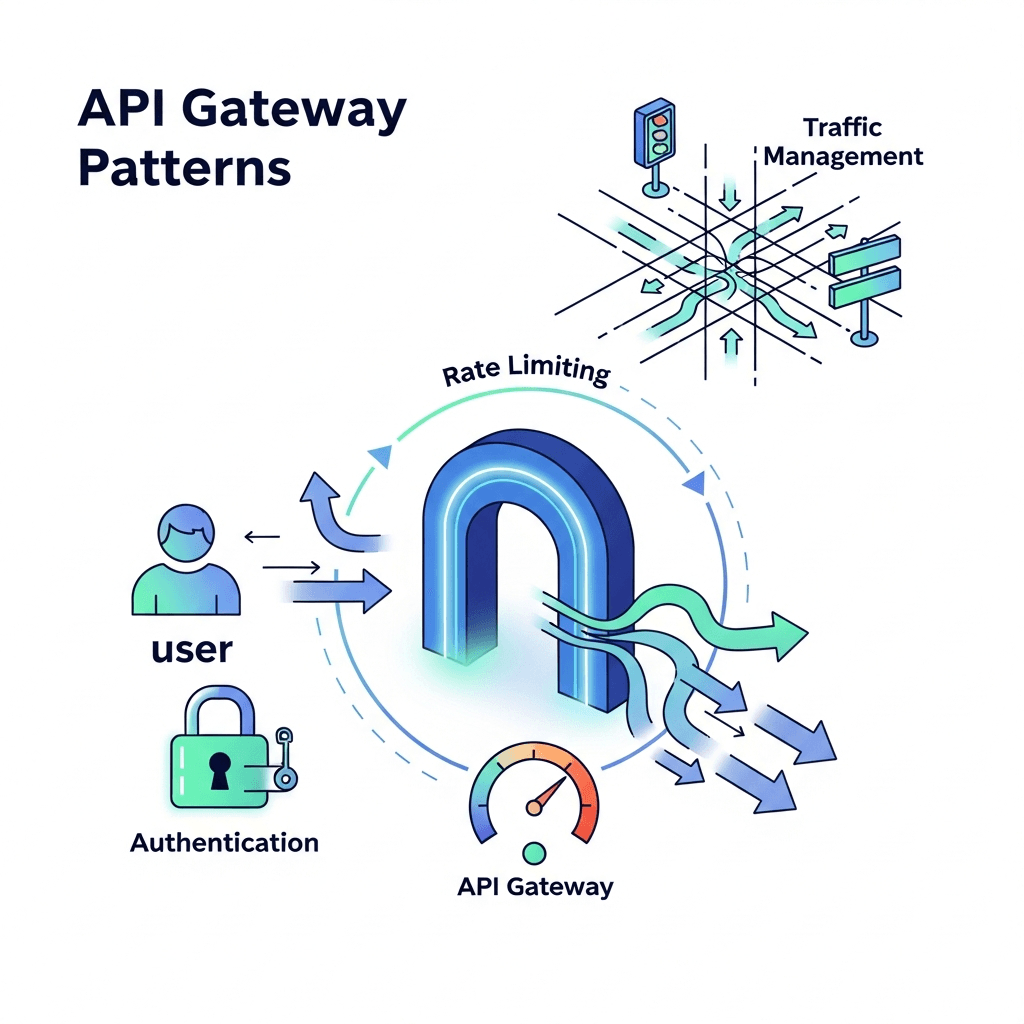
This is where an API Gateway steps in as a critical component in your architecture. An API Gateway acts as a single entry point for all client requests, abstracting the underlying microservices and providing a centralized control plane for various cross-cutting concerns. In this comprehensive guide, we will delve into three fundamental API Gateway patterns: Authentication, Rate Limiting, and Traffic Management. Mastering these patterns is crucial for building secure, scalable, and resilient API ecosystems.
Prerequisites
To get the most out of this guide, a basic understanding of the following concepts will be beneficial:
- Web APIs: Familiarity with RESTful principles and HTTP methods.
- Microservices Architecture: Understanding how services interact in a distributed environment.
- Networking Fundamentals: Concepts like proxies, load balancing, and HTTP headers.
- Security Basics: Knowledge of authentication (who you are) and authorization (what you can do).
What is an API Gateway?
An API Gateway is a server that sits at the edge of your network, acting as a reverse proxy for all client requests. It intercepts incoming requests, applies various policies, and then routes them to the appropriate backend service. Think of it as the bouncer, concierge, and traffic controller for your entire API landscape.
Key Benefits of an API Gateway:
- Centralized Control: Consolidates common concerns like security, monitoring, and routing in one place.
- Service Decoupling: Clients interact only with the gateway, insulating them from changes in backend service topology.
- Protocol Translation: Can translate between different protocols (e.g., HTTP to gRPC).
- Improved Performance: Can offer caching, compression, and request aggregation.
- Enhanced Security: Enforces security policies before requests reach backend services.
- Simplified Client Development: Provides a unified API interface, hiding microservice complexity.
Unlike a simple reverse proxy, an API Gateway is application-aware, understanding the structure of API requests and responses, allowing it to apply more intelligent policies.
Core API Gateway Functions
While API Gateways offer a multitude of features, their core functions typically include:
- Request Routing: Directing requests to the correct backend service.
- Authentication & Authorization: Verifying client identity and permissions.
- Rate Limiting: Controlling the number of requests a client can make.
- Caching: Storing responses to reduce backend load and improve latency.
- Request/Response Transformation: Modifying headers, payloads, or query parameters.
- Logging & Monitoring: Capturing analytics and operational data.
- Circuit Breaking: Preventing cascading failures in distributed systems.
In the following sections, we will deep dive into the critical patterns of Authentication, Rate Limiting, and Traffic Management, demonstrating how an API Gateway empowers you to implement them effectively.
Pattern 1: Authentication & Authorization
Authentication (verifying who a client is) and Authorization (determining what a client can do) are fundamental pillars of API security. An API Gateway is the ideal place to enforce these policies, offloading the burden from individual microservices and ensuring consistent security across your entire API surface.
Why Gateways Excel at Auth & AuthZ:
- Centralized Policy Enforcement: Apply security rules uniformly across all APIs.
- Reduced Backend Complexity: Microservices can trust that requests reaching them are already authenticated and authorized.
- Support for Multiple Schemes: Handle various authentication mechanisms (API keys, JWT, OAuth2) without backend services needing to know the specifics.
- Improved Performance: Caching of authentication tokens or public keys for faster validation.
Common Authentication Methods at the Gateway:
1. API Keys
API keys are simple tokens, often a long string, used to identify a client application. The gateway validates the key against a stored list or a dedicated identity service.
Use Case: Identifying third-party developers, simple client tracking.
Example (Pseudo-configuration for an API Gateway):
# API Gateway Configuration Snippet (Conceptual)
routes:
  - path: "/api/v1/products"
    methods: [GET, POST]
    plugins:
      - name: "api-key-auth"
        config:
          # The header where the API key is expected
          key_header_name: "X-API-Key"
          # Reference to an external service or internal database for key validation
          validate_with: "identity-service"
          # Action on invalid key
          on_invalid_key: "reject"
2. JWT (JSON Web Tokens)
JWTs are a compact, URL-safe means of representing claims to be transferred between two parties. The gateway validates the JWT's signature, expiration, and claims (e.g., issuer, audience) to authenticate the client.
Use Case: Single Sign-On (SSO), microservice authentication, user sessions.
Example (Envoy Proxy JWT Filter Configuration):
# Envoy Proxy JWT Authentication Filter (Simplified)
http_filters:
  - name: envoy.filters.http.jwt_authn
    typed_config:
      "@type": type.googleapis.com/envoy.extensions.filters.http.jwt_authn.v3.JwtAuthentication
      providers:
        auth0: # Provider name
          issuer: "https://your-domain.auth0.com/"
          audiences: ["your-api-audience"]
          jwks_uri: "https://your-domain.auth0.com/.well-known/jwks.json"
          forward_payload_header: "x-jwt-payload"
      rules:
        - match: { prefix: "/api/protected" }
          requires: { provider_name: "auth0" }
3. OAuth 2.0 / OpenID Connect
OAuth 2.0 is an authorization framework, and OpenID Connect (OIDC) is an identity layer built on top of OAuth 2.0. The API Gateway can act as a Resource Server, validating access tokens (often JWTs) issued by an Authorization Server.
Use Case: User delegation, third-party application access, complex identity flows.
Example (Conceptual Flow):
- Client obtains an access token from an Authorization Server.
- Client sends the access token to the API Gateway (
Authorization: Bearer <token>). - Gateway validates the token (e.g., introspects it with the Auth Server or validates it as a JWT).
- If valid, the request is forwarded to the backend service, potentially with user claims injected into headers.
Best Practices for Gateway Authentication:
- Delegation, not Duplication: Let the gateway handle authentication entirely. Backend services should trust that authenticated requests are legitimate.
- Cache Public Keys: For JWT validation, cache the JWKS (JSON Web Key Set) endpoint's response to reduce external calls.
- Short-Lived Tokens: Use short expiration times for access tokens to minimize the window of compromise.
- Robust Logging: Log failed authentication attempts for security monitoring and anomaly detection.
- Role-Based Access Control (RBAC): Extract user roles/permissions from tokens and enforce fine-grained authorization at the gateway or pass them to backend services for granular checks.
Pattern 2: Rate Limiting
Rate limiting is the practice of controlling the number of requests a client can make to an API within a given time window. It's a critical mechanism for maintaining API stability, preventing abuse, and ensuring fair usage among consumers.
Why Rate Limiting is Essential:
- DDoS Protection: Mitigates denial-of-service attacks by blocking excessive requests.
- Resource Protection: Prevents individual clients from overwhelming backend services.
- Cost Control: For cloud-based services, prevents runaway usage that can incur high costs.
- Fair Usage: Ensures that all consumers get a reasonable share of API capacity.
- Monetization: Enables tiered access (e.g., free vs. premium API plans).
Types of Rate Limiting Algorithms:
- Fixed Window: Divides time into fixed-size windows (e.g., 60 requests per minute). Simple but can suffer from "bursts" at window edges.
- Sliding Window Log: Stores a timestamp for each request. Highly accurate but memory-intensive.
- Sliding Window Counter: Combines fixed windows with a weighted average of the previous window, offering a good balance of accuracy and performance.
- Leaky Bucket / Token Bucket: Smooths out bursts by processing requests at a constant rate, queuing excess requests or dropping them if the bucket overflows. Excellent for sustained traffic control.
How Gateways Implement Rate Limiting:
API Gateways can apply rate limits based on various criteria:
- Per-Consumer: Based on client IP, API key, user ID (from JWT claims).
- Per-API/Endpoint: Specific limits for different API paths or methods.
- Global: An overall limit for the entire API, regardless of the consumer.
Example (Nginx Rate Limiting Configuration):
# Nginx Rate Limiting Example
http {
    # Define a zone for rate limiting based on client IP address
    # 'mylimit' is the zone name, 10m is memory size (10MB)
    # 'rate=10r/s' means 10 requests per second
    limit_req_zone $binary_remote_addr zone=mylimit:10m rate=10r/s;

    server {
        listen 80;
        server_name example.com;

        location /api/v1/data {
            # Apply the rate limit to this location
            # 'burst=20' allows up to 20 requests beyond the limit to be queued
            # 'nodelay' means queued requests are processed immediately if there's capacity
            limit_req zone=mylimit burst=20 nodelay;

            proxy_pass http://backend_service;
            proxy_set_header Host $host;
            proxy_set_header X-Real-IP $remote_addr;
        }
    }
}
Example (Kong API Gateway Rate Limiting Plugin - Pseudo-configuration):
# Kong API Gateway Rate Limiting Plugin (Conceptual)
services:
  - name: my-service
    host: backend-service.internal
    port: 80
    routes:
      - paths: ["/api/v1/orders"]
        plugins:
          - name: rate-limiting
            config:
              # Apply a limit of 100 requests per minute
              minute: 100
              # Store rate limiting data locally (can also be Redis, Cassandra)
              policy: local
              # Identify the consumer by a custom header (e.g., from an API key plugin)
              header_by: X-Consumer-ID
              # Return a specific HTTP status code on limit exceed
              status: 429
              # Include X-RateLimit-* headers in the response
              hide_client_headers: false
Best Practices for Rate Limiting:
- Communicate Limits: Inform clients about rate limits using HTTP response headers (
X-RateLimit-Limit,X-RateLimit-Remaining,X-RateLimit-Reset,Retry-Afterfor 429 responses). - Tiered Limits: Offer different rate limits for various user/client tiers (e.g., anonymous, free, premium).
- Burst Tolerance: Allow for occasional bursts of requests beyond the average rate to handle legitimate spikes.
- Monitor and Adjust: Continuously monitor rate limit breaches and adjust limits based on actual usage patterns and backend service capacity.
- Graceful Degradation: Consider what happens when a client hits a limit. Should they receive a degraded experience or a hard block?
Pattern 3: Traffic Management
Traffic management encompasses a suite of techniques used to control how requests flow through your API Gateway to your backend services. It's crucial for ensuring high availability, optimal performance, and enabling controlled deployment strategies.
Why Traffic Management is Crucial:
- Resilience: Protects against service failures and ensures continuous operation.
- Performance: Optimizes request routing and reduces latency.
- Scalability: Distributes load efficiently across multiple service instances.
- Controlled Deployments: Enables safe and gradual rollouts of new service versions.
- Observability: Provides insights into traffic flow and service health.
Sub-patterns of Traffic Management:
1. Load Balancing
Distributes incoming requests across multiple instances of a backend service to ensure no single instance is overloaded. The API Gateway often includes a sophisticated load balancer.
Algorithms: Round Robin, Least Connections, IP Hash, Weighted Round Robin.
Example (Conceptual Load Balancer Configuration):
# API Gateway Load Balancer Configuration (Conceptual)
upstreams:
  user_service:
    hosts:
      - host: "192.168.1.10"
        port: 8080
        weight: 100 # v1
      - host: "192.168.1.11"
        port: 8080
        weight: 100 # v1
      - host: "192.168.1.12"
        port: 8081
        weight: 10  # v2 (canary)
    strategy: "least-connections"
    health_checks:
      path: "/health"
      interval: 5s
      timeout: 2s
      unhealthy_threshold: 3
2. Routing
Directs requests to specific backend services based on defined rules. This is a core function of any API Gateway.
Rules can be based on: URL path, HTTP method, Host header, Custom headers, Query parameters, JWT claims.
Example (Envoy Proxy Routing Configuration - Simplified):
# Envoy Proxy Routing Configuration (Simplified)
static_resources:
  listeners:
    - name: listener_0
      address: { socket_address: { address: 0.0.0.0, port_value: 8080 } }
      filter_chains:
        - filters:
            - name: envoy.filters.network.http_connection_manager
              typed_config:
                "@type": type.googleapis.com/envoy.extensions.filters.network.http_connection_manager.v3.HttpConnectionManager
                stat_prefix: ingress_http
                route_config:
                  name: local_route
                  virtual_hosts:
                    - name: backend_services
                      domains: ["*"]
                      routes:
                        - match: { prefix: "/users" }
                          route: { cluster: "user_service_cluster" }
                        - match: { prefix: "/products" }
                          route: { cluster: "product_service_cluster" }
                        - match:
                            prefix: "/admin"
                            headers:
                              - name: "X-Role"
                                exact_match: "admin"
                          route: { cluster: "admin_service_cluster" }
                http_filters:
                  - name: envoy.filters.http.router
3. Circuit Breaking
Prevents cascading failures in a distributed system. If a backend service becomes unhealthy or starts returning errors consistently, the API Gateway "opens the circuit" and temporarily stops sending requests to that service. This allows the failing service time to recover and prevents client requests from piling up and worsening the problem.
Example (Conceptual Logic for Circuit Breaker):
// Circuit Breaker Logic (Conceptual)
function processRequest(serviceId, request):
    if circuit[serviceId].isOpen():
        return fallbackResponse() // Fail fast, return cached data or error

    try:
        response = sendRequestToService(serviceId, request)
        recordSuccess(serviceId)
        return response
    except Exception as e:
        recordFailure(serviceId)
        if consecutiveFailures(serviceId) > threshold:
            circuit[serviceId].open(recoveryTimeout)
        return errorResponse(e)

function checkCircuitState(serviceId):
    if circuit[serviceId].isOpen() and timeElapsed > recoveryTimeout:
        circuit[serviceId].halfOpen() // Allow a few requests to test recovery
    // ... (logic for half-open state)
4. Retries & Timeouts
- Retries: The gateway can be configured to automatically retry requests to backend services in case of transient errors (e.g., network issues, temporary service unavailability). This improves client experience but requires idempotent operations.
- Timeouts: Gateways enforce timeouts at various stages (connection, request, response) to prevent requests from hanging indefinitely, improving overall system responsiveness.
5. Canary & Blue/Green Deployments
These patterns enable controlled and low-risk deployments of new service versions.
-
Canary Deployments: A small percentage of live traffic is routed to a new version of a service (the "canary"). If the canary performs well, traffic is gradually shifted until all traffic goes to the new version. If issues arise, traffic is quickly rolled back to the old version.
Example (API Gateway Weighted Routing for Canary):
yaml# API Gateway Weighted Routing (Conceptual) routes: - path: "/api/v1/payments" target: # Route 90% of traffic to v1 - service: "payment-service-v1" weight: 90 # Route 10% of traffic to v2 (canary) - service: "payment-service-v2" weight: 10 -
Blue/Green Deployments: Two identical production environments ("Blue" and "Green") run concurrently. One (e.g., Blue) serves live traffic, while the other (Green) runs the new version. Once Green is tested and ready, the API Gateway instantly switches all traffic from Blue to Green. This provides near-zero downtime and easy rollback.
Best Practices for Traffic Management:
- Monitor Service Health: Implement robust health checks for backend services to inform load balancing and circuit breaking decisions.
- Idempotent Operations for Retries: Ensure that operations retried by the gateway do not cause unintended side effects (e.g., double charging).
- Observability: Integrate with monitoring and tracing tools to get real-time insights into traffic flow and identify bottlenecks or errors.
- Automate Deployments: Use Infrastructure as Code (IaC) and CI/CD pipelines to automate canary and blue/green deployments, making them repeatable and reliable.
- Test Failover Scenarios: Regularly test how your gateway handles service failures and ensures resilience.
Choosing the Right API Gateway
The choice of an API Gateway depends on your specific needs, existing infrastructure, and budget. Popular options include:
- Managed Cloud Gateways: AWS API Gateway, Azure API Management, Google Cloud Apigee. Offer fully managed services, deep integration with cloud ecosystems.
- Open Source Gateways: Kong Gateway, Nginx (with API Gateway features), Envoy Proxy. Highly customizable, suitable for self-hosting and specific requirements.
- Service Mesh: Solutions like Istio or Linkerd provide many gateway-like features (traffic management, resilience) but operate at a different layer (sidecar proxy for microservices).
Consider factors like performance, scalability, feature set, ease of use, community support, and cost when making your decision.
Best Practices for API Gateway Implementation
Beyond the specific patterns, a well-implemented API Gateway adheres to several overarching best practices:
- Comprehensive Observability: Implement centralized logging, metrics (request volume, latency, error rates), and distributed tracing. This provides critical insights into API performance and helps troubleshoot issues quickly.
- Robust Security Posture: Always enforce TLS/SSL for all ingress traffic. Integrate with Web Application Firewalls (WAFs) for advanced threat protection. Regularly audit gateway configurations for security vulnerabilities.
- High Availability and Scalability: Deploy your API Gateway in a highly available, clustered configuration. Design for horizontal scalability to handle fluctuating traffic loads, often leveraging auto-scaling groups or Kubernetes.
- Infrastructure as Code (IaC): Manage all API Gateway configurations (routes, policies, plugins) using tools like Terraform, Ansible, or Kubernetes manifests. This ensures consistency, repeatability, and version control.
- Thorough Testing: Implement unit, integration, and performance tests for your gateway configurations. Test all routing rules, authentication policies, rate limits, and failover scenarios to ensure correct behavior under various conditions.
- Minimize Business Logic: While powerful, avoid embedding complex business logic directly within the API Gateway. Its primary role is to handle cross-cutting concerns, not core application functionality. Keep it lean and focused.
Common Pitfalls
Even with the best intentions, misconfigurations or misunderstandings can lead to common pitfalls:
- Single Point of Failure: A poorly designed API Gateway deployment can become a critical single point of failure. Ensure redundancy and high availability.
- Performance Bottlenecks: Overloading the gateway with too many complex policies or inefficient configurations can turn it into a bottleneck, negating its benefits.
- "God Object" Anti-pattern: Attempting to put too much application-specific logic into the gateway. This complicates maintenance and makes the gateway brittle.
- Lack of Monitoring: Operating an API Gateway without proper logging, metrics, and alerts is like flying blind. You won't know about issues until clients complain.
- Inadequate Security Configuration: Failing to properly configure authentication, authorization, or WAF rules can leave your backend services vulnerable.
- Ignoring Idempotency: Implementing retries for non-idempotent operations can lead to data corruption or unintended side effects.
Conclusion
API Gateways are indispensable components in modern distributed architectures, particularly for microservices. By centralizing crucial cross-cutting concerns, they empower organizations to build APIs that are not only functional but also secure, performant, and resilient. Mastering patterns like Authentication, Rate Limiting, and Traffic Management at the gateway level is key to unlocking the full potential of your API ecosystem.
As API landscapes continue to evolve, API Gateways will remain at the forefront, adapting to new challenges and offering sophisticated control over your digital interactions. Thoughtful design, diligent implementation, and continuous monitoring of your API Gateway will pave the way for a robust and scalable API strategy, ready to meet the demands of tomorrow's applications.
Written by
CodewithYohaFull-Stack Software Engineer with 7+ years of experience in Java, Spring Boot, and cloud architecture across AWS, Azure, and GCP. Writing production-grade engineering patterns for developers who ship real software.