Building Production-Ready Serverless: AWS Lambda & API Gateway Deep Dive

Introduction
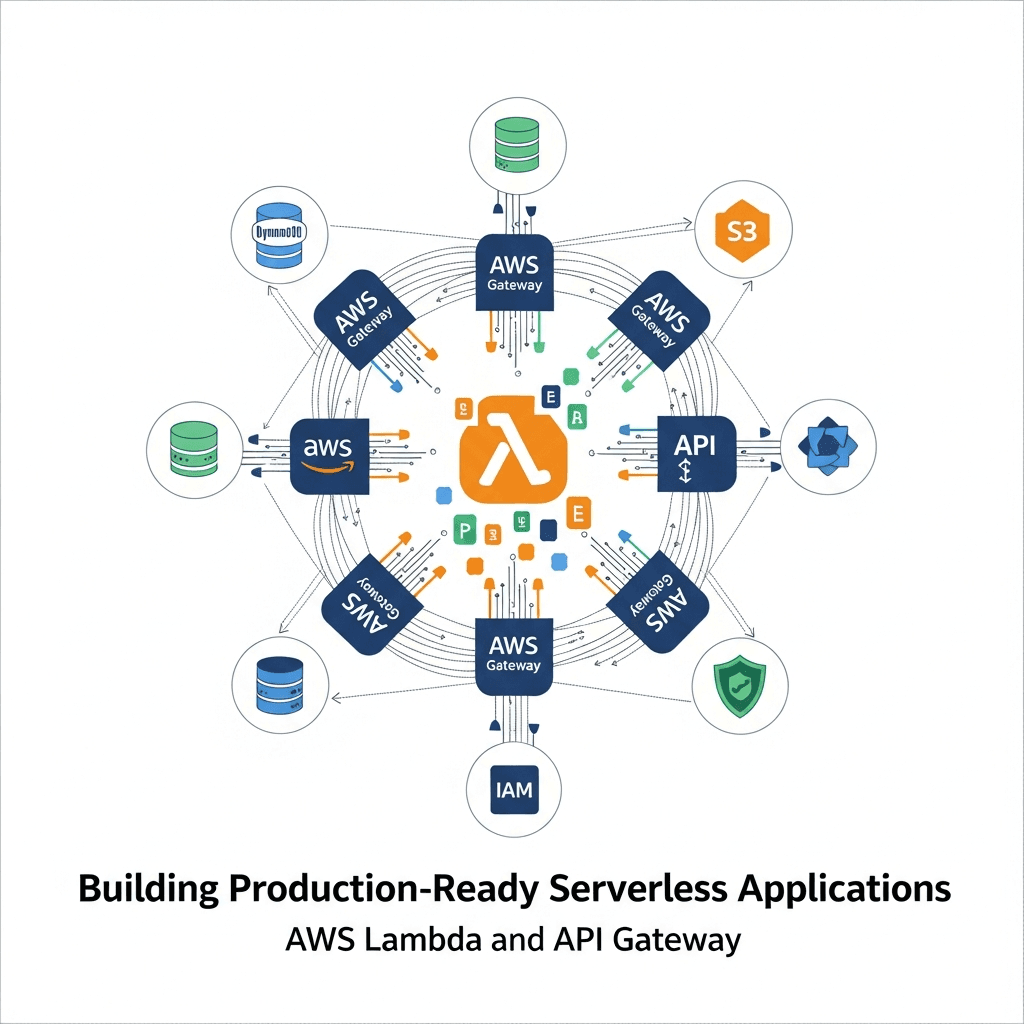
The landscape of application development has been dramatically reshaped by serverless computing, offering unparalleled scalability, reduced operational overhead, and a pay-per-execution cost model. At the heart of AWS's serverless ecosystem lie AWS Lambda and Amazon API Gateway, two powerful services that, when combined, form the backbone of highly efficient, event-driven applications.
Building a "production-ready" serverless application, however, goes far beyond writing a simple function. It involves thoughtful architectural design, robust security implementations, comprehensive observability, efficient CI/CD pipelines, and meticulous cost optimization. This comprehensive guide will walk you through the essential steps and best practices to transform your serverless ideas into resilient, scalable, and maintainable production systems using AWS Lambda and API Gateway.
Prerequisites
Before diving in, ensure you have the following:
- An active AWS Account.
- Basic understanding of cloud concepts and web development.
- Familiarity with Node.js (or Python) for Lambda function development.
- AWS CLI installed and configured.
- (Optional but recommended) AWS SAM CLI or Serverless Framework installed for local development and deployment.
Understanding the Core Components
AWS Lambda: The Serverless Compute Engine
AWS Lambda is a compute service that lets you run code without provisioning or managing servers. You upload your code, and Lambda handles all the underlying infrastructure required to run it, including server maintenance, capacity provisioning, and automatic scaling. Your code is executed in response to events, such as HTTP requests via API Gateway, changes in DynamoDB tables, or messages arriving in an SQS queue.
Key characteristics:
- Event-driven: Invoked by various AWS services or custom events.
- Stateless: Functions should not assume sticky sessions or rely on local file system state between invocations.
- Ephemeral: Functions run in isolated execution environments that are recycled.
- Pay-per-execution: You pay only for the compute time consumed.
Amazon API Gateway: The Serverless Front Door
Amazon API Gateway is a fully managed service that makes it easy for developers to create, publish, maintain, monitor, and secure APIs at any scale. It acts as a "front door" for applications to access data, business logic, or functionality from your backend services, including AWS Lambda functions.
Key characteristics:
- API Management: Handles traffic management, authorization, access control, throttling, and monitoring.
- Integration: Seamlessly integrates with Lambda, EC2, HTTP endpoints, and other AWS services.
- Security: Supports various authentication and authorization mechanisms.
- Performance: Offers caching and request throttling to improve responsiveness and prevent abuse.
1. Designing Your Serverless Architecture
Effective design is paramount for production-ready serverless applications. Consider these principles:
Microservices vs. Monoliths
While serverless inherently encourages a microservices approach (each Lambda function potentially being a small service), it's crucial to strike a balance. A "nanoservice" approach where every tiny piece of logic is a separate function can lead to complexity. Aim for logically grouped functions that encapsulate a single responsibility or bounded context.
Event-Driven Patterns
Embrace event-driven architectures. Instead of direct synchronous calls, consider publishing events to services like Amazon SQS or SNS. This decouples components, increases resilience, and enables asynchronous processing. API Gateway can be the entry point for synchronous requests, which then trigger asynchronous backend processes.
Statelessness and Idempotency
Lambda functions are stateless by design. Avoid storing state within the function's execution environment. For persistent state, rely on external services like DynamoDB, RDS, S3, or ElastiCache. Design your functions to be idempotent where possible, meaning that multiple identical requests produce the same result, preventing issues with retries.
2. Setting Up Your Development Environment
A robust development environment streamlines the serverless workflow.
AWS CLI and IAM Configuration
Ensure your AWS CLI is configured with credentials that have sufficient permissions to deploy and manage serverless resources. It's best practice to use an IAM user with programmatic access and fine-grained policies.
Serverless Framework or AWS SAM CLI
These tools are indispensable for defining, deploying, and managing serverless applications using Infrastructure as Code (IaC). They abstract away much of the underlying CloudFormation complexity.
AWS SAM (Serverless Application Model)
AWS SAM is an open-source framework for building serverless applications on AWS. It provides a shorthand syntax to define serverless resources, which is then transformed into CloudFormation.
Serverless Framework
An open-source, cloud-agnostic framework that simplifies serverless deployments across various providers, with strong AWS support.
Local Development and Testing
Local emulation is vital for rapid iteration. Both SAM CLI and Serverless Framework offer local invocation capabilities for Lambda functions and API Gateway emulation.
# Example: Running a Lambda function locally with SAM CLI
sam local invoke MyFunction --event events/event.json

# Example: Starting a local API Gateway endpoint with SAM CLI
sam local start-api
3. Implementing AWS Lambda Functions
Choosing a Runtime and Language
AWS Lambda supports multiple runtimes (Node.js, Python, Java, Go, .NET, Ruby). Choose the one that best fits your team's expertise and project requirements. Node.js and Python are popular for their fast cold starts and rich ecosystems.
Handler Structure and Asynchronous Operations
A Lambda function's entry point is the handler, which receives event data and context objects. For Node.js, using async/await is the modern and recommended approach for handling asynchronous operations.
// Node.js Lambda Function Example (index.js)

const AWS = require('aws-sdk');
const dynamoDb = new AWS.DynamoDB.DocumentClient();

exports.handler = async (event) => {
    console.log('Received event:', JSON.stringify(event, null, 2));

    const { httpMethod, path, body } = event;

    try {
        if (httpMethod === 'POST' && path === '/items') {
            const item = JSON.parse(body);
            await dynamoDb.put({
                TableName: process.env.TABLE_NAME,
                Item: item
            }).promise();
            return {
                statusCode: 201,
                body: JSON.stringify({ message: 'Item created', item })
            };
        } else if (httpMethod === 'GET' && path === '/items/{id}') {
            const id = event.pathParameters.id;
            const result = await dynamoDb.get({
                TableName: process.env.TABLE_NAME,
                Key: { id }
            }).promise();
            if (!result.Item) {
                return { statusCode: 404, body: JSON.stringify({ message: 'Item not found' }) };
            }
            return {
                statusCode: 200,
                body: JSON.stringify(result.Item)
            };
        }

        return {
            statusCode: 400,
            body: JSON.stringify({ message: 'Unsupported HTTP method or path' })
        };

    } catch (error) {
        console.error('Error processing request:', error);
        return {
            statusCode: 500,
            body: JSON.stringify({ message: 'Internal server error', error: error.message })
        };
    }
};
Dependency Management
Package your dependencies efficiently. For Node.js, npm install and then zip your code and node_modules. For Python, use pip install -t . to install dependencies into your project directory before zipping.
4. Integrating with Amazon API Gateway
API Gateway is crucial for exposing your Lambda functions as RESTful APIs.
Proxy vs. Non-Proxy Integration
- Lambda Proxy Integration: Recommended for most use cases. API Gateway sends the raw request to your Lambda function, and your function returns a complete HTTP response (status code, headers, body). This simplifies your Lambda code as it directly controls the response.
- Lambda Non-Proxy Integration: Gives you more control over request and response mapping within API Gateway using VTL (Velocity Template Language). More complex to configure but useful for specific transformations or when integrating with legacy systems.
HTTP Methods and Path Parameters
Define clear HTTP methods (GET, POST, PUT, DELETE) for your resources. Use path parameters (e.g., /items/{id}) and query string parameters to pass dynamic data to your Lambda functions.
CORS Configuration
If your API is consumed by web applications hosted on different domains, you'll need to enable Cross-Origin Resource Sharing (CORS) on API Gateway. This can be configured per resource or globally.
Example: SAM Template for Lambda and API Gateway
This template.yaml defines a Lambda function and an API Gateway endpoint that invokes it.
AWSTemplateFormatVersion: '2010-09-09'
Transform: AWS::Serverless-2016-10-31
Description: A simple serverless API for managing items.

Parameters:
  TableName:
    Type: String
    Description: The name of the DynamoDB table.
    Default: MyItemsTable

Resources:
  ItemsTable:
    Type: AWS::Serverless::SimpleTable
    Properties:
      PrimaryKey:
        Name: id
        Type: String
      ProvisionedThroughput:
        ReadCapacityUnits: 1
        WriteCapacityUnits: 1

  MyApiFunction:
    Type: AWS::Serverless::Function
    Properties:
      Handler: index.handler
      Runtime: nodejs18.x
      CodeUri: ./src
      MemorySize: 128
      Timeout: 10
      Policies:
        - DynamoDBCrudPolicy: !Ref ItemsTable
      Environment:
        Variables:
          TABLE_NAME: !Ref ItemsTable
      Events:
        ApiEvent:
          Type: Api
          Properties:
            Path: /items/{proxy+}
            Method: ANY
            RestApiId: !Ref MyRestApi

  MyRestApi:
    Type: AWS::Serverless::Api
    Properties:
      StageName: Prod
      DefinitionBody:
        'Fn::Transform':
          Name: AWS::Include
          Parameters:
            Location: s3://your-bucket-name/api-definition.yaml # Optional: for larger APIs
      Cors:
        AllowHeaders: '''*'''
        AllowOrigin: '''*'''
        AllowMethods: '''*'''

Outputs:
  ApiEndpoint:
    Description: "API Gateway endpoint URL for Prod stage"
    Value: !Sub "https://${MyRestApi}.execute-api.${AWS::Region}.amazonaws.com/Prod/"
5. Data Persistence and Storage
Serverless applications rely heavily on managed data services.
Amazon DynamoDB
DynamoDB is a fast, flexible NoSQL database service for single-digit millisecond performance at any scale. It's a natural fit for serverless due to its pay-per-use model, automatic scaling, and seamless integration with Lambda.
Amazon S3
S3 is object storage built to store and retrieve any amount of data from anywhere. Ideal for static assets (website hosting), file uploads, backups, and data lakes. S3 events can directly trigger Lambda functions.
Amazon RDS Proxy
While Lambda functions can connect directly to Amazon RDS databases, managing connections can be challenging due to Lambda's ephemeral nature and potential for connection storms. RDS Proxy provides a fully managed, highly available database proxy that pools and shares connections, improving scalability and resilience for relational databases.
6. Security Best Practices
Security is paramount for production applications.
IAM Roles and Least Privilege
Each Lambda function should have a dedicated IAM role with only the minimum necessary permissions to perform its task. For example, if a function interacts with DynamoDB, grant it only dynamodb:GetItem, dynamodb:PutItem, etc., on specific tables, not * access.
API Gateway Authorizers
Control who can access your API endpoints:
- IAM Authorizer: Use IAM roles/users and policies for secure access, especially for internal APIs.
- Lambda Authorizer (Custom Authorizer): A Lambda function that authenticates and authorizes requests using custom logic (e.g., validating JWTs, API keys, or integrating with external identity providers).
- Cognito User Pool Authorizer: Integrate directly with Amazon Cognito User Pools for user authentication.
VPC Integration for Lambda
If your Lambda functions need to access resources within a Virtual Private Cloud (VPC) (e.g., RDS databases, EC2 instances), configure your Lambda function to operate within that VPC. This ensures network isolation and security, but be aware of potential cold start implications.
Secrets Management with AWS Secrets Manager
Never hardcode sensitive information (database credentials, API keys) in your code or environment variables. Use AWS Secrets Manager to securely store and retrieve secrets at runtime. Your Lambda function's IAM role should have permission to access specific secrets.
// Example: Retrieving a secret from AWS Secrets Manager
const AWS = require('aws-sdk');
const secretsManager = new AWS.SecretsManager();

async function getDatabaseCredentials() {
    const secretName = process.env.DB_SECRET_NAME;
    try {
        const data = await secretsManager.getSecretValue({ SecretId: secretName }).promise();
        if ('SecretString' in data) {
            return JSON.parse(data.SecretString);
        } else {
            // Handle binary secret
            let buff = new Buffer(data.SecretBinary, 'base64');
            return JSON.parse(buff.toString('ascii'));
        }
    } catch (err) {
        console.error('Error retrieving secret:', err);
        throw err;
    }
}

// In your handler:
// const credentials = await getDatabaseCredentials();
7. Observability and Monitoring
Understanding the health and performance of your serverless application is critical.
Amazon CloudWatch Logs, Metrics, and Alarms
- Logs: Lambda automatically sends all console output (e.g.,
console.login Node.js) to CloudWatch Logs. Use structured logging (JSON format) for easier querying and analysis. - Metrics: Lambda and API Gateway automatically publish metrics (invocations, errors, duration, throttles) to CloudWatch. Monitor these metrics for anomalies.
- Alarms: Set up CloudWatch Alarms on key metrics (e.g., error rate > 0%, latency > threshold) to get notified via SNS when issues arise.
AWS X-Ray for Distributed Tracing
For complex serverless architectures involving multiple Lambda functions, API Gateway, and other services, AWS X-Ray provides end-to-end visibility. It traces requests as they flow through your application, helping you identify performance bottlenecks and errors across distributed components.
Custom Dashboards
Create CloudWatch Dashboards to visualize key metrics, logs, and X-Ray traces in a single pane of glass, providing a holistic view of your application's health.
8. CI/CD for Serverless Applications
Automating deployments is essential for production readiness.
Infrastructure as Code (IaC)
Define your entire serverless application (Lambda functions, API Gateway, DynamoDB tables, IAM roles) using IaC tools like AWS SAM or Serverless Framework. This ensures consistent, repeatable deployments and version control for your infrastructure.
AWS CodePipeline and CodeBuild
Integrate your IaC templates with AWS CodePipeline for continuous delivery. CodePipeline orchestrates the release process, while CodeBuild compiles your code, runs tests, and packages your serverless application for deployment.
Example: Basic buildspec.yml for CodeBuild (Node.js/SAM)
version: 0.2
phases:
  install:
    runtime-versions:
      nodejs: 18
    commands:
      - npm install -g aws-sam-cli
  pre_build:
    commands:
      - echo "Installing dependencies..."
      - npm install # Install function dependencies
  build:
    commands:
      - echo "Building SAM application..."
      - sam build --use-container # Build the SAM application, packaging dependencies
  post_build:
    commands:
      - echo "Packaging SAM application..."
      - sam deploy --no-confirm-changeset --no-fail-on-empty-changeset --stack-name your-serverless-app-stack --s3-bucket your-deployment-bucket --capabilities CAPABILITY_IAM CAPABILITY_AUTO_EXPAND
artifacts:
  files:
    - '**/*' # No specific artifacts needed if deploying directly from CodeBuild
Multiple Environments
Establish separate AWS accounts or distinct CloudFormation stacks for development, staging, and production environments. This isolates changes and prevents accidental impact on live systems.
9. Performance Optimization and Cost Management
Efficient serverless applications are both performant and cost-effective.
Lambda Memory Allocation
Lambda function performance (CPU, network bandwidth) scales proportionally with memory. Experiment with different memory settings to find the optimal balance between cost and performance for your specific workload. Tools like aws-lambda-power-tuning can help automate this.
Cold Starts vs. Provisioned Concurrency
- Cold Start: The first time a Lambda function is invoked after a period of inactivity, AWS needs to spin up a new execution environment. This adds latency.
- Warm Start: Subsequent invocations on an already active environment are faster.
- Provisioned Concurrency: Allocate a pre-initialized number of execution environments to your function, eliminating cold starts for those invocations. Use for latency-sensitive applications at a higher cost.
API Gateway Caching
Enable API Gateway caching for endpoints that serve static or infrequently changing data. This reduces latency and the number of requests reaching your backend Lambda functions, saving costs.
Cost Explorer and Budget Alerts
Regularly monitor your AWS costs using AWS Cost Explorer. Set up budget alerts to get notified when your spending approaches predefined thresholds, preventing unexpected bills.
10. Error Handling and Resiliency
Design for failure to build robust applications.
Dead-Letter Queues (DLQ)
Configure a Dead-Letter Queue (SQS or SNS topic) for your Lambda functions. If a function fails to process an event after a configured number of retries, the event is sent to the DLQ. This allows you to inspect and reprocess failed events, preventing data loss.
Retry Mechanisms and Exponential Backoff
When integrating with other services, implement retry logic with exponential backoff to handle transient errors. AWS SDKs often provide this out-of-the-box. API Gateway also has built-in retry mechanisms for backend integrations.
Idempotency
As mentioned earlier, design your functions to be idempotent. If an external system retries a request, your function should produce the same result without unintended side effects.
API Gateway Throttling
Protect your backend from being overwhelmed by configuring API Gateway throttling limits. This prevents a single client or a sudden spike in traffic from degrading your service or incurring excessive costs.
Best Practices for Production-Ready Serverless
- Infrastructure as Code (IaC): Always define your infrastructure using SAM, Serverless Framework, or CloudFormation.
- Least Privilege IAM: Grant only the necessary permissions to Lambda functions and API Gateway.
- Structured Logging: Use JSON logging for easier parsing and querying in CloudWatch Logs.
- Observability: Implement comprehensive monitoring, logging, and tracing with CloudWatch and X-Ray.
- Error Handling: Implement DLQs, retries, and idempotency.
- Modular Code: Break down complex logic into smaller, testable modules.
- Environment Variables: Use environment variables for configuration, not hardcoded values.
- Secrets Management: Securely store and retrieve sensitive data using AWS Secrets Manager.
- Testing: Implement unit, integration, and end-to-end tests.
- Cost Awareness: Monitor costs and optimize Lambda memory, provisioned concurrency, and API Gateway caching.
- API Versioning: Use API Gateway to manage different versions of your API (e.g.,
/v1,/v2).
Common Pitfalls to Avoid
- Monolithic Lambda Functions: Overloading a single function with too much responsibility, leading to complex code and difficult debugging.
- Hardcoding Secrets: Storing sensitive data directly in code or environment variables.
- Insufficient Logging/Monitoring: Deploying without proper logging, metrics, and alarms, making troubleshooting impossible.
- Ignoring Cold Starts: Not accounting for cold start latency in performance-critical paths.
- Lack of Idempotency: Leading to duplicate data or unintended side effects on retries.
- Over-permissioned IAM Roles: Granting
*access instead of least privilege. - Neglecting VPC Configuration: Forgetting that Lambda functions in a VPC lose internet access unless configured with a NAT Gateway.
- Not Using IaC: Manually deploying resources, leading to inconsistencies and difficult rollbacks.
Conclusion
Building production-ready serverless applications with AWS Lambda and API Gateway requires a holistic approach, encompassing thoughtful design, robust security, automated deployments, and continuous monitoring. By adhering to the best practices outlined in this guide, you can leverage the full power of serverless to create highly scalable, resilient, and cost-effective applications that meet the demands of modern web services.
The journey to serverless mastery is continuous. Keep experimenting, stay updated with AWS advancements, and always prioritize security, reliability, and maintainability in your designs. Your serverless applications will not only perform exceptionally but also provide a powerful foundation for future innovation.
Written by
CodewithYohaFull-Stack Software Engineer with 7+ years of experience in Java, Spring Boot, and cloud architecture across AWS, Azure, and GCP. Writing production-grade engineering patterns for developers who ship real software.