Introduction: The Evolving Landscape of CSS-in-JS in 2026
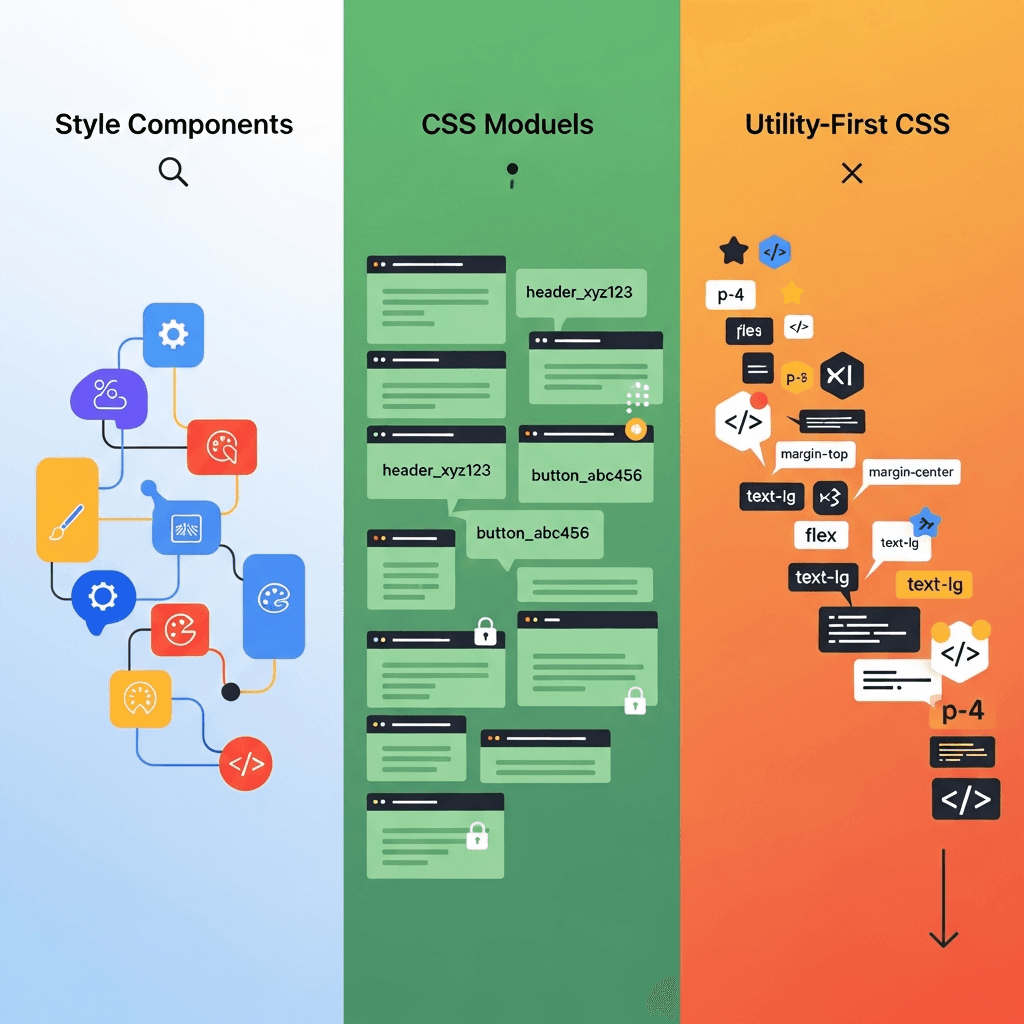
Welcome to 2026. The frontend world has continued its rapid evolution, and with it, the way we style our applications. Gone are the days when runtime CSS-in-JS libraries like Styled Components or Emotion dominated the conversation without challenge. While they undeniably solved critical problems around component-scoped styling, dynamic themes, and colocation, their inherent runtime overhead, larger bundle sizes, and potential for performance bottlenecks in large-scale applications became increasingly scrutinized.
The industry's pivot towards performance, developer experience, and build-time optimizations has ushered in a new era for CSS-in-JS. This new generation, often dubbed "zero-runtime" or "compile-time" CSS-in-JS, aims to deliver all the benefits of component-based styling and JavaScript-driven logic without shipping a styling engine to the client's browser. Instead, these tools leverage powerful build processes to generate static CSS files, offering the best of both worlds: developer ergonomics and raw CSS performance.
In this comprehensive guide, we'll deep dive into two of the most prominent and influential players in the 2026 build-time CSS-in-JS ecosystem: Vanilla Extract and Panda CSS. We'll explore their philosophies, features, practical applications, and help you understand when and why to choose one over the other, or even how they can complement each other in your next-generation web projects.
Prerequisites
To get the most out of this guide, you should have:
- A foundational understanding of modern JavaScript (ES6+).
- Familiarity with a modern frontend framework like React, Vue, or Svelte.
- Basic knowledge of TypeScript, as both libraries heavily leverage it for type safety.
- Node.js and a package manager (npm, yarn, or pnpm) installed on your system.
- An understanding of modern build tools like Webpack, Vite, or Rollup.
The Evolution of CSS-in-JS: From Runtime to Compile-Time
To appreciate the current state, let's briefly recap the journey. Early CSS-in-JS libraries emerged to tackle global CSS issues, naming collisions, and the challenge of managing styles in a component-driven architecture. They allowed developers to write CSS directly within JavaScript, enabling dynamic styles based on component props and state. This was revolutionary for DX.
However, this convenience came at a cost: a runtime JavaScript bundle responsible for parsing, injecting, and managing styles. For smaller applications, this overhead was negligible. But as applications grew, so did the performance implications, leading to:
- Increased JavaScript bundle sizes: Shipping a styling engine.
- Runtime style injection: Potential for FOUC (Flash of Unstyled Content) or layout shifts.
- CPU overhead: JavaScript parsing and execution on the client-side to generate styles.
- Limited static analysis: Difficulty for tools to understand and optimize dynamic styles.
The desire to retain the DX benefits while eliminating these performance drawbacks fueled the rise of build-time solutions. These tools preprocess your JavaScript/TypeScript styling code during the build step, extracting and generating pure, optimized CSS files. The result is zero runtime overhead, improved performance, and better compatibility with traditional CSS tooling.
Why Build-Time CSS-in-JS is the Future
The shift to build-time CSS-in-JS isn't just a trend; it's a fundamental improvement driven by several compelling advantages:
- Zero Runtime Overhead: No JavaScript styling engine shipped to the browser, leading to smaller bundles and faster client-side execution.
- Performance: Static CSS files can be cached, parallel-loaded, and optimized by browsers more efficiently than dynamically injected styles. This translates to faster page loads and improved Core Web Vitals.
- Type Safety: Leveraging TypeScript, these libraries provide unparalleled type safety for styles, catching errors at compile-time rather than runtime. This means better autocompletion, fewer bugs, and a more confident development experience.
- Static Analysis & Tooling: Since styles are extracted to static CSS, traditional CSS tools (linters, optimizers) can process them. This also allows for powerful static analysis, enabling features like unused style removal, critical CSS extraction, and more.
- Server-Side Rendering (SSR) & Static Site Generation (SSG) Excellence: With static CSS, SSR and SSG are seamless, eliminating FOUC and ensuring consistent styling from the very first paint.
- Better Developer Experience: While requiring a build step, the combination of colocation, JavaScript logic, and robust type safety often leads to a superior overall DX, especially in large, complex projects.
Introducing Vanilla Extract: Type-Safe, Zero-Runtime CSS with a CSS Modules Feel
Vanilla Extract, developed by the team behind Seek, is a framework-agnostic, zero-runtime CSS-in-JS library that focuses on generating static CSS files. Its core philosophy is to provide a highly type-safe way to write styles in TypeScript, which then compile down to atomic CSS classes and raw .css files. It feels very much like an enhanced, type-safe version of CSS Modules, but with the full power of TypeScript and JavaScript at your disposal.
How Vanilla Extract Works
Vanilla Extract works by analyzing your TypeScript styling files during the build process (using a Webpack/Vite plugin). It extracts all defined styles and generates unique, scoped class names, then outputs a standard .css file. Your JavaScript components then import these class names, just like CSS Modules, applying them to elements.
Code Example 1: Basic Vanilla Extract Setup and Usage
First, install the necessary packages:
npm install @vanilla-extract/css @vanilla-extract/webpack-plugin --save-dev
# or with Vite:
npm install @vanilla-extract/css @vanilla-extract/vite-plugin --save-dev
webpack.config.js (or similar for Vite):
// webpack.config.js
const { VanillaExtractPlugin } = require('@vanilla-extract/webpack-plugin');

module.exports = {
  // ... other webpack config
  plugins: [
    new VanillaExtractPlugin(),
  ],
  module: {
    rules: [
      {
        test: /\.css$/i,
        use: ['style-loader', 'css-loader'], // Or MiniCssExtractPlugin for production
      },
      // ... other rules for TS/JS
    ],
  },
};src/styles/button.css.ts:
// src/styles/button.css.ts
import { style, globalStyle, keyframes } from '@vanilla-extract/css';

// Define a keyframe animation
const pulse = keyframes({
  '0%': { transform: 'scale(1)' },
  '50%': { transform: 'scale(1.05)' },
  '100%': { transform: 'scale(1)' },
});

export const baseButton = style({
  padding: '10px 20px',
  border: 'none',
  borderRadius: '4px',
  cursor: 'pointer',
  fontSize: '16px',
  fontWeight: 'bold',
  transition: 'background-color 0.2s ease-in-out',
  ':hover': {
    opacity: 0.9,
  },
});

export const primaryButton = style([
  baseButton, // Compose styles
  {
    backgroundColor: '#007bff',
    color: 'white',
    ':active': {
      backgroundColor: '#0056b3',
    },
  },
]);

export const secondaryButton = style([
  baseButton,
  {
    backgroundColor: '#6c757d',
    color: 'white',
    ':active': {
      backgroundColor: '#5a6268',
    },
  },
]);

export const animatedButton = style({
  animation: `${pulse} 1s infinite`,
});

// Example of a global style (use sparingly)
globalStyle('body', {
  fontFamily: 'system-ui, sans-serif',
  margin: 0,
  padding: 0,
});src/components/MyButton.tsx:
// src/components/MyButton.tsx
import React from 'react';
import { primaryButton, secondaryButton, animatedButton } from '../styles/button.css';

interface MyButtonProps {
  variant?: 'primary' | 'secondary';
  onClick?: () => void;
  children: React.ReactNode;
  animate?: boolean;
}

const MyButton: React.FC<MyButtonProps> = ({ variant = 'primary', onClick, children, animate = false }) => {
  const buttonClass = variant === 'primary' ? primaryButton : secondaryButton;
  const classes = animate ? `${buttonClass} ${animatedButton}` : buttonClass;

  return (
    <button className={classes} onClick={onClick}>
      {children}
    </button>
  );
};

export default MyButton;
Deep Dive into Vanilla Extract Features
Vanilla Extract offers a rich set of features for robust styling:
style(): The core function to define a single style. It returns a unique class name string. Supports pseudo-classes, pseudo-elements, and media queries directly.styleVariants(): Ideal for creating variations of a style, returning an object where keys map to class names. Useful for component variants.createTheme()andcreateGlobalTheme(): Powerful for defining design tokens and themes.createThemescopes tokens to a specific theme class, whilecreateGlobalThememakes them globally available as CSS variables.globalStyle()andglobalKeyframes(): For injecting styles globally or defining global keyframes. Used sparingly, mostly for resets or base styles.assignVars(): Allows assigning values to CSS variables defined bycreateThemedirectly within a style, enabling dynamic theming.- Composition: Styles can be composed by passing an array of styles to
style()orstyleVariants(), allowing for reusable style blocks.
Code Example 2: Theming and Responsive Design with Vanilla Extract
src/styles/theme.css.ts:
// src/styles/theme.css.ts
import { createTheme, globalStyle } from '@vanilla-extract/css';

export const [lightThemeClass, vars] = createTheme({
  colors: {
    brand: '#6D28D9',
    background: '#FFFFFF',
    text: '#1F2937',
    accent: '#A78BFA',
  },
  spacing: {
    small: '8px',
    medium: '16px',
    large: '24px',
  },
  fontSizes: {
    body: '16px',
    heading: '24px',
  },
});

export const [darkThemeClass] = createTheme({
  colors: {
    brand: '#8B5CF6',
    background: '#1F2937',
    text: '#F9FAFB',
    accent: '#C4B5FD',
  },
  spacing: vars.spacing, // Inherit spacing from light theme for consistency
  fontSizes: vars.fontSizes,
});

// Apply global styles based on theme variables
globalStyle('body', {
  fontFamily: 'system-ui, sans-serif',
  margin: 0,
  padding: 0,
  backgroundColor: vars.colors.background,
  color: vars.colors.text,
  transition: 'background-color 0.3s ease, color 0.3s ease',
});src/styles/card.css.ts:
// src/styles/card.css.ts
import { style } from '@vanilla-extract/css';
import { vars } from './theme.css';

export const card = style({
  backgroundColor: vars.colors.background,
  border: `1px solid ${vars.colors.accent}`,
  borderRadius: '8px',
  padding: vars.spacing.large,
  boxShadow: '0 4px 6px rgba(0, 0, 0, 0.1)',
  transition: 'box-shadow 0.3s ease',
  ':hover': {
    boxShadow: '0 8px 12px rgba(0, 0, 0, 0.15)',
  },
  '@media': {
    'screen and (min-width: 768px)': {
      padding: vars.spacing.large,
      maxWidth: '500px',
      margin: '0 auto',
    },
  },
});

export const cardTitle = style({
  fontSize: vars.fontSizes.heading,
  color: vars.colors.brand,
  marginBottom: vars.spacing.medium,
});src/components/ThemedApp.tsx:
// src/components/ThemedApp.tsx
import React, { useState } from 'react';
import { lightThemeClass, darkThemeClass } from '../styles/theme.css';
import { card, cardTitle } from '../styles/card.css';
import MyButton from './MyButton'; // Reusing our button component

const ThemedApp: React.FC = () => {
  const [isDarkTheme, setIsDarkTheme] = useState(false);

  const toggleTheme = () => {
    setIsDarkTheme(!isDarkTheme);
  };

  return (
    <div className={isDarkTheme ? darkThemeClass : lightThemeClass}>
      <main style={{ padding: '20px' }}>
        <MyButton onClick={toggleTheme} variant="secondary">
          Toggle Theme
        </MyButton>
        <div className={card} style={{ marginTop: '20px' }}>
          <h2 className={cardTitle}>Welcome to Vanilla Extract!</h2>
          <p>This content is styled using the current theme's variables.</p>
          <MyButton>Learn More</MyButton>
        </div>
      </main>
    </div>
  );
};

export default ThemedApp;
Introducing Panda CSS: A Type-Safe CSS-in-JS Framework with a Utility-First Approach
Panda CSS, created by the Chakra UI team, represents another powerful evolution in build-time CSS-in-JS. While also generating static CSS, Panda CSS embraces a utility-first philosophy, similar to Tailwind CSS, but with the full power of TypeScript and JavaScript for defining, composing, and applying styles. It's designed to be a comprehensive styling framework for design systems, offering a highly configurable and type-safe way to build UI components.
How Panda CSS Works
Panda CSS scans your project files for styling calls (e.g., css() function, css prop, styled JSX components) during a build step. It then generates atomic CSS classes based on your configurations and utility usage. These classes are injected into your components, resulting in highly optimized, minimal CSS output. Panda CSS is deeply integrated with design tokens, ensuring consistency and maintainability across large projects.
Code Example 3: Basic Panda CSS Setup and Usage
First, install Panda CSS:
npm install @pandacss/dev --save-devInitialize Panda CSS in your project:
npx panda initThis creates panda.config.ts, where you configure your design tokens, breakpoints, utilities, and more. It also adds a prepare script to your package.json to generate the necessary CSS and TypeScript types.
panda.config.ts:
// panda.config.ts
import { defineConfig } from '@pandacss/dev';

export default defineConfig({
  // Where to look for your Panda CSS calls
  include: ['./src/**/*.{js,jsx,ts,tsx}'],

  // Files to exclude
  exclude: [],

  // The output directory for your CSS and JS files
  outdir: 'styled-system',

  // Define your design tokens
  theme: {
    extend: {
      colors: {
        primary: {
          50: '#F5F3FF',
          100: '#EDE9FE',
          200: '#DDD6FE',
          300: '#C4B5FD',
          400: '#A78BFA',
          500: '#8B5CF6',
          600: '#7C3AED',
          700: '#6D28D9',
          800: '#5B21B6',
          900: '#4C1D95',
        },
        secondary: '#EF4444',
      },
      spacing: {
        xs: '4px',
        sm: '8px',
        md: '16px',
        lg: '24px',
        xl: '32px',
      },
      fontSizes: {
        body: '16px',
        heading: '24px',
      },
    },
  },

  // Enable JSX style props for frameworks like React
  jsxFramework: 'react',

  // Optional: Global CSS to inject
  globalCss: {
    'html, body': {
      fontFamily: 'system-ui, sans-serif',
      margin: 0,
      padding: 0,
      backgroundColor: 'white',
      color: 'gray.800',
    },
  },
});
Run npm run prepare (or pnpm prepare, yarn prepare) to generate the styled-system directory.
src/components/PandaButton.tsx:
// src/components/PandaButton.tsx
import React from 'react';
import { css, cx } from '../../styled-system/css';
import { styled } from '../../styled-system/jsx';

// Create a styled component directly
const StyledButton = styled('button', {
  base: {
    padding: 'md',
    borderRadius: 'md',
    cursor: 'pointer',
    fontSize: 'body',
    fontWeight: 'bold',
    transition: 'background-color 0.2s ease-in-out',
    _hover: {
      opacity: 0.9,
    },
  },
  variants: {
    variant: {
      primary: {
        backgroundColor: 'primary.700',
        color: 'white',
        _active: {
          backgroundColor: 'primary.800',
        },
      },
      secondary: {
        backgroundColor: 'secondary',
        color: 'white',
        _active: {
          backgroundColor: 'red.700',
        },
      },
    },
    size: {
      sm: {
        padding: 'sm',
        fontSize: 'sm',
      },
      md: {
        padding: 'md',
        fontSize: 'body',
      },
    },
  },
  defaultVariants: {
    variant: 'primary',
    size: 'md',
  },
});

interface PandaButtonProps {
  variant?: 'primary' | 'secondary';
  size?: 'sm' | 'md';
  onClick?: () => void;
  children: React.ReactNode;
  className?: string; // For adding custom utility classes
}

const PandaButton: React.FC<PandaButtonProps> = ({ variant, size, onClick, children, className }) => {
  return (
    <StyledButton variant={variant} size={size} onClick={onClick} className={className}>
      {children}
    </StyledButton>
  );
  // Alternatively, using the css prop directly (requires configuring jsxFactory in panda.config.ts)
  // return (
  //   <button
  //     className={cx(
  //       css({
  //         padding: 'md',
  //         borderRadius: 'md',
  //         cursor: 'pointer',
  //         backgroundColor: variant === 'primary' ? 'primary.700' : 'secondary',
  //         color: 'white',
  //         _hover: { opacity: 0.9 },
  //       }),
  //       className
  //     )}
  //     onClick={onClick}
  //   >
  //     {children}
  //   </button>
  // );
};

export default PandaButton;
Deep Dive into Panda CSS Features
Panda CSS offers a comprehensive toolkit for styling:
- Utility-First
css()function: Write styles directly in your components using a JavaScript object, which Panda compiles into atomic CSS classes. This provides full access to design tokens and responsive syntax. - JSX Style Props: Apply styles directly as props to JSX elements (e.g.,
<div p="md" bg="primary.500" />). This is incredibly ergonomic for rapid development and ad-hoc styling. styled()API: Create reusable styled components that support variants and default props, similar tostyled-componentsbut compiled to static CSS.- Recipes (
cva): A powerful API for defining component variants with full type safety and intelligent autocompletion. It's built onclass-variance-authorityand integrated deeply. - Design Tokens: Centralized configuration of colors, spacing, font sizes, breakpoints, and more in
panda.config.ts, ensuring consistency and easy theming. - Responsive Styling: Use object syntax or array syntax for responsive styles, e.g.,
padding: { base: 'sm', md: 'md', lg: 'lg' }orp={['sm', 'md', 'lg']}. - Conditions and Pseudo-selectors: Support for pseudo-classes (
_hover,_focus), pseudo-elements (_before,_after), and custom conditions, all type-safe. - Pattern-based styles: Define common patterns (e.g.,
stack,flex) as reusable components. - Automatic Type Generation: Panda CSS generates TypeScript types based on your
panda.config.ts, providing unmatched autocompletion and error checking for your styles.
Code Example 4: Recipes, Variants, and Design Tokens with Panda CSS
src/components/RecipeCard.tsx:
// src/components/RecipeCard.tsx
import React from 'react';
import { css, cx } from '../../styled-system/css';
import { cva } from '../../styled-system/css';
import { styled } from '../../styled-system/jsx';

// Define a card recipe with variants
const cardRecipe = cva({
  base: {
    borderRadius: 'lg',
    padding: 'lg',
    boxShadow: 'md',
    transition: 'all 0.2s ease',
    _hover: {
      transform: 'translateY(-2px)',
      boxShadow: 'lg',
    },
  },
  variants: {
    variant: {
      elevated: {
        backgroundColor: 'white',
        border: '1px solid token(colors.gray.200)',
        color: 'gray.800',
      },
      solid: {
        backgroundColor: 'primary.600',
        color: 'white',
      },
      outline: {
        backgroundColor: 'transparent',
        border: '2px solid token(colors.primary.500)',
        color: 'primary.700',
      },
    },
    size: {
      sm: {
        padding: 'md',
        fontSize: 'sm',
      },
      md: {
        padding: 'lg',
        fontSize: 'body',
      },
      lg: {
        padding: 'xl',
        fontSize: 'heading',
      },
    },
  },
  defaultVariants: {
    variant: 'elevated',
    size: 'md',
  },
});

interface RecipeCardProps extends React.ComponentPropsWithoutRef<'div'> {
  variant?: 'elevated' | 'solid' | 'outline';
  size?: 'sm' | 'md' | 'lg';
  title: string;
  description: string;
}

const RecipeCard: React.FC<RecipeCardProps> = ({ variant, size, title, description, ...props }) => {
  return (
    <div className={cardRecipe({ variant, size })} {...props}>
      <h3 className={css({ fontSize: 'heading', mb: 'md' })}>{title}</h3>
      <p className={css({ fontSize: 'body', lineHeight: 'tall' })}>{description}</p>
      <StyledButton
        variant="primary"
        size="sm"
        mt="lg"
        className={css({
          '@media': {
            '(max-width: 768px)': { width: 'full' },
          },
        })}
      >
        Read More
      </StyledButton>
    </div>
  );
};

export default RecipeCard;

// You would also define StyledButton using Panda's `styled` or `cva` in a separate file, similar to PandaButton.tsx
const StyledButton = styled('button', {
  base: {
    padding: 'md',
    borderRadius: 'md',
    cursor: 'pointer',
    fontSize: 'body',
    fontWeight: 'bold',
    transition: 'background-color 0.2s ease-in-out',
    _hover: {
      opacity: 0.9,
    },
  },
  variants: {
    variant: {
      primary: {
        backgroundColor: 'primary.700',
        color: 'white',
        _active: {
          backgroundColor: 'primary.800',
        },
      },
      secondary: {
        backgroundColor: 'secondary',
        color: 'white',
        _active: {
          backgroundColor: 'red.700',
        },
      },
    },
    size: {
      sm: {
        padding: 'sm',
        fontSize: 'sm',
      },
      md: {
        padding: 'md',
        fontSize: 'body',
      },
    },
  },
  defaultVariants: {
    variant: 'primary',
    size: 'md',
  },
});
Vanilla Extract vs. Panda CSS: When to Choose Which
Both Vanilla Extract and Panda CSS are excellent choices for zero-runtime CSS-in-JS, but they cater to slightly different philosophies and use cases.
Choose Vanilla Extract if:
- You prefer a CSS Modules-like approach: You want explicit control over class names and prefer to import them directly into your components. It feels very close to writing raw CSS but with TypeScript benefits.
- You need maximum flexibility and minimal abstraction: Vanilla Extract is more of a low-level styling primitive. It gives you the building blocks to construct your own styling system.
- You are building a highly reusable component library or design system where you need precise control over the generated CSS and don't necessarily want a utility-first layer.
- You are migrating from traditional CSS Modules or a similar setup and want a smooth transition with added type safety.
- You want to integrate with existing CSS utilities or frameworks without Panda's opinionated utility system.
Choose Panda CSS if:
- You embrace a utility-first development workflow: You enjoy applying styles directly via props or utility classes, similar to Tailwind CSS, but with the power of JavaScript and full type safety.
- You are building a comprehensive design system: Panda CSS is specifically designed to be a framework for design systems, offering deep integration with design tokens, recipes, and component variants out-of-the-box.
- You value rapid prototyping and development: JSX style props and the
css()function allow for incredibly fast iteration and styling directly within your component files. - You want automatic type generation for your styles: Panda CSS generates types based on your
panda.config.ts, providing unparalleled autocompletion and error checking for your design tokens and utility classes. - You need a highly opinionated and structured styling solution: Panda CSS provides a robust framework that guides developers towards consistent styling patterns.
Hybrid Approaches
It's also possible, though less common, to use both. For instance, you might use Vanilla Extract for a very low-level, atomic utility layer or core resets, and then use Panda CSS for component-level styling and design system implementation. However, for most projects, choosing one and sticking to its paradigm will lead to a more consistent and maintainable codebase.
Real-World Use Cases and Integration
Both Vanilla Extract and Panda CSS shine in various real-world scenarios:
- Large-Scale Design Systems: Both are excellent for building and maintaining consistent design systems. Panda CSS, with its integrated token system and recipe API, is particularly strong here for a utility-first approach. Vanilla Extract provides the granular control needed for complex component styles.
- Performance-Critical Applications: Any web application where initial load time, bundle size, and runtime performance are paramount will benefit immensely from the zero-runtime nature of these libraries. This includes e-commerce platforms, dashboards, and content-heavy sites.
- Component Libraries: Building reusable component libraries for internal or external consumption. Type safety ensures that consumers use the components correctly, and static CSS ensures broad compatibility.
- Modern Web Frameworks: Seamlessly integrate with popular frameworks like Next.js, Remix, Vite, Astro, and more, thanks to their build-time processing nature. They fit perfectly into the existing build pipelines.
- Micro-Frontends: In architectures with multiple decoupled frontends, using a consistent, performant styling solution like these can help maintain brand identity and performance across different teams and applications.
Best Practices for Zero-Runtime CSS-in-JS
To maximize the benefits of Vanilla Extract and Panda CSS, consider these best practices:
- Leverage Design Tokens: Centralize your colors, spacing, typography, and breakpoints. Both libraries make this easy, ensuring consistency and simplifying theme changes.
- Embrace Type Safety: Always use TypeScript. The generated types for both libraries are a massive DX improvement, catching errors early and providing excellent autocompletion.
- Component-Scoped Styles: Keep styles colocated with their components. This improves discoverability and maintainability. Avoid global styles unless absolutely necessary (e.g., CSS resets).
- Composition Over Duplication: Utilize style composition features (arrays in Vanilla Extract, recipes/
cvain Panda) to build complex styles from smaller, reusable blocks. - Responsive Design First: Design for mobile first and use the built-in media query syntax (Vanilla Extract) or responsive object/array syntax (Panda CSS) to adapt your layouts.
- Optimize Build Processes: Ensure your build tools are correctly configured with the respective plugins. For production, use
MiniCssExtractPluginwith Webpack or equivalent for Vite to generate separate CSS files. - Accessibility (A11y): While these tools help with styling, ensure your components are semantically correct and follow ARIA guidelines for accessibility.
- Test Your Styles: Just like your components, ensure your styles behave as expected across different states and breakpoints. Snapshot testing can be useful here.
Common Pitfalls and How to Avoid Them
Even with powerful tools, challenges can arise:
- Over-Configuration (Panda CSS): While powerful, excessive customization in
panda.config.tscan make it hard to manage. Start with defaults and extend only when necessary. - Ignoring Generated CSS Output: Periodically inspect the generated CSS files. Are they optimized? Are there unused styles? Understanding the output helps in debugging and optimization.
- Specificity Wars (Vanilla Extract): While scoped, complex style compositions can lead to specificity issues if not managed carefully. Be mindful of the order of style arrays and global styles.
- Migration Challenges from Runtime CSS-in-JS: Direct translation isn't always straightforward. Plan for a phased migration, focusing on core components first. The mental model shift from runtime dynamic styles to build-time static styles requires adjustment.
- Build Tool Configuration Issues: Incorrectly configured Webpack/Vite plugins or
panda initsetups can lead to styles not being processed or types not being generated. Always double-check documentation and error messages. - Performance Blind Spots: While zero-runtime helps, writing inefficient CSS (e.g., complex selectors, excessive animations) can still impact performance. These tools don't magically fix bad CSS practices.
Conclusion: The Future is Built-Time and Type-Safe
The year 2026 solidifies the dominance of build-time CSS-in-JS solutions. Vanilla Extract and Panda CSS stand out as leading examples, each offering a distinct yet equally powerful approach to modern styling. They effectively bridge the gap between developer ergonomics and raw performance, allowing teams to build highly performant, scalable, and maintainable web applications.
Whether you gravitate towards Vanilla Extract's low-level control and CSS Modules-like feel or Panda CSS's utility-first framework and deep design system integration, the choice ultimately depends on your project's specific needs, team preferences, and existing architectural patterns. What's clear is that the future of styling is type-safe, build-time optimized, and more powerful than ever before. By embracing these tools, you're not just writing CSS; you're engineering a superior user experience and a more robust development workflow for years to come.
Start experimenting with these libraries today, and witness firsthand how they transform your approach to styling in the modern web.

Written by
CodewithYohaFull-Stack Software Engineer with 7+ years of experience in Java, Spring Boot, and cloud architecture across AWS, Azure, and GCP. Writing production-grade engineering patterns for developers who ship real software.