Introduction: The Evolving Monorepo Landscape in 2026
Monorepos have transitioned from a niche pattern to a dominant force in modern software development. Their promise of simplified dependency management, atomic cross-project changes, and enhanced code sharing has resonated deeply with organizations striving for agility and consistency. However, as monorepos grow, so do their inherent challenges: slow builds, complex task orchestration, and managing an ever-expanding dependency graph.
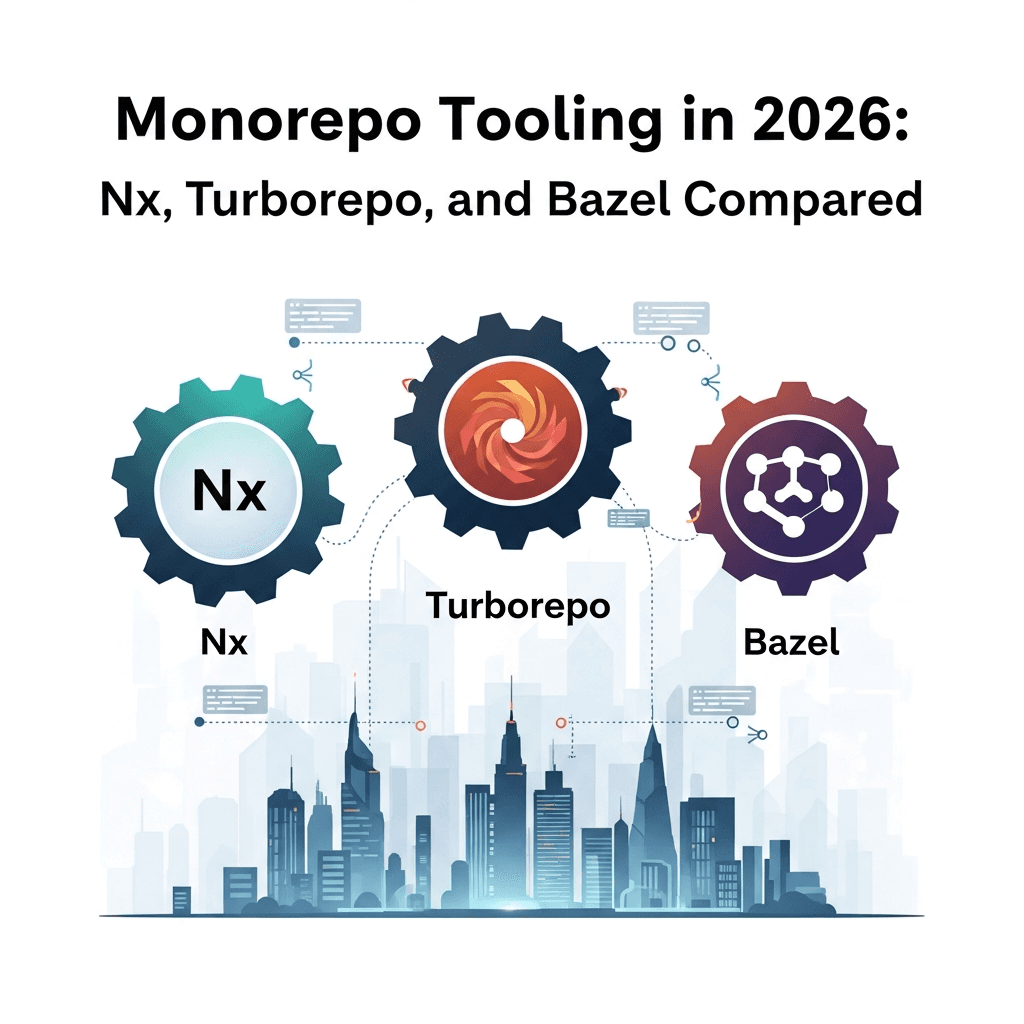
In 2026, the tooling ecosystem for monorepos has matured significantly, offering powerful solutions to these challenges. This article provides a comprehensive, in-depth comparison of three of the most prominent monorepo tools: Nx, Turborepo, and Bazel. We'll explore their core philosophies, technical capabilities, practical applications, and help you determine which tool is best suited for your team's specific needs in the coming years.
Prerequisites
To fully grasp the concepts discussed in this article, a basic understanding of the following is recommended:
- Monorepo Concepts: Familiarity with what a monorepo is and its general advantages/disadvantages.
- JavaScript/TypeScript: While Bazel supports many languages, Nx and Turborepo are heavily focused on the JS/TS ecosystem.
- Build Tools: General knowledge of how build systems, task runners, and package managers (npm, yarn, pnpm) operate.
- Command Line Interface (CLI): Comfort with executing commands in a terminal.
1. The Monorepo Revolution and Its Core Challenges
Monorepos consolidate multiple projects into a single version-controlled repository. This approach offers several compelling benefits:
- Atomic Changes: A single commit can update multiple related projects, ensuring consistency.
- Code Sharing: Easier to extract and reuse common libraries and components.
- Simplified Dependency Management: All projects use the same dependency versions, reducing "dependency hell."
- Streamlined Refactoring: Changes affecting multiple projects can be implemented and tested holistically.
- Consistent Tooling: Enforcing a unified set of linters, formatters, and build processes across all projects.
However, these advantages come with significant challenges, especially at scale:
- Performance Bottlenecks: Full rebuilds of large monorepos can be excruciatingly slow, even for minor changes.
- Dependency Graph Complexity: Understanding and managing the intricate web of inter-project dependencies becomes difficult.
- Tooling Overhead: Traditional build tools often struggle with the scale and interdependencies of a monorepo.
- CI/CD Complexity: Optimizing CI pipelines to only build and test affected projects is crucial but hard to implement manually.
This is where specialized monorepo tooling shines, providing intelligent solutions to these scaling issues.
2. Introducing Nx: The Extensible Smart Monorepo Framework
Nx, developed by Narwhal Technologies, is an open-source build system that provides a comprehensive suite of tools for developing and scaling monorepos, primarily within the JavaScript and TypeScript ecosystem. Nx's core philosophy revolves around developer experience, performance, and extensibility.
Key Features of Nx:
- Computation Caching: Nx intelligently caches the output of tasks (builds, tests, linting). If a task's inputs haven't changed, Nx retrieves the result from its cache (local or remote) instead of re-running the task. This is a game-changer for build times.
- Task Orchestration: Nx understands the dependency graph of your projects. It can execute tasks in parallel and in the correct order, only running tasks for projects affected by a change.
- Code Generation: Nx offers powerful code generators (schematics) for creating new applications, libraries, components, and even entire features, ensuring consistency and adherence to best practices.
- Plugin Ecosystem: A rich plugin ecosystem extends Nx's capabilities to various frameworks and tools (React, Angular, Next.js, NestJS, Express, Cypress, Jest, Storybook, etc.).
- Dependency Graph Analysis: Nx builds a precise dependency graph of your workspace, allowing it to determine affected projects and visualize relationships with
nx graph. - Distributed Task Execution (DTE): For enterprise users, Nx Cloud offers DTE, allowing tasks to be distributed across multiple machines, further accelerating CI builds.
Why choose Nx?
Nx is ideal for teams building large, complex JavaScript/TypeScript monorepos that require strong code generation, a rich plugin ecosystem, and advanced caching/orchestration capabilities. It excels at enforcing architectural patterns and providing a consistent developer experience across numerous projects.
3. Practical Nx Example: Setting up a Full-Stack Monorepo
Let's walk through setting up a simple full-stack monorepo with Nx, including a React frontend and an Express backend.
First, install the Nx CLI globally (if you haven't already):
npm install -g nxNow, create a new Nx workspace:
nx create-nx-workspace my-fullstack-repo --preset=react-standalone --nxCloud=falseThis command initializes a new Nx workspace with a React application. Let's add an Express API:
cd my-fullstack-repo
nx g @nx/express:application api --directory=apps/api --frontendProject=my-fullstack-repo
This generates an Express application named api and integrates it with your my-fullstack-repo frontend. You can now see the project structure:
. my-fullstack-repo
├── apps
│   ├── api          # Express API application
│   └── my-fullstack-repo # React frontend application
├── libs             # Placeholder for shared libraries
├── nx.json          # Nx configuration
├── package.json     # Workspace package.json
└── tsconfig.base.json
To build your React app:
nx build my-fullstack-repoTo serve your Express API:
nx serve apiTo visualize the dependency graph:
nx graphThis command opens a browser showing an interactive graph of your projects and their dependencies, a powerful tool for understanding your monorepo's architecture.
4. Introducing Turborepo: The Fast Build System for JavaScript/TypeScript Monorepos
Turborepo, acquired by Vercel, is a high-performance build system designed specifically for JavaScript and TypeScript monorepos. Its strength lies in its simplicity, speed, and efficient caching mechanisms. Turborepo focuses on being a lightweight, fast build orchestration tool that can be dropped into existing monorepos.
Key Features of Turborepo:
- Remote Caching: Turborepo can cache build outputs remotely (e.g., on Vercel's infrastructure or a self-hosted solution), allowing CI/CD pipelines and team members to share cached results, dramatically speeding up builds.
- Parallel Execution: It automatically parallelizes tasks across projects and within a project, leveraging all available CPU cores.
- Content-Aware Hashing: Turborepo generates a hash for each task based on its inputs (source files, dependencies, environment variables). Only tasks with changed inputs are re-run, ensuring maximal caching efficiency.
- Minimal Configuration: Turborepo requires very little configuration, typically just a
turbo.jsonfile at the root of your monorepo, defining tasks and their dependencies. - Works with Existing Package Managers: It integrates seamlessly with
npm,yarn, andpnpmworkspaces, making it easy to adopt in existing setups. - Filter Syntax: Powerful filtering allows running tasks on specific packages or packages affected by changes.
Why choose Turborepo?
Turborepo is an excellent choice for teams with existing JavaScript/TypeScript monorepos who want to significantly improve build performance with minimal setup overhead. Its focus on speed and remote caching makes it particularly attractive for frontend-heavy monorepos and those using Vercel for deployment.
5. Practical Turborepo Example: Optimizing a Frontend/Backend Monorepo
Let's consider a monorepo with web (Next.js) and docs (Next.js) applications, and a ui shared library, using pnpm workspaces. Assume your package.json at the root defines workspaces:
{
  "name": "my-turborepo-app",
  "version": "1.0.0",
  "private": true,
  "workspaces": [
    "apps/*",
    "packages/*"
  ],
  "scripts": {
    "build": "turbo run build",
    "dev": "turbo run dev --parallel",
    "lint": "turbo run lint",
    "test": "turbo run test"
  }
}
In apps/web/package.json and apps/docs/package.json, you might have a build script like next build. In packages/ui/package.json, you might have a build script like tsc.
Now, create a turbo.json file at the root of your monorepo:
{
  "$schema": "https://turbo.build/schema.json",
  "pipeline": {
    "build": {
      "dependsOn": ["^build"],
      "outputs": [".next/**", "dist/**"]
    },
    "lint": {
      "outputs": []
    },
    "dev": {
      "cache": false,
      "persistent": true
    }
  }
}
Here's what this turbo.json does:
build: Defines thebuildtask.dependsOn: ["^build"]means that before building a package, Turborepo will ensure all its internal dependencies (^) have also been built.outputsspecifies which files/directories to cache.lint: Defines thelinttask. It has no outputs to cache.dev: Defines thedevtask.cache: falseprevents caching, andpersistent: truekeeps the process running.
To run all builds in your monorepo:
turbo run buildTurborepo will automatically detect the dependencies, build ui first, then web and docs in parallel, caching results along the way. If you run it again without changes, it will report FULL TURBO and retrieve everything from cache almost instantly.
6. Introducing Bazel: The Scalable and Correct Build System
Bazel, an open-source build and test tool developed by Google, is designed for building large-scale, multi-language software projects. Its primary focus is on correctness, speed, and reproducibility. Bazel achieves this through hermetic builds and a highly optimized, language-agnostic approach.
Key Features of Bazel:
- Hermetic Builds: Bazel ensures that builds are completely isolated from the host environment. Each build step declares its inputs and outputs, and Bazel guarantees that only these declared inputs are used. This leads to highly reproducible and consistent builds.
- Remote Execution and Caching: Similar to Nx and Turborepo, Bazel supports remote caching, but it takes it a step further with remote execution, allowing build actions to be distributed across a cluster of machines. This is critical for massive monorepos.
- Fine-grained Dependency Graph: Bazel builds an extremely precise, fine-grained dependency graph down to individual files. This enables it to only recompile exactly what's necessary, leading to optimal incremental build times.
- Language Agnostic: Bazel uses a rule-based system (
BUILDfiles) that can be extended to support virtually any language (Java, C++, Python, Go, JavaScript, TypeScript, etc.) through its extensive rulesets (e.g.,rules_nodejs,rules_go). - Scalability: Proven at Google's scale, Bazel is built from the ground up to handle monorepos with millions of lines of code and thousands of targets.
- High Correctness: Due to its hermetic nature, Bazel builds are deterministic. Given the same inputs, it will always produce the same output.
Why choose Bazel?
Bazel is the choice for organizations dealing with extremely large, polyglot monorepos where build correctness, determinism, and maximum scalability are paramount. It's often adopted by companies with complex infrastructure and a strong need for reproducible builds across diverse language stacks.
7. Practical Bazel Example: Building a Multi-Language Project
Setting up Bazel is more involved than Nx or Turborepo due to its strictness and explicit declaration requirements. Let's outline a simplified JavaScript/TypeScript project.
First, create a WORKSPACE file at the root of your monorepo. This file declares external dependencies and Bazel rulesets.
# WORKSPACE
load("@bazel_tools//tools/build_defs/repo:http.bzl", "http_archive")

# Fetch Bazel's rules for Node.js
http_archive(
    name = "build_bazel_rules_nodejs",
    sha256 = "a_valid_sha256_checksum", # Replace with actual checksum
    strip_prefix = "rules_nodejs-0.0.0", # Replace with actual version prefix
    urls = ["https://github.com/bazelbuild/rules_nodejs/archive/0.0.0.tar.gz"] # Replace with actual version
)

load("@build_bazel_rules_nodejs//:defs.bzl", "nodejs_repositories")

nodejs_repositories(
    name = "nodejs_toolchains",
    nodejs_version = "18.16.0", # Specify your Node.js version
    npm_version = "9.5.1",    # Specify your npm version
)

load("@nodejs_toolchains//:index.bzl", "npm_install")

npm_install(
    name = "npm",
    package_json = "//:package.json", # Path to your root package.json
    # ... other npm_install specific configs
)

# ... other rules for different languages
Next, define a BUILD.bazel file in your project directory (e.g., src/app/BUILD.bazel). This file declares build targets.
# src/app/BUILD.bazel
load("@npm//@bazel/typescript:index.bzl", "ts_library")
load("@npm//express:index.bzl", "express")

ts_library(
    name = "app_lib",
    srcs = glob(["*.ts"]), # All TypeScript files in this directory
    deps = [
        "@npm//@types/express",
        "@npm//express",
        "//src/shared:shared_lib" # Dependency on a shared library in `src/shared`
    ],
    tsconfig = "//:tsconfig.json",
)

nodejs_binary(
    name = "app_server",
    entry_point = "//src/app:index.ts", # Entry point for your application
    deps = [
        ":app_lib",
        "@npm//express"
    ],
    data = glob(["static/**"]), # Include static assets if any
)

# To run the server:
# bazel run //src/app:app_server
This example shows:
WORKSPACE: Declares external dependencies likerules_nodejsand sets upnpm_installto manage yournode_modulesin a Bazel-compatible way.BUILD.bazel: Defines ats_libraryrule to compile TypeScript sources into a library, and anodejs_binaryrule to create an executable Node.js application. It explicitly lists dependencies, including internal ones (//src/shared:shared_lib) and external npm packages.
To build your application:
bazel build //src/app:app_serverBazel's setup is complex, but once configured, it provides unparalleled performance, correctness, and scalability for polyglot monorepos.
8. Feature Comparison: Nx vs. Turborepo vs. Bazel
Let's summarize the key differences and similarities across these three powerful tools.
| Feature/Aspect | Nx | Turborepo | Bazel |
|---|---|---|---|
| Primary Focus | DX, extensibility, JS/TS monorepos | Speed, minimal config, JS/TS monorepos | Correctness, scalability, polyglot |
| Caching | Local, Remote (Nx Cloud) | Local, Remote (Vercel, self-hosted) | Local, Remote (Execution & Caching) |
| Task Orchestration | Intelligent graph-based, affected | Content-aware hashing, parallel, dependsOn | Fine-grained, hermetic, parallel |
| Config Complexity | Moderate (via nx.json, plugins) | Low (turbo.json) | High (explicit WORKSPACE, BUILD files) |
| Language Support | Primarily JS/TS, via plugins | Primarily JS/TS | Polyglot (via rulesets) |
| Code Generation | Yes (schematics, extensive) | No | No (but can be built with rules) |
| Dependency Graph | Yes, explicit, interactive visualization | Implicit, inferred from package.json | Yes, explicit, fine-grained |
| Learning Curve | Moderate | Low to Moderate | High |
| Plugin Ecosystem | Rich and mature | Minimal (relies on existing tools) | Extensive (rulesets for all languages) |
| Build Hermeticity | Good (via isolated environments) | Good (via cache keys) | Excellent (strict input/output declaration) |
| CI/CD Integration | Excellent (Nx Cloud) | Excellent (Vercel, general) | Excellent (remote execution) |
9. Choosing the Right Tool: Use Cases and Recommendations
Selecting the appropriate monorepo tool depends heavily on your team's size, technical stack, existing infrastructure, and specific priorities.
When to Choose Nx:
- Large JavaScript/TypeScript monorepos: You have numerous applications and libraries written in JS/TS.
- Strong Developer Experience (DX) focus: You want robust code generation, consistent scaffolding, and a guided development approach.
- Need for Architectural Enforcement: You want to enforce boundaries between projects and maintain a clean, understandable architecture.
- Existing Angular or React ecosystems: Nx originated from Angular CLI and has deep integrations with modern frontend frameworks.
- Teams seeking a comprehensive framework: You want more than just a build tool; you want an opinionated framework that guides your monorepo development.
When to Choose Turborepo:
- Existing JavaScript/TypeScript monorepos: You already have a monorepo (e.g., using
npmorpnpmworkspaces) and want to dramatically speed up builds with minimal configuration changes. - Focus on raw build performance: Your primary goal is to get the fastest possible incremental builds and leverage remote caching.
- Simplicity over extensive features: You prefer a lightweight tool that does one thing exceptionally well (fast builds) without adding much opinionated structure.
- Frontend-heavy monorepos: Particularly beneficial for Next.js, React, or other web projects where quick rebuilds are critical.
- Vercel users: Seamless integration with Vercel's remote caching infrastructure.
When to Choose Bazel:
- Polyglot monorepos: Your monorepo contains projects written in multiple languages (Java, Go, Python, C++, JS/TS, etc.) and you need a unified build system.
- Extreme scale and correctness requirements: You operate at a scale where build times and reproducibility are critical, potentially with thousands of engineers and millions of lines of code.
- Strict hermeticity and determinism: You require absolute certainty that builds are identical every time, regardless of the environment.
- Complex build logic: You have highly customized build steps that require fine-grained control and optimization.
- Teams with dedicated build/infra engineers: The initial setup and maintenance of Bazel require significant expertise and investment.
10. Best Practices for Monorepo Tooling in 2026
Regardless of the tool you choose, adhering to certain best practices will ensure the long-term success of your monorepo.
- Consistent Project Structure: Establish clear conventions for project layouts, naming, and dependency management. This reduces cognitive load and improves maintainability.
- Leverage Remote Caching: This is arguably the most impactful feature of modern monorepo tools. Invest in setting up and maintaining remote caching to maximize build speed across your team and CI/CD pipelines.
- Define Clear Task Dependencies: Explicitly define how tasks depend on each other (e.g.,
builddepends onlint,testdepends onbuild). This enables the tooling to orchestrate tasks correctly and efficiently. - Automate Dependency Updates: Use tools like Dependabot or Renovate to keep your package dependencies up-to-date, reducing security risks and technical debt.
- Optimize CI/CD Integration: Integrate your monorepo tool deeply into your CI/CD pipeline. Use its "affected" commands (Nx) or filtering (Turborepo) to only run tests and builds for changed projects, drastically cutting down CI times.
- Component-Driven Development (CDD): Structure your shared libraries as independent, testable components. Tools like Storybook can be invaluable here.
- Strict Linting and Formatting: Enforce consistent code styles and catch errors early with linters (ESLint) and formatters (Prettier) across all projects.
11. Common Pitfalls and How to Avoid Them
Even with powerful tooling, monorepos can still run into issues if not managed carefully.
- Over-optimization Too Early: Don't jump to the most complex solution (e.g., Bazel) if your monorepo is small. Start simple (Turborepo) or with a balanced approach (Nx) and scale up as needed.
- Ignoring the Dependency Graph: Not understanding how your projects depend on each other can lead to inefficient builds, circular dependencies, and unexpected breaking changes. Use
nx graphor similar visualization tools. - Lack of Standardization: Allowing each team or project to use different tools, configurations, or coding styles within the monorepo defeats many of its benefits. Enforce consistency through tooling and guidelines.
- Poor CI/CD Integration: If your CI/CD pipeline rebuilds everything on every commit, you're not leveraging the power of your monorepo tool. Implement affected commands and remote caching in your pipelines.
- Neglecting Cache Invalidation: While tools handle most invalidation, sometimes a cache might go stale or contain incorrect results. Have a strategy for clearing caches when necessary.
- Ignoring Build Failures: Build failures in a monorepo can propagate quickly. Invest in robust testing and clear error reporting to identify and fix issues promptly.
- Not Investing in Learning: Each tool has a learning curve. Allocate time for your team to understand the tool's philosophy, configuration, and advanced features to unlock its full potential.
Conclusion: Navigating the Monorepo Future
The monorepo paradigm is here to stay, and the tooling available in 2026 empowers developers to manage even the most complex codebases efficiently. Nx, Turborepo, and Bazel represent the pinnacle of this evolution, each offering a distinct approach to solving the challenges of scale, performance, and correctness.
- Nx provides a comprehensive, opinionated framework for JavaScript/TypeScript development, excelling in developer experience, code generation, and architectural enforcement.
- Turborepo offers unparalleled speed and simplicity for existing JS/TS monorepos, focusing on fast builds and efficient remote caching with minimal configuration.
- Bazel stands as the ultimate solution for polyglot monorepos requiring absolute build correctness, hermeticity, and extreme scalability, albeit with a steeper learning curve and higher setup overhead.
The decision of which tool to adopt should be a deliberate one, aligned with your team's specific needs, technical stack, and long-term vision. Experiment with these tools, understand their strengths, and invest in the one that best propels your development velocity and code quality into the future. The right monorepo tool won't just speed up your builds; it will fundamentally transform how your team collaborates and delivers software.

Written by
CodewithYohaFull-Stack Software Engineer with 7+ years of experience in Java, Spring Boot, and cloud architecture across AWS, Azure, and GCP. Writing production-grade engineering patterns for developers who ship real software.