Introduction
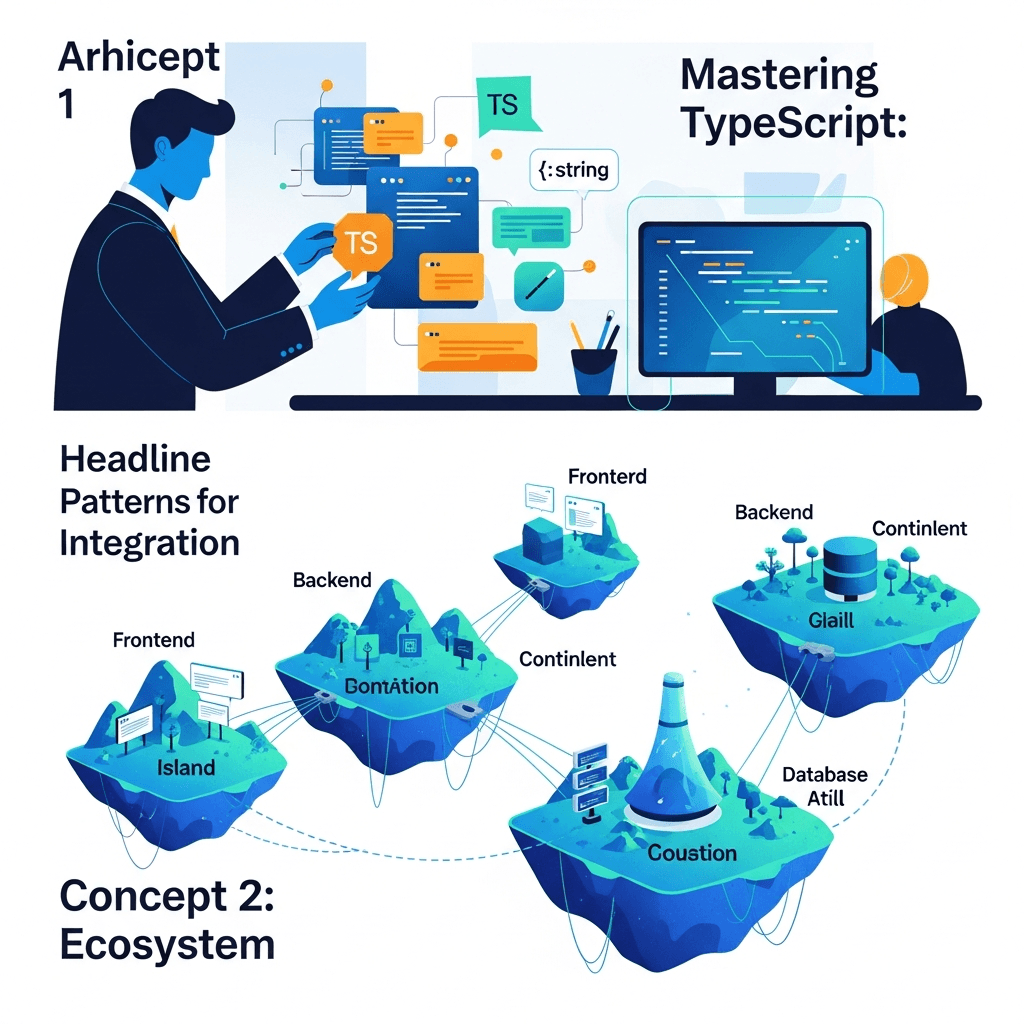
Building large-scale applications in JavaScript can quickly become a maze of unpredictable types and runtime errors. TypeScript, with its robust static type system, offers a powerful antidote to this complexity. While basic TypeScript knowledge helps, truly mastering it for enterprise-grade applications requires diving into its advanced features and patterns.
This guide is for developers looking to elevate their TypeScript game, moving beyond basic interfaces and types to leverage the full power of the language. We'll explore sophisticated patterns that enable you to build more resilient, maintainable, and scalable applications, making your codebase a joy to work with, even as it grows.
Prerequisites
To get the most out of this article, you should have a foundational understanding of TypeScript, including:
- Basic types (string, number, boolean, array, object)
- Interfaces and type aliases
- Enums
- Functions and classes
- Generics
1. Deep Dive into Type Guards and Discrimination
Type guards are special expressions that narrow down the type of a variable within a certain scope. They are fundamental for safely working with union types, where a variable could be one of several types. For large applications, managing complex state often involves union types, making type guards indispensable.
typeof and instanceof Guards
These are the simplest type guards:
typeof: Useful for primitive types (string,number,boolean,symbol,bigint,undefined,object,function).instanceof: Checks if an object is an instance of a particular class.
function processInput(input: string | number | Date) {
  if (typeof input === 'string') {
    console.log(`Processing string: ${input.toUpperCase()}`);
  } else if (typeof input === 'number') {
    console.log(`Processing number: ${input.toFixed(2)}`);
  } else if (input instanceof Date) {
    console.log(`Processing date: ${input.toISOString()}`);
  } else {
    // This branch should ideally be unreachable if all types are covered
    // Using a never type can help ensure exhaustive checking
    const _exhaustiveCheck: never = input;
    return _exhaustiveCheck;
  }
}

processInput("hello");
processInput(123.456);
processInput(new Date());
User-Defined Type Guards
For custom types or interfaces, you can create your own type guards using a type predicate function that returns parameterName is Type.
interface Dog { name: string; breed: string; bark(): void; }
interface Cat { name: string; color: string; meow(): void; }

// User-defined type guard
function isDog(pet: Dog | Cat): pet is Dog {
  return (pet as Dog).bark !== undefined;
}

function playWithPet(pet: Dog | Cat) {
  if (isDog(pet)) {
    pet.bark(); // TypeScript now knows 'pet' is a Dog
  } else {
    pet.meow(); // TypeScript now knows 'pet' is a Cat
  }
}

const myDog: Dog = { name: "Buddy", breed: "Golden Retriever", bark: () => console.log("Woof!") };
const myCat: Cat = { name: "Whiskers", color: "Tabby", meow: () => console.log("Meow!") };

playWithPet(myDog);
playWithPet(myCat);
Discriminated Unions
This is a powerful pattern for handling complex state where objects can have different structures based on a common literal property (the "discriminant").
interface SuccessState { type: 'SUCCESS'; data: any; }
interface ErrorState { type: 'ERROR'; message: string; code: number; }
interface LoadingState { type: 'LOADING'; }

type AsyncState = SuccessState | ErrorState | LoadingState;

function handleAsyncState(state: AsyncState) {
  switch (state.type) {
    case 'SUCCESS':
      console.log("Data loaded successfully:", state.data);
      break;
    case 'ERROR':
      console.error(`Error (${state.code}): ${state.message}`);
      break;
    case 'LOADING':
      console.log("Loading data...");
      break;
    default:
      // Exhaustive checking with 'never' type
      const _exhaustiveCheck: never = state;
      return _exhaustiveCheck;
  }
}

handleAsyncState({ type: 'LOADING' });
handleAsyncState({ type: 'SUCCESS', data: { id: 1, name: 'Item' } });
handleAsyncState({ type: 'ERROR', message: 'Failed to fetch', code: 500 });
2. Conditional Types for Dynamic Typing
Conditional types allow you to define a type that depends on another type. They take the form T extends U ? X : Y, meaning "if type T is assignable to type U, then the type is X, otherwise it's Y." This introduces a powerful form of type logic.
Basic Conditional Types
type IsString<T> = T extends string ? "yes" : "no";

type A = IsString<string>; // "yes"
type B = IsString<number>; // "no"

type GetType<T> = T extends string ? 'string' :
                  T extends number ? 'number' :
                  T extends boolean ? 'boolean' :
                  'unknown';

type C = GetType<"hello">; // 'string'
type D = GetType<123>;     // 'number'
type E = GetType<null>;    // 'unknown'
The infer Keyword
infer is used within conditional types to declare a new type variable that can be inferred from the type being checked. This is incredibly useful for extracting parts of a type.
// Extract the return type of a function
type MyReturnType<T> = T extends (...args: any[]) => infer R ? R : any;

function greet(name: string) { return `Hello, ${name}`; }

type GreetReturn = MyReturnType<typeof greet>; // string

// Extract the type of a Promise's resolved value
type UnwrapPromise<T> = T extends Promise<infer U> ? U : T;

type PromiseValue = UnwrapPromise<Promise<number>>; // number
type NonPromiseValue = UnwrapPromise<string>;         // string

// Extract element type of an array
type ArrayElementType<T> = T extends (infer U)[] ? U : T;

type NumberArrayElement = ArrayElementType<number[]>; // number
type StringArrayElement = ArrayElementType<string[]>; // string
type NonArrayElement = ArrayElementType<boolean>;     // boolean
Use Cases
- Complex Type Derivation: Create new types based on existing ones, e.g., making all properties of an object optional if it's a specific type.
- API Response Mapping: Dynamically adjust types based on API version or specific request parameters.
- Framework Development: Many advanced utility types in TypeScript's standard library (
ReturnType,Parameters,Awaited) are built using conditional types andinfer.
3. Mapped Types and Type Transformations
Mapped types allow you to create new types by transforming properties of an existing type. They iterate over keys of an object type, applying a transformation to each property. This is a powerful feature for creating utility types and enforcing structural constraints.
Basic Mapped Types
type Properties = 'propA' | 'propB';

type MyMappedType = { [P in Properties]: boolean };
// Equivalent to: { propA: boolean; propB: boolean; }

interface User { id: number; name: string; email: string; }

// Make all properties optional
type OptionalUser = { [P in keyof User]?: User[P] };
// Equivalent to: { id?: number; name?: string; email?: string; }

// Make all properties readonly
type ReadonlyUser = { [P in keyof User]: Readonly<User[P]> };
// Equivalent to: { readonly id: number; readonly name: string; readonly email: string; }

// Remove readonly and optional modifiers
type MutableRequired<T> = {
  -readonly [P in keyof T]-?: T[P];
};

type Example = MutableRequired<Readonly<Partial<User>>>; // { id: number; name: string; email: string; }
Advanced Mapped Types
You can combine mapped types with conditional types and keyof to create highly flexible transformations.
// Pick properties by type
type PickByValue<T, V> = {
  [P in keyof T as T[P] extends V ? P : never]: T[P];
};

interface Product { id: number; name: string; price: number; description: string; }

// Get only string properties
type StringProperties = PickByValue<Product, string>;
// Equivalent to: { name: string; description: string; }

// Get only number properties
type NumberProperties = PickByValue<Product, number>;
// Equivalent to: { id: number; price: number; }

// Deep Readonly
type DeepReadonly<T> = T extends object ? {
  readonly [P in keyof T]: DeepReadonly<T[P]>;
} : T;

interface Config {
  appName: string;
  database: { host: string; port: number; };
}

type ImmutableConfig = DeepReadonly<Config>;
// ImmutableConfig.appName = "new"; // Error
// ImmutableConfig.database.host = "new"; // Error
Use Cases
- API Request/Response DTOs: Automatically derive input DTOs from entity types (e.g.,
CreateUserDtofromUserby omittingid). - Form Generation: Create form field types based on an existing model.
- State Management: Define immutable state structures.
- Configuration Objects: Ensure configuration objects are fully type-safe and potentially immutable.
4. Declaration Merging for Extensibility
Declaration merging is a unique TypeScript feature where the compiler merges two or more declarations with the same name into a single definition. This is incredibly powerful for extending existing types, especially from third-party libraries, without modifying their source code.
Interface Merging
Interfaces are the most common use case for declaration merging. If you declare two interfaces with the same name, TypeScript merges their members.
interface UserProfile {
  id: string;
  name: string;
}

// Later in a different file or module...
interface UserProfile {
  email: string;
  createdAt: Date;
}

const user: UserProfile = {
  id: "user-123",
  name: "Alice",
  email: "alice@example.com",
  createdAt: new Date()
};

console.log(user); // All properties are present
Module Augmentation
This is crucial for extending global types or types from external modules. You can augment a module by declaring a module with the same name and adding new declarations or modifying existing ones.
Imagine you're using an external library my-library that has a module my-library/data-model with an interface Item:
node_modules/my-library/data-model.d.ts:
// my-library/data-model.d.ts
export interface Item { id: string; value: number; }
To add a description property to Item in your application:
src/types/my-library-augmentations.d.ts:
// src/types/my-library-augmentations.d.ts
declare module 'my-library/data-model' {
  interface Item {
    description: string;
    // You can also add new functions or classes here
  }
}

// Example of augmenting a global interface (e.g., adding to Window object)
declare global {
  interface Window {
    myCustomGlobalFunction: (message: string) => void;
  }
}
Now, when you import Item from my-library/data-model, it will include the description property.
// src/app.ts
import { Item } from 'my-library/data-model';

const myItem: Item = {
  id: "item-abc",
  value: 100,
  description: "This is an augmented item."
};

console.log(myItem);

// Accessing augmented global type
window.myCustomGlobalFunction = (msg) => console.log(`Global: ${msg}`);
window.myCustomGlobalFunction("Hello from augmented global!");
Use Cases
- Extending Third-Party Types: Add properties or methods to interfaces/classes from libraries you don't control.
- Plugin Architectures: Allow plugins to extend core application types.
- Global Type Extensions: Add custom properties to
Window,HTMLElement, or other global objects.
5. Understanding and Leveraging Type Inference
TypeScript's type inference engine is incredibly sophisticated. It automatically deduces types in many scenarios, reducing the need for explicit type annotations and making your code cleaner. Understanding how it works allows you to write more idiomatic and robust TypeScript.
Basic Inference
let x = 3; // x is inferred as number
const y = "hello"; // y is inferred as "hello" (literal type due to const)

let arr = [1, 2, 3]; // arr is inferred as number[]
let mixedArr = [1, "hello"]; // mixedArr is inferred as (string | number)[]

function add(a: number, b: number) { return a + b; } // Return type inferred as number
let sum = add(5, 10); // sum is inferred as number
Contextual Typing
TypeScript can infer types based on the context in which a value is used, especially for function arguments and object literals.
interface EventHandlers {
  onClick: (event: MouseEvent) => void;
  onKeyDown: (event: KeyboardEvent) => void;
}

const handlers: EventHandlers = {
  onClick: (event) => {
    // 'event' is contextually typed as MouseEvent
    console.log(event.clientX);
  },
  onKeyDown: (event) => {
    // 'event' is contextually typed as KeyboardEvent
    console.log(event.key);
  }
};

// Array.prototype.map also uses contextual typing
const numbers = [1, 2, 3];
const doubled = numbers.map(num => num * 2); // 'num' is inferred as number
const Assertions (as const)
as const tells TypeScript to infer the narrowest possible type for an expression, treating literals as literal types and arrays/objects as readonly tuples/objects.
const COLORS = ['red', 'green', 'blue']; // Inferred as string[]

const STRICT_COLORS = ['red', 'green', 'blue'] as const;
// Inferred as readonly ["red", "green", "blue"]

type Color = typeof STRICT_COLORS[number]; // "red" | "green" | "blue"

const CONFIG = {
  apiUrl: "/api/v1",
  timeout: 5000
} as const;

// CONFIG.apiUrl is inferred as "/api/v1" (literal type)
// CONFIG.timeout is inferred as 5000 (literal type)
// The object itself is readonly
// CONFIG.apiUrl = "/api/v2"; // Error
Use Cases
- Reduced Boilerplate: Write less explicit type annotations, especially for simple variables and function return types.
- Improved Readability: Code can be cleaner without redundant type declarations.
- Enhanced Type Safety:
as consthelps create more precise literal types for configuration objects, action types, or fixed sets of values, which can then be used in discriminated unions or template literal types.
6. Advanced Decorators and Metadata (with emitDecoratorMetadata)
Decorators are a stage 3 ECMAScript proposal that allows you to add annotations and a meta-programming syntax for classes members. In TypeScript, they provide a way to add metadata and modify classes, methods, properties, or parameters at design time. They are heavily used in frameworks like Angular and NestJS.
To use decorators, enable "experimentalDecorators": true and "emitDecoratorMetadata": true in your tsconfig.json.
Decorator Types
- Class Decorators: Applied to a class constructor.
- Method Decorators: Applied to a method, can observe, modify, or replace a method definition.
- Property Decorators: Applied to a property, can observe and modify a property definition.
- Parameter Decorators: Applied to parameters in method/constructor signatures, can observe parameter information.
Example: Simple Logging Decorator
// Method Decorator
function LogMethod(target: any, propertyKey: string, descriptor: PropertyDescriptor) {
  const originalMethod = descriptor.value;

  descriptor.value = function (...args: any[]) {
    console.log(`[LOG] Calling method '${propertyKey}' with arguments:`, args);
    const result = originalMethod.apply(this, args);
    console.log(`[LOG] Method '${propertyKey}' returned:`, result);
    return result;
  };

  return descriptor;
}

// Class Decorator
function Component(options: { selector: string }) {
  return function <T extends { new(...args: any[]): {} }>(constructor: T) {
    return class extends constructor {
      constructor(...args: any[]) {
        super(...args);
        console.log(`[COMPONENT] Initializing component: ${options.selector}`);
      }
    };
  };
}

@Component({ selector: 'my-service' })
class MyService {
  private data: string;

  constructor(initialData: string) {
    this.data = initialData;
  }

  @LogMethod
  public getData(prefix: string): string {
    return `${prefix}: ${this.data}`;
  }

  @LogMethod
  public calculate(a: number, b: number): number {
    return a + b;
  }
}

const service = new MyService("Initial Value");
console.log(service.getData("Fetched"));
console.log(service.calculate(10, 20));
Reflect Metadata API
When emitDecoratorMetadata is enabled, TypeScript emits design-time type information as metadata using the reflect-metadata polyfill. This allows decorators to inspect the types of parameters, return values, and properties.
import 'reflect-metadata'; // Must be imported once in your app

function TypeInfo(target: any, propertyKey: string | symbol, parameterIndex?: number) {
  if (parameterIndex !== undefined) {
    const paramTypes = Reflect.getMetadata("design:paramtypes", target, propertyKey);
    console.log(`Parameter at index ${parameterIndex} of method '${String(propertyKey)}' has type: ${paramTypes[parameterIndex].name}`);
  } else if (propertyKey !== undefined) {
    const returnType = Reflect.getMetadata("design:returntype", target, propertyKey);
    console.log(`Method '${String(propertyKey)}' has return type: ${returnType.name}`);
    const paramTypes = Reflect.getMetadata("design:paramtypes", target, propertyKey);
    console.log(`Method '${String(propertyKey)}' has parameter types: ${paramTypes.map((t: any) => t.name).join(', ')}`);
  }
}

class DataProcessor {
  @TypeInfo
  process(input: string, count: number): boolean {
    return input.length > count;
  }
}

const processor = new DataProcessor();
processor.process("hello", 3);

// Output will show design-time types like: string, number, boolean
Use Cases
- Dependency Injection: Frameworks use parameter decorators to inject dependencies based on type metadata.
- Serialization/Deserialization: Map JSON to class instances, inferring types for property mapping.
- Validation: Apply validation rules based on property types or custom decorators.
- AOP (Aspect-Oriented Programming): Implement cross-cutting concerns (logging, caching, authorization) without modifying core business logic.
7. Enhancing DX with Template Literal Types
Introduced in TypeScript 4.1, template literal types allow you to create new string literal types by concatenating existing string literals in a template literal fashion. This brings powerful string manipulation to the type system, enabling incredibly precise and dynamic type definitions.
Basic Template Literal Types
type Greeting = "Hello" | "Hi";
type Name = "Alice" | "Bob";

type PersonalizedGreeting = `${Greeting}, ${Name}!`;
// "Hello, Alice!" | "Hello, Bob!" | "Hi, Alice!" | "Hi, Bob!"

type Direction = "up" | "down" | "left" | "right";
type Movement = `move${Capitalize<Direction>}`;
// "moveUp" | "moveDown" | "moveLeft" | "moveRight"

type EventName<T extends string> = `${T}Changed` | `${T}Deleted`;

type UserEvents = EventName<'user'>; // "userChanged" | "userDeleted"
type ProductEvents = EventName<'product'>; // "productChanged" | "productDeleted"
Modifiers (Uppercase, Lowercase, Capitalize, Uncapitalize)
These intrinsic string manipulation types allow you to transform the case of string literal types within template literals.
type Status = "success" | "error";
type HTTPMethod = "get" | "post";

type LogMessage = `Operation ${Uppercase<Status>}!`; // "Operation SUCCESS!" | "Operation ERROR!"
type APIEndpoint = `/api/${Lowercase<HTTPMethod>}/data`; // "/api/get/data" | "/api/post/data"
Use Cases
- Strict Event Names: Define precise event names for an event bus, ensuring type safety when emitting or subscribing.
- CSS Class Names: Generate type-safe CSS class names based on component states (e.g.,
button--primary,button--disabled). - API Route Definitions: Create type-safe API endpoints based on resource names and actions.
- Internationalization Keys: Enforce correct key patterns for translation systems.
- Framework Development: Many modern UI libraries and frameworks can leverage these for highly expressive component props or utility types.
// Example: Type-safe event bus
interface User { id: string; name: string; }
interface Product { sku: string; price: number; }

type Domain = 'user' | 'product';
type EventType = 'created' | 'updated' | 'deleted';

type AppEvent = `${Domain}:${EventType}`;

// Define payloads for specific events
type EventPayloads = {
  'user:created': User;
  'user:updated': Partial<User>;
  'user:deleted': { id: string };
  'product:created': Product;
  'product:updated': Partial<Product>;
  'product:deleted': { sku: string };
};

class EventBus {
  private subscribers: Map<AppEvent, Function[]> = new Map();

  subscribe<E extends AppEvent>(eventName: E, callback: (payload: EventPayloads[E]) => void) {
    if (!this.subscribers.has(eventName)) {
      this.subscribers.set(eventName, []);
    }
    this.subscribers.get(eventName)?.push(callback);
  }

  publish<E extends AppEvent>(eventName: E, payload: EventPayloads[E]) {
    this.subscribers.get(eventName)?.forEach(callback => callback(payload));
  }
}

const eventBus = new EventBus();

eventBus.subscribe('user:created', (user) => {
  // user is type User
  console.log(`New user created: ${user.name}`);
});

eventBus.subscribe('product:updated', (product) => {
  // product is type Partial<Product>
  console.log(`Product updated: ${product.sku || 'unknown sku'} - new price ${product.price}`);
});

eventBus.publish('user:created', { id: 'u1', name: 'Charlie' });
eventBus.publish('product:updated', { sku: 'p123', price: 29.99 });
// eventBus.publish('user:deleted', { name: 'invalid' }); // Type error!
8. Monorepos and Project References
For large-scale applications, especially those composed of multiple microservices, libraries, or UI components, a monorepo strategy combined with TypeScript's project references can significantly improve development experience, build times, and type safety across your entire codebase.
What are Project References?
TypeScript project references allow you to divide your TypeScript program into smaller projects. Each sub-project can have its own tsconfig.json and dependencies on other projects. This enables:
- Faster Builds: Only changed projects are rebuilt.
- Better Organization: Clear separation of concerns.
- Improved Editor Experience: Language services can quickly analyze smaller project graphs.
- Enforced Boundaries: Prevents accidental cross-project imports unless explicitly referenced.
tsconfig.json Configuration
Consider a monorepo with packages/core, packages/ui, and apps/web.
packages/core/tsconfig.json:
{
  "compilerOptions": {
    "composite": true, // Must be true for projects to be referenced
    "outDir": "./dist",
    "rootDir": "./src",
    "declaration": true,
    "target": "ES2019",
    "module": "CommonJS",
    "strict": true,
    "esModuleInterop": true
  },
  "include": ["src"]
}packages/ui/tsconfig.json:
{
  "compilerOptions": {
    "composite": true,
    "outDir": "./dist",
    "rootDir": "./src",
    "declaration": true,
    "target": "ES2019",
    "module": "CommonJS",
    "strict": true,
    "esModuleInterop": true,
    "jsx": "react"
  },
  "include": ["src"],
  "references": [
    { "path": "../core" } // Reference to the core package
  ]
}apps/web/tsconfig.json:
{
  "compilerOptions": {
    "outDir": "./dist",
    "rootDir": "./src",
    "target": "ES2019",
    "module": "CommonJS",
    "strict": true,
    "esModuleInterop": true,
    "jsx": "react"
  },
  "include": ["src"],
  "references": [
    { "path": "../../packages/core" },
    { "path": "../../packages/ui" }
  ]
}
tsconfig.base.json (optional, for shared compiler options):
{
  "compilerOptions": {
    "target": "ES2019",
    "module": "CommonJS",
    "strict": true,
    "esModuleInterop": true,
    "skipLibCheck": true, // Recommended for monorepos
    "forceConsistentCasingInFileNames": true,
    "declarationMap": true
  }
}
Then extend it in other tsconfig.json files:
packages/core/tsconfig.json:
{
  "extends": "../../tsconfig.base.json",
  "compilerOptions": {
    "composite": true,
    "outDir": "./dist",
    "rootDir": "./src",
    "declaration": true
  },
  "include": ["src"]
}
Building with Project References
From the root of your monorepo, running tsc --build (or tsc -b) will incrementally build all referenced projects in the correct order.
Use Cases
- Micro-frontends: Separate UI components into distinct projects.
- Shared Libraries: Create reusable utility or UI component libraries.
- Backend Services: Organize multiple backend services within a single repository.
- Design Systems: Publish separate packages for design tokens, components, and utilities.
9. Advanced Generics and Constraints
Generics are fundamental for writing reusable and type-safe code that works with a variety of types while maintaining type relationships. Moving beyond basic Array<T> or Promise<T>, advanced generics involve constraints, default types, and using generics in complex type transformations.
Generic Constraints (extends)
Constraints allow you to restrict the types that can be used for a generic type parameter. This ensures that the generic type has certain properties or methods, enabling you to operate on it safely.
interface HasId { id: string; }

// T must have an 'id' property of type string
function findById<T extends HasId>(items: T[], id: string): T | undefined {
  return items.find(item => item.id === id);
}

interface User { id: string; name: string; }
interface Product { id: string; sku: string; price: number; }

const users: User[] = [{ id: "u1", name: "Alice" }];
const products: Product[] = [{ id: "p1", sku: "A123", price: 99 }];

const foundUser = findById(users, "u1"); // Type: User | undefined
const foundProduct = findById(products, "p1"); // Type: Product | undefined

// findById([{ value: 1 }], "fail"); // Error: Argument of type '{ value: number; }[]' is not assignable to parameter of type 'HasId[]'
keyof and typeof with Generics
These operators are powerful when combined with generics to create types that reflect the structure of other types.
function getProperty<T, K extends keyof T>(obj: T, key: K): T[K] {
  return obj[key];
}

const person = { name: "Bob", age: 30 };

const personName = getProperty(person, "name"); // Type: string
const personAge = getProperty(person, "age");   // Type: number

// getProperty(person, "address"); // Error: Argument of type '"address"' is not assignable to parameter of type '"name" | "age"'.
Default Generic Types
You can provide default types for generic parameters, making them optional for consumers of your type/function.
interface Container<T = string> {
  value: T;
}

let stringContainer: Container = { value: "hello" }; // T defaults to string
let numberContainer: Container<number> = { value: 123 };

type Dictionary<T extends string | number | symbol = string, V = any> = {
  [key: T]: V;
};

type StringDictionary = Dictionary; // T defaults to string, V defaults to any
type NumberDictionary<T> = Dictionary<number, T>; // T is number, V is custom

const dict1: StringDictionary = { "key": "value" };
const dict2: NumberDictionary<boolean> = { 1: true, 2: false };
Higher-Order Components/Functions with Generics (React Example)
Generics are crucial for typing HOCs in React, ensuring that the wrapped component's props are correctly passed through.
import React, { ComponentType } from 'react';

interface WithLoadingProps {
  isLoading: boolean;
}

// A Higher-Order Component (HOC) that adds an 'isLoading' prop
function withLoading<P extends object>(WrappedComponent: ComponentType<P & WithLoadingProps>) {
  return function (props: P) {
    const [loading, setLoading] = React.useState(true);

    React.useEffect(() => {
      setTimeout(() => setLoading(false), 2000);
    }, []);

    return <WrappedComponent {...props as P} isLoading={loading} />;
  };
}

interface MyComponentProps {
  message: string;
  count: number;
}

const MyComponent: React.FC<MyComponentProps & WithLoadingProps> = ({ message, count, isLoading }) => (
  <div>
    {isLoading ? (
      <p>Loading...</p>
    ) : (
      <p>{message} - Count: {count}</p>
    )}
  </div>
);

const MyLoadedComponent = withLoading(MyComponent);

// Usage:
// <MyLoadedComponent message="Hello from HOC" count={5} />
// The 'isLoading' prop is automatically provided by the HOC.
Use Cases
- Reusable Data Structures: Implement generic queues, stacks, trees, etc., that work with any type.
- API Clients: Create generic fetch functions that correctly type responses based on the expected data shape.
- Utility Functions: Write functions that operate on objects or arrays in a type-safe manner without knowing the exact type upfront.
- Framework/Library Development: Essential for building flexible and type-safe APIs for wider consumption.
10. Best Practices for Large Scale TypeScript
Beyond just using advanced features, adopting certain best practices is crucial for maintaining a healthy, scalable TypeScript codebase.
Embrace strict: true
Always enable "strict": true in your tsconfig.json. This turns on a suite of strict type-checking options (noImplicitAny, strictNullChecks, strictFunctionTypes, strictPropertyInitialization, noImplicitThis, alwaysStrict). It catches many common errors early and enforces a higher standard of type safety, leading to more robust code.
Consistent Linting with ESLint
Integrate ESLint with TypeScript (@typescript-eslint/parser, @typescript-eslint/eslint-plugin). This enforces consistent code style, identifies potential issues beyond type errors, and integrates with your IDE for immediate feedback. Define clear rules for any usage, explicit return types, and other TypeScript-specific patterns.
Organize Your Types
- Dedicated
typesFolder: For global type declarations (.d.tsfiles) or complex domain types that are shared across many parts of your application, consider a dedicatedsrc/typesdirectory. - Co-located Types: For types specific to a module or component, define them in the same file or a nearby
index.tsortypes.tsfile. - Export Only What's Necessary: Avoid exporting internal utility types from modules. Use
export typeexplicitly.
Minimize any Usage
any effectively turns off type checking for that variable, defeating the purpose of TypeScript. While sometimes necessary (e.g., when dealing with truly dynamic third-party data), strive to replace any with specific types, unknown, or generics. When any is unavoidable, add a comment explaining why.
Use unknown over any for Untyped Input
unknown is a type-safe counterpart to any. You can assign anything to unknown, but to use an unknown value, you must narrow its type using type guards. This forces you to handle potential type issues explicitly.
function processUnknown(value: unknown) {
  // console.log(value.toFixed(2)); // Error: Object is of type 'unknown'.
  if (typeof value === 'number') {
    console.log(value.toFixed(2)); // OK: value is now number
  }
}
Document Complex Types and APIs
Use JSDoc comments for complex interfaces, type aliases, and function signatures. This improves readability, helps team members understand intricate type relationships, and generates useful documentation.
/**
 * Represents a paginated list of items.
 * @template T The type of items in the list.
 */
interface PaginatedList<T> {
  /** The items for the current page. */
  items: T[];
  /** The total number of items available. */
  totalCount: number;
  /** The current page number (1-indexed). */
  page: number;
  /** The number of items per page. */
  pageSize: number;
}
Automated Testing with Types
Ensure your tests cover not just runtime behavior but also type correctness. Tools like dtslint or simply writing unit tests for your type utilities can help validate complex type definitions.
Common Pitfalls
- Over-engineering Types: Don't create overly complex types for simple scenarios. Sometimes, a straightforward interface is sufficient. Balance type precision with maintainability.
- Ignoring Type Errors (
// @ts-ignore,as any): While sometimes necessary, overuse of these can hide real bugs. Use them sparingly and with clear justification. - Performance Issues with Complex Types: Extremely complex conditional types or recursive mapped types can slow down the TypeScript compiler and your IDE's language services. Monitor build times and consider simplifying types if performance becomes an issue.
- Inconsistent Typing: Different parts of your codebase using different approaches to typing similar concepts can lead to confusion and errors. Establish clear conventions.
- Not Leveraging Existing Utility Types: TypeScript's standard library includes many powerful utility types (
Partial,Required,Pick,Omit,Exclude,Extract,NonNullable,ReturnType,Parameters,Awaited). Familiarize yourself with them to avoid reinventing the wheel.
Conclusion
Mastering advanced TypeScript patterns is not just about writing more code; it's about writing better code. By embracing type guards, conditional types, mapped types, declaration merging, and strategic use of generics and monorepos, you equip yourself to build large-scale applications that are robust, maintainable, and a pleasure to evolve.
TypeScript continues to evolve, bringing new features that further empower developers. Stay curious, keep experimenting, and leverage the full potential of this incredible language to build the next generation of resilient software.

Written by
CodewithYohaFull-Stack Software Engineer with 7+ years of experience in Java, Spring Boot, and cloud architecture across AWS, Azure, and GCP. Writing production-grade engineering patterns for developers who ship real software.